

Dark turquoise color is a rich blue-green shade that looks like clear tropical water deepening into teal as the light fades.
Its signature digital reference is hex #00CED1, sitting between cyan and teal with a cool, fresh cast that can feel calm, clean, and confidently modern.
Dark Turquoise Color: Codes & Values
Use these core values to match dark turquoise consistently across UI, branding, and print production workflows.
| Parameters | VALUE |
| HEX Code | #00CED1 |
| RGB DECIMAL | 0, 206, 209 |
| RGB PERCENTAGE | 0%, 81%, 82% |
| CMYK | 100%,2%,0%,18% |
| HSL | 181°, 100%, 41% |
| HSV (HSB) | 181°, 100%, 82% |
| Web Safe | #00CCCC |
Key Color Space Explanations:
- HEX - HEX is the most common way to specify this shade on the web and in design tools. Use #00ced1 to match dark turquoise precisely in digital layouts.
- RGB - RGB mixes red, green, and blue light for screens and UI. With 0, 206, 209, this tone stays cool and saturated, making it a strong accent on light or dark backgrounds.
- CMYK - CMYK is used for ink-based printing and can shift depending on paper and profiles. The values 100%,2%,0%,18% are a practical starting point for production work.
- HSL - HSL describes hue, saturation, and lightness in a way that's intuitive for tweaking. A hue near 181° keeps it in the cyan-teal zone, while high saturation maintains its vivid, watery feel.
- Web Safe - Web Safe is the closest legacy-safe approximation for older display limits. The nearest web-safe match to this shade is #00cccc.
For digital work, start with HEX/RGB; for print, treat CMYK as a starting point and confirm on proofs to avoid unexpected teal-green shifts.
Dark Turquoise Color Conversions
Need the same color expressed in different systems? Here are the most common conversions designers use for dark turquoise.
| Parameters | VALUE | CSS |
| HEX | #00ced1 | #00ced1 |
| RGB DECIMAL | 0, 206, 209 | rgb(0,206,209) |
| RGB PERCENTAGE | 0%, 81%, 82% | rgb(0%,81%,82%) |
| CMYK | 100%,2%,0%,18% | cmyk(100%,2%,0%,18%) |
| HSL | 181°, 100%, 41% | hsl(181°, 100%, 41%) |
| HSV (or HSB) | 181°, 100%, 82% | -- |
| Web Safe | 00cccc | #00cccc |
| CIE-LAB | 76.2, -43.9, -12.6 | -- |
| XYZ | 35.8, 50.2, 67.1 | -- |
| xyY | 0.23, 0.33, 50.2 | -- |
| CIE-LCH | 76.2, 45.7, 196.1° | -- |
| CIE-LUV | 76.2, -62.0, -22.4 | -- |
| Hunter-Lab | 70.9, -46.1, -6.4 | -- |
| Binary | 00000000 11001110 11010001 | -- |
Want to generate Dark Turquoise Color photos or posters? Try Media.io's AI Image Generator now!
Dark Turquoise Color Meaning & Symbolism
Dark turquoise color is often linked with clarity, balance, and a refreshing sense of calm. It blends the stability people associate with blue and the growth-and-renewal feel of green, which makes it easy to live with in everyday visuals. When people search for Dark Turquoise Color meaning, they're typically trying to understand why it feels both soothing and modern at the same time.
Psychological Effects
In design, dark turquoise can shift the mood fast—calm when it's breathing with neutrals, energetic when it's used at full saturation.
- Clean Focus - Helps interfaces feel organized and "clear," especially in dashboards, navigation, and labeled UI states.
- Calm Confidence - Balances blue stability with green freshness, creating a composed tone that doesn't feel overly formal.
- Fresh Energy - Its brightness adds lift and momentum, making it effective for highlights, badges, and calls to action.
- Cool Minimalism - Reads sleek and modern, but can feel clinical if paired with sharp whites and too little texture.
- Intensity Risk - When used on large surfaces, high saturation may feel cold or loud, so it benefits from warm neutrals and spacing.
Positive Associations
Most audiences read dark turquoise as modern, breathable, and "water-clean," which makes it easy to use in everyday branding.
- Clarity - Suggests crisp communication and an uncluttered message, ideal for information-heavy layouts.
- Trust - Keeps the dependability of blue while feeling more approachable than darker corporate tones.
- Renewal - Echoes nature and water, which can subtly reinforce "refresh," "reset," and "new" themes.
- Balance - Sits comfortably between green and blue, making palettes feel stable without looking dull.
- Modern Freshness - Adds a clean, contemporary edge that works well with minimalist typography and grids.
Cultural Significance Across the World
Turquoise meaning can vary by region, but it commonly carries broad themes connected to water, protection, and renewal.
- Water & Sky Symbolism - Often tied to oceans and open skies, which can communicate calm, freedom, and clarity.
- Protective Motifs - In many traditions, turquoise-like tones are used in amulets or decorative elements associated with safeguarding.
- Healing & Wellness - Frequently appears in wellness contexts due to its cool, clean feel and connection to freshness.
- Contemporary Identity - In modern global design, it's widely read as a "tech-clean" color that signals innovation and ease.
Design Applications
Dark turquoise works best when you lean into its crisp, blue-green character and give it room to breathe. It can act as a confident accent, a modern brand anchor, or a calming backdrop depending on how you balance contrast and saturation.
Graphic Design Tips
- Use dark turquoise as a primary accent for CTAs, icons, links, and active states instead of flooding the full layout.
- Pair it with warm neutrals or natural textures (paper, wood, grain) to keep the look inviting rather than sterile.
- For typography, reserve the brightest turquoise for fills and highlights; use darker neutrals for long-form text.
- If the design feels "too cold," add a small warm counter-accent (especially in headers, badges, or key illustrations).
- Always verify contrast on real screens and in dark mode, particularly for thin UI strokes and small labels.
Pro tip: treat #00CED1 like a spotlight—use it to guide attention to what matters, then let soft grays and off-whites handle the heavy lifting.
Dark Turquoise Color in Photography & Video
- Boost aqua/teal selectively to bring out water, glass, or metallic highlights without pushing skin tones green.
- Use it as a backdrop color for product shots that need a clean, hygienic, modern vibe.
- In video grading, keep saturation controlled in shadows to avoid noisy, "electric" teal patches.
- Pair dark turquoise with warm key lights (or warm practicals) to create cinematic color contrast.
- For social thumbnails, use turquoise overlays sparingly so key subjects stay natural and readable.
Recommended Tool for Image Enhancement: When incorporating dark turquoise color into your photography projects, Media.io's AI Image tools can help you achieve more refined results. With AI-powered color enhancement, photo colorization, image upscaling, and old photo restoration, you can easily enrich dark turquoise color tones, improve overall image quality, and highlight the color's elegant and sophisticated aesthetic.
Color Combinations
Dark turquoise pairs well with warm opposites, nearby blue-green neighbors, and playful geometric harmonies. Use the palettes below as starting points, then adjust brightness and neutrals to fit your layout and contrast needs.
Complementary Colors
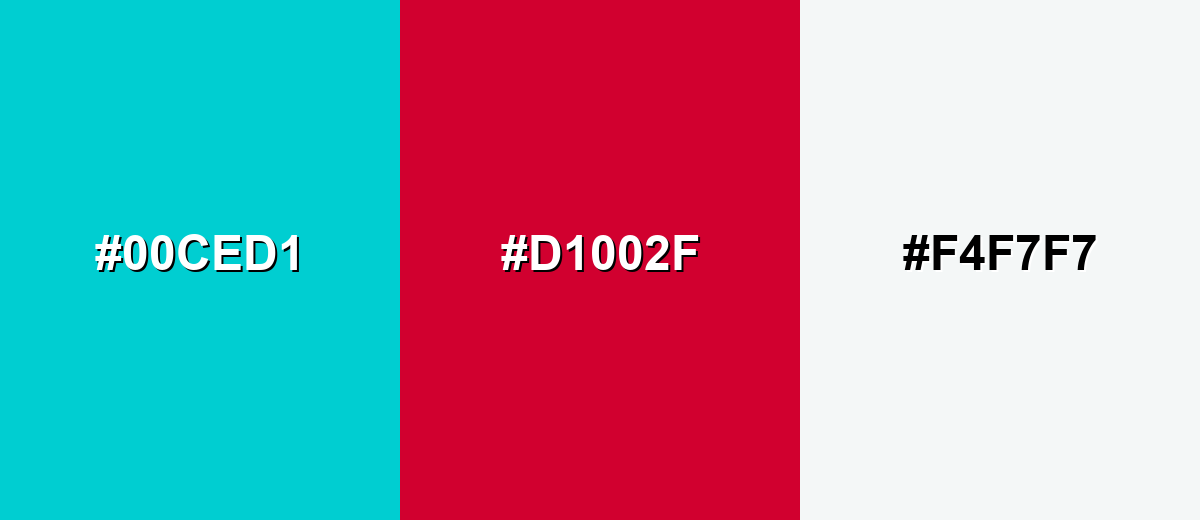
A complementary palette uses hues opposite each other for strong, attention-grabbing contrast. With dark turquoise, a warm red accent adds instant energy while a soft near-white keeps the overall look clean and readable.
Complementary Palette Example: Try dark turquoise with a deep red accent and a light neutral for balanced contrast.
Analogous Color Schemes
Analogous colors sit adjacent to each other on the color wheel, creating harmonious, cohesive palettes with subtle variation.
A bright analogous run that stays aquatic and lively: green-teal to turquoise to blue-cyan.
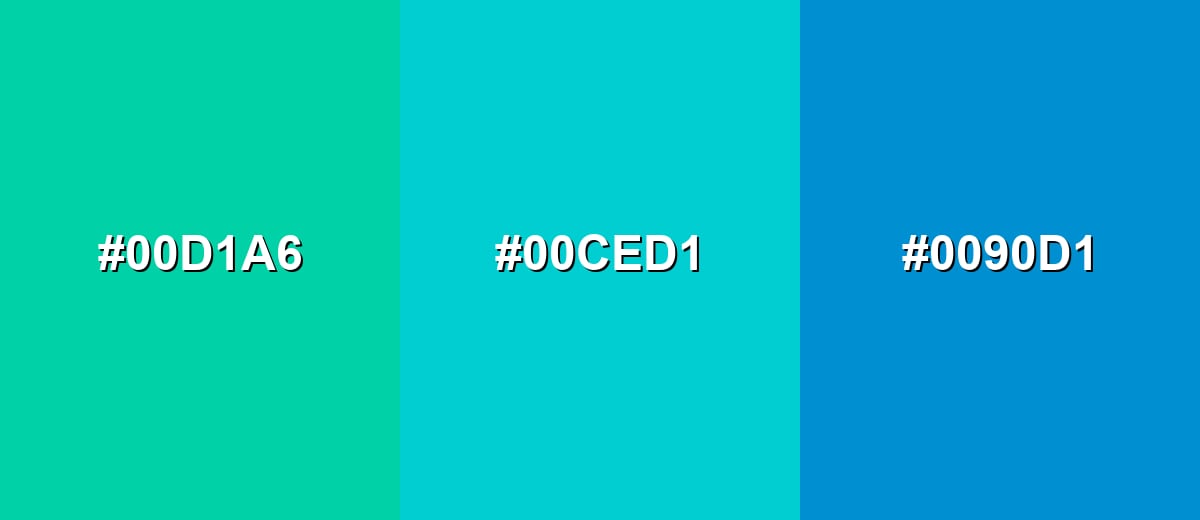
- Sea Green Teal: #00D1A6
- Dark Turquoise: #00CED1
- Azure Cyan: #0090D1
A deeper analogous set for more mature layouts: forested teal, dark turquoise, and a muted blue-teal.
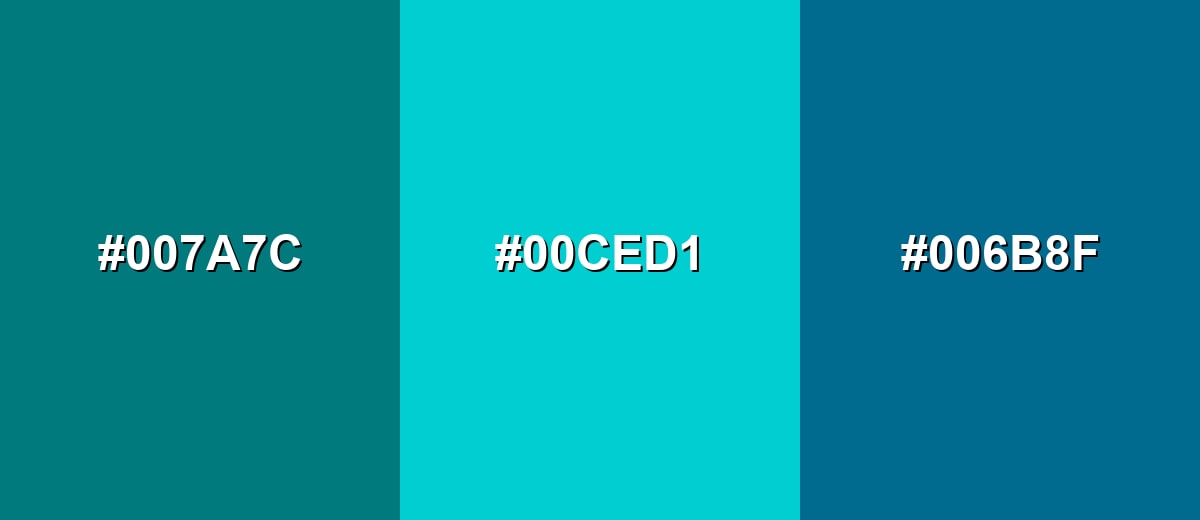
- Deep Teal: #007A7C
- Dark Turquoise: #00CED1
- Storm Blue Teal: #006B8F
Triadic & Tetradic Combinations
A triadic palette spaces hues evenly for a bold but balanced look.
Use dark turquoise with a vivid magenta and a zesty yellow for playful, high-impact designs.
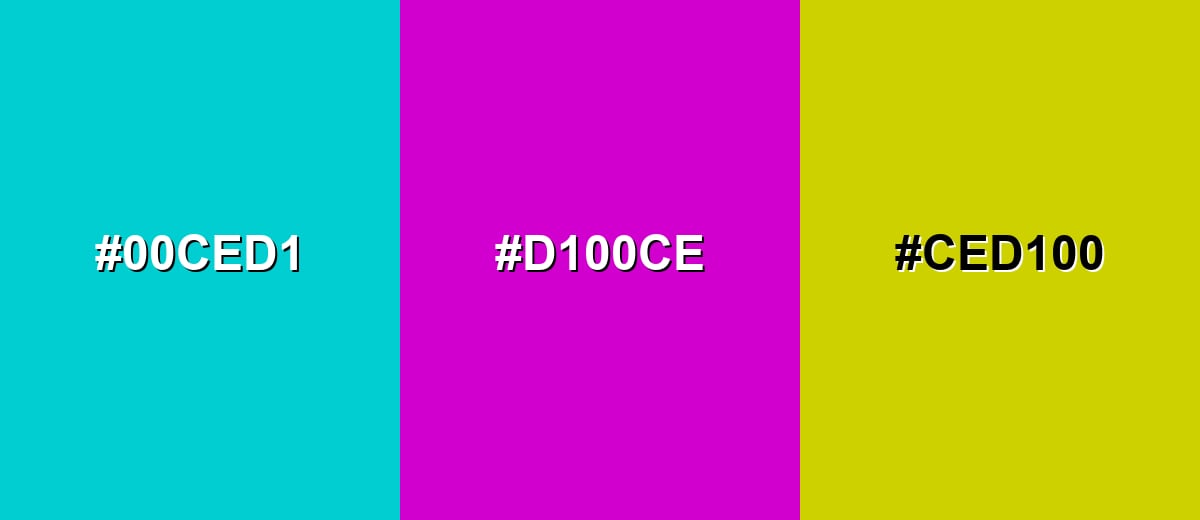
- Dark Turquoise: #00CED1
- Vivid Magenta: #D100CE
- Citrus Yellow: #CED100
Colors to Avoid
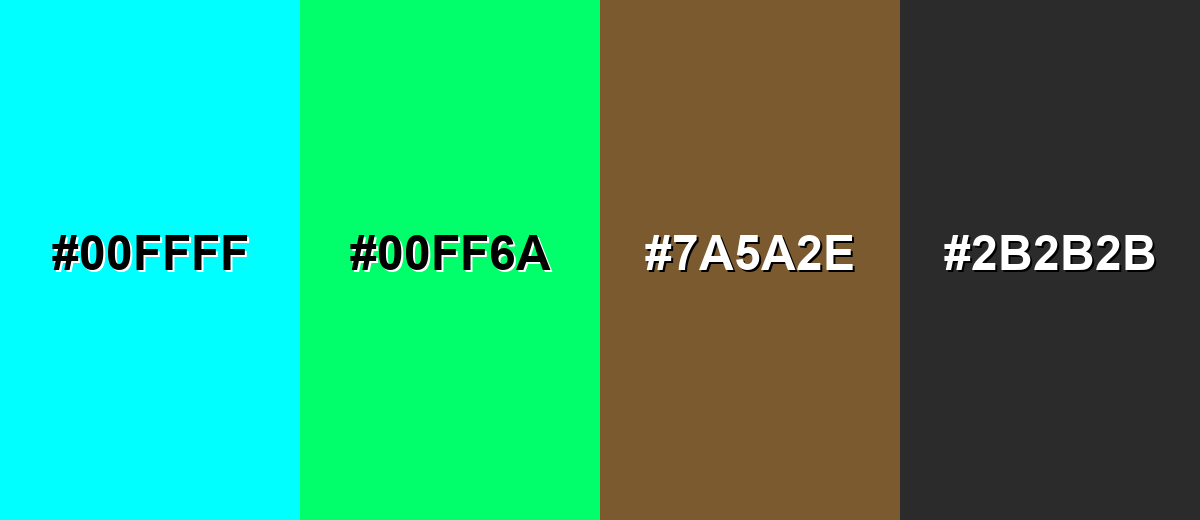
While dark turquoise color is remarkably versatile, certain combinations can create problematic visual effects:
- Pure Cyan (#00FFFF) - Too close in hue but much brighter, which can make dark turquoise look dull and create vibrating edges in UI.
- Neon Green (#00FF6A) - Both highly saturated, so the combo can feel loud and hard to read, especially for small text or icons.
- Muddy Brown (#7A5A2E) - The warm, muted tone can make the palette feel dirty or dated unless carefully controlled with neutrals.
- Charcoal Gray (#2B2B2B) - Very dark pairings can become heavy; without enough light space, the result may feel cold and overly technical.
Shades, Tints & Variations of Dark Turquoise Color
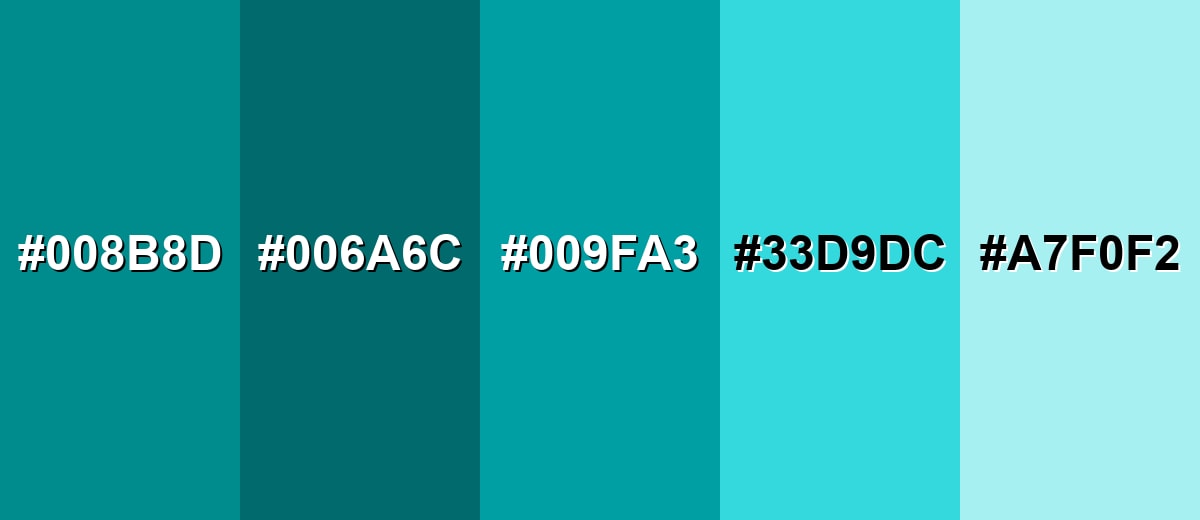
From deeper, moodier teals to airy, pastel tints, dark turquoise has a flexible range you can use to build hierarchy (backgrounds, components, hover states) without changing the overall color direction.
- Deep Turquoise (#008B8D) - A darker, more grounded take that keeps the blue-green identity while reducing brightness. It's best used for Navigation bars, headers, and sophisticated brand accents..
- Pine Teal (#006A6C) - A shadowy teal-leaning variation that feels calm, mature, and slightly natural. It's best used for Background panels, product UI shells, and tone-on-tone layouts..
- Ocean Teal (#009FA3) - A balanced mid-depth option that stays crisp but is less intense than the main shade. It's best used for Secondary buttons, charts, and supportive highlights..
- Bright Turquoise (#33D9DC) - A lighter, airier version that feels more playful and sunlit. It's best used for Hover states, badges, and youthful or upbeat visuals..
- Pale Turquoise (#A7F0F2) - A soft tint that reads clean and refreshing with minimal visual weight. It's best used for Large backgrounds, subtle sections, and gentle UI fills..
Industry Applications
Dark turquoise is versatile across industries because it communicates clarity and freshness while still looking modern. Its blue-green balance makes it especially useful when you want a calm tone without feeling conservative.
Fashion & Beauty
- Works as a striking accent in packaging for skincare, body care, and "fresh" product lines.
- Pairs well with clean whites and soft grays for a hygienic, spa-like look in visual campaigns.
- Looks bold in accessories and athleisure, especially when balanced with neutral bases.
- Photographs well in glossy materials, adding a watery shine that feels modern and premium.
Interior Design & Decor
- Popular for bathrooms and kitchens where an ocean-inspired clean mood fits naturally.
- Best used as an accent wall, tile detail, cabinetry highlight, or soft furnishing color.
- Balances nicely with warm woods, off-whites, and muted metals to avoid a chilly feel.
- Use softer tints for larger surfaces if the room lacks natural light.
Branding & Marketing
- Signals clarity and forward motion without the stiffness of darker corporate blues.
- Strong in tech and SaaS systems for feature callouts, onboarding prompts, and UI highlights.
- Supports travel and outdoors themes, especially ocean and water-led storytelling.
- For print, confirm proofs—uncoated stocks may soften it toward teal.
Conclusion
Dark turquoise (#00CED1) stands out as a deep blue-green that feels clean, calm, and current—perfect for accents, highlights, and modern brand systems that want freshness without looking overly playful. Use it with breathing room, test contrast in real UI states, and balance its cool saturation with warm neutrals or a small complementary pop when you need extra energy. With the right pairings and a few smart shade variations, dark turquoise stays readable, versatile, and easy to build polished palettes around in both digital and print.
Design Smarter with AI: Media.io is an online AI studio that empowers creators with advanced image generation and enhancement tools. From text-to-image and image-to-image creation to AI upscaling and color optimization, it enables fast, creative, and professional results—all in your browser.


Frequently Asked Questions About Dark Turquoise Color
It looks like a deep, clear blue-green, similar to tropical water with added depth. Depending on surrounding hues and lighting, it can appear slightly more teal (greener) or more cyan (bluer).
A widely used digital reference for dark turquoise is #00ced1. This is also the standard value many designers recognize for the named shade.
RGB is 0, 206, 209 for screen design. A practical CMYK starting point for print is 100%,2%,0%,18%, though final results can vary by paper and printer profiles.
Warm complementary reds create strong contrast, while nearby teals and blue-cyans produce smooth, ocean-like palettes. Soft neutrals help it feel modern and prevent the overall look from becoming too intense.
It can be, especially as an accent or button fill, but contrast depends on the background and text size. Always test contrast ratios and check how it renders across devices and in dark mode.
Teal typically leans greener and often feels slightly darker or more muted, while dark turquoise usually sits closer to cyan with a clearer, brighter blue-green look. In palettes, teal reads more earthy; dark turquoise reads more aquatic.


