

Baby blue color is a soft, light blue that looks like a clear daytime sky with a milky pastel wash. Its most common digital reference is the hex code #89cff0, sitting between sky blue and powdery pastels.
Designers often use it for gentle, clean, calming visuals with a youthful, comforting feel. Below, you'll find baby blue's exact codes, conversions, pairing ideas, shade options, and practical ways to use it across digital and print.
Baby Blue Color: Codes & Values
If you want baby blue to look consistent across tools and screens, these are the core color values designers reference most often.
| Parameters | VALUE |
| HEX Code | #89CFF0 |
| RGB DECIMAL | 137, 207, 240 |
| RGB PERCENTAGE | 53.7%, 81.2%, 94.1% |
| CMYK | 43%,14%,0%,6% |
| HSL | 199°, 77%, 74% |
| HSV (HSB) | 199°, 43%, 94% |
| Web Safe | #99CCFF |
Key Color Space Explanations:
- HEX is the standard web identifier used in design tools and CSS. For baby blue, #89cff0 defines the exact red, green, and blue mix on screen.
- RGB describes how much red, green, and blue light is used to display the shade. It is most useful for digital design, UI, and video work.
- CMYK is used for print, describing cyan, magenta, yellow, and black ink percentages. It helps you estimate how baby blue will translate from screen to paper.
- HSL organizes the shade by hue, saturation, and lightness, which is handy for building tints and tonal palettes. Baby blue sits in a cool cyan-blue hue with high lightness.
- Web Safe is the closest legacy-safe screen value from a limited palette. It's helpful when you want a simple fallback that stays visually similar.
Use HEX for CSS and UI components, RGB for motion/video and screen-based work, and CMYK as your starting point for print proofs where light blues can shift.
Baby Blue Color Conversions
Need baby blue in another format for a specific app or workflow? Here are the most common conversions in one place.
| Parameters | VALUE | CSS |
| HEX | #89cff0 | #89cff0 |
| RGB DECIMAL | 137, 207, 240 | rgb(137,207,240) |
| RGB PERCENTAGE | 53.7%, 81.2%, 94.1% | rgb(53.7%,81.2%,94.1%) |
| CMYK | 43%,14%,0%,6% | cmyk(43%,14%,0%,6%) |
| HSL | 199°, 77%, 74% | hsl(199°,77%,74%) |
| HSV | 199°, 43%, 94% | -- |
| Web Safe | 99ccff | #99ccff |
| CIE-LAB | 79.8, -14.0, -23.0 | -- |
| XYZ | 48.36, 56.24, 90.88 | -- |
| xyY | 0.247, 0.288, 56.24 | -- |
| CIE-LCH | 79.8, 26.9, 239° | -- |
| CIE-LUV | 79.8, -32.9, -34.9 | -- |
| Hunter-Lab | 75.0, -12.5, -25.4 | -- |
| Binary | 10001001 11001111 11110000 | -- |
Want to generate Baby Blue Color photos or posters? Try Media.io's AI Image Generator now!
Baby Blue Color Meaning & Symbolism
Baby blue is commonly linked with softness, reassurance, and a fresh, clean look. In everyday life it's used when you want a gentle tone that feels approachable rather than bold. This makes Baby Blue Color meaning especially relevant for calming visuals, friendly interfaces, and light, airy spaces.
Psychological Effects
Baby blue tends to lower visual "pressure," which is why it's a go-to for calm, breathable layouts.
- Soothing Mood - The light, cool tone often feels relaxing and low-stress, especially in large backgrounds.
- Breathable Layouts - It can make pages feel more open and less crowded, helping content feel easier to scan.
- Clean & Simple Impression - Its cool brightness can suggest cleanliness and simplicity without looking heavy.
- Friendly, Supportive UI - It works well for empty states and supporting elements where you don't want harsh contrast.
- Risk Of Feeling Chilly - If you overuse it, the softness can read as distant or overly delicate, so a warm accent helps.
Positive Associations
When used thoughtfully, baby blue supports gentle messaging while still feeling modern.
- Calm Skies - It recalls clear sky tones, reinforcing a relaxed, optimistic atmosphere.
- Freshness - Pastel blues often feel fresh and "new," which can suit minimal packaging and clean branding.
- Reassurance - The softness reads as comforting and approachable, helping reduce intimidation in interfaces.
- Lightness - In pastel palettes, it adds airy brightness that keeps designs from feeling too dense.
- Gentle Care - It's commonly used for soft care messaging when brands want to look kind rather than clinical.
Cultural Significance Across the World
Like most named colors, baby blue's meaning can shift by audience, industry, and context.
- Nature Connection - Associations with water and sky often translate into calm, open visual storytelling.
- Baby-Themed Messaging - In some contexts it signals baby-related themes and gentle care, though usage varies by brand.
- Seasonal Pastels - It frequently appears in spring palettes, where it suggests renewal and lightness.
- Modern Minimalism - In digital design, it's often used to soften minimal layouts while keeping them clean.
Design Applications
Baby blue works best when you lean into its softness and give it enough contrast to stay readable. Below are practical ways to use it across digital design, branding, and physical spaces without losing clarity.
Graphic Design Tips
- Use baby blue as a background tint for dashboards, onboarding screens, and wellness-style layouts to keep the interface calm.
- Pair it with a deep, inky accent for navigation and headings so buttons and text stay easy to spot.
- For brand palettes, combine it with one warm highlight to avoid a cold or overly sterile feel.
- Test printed proofs since light blues can shift depending on paper and coating.
- For text and fine lines, use slightly darker supporting tones and verify contrast for your target WCAG level.
Pro tip: If baby blue starts to look washed out on bright screens, introduce a deeper supporting blue for key UI elements (like headings and primary buttons) and reserve the light tint for large surfaces.
Baby Blue Color in Photography & Video
- Use baby blue as a soft overlay to unify bright lifestyle photos without making skin tones look overly warm.
- For product shots, pair baby blue backdrops with darker props (or shadows) to keep edges crisp.
- In color grading, small pushes toward cyan-blue can create a clean, airy feel—avoid overdoing saturation.
- For titles and lower-thirds, keep baby blue as an accent and use deep text colors for readability.
- When filming, watch reflective surfaces—light blues can shift quickly under different white balances.
Recommended Tool for Image Enhancement: When incorporating baby blue color into your photography projects, Media.io's AI Image tools can help you achieve more refined results. With AI-powered color enhancement, photo colorization, image upscaling, and old photo restoration, you can easily enrich baby blue color tones, improve overall image quality, and highlight the color's elegant and sophisticated aesthetic.
Color Combinations
Baby blue is flexible: it can look crisp with dark anchors, playful with candy pastels, or balanced with gentle warm accents. The palettes below cover reliable pairings for branding, UI themes, illustrations, and room styling.
Complementary Colors
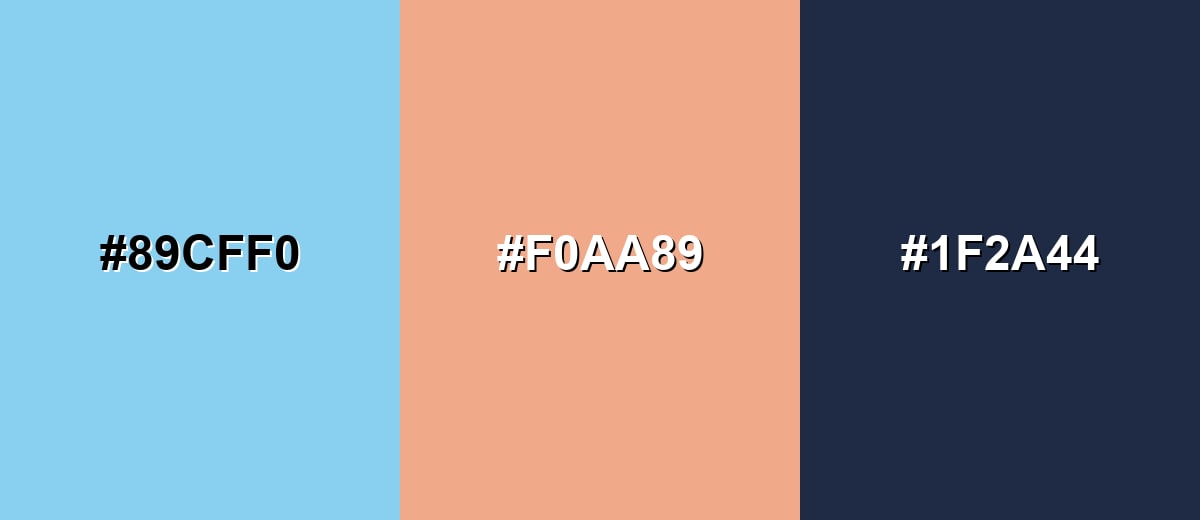
A complementary pairing places baby blue against a soft orange tone to create lively contrast without harsh edges. This is useful when you want a friendly pop for CTAs, icons, or small highlights.
Complementary Palette Example: Use baby blue as the base, soft apricot for warm emphasis, and deep navy to keep the design grounded.
Analogous Color Schemes
Analogous colors sit adjacent to each other on the color wheel, creating harmonious, cohesive palettes with subtle variation.
This analogous set stays near blue-cyan tones for a smooth, airy gradient that feels cohesive in backgrounds and illustrations.
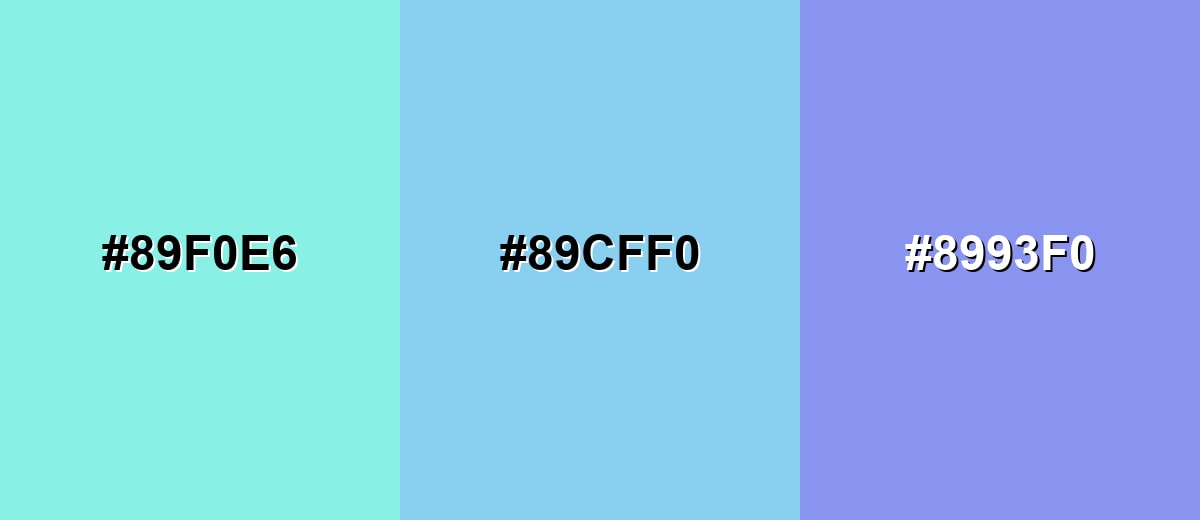
- Aqua Mist: #89F0E6
- Baby Blue: #89CFF0
- Soft Periwinkle: #8993F0
A second analogous option shifts toward mint and sky for a fresh, clean palette that works well in lifestyle visuals and gentle UI themes.
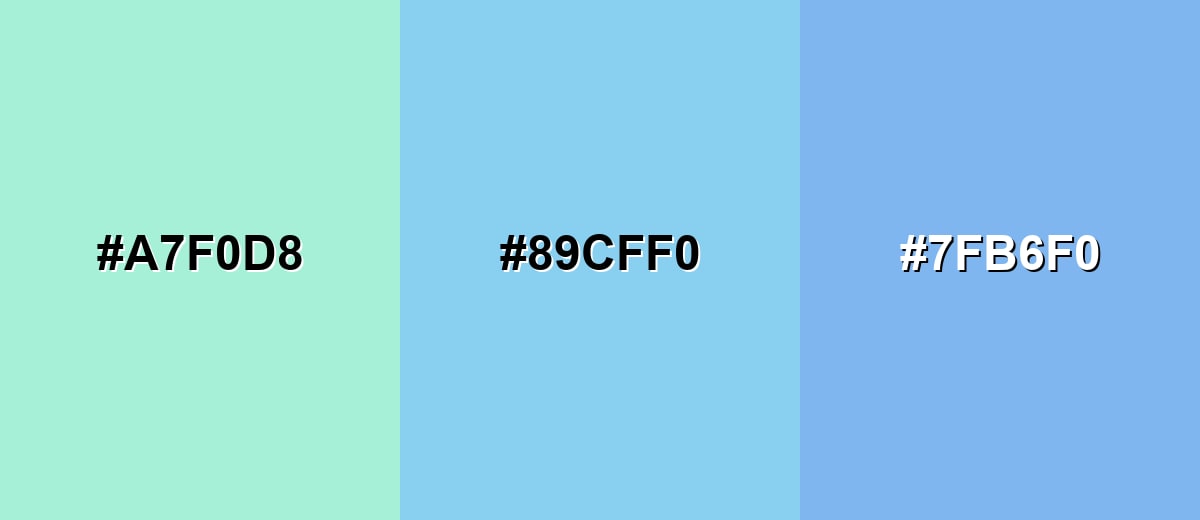
- Mint Tint: #A7F0D8
- Baby Blue: #89CFF0
- Clear Sky: #7FB6F0
Triadic & Tetradic Combinations
A triadic scheme adds two evenly spaced accents, giving you contrast while keeping the overall look playful and balanced.
Try baby blue with soft rose and light lime when you want cheerful graphics, stickers, or energetic landing-page highlights.
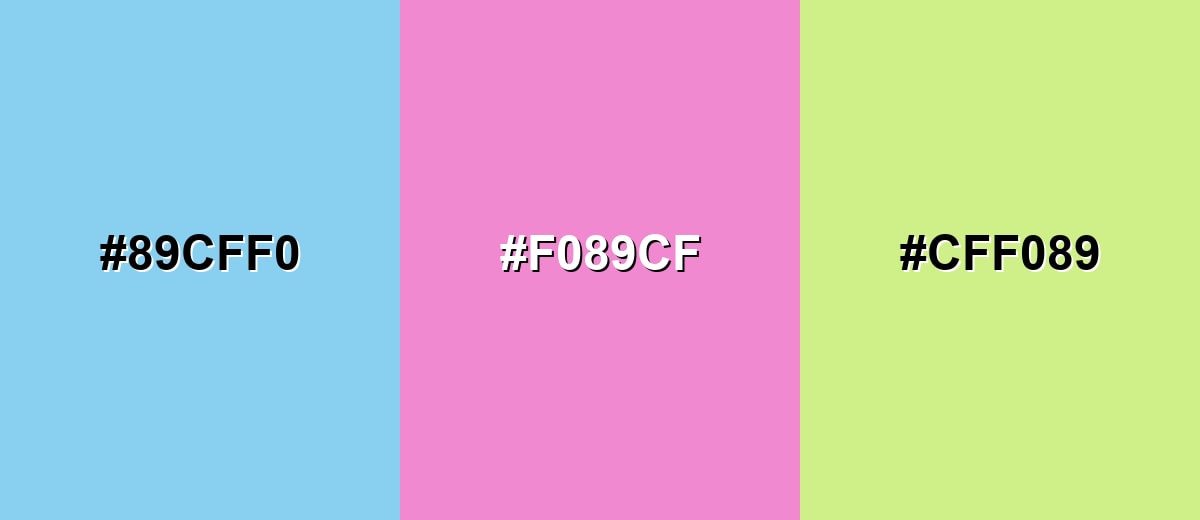
- Baby Blue: #89CFF0
- Soft Rose: #F089CF
- Light Lime: #CFF089
Colors to Avoid
While baby blue color is remarkably versatile, certain combinations can create problematic visual effects:
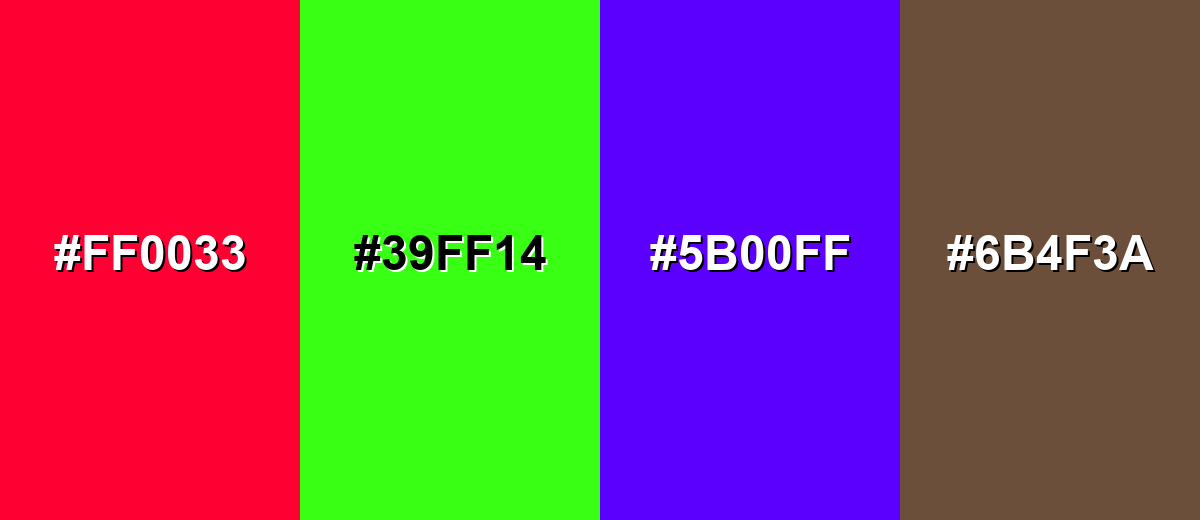
- Vivid Red (#FF0033) - The high saturation can feel sharp against baby blue and may create a jarring, toy-like contrast in UI and branding.
- Neon Green (#39FF14) - Neon hues can overpower the softness of baby blue, making the palette look unbalanced and visually noisy.
- Electric Purple (#5B00FF) - A very intense purple can make baby blue appear grayish by comparison, especially in gradients and large blocks.
- Muddy Brown (#6B4F3A) - Earthy, muted browns can make baby blue look overly cold and can reduce the clean, fresh impression many people want.
Shades, Tints & Variations of Baby Blue Color
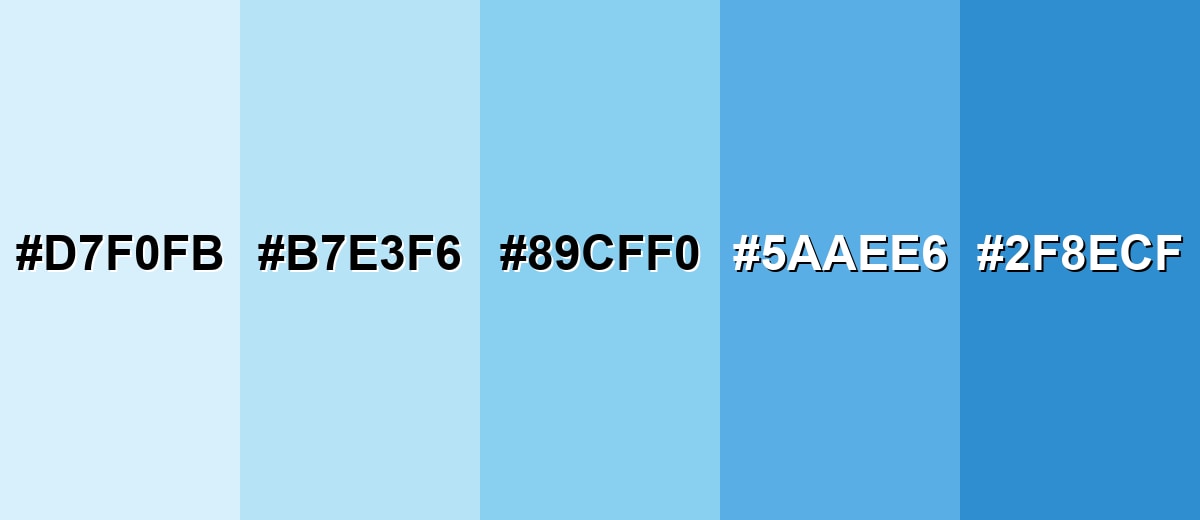
Baby blue isn't just one "pretty pastel"—it spans from icy, barely-there tints to deeper mid-blues that hold up better for buttons, charts, and headlines. Having a small range like this makes it easier to build hierarchy while keeping the same calm, sky-clean vibe.
- Icy Baby Blue (#D7F0FB) - A very light, almost frosted tint that keeps the same cool direction with extra softness. It's best used for large backgrounds, cards, and subtle section breaks where you want a bright, gentle base.
- Powder Blue (#B7E3F6) - A muted pastel step that feels slightly more subdued than the standard baby blue. It's best used for brand support shades, forms, and calming UI surfaces that still need a bit of definition.
- Baby Blue (#89CFF0) - The classic reference shade: light, clean, and airy with a clear blue-cyan lean. It's best used for primary theme accents, illustrations, and friendly digital branding elements.
- Cornflower Mist (#5AAEE6) - A deeper, more saturated option that keeps the softness but adds strength and clarity. It's best used for buttons, links, icons, and headings where baby blue needs more visibility.
- Deep Sky Blue (#2F8ECF) - A stronger blue that can act as a stable anchor alongside lighter tints. It's best used for navigation, chart series, and high-contrast accents paired with pale backgrounds.
Industry Applications
Because baby blue feels clean and gentle, it shows up in many industries that benefit from calm visual signals. Here are a few practical ways it's commonly applied.
Fashion & Beauty
- Skincare-style branding where lightness and cleanliness are key.
- Soft gradients and minimal packaging designs that aim for a fresh, "just-washed" look.
- Spring-themed campaign visuals that feel airy without looking stark.
- Product backgrounds and social templates where you want a calm, friendly mood.
Interior Design & Decor
- In small rooms, baby blue can make walls feel brighter and more open, especially with soft, diffused lighting.
- Pair it with warm materials like wood or linen to prevent a clinical feel.
- Use deeper supporting blues in decor pieces to anchor the space and add contrast.
- Layer texture (rugs, throws, matte finishes) so the pastel reads cozy rather than cold.
Branding & Marketing
- Backgrounds, empty states, and onboarding screens to reduce visual stress in digital products.
- Info banners and secondary buttons when you want a softer hierarchy than bold primary colors.
- Service pages and appointment flows in wellness-style brands where calm tones support trust.
- Packaging and labels that aim for a clean, fresh impression—especially when paired with darker text for legibility.
Conclusion
Baby blue (#89CFF0) is a dependable pastel for designers who want a calm, open, and approachable look without sacrificing a modern feel. It works beautifully as a background tint, a gentle brand color, or a supporting shade in UI—especially when you pair it with deeper anchor tones for readability and add a warm accent to keep it from feeling too cool. From icy tints to stronger mid-blues, the baby blue family also makes it easy to build a clean visual system that stays consistent across screens and print with the right proofing.
Design Smarter with AI: Media.io is an online AI studio that empowers creators with advanced image generation and enhancement tools. From text-to-image and image-to-image creation to AI upscaling and color optimization, it enables fast, creative, and professional results—all in your browser.


Frequently Asked Questions About Baby Blue Color
Baby blue is a light pastel blue with a cool, airy feel. It sits between soft sky tones and powdery pastels, making it popular for calm, friendly designs.
A widely used hex value for baby blue is #89cff0. This code is commonly referenced in web design tools and CSS when you want a soft, light blue.
Deep navy tones help it look crisp and readable, while soft warm accents like apricot add balance. For a playful look, combine it with gentle pastels such as soft rose or mint-leaning blues.
Yes, it can work well for backgrounds and surfaces because it feels calm and keeps pages looking open. Just make sure text and key controls use darker accents and that you verify contrast for accessibility.
Start with the CMYK values as a guide, then run a proof because paper type and coatings can shift light blues. Using slightly darker supporting tones for fine details can also prevent elements from looking too faint.
Baby blue is typically lighter and more pastel, which gives it a softer and more delicate appearance. Sky blue often looks clearer and more vivid, closer to a bright outdoor sky.


