

Unlock Seedream 5.0 Lite on Media.io: The Deep-Thinking AI Image Generator & Editor
Experience the power of ByteDance’s Seedream 5.0 Lite without complex setups. Generate logic-driven visuals, perform multi-step edits, and leverage real-time retrieval for up-to-date creativity. The superior, knowledge-aware alternative to Nano Banana Pro.

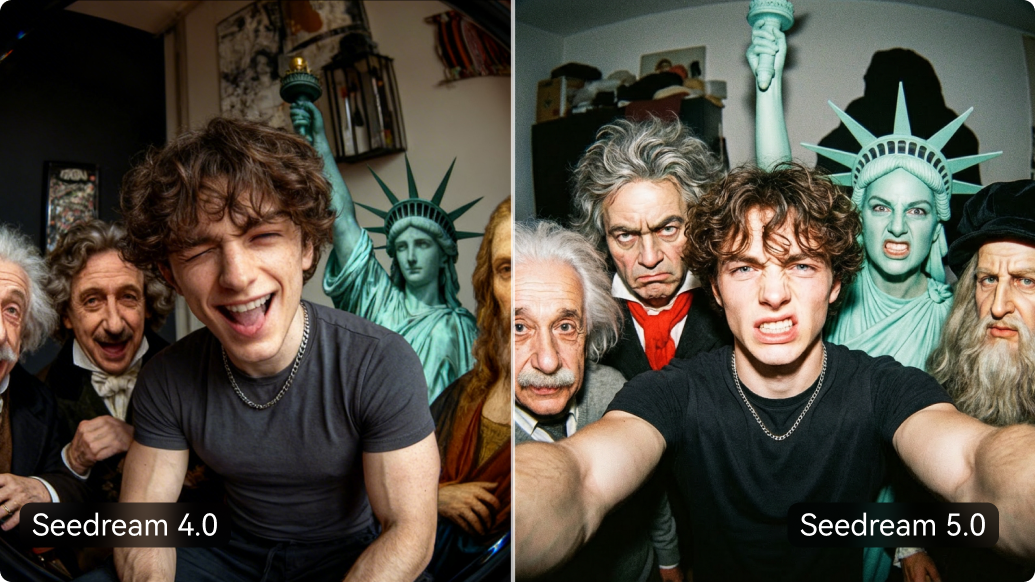

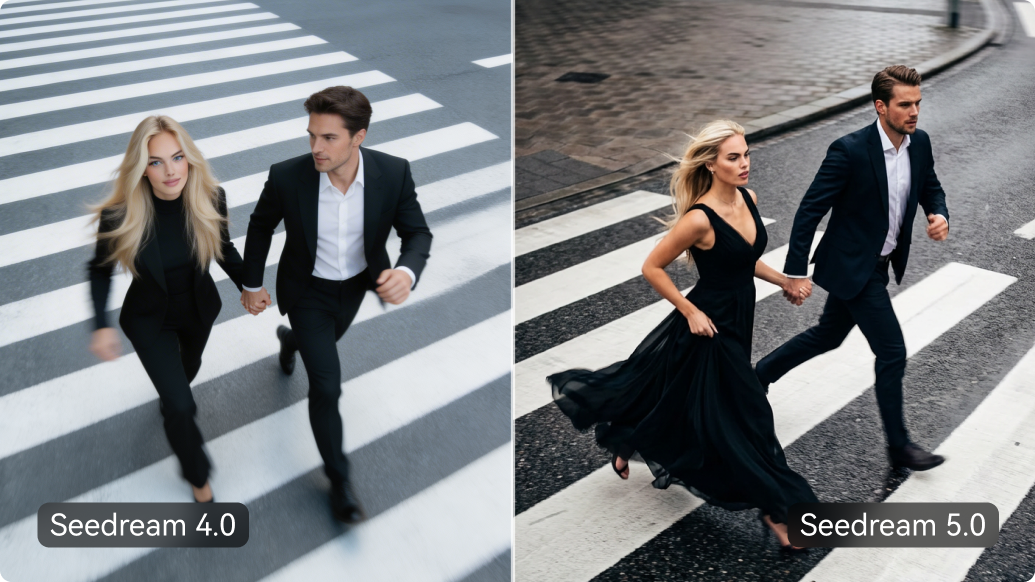
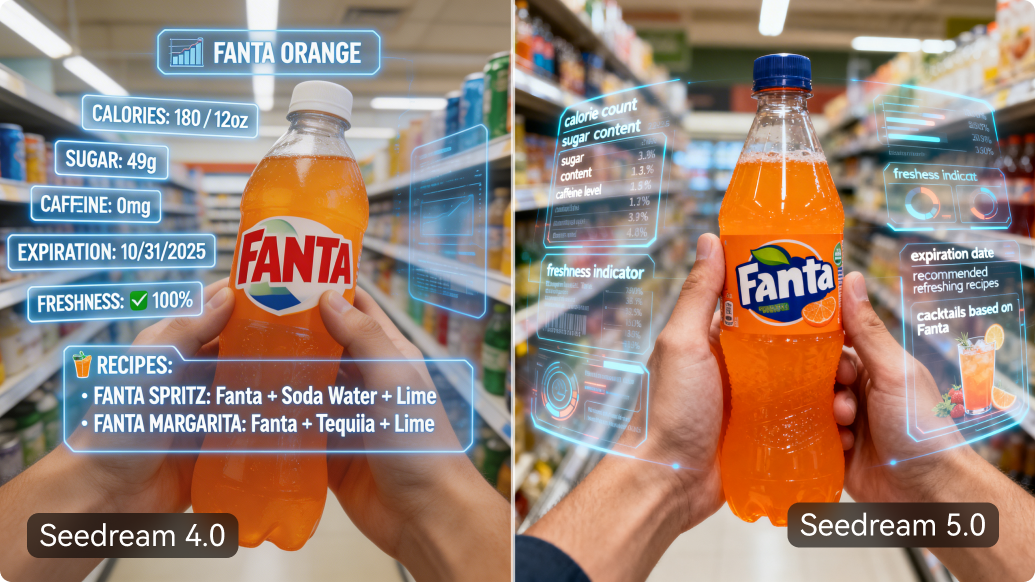

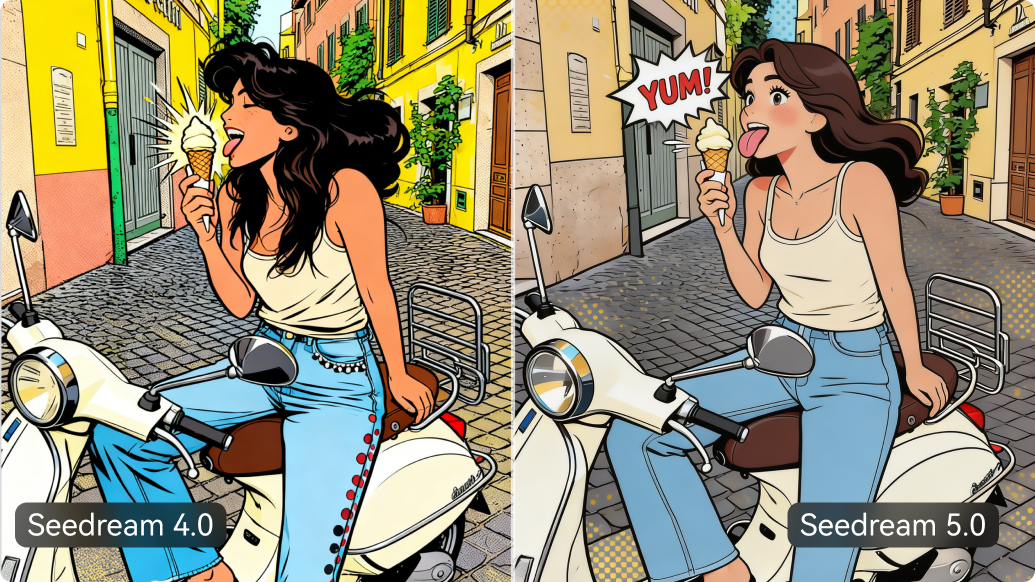
Key Features of Seedream 5.0 AI Image Generator
Real-Time Retrieval Generation
Seedream 5.0 Lite integrates live web search into image creation, allowing visuals to reflect current events, data trends, and real-world information instead of relying only on static training data.
Advanced Visual & Logical Reasoning
Built with strong multi-step reasoning, the model understands spatial relationships, numeric constraints, and abstract instructions—ideal for diagrams, infographics, and structured scene composition.
Unified Image Generation & Editing
Generate and refine within one architecture. Supports precise mask brush editing, object removal, background replacement, and lighting adjustments while maintaining structural consistency.
Superior Character & Object Consistency
Maintain consistent faces, poses, clothing, and design elements across multiple edits or scenes—perfect for brand storytelling, comic sequences, and recurring visual identities.
High-Resolution Output
Native 2K image generation with AI-powered enhancement. The new model delivers refined textures, realistic lighting, and detailed materials suitable for professional marketing and presentation visuals.
Seedream 5.0 Lite vs Nano Banana Pro
A quick, practical comparison to help you pick the right AI image model for your workflow.
| Feature | Seedream 5.0 Lite | Nano Banana Pro |
|---|---|---|
| Choose it if you want… | Up-to-date + logic-driven images | Cinematic, premium-looking images |
| Visual style / polish | High quality, controllable look | ⭐ Strongest cinematic finish |
| Prompt following | ⭐ Strong for logic & layout | Strong for style & mood |
| Editing control | Mask-based, precise local edits | Best for prompt-driven restyles |
| Real-time web retrieval | ✅ Yes | ❌ No |
| Consistency | Very stable for series | Very strong for portraits |
Tip: Need images grounded in current info → choose Seedream 5.0 . Need ad-grade cinematic polish → choose Nano Banana Pro .
How to Use Seedream 5.0 for Generation & Editing Online
Step 1: Access Seedream 5.0 Studio
Launch Media.io, choose "Text-to-Image" or "Image to Image" based on what you start with. Then select the Seedream 5.0 model as your image engine .
Step 2: Enter Logic-Driven Prompts
Describe complex scenes, charts, or upload a reference image. Seedream 5.0's deep thinking capabilities can handle multi-step instructions and spatial logic.
Step 3: Refine & Export in 3K
Use the unified editor to tweak details without switching tools. Preview your generated image and download the final high-resolution 3K asset .
What Creators Are Saying About Seedream 5.0 on Media.io

Data Analyst

“Finally, an AI that understands logic.” I used Seedream 5.0 Lite to generate a complex ecosystem diagram for a presentation. Unlike other models that just make pretty mess, Seedream actually followed the spatial reasoning instructions perfectly.

Marketing Specialist
“Real-time retrieval is a game changer.” I needed a visual for a breaking news post about the weather. Seedream 5.0 fetched current data and generated an accurate, high-res poster in seconds. It saves me hours of manual searching.

AI Blogger
“Better control than Nano Banana Pro.” I compared Seedream 5.0 vs Nano Banana Pro . While NBP is great for cinematic gloss, Seedream wins hands-down on instruction following and editing specific regions without ruining the rest of the image.

Illustrator
“Consistent characters made easy.” The biggest pain point in AI art is keeping characters consistent. Seedream 5.0's reference image capability is incredible. I can put my main character in 10 different scenes and they actually look the same.
Explore the Hottest AI Video & Image Effects



FAQs Related to Seedream 5.0 Lite Model
1. What is Seedream 5.0 Lite and how is it different?
Seedream 5.0 Lite is ByteDance's latest multimodal AI image generation model. Unlike standard image generators, it features "deep thinking" logic for multi-step reasoning, real-time web retrieval to fetch up-to-date information, and precise instruction following for diagrams and complex layouts.
2. Seedream 5.0 vs Nano Banana Pro: Which is better?
It depends on your goal. Choose Nano Banana Pro for hyper-realistic, cinematic skin textures and advertising visuals. Choose Seedream 5.0 on Media.io if you need logic-driven results, diagrams, consistent characters, or visuals based on real-time news and data.
3. Can Seedream 5.0 edit existing images?
Yes. Seedream 5.0 utilizes a unified generation and editing architecture. This means you can perform precise tasks like object removal, background replacement, or style transfer on your uploaded photos with high structural consistency.
4. What is Real-Time Retrieval Image Generation?
Real-time retrieval allows Seedream 5.0 to search the internet before generating an image. This enables it to create visuals that reflect the latest events, gold prices, weather forecasts, or movie box office data, overcoming the "frozen knowledge" limit of older AI models.
5. Is Seedream 5.0 free to try on Media.io?
Yes, Media.io offers free credits upon signup, allowing you to experience the Seedream 5.0 AI image generator capabilities, including text-to-image and generative editing, directly in your browser without high-end hardware.
Unlock Next-Gen Creativity with Seedream 5.0 and Related AI Tools
 4.7 (162,357 Votes)