

AI video consistency is not one setting. It is a production system that protects identity, wardrobe, environment, objects, camera language, motion and sound as a project moves from one shot to the next. If any of those elements lacks a source of truth, the model is forced to invent it again.
This matters beyond experimental filmmaking. Wyzowl's 2026 video marketing survey reports that 63% of video marketers have used AI tools to help create or edit marketing videos. As AI video becomes routine, repeatability and review cost matter as much as a single impressive generation.
In this article
The AI Video Consistency Stack
Creators often use “consistent character” to describe several different problems. A person can keep the same face but change age. The face can remain stable while the jacket changes. Both may be correct while the apartment gains a new window between angles. Solve consistency as a stack:
A consistent character AI video therefore needs both within-shot stability and between-shot continuity. Treat AI video character consistency as a measurable set of invariants rather than a subjective sense that the person looks similar.
| Layer | What must remain stable | Typical failure |
|---|---|---|
| Identity | Age, proportions, skin tone and distinguishing traits | The person becomes a look-alike |
| Face | Bone structure, eye spacing, nose, mouth and hairline | Features morph during motion |
| Wardrobe | Garment shape, fabric, color, closures and accessories | Jacket, jewelry or shoes change |
| Environment | Layout, props, lighting direction and time | Doors move or rooms expand |
| Objects/product | Geometry, label, material, scale and state | Packaging or mechanism mutates |
| Camera/style | Lens family, movement, color and texture | Shots feel like different projects |
| Temporal motion | Body, object and background behavior between frames | Flicker, warping or impossible physics |
| Audio | Voice identity, acoustic space and pronunciation | Speaker or room tone changes |
Diagnose the broken layer before changing tools or prompts. If the face is stable but the outfit is wrong, adding facial references can create noise without solving the actual problem. An AI character turnaround sheet can help establish the recurring subject, but the remaining layers still need explicit control.
Build a Continuity Bible Before Generating Motion
An asset-first workflow is the most reliable foundation for consistent characters across scenes AI. Create approved stills and specifications before asking a video model to invent character, room, product and movement simultaneously.
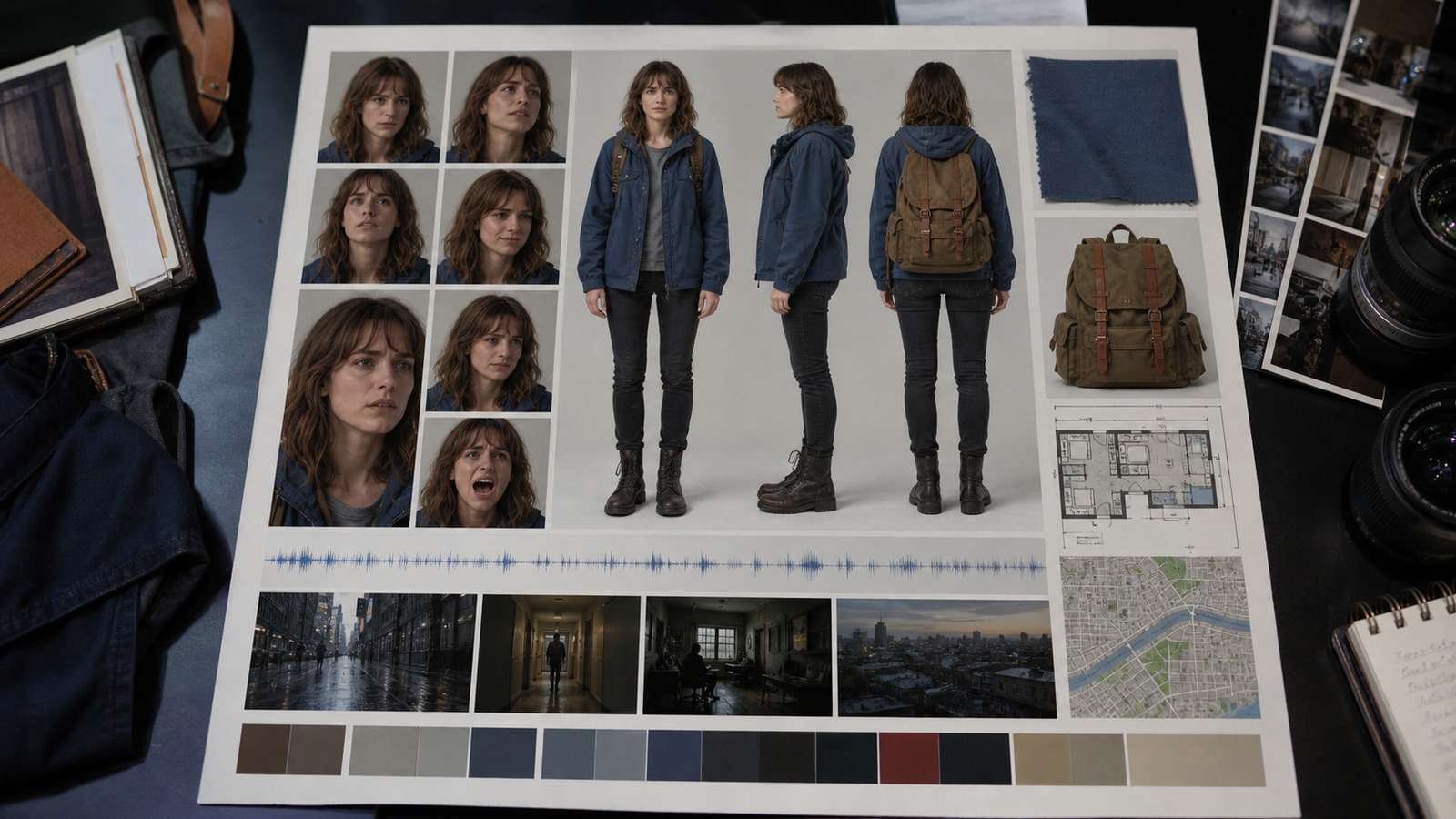
- Character card: neutral front, three-quarter, profile, full body and a small expression range.
- Wardrobe card: full outfit plus close-ups of important fabric, fasteners and accessories.
- Environment card: wide master view, reverse angle, floor plan and light direction.
- Object card: front, side, back, scale, material and state changes.
- Style card: lens, depth of field, contrast, color palette, grain and camera movement.
- Audio card: approved voice, pronunciation, pace, emotional range and room tone.
Give every asset a stable name and version. “Portrait final” becomes ambiguous after three revisions; “Maya-neutral-front-v03” remains traceable. Record which version produced each shot so later corrections do not quietly reintroduce an old face or outfit.
When a story begins as text, use script-to-video planning to divide it into scenes before creating motion. This exposes continuity requirements such as a prop carried from scene three to scene four or a wardrobe change that should happen only once.
How to Keep the Same Character and Face in AI Video
For AI video identity consistency, separate permanent identity from temporary performance. Permanent identity includes age range, facial geometry, skin tone and characteristic features. Temporary performance includes expression, makeup, lighting, camera angle and emotion.
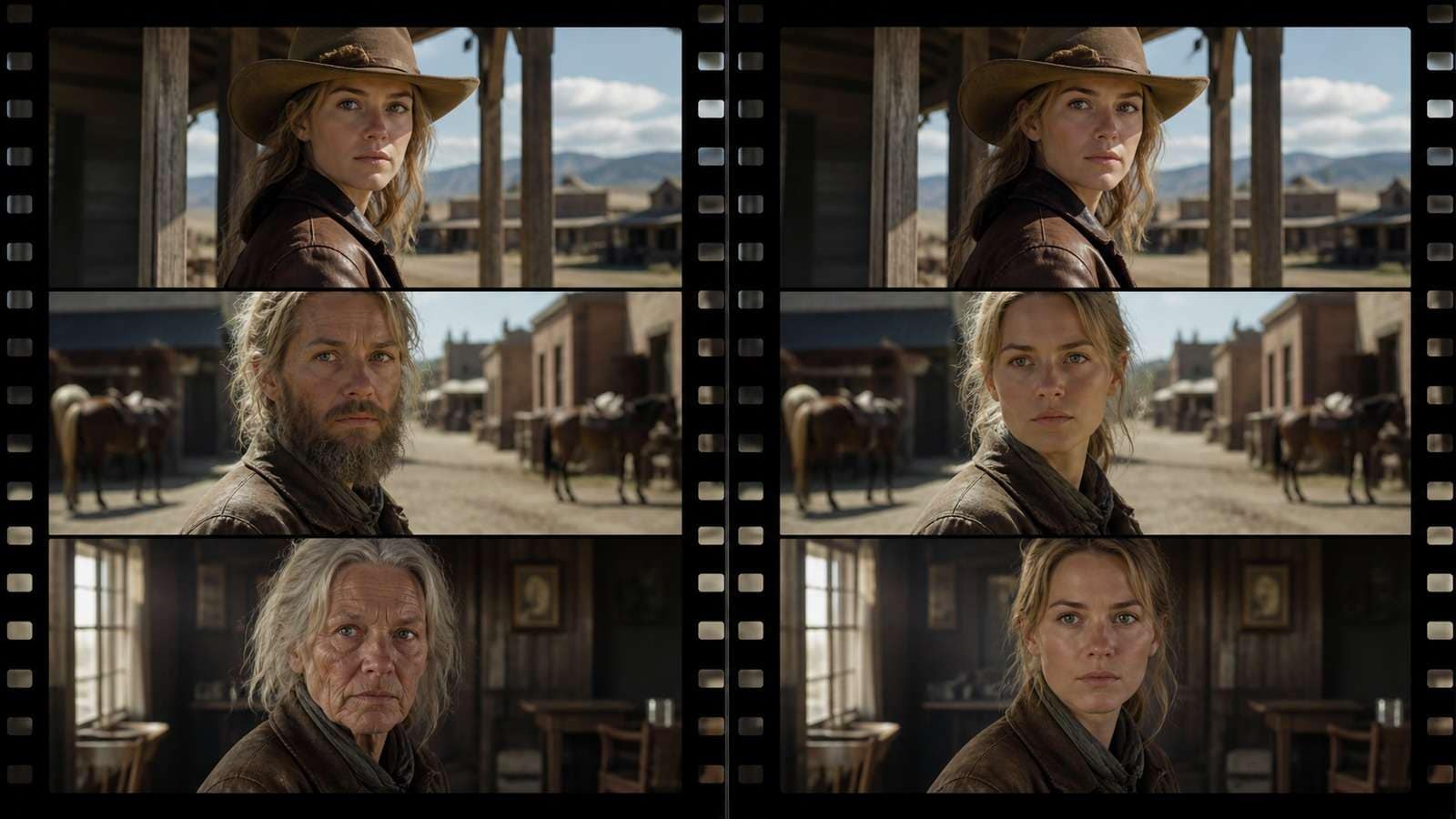
Use one approved neutral portrait as the master anchor, then add only the angle or expression required by the shot. This answers the common question of how to keep same character in AI video: reuse the same identity source, do not redescribe the person from memory in every prompt.
For strict AI video face consistency, compare facial landmarks at matched angles and neutral expressions. Dramatic light and emotion can make a correct identity look different, while flattering lighting can hide a genuine structural drift.
- Generate a clean identity sheet without dramatic lighting or extreme expression.
- Reject near-matches before motion; small differences grow across a sequence.
- Use the same master reference in every shot where the character appears.
- Repeat concise invariant traits and an explicit “preserve identity” instruction.
- Change pose, action and camera while keeping identity references unchanged.
- Compare the output with the master at matched angles, not only by overall resemblance.
A strong reference image AI video consistency workflow also needs sufficient source resolution. The face should occupy enough pixels to preserve eye shape, hairline and skin details. If the source is soft, enhance it before generation rather than expecting the video model to recover missing identity information. Media.io's AI image upscaler is useful for preparing a cleaner reference, provided enhancement does not alter the person's defining features.
Keep Wardrobe, Environment and Scene State Consistent
AI video scene consistency fails when prompts describe atmosphere but omit geometry. “A cozy apartment” can produce a new apartment every time. Define the room as a set: window on the left wall, blue sofa opposite the door, oak table near the kitchen and warm key light from camera right.
Use a master wide shot before close-ups. Close shots can hide where objects are located, but the wide shot establishes spatial truth. For reverse angles, provide an environment reference or floor plan rather than asking the model to infer the unseen wall.
Wardrobe should be described structurally: cropped blue denim jacket with silver buttons, white crew-neck shirt, black straight-leg trousers and red canvas shoes. “Casual outfit” is an invitation to redesign. If the story requires a change, mark the exact shot where the old state ends and the new state begins.
This ledger is the backbone of AI video continuity. It prevents a prop from teleporting or a costume from changing simply because the next prompt focused on a new action.
AI Video Product Consistency and Object Fidelity
AI video product consistency is stricter than character resemblance. A slightly different face may still read as the same fictional person; a changed package can become inaccurate brand representation. Create a product truth pack with exact proportions, front/back/side images, label close-ups, material, scale and mechanism.

Test the product in increasing difficulty:
- Stationary product with a static camera.
- Stationary product with a simple camera move.
- Product rotation without hands.
- One clear hand interaction.
- Creator dialogue while holding or using the product.
If the label fails in step one, do not proceed to step five. Increase product size in the source image, simplify motion and state that geometry, cap, color and label position must remain unchanged. For ecommerce campaigns, Media.io's AI ad generator offers a product-led route for turning catalog information into ad variants, while image-to-video is better when you need precise shot direction.
Improve Style, Camera and Temporal Consistency
AI video style consistency requires a compact visual grammar. Choose a lens family, lighting logic, color palette, contrast curve, camera movement vocabulary and texture. Do not alternate “documentary handheld,” “perfect studio dolly” and “anime action” unless the change is intentional.
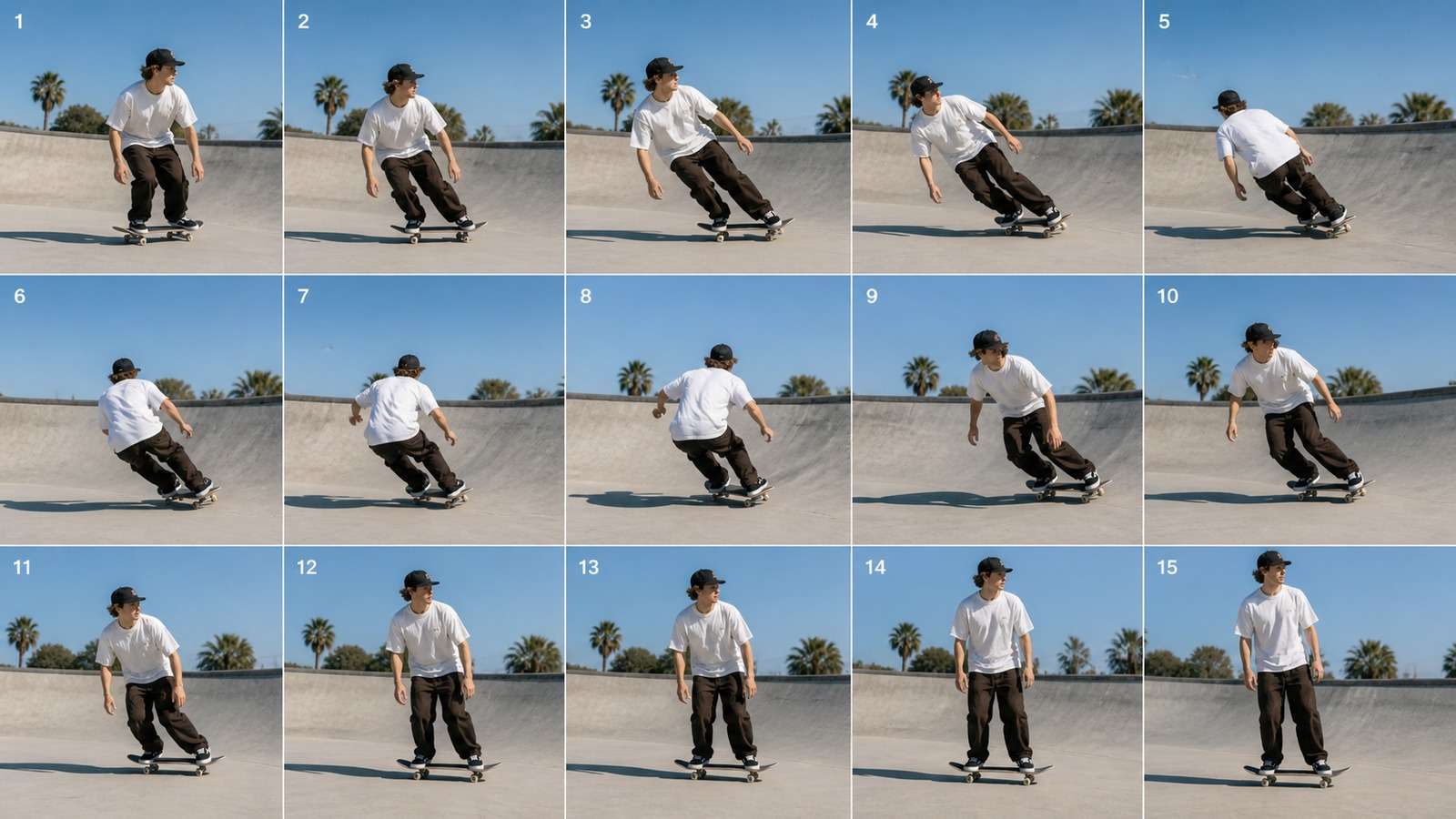
AI video temporal consistency is different from cross-shot identity. It describes whether adjacent frames form plausible motion. Common defects include flicker, changing fingers, elastic limbs, swimming textures, moving shadows and backgrounds that bend as the camera pans.
- Keep each short shot centered on one primary action.
- Use physically clear verbs: reaches, grips, lifts, turns and releases.
- Avoid multiple rapid interactions in the same generation.
- Reduce camera motion when subject motion is already complex.
- Use a strong first frame and, when supported, a controlled last frame.
- Generate shorter bridges between approved shots instead of one overloaded transition.
For a direct image-led workflow, Media.io Image to Video lets the approved keyframe carry identity, wardrobe and environment into motion. Start with a short restrained action, evaluate drift, then increase movement only after the anchor survives.
Maintain Voice, Lip Sync and Acoustic Continuity
A consistent AI avatar video can still feel discontinuous when the voice changes age, accent, microphone distance or room acoustics. Store a clean approved voice reference and a pronunciation list for names, brands and technical terms. Keep pace and emotional range consistent unless the script requires a change.
Review audio separately from picture. Listen for invented words, clipped consonants, drifting room tone, sudden reverb and timing that forces unnatural facial motion. Native audio can be an excellent timing foundation, but it should not bypass script approval.
When clips contain a voice you want to compare or reuse, a video-to-audio tool makes waveform and listening checks easier. Lock spoken wording before generating final captions with the video caption generator, then proofread every name and claim.
A Cross-Shot Consistency Workflow That Scales
Cross-shot consistency AI video and multi-shot consistency AI video improve when every shot has a small record. A shot ledger should contain the prompt version, asset versions, starting state, ending state, camera, duration, output ID, defects and approval status.
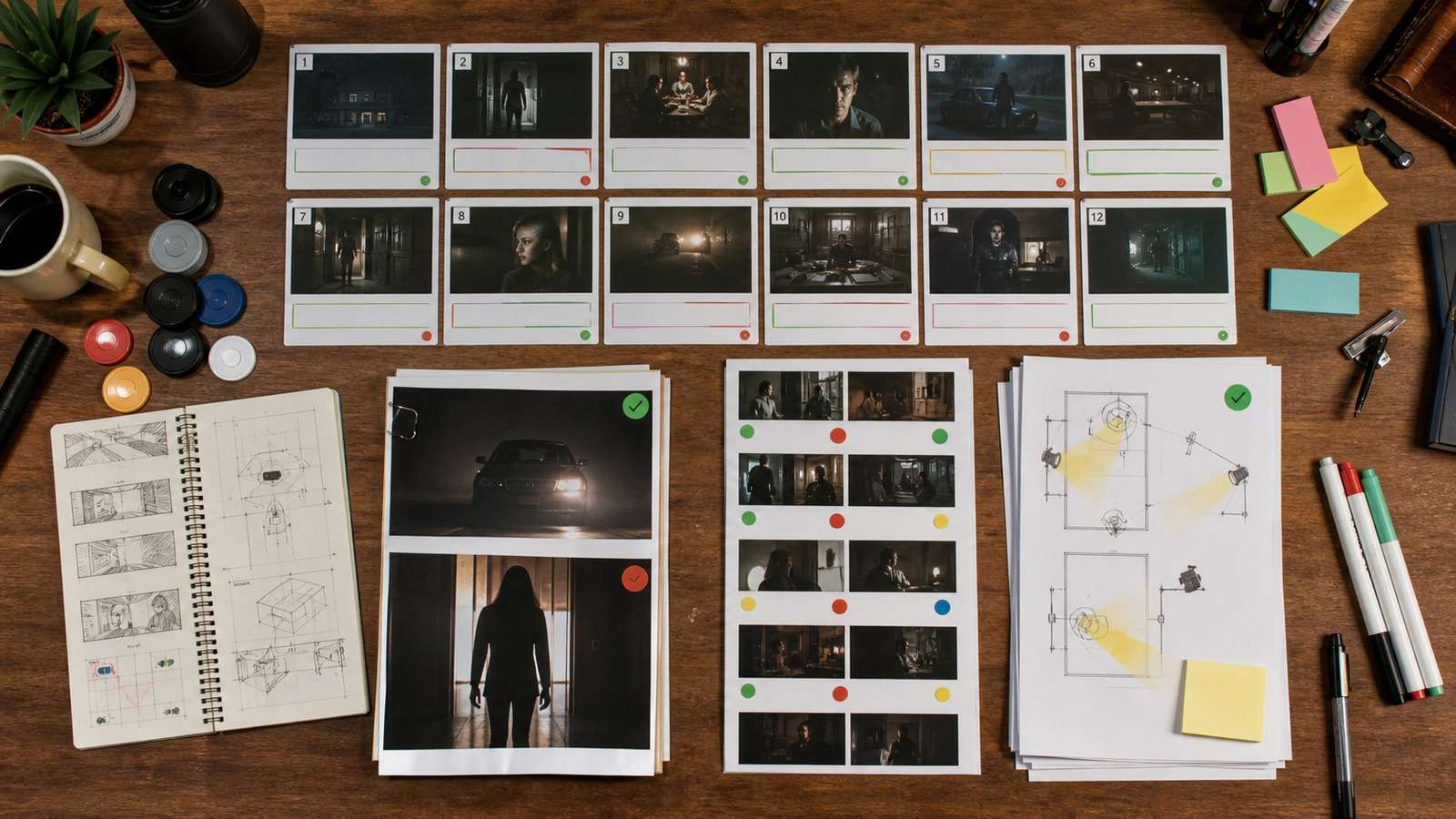
- Plan: break the script into shots and mark continuity dependencies.
- Anchor: approve character, wardrobe, environment, product and style assets.
- Generate masters: create wide establishing frames and difficult interaction tests first.
- Animate: produce short shots with one main action and controlled camera motion.
- Compare: inspect the first, middle and last frames against master assets and neighboring shots.
- Repair: revise the smallest broken region or bridge rather than regenerating approved material.
- Lock: store approved outputs and prevent later prompt changes from altering them.
For longer stories, build scenes from approved shots rather than trying to generate an entire episode in one request. Even models with longer windows benefit from deliberate edit points. Use an online video editor to compare adjacent clips, hold on approved frames and replace only the weak transition.
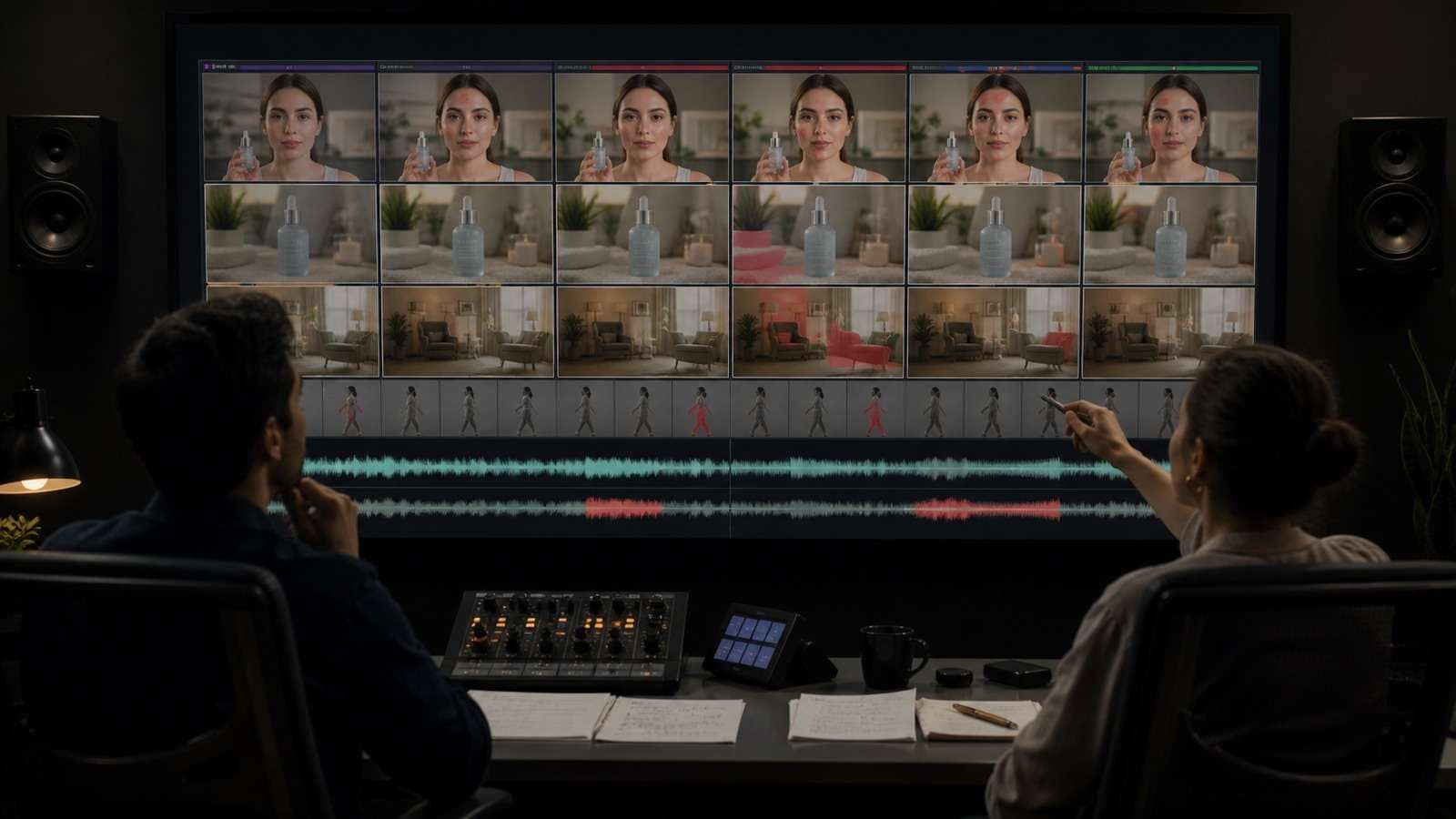
Diagnose AI Video Character Drift Before Regenerating
AI video character drift is expensive when the response is always “try again.” Diagnose the failure class first and preserve what already works.
| Symptom | Likely cause | Targeted correction |
|---|---|---|
| Face changes during a turn | Weak side-angle identity reference or excessive motion | Add the approved profile and simplify camera movement |
| Hair or age changes between shots | Identity was redescribed rather than anchored | Reuse the same master and invariant traits |
| Outfit details disappear | Wardrobe is too small or vaguely described | Add garment close-ups and structural wording |
| Room layout changes | No spatial master or reverse-angle reference | Use a wide set image and floor-plan logic |
| Product label mutates | Source detail is insufficient for motion | Enlarge the product, reduce motion and test stationary fidelity |
| Movement flickers | Too many simultaneous actions | Shorten the shot and keep one main action |
| Voice changes | No fixed voice/acoustic reference | Reuse the approved voice and room-tone specification |
| One transition fails | Generation spans incompatible states | Create a short bridge from the last approved frame |
Create a consistency scorecard with pass/fail criteria before generation. For a character, inspect face, hair, age, body, wardrobe and accessories. For a product, inspect geometry, label, material, scale and mechanism. For the environment, inspect layout, props, light and time. This prevents a dramatic performance from hiding a brand-critical defect.
After final assembly, compress distribution copies with an online video compressor while keeping the master and reference assets archived. Consistency is not just visual quality; it is the ability to reproduce, revise and audit the project later.
Frequently Asked Questions
-
How do I keep the same character in every AI video scene?
Create one approved multi-angle identity set, reuse the same master reference in every shot, repeat invariant traits and change only the action, camera or expression needed for that scene. -
Why does an AI character's face change during motion?
The model may lack a strong reference for the moving angle, or the shot may combine complex subject and camera motion. Add the needed profile, simplify movement and shorten the generation. -
Is one reference image enough for consistent AI video?
It can be enough for a restrained front-facing shot. Multi-angle action usually benefits from a neutral master plus carefully selected profile, full-body, wardrobe and environment references. -
How can I keep a product label consistent?
Use high-resolution product angles and label close-ups, keep the product large in frame, specify preservation rules and test stationary fidelity before adding hands or camera motion. -
Should I generate long AI videos in one clip?
Use a longer take when continuity genuinely benefits, but preserve planned edit points. Multi-scene stories are usually easier to control as approved short shots connected by deliberate bridges.


