Generate AI Character Turnaround Sheets Instantly

Visualize every angle of your OC or game design effortlessly with Media.io's AI Character Generator. Create consistent and highly detailed character turnaround sheets in seconds. Maintain style accuracy across multiple poses without manual redrawing.

Create Your Turnaround Sheet Now

No drawing experience needed-AI handles the angles for you.

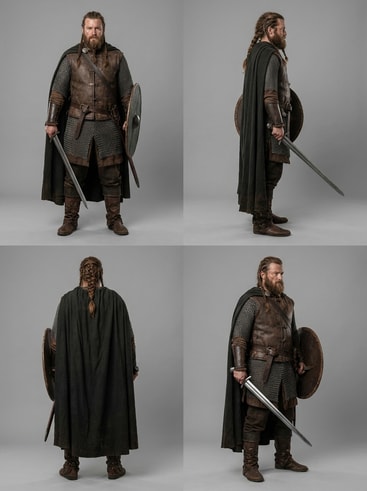
ai-generated fantasy warrior turnaround sheet

Fantasy Warrior Turnaround Sheet

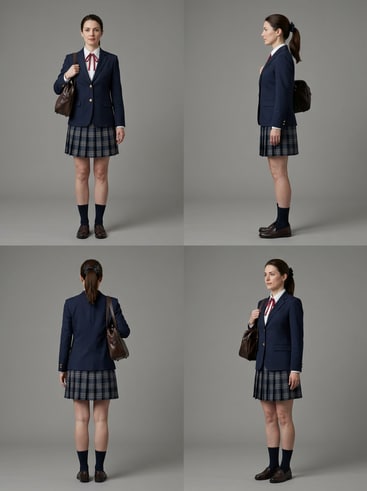
ai-generated anime schoolgirl rotation sheet

Anime Schoolgirl Character Rotation

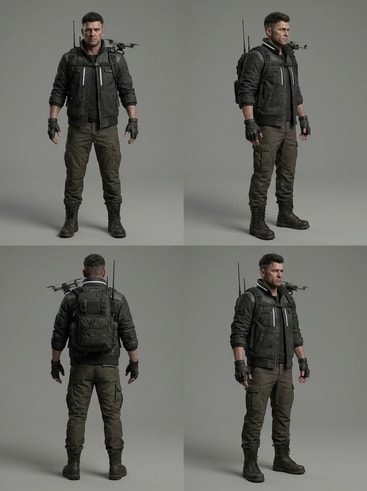
ai-generated cyberpunk hacker turnaround

Cyberpunk Hacker 360 View

ai-generated cartoon mascot sheet

Cartoon Mascot Turnaround Sheet

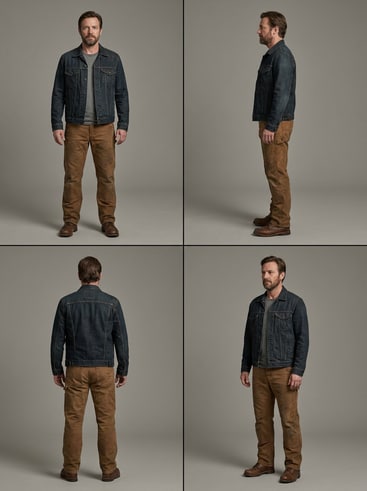
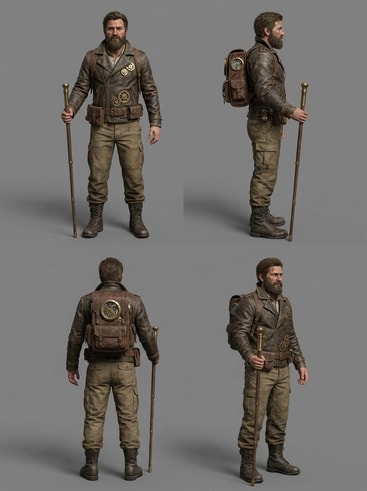
ai-generated steampunk explorer rotation view

Steampunk Explorer Multi-Angle

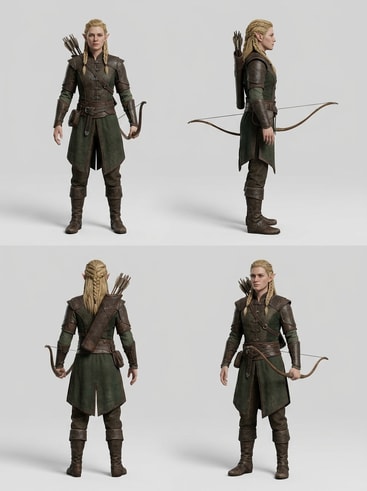
ai-generated elf rpg turnaround sheet

RPG Elf Character Turnaround

Why Use Media.io for AI Character Turnaround Sheets

Media.io provides a seamless workflow for artists, developers, and storytellers to produce multi-angle character visuals, reducing repetitive manual drawing. The AI Character Generator ensures consistent proportions, lighting, and styling across all rotations. It simplifies iteration for teams needing quick updates or new design variants. You can export high-quality character sheets suitable for 2D, 3D, or animation references with just a few clicks.

Seamless Multi-Angle Consistency

Media.io's AI engine automatically keeps all character angles consistent, avoiding the distortion issues common with manual drawing. Every rotation maintains correct facial and body alignment for smoother animation or modeling. This accuracy lets creators build full reference sheets much faster. It's ideal for keeping your characters cohesive across media.

Save Hours on Design Workflows

Instead of sketching multiple angles by hand, generate every view in one step. Media.io's automation speeds up concept stages while preserving professional-level fidelity. You can tweak details instantly and regenerate specific angles as needed. This makes pre-production significantly more efficient for both individual creators and studios.

Adaptable for Any Art Style

Whether your project involves realism, anime, or cartoon styles, Media.io adapts its generation to your desired look. The AI maintains texture and lighting coherence across frames. You can customize outfit, pose, and mood descriptors for diverse projects. This flexibility helps you achieve your preferred aesthetic for professional visual consistency.

Ready for Animation and Game Use

All turnaround sheets generated are suitable for rigging, 3D modeling, or 2D animation reference. Media.io ensures accurate proportions and pose spacing for workflows that require frame-by-frame consistency. Every output is optimized for export to your chosen platform. It turns your creative idea into a production-ready visual foundation.

How to Create an AI Character Turnaround Sheet Online

01

1. Describe Your Character

Enter a short prompt about your character's look, style, outfit, and mood in Media.io's AI Character Generator. You can mention personality traits or design themes for better outputs. This initial step helps AI understand the concept for multi-angle rendering. Be specific enough to ensure consistency across different perspectives.

02

2. Generate Turnaround Views

Once the prompt is ready, select the 'Turnaround Sheet' option to create full-angle views. Media.io automatically applies visual coherence to all generated poses. Within moments, you'll get clean front, side, and back perspectives. The AI aligns proportions so your character looks identical across rotations.

03

3. Refine and Export

Adjust details like lighting, outfit, or pose with intuitive sliders. You can regenerate individual angles or save the entire sheet as a printable reference. Export in high resolution or transparency for use in animation or 3D work. Media.io makes finalizing character design as smooth as refining a digital draft.

What Creators Say About AI Character Turnaround Sheets

user
Lara P.

Game Artist

starstarstarstarstar

"A Perfect Tool for Game Asset Planning" Before discovering Media.io, I spent hours redrawing character angles manually. Now I can visualize full turnaround sheets within minutes. The AI keeps visual accuracy even with complex armor or accessories. It's revolutionized how our team builds model references for new characters quickly.

user
Noah C.

Animator

starstarstarstarstar

"Great for Consistency in Animation Projects" Using Media.io's turnaround feature helped my animation process stay visually consistent. The generated views align seamlessly when I rig and model in 3D. Each angle matches proportionally, so there's no time wasted fixing discrepancies. I recommend it for anyone handling multi-character animation workflows.

user
Jin L.

Illustrator

starstarstarstarstar

"Fast and Reliable Character Reference Generator" As a concept artist, I need precise rotations to present to clients. Media.io delivers clean and reliable turnaround sheets every time. The AI captures subtle style choices, and I can make updates instantly when feedback arrives. It's become a key part of my design toolkit.

user
Maria G.

Content Creator

starstarstarstarstar

"Helps Build Visual OCs and Social Avatars" I use Media.io to design my online personas and OCs for multiple platforms. The turnaround feature gives me a clear visual base for each character's look. Even non-artists can achieve high-quality results with the simple interface. It makes branding and content creation more visually consistent for my audience.

user
Ethan R.

3D Modeler

starstarstarstarstar

"Reliable AI for Pre-Modeling References" Media.io speeds up modeling prep by giving me accurate angles in seconds. I used to spend too much time aligning concept sketches. Now, I can move straight into sculpting with confidence. The tool turns rough ideas into well-proportioned visual guides that match production needs.

Artists and animators love how Media.io shortens their design cycle.

FAQs About AI Character Turnaround Sheets

1. What Is an AI Character Turnaround Sheet?
faqfaq

An AI character turnaround sheet shows a character from multiple angles such as front, side, and back. Media.io's AI automates this process without manual redrawing. It helps artists maintain visual consistency when preparing for modeling or animation. This sheet is essential for character pipelines requiring precise proportions across views.

Yes, all generated turnaround sheets from Media.io are suitable for modeling references. Each angle is aligned properly, helping 3D artists sculpt accurate meshes. The images support consistency across topology and structure. This makes pre-production and modeling faster and more precise.

Media.io's AI uses deep visual mapping to link facial and body features across views. It references the same geometry while rendering each angle. This prevents distortion or character drift common in traditional redraw methods. As a result, every sheet maintains professional consistency.

No drawing skills are required to use Media.io. You simply enter descriptive text, and the AI produces multi-angle character visuals. It handles anatomy, proportions, and style coherence automatically. This lets creators focus on design intent rather than manual technique.

Yes, Media.io lets you refine or regenerate individual angles independently. You can modify poses, expressions, or outfit details without redrawing the entire sheet. This flexibility helps maintain alignment while improving key visuals. It's ideal for polishing one view without affecting the others.

Absolutely. Each frame aligns proportionally for rigging or key-frame planning. Media.io's sheets are designed for animators who need clear rotation continuity. You can use them to test motion or camera transitions easily.

You can export turnaround sheets in PNG, JPG, or high-resolution PDF formats. Media.io ensures every export maintains full resolution and alignment quality. Users can also preserve transparency for easier layout integration. These options make the outputs flexible for any production stage.

Yes, Media.io offers a free trial for new users. You can generate a few character sheets before upgrading for advanced export options. The trial helps you test performance and design quality firsthand. Many users find the free version powerful enough for small creative projects.

Media.io Online AI Tools Quality Rating:
vote 4.7 (162,357 Votes)



