Media.io


 One-tap erase on photos & videos
 ChatGPT
 Perplexity
 Gemini
 Claude
 Grok
Grok
Watermarks are everywhere today. You can find them in stock images, when using free editing apps, in downloaded videos, and in shared content. While they do protect ownership, they can get in the way when you’re working on social media posts, marketing materials, personal projects, and so on.
However, today we have watermark-removal apps that make cleanup a whole lot easier. Many use AI to automatically remove logos, text, timestamps, and other unwanted elements, saving a ton of time compared to manual editing.
- These tools are especially useful for:
- TikTok, Instagram, and YouTube content
- Repurposing videos for different platforms
- Cleaning up photos for ecommerce or marketing
- Content creation and brand design
Important Legal Notice: You should only remove watermarks from content you own or have permission to edit. Otherwise, you might risk a copyright infringement lawsuit.

In this article
Quick Comparison Table
Before we start reviewing the tools, here’s a table to help you get a clear, skimmable overview of the best watermark-removal apps.
| App | Platform | Photos / Videos | Free Version | Best For |
|---|---|---|---|---|
| AniEraser | iOS, Android, Online | Both | Yes | AI automatic removal |
| Remove & Add Watermark | Android | Videos | Yes | Batch video processing |
| Video Eraser | iOS | Videos | Yes | Frame-by-frame editing |
| Snapseed | iOS, Android | Photos | Yes | Small photo watermarks |
| TouchRetouch | iOS, Android | Photos | Trial | Clean object removal |
| Adobe Photoshop Express | Both | Photos | Yes | Advanced photo editing |
| AirBrush | Both | Photos | Yes | Portrait cleanup |
| Photo Retouch | Android | Photos | Yes | Android photo fixes |
| Watermark Manager | Both | Both | Yes | Dedicated removal |
| Pixelcut | Both | Photos | Yes | Ecommerce images |
| YouCam Perfect | Both | Photos | Yes | Beginner-friendly editing |
| Fotor | Both + Online | Both | Yes | Basic editing |
| CapCut | Both | Videos | Yes | Free video workaround |
| >InShot | Both | Videos | Yes | Social media editing |
| Canva | Both + Online | Both | Yes | Social content fixes |
Top 15 Watermark Remover Apps (Detailed Reviews)
When you start your research, you will notice that there are countless watermark remover apps available, but their quality varies widely. Some rely on manual cropping or masking, while others use AI to automatically erase logos and text.
All the tools below were selected based on functionality, user feedback, platform availability, and real-world performance for photo and video editing.
Check them out!
AniEraser: Best AI Watermark Remover App
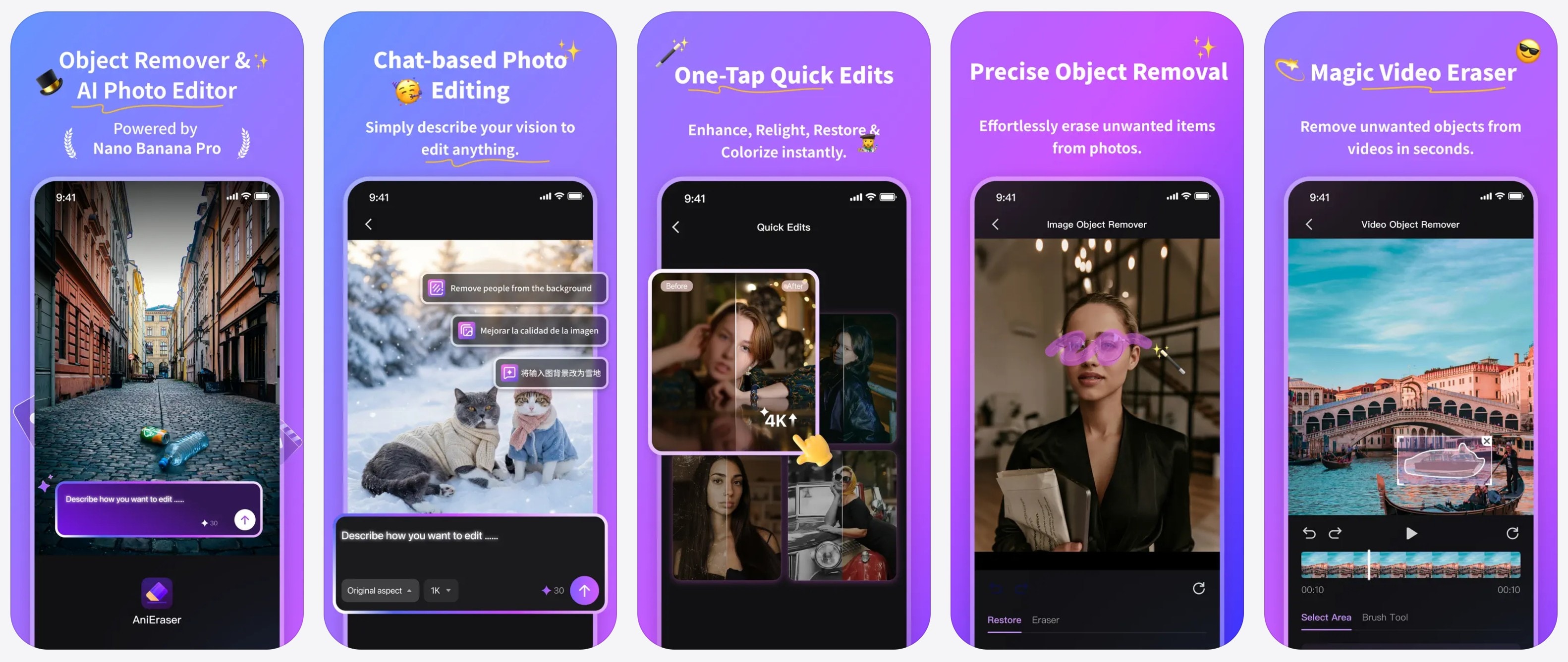
Platform: iOS, Android


AniEraser is the most advanced and user-friendly option on this list. It uses AI to automatically remove watermarks, logos, text, and other unwanted elements from photos and videos. Users consistently highlight its speed and clean results, especially compared to manual editing apps.
The workflow is simple: import, select, remove, export. This makes it ideal for both beginners and content creators who need reliable results quickly.
Capabilities: Remove watermarks from photos and videos.
Key features
- AI-powered automatic removal
- Supports video watermark removal (including moving elements)
- Preserves original resolution and quality
- Mobile and web versions available
- Simple one-tap workflow
Best for: Users who want the fastest, highest-quality automatic watermark removal for both photos and videos.
Remove & Add Watermark
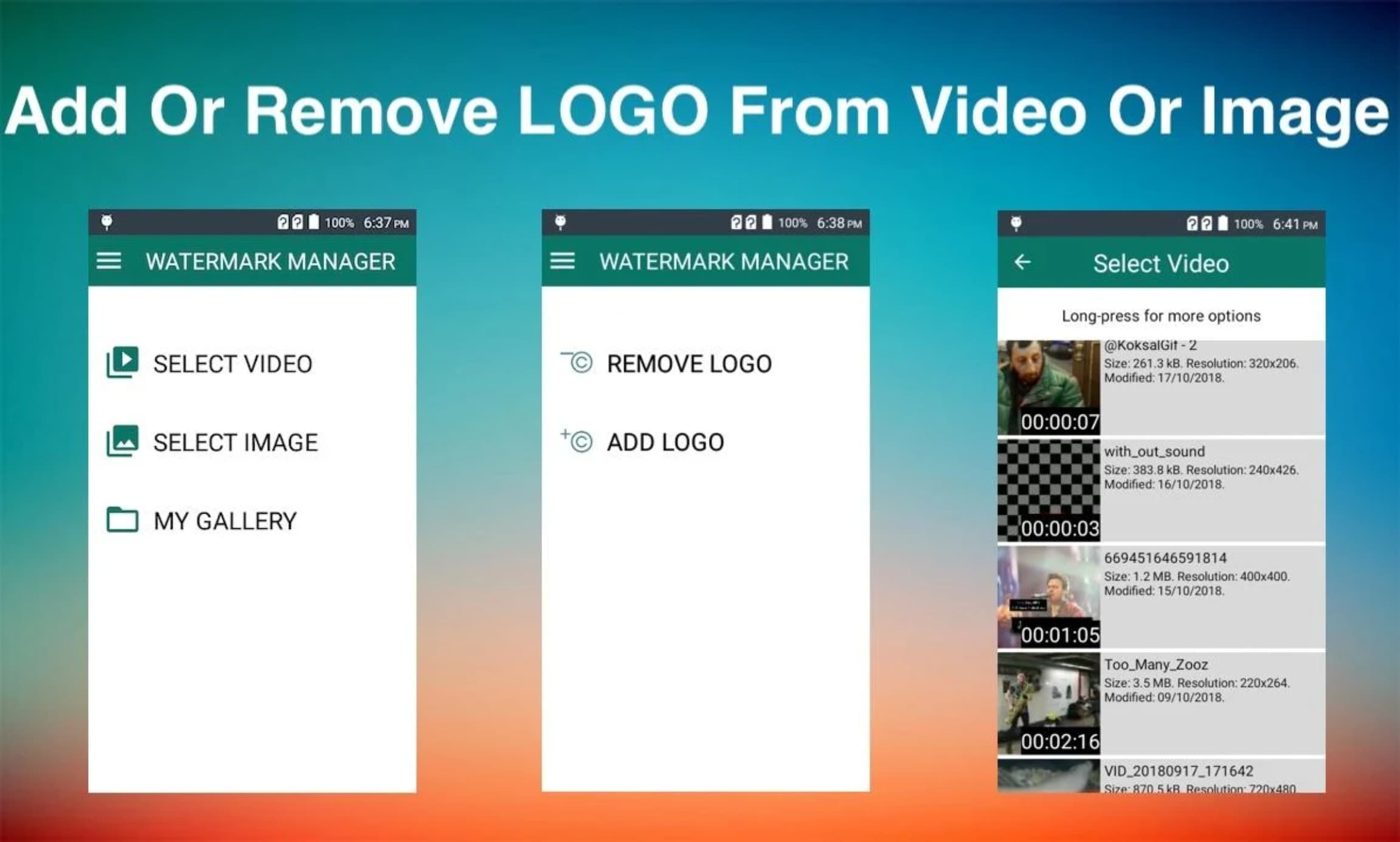
Platform: Android
Remove & Add Watermark is a dedicated Android tool built specifically for watermark editing. Unlike general video editors, it focuses on quickly removing or adding logos and text without unnecessary features. Users often highlight its reliability for simple watermark removal and its efficiency for bulk tasks.
The app allows you to select the watermark area and process multiple videos at once, making it useful for creators who regularly export content from editing apps.
Capabilities: Remove watermarks from images and videos.
Key features
- Batch watermark removal
- Adjustable selection area
- Option to add or replace watermarks
- Fast processing for multiple files
- Simple, lightweight interface
Best for: Android users who need fast batch watermark removal for multiple videos.
Video Eraser

Platform: iOS
Video Eraser is a focused iPhone app designed for removing unwanted elements from video clips. Users appreciate its clean layout and precise control, especially when working with logos that stay in one position.
The app offers frame-level editing, allowing you to blur or erase the watermark without affecting the rest of the video, which helps maintain visual consistency.
Capabilities: Remove watermarks from videos.
Key features
- Frame-by-frame editing
- Blur or erase watermark options
- Easy export workflow
- Supports multiple video formats
- Beginner-friendly interface
Best for: iPhone users who need precise control over video watermark removal.
Snapseed
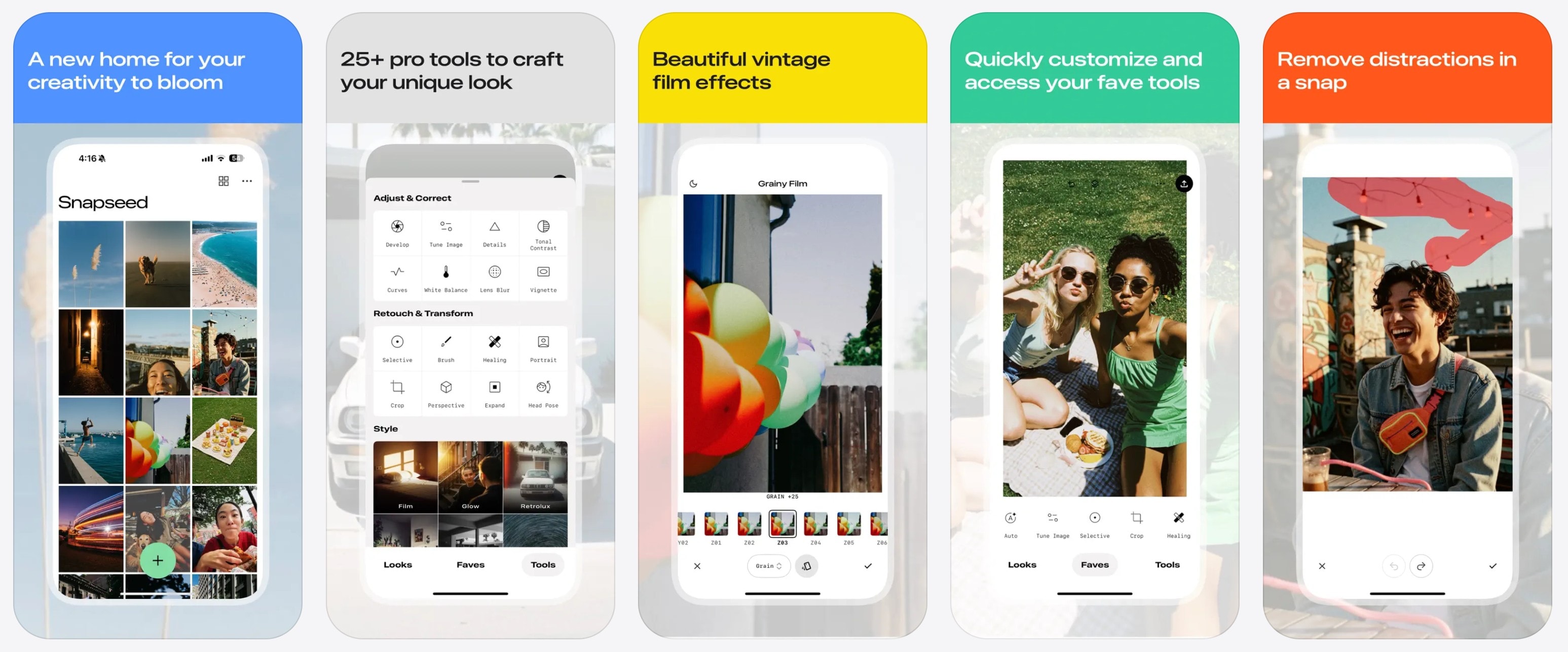
Snapseed is one of the most trusted free photo editing apps, developed by Google. While not built specifically for watermark removal, its Healing tool works extremely well for removing small logos, text, or timestamps.
Users often praise Snapseed for its professional-level editing controls and comprehensive feature set, making it one of the best free solutions for photo cleanup.
Capabilities: Remove watermarks from photos.
Key features
- Healing brush for object removal
- Advanced color and lighting tools
- Non-destructive editing
- High-quality export
- Completely free
Best for: Removing small watermarks from photos without paying for premium software.
TouchRetouch
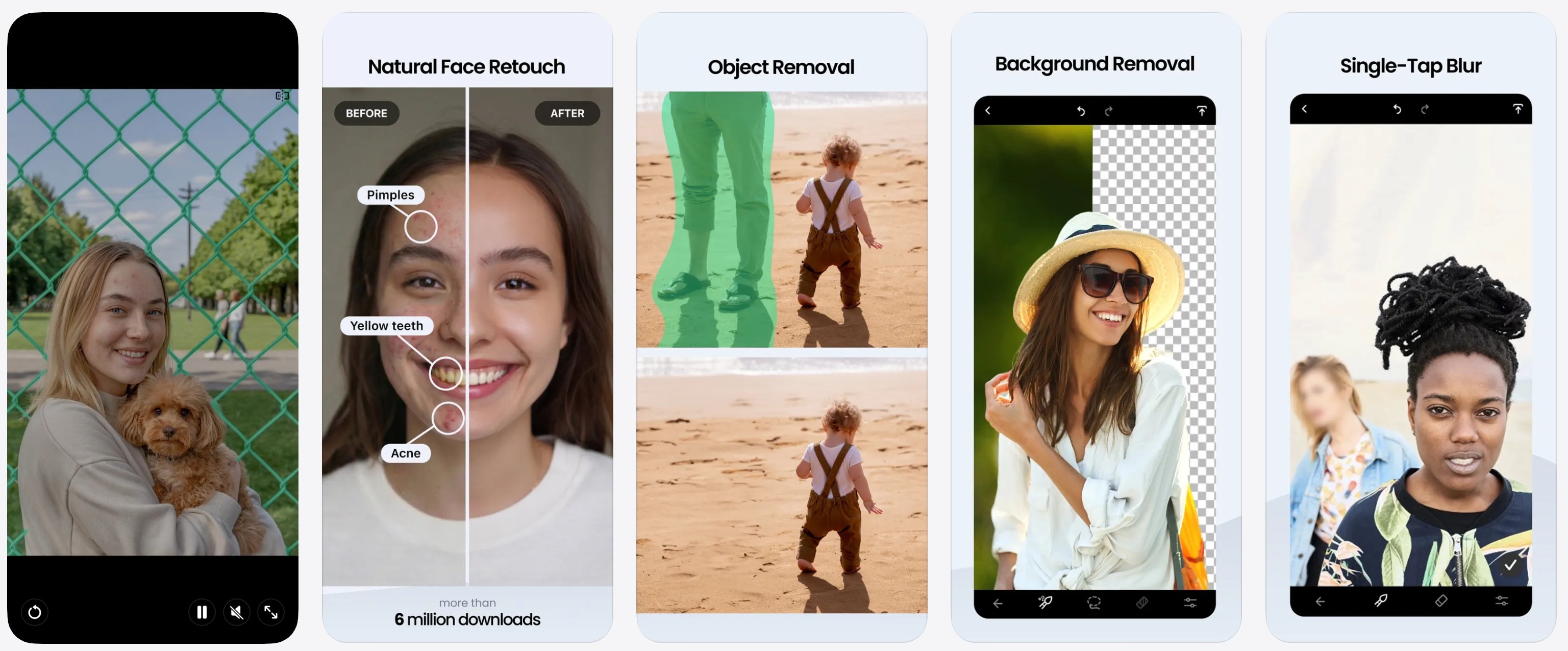
TouchRetouch is designed specifically for removing unwanted objects, which makes it one of the most effective tools for photo watermark removal. Many users highlight its clean results, especially on simple backgrounds.
The app focuses entirely on removal tools, making the workflow faster and more efficient than with full-featured photo editors.
Capabilities: Remove watermarks from photos.
Key features
- One-tap object removal
- Line and clone tools
- High-quality reconstruction
- Simple interface
- Minimal learning curve
Best for: Clean, high-quality removal of logos and text from photos.
Adobe Photoshop Express
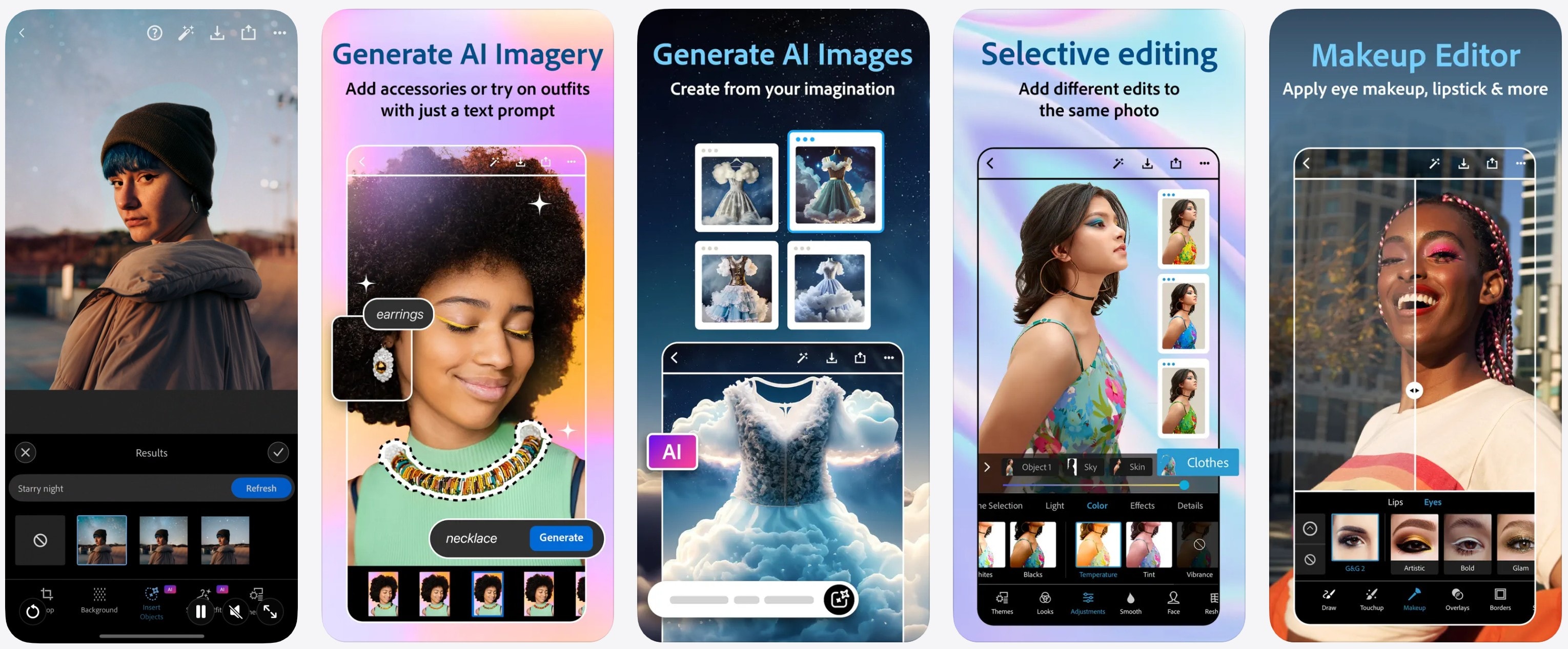
Photoshop Express brings Adobe’s editing power to mobile devices. While watermark removal is not its primary focus, the Spot Healing tool and advanced adjustments make it highly effective for manual cleanup.
Users appreciate the professional-level controls and the ability to combine watermark removal with full photo enhancement.
Capabilities: Remove watermarks from photos.
Key features
- Spot healing and object removal
- Advanced exposure and color tools
- Filters and presets
- Adobe Cloud integration
- High-quality export
Best for: Users who want advanced photo editing alongside watermark removal.
AirBrush
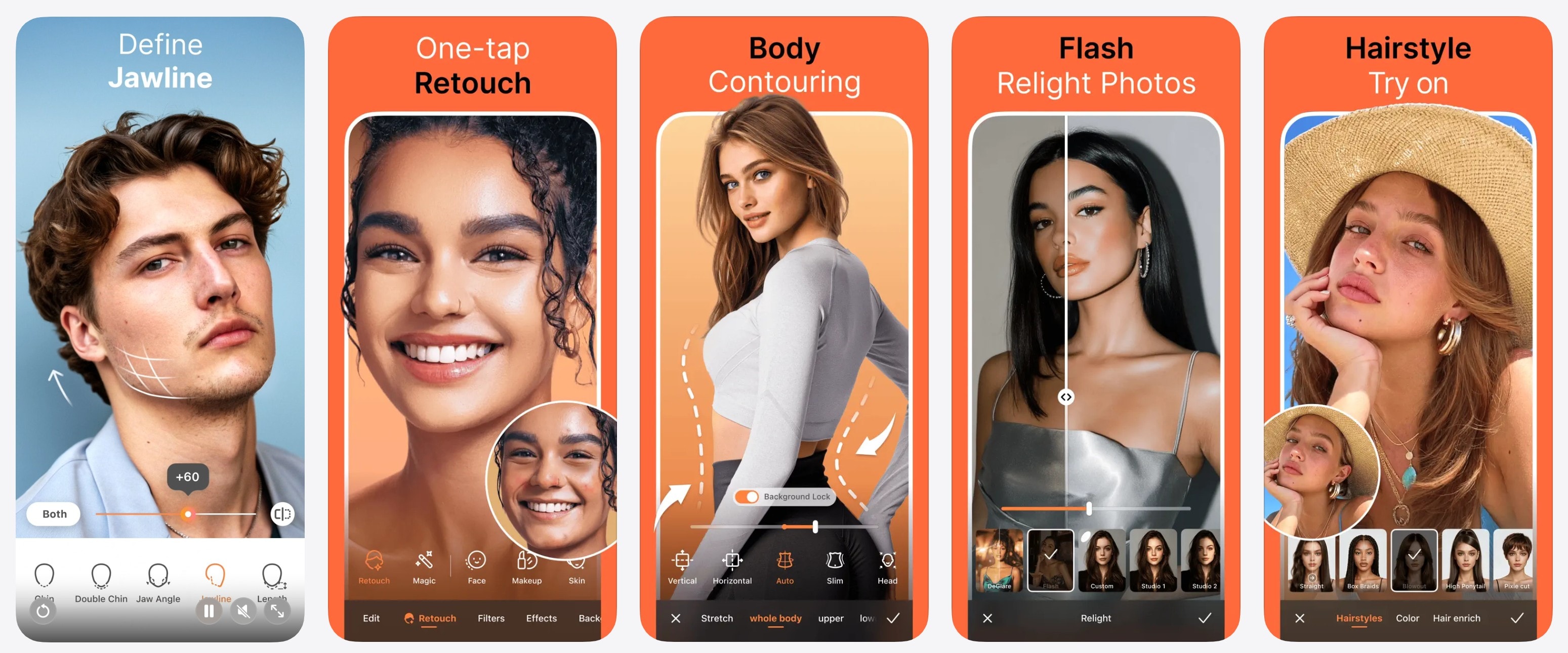
AirBrush is primarily known for portrait editing, but its AI object removal feature works well for eliminating small logos or text from images. Users often mention how smoothly it blends edits, especially on skin and simple backgrounds.
The app is designed for quick social media edits with minimal effort.
Capabilities: Remove watermarks from photos.
Key features
- AI object remover
- Portrait enhancement tools
- One-tap adjustments
- Real-time preview
- Social media optimization
Best for: Removing small watermarks from portraits and social media photos.
Photo Retouch

Platform: Android
Photo Retouch is a lightweight Android app focused entirely on removing unwanted elements. Users like its simplicity and fast performance for quick edits.
The app is ideal when you need a straightforward solution without advanced editing features.
Capabilities: Remove watermarks from photos.
Key features
- Object and logo removal
- Quick processing
- Clean interface
- Supports multiple image formats
- Lightweight performance
Best for: Android users who want a fast, simple photo watermark remover.
iWatermark
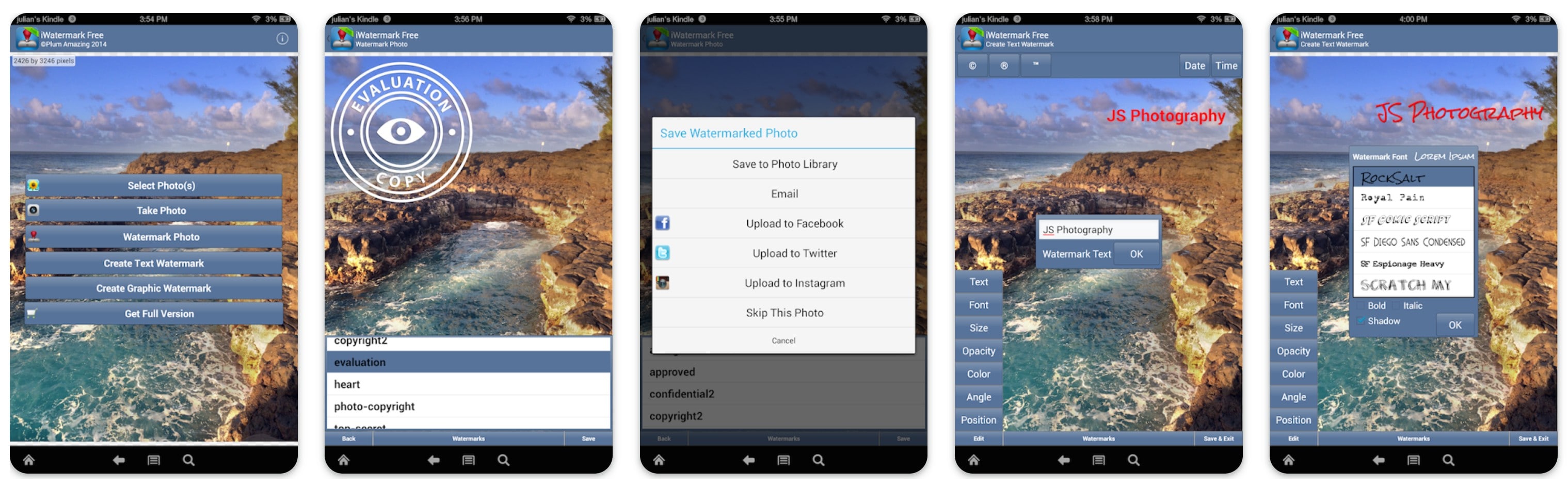
iWatermark is a professional watermark management app designed for both adding and removing watermarks from photos. Unlike general editors, it focuses specifically on watermark control, making it popular among photographers, content creators, and small businesses that regularly manage branded images.
The app is especially useful when working with multiple images, allowing you to process files quickly while maintaining image quality.
Capabilities: Remove watermarks from photos.
Key features
- Batch watermark processing
- Supports text and logo watermarks
- High-resolution export
- Multiple watermark editing tools
- Designed for professional image workflows
Best for: Photographers and creators who need batch watermark management and high-quality photo processing.
Pixelcut
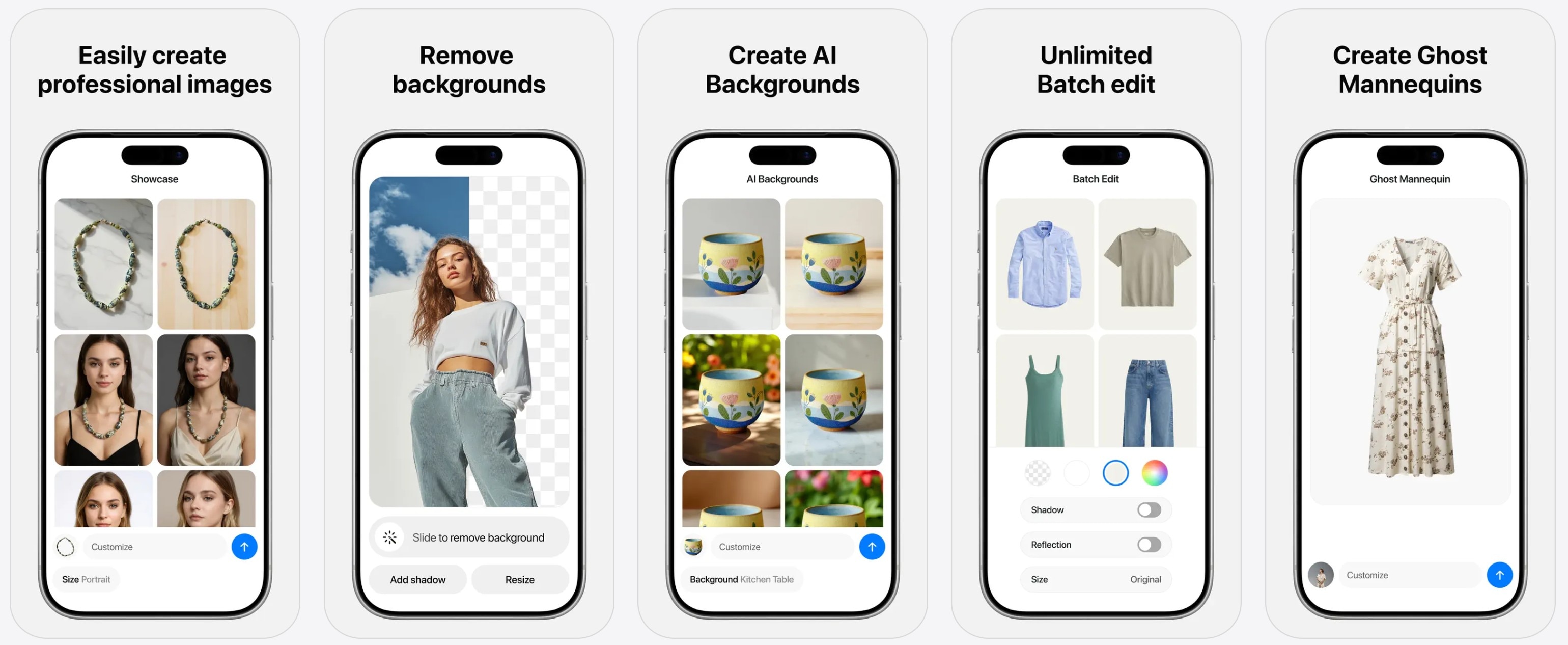
Pixelcut is widely used by ecommerce sellers and content creators. Its AI removal tools work well for cleaning product images and eliminating logos or unwanted elements.
Users frequently highlight its automation and clean results for business visuals.
Capabilities: Remove watermarks from photos.
Key features
- AI object removal
- Background editing tools
- Batch editing options
- Ecommerce templates
- High-resolution export
Best for: Cleaning product photos and marketing images.
YouCam Perfect
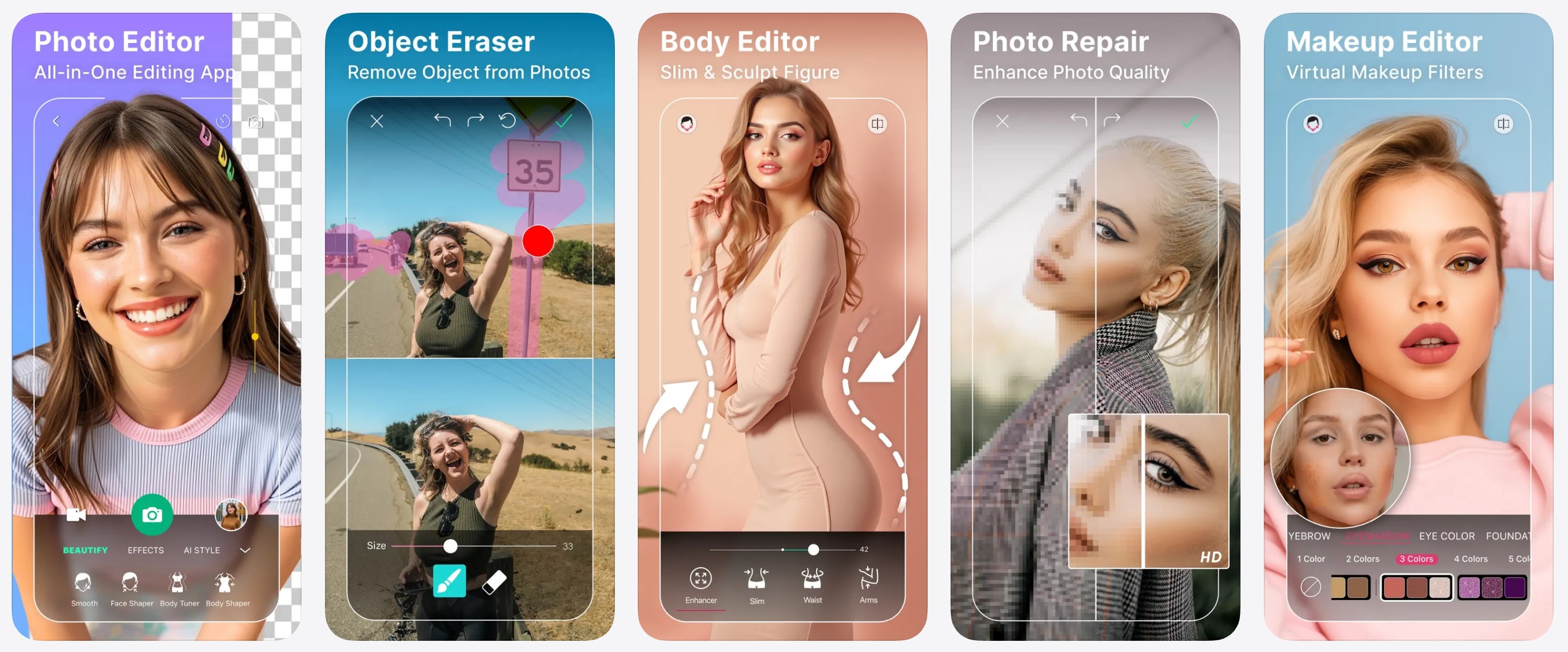
YouCam Perfect is a beginner-friendly editor that includes AI-powered object removal. It’s popular among casual users thanks to its simple interface and quick results.
The app combines watermark removal with a wide range of photo enhancement tools.
Capabilities: Remove watermarks from photos.
Key features
- AI object remover
- One-tap photo enhancement
- Filters and effects
- Easy navigation
- Social sharing options
Best for: Beginners who want quick and simple photo cleanup.
Fotor

Fotor is an all-in-one editor that includes basic object removal tools along with filters, adjustments, and design features. Users often choose it as a lightweight alternative to more complex editing apps.
It’s best suited for simple watermark removal tasks.
Capabilities: Remove watermarks from photos.
Key features
- Object removal tool
- Filters and enhancement tools
- Easy-to-use interface
- Cross-platform access
- Quick export
Best for: Basic watermark removal combined with everyday photo editing.
InShot
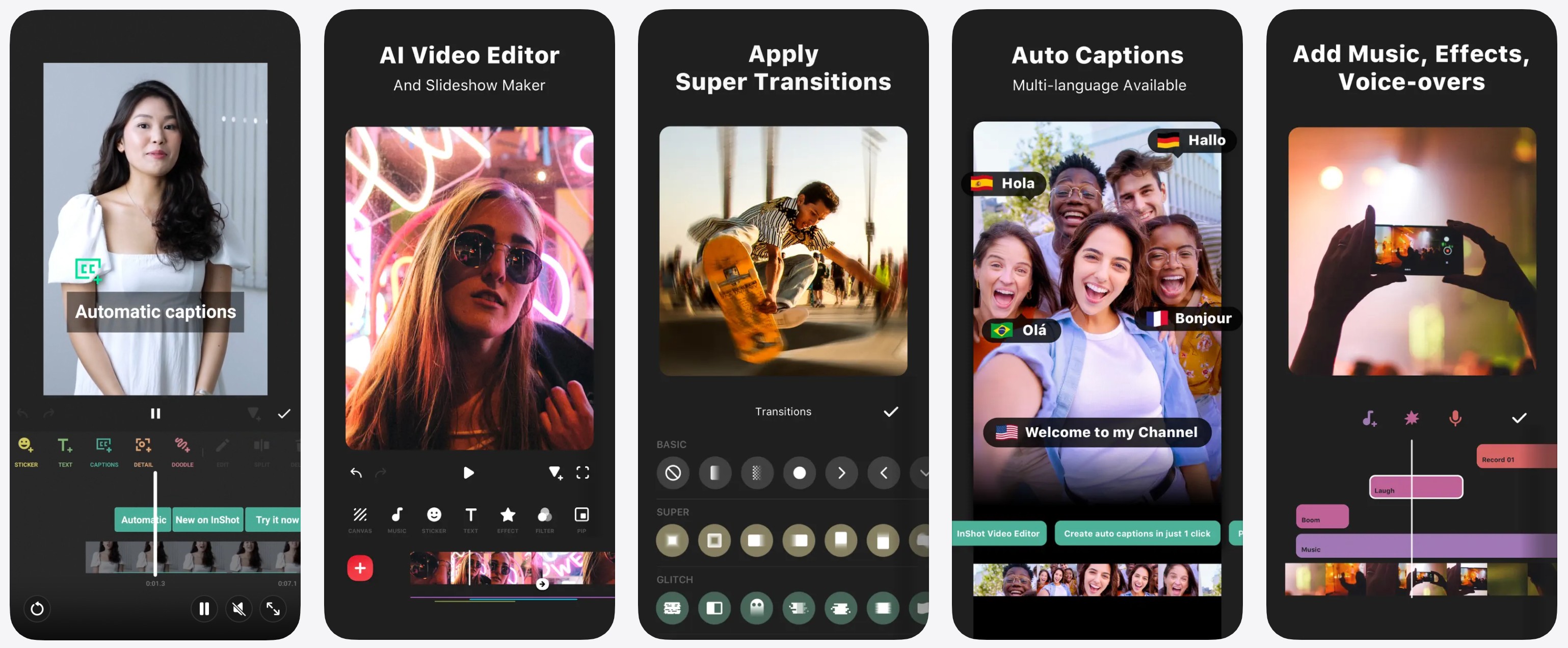
InShot is a popular mobile video editor used by social media creators. While it doesn’t erase watermarks directly, many users remove them by cropping or covering the area with overlays.
The app is widely praised for its ease of use and platform-ready export options.
Capabilities: Remove watermarks from videos (workaround methods).
Key features
- Crop and trim tools
- Overlay and sticker options
- Social media export formats
- Timeline editing
- Fast processing
Best for: Social media creators using cropping or overlays to hide watermarks.
CapCut

CapCut is a powerful free video editor with professional-level features. Many users remove watermarks using masking, cropping, or overlay techniques rather than direct erasing.
Reviews consistently highlight its advanced capabilities despite being completely free.
Capabilities: Remove watermarks from videos (manual methods).
Key features
- Masking and cropping tools
- Advanced timeline editing
- Effects and transitions
- No export watermark
- Free to use
Best for: Free video editing with manual watermark removal techniques.
Canva

Canva is primarily a design platform, but many users remove watermarks by cropping or covering them with design elements. Its templates and drag-and-drop interface make it especially useful for quick social media fixes.
It’s less about erasing and more about creatively hiding unwanted elements.
Capabilities: Remove watermarks from photos and videos (design workaround).
Key features
- Crop and overlay methods
- Design templates and elements
- Cloud-based editing
- Easy sharing and export
- Cross-device access
Best for: Quick social media content where watermarks can be covered or cropped.
And that’s all of them.
For the next few sections, we have prepared a list of winners in different app categories.
Winners

Best Free Watermark Remover Apps
If you’re looking for a completely free option, these tools offer solid functionality without a paid subscription:
- CapCut
- Snapseed
- Canva
- Free version of AniEraser
Free apps work well for simple tasks, although some may require manual adjustments.
Best Watermark Remover Apps for Videos
Removing watermarks from videos is more complex than from photos, especially if the logo moves or appears across multiple frames.
Here are the best options:
- AniEraser (AI automatic removal)
- Video Eraser
- CapCut
AI tools are especially useful for maintaining quality and saving time.
Best Watermark Remover Apps for Photos
For images, precision matters more than processing power.
The top choices here include:
- TouchRetouch
- Snapseed
- AniEraser
These tools provide clean results without damaging image quality.
Best Apps for iPhone and Android
If you are switching between devices or want flexibility, cross-platform tools are the best option.
Here are the top tools that work on both iPhone and Android phones:
- AniEraser
- CapCut
- Canva
- Snapseed
But we should note that platform-specific tools like Video Eraser (iOS) or Photo Retouch (Android) can be useful if you primarily edit on one device.
When to Use an AI Watermark Remover Instead of Manual Editing
Manual editing tools can work well for small, simple watermarks, especially when the logo is placed in a corner or sits on a plain background. However, manual methods often require careful brushing, cropping, or masking, which can take time and may affect the overall composition of your image or video.
AI watermark removers become the better choice when the task is more complex or when you need consistent results. These tools automatically detect and reconstruct the affected area, saving time while preserving quality.
You should consider using an AI watermark remover when:
- The watermark is large, detailed, or placed over important content
- The logo moves across frames in a video
- You need to process multiple files (batch editing)
- You want faster results without manual adjustments
- Maintaining the original resolution and framing is important
For creators who regularly edit content, AI tools like AniEraser offer a faster workflow and more natural-looking results than manual editing methods.
Conclusion
Watermark remover apps range from simple free editors to advanced AI-powered tools designed for professional-quality cleanup. Free apps can handle basic tasks, but they often rely on manual editing, which takes more time and may not produce clean results.
If you work with content regularly, AI solutions like AniEraser can significantly speed up the process while preserving image and video quality. Desktop and advanced mobile tools are ideal for larger projects, while lightweight apps work well for quick fixes and occasional edits.
The right choice ultimately depends on your content type, platform, and workflow.
Frequently Asked Questions
-
Do free watermark remover apps work?
Yes, free apps can remove watermarks, especially from photos or simple video clips. However, many free tools require manual editing, and some may reduce quality or limit file size and export options.Yes, free apps can remove watermarks, especially from photos or simple video clips. However, many free tools require manual editing, and some may reduce quality or limit file size and export options.Is it legal to remove watermarks? -
Is it legal to remove watermarks?
Removing a watermark is legal only if you own the content or have the original creator's permission. Watermarks are typically used to protect copyright or ownership, so always make sure you have the right to edit the file.Removing a watermark is legal only if you own the content or have the original creator's permission. Watermarks are typically used to protect copyright or ownership, so always make sure you have the right to edit the file.Which app preserves quality best? -
Which app preserves quality best?
AI-based watermark removers generally produce the most natural results by reconstructing the edited area rather than cropping or covering it. Tools like AniEraser are designed to maintain original resolution and visual consistency.AI-based watermark removers generally produce the most natural results by reconstructing the edited area rather than cropping or covering it. Tools like AniEraser are designed to maintain original resolution and visual consistency.What is the best free watermark remover app? -
What is the best free watermark remover app?
CapCut, Snapseed, and Canva are good free options for basic tasks. Some AI tools, including AniEraser's free tier, also deliver high-quality results with limited usage.CapCut, Snapseed, and Canva are good free options for basic tasks. Some AI tools, including AniEraser's free tier, also deliver high-quality results with limited usage.Do free watermark remover apps work? Yes, free apps can remove watermarks, especially from photos or simple video clips. However, many free tools require manual editing, and some may reduce quality or limit file size and export options. Is it legal to remove watermarks? Removing a watermark is legal only if you own the content or have the original creator's permission. Watermarks are typically used to protect copyright or ownership, so always make sure you have the right to edit the file. Which app preserves quality best? AI-based watermark removers generally produce the most natural results by reconstructing the edited area rather than cropping or covering it. Tools like AniEraser are designed to maintain original resolution and visual consistency. What is the best free watermark remover app? CapCut, Snapseed, and Canva are good free options for basic tasks. Some AI tools, including AniEraser's free tier, also deliver high-quality results with limited usage.Do free watermark remover apps work? -
Do free watermark remover apps work?
Yes, free apps can remove watermarks, especially from photos or simple video clips. However, many free tools require manual editing, and some may reduce quality or limit file size and export options.Yes, free apps can remove watermarks, especially from photos or simple video clips. However, many free tools require manual editing, and some may reduce quality or limit file size and export options.Is it legal to remove watermarks? -
Is it legal to remove watermarks?
Removing a watermark is legal only if you own the content or have the original creator's permission. Watermarks are typically used to protect copyright or ownership, so always make sure you have the right to edit the file.Removing a watermark is legal only if you own the content or have the original creator's permission. Watermarks are typically used to protect copyright or ownership, so always make sure you have the right to edit the file.Which app preserves quality best? -
Which app preserves quality best?
AI-based watermark removers generally produce the most natural results by reconstructing the edited area rather than cropping or covering it. Tools like AniEraser are designed to maintain original resolution and visual consistency.AI-based watermark removers generally produce the most natural results by reconstructing the edited area rather than cropping or covering it. Tools like AniEraser are designed to maintain original resolution and visual consistency.What is the best free watermark remover app? -
What is the best free watermark remover app?
CapCut, Snapseed, and Canva are good free options for basic tasks. Some AI tools, including AniEraser's free tier, also deliver high-quality results with limited usage.CapCut, Snapseed, and Canva are good free options for basic tasks. Some AI tools, including AniEraser's free tier, also deliver high-quality results with limited usage.