
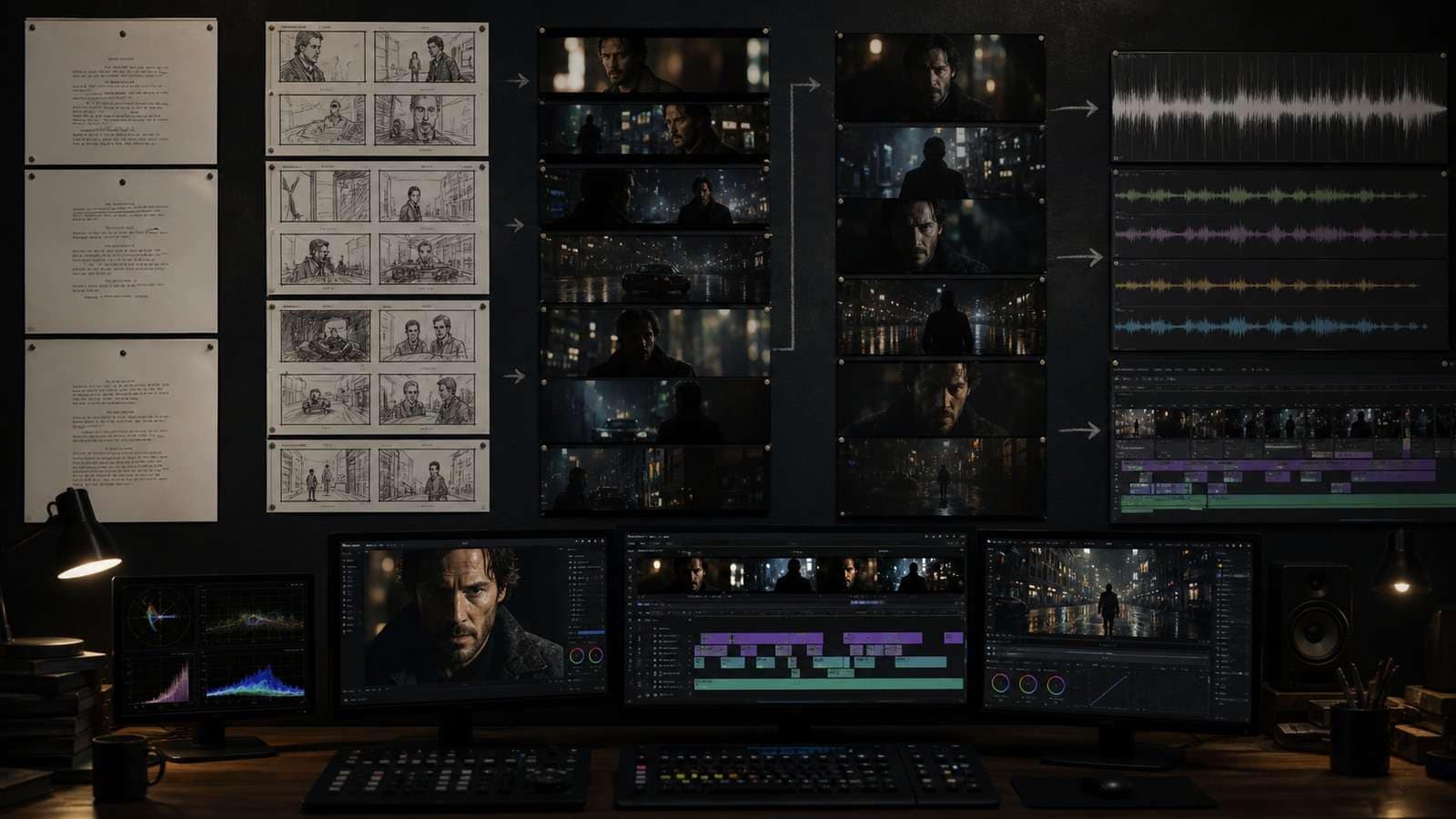
An AI film is rarely made by clicking “generate movie.” It is assembled from decisions: story, visual bible, performances, shots, sound and continuity. The best AI filmmaking tools reduce friction at specific stages while keeping those decisions visible to the director.
In this article
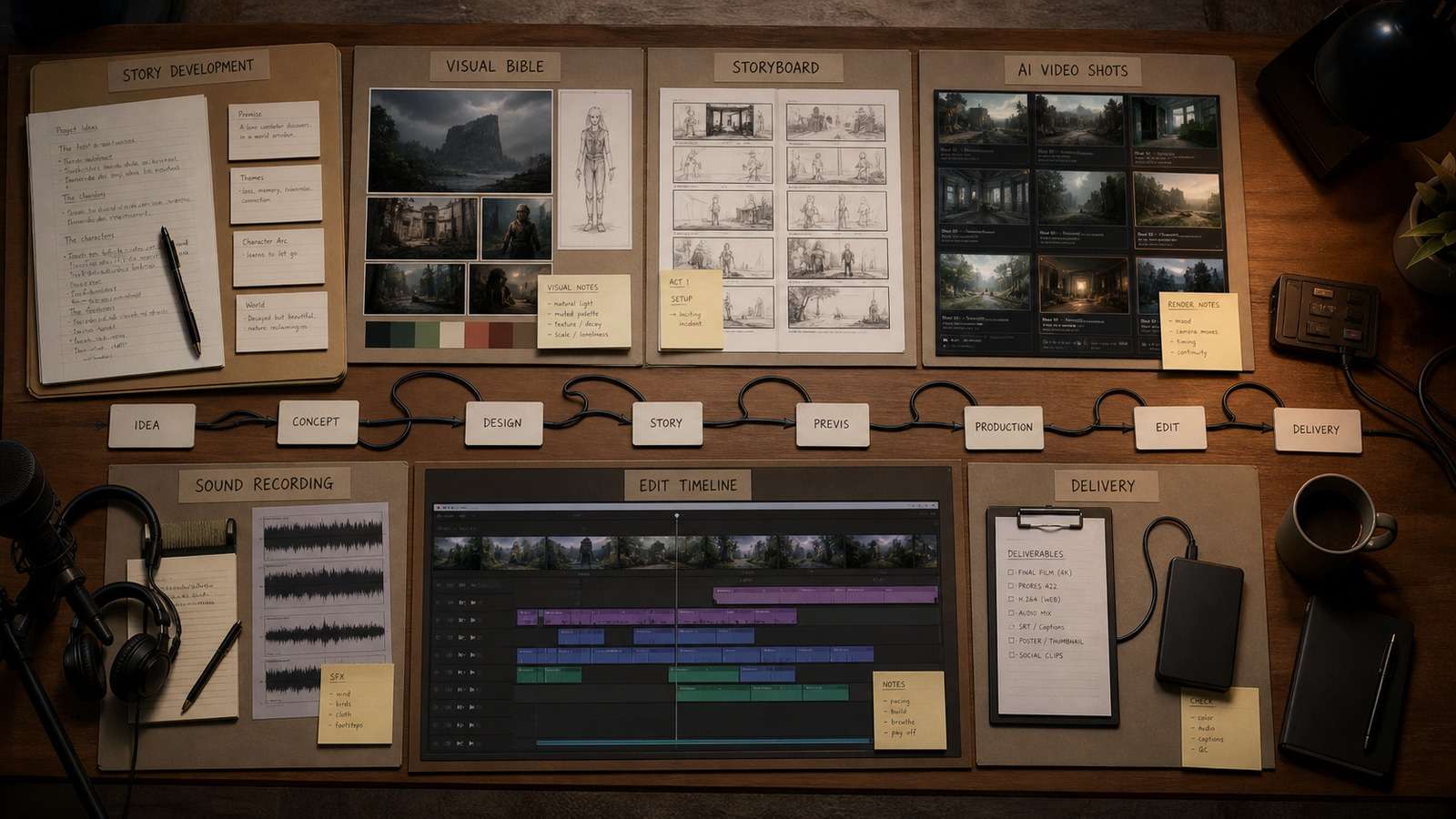
AI Film Production Tools: The Stack at a Glance
| Stage | Tool category | Deliverable | Main risk |
| Development | LLM and research | Premise, beat sheet, script draft | Generic story logic |
| Previsualization | AI storyboard tools and image models | Visual bible, boards, keyframes | Character drift |
| Production | AI cinematic video tools | Short generated shots | Motion and continuity errors |
| Sound | Voice, music and SFX tools | Dialogue, score, ambience | Rights and emotional mismatch |
| Post | NLE, compositing, cleanup | Final edit and masters | Over-reliance on generated fixes |
Writing, Research and Script Development
Language models are useful for alternatives, structure checks and production breakdowns, but weak prompts produce generic conflict and dialogue. Give the system constraints: audience, duration, theme, character desire, irreversible choice, available locations and visual motifs. Ask for contradictions and missing causality, not only a polished rewrite.
For story-led production, Media.io Script to Video can move a finished narration or scene plan toward a visual draft. It is most valuable after the story has a clear beat structure. Treat the generated video as an editable assembly or proof of concept, not a substitute for script development.
AI Storyboard Tools and Consistent Keyframes
A visual bible should define character identity, wardrobe, locations, palette, lens language, lighting and recurring props before motion generation begins. Generate neutral reference views in addition to beautiful hero frames. Front, profile, full-body and expression references are more useful for continuity than one dramatic portrait.
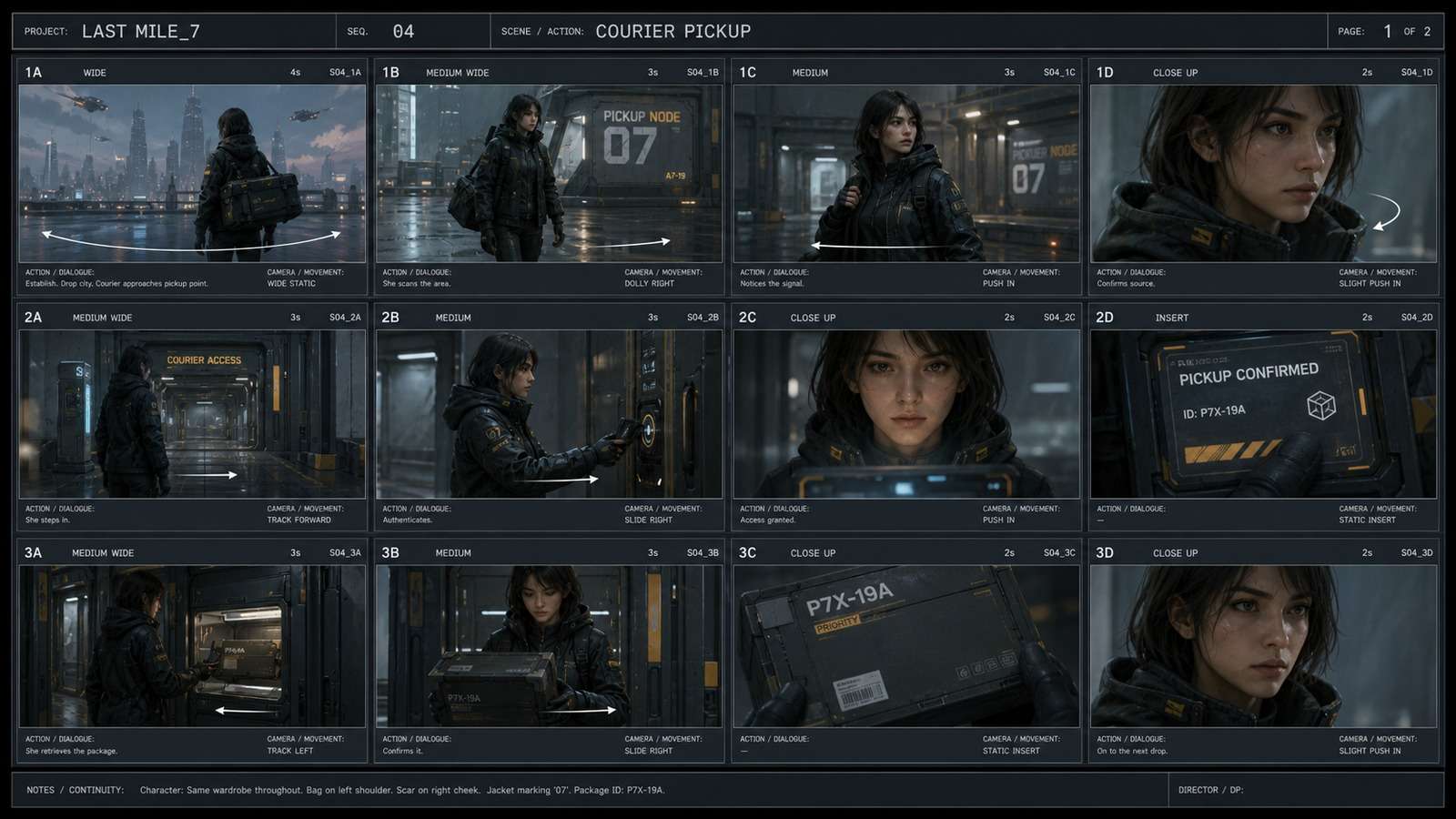
Storyboards solve timing and coverage. Each frame should include shot size, camera, action, dialogue or sound cue, duration and transition. If a sequence cannot be understood as still frames, generating expensive motion will not repair it.
AI Cinematic Video Tools
Video models differ in prompt adherence, physics, camera motion, reference control, duration, resolution and cost. Run a standardized audition: dialogue close-up, walking full body, object interaction, wide environment, camera move and a difficult transition. Score usable seconds rather than the most impressive demo.
Media.io AI Video Generator is a practical model-access layer for creators who prefer a browser workflow. Within a filmmaking stack, use it for shot tests, inserts, establishing images brought to motion and proof-of-concept sequences. Keep each prompt focused on one beat, and generate coverage rather than expecting one long perfect take.
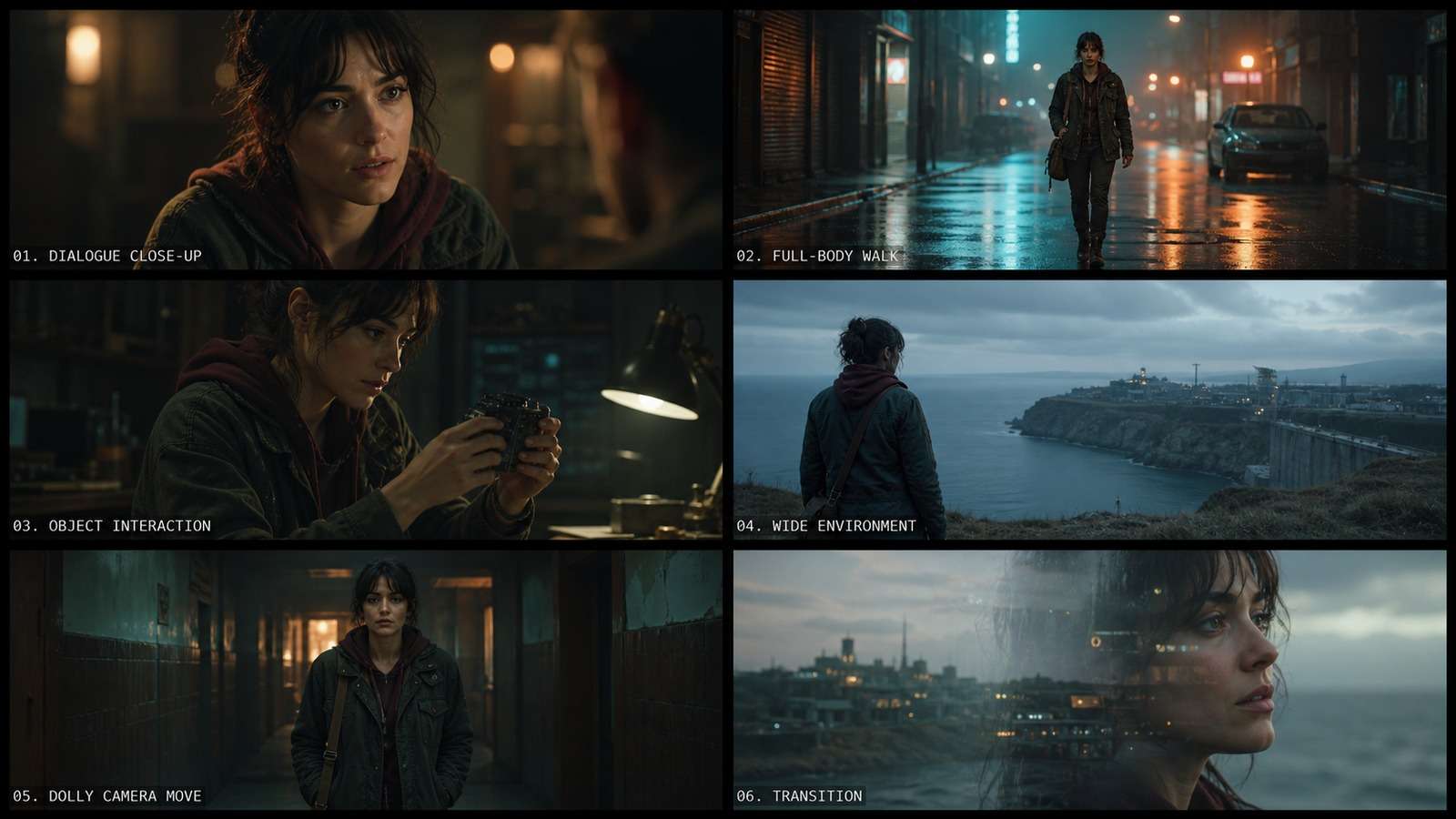
Image-to-video gives the director more control because composition, wardrobe and lighting are approved before motion. The Media.io image-to-video workflow is therefore a better fit for keyframe-led sequences than repeatedly regenerating from text.
AI Voice, Music and Sound Design
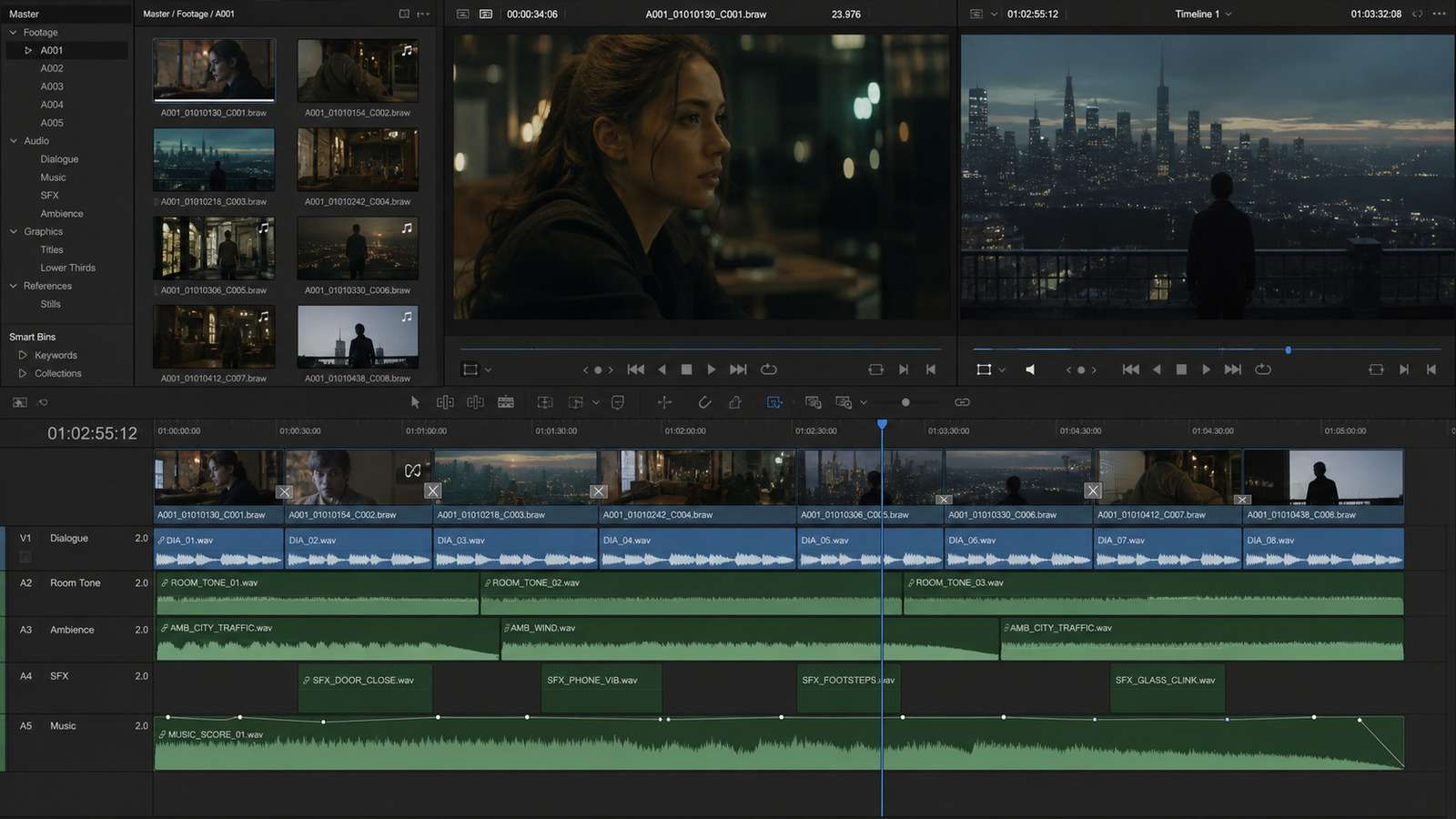
Sound carries continuity that generated visuals often lack. Build an audio plan with dialogue, room tone, ambience, spot effects, transitions and score. Synthetic voices need consent, pronunciation direction and performance editing. Music needs a clear license for the distribution channel.
Generate isolated elements when possible, then mix them conventionally. A convincing ten-second shot becomes unusable if dialogue cadence, room acoustics and perspective do not match surrounding scenes.
Editing, Cleanup and Final Delivery
A conventional editor remains the control center. It determines rhythm, performance, eyelines, sound perspective, color continuity and what the audience actually understands. AI can remove objects, extend frames or create inserts, but the NLE owns the film's causal structure.
- Lock the story before expensive finishing.
- Replace weak shots instead of endlessly repairing them.
- Normalize frame rate, resolution and color space.
- Use sound bridges to connect visually inconsistent shots.
- Check faces, hands, text, reflections and background motion frame by frame.
- Export archive and platform masters separately.
Best AI Filmmaking Tool Stack by Project
| Project | Lean stack | Priority |
| 30-second concept trailer | LLM + image model + image-to-video + NLE | Strong keyframes and sound design |
| Narrated short story | Script-to-video + voice + editor | Script rhythm and visual coverage |
| Dialogue scene | Character references + controlled video + lip sync + NLE | Performance and continuity |
| Product film | Product image workflow + AI ad generation + compositor | Geometry and brand accuracy |
| Social episodic series | Reusable bible + templates + vertical editor | Repeatability and turnaround |
The mature way to choose AI film production tools is to design the handoffs first. Every stage should export something the next stage can use: a script with beats, boards with shot notes, keyframes with stable references, shots with handles and audio stems with clear rights.
How to Evaluate AI Filmmaking Tools Before Production
Tool selection should happen against a production test, not a launch demo. Build a 20-second sequence containing a wide establishing shot, a medium action, a close-up performance, an object interaction and a transition. Use the same character references and visual bible across the shortlisted AI cinematic video tools. This reveals whether the stack can maintain geography, wardrobe, screen direction and emotional continuity.
Score each tool on usable seconds, correction time, reference adherence, motion quality, export flexibility and rights. A model with spectacular individual frames may be a weak filmmaking choice when it cannot repeat a character or generate coverage. Conversely, a less dramatic model may be valuable for predictable inserts, establishing shots and controlled product imagery.
Continuity Is a Pipeline Problem
Character consistency is often discussed as if it were a single model setting. In practice, continuity begins in the script and visual bible. A scene should define wardrobe state, props, time of day, damage, hair, emotional state and screen direction. Those facts must carry into storyboards, keyframes, motion prompts and the edit.
Create a continuity sheet for every scene. Store approved reference images and note what changes between shots. Generate adjacent shots from related keyframes rather than starting from unrelated text prompts. When a model cannot preserve a critical detail, hide the limitation through coverage: cut to hands, an insert, a reaction or a wider silhouette rather than forcing an unstable close-up.
| Continuity layer | What to lock | Where to verify |
| Character | Face, body, age, hair and signature wardrobe | Visual bible and close-up review |
| Scene | Layout, time, weather and practical lights | Storyboard and establishing shots |
| Action | Starting pose, ending pose and object state | Adjacent shot handles |
| Camera | Screen direction, lens family and movement | Shot list and edit |
| Sound | Room tone, perspective and recurring motifs | Audio timeline |
Budgeting by Approved Shot
AI film production tools are commonly priced in credits, seconds or generations, but the project budget should be organized by approved shot. Estimate how many attempts each shot type requires. Dialogue, hand interaction and full-body motion usually need more iterations than landscapes or abstract inserts. Reserve additional credits for revisions after the first edit exposes missing coverage.
Include non-generation costs: reference development, voice licensing, music, sound design, upscaling, storage and editorial labor. The cheapest generation model can create the most expensive pipeline if every shot requires restoration. A clear cost sheet also prevents teams from spending the entire budget on hero shots while neglecting transitions and coverage.
Legal and Delivery Checks for AI Films
Before release, document the origin and license of reference images, voices, music, fonts and generated assets. Obtain consent for recognizable likenesses and avoid presenting synthetic footage as documentary evidence. Client projects may also require disclosure of generative methods or restrictions on uploading confidential material.
Delivery QA should include frame-by-frame artifact review, caption accuracy, audio peaks, platform-safe areas, color space, frame rate and archive files. Save prompts, references, approved outputs and project versions. Reproducibility becomes important when a distributor requests a clean revision months after the original model or plan has changed.
Frequently Asked Questions
-
What are the best AI filmmaking tools?
The best stack usually combines a writing or research assistant, storyboard or image model, AI video generator, voice and sound tools, and a conventional editor. No single tool is strongest at every stage. -
Can AI make a complete film?
AI can accelerate ideation, previsualization, shot generation, cleanup, voice and localization, but coherent performances, legal clearance, editing judgment and final finishing still require human direction. -
What is the best AI storyboard tool?
Choose a tool that preserves characters and locations, supports shot notes and exports frames cleanly. Image generators are flexible; dedicated storyboard systems add organization and collaboration. -
Which AI cinematic video tools support consistency?
Consistency depends on reference images, model controls, shot design and post-production. Tools with image-to-video, start/end frames, character references or motion controls are easier to manage. -
How much do AI film production tools cost?
Budget by approved shots. Include failed generations, upscale, voice, music, storage and editor time; subscription prices alone understate production cost.


