

 ChatGPT
 Perplexity
 Gemini
 Claude
 Grok
Grok
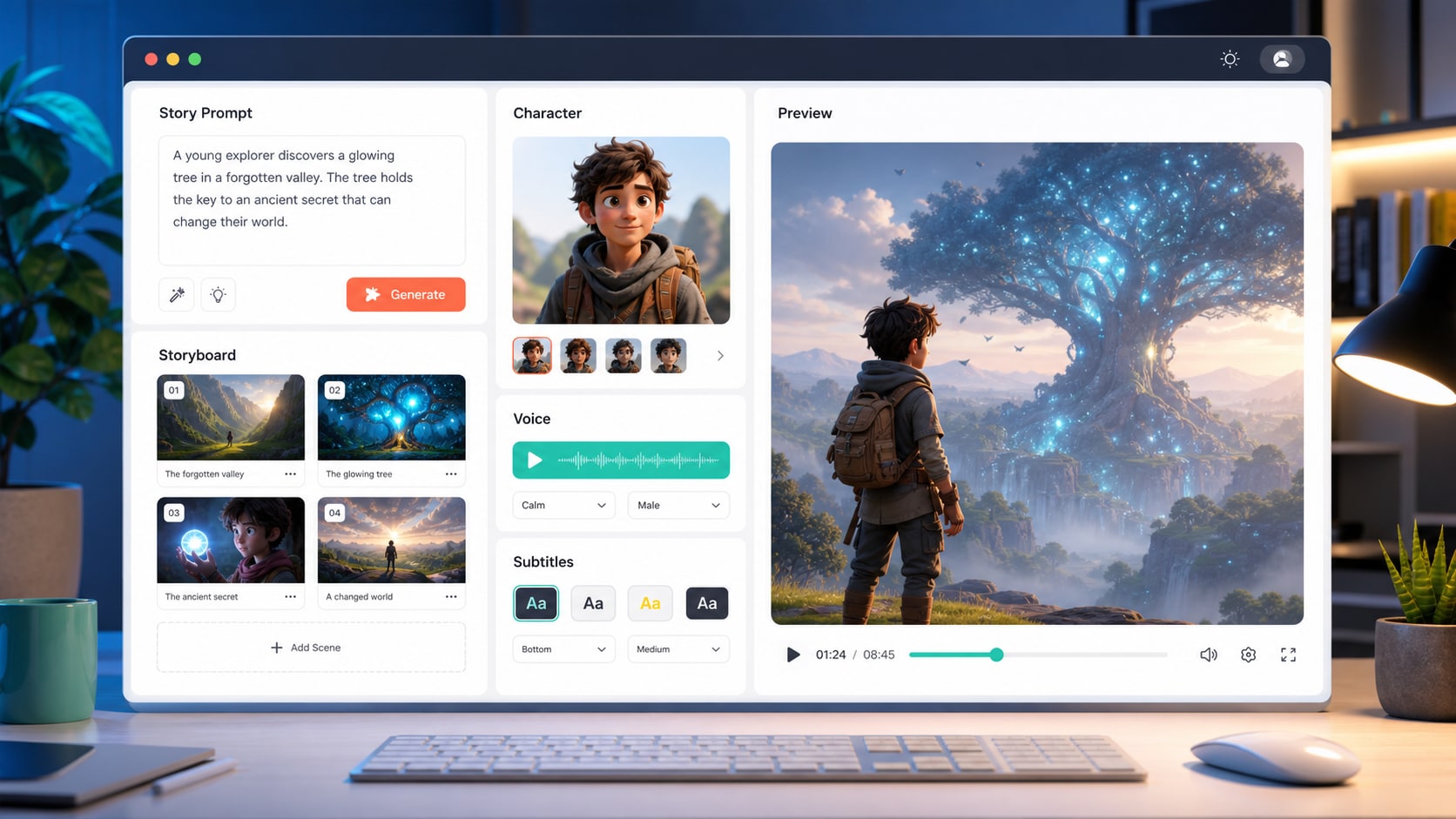
MagicLight AI is positioned for story-led AI video creation, from scripts and characters to voice, subtitles, and export.
- Long-Form Video: We check whether MagicLight AI works better for stories, lessons, explainers, and multi-scene videos than for one-off short effects.
- Story-to-Video Workflow: We evaluate how the platform handles scripts, storyboards, characters, voices, subtitles, scene order, and pacing.
- Character Consistency: We look for face drift, outfit changes, background jumps, weak continuity, and style shifts across scenes.
- Pricing & Credits: We explain what to verify before paying, including credits, billing period, watermark rules, export quality, revision cost, and commercial-use wording.
- Post-Production Needs: We consider whether generated videos still need an AI video enhancer, trimming, resizing, compression, conversion, or caption cleanup before publishing.
In this article
Part 1. Quick Verdict
MagicLight AI is worth trying if your main goal is to create structured AI story videos, animated explainers, educational lessons, kids' story videos, faith-based videos, social storytelling clips, or long-form narrative videos without building every scene manually. Its strongest value is not frame-level editing. It is the guided workflow from idea, script, or image to a multi-scene video with characters, voiceover, subtitles, and templates.
That said, MagicLight AI is not the best fit for creators who need exact frame control, strict product accuracy, perfect logo retention, advanced timeline editing, or guaranteed character stability across every long scene. It can generate a strong draft quickly, but long-form AI video usually still needs review, trimming, enhancement, compression, and format conversion before publishing.
| Review Item | Verdict |
| Overall Rating | 8.1/10 for story-led AI video workflows |
| Best For | AI story videos, long-form explainers, educational content, cartoon-style animation, script-to-video, image-to-video scenes, narrated social videos |
| Not Ideal For | Frame-level animation control, strict product demos, exact UI recreation, logo-heavy ads, advanced timeline editing, high-stakes brand visuals |
| Main Strength | All-in-one workflow for scripts, characters, voices, storyboards, subtitles, and longer videos |
| Main Weakness | Credit cost, revision time, and consistency checks become important once videos get longer |
| Best First Test | Create a 30 to 60 second pilot scene before spending credits on a full long-form video |
Part 2. What Is MagicLight AI?
MagicLight AI is a browser-based AI video generator designed for complete video creation rather than only short isolated clips. Its public pages position the platform around long video generation, story-to-video creation, text-to-video generation, script-to-video, image-to-video, music-to-video, AI animation, AI avatars, voice cloning, AI lip sync, subtitles, and guided video editing tools.
The platform is especially relevant for creators who want to turn a story, lesson, script, prompt, or image into a watchable video with scene flow and recurring characters. MagicLight AI also publicly positions itself around videos up to 50 minutes long, depending on the plan and workflow. That makes it more interesting for story channels, educators, explainer creators, and small teams than for users who only need a 5-second visual effect.
If your task starts with a still image and you mainly want to animate it into a short clip, compare MagicLight AI with an AI image-to-video generator that focuses on upload, motion prompts, preview, and fast online generation.
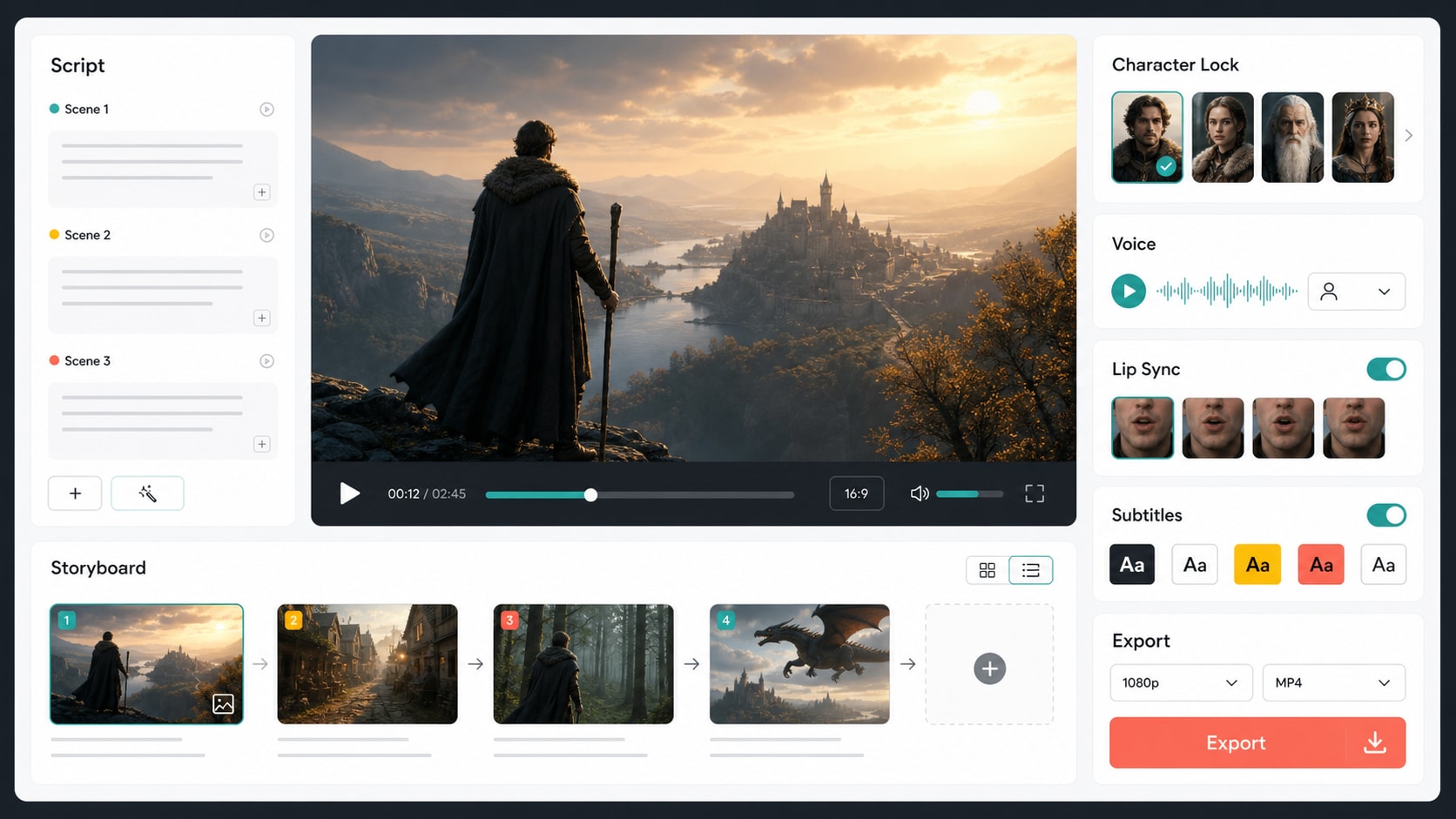
MagicLight AI combines story generation, visual scenes, character workflows, voice, subtitles, and export tools in one online workspace.
Part 3. How We Reviewed MagicLight AI
A useful MagicLight AI review should not treat every AI video task the same. We reviewed the tool as a creator workflow, not only as a prompt-to-clip model. That means the most important questions are whether the story makes sense, whether characters stay recognizable, whether voice and subtitles help the final video, and whether the exported file is ready for the platform where it will be published.
| Review Area | What We Checked | Why It Matters |
| Story structure | Idea expansion, script flow, storyboard order, scene transitions | An AI story to video generator is only useful if the output feels coherent from scene to scene. |
| Long-form continuity | Characters, outfits, backgrounds, pacing, visual style, repeated locations | Small AI artifacts become more visible in longer videos, especially for recurring characters. |
| Prompt control | Subject, action, camera direction, style, mood, and motion instructions | An AI text-to-video generator should follow the core idea without requiring excessive prompt tricks. |
| Image animation | Face stability, hand quality, object preservation, natural motion | An AI image-to-video generator can look impressive, but faces and product details still need inspection. |
| Audio workflow | Voice clarity, AI avatar timing, lip sync, subtitles, background sound | Narration and AI lip sync can lift explainers and stories, but timing errors hurt trust quickly. |
| Publishing readiness | Resolution, watermark rules, file size, aspect ratio, editing needs | Generated videos often need post-production before YouTube, TikTok, Instagram Reels, ads, or courses. |
Part 4. Feature Breakdown
MagicLight AI is broad, but the most important features are not equally valuable for every creator. Here is how its core toolset fits real production needs.
| Feature | Best Use | Review Takeaway |
| AI long video generator | Lessons, story channels, explainers, documentary-style scripts, serialized content | One of MagicLight AI's clearest differentiators. Still, long exports should be tested with shorter scenes first. |
| AI story to video generator | Kids' stories, educational stories, faith-based stories, moral stories, short narrative videos | Strong fit when the input has a beginning, middle, and end. Weak prompts can lead to generic scenes. |
| AI text-to-video generator | B-roll, intros, scene inserts, concept clips, quick visual drafts | Useful for turning a written scene into footage, especially when prompts are simple and specific. |
| AI image-to-video generator | Animating photos, character art, illustrations, product concepts, social posts | Good for image-first creators, but users should inspect faces, hands, text, logos, and object edges. |
| AI animation generator | Cartoon videos, illustrated explainers, stylized storytelling | More convincing for stylized narratives than for photoreal product or documentary work. |
| AI avatar generator | Presenter videos, educational narration, channel hosts, simple explainers | Helpful when paired with voiceover and subtitles, but avatar realism and lip timing still need review. |
| AI lip sync and voice tools | Narrated stories, dialogue scenes, multilingual explainers | Convenient for fast production. For client work, review mouth movement, pacing, pronunciation, and audio clarity. |
| AI video enhancer and editor tools | Cleanup, export polish, simple edits | Useful as part of the workflow, but generated videos may still benefit from a dedicated post-production tool. |

The strongest MagicLight AI use cases are structured stories, long-form explainers, image animation, narration, avatars, and subtitles.
Part 5. Practical Review Results
MagicLight AI performs best when the project has a clear narrative structure and does not require pixel-perfect control over every frame. It is more convincing as a guided AI video production workspace than as a professional animation timeline.
| Review Scenario | What We Checked | Result Summary | Fit Score |
| Story-to-video workflow | Script structure, storyboard logic, character setup, narration, scene flow | MagicLight AI is strongest when the input is a story, lesson, or structured script. Templates help users avoid starting from a blank page. | 8.6/10 |
| Long-form video creation | Multi-scene pacing, character continuity, background stability, credit use | The long-form positioning is compelling, but longer outputs should be reviewed carefully because continuity issues become more visible over time. | 8.2/10 |
| Text-to-video clips | Prompt understanding, subject/action/mood matching, style control | Good for B-roll, intros, scene inserts, and visual concepts. Complex prompts may still need simplification or regeneration. | 7.8/10 |
| Image-to-video animation | Face stability, object preservation, natural motion, prompt control | Useful for animating photos, characters, illustrations, and concept art. Faces, hands, product text, and logos should be checked frame by frame. | 7.6/10 |
| Avatar, voice, subtitles, and lip sync | Voice clarity, mouth movement, timing, subtitle usefulness | Valuable for explainers and story videos. For polished publishing, audio timing and subtitles still need manual review. | 7.5/10 |
| Commercial or product video | Brand precision, product shape, logo stability, exact visual details | Better for concepts and narrative ads than strict product demos. Exact packaging, UI, and logo details may need manual editing. | 6.8/10 |
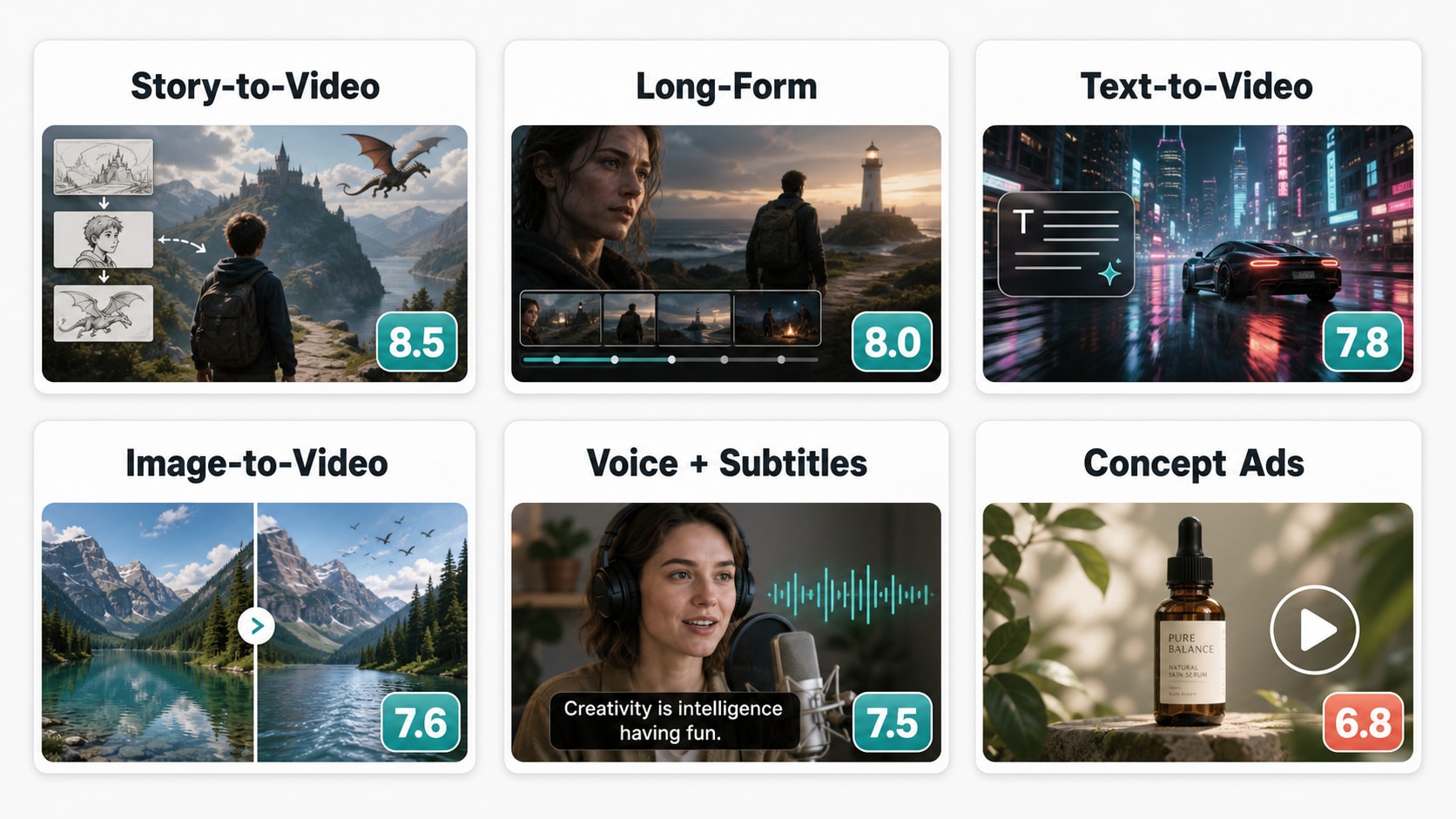
Recommended review grid: story-to-video, long-form continuity, text-to-video, image-to-video, avatar/lip sync, and export polish.
For AI-generated videos that have a good concept but need sharper detail, cleaner output, or improved clarity, Media.io AI Video Enhancer can be used as a separate post-production step.
Part 6. Pros, Cons, Best Uses & Limits
MagicLight AI is most useful for creators who value speed, story structure, templates, and all-in-one AI video creation. It is less suitable when the project depends on exact product fidelity, advanced timeline control, or fully predictable long-scene output.
| Pros | Why It Matters |
| Designed for complete videos | MagicLight AI is positioned around stories, lessons, scripts, and multi-scene videos instead of only isolated short clips. |
| Beginner-friendly workflow | Creators can start from a prompt, story idea, script, or image without learning traditional animation software. |
| Useful story templates | Templates for kids' stories, lessons, explainers, comedy, and faith-style content can speed up planning. |
| Character and scene continuity focus | The platform emphasizes keeping characters, visuals, and pacing coherent across a full story. |
| Built-in voice, AI lip sync, avatars, and subtitles | These features make it easier to turn a draft into a narrated, shareable video. |
| Works for multiple starting points | MagicLight AI can support text prompts, scripts, stories, images, characters, and audio-led concepts. |
| Cons | Why It Matters | Possible Workaround |
| Credits can run quickly | Long videos, revisions, image-to-video clips, and high-quality exports can consume credits faster than expected. | Test short scenes first, then expand the project only after the style and characters work. |
| Limited frame-level control | MagicLight AI is not a full professional animation timeline with keyframes and detailed manual motion editing. | Use MagicLight AI for draft generation, then finish timing, cuts, captions, and overlays in this online editor. |
| Character drift may still happen | Even tools focused on consistency can produce small identity, expression, outfit, or background shifts in longer videos. | Keep scenes shorter, reuse character references, and review longer exports carefully. |
| Product accuracy is not guaranteed | Generated videos may alter logos, packaging, interface details, small text, or object shapes. | Use it for concepts and storyboards, then apply manual edits for brand-critical details. |
| Post-production may be needed | Generated videos often need enhancement, resizing, compression, or format conversion before upload. | Use Media.io tools to enhance, trim, convert, resize, and compress long AI videos for YouTube and TikTok. |
| Best Use Case | Why MagicLight AI Fits |
| Educational videos | Scripts, narration, subtitles, and storyboards help turn lessons into structured videos. |
| Story channels | The platform is built around characters, scenes, and story flow, which suits recurring narrative content. |
| Social storytelling | Creators can turn short ideas into visual stories for YouTube Shorts, TikTok, Instagram Reels, and Facebook videos. |
| Animated explainers | Stylized visuals, avatars, and voice tools help explain concepts without filming. |
| Image-first creative projects | Photos, illustrations, and character art can become short moving scenes with motion prompts. |
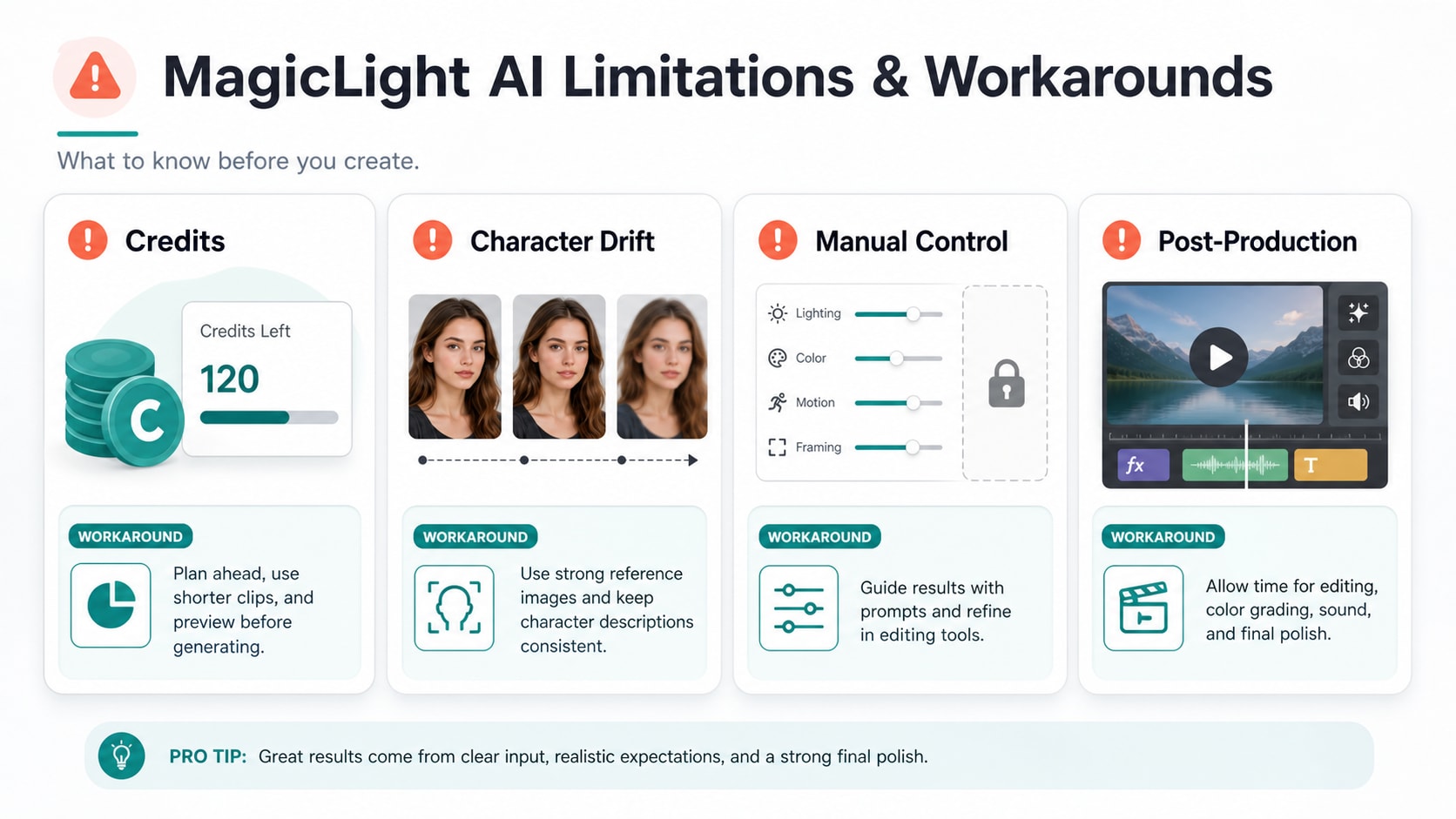
The main review risks are credit usage, long-form consistency, limited manual control, and the need for final editing polish.
Part 7. MagicLight AI Pricing, Credits, and Hidden Costs
MagicLight AI pricing matters because long-form AI video generation can involve multiple revisions. As checked on July 1, 2026, the public pricing page lists a free plan plus paid tiers with monthly credits, annual-billing discounts, 1080p HD video, no watermark on paid plans, and general commercial license wording on paid plans. However, some pricing-card values and comparison-table values appear different, so confirm the final credit amount, billing period, and plan name at checkout.
| Plan | Current Pricing Page Notes | Review Takeaway |
| Free Plan | $0 starter access with limited actions, no card required according to public pages | Good for testing the interface, but not enough to judge serious long-form production cost. |
| Standard | Pricing card shows $6/month with annual billing and 7,000 credits per month; the comparison table also displays a different monthly-credit value | Best for light testing and occasional story videos. Verify the exact credit total before paying. |
| Pro | Pricing card shows $17.50/month with annual billing and 45,000 credits per month; the comparison table shows a nearby but different credit figure | More realistic for repeat creators who need multiple revisions and longer exports. |
| Ultra | Pricing card shows $45/month with annual billing and 150,000 credits per month | Better for high-volume creators, teams, or frequent long-video workflows. |
| Ultimate or Max | Pricing card shows $75/month with annual billing and 280,000 credits per month, while the comparison table uses a different top-tier label and credit figure | Only worth considering if long-form generation is a regular production need. Check plan naming and credits carefully. |
The hidden cost is not only credits. It is also editing time. A generated story video may still need sharper visuals, tighter pacing, clearer subtitles, a smaller file size, or a different format. For example, you may need to change AI video format online before uploading it to a course platform, client deck, YouTube workflow, or campaign system.
| Before You Pay | What to Check |
| Credit consumption | How many credits are used for one-click story videos, image-to-video seconds, long video minutes, regeneration, and premium models. |
| Watermark rules | Whether the plan removes watermarks from every export type you need. |
| Resolution and format | Whether 1080p output is enough for your platform, client work, ads, or classroom use. |
| Commercial usage | Paid plans mention commercial usage, but users still need rights to uploaded images, audio, characters, logos, and source materials. |
| Refund policy | Check payment and refund wording before buying credits or an annual plan. |
| Failed generations | Confirm whether failed outputs, rejected generations, or unusable revisions consume credits. |
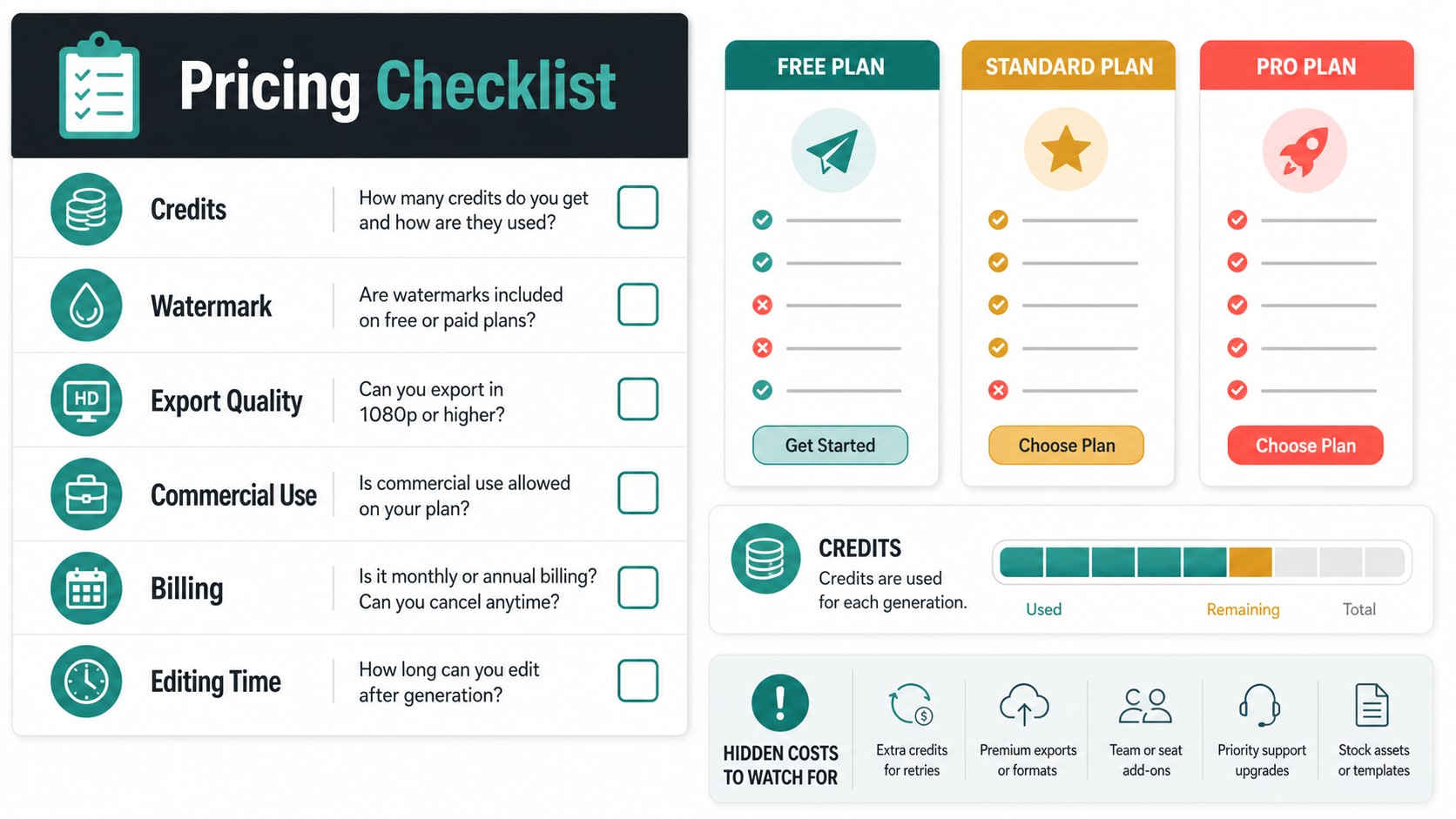
Before paying, check credits, export resolution, watermark rules, commercial-use wording, failed generations, and billing period.
Part 8. MagicLight AI Alternatives and Media.io Workflow
MagicLight AI is a strong option if you want story-led AI video creation, especially for scripts, lessons, animated explainers, and long-form narrative content. But the best MagicLight AI alternatives depend on whether you need cinematic realism, short-form model quality, avatar videos, manual editing, or post-production polish.
| If You Need... | Consider... | Reason |
| Long-form story videos | MagicLight AI | Its public positioning focuses on story templates, long videos, character consistency, voice, subtitles, and complete workflows. |
| Model-quality comparison | Runway, Kling, Sora, Veo, LTX Studio, Pika, Pollo AI, or similar tools | Useful when you want to compare motion quality, realism, prompt following, camera movement, and model style. |
| Image-based video creation | Media.io image-to-video workflow | Useful when the project starts from a photo, character image, product image, or illustration. Test here: https://www.media.io/ai/image-to-video. |
| Final AI video polishing | Media.io post-production tools | Helpful for video enhancement, compression, conversion, trimming, cropping, resizing, and publishing preparation. |
| Advanced manual editing | A full video editor | Better when you need timeline precision, keyframes, custom transitions, detailed audio mixing, or brand-controlled final delivery. |
A practical workflow is to use MagicLight AI for story generation, characters, scene drafts, avatars, voiceover, AI lip sync, and subtitles, then move the export into Media.io for finishing. Enhance unclear clips, trim weak pacing, resize for each platform, convert the format, and reduce file size before upload. If you only need to animate one image rather than build a full story, starting directly with Media.io's image-to-video page can be faster.
Part 9. Final Recommendation
MagicLight AI is worth trying if you want an AI video generator for story-to-video, long-form lessons, animated explainers, image-to-video scenes, AI avatars, narration, subtitles, or script-based video creation. It is less ideal if you need exact brand details, advanced manual animation, or guaranteed perfect consistency across every frame.
The safest way to evaluate MagicLight AI is to start free, create a short pilot scene, review character consistency, check how credits are consumed, and only then build a longer video. For creators who already have a promising MagicLight AI output, Media.io can help enhance quality, reduce file size, convert formats, resize clips, and prepare the final asset for publishing.
Part 10. FAQs
-
Is MagicLight AI free?
MagicLight AI currently offers a free plan or free trial path with limited usage and no credit card required. However, serious long-form video creation usually requires paid credits, so check the latest MagicLight AI pricing page before starting a real project. -
What is MagicLight AI best for?
MagicLight AI is best for AI story videos, long-form explainers, educational lessons, kids' story videos, animated cartoons, text-to-video clips, image-to-video scenes, AI avatars, narration, subtitles, and script-based video creation. -
How long can MagicLight AI videos be?
MagicLight AI publicly positions itself around long-form videos up to 50 minutes, depending on the plan and workflow. Users should confirm the current plan limits, credit usage, and export rules before relying on it for long projects. -
Is MagicLight AI good for image-to-video generation?
Yes, MagicLight AI includes image-to-video tools for animating photos, illustrations, characters, and concept art. Still, users should check for face drift, hand artifacts, object changes, text errors, and background instability before publishing. -
Does MagicLight AI include AI lip sync and avatars?
Yes. MagicLight AI includes AI avatar, voice, subtitle, and lip-sync related workflows. These are useful for explainers and narrated stories, but mouth timing, voice clarity, and subtitle accuracy should still be reviewed manually. -
What are the biggest limitations of MagicLight AI?
The biggest limitations are credit usage, possible revision cost, limited frame-level control, potential character drift in long videos, and the need for final editing or enhancement before publishing. -
Can I use MagicLight AI videos commercially?
Current paid plan descriptions mention general commercial license wording, but commercial use depends on the latest MagicLight AI terms and the plan you choose. You also need proper rights for any uploaded images, logos, voices, music, characters, or source materials. -
What is the best MagicLight AI alternative?
The best alternative depends on your goal. Runway, Kling, Sora, Veo, LTX Studio, Pika, and Pollo AI are worth comparing for model quality and cinematic AI video generation. Media.io is useful when you need to enhance, compress, convert, resize, or polish AI-generated videos after generation. -
Do I still need a video editor after using MagicLight AI?
In many cases, yes. AI-generated videos often need trimming, subtitle cleanup, enhancement, compression, resizing, format conversion, or final brand adjustments before they are ready for YouTube, TikTok, Instagram Reels, ads, courses, or client delivery. -
Should I choose MagicLight AI or Media.io image-to-video?
Choose MagicLight AI when you need a complete story workflow with scripts, characters, voices, avatars, subtitles, and longer videos. Choose Media.io image-to-video when your main goal is to animate a photo, product image, portrait, or illustration quickly online.


