
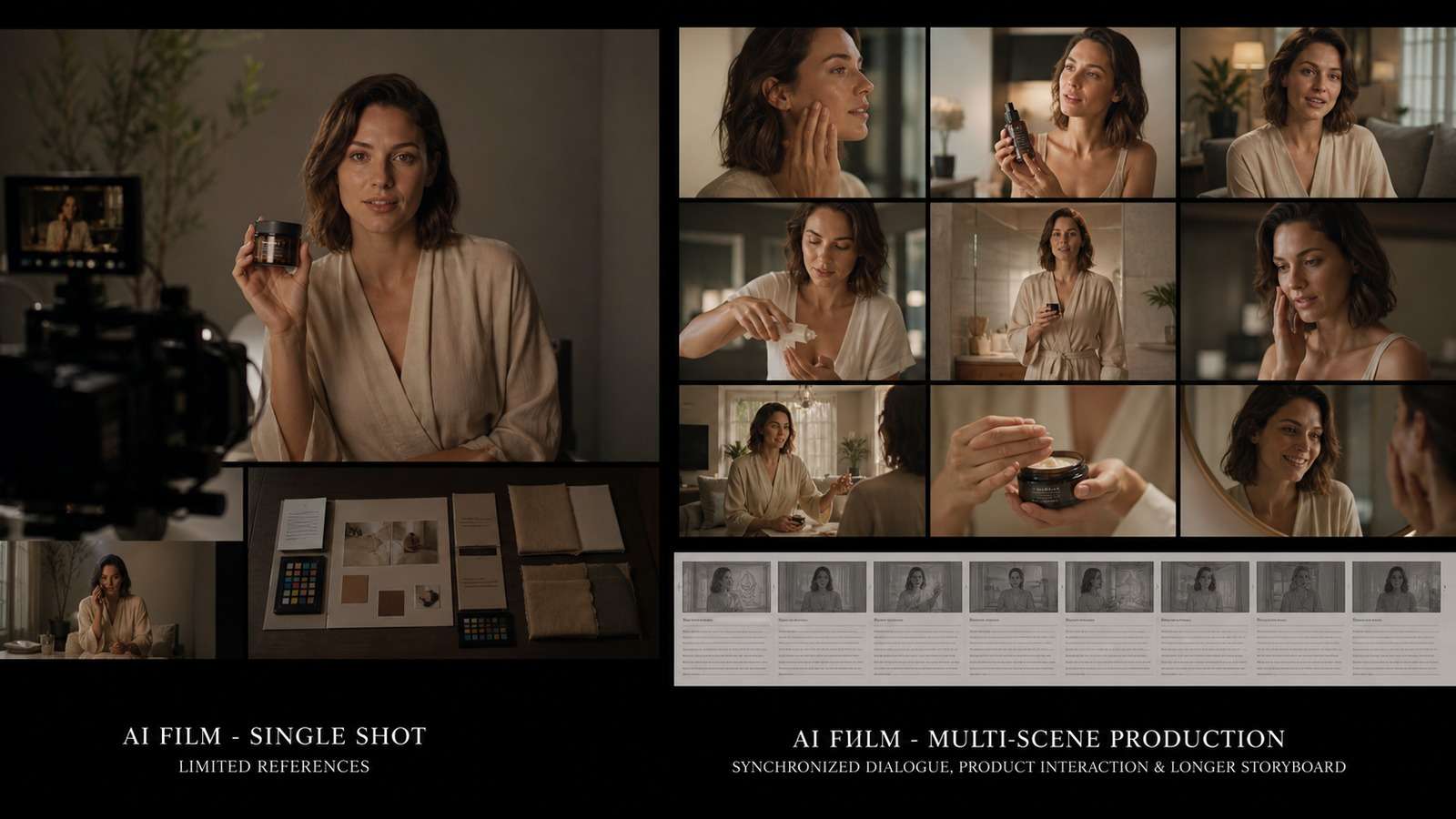
Seedance 2.0 vs 2.5 is less a question of which version makes the prettiest isolated clip and more a question of how much production control you need. Seedance 2.0 remains capable for short, visually ambitious shots. Seedance 2.5 is aimed at workflows where references, dialogue, sound, editing and longer continuity must work together.
The upgrade is meaningful for advertising, narrative sequences and revision-heavy client work. It is less decisive when you mainly create silent five-to-ten-second experiments. This guide compares the versions by real production constraints rather than treating every new feature as equally valuable.
In other words, a useful Seedance 2.0 vs Seedance 2.5 decision should count not only initial visual quality, but also the percentage of a generation that is usable, the number of revisions, the cost of repairing audio and continuity, and whether approved details survive a client change request.
In this article
Seedance 2.0 vs 2.5: The Quick Verdict
That distinction matters because generation quality is only one part of production cost. A cheaper clip that forces four regenerations, a voice replacement and a continuity repair can cost more than a higher-priced generation that survives review. Conversely, using an advanced long-form workflow for a six-second atmospheric shot can waste time and credits.
If you want to test both workflows without changing platforms, compare the Seedance 2.0 image-to-video model with the newer version using the same inputs. A matched test is far more informative than comparing unrelated showcase clips.
Seedance 2.5 vs 2.0 Comparison Table
| Decision factor | Seedance 2.0 | Seedance 2.5 | Who benefits most |
|---|---|---|---|
| Best working unit | Short, focused shot | Longer, structured sequence | Filmmakers and campaign teams |
| Reference control | Strong image-led workflows | Broader multimodal reference workflow | Brands, recurring characters and controlled worlds |
| Audio-video generation | Often planned as a separate stage | Audio and visuals can be designed together where supported | Dialogue, UGC and sound-driven scenes |
| Duration | Best treated as short clips | Supports a longer generation window on current supported platforms | Ads and longer narrative beats |
| Editing | More dependent on regeneration and external editing | Better suited to edit, extend and revision workflows | Client and iteration-heavy projects |
| Consistency | Good with disciplined keyframes | More control surfaces for identity, objects and continuity | Multi-shot stories and product work |
| Complexity | Simpler brief and faster testing | More inputs require clearer asset roles | Teams with a production process |
| Upgrade value | High value for short visuals | High value when failed continuity is expensive | Commercial and repeatable production |
The biggest Seedance 2.5 improvements are therefore systemic. More references or more seconds are not automatically better. They become valuable when they reduce handoffs, preserve approved details and make revisions local rather than destructive.
How to Run a Fair Seedance Version Test
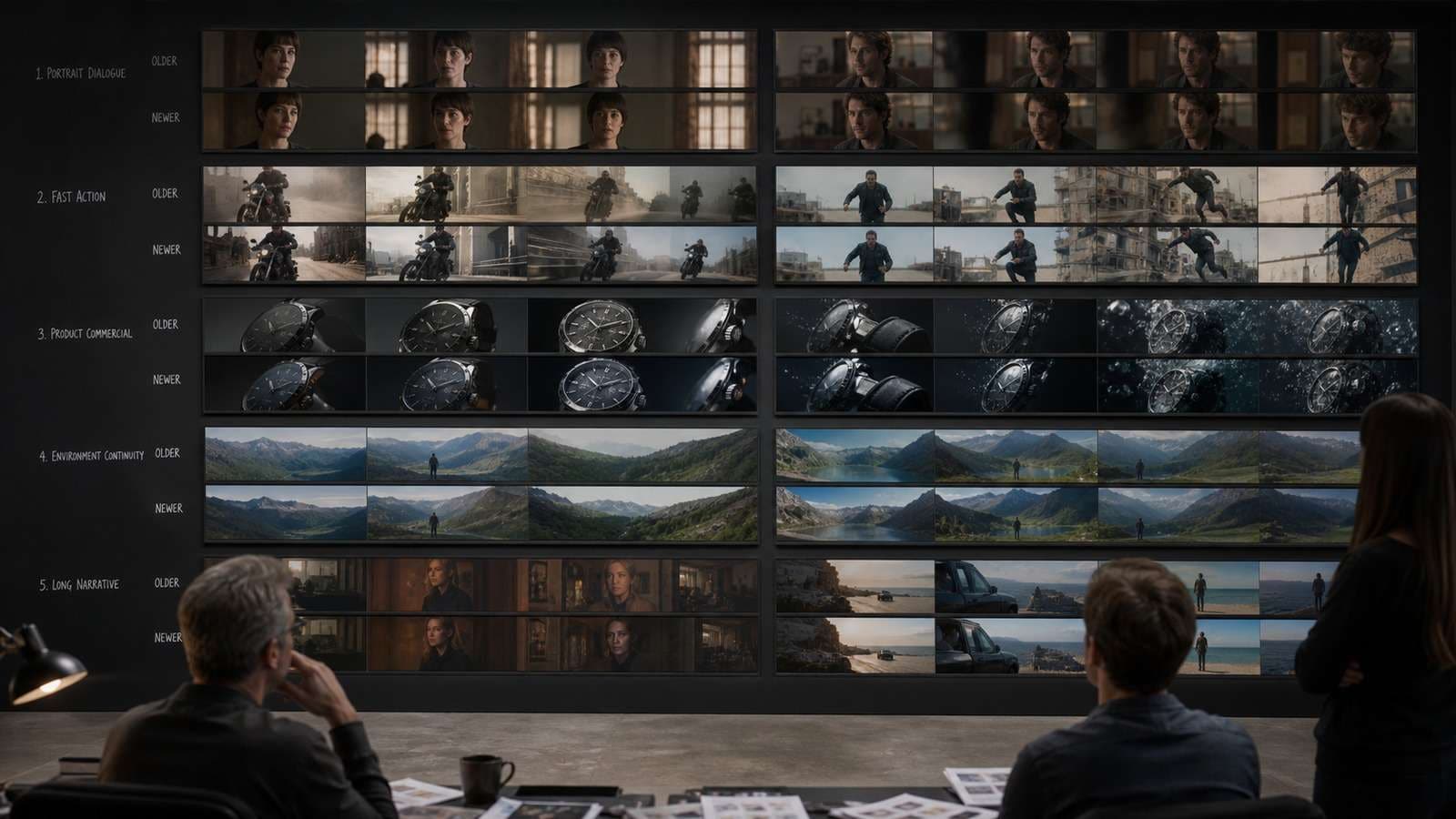
A valid Seedance 2.5 vs 2.0 comparison controls the inputs. Do not give one version a polished keyframe and the other a vague text prompt. Use the same prompt, seed or closest available setting, aspect ratio, output resolution, source images and number of attempts.
- Portrait dialogue: one close-up with emotion change, head movement and a short sentence.
- Complex action: one subject interacting with an object while the camera moves.
- Product commercial: preserve package geometry, label placement, scale and hand contact.
- Environment continuity: revisit the same room from two angles without moving key objects.
- Long sequence: test whether identity, wardrobe, lighting and story state survive over time.
Score each test for prompt adherence, face identity, hand/object interaction, background geometry, temporal stability, audio intelligibility, lip synchronization and usable duration. Also record generation time and the number of attempts required to reach an acceptable result. This turns “2.5 looks better” into a production decision.
When a final sequence needs assembly, trimming or shot replacement, a sitemap-verified online video editor provides a practical finishing layer without changing the comparison itself.
Seedance 2.5 vs 2.0 Consistency and Reference Control
Seedance 2.5 vs 2.0 consistency depends on what must remain invariant. A face is not one attribute; it includes bone structure, age, skin tone, eye spacing, hairstyle and characteristic expressions. Product identity includes dimensions, materials, label hierarchy and moving parts. Environment identity includes layout, light direction, props and time of day.
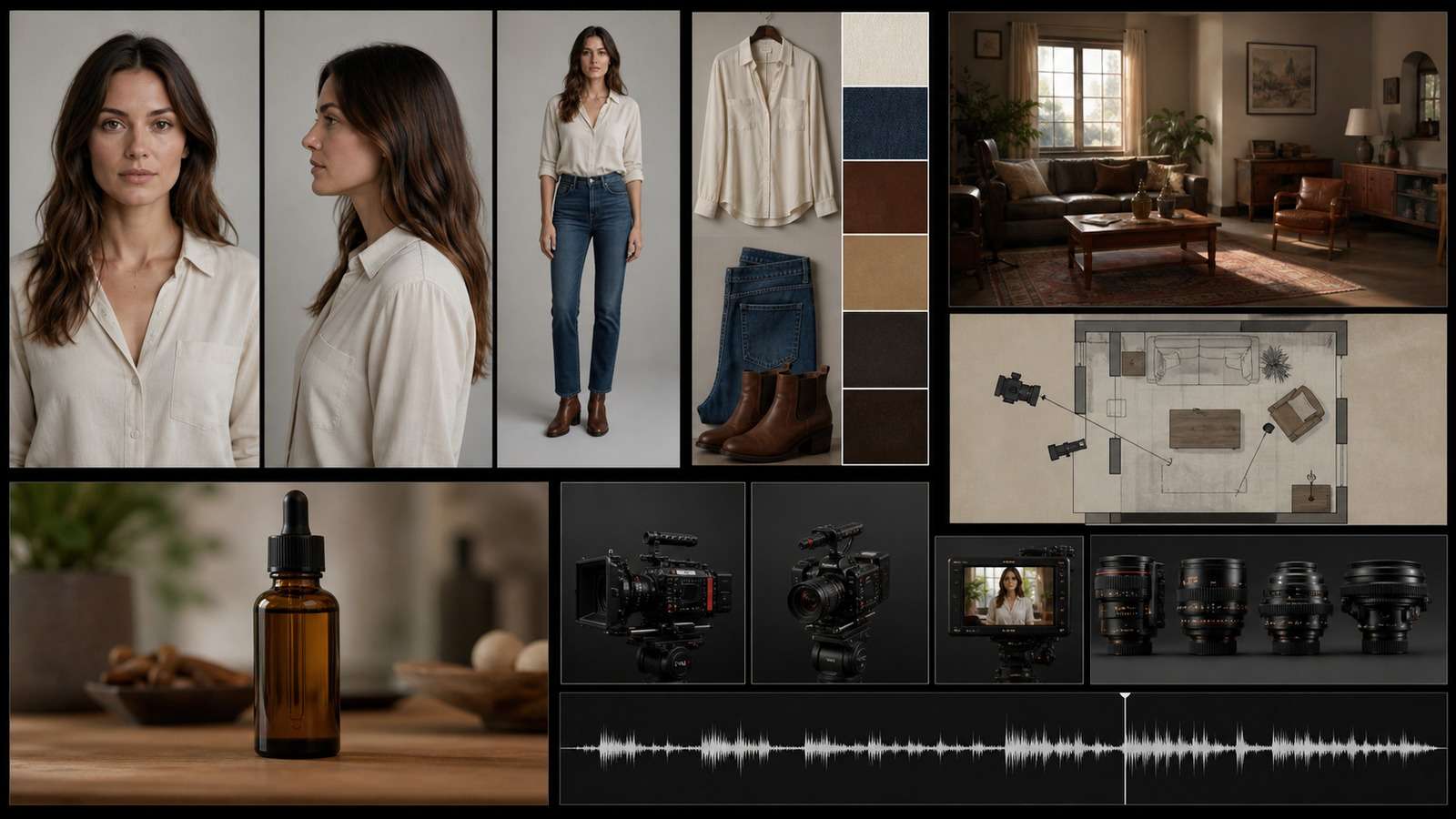
The practical advantage of expanded Seedance 2.5 vs 2.0 reference control is the ability to assign different sources of truth to different elements. Current documentation for supported Seedance 2.5 workflows describes large multimodal reference sets, but quantity should not replace curation. Ten contradictory portraits are worse than four deliberate angles.
- Label each asset by role: character, wardrobe, product, environment, camera movement or audio.
- Use a neutral master portrait and only the minimum angles needed for the shot.
- Separate permanent attributes from shot-specific changes.
- State preservation rules explicitly: same face, same jacket, unchanged label and unchanged room layout.
- Change one major variable per test so you can diagnose drift.
For a reusable identity pack, Media.io's AI character turnaround sheet can help establish a repeatable visual subject before motion generation. It is most useful when the same virtual presenter or story character must return across a series.
Seedance 2.5 vs 2.0 Duration and Long Videos
Seedance 2.5 vs 2.0 duration affects storytelling, but longer output creates a larger continuity surface. Current supported Seedance 2.5 implementations promote generations up to roughly 30 seconds; exact limits can differ by product, plan, region and update. Confirm the settings visible in the platform you use.
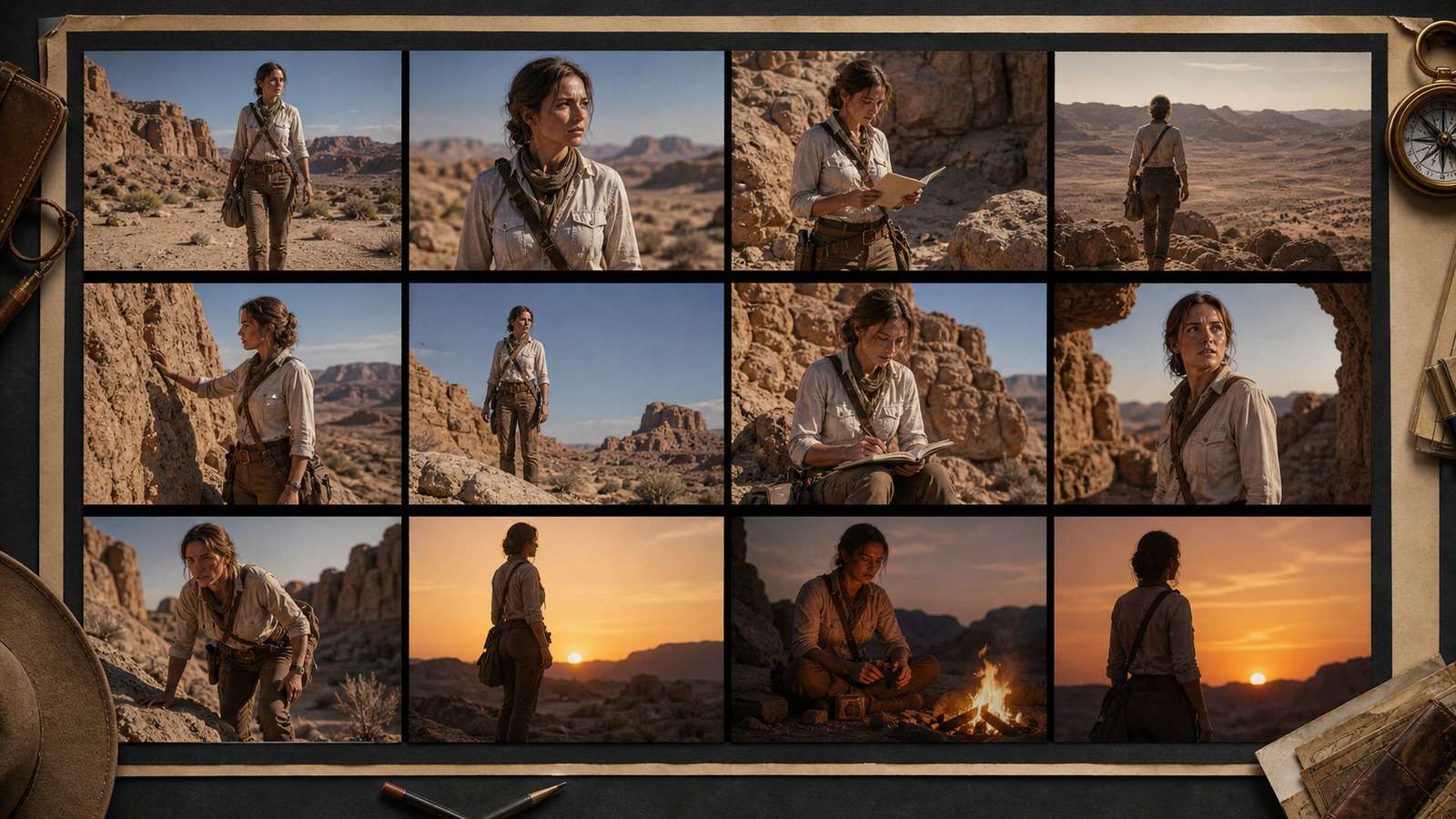
A 30-second take can remove several edit seams, yet it also asks the model to remember more state. Break the prompt into timed beats: establish, action, reaction, transition and resolution. Give each beat one visual purpose. Build natural escape points at pauses, cutaways or product close-ups so an imperfect ending does not invalidate the entire take.
For Seedance 2.5 vs 2.0 for long videos, evaluate the last third of the output more aggressively than the first. Check whether a prop changes hands, clothing details disappear, the room geometry bends or the character seems to age. If a story contains many scenes, a planned script-to-video workflow can organize narration and scene intent before individual Seedance shots are generated.
Seedance 2.5 vs 2.0 Audio-Video Generation
Seedance 2.5 vs 2.0 audio video generation is important because sound changes how a shot is staged. Dialogue determines pauses and close-ups. A door slam motivates a reaction. Music rhythm affects movement and cuts. Designing audio and image together can make the first draft feel more complete than adding sound after a silent generation.
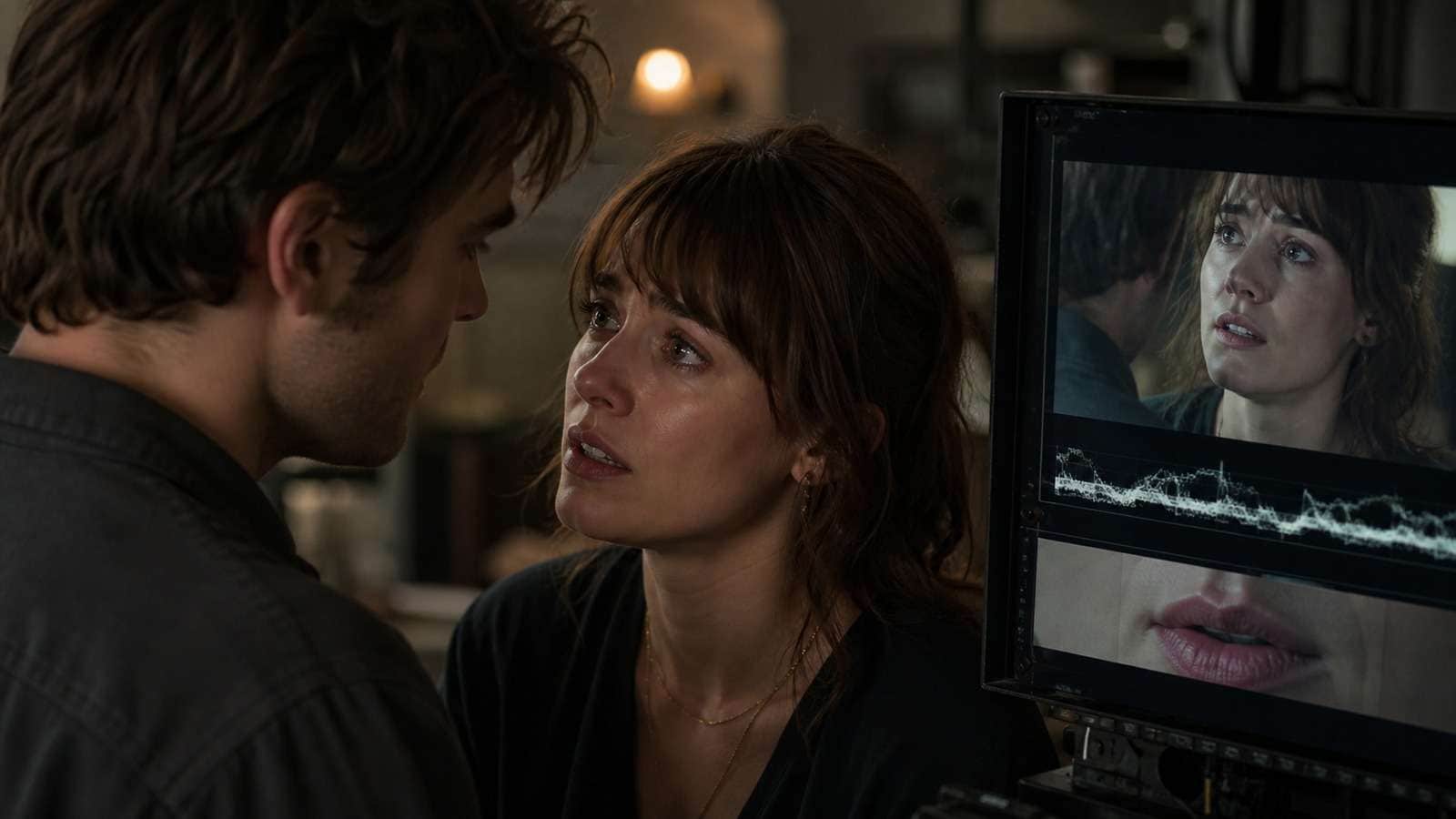
Native audio should still pass a separate review for wording, pronunciation, tone, room acoustics, synchronization and rights. A convincing visual does not excuse invented speech. For dialogue tests, use short sentences with clear emotional direction and avoid overlapping speakers until one-person lip sync is reliable.
If you need to reuse or audit a voice track independently, extract it with a video-to-audio converter. This makes it easier to compare pronunciation and pacing between versions without being distracted by the visuals.
Seedance 2.5 vs 2.0 Editing and Revision
The most underrated Seedance 2.5 new features are those that change revision economics. In a regeneration-only workflow, fixing one background object may alter the approved face, performance and camera. An edit-or-extend workflow is more valuable when it protects everything that already passed review.
Use a defect map before revising. Identify whether the failure belongs to identity, object fidelity, motion, background, sound or timing. Then choose the smallest intervention:
| Defect | Best first response | Avoid |
|---|---|---|
| Wrong object color | Localized edit with an unchanged-object mask or instruction | Regenerating the complete performance |
| Weak final beat | Extend from the last approved frame | Changing the opening prompt |
| Face drift throughout | Strengthen and simplify identity references | Adding more unrelated portraits |
| One bad transition | Replace the short bridge shot | Discarding two approved scenes |
| Audio wording error | Replace or regenerate the audio segment | Approving because lip movement looks plausible |
After revision, compare neighboring frames as well as the edited region. Local fixes can introduce a new shadow, object position or facial difference at the boundary. Captions should be generated after spoken content is locked; Media.io's AI caption generator can then create a readable first pass for review.
Seedance 2.5 vs 2.0 for Ads
Seedance 2.5 vs 2.0 for ads should be judged by brand truth and variation speed, not spectacle. The critical tests are whether the product remains exact, the creator holds it correctly, spoken claims match approved copy, and regional variants can be changed without rebuilding the entire commercial.
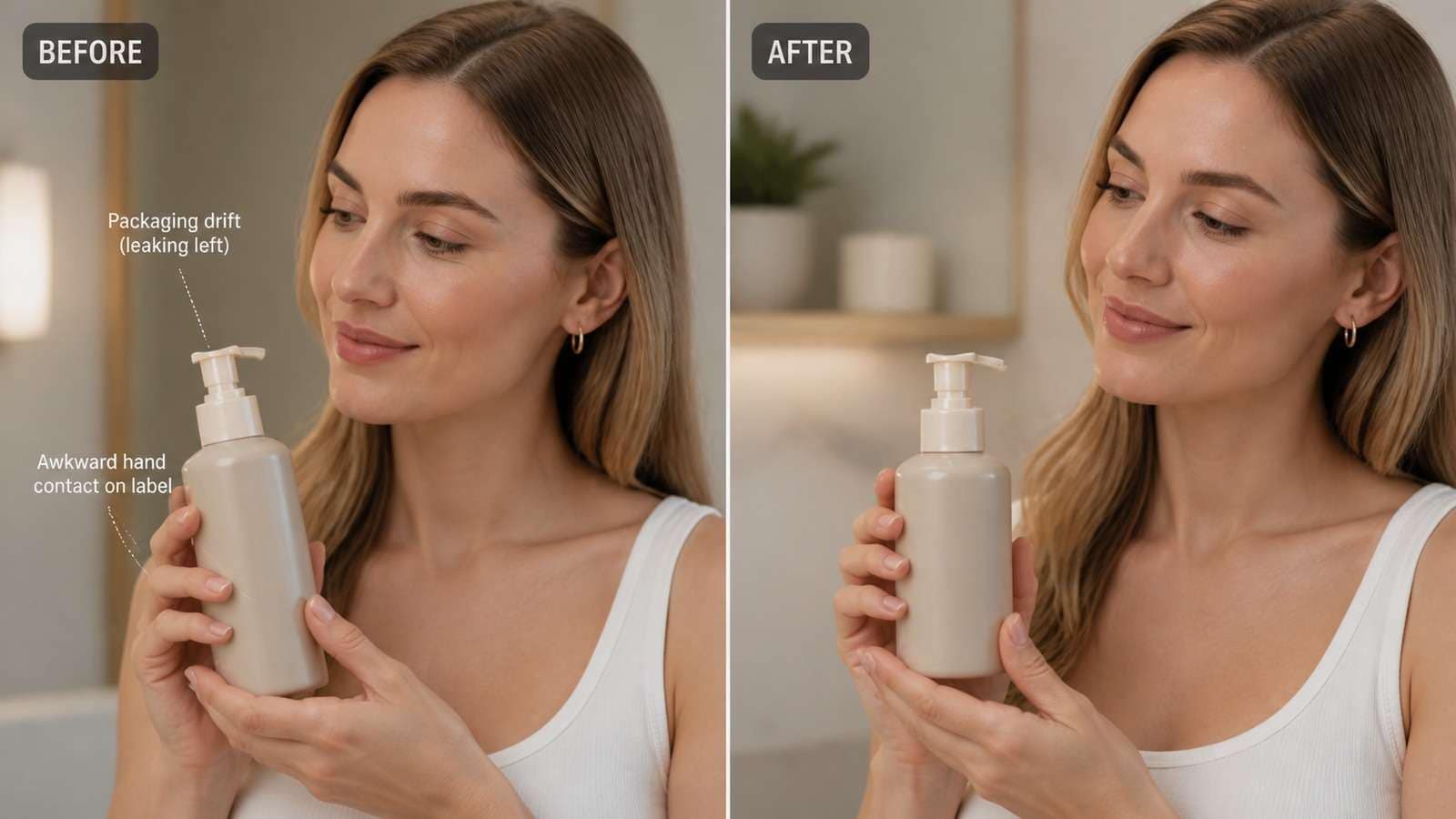
Seedance 2.0 remains effective for modular ad production: generate a hook, hero shot, demonstration and CTA separately, then assemble the winners. Seedance 2.5 is more attractive when you want a coherent creator, product, voice and environment across a longer commercial or need to revise one approved sequence.
Media.io exposes the newer model in a direct Seedance 2.5 generation workflow. Upload a clean source image, define the product-preservation rules and test one short interaction before attempting a full advertisement.
For high-volume ecommerce variants, a URL-led AI ad generator may be faster than manually directing every shot. Use Seedance for controlled cinematic generation and URL-to-ad automation for repeatable catalog production.
Should I Upgrade to Seedance 2.5?
The answer to should I upgrade to Seedance 2.5 depends on your failure cost. Upgrade when continuity failures consume meaningful editing time, when native dialogue is central, when a product or character must survive many shots, or when selective editing can protect client-approved material.
- Stay with 2.0: short silent clips, mood shots, abstract visuals, simple image animation and budget-sensitive ideation.
- Choose 2.5: dialogue, UGC, product interaction, recurring characters, longer scenes, multi-reference work and client revisions.
- Use both: 2.0 for rapid shot exploration and 2.5 for the shots where continuity, sound or revision control justifies the added complexity.
Do not base the decision on the Seedance 2.5 release date or a highlight reel. Run a small paid test using your hardest recurring scene. Measure accepted outputs per credit, time to approval and downstream repair time. The winning model is the one that lowers total production cost while meeting the brief.
Keep the benchmark after the decision. Model behavior, platform limits and pricing can change, so rerun the same five prompts after a meaningful update. A stable internal test set lets a team detect real improvement without being influenced by different subjects, easier prompts or selectively published examples. It also creates a shared language for review: “product fidelity passed but audio timing failed” is more actionable than “the clip feels off.”
Archive the source assets and accepted outputs with the scorecard. That record helps collaborators reproduce the result and prevents an upgrade decision from depending on memory or one unusually successful generation.
Before delivery, compress the approved master for each channel with an online video compressor, retaining a high-quality archive separately.
Frequently Asked Questions
-
Is Seedance 2.5 better than Seedance 2.0?
Seedance 2.5 is generally the stronger production choice for multimodal references, longer sequences, integrated audio and revision workflows. Seedance 2.0 can remain more efficient for short, focused image-to-video shots. -
How long can Seedance 2.5 videos be?
Current supported implementations advertise a longer generation window, commonly up to about 30 seconds. Limits can vary by platform, plan, region and model update, so verify the controls available in your account. -
Does Seedance 2.5 keep characters consistent?
It provides stronger reference-oriented control, but consistency still depends on curated assets, explicit preservation rules, controlled scene changes and cross-shot review. -
Can Seedance 2.5 generate audio and lip sync?
Supported workflows can generate coordinated audio and video. Final dialogue still needs review for wording, pronunciation, timing, synchronization and usage rights. -
Which version is better for product ads?
Seedance 2.0 works well for modular short ad shots. Seedance 2.5 is preferable when the same product, creator, voice and environment must remain coherent across a longer commercial or controlled revision.


