

 ChatGPT
 Perplexity
 Gemini
 Claude
 Grok
Grok
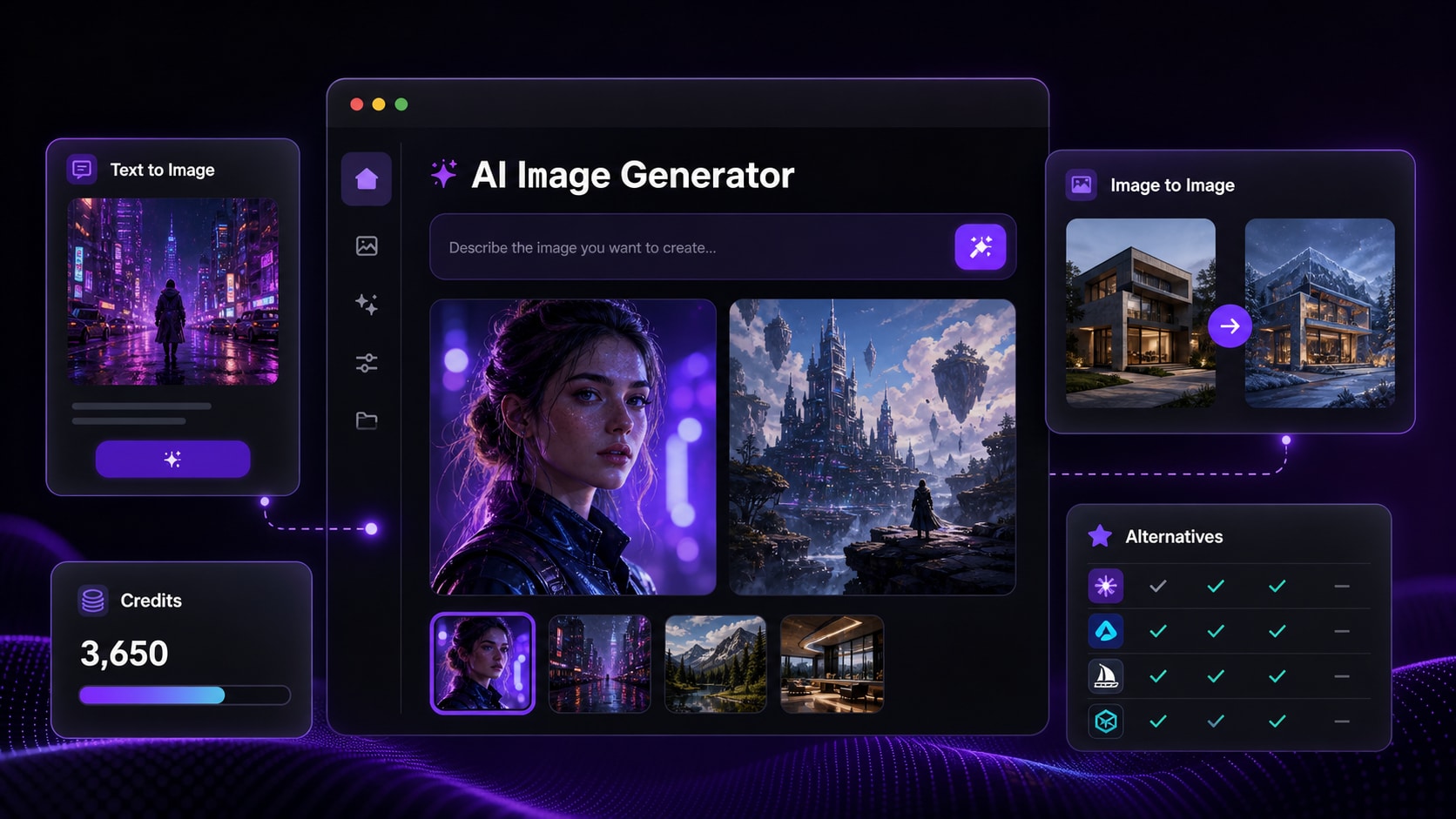
- Image Quality: Realism, detail, lighting, style control, composition, and common AI artifacts.
- Prompt Accuracy: How well Getimg.ai follows simple prompts, detailed creative prompts, portraits, and product-style requests.
- Image-to-Image Value: Reference preservation, restyling, layout stability, and identity consistency.
- Editing Workflow: Upscaling, resizing, background changes, inpainting, and final publishing polish.
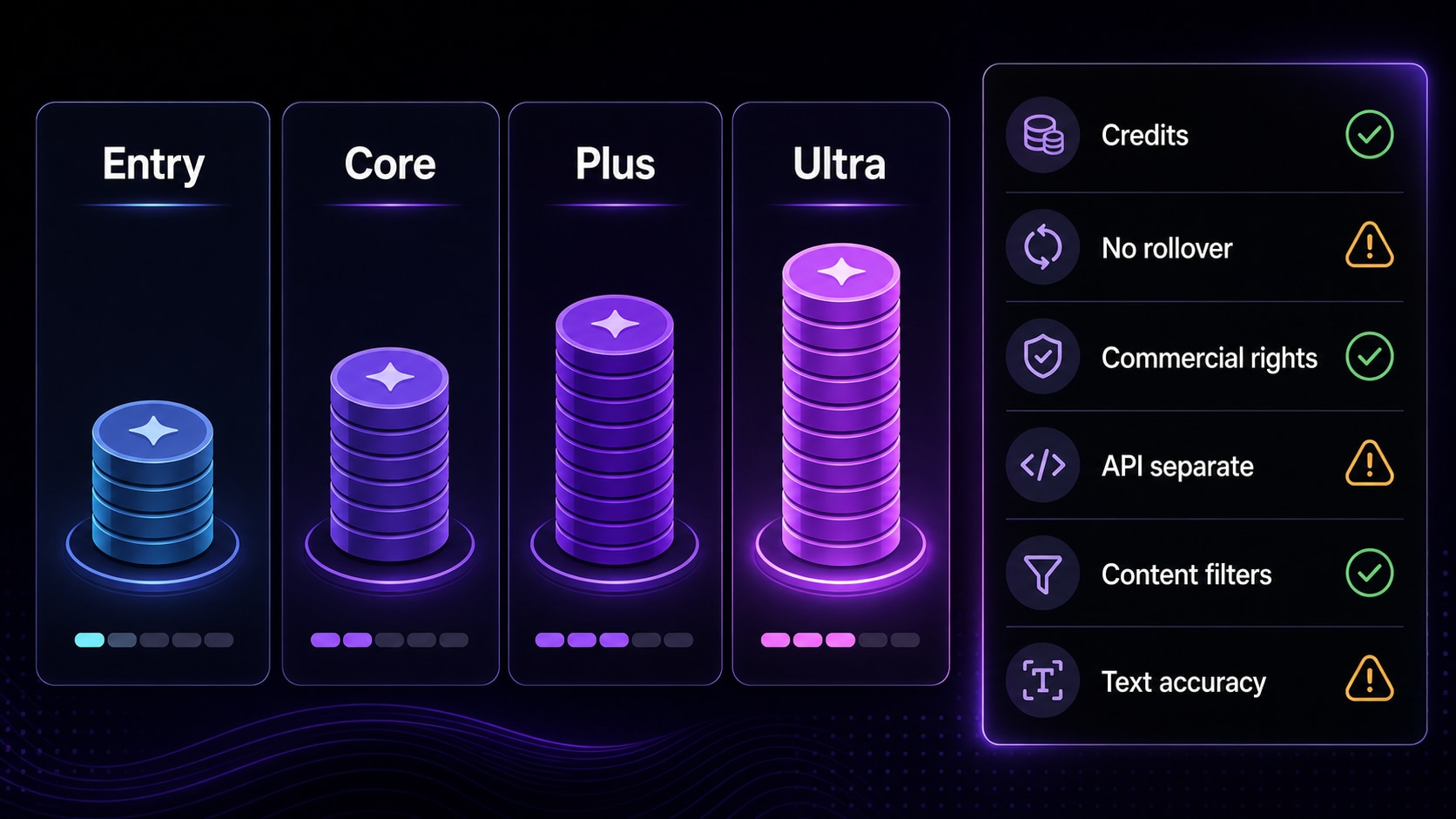
- Pricing & Credits: Paid plans, monthly credits, no rollover, top-ups, commercial rights, and API separation.
- User Review Signal: Public feedback around usability, model access, filters, pricing, support, and reliability.
In this article
Part 1. Quick Verdict
Getimg.ai is worth trying if you want a broad AI image generator with text-to-image generation, image-to-image editing, AI image upscaling, smart resizing, background tools, team workspaces, and access to many current AI models in one platform. It is especially useful for creators, marketers, designers, e-commerce teams, agencies, and content teams that need many visual directions quickly.
The trade-off is that Getimg.ai is not the simplest or most predictable tool for every user. Credits can disappear quickly during retries, advanced models may cost more credits, unused plan credits do not roll over, the API is separate from normal subscriptions, and exact logo or text rendering still needs human review. If you want a simpler finishing workflow after generation, Media.io can help upscale, compress, restyle, or animate AI-generated images for publishing.
| Review Item | Verdict |
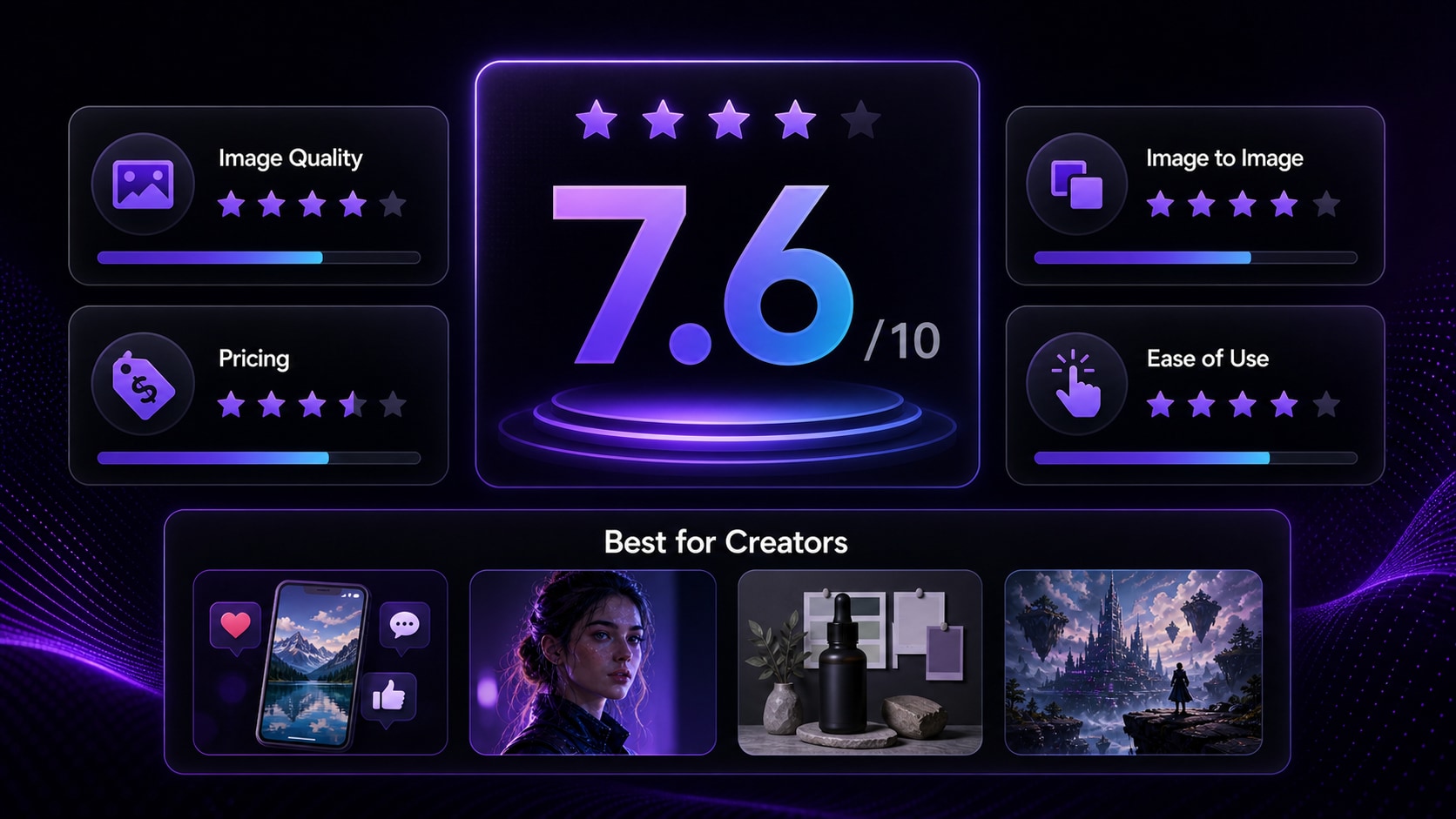
| Overall Rating | 7.7/10 for image-first creative workflows |
| Best For | AI image generation, text-to-image prompts, image-to-image variations, portraits, concept art, social media visuals, product mood boards, and team ideation |
| Not Ideal For | Free-only users, exact logo work, final packaging files, strict typography, users who dislike credit systems, and beginners who want a one-click editor |
| Main Strength | Broad model access, fast visual exploration, image editing, smart resizing, upscaling, and team-friendly asset workflows |
| Main Weakness | Credit planning, pricing complexity, UI learning curve, content filters, and inconsistent results across models or prompt types |
| Use Getimg.ai If... | Skip or Compare First If... |
| You want to test many AI image models in one workspace. | You only need a free AI image generator with no paid commitment. |
| You create social posts, blog images, ads, portraits, or product concepts. | You need perfect spelling, exact labels, official logos, or regulated product details. |
| You are comfortable testing prompts and managing credits. | You want flat pricing with no generation-credit anxiety. |
| You need shared workspaces or team asset management. | You mainly need fast image polishing, compression, or simple image-to-image edits. |
Part 2. What Is Getimg.ai?
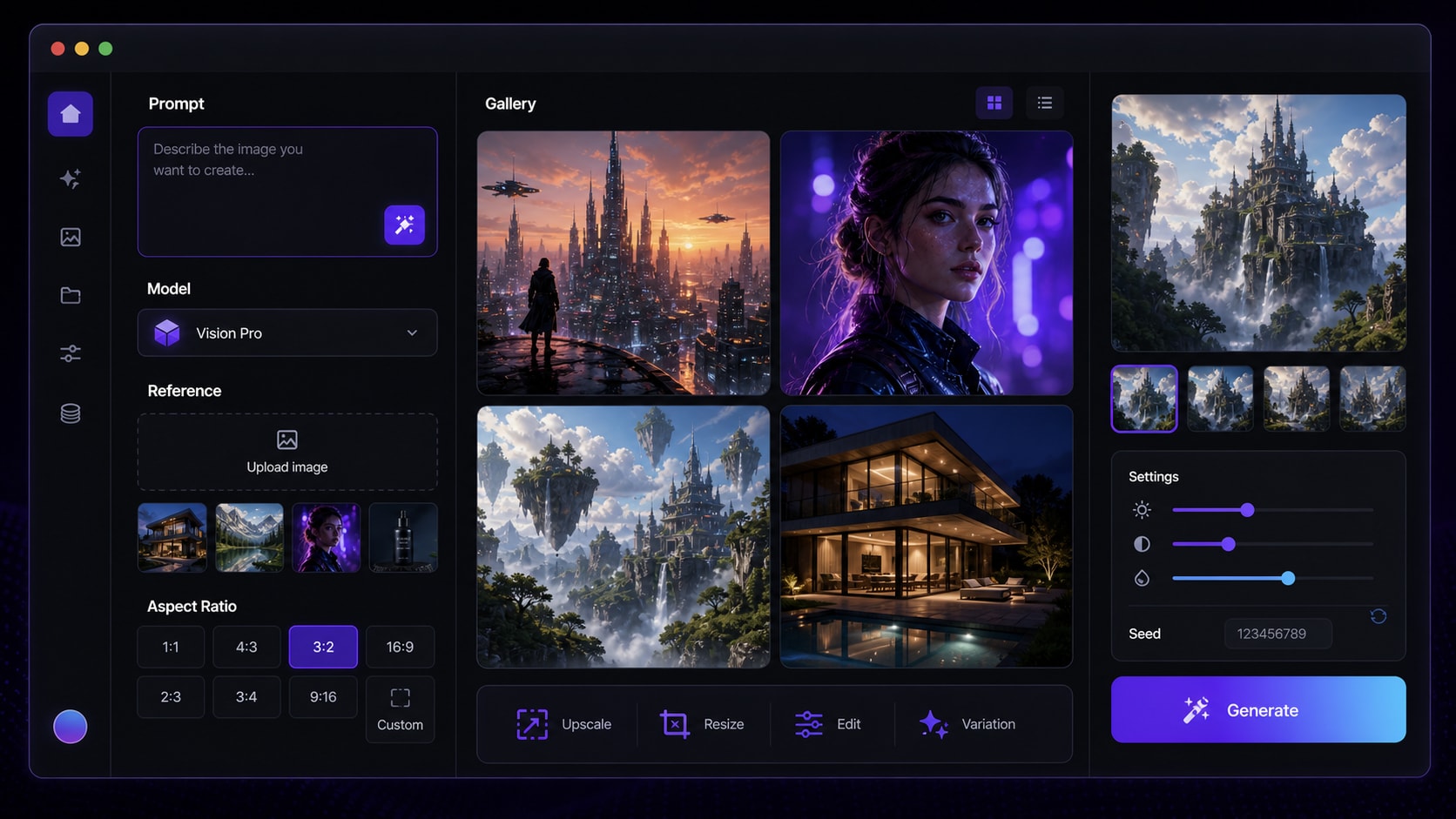
Getimg.ai is positioned as an AI creative studio rather than a single-purpose image generator. Its current platform highlights AI image generation, text-to-image, image-to-image, AI video, music generation, speech generation, image editing, smart image resizing, upscaling, background tools, team collaboration, and asset management. For this Getimg.ai review, the strongest search intent is image-first: users want to know whether Getimg.ai is good for AI image generation, prompt accuracy, reference-image editing, commercial content, and pricing value.
Compared with a basic text-to-image tool, Getimg.ai is more useful when you want to compare models, generate several style directions, reuse references, test aspect ratios, organize assets, and refine outputs without jumping across too many tools. It can support marketing concepts, e-commerce mood boards, blog graphics, character ideas, fashion portraits, anime-style images, product mockups, interior design previews, and campaign drafts.
If your main goal is to transform an uploaded reference image into a new visual style, you can also compare it with the Media.io Image to Image AI Generator, which supports reference upload, prompt input, and browser-based image-to-image generation in a simpler workflow.
| Feature Area | What It Means for Users | Review Note |
| Text-to-image AI | Create images from prompts, styles, aspect ratios, and model choices. | Best for concepts, portraits, social posts, thumbnails, and campaign drafts. |
| Image-to-image AI | Upload a reference image and generate restyled or edited variations. | Useful for preserving composition, but exact identity or product details may vary. |
| AI image editing | Change backgrounds, add elements, improve images, resize, or upscale. | Good for iteration; final assets may still need external polishing. |
| Team workspace | Manage assets, collaborate, and keep creative work in one place. | More valuable for agencies and marketing teams than casual users. |
| API access | Developer workflow for automated generation. | Important: API access is a separate product, not included in normal subscriptions. |
Part 3. Hands-on Review Matrix
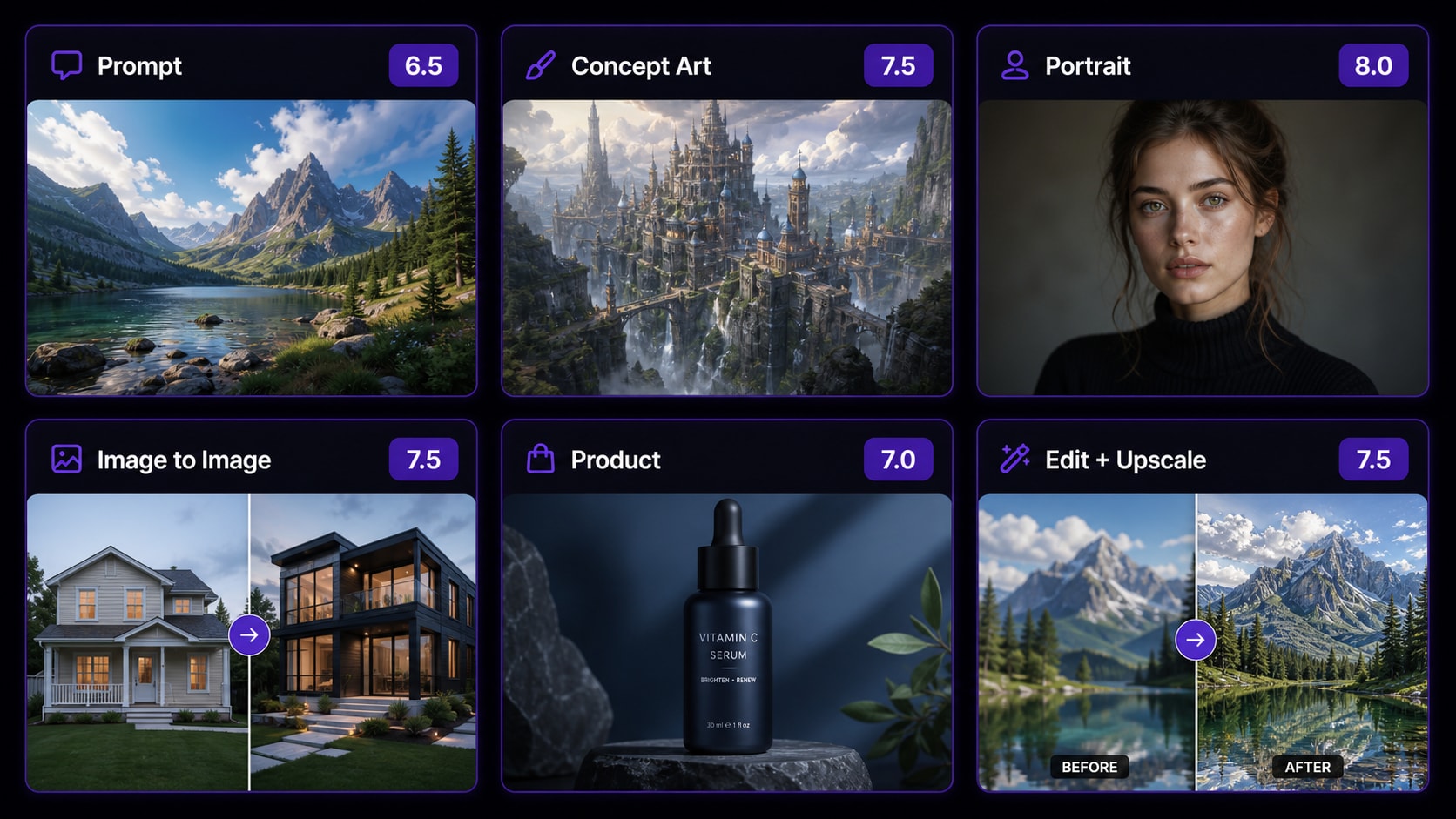
A useful Getimg AI review should not rely on one polished gallery example. The most important question is how Getimg.ai behaves across everyday use cases: a simple prompt, a detailed concept prompt, a photorealistic portrait, an image-to-image variation, a product/ad visual, and a finishing workflow. These scenarios reveal whether the tool is only impressive in demos or practical for repeated creative work.
| Test Scenario | What to Check | Result Summary | Score |
| Simple text-to-image prompt | Subject accuracy, composition, color, style, and basic prompt following. | Good for quick concepts, but broad prompts can produce generic or stock-like outputs. | 6.5/10 |
| Detailed fantasy or concept art prompt | Scene detail, lighting, atmosphere, object count, and background clarity. | Stronger with a clear subject, setting, camera direction, lighting, and mood. Distant details can become soft. | 7.5/10 |
| Photorealistic portrait | Face detail, skin texture, fashion styling, lighting, background realism, and artifacts. | One of the stronger use cases. Portrait and fashion-style images can look polished with a focused prompt. | 8/10 |
| Image-to-image variation | Reference preservation, restyling, layout stability, and identity consistency. | Useful for mood changes and style variations. Less reliable when exact identity, product shape, or brand details must stay unchanged. | 7.5/10 |
| Product or ad-style visual | Packaging shape, logo accuracy, text rendering, lighting, and commercial polish. | Helpful for mood boards and ad drafts, but not dependable enough for final product images with exact labels. | 7/10 |
| AI editor and upscaling workflow | Background changes, resizing, inpainting, upscaling, and artifact cleanup. | Valuable for iteration, but many final assets still need enhancement, compression, or manual editing before publishing. | 7.5/10 |
Overall, Getimg.ai performs best when you treat it as a flexible AI image studio instead of a guaranteed one-click final asset maker. It is strong for exploration, variations, and model comparison, but exact commercial details still need human review. If an output looks promising but soft, noisy, or too small for publishing, this AI image upscaler can help improve resolution before delivery.
Part 4. Pricing, Credits, and Commercial Use
As of July 1, 2026, Getimg.ai lists paid subscription plans with monthly credits. Pricing can change, so always confirm the latest Getimg.ai pricing page before subscribing. The key issue is not only the monthly fee; it is how many usable images you can create after prompt retries, model tests, upscales, edits, and failed generations.
| Plan | Price Shown | Monthly Credits | Key Notes |
| Entry | $10/month or $8/month billed yearly | 3,000 credits/month | Commercial rights, 11 image models, 9 video models, smart image resizer, 4K image upscaling, music and speech generation, 2 generations at a time, personal use |
| Core | $30/month/seat or $25/month/seat billed yearly | 15,000 credits/month per seat | Commercial rights, all image models, all video models, smart image resizer, 8K image upscaling, music and speech generation, 4 generations at a time, 2 teams |
| Plus | $65/month/seat or $55/month/seat billed yearly | 35,000 credits/month per seat | Commercial rights, all models, smart image resizer, 16K image upscaling, music and speech generation, 8 generations at a time, 5 teams, top-up credits |
| Ultra | $175/month/seat or $150/month/seat billed yearly | 100,000 credits/month per seat | Commercial rights, all models, smart image resizer, 16K image upscaling, music and speech generation, 10 generations at a time, 10 teams, top-up credits |
| Credit Reality Check | Why It Matters | Buyer Advice |
| Every tool uses credits | Generation, resizing, upscaling, video, and audio tools can all consume credits. | Check the model-specific credit table before running large batches. |
| Usable outputs cost more than raw outputs | AI image generation often requires retries, variations, and edits. | Judge cost by publishable image, not by generated image. |
| Credits do not roll over | Unused monthly plan credits expire at the end of the cycle. | Avoid overbuying if your workload is irregular. |
| Top-up credits are limited | Top-ups are available only on Plus and Ultra under specific usage conditions. | Heavy users should calculate whether Core is enough before scaling. |
| API is separate | A normal app subscription does not include API access. | Developers should price API use separately from the web app. |
| Commercial use depends on paid plans | Getimg.ai states paid plans include commercial rights, subject to license terms. | Review the latest terms before using images in ads, client work, merchandise, or product listings. |
Is Getimg.ai free? The current public pricing page is paid-plan focused and does not clearly present a permanent free tier. Signup trials or promotional credits may change, so users searching for “Getimg AI free” should verify the live signup flow before planning a free-only project.
Part 5. Pros, Cons, and User Feedback
Public Getimg.ai reviews are mixed and should be read carefully because sample sizes vary by platform. Product Hunt shows a small but positive historical review sample, while Trustpilot shows a small sample with more complaints around pricing, filters, support, free access, and credit use. That does not prove the full market verdict, but it is a useful caution before buying an annual plan.
| Pros | Why It Helps |
| Broad AI model access | Useful when you want to compare styles, realism, prompt behavior, and model strengths in one place. |
| Strong image-first creative workflow | Good for text-to-image concepts, image-to-image variations, portraits, ads, thumbnails, and social visuals. |
| Built-in editing and upscaling | Reduces tool switching for resizing, enhancement, and basic post-generation cleanup. |
| Team and asset features | Helpful for agencies, marketing teams, and creators who manage many visual assets. |
| Commercial rights on paid plans | Important for users creating client work, brand campaigns, paid content, or product visuals. |
| Cons | Why It Matters |
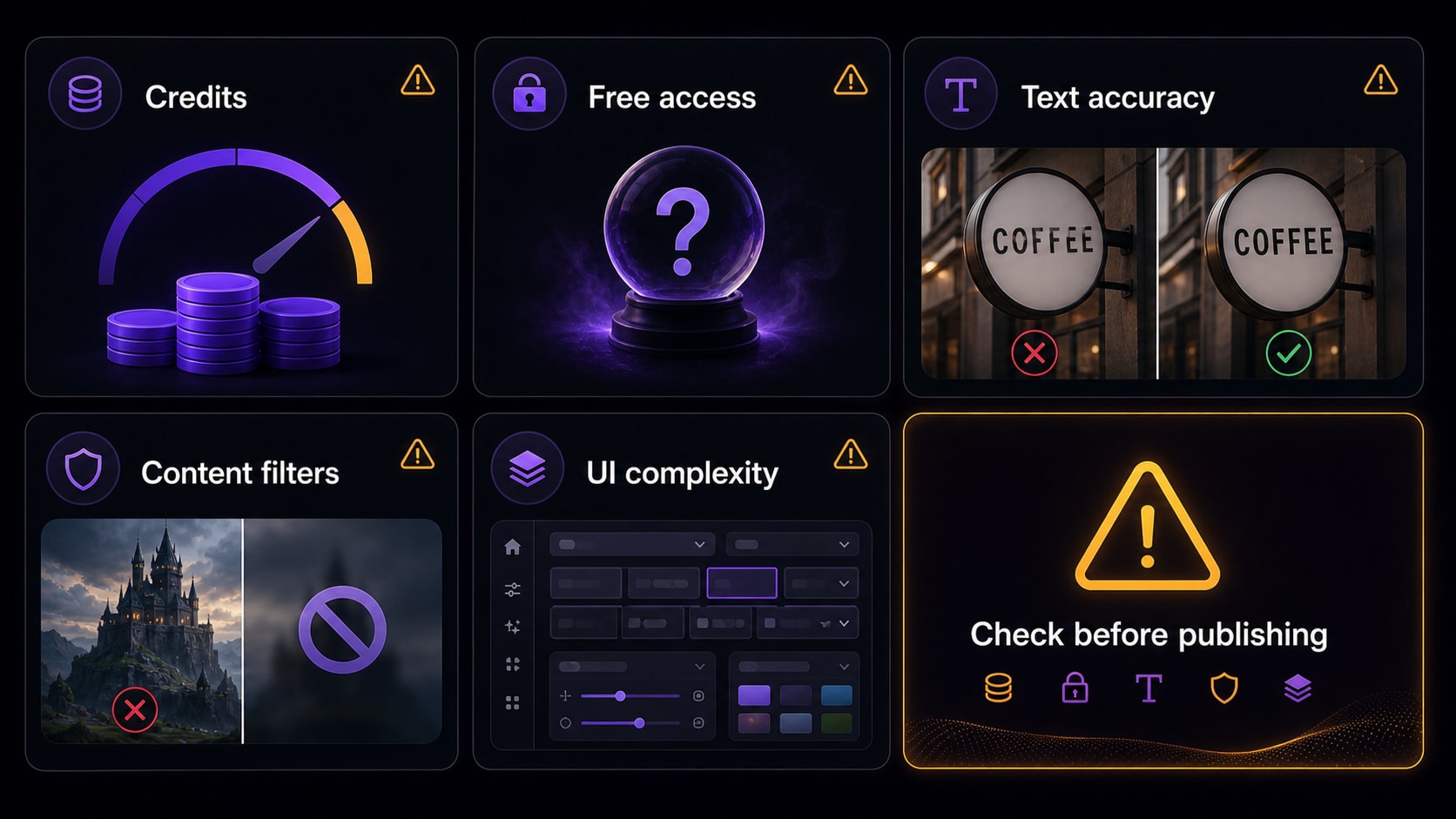
| Credit costs can be hard to predict | Different models, retries, upscales, failed generations, and editing steps can change the real cost per usable image. |
| No clear permanent free plan on the pricing page | Users looking for a free AI image generator may be disappointed if free credits are unavailable or limited. |
| Exact text and logos remain risky | AI image generators may distort typography, icons, labels, and packaging details. |
| Content filters may interrupt workflows | Some users report blocked prompts or strict filtering behavior, especially around sensitive or ambiguous prompts. |
| UI and model choice can feel complex | Beginners may not know which model, settings, or workflow to choose first. |
Part 6. Best Uses and Limitations
Getimg.ai is strongest for creators who need many visual directions quickly. It is less suitable when the project depends on guaranteed free access, exact brand reproduction, strict typography, or predictable credit costs.
| Best Use Case | Why Getimg.ai Fits | Recommended User |
| AI image generation from prompts | Multiple models, flexible prompts, aspect ratios, and fast creative experimentation. | Creators, bloggers, marketers, designers |
| Text-to-image concepts | Good for early visual directions, social graphics, thumbnails, blog images, and campaign drafts. | Content teams, solo creators, agencies |
| Image-to-image variations | Reference uploads help test new styles, moods, backgrounds, and layouts from an existing image. | Social media teams, e-commerce sellers, artists |
| Portraits and fashion visuals | Photorealistic and style-led portrait prompts can perform well when the subject and scene are clear. | Fashion creators, photographers, influencers |
| Product mood boards | Useful for campaign concepts, not final regulated packaging or exact label production. | E-commerce sellers, brand teams, agencies |
| Developer integration | Getimg.ai offers API access, but it is separate from regular subscription plans. | Developers, SaaS builders, automation teams |
| Limitation | Why It Matters | Possible Workaround |
| Credit cost can be hard to predict | Different models, failed attempts, high-resolution outputs, and edits can change the real cost per usable image. | Start with small batches, compare models carefully, and track credit use before scaling. |
| Exact text and logos are unreliable | Typography, small icons, labels, and packaging details may be distorted. | Use generated images as drafts, then add final text, logos, and labels manually. |
| Reference consistency can vary | Image-to-image outputs may drift in identity, product shape, or fine details. | Use clear source images, matching aspect ratios, and multiple controlled variations. |
| Content filters may block prompts | Brand-safe but ambiguous prompts may still trigger moderation. | Keep prompts clear, non-explicit, and avoid sensitive wording. |
| Final publishing still needs polish | AI outputs may be too large, too soft, or not optimized for social platforms. | Upscale, compress, crop, and manually inspect every final image. |
After generating visuals, file size and format still matter. A practical next step is to compress AI images for social posts so large PNG or JPG outputs are easier to upload, share, and archive.
Part 7. Alternatives and Final Recommendation
Getimg.ai is a capable AI image generator, but it is not the best answer for every creator. The best Getimg.ai alternative depends on whether you need a simpler image-to-image workflow, stronger design tooling, community-driven art styles, readable text, API access, or final publishing polish.
| If You Need... | Consider... | Reason |
| Broad AI image model access in one platform | Getimg.ai | Useful when you want to compare models, generate many concepts, and manage visual assets in one workspace. |
| Simple image-to-image creation and final image polishing | Media.io | Useful for reference-based image generation, upscaling, compression, and turning generated visuals into publishable assets. |
| Highly stylized AI art and community inspiration | Midjourney | Strong for art direction, fantasy visuals, posters, fashion concepts, and polished creative imagery. |
| Brand-safe marketing and design workflows | Adobe Firefly | Good fit for teams already using Adobe apps and needing design-friendly image generation. |
| Product visuals and creator-friendly control | Leonardo AI | Worth comparing for product mockups, game assets, style exploration, and image-generation control. |
| Text-heavy posters, logos, and quick layouts | Ideogram or Canva | Better to compare when readable text and marketing layouts matter more than model depth. |
Final recommendation: try Getimg.ai if you need a broad AI creative platform and are comfortable managing credits. Test cautiously if you need a free-only tool, exact brand text, predictable support, or a very simple beginner interface. For a more direct browser-based workflow, use Media.io to create images from text, restyle uploaded images, enhance resolution, compress files, and prepare final assets for publishing.
If you want to turn a generated still image into motion, compare this page directly: https://www.media.io/ai/image-to-video. It is useful when a Getimg.ai image becomes a hero visual, thumbnail, ad concept, or character image that you want to animate with an AI image-to-video generator.
Part 8. FAQs
-
Is Getimg.ai worth it?
Getimg.ai is worth trying if you want broad AI image model access, text-to-image generation, image-to-image variations, AI editing tools, upscaling, and team workspaces. It is less ideal if you need a free-only tool, exact text rendering, strict logo accuracy, or very predictable credit costs. -
Is Getimg.ai free?
Getimg.ai's current public pricing page focuses on paid plans rather than a clear permanent free tier. Free credits, trials, or signup offers may change, so check the latest account and pricing flow before planning a free project. -
How much does Getimg.ai cost?
As of July 1, 2026, Getimg.ai lists Entry, Core, Plus, and Ultra plans starting at $10/month or $8/month billed yearly. Plans include different monthly credits, image model access, video model access, upscaling levels, generation limits, team features, and commercial rights. -
How do Getimg.ai credits work?
Every Getimg.ai tool uses credits. Different models, resolutions, edits, upscales, videos, and audio tools can consume different amounts. Plan credits do not roll over to the next month, so users should track usage before scaling a workflow. -
What is Getimg.ai best for?
Getimg.ai is best for AI image generation, text-to-image concepts, image-to-image variations, AI photo editing, concept art, portraits, social media visuals, product mood boards, and teams that want access to multiple AI models in one workspace. -
Is Getimg.ai good for text-to-image generation?
Yes. Getimg.ai can be useful for text-to-image generation, especially when the prompt has one clear subject, visual style, lighting direction, and scene description. However, detailed prompts may need multiple attempts, and exact text or logo rendering should always be checked manually. -
Is Getimg.ai good for image-to-image editing?
Getimg.ai is useful for image-to-image restyling, visual variations, background ideas, and creative transformations. It is less reliable when you need perfect identity preservation, exact product shape, readable logo text, or fine detail consistency across every output. -
Can I use Getimg.ai images commercially?
Getimg.ai states that paid plans include commercial rights, subject to its license and restrictions. Always check the latest terms before using generated images in ads, client work, product listings, branded campaigns, merchandise, or paid content. -
Does Getimg.ai have an API?
Yes. Getimg.ai offers API access for generation workflows, but its pricing page states that API access is a separate product and is not included in regular subscription plans. -
What is the best Getimg.ai alternative?
The best alternative depends on your workflow. Media.io is useful for straightforward image-to-image creation, upscaling, compression, and image-to-video workflows. Midjourney is strong for stylized AI art, Adobe Firefly fits design teams, Leonardo AI is worth comparing for creator and product-image workflows, and Ideogram or Canva may be better for text-heavy marketing layouts.


