
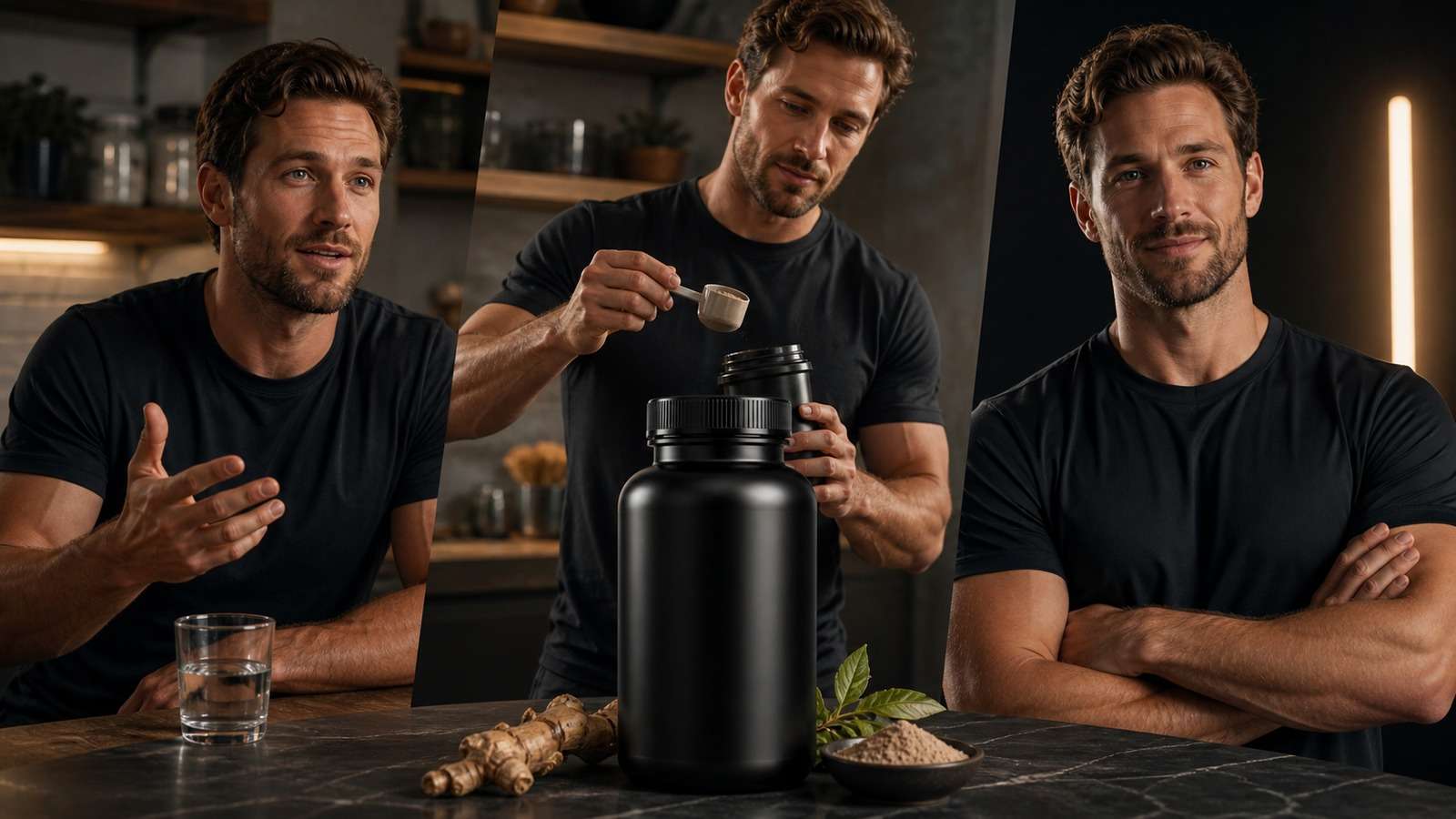
Seedance 2.5 product ads work best when you treat the model as a production system, not a magic prompt box. The core inputs are a verified product reference, a consistent creator, a controlled environment, a shot plan, accurate claims, and explicit rules for camera, movement, voice, duration, and exclusions.
The model's longer generation window and multi-reference control can reduce the stitching, voice mismatch and visual drift that previously made AI ecommerce ads difficult. This makes a Seedance 2.5 product video generator especially relevant to sellers who need coherent product and creator footage. However, a 30-second output is only useful if the product stays recognizable and the story remains clear.
In this article
The Seedance 2.5 Product-Ad Blueprint
| Ad component | What to define | Primary risk |
|---|---|---|
| Product truth | Shape, label, materials, dimensions, mechanism and approved claims | Packaging drift or false promise |
| Creator | Age, appearance, voice, setting and relationship to audience | Identity or voice inconsistency |
| Hook | Pain, curiosity, confession, result or comparison | Slow opening |
| Demonstration | Hold, open, apply, pour, wear or operate | Hands and product physics |
| Proof | Visible use, legitimate data, feature, review or comparison | Unsupported claim |
| CTA | Specific next step and destination | Generic ending |
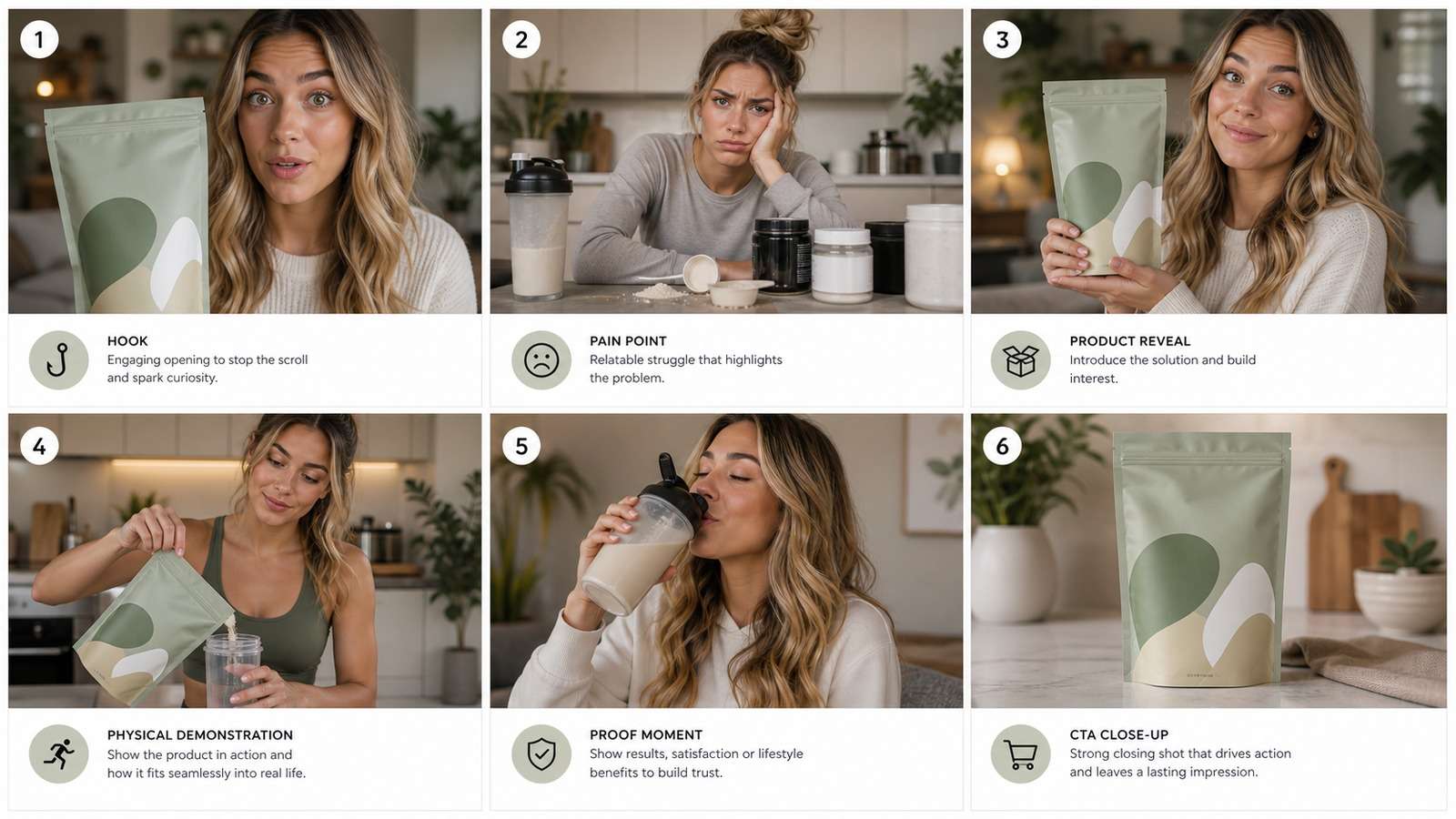
A reliable Seedance 2.5 product ad starts with the message, not the visual effects. Write one sentence describing the target customer, one problem, one product mechanism, one proof point and one action. If the brief contains five audiences and eight benefits, the generated commercial will feel unfocused.
Prepare a Product and Character Reference Kit
The product image is the source of truth for every Seedance 2.5 ecommerce video. Use high-resolution front, back, side and three-quarter photographs on a clean background. Add close-ups of the label, cap, texture, connectors, controls and any part the creator must touch.
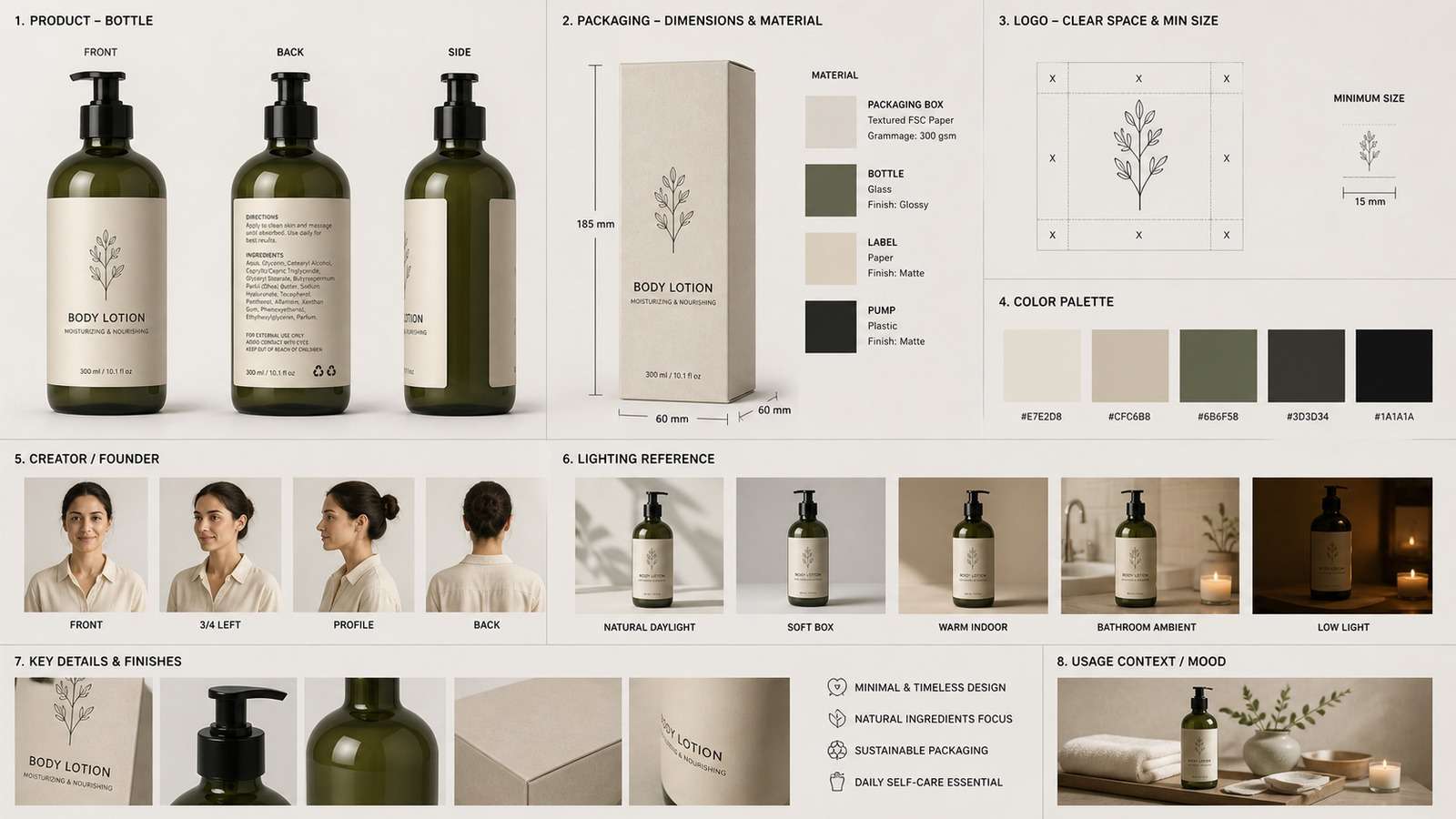
- Product identity: exact proportions, logo placement, label hierarchy, color and material.
- Interaction: how the product opens, moves, dispenses, attaches or is worn.
- Creator identity: neutral portrait, profile, full body, expressions and wardrobe.
- Environment: room layout, surfaces, lighting direction and color palette.
- Voice: approved accent, pace, energy and pronunciation references when supported.
- Camera language: candid phone camera, studio macro, handheld demo or controlled commercial.
Remove confidential data and confirm rights for every uploaded face, voice, product photograph and brand asset. For character planning, a character turnaround sheet can make multi-angle identity requirements easier to document.
Create Seedance 2.5 Product Ads with Media.io
Because this topic directly matches the feature, the most straightforward starting point is Media.io Seedance 2.5. Upload the approved product or creator reference, choose the suitable aspect ratio and duration, and write a prompt that separates identity, action, environment, camera and exclusions.
- Upload a clean, high-resolution reference with the product occupying enough of the frame.
- Select 9:16 for TikTok-style ads or the ratio required by the final placement.
- Describe one primary action and one camera move per short product shot.
- Enable or plan audio only after the spoken script has been timed.
- Generate limited variations and compare product fidelity before expanding the campaign.
For sellers who prefer product-page automation over manual shot direction, Media.io's AI Ad Generator can turn a URL into an initial ecommerce video workflow. Choose the manual Seedance route for precise creative control and the URL route for speed and variant production.
A Better Seedance 2.5 Ad Prompt Structure
Strong Seedance 2.5 ad prompts and Seedance 2.5 product video prompts are organized like a shot brief. Use this order:
Avoid vague requests such as “make a viral ad.” Specify what happens on screen and why. For a phone-style testimonial, state that the framing is slightly imperfect, the lighting is natural, and the delivery is conversational. For a premium hero shot, define the surface, lens, camera move, depth of field and light direction.
Use references by role: image one is the creator, image two is the product, audio one is the approved voice and video one is the movement reference. These explicit roles make Seedance 2.5 reference-to-video ads easier to reproduce. Do not assume the model knows which asset controls which element.
Prompt Template for a Cinematic Product Hero Shot
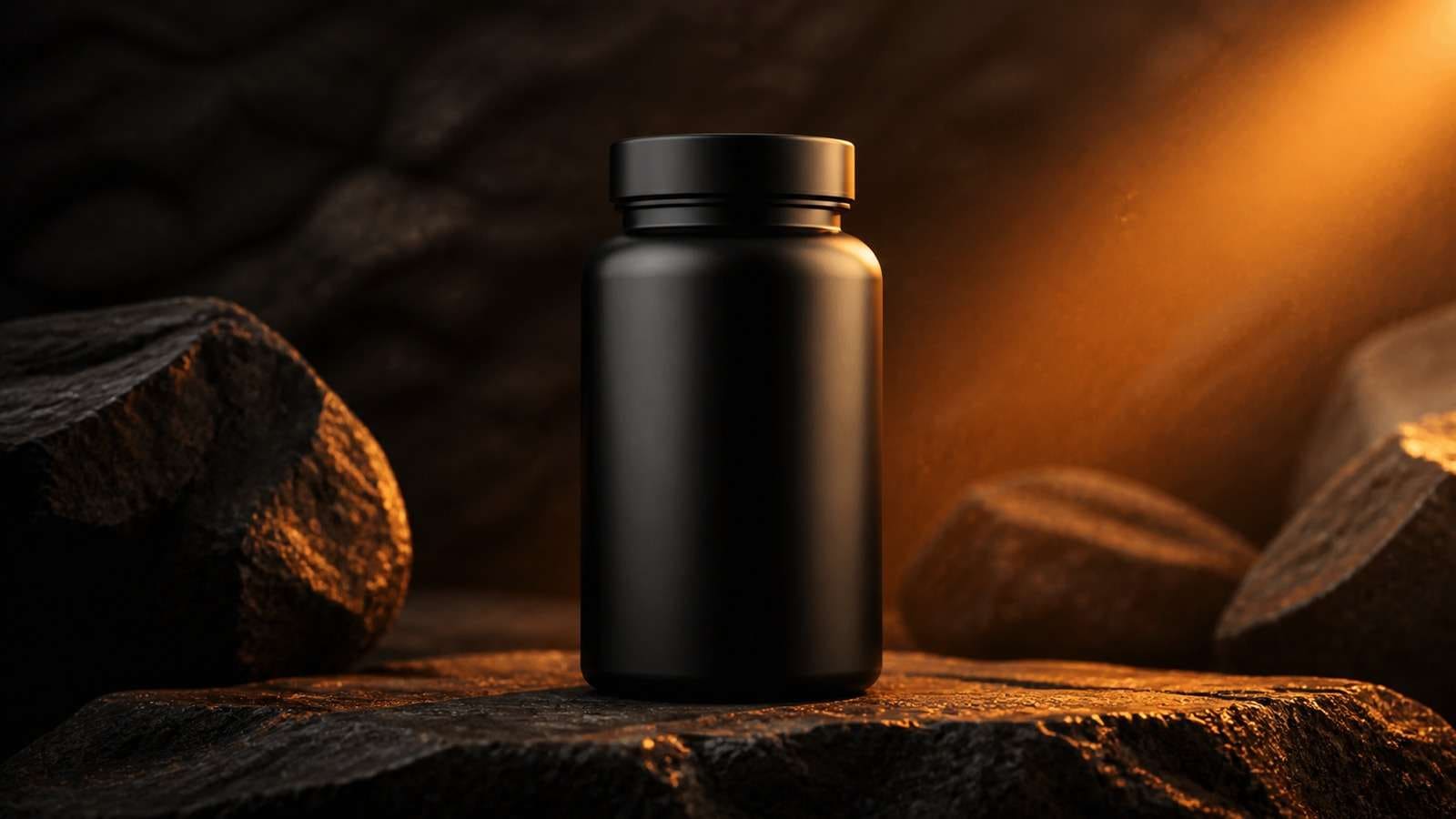
Generate product-only footage before asking an actor to interact with the item. This isolates whether the model understands packaging. If the label drifts while the product is stationary, a more complex demonstration will not solve the problem.
Prompt Template for a Seedance 2.5 UGC Ad
Seedance 2.5 UGC ads should feel credible rather than cinematic in every frame. Choose a creator who plausibly represents the buyer and a location where the product would naturally be used.
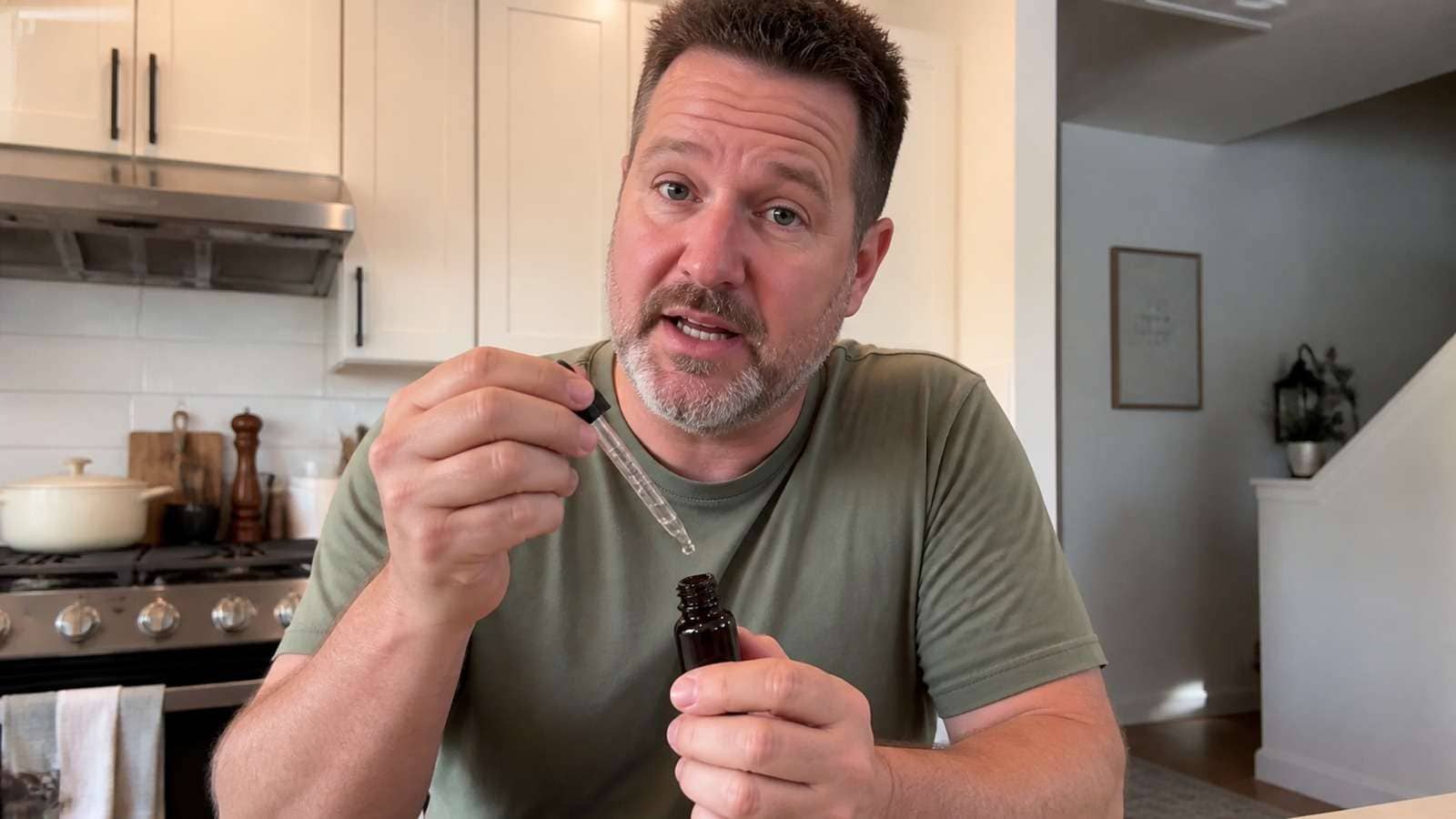
Product interaction is the stress test. Applying cosmetics, opening a lid, pouring liquid, wearing clothing or operating a device requires correct hands, contact, material behavior and scale. Review these frames at full resolution.
If the ad uses separate clips, extract a clean audio reference from the approved hero take and reuse it where the platform permits. Media.io's video-to-audio converter can help prepare a voice reference from an existing clip.
How to Structure Seedance 2.5 30-Second Ads
The promise of Seedance 2.5 30 second ads is fewer cuts and fewer continuity failures. It does not remove the need for a timed story. A practical sequence is:
- 0-3 seconds: concrete hook that names a pain, result or surprising observation.
- 3-8 seconds: establish why the problem matters to the target buyer.
- 8-16 seconds: reveal and demonstrate the product.
- 16-24 seconds: provide a verifiable proof point, feature or experience.
- 24-30 seconds: summarize the outcome and deliver one CTA.
The prompt should describe those beats in order while preserving the same person, voice, product and room. Also plan edit points at sentence endings or product close-ups. If the middle of the generation fails, those points allow a shorter approved cut rather than discarding all 30 seconds.
For API-based volume production, a Seedance 2.5 API product ads workflow should store product facts, approved claims, prompt version, reference assets, output IDs and QA status. Automation without traceability makes errors harder to correct.
Adapt the Ad for TikTok Shop, Shopify and Amazon
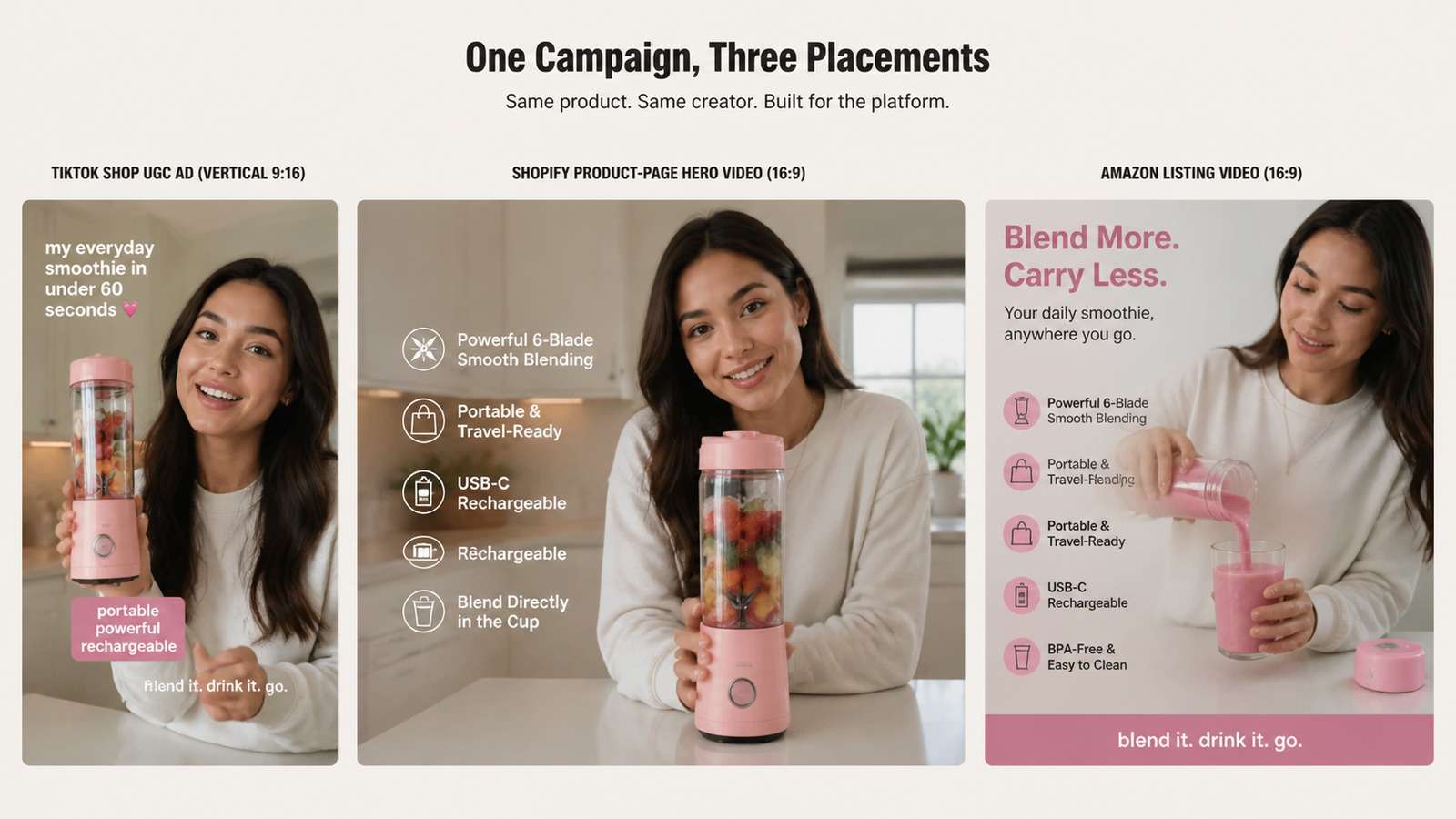
Seedance 2.5 TikTok Shop Ads
For Seedance 2.5 TikTok Shop ads, use 9:16 framing, immediate hooks, captions inside safe zones, fast product visibility and native phone-camera energy. Avoid opening with a logo animation. Pair the workflow with TikTok trend tracking to understand current formats while keeping the product message original.
Seedance 2.5 Shopify Product Videos
A Seedance 2.5 Shopify product video can be calmer. Show material, mechanism, scale, variations and use context. Create a clean hero loop plus a separate demonstration. Compress the final asset for page performance using an online video compressor.
Seedance 2.5 Amazon Product Videos
A Seedance 2.5 Amazon product video should prioritize factual demonstration over dramatic claims. Keep packaging consistent with the listing, avoid unsupported superlatives, show real dimensions and ensure any text remains readable on mobile.
Quality-Control Checklist for Seedance Ecommerce Ads
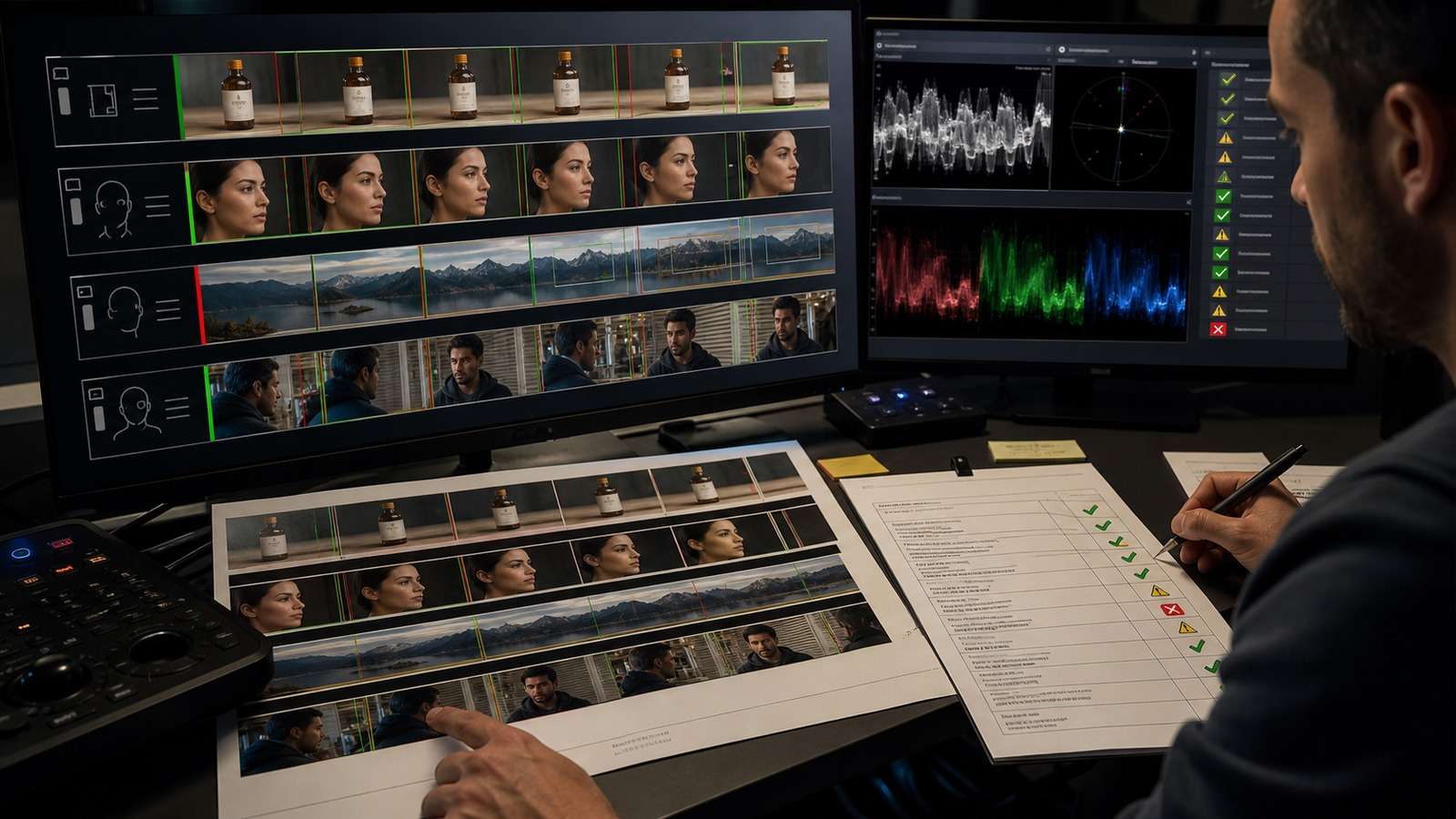
| Check | Pass criteria |
|---|---|
| Product fidelity | Shape, logo, label, colors, cap and proportions remain correct |
| Interaction | Hands contact the product correctly and the mechanism behaves plausibly |
| Creator consistency | Face, age, hair, body, wardrobe and voice remain stable |
| Audio | Speech is intelligible, synchronized and free of invented wording |
| Claims | Every product, health, performance and price claim is approved |
| Captions | Spelling is correct and text stays inside platform safe zones |
| Continuity | Objects, room, lighting and product state do not jump unexpectedly |
| Export | Ratio, resolution, duration, compression and rights fit the placement |
Do not approve a video from a small preview. Inspect frame transitions, fingers, teeth, reflections, labels and contact points. For captions, use a dedicated auto caption generator and proofread names, prices and technical terms.
The best Seedance 2.5 marketing videos combine model capability with disciplined advertising judgment. Product consistency enables the story; it does not decide which customer insight or offer will convert.
Common Failure Modes and How to Correct Them
- The label mutates: crop a larger product reference, simplify camera motion and explicitly preserve label geometry. Avoid asking for text-heavy rotations in the first test.
- The product changes size: provide dimensions or a human-hand scale reference and state where the item rests relative to the creator.
- Hands merge with packaging: break the interaction into fewer actions, use a clearer mechanism reference and generate a shorter demonstration.
- The creator changes identity: reduce lighting and wardrobe changes, reuse the same approved portrait and add stable facial traits to every prompt.
- The voice changes between clips: use the approved audio reference, keep delivery instructions consistent and avoid combining incompatible emotional styles.
- The 30-second story drifts: divide the prompt into timed beats and give each beat one action. Build contingency edit points at product close-ups.
- The output feels like an AI ad: remove excessive camera moves, perfect studio lighting and nonstop enthusiasm. Add natural pauses, realistic room sound and simpler phone framing.
Regenerate only after diagnosing the failure. If product identity is correct but the background color is wrong, use a localized edit instead of creating the entire sequence again. Compare the revised output frame by frame to ensure the edit did not quietly alter the face, voice, label or object position.
Keep an approval ledger with the prompt version, reference files, generation settings, known defects and final use rights. This is particularly important for teams producing many SKUs or localized campaigns, because a visually similar file can still contain an outdated package, price or claim.
Frequently Asked Questions
-
Can Seedance 2.5 create a full 30-second product ad?
Seedance 2.5 workflows can support longer single-generation ads, but the exact duration depends on the platform and settings. A timed shot plan is still necessary. -
What images should I upload for Seedance 2.5 ecommerce ads?
Use high-resolution product angles, label close-ups, interaction details, creator references and environment references. Only upload assets you are authorized to use. -
How do I keep the product consistent?
Use one approved product reference set, describe preservation rules explicitly, simplify the first shot and reject any output that changes packaging or proportions. -
Can Seedance 2.5 generate UGC ads?
Yes. It can create phone-style testimonials and product demonstrations, but hands, product interaction, voice, claims and disclosure must be reviewed. -
Should I use Seedance 2.5 or a URL-to-ad generator?
Use Seedance 2.5 for detailed shot control and reference-driven generation. Use a URL-to-ad generator when speed, product-page ingestion and bulk variations matter more.
Begin with one product-only fidelity test and one short UGC demonstration. Once both pass, expand into a 30-second sequence or use Media.io AI Ad Generator to build additional ecommerce variations around the winning message.


