
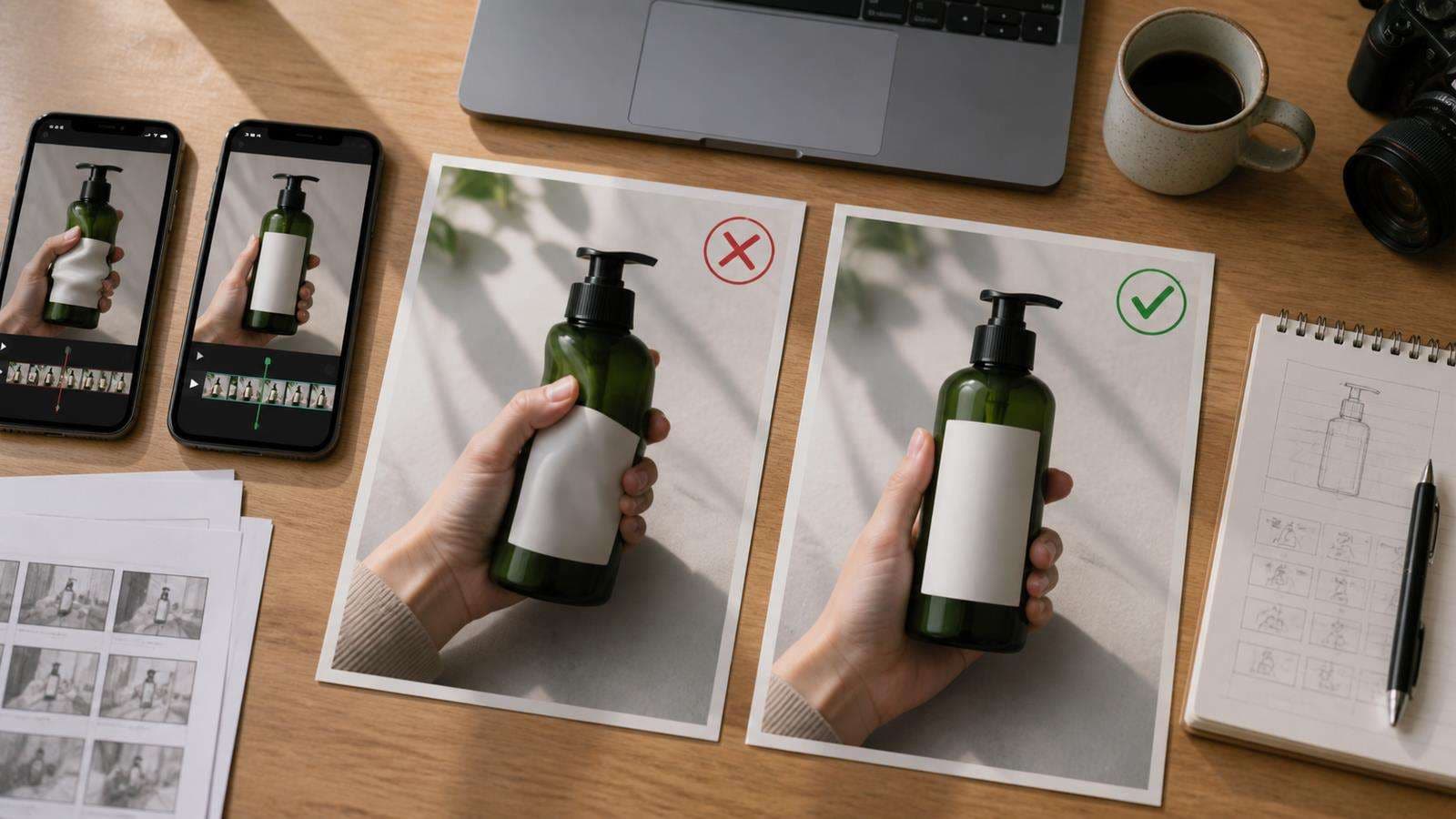
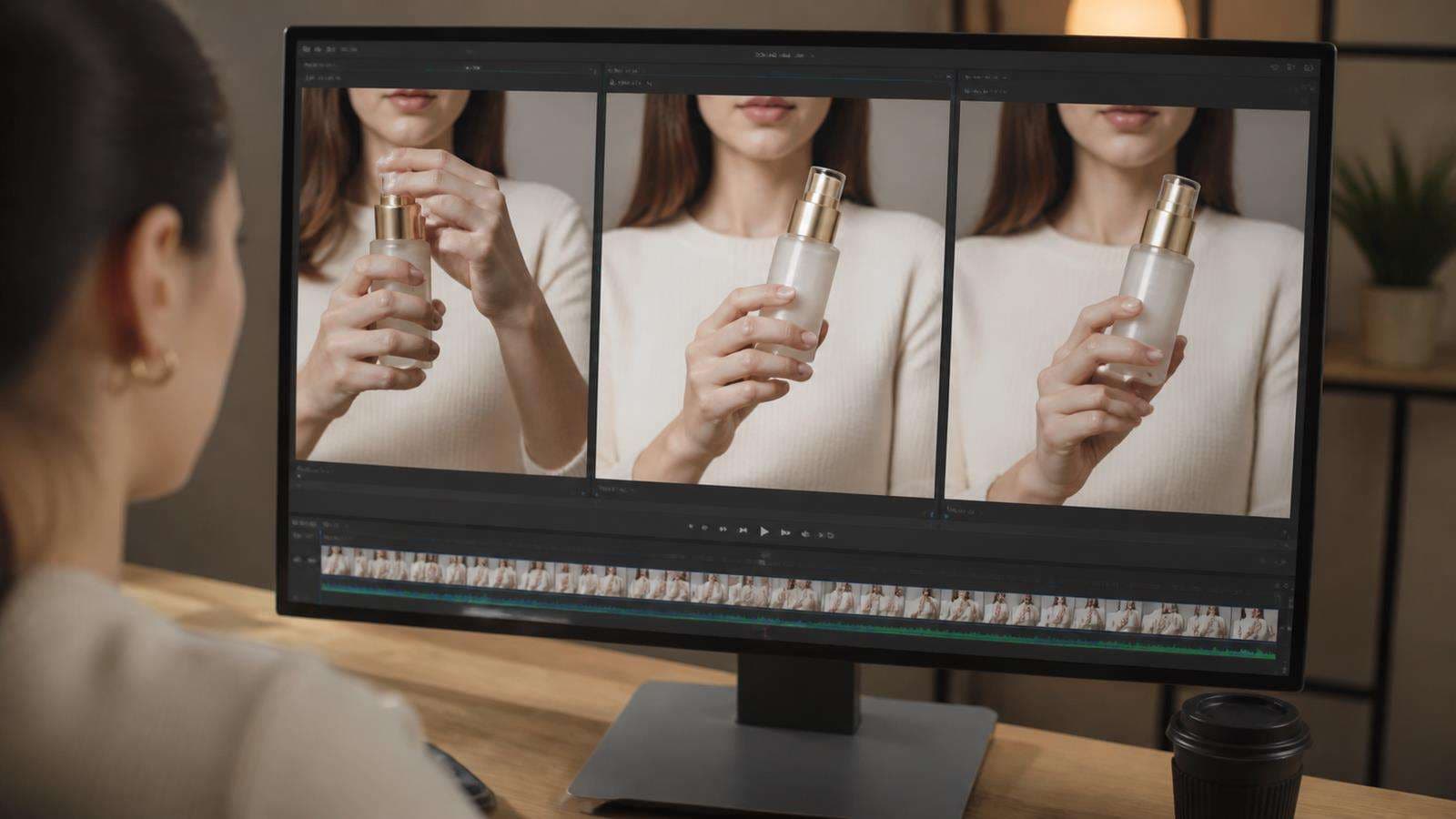
Pause the frame exactly when the hand touches the product. That single moment usually reveals whether the UGC clip will survive a full-speed review. Fused fingers, a thumb on the wrong side, a floating bottle, changing package scale, or a label that melts under the grip are not small cosmetic errors. They break the physical logic of the ad.
The most reliable fixes happen before long motion generation: approve a product-in-hand still, simplify the gesture, shorten the interaction, make contact points readable, and use coverage edits when a difficult handoff is not worth regenerating.
In this article
- Why Hands Fail When a Product Enters the Scene
- Preflight the Product-in-Hand Still Before Generating Motion
- Use the Simplest Grip That Communicates the Product
- Shorten the Interaction Instead of Asking for a Perfect Long Take
- Control Product Scale Before You Control Gesture
- Make Contact and Occlusion Easy to Read
- Separate "Show the Product" From "Use the Product"
- Use Coverage to Hide the Hardest Moments
- Fix Warped Hands Without Losing the Good Product Shot
- Use Media.io for a Controlled UGC Ad Workflow
- Hand and Product Interaction QA Checklist
- FAQs About Fixing AI Hands in Video
Why Hands Fail When a Product Enters the Scene
Hands are difficult because they are highly articulated and frequently occluded. A normal grip may show only parts of several fingers. The thumb crosses the object from one side, the index finger disappears behind it, and the product hides the palm. During movement, the visible geometry changes every frame.
Now add the product. The model must preserve the hand anatomy, product geometry, grip position, physical contact, label, scale, shadows, and camera perspective at the same time. If the actor turns the wrist or passes the item from one hand to another, the number of possible errors increases quickly.
The goal is not to eliminate all hand movement. It is to design interaction the model can read. A relaxed one-hand grip at chest height is easier than spinning a small package between fingers while walking toward camera.
Media.io's existing Seedance product ads guide covers product-focused generation. For UGC specifically, the AI UGC Ad Generator is a relevant production path because it starts from product context and creator-style formats.
Preflight the Product-in-Hand Still Before Generating Motion
Before you animate a creator holding a product, make sure the still image is already physically believable. This is one of the highest-value QA steps in the workflow.
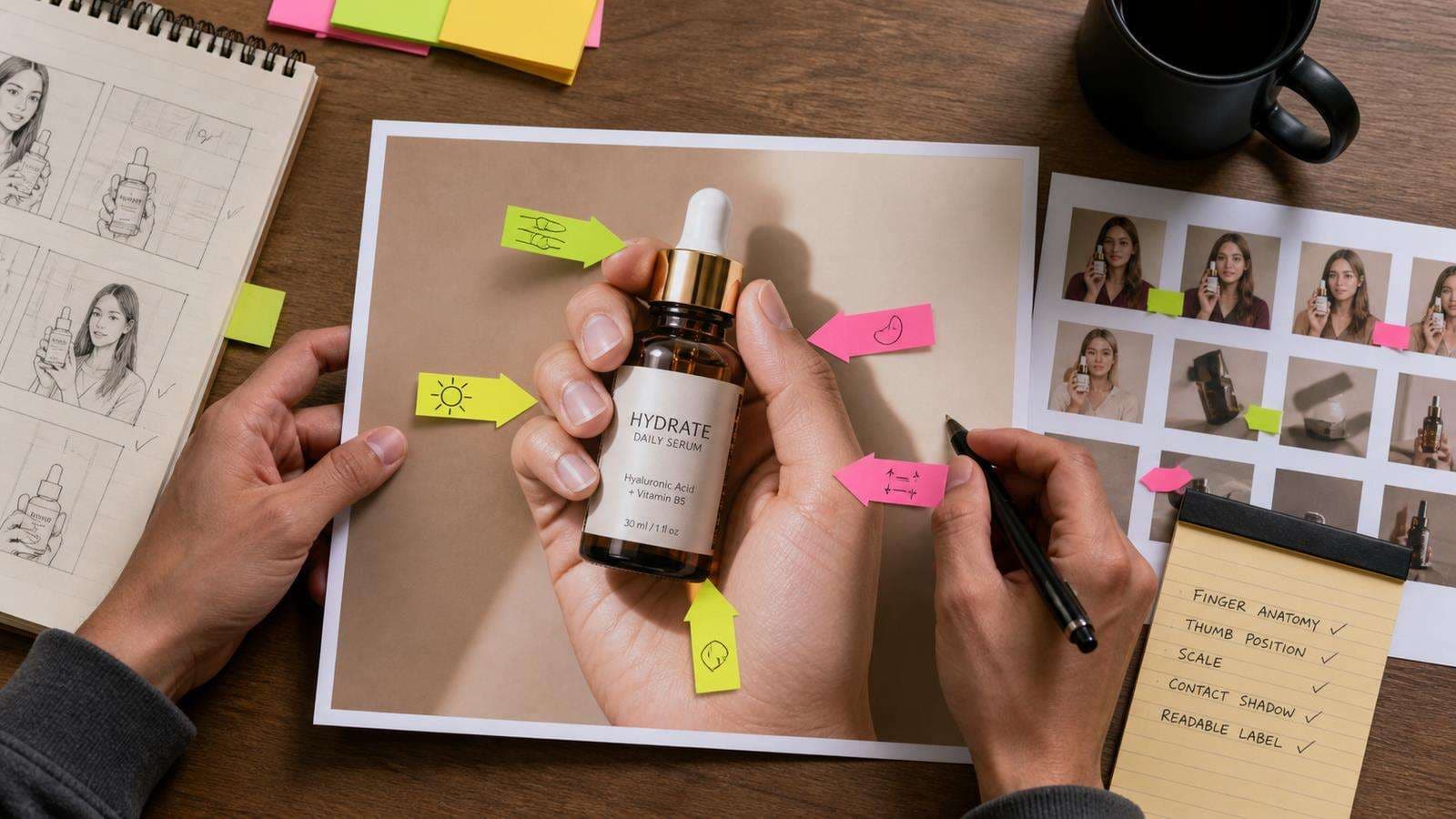
Check the still for:
- Correct number of visible fingers.
- Natural finger lengths and joint bends.
- Thumb on a believable side of the object.
- Product scale relative to the palm.
- Fingers wrapping around the actual product surface.
- Contact shadows where skin touches packaging.
- Label and logo that remain recognizable.
- No duplicated knuckles, fused fingers, or floating gaps.
If the still is wrong, motion usually magnifies the error. Do not hope a video model will repair a broken grip by itself. Fix or regenerate the still until you would accept it as a standalone ad image.
Use the Simplest Grip That Communicates the Product
Different products need different interactions. A phone can rest in the palm. A skincare bottle can be held at chest height. A cereal box can use a two-hand grip on the sides. A small tube can sit between the thumb and two fingers. The important point is that the grip should match the object rather than forcing a dramatic gesture.
Write the grip explicitly when it matters. For example:
"She holds the bottle upright in her right hand at chest height, fingers wrapped naturally around the lower half, thumb resting along the side, label facing camera."
This is much more constrained than "she shows the product to camera." It also defines a label-safe area and prevents the model from constantly re-gripping.
Avoid handoffs unless they are essential. Passing a product from left hand to right requires the model to reconstruct the contact relationship during partial occlusion. If a handoff is important to the story, make it a separate short shot.
Shorten the Interaction Instead of Asking for a Perfect Long Take
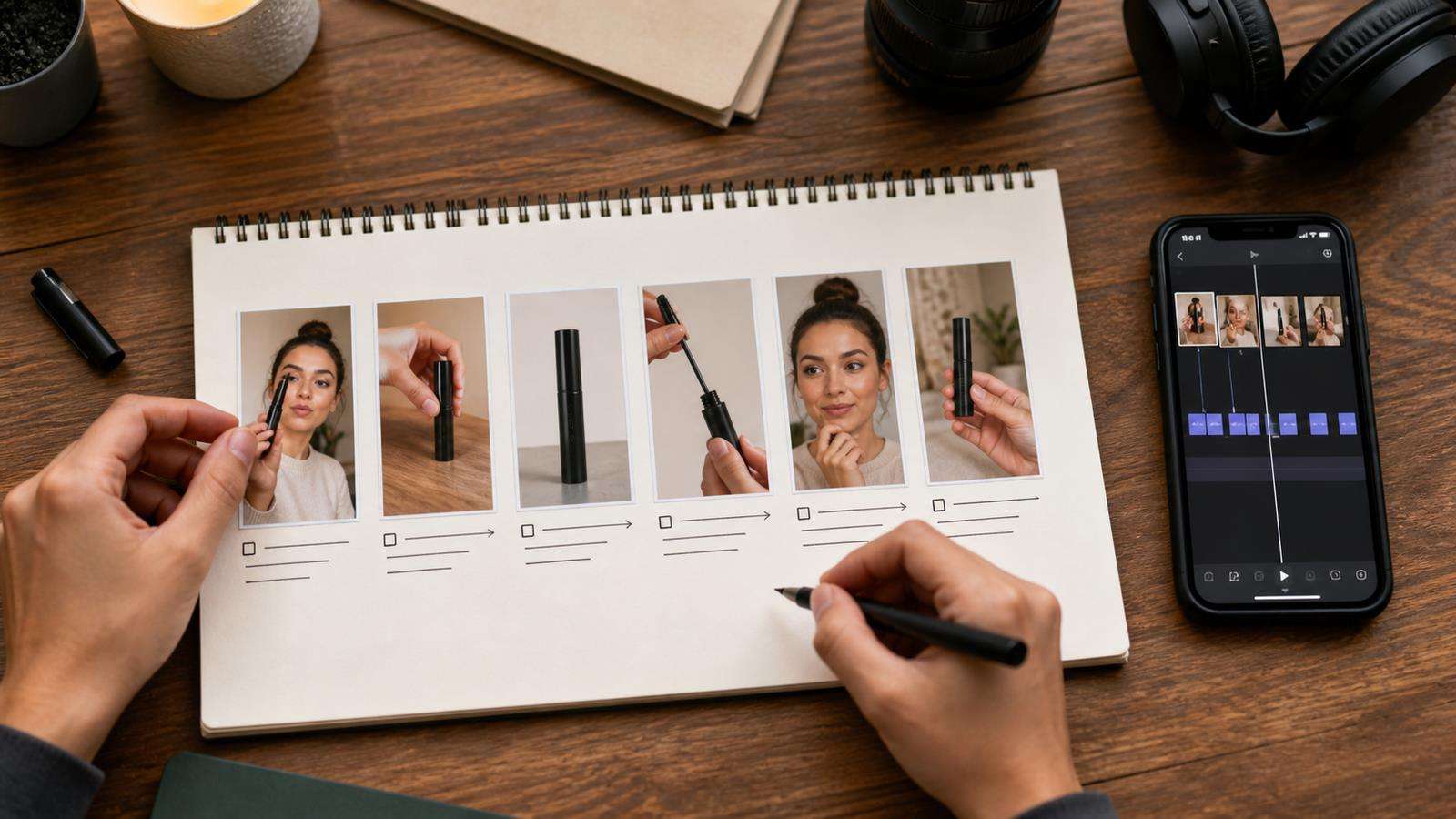
UGC style does not require one uninterrupted generation. Real social ads use jump cuts, inserts, reaction shots, close-ups, and cutaways. Use that editing language to reduce AI risk.
A 15-second UGC ad might be built from:
- Talking hook with no product in hand.
- Two-second product pick-up.
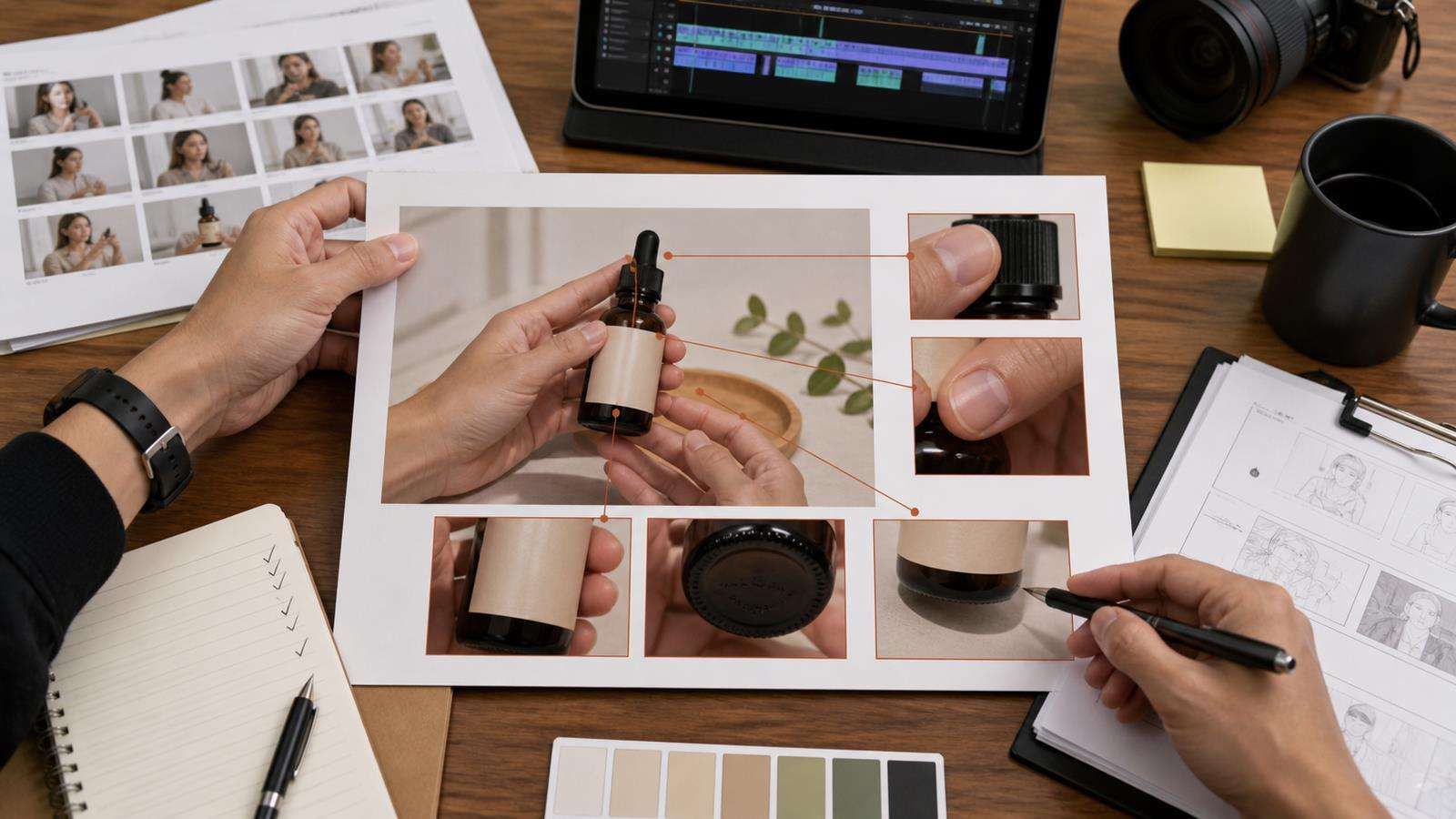
- Clean product detail insert.
- Three-second use demonstration.
- Reaction or benefit line.
- Final product and CTA shot.
The hands only perform the necessary interaction during the relevant moments. The product can be shown cleanly in an insert instead of remaining in a complicated grip while the creator talks for the entire ad.
This is also how you get more usable coverage. If one interaction shot fails, you regenerate only that beat rather than rebuilding the whole ad.
Control Product Scale Before You Control Gesture
A physically correct hand still looks wrong when the product changes size. Scale drift is common because the model is balancing perspective, focal length, hand distance, and object identity.
Use a source image that shows the real product at a believable size. If possible, include a product-in-hand reference. In the prompt, describe approximate size only when it helps: "small 30 ml dropper bottle that fits comfortably in one hand" is more useful than a precise millimeter measurement the model cannot visually verify.
Keep the hand and product at a similar distance from camera during the interaction. A fast move directly toward the lens creates a dramatic perspective change and makes scale harder to preserve. If you need a close product reveal, cut to a dedicated close-up instead.
Make Contact and Occlusion Easy to Read
AI interaction looks fake when contact is ambiguous. A fingertip should press against the product, not hover a few pixels above it. A lid should connect to the container. A straw should enter the cup. A finger pressing a button should land on the button surface.
Choose camera angles that show the contact. If the hand completely covers the interaction point, the model must invent what happens behind the occlusion. A slight three-quarter angle can reveal both the hand and the object surface.
Shadows also sell contact. A product resting on the palm should cast a small shadow. Fingers around a bottle should create local occlusion and skin shadows. Do not over-prompt shadows, but avoid lighting directions that erase all depth cues.
Separate "Show the Product" From "Use the Product"
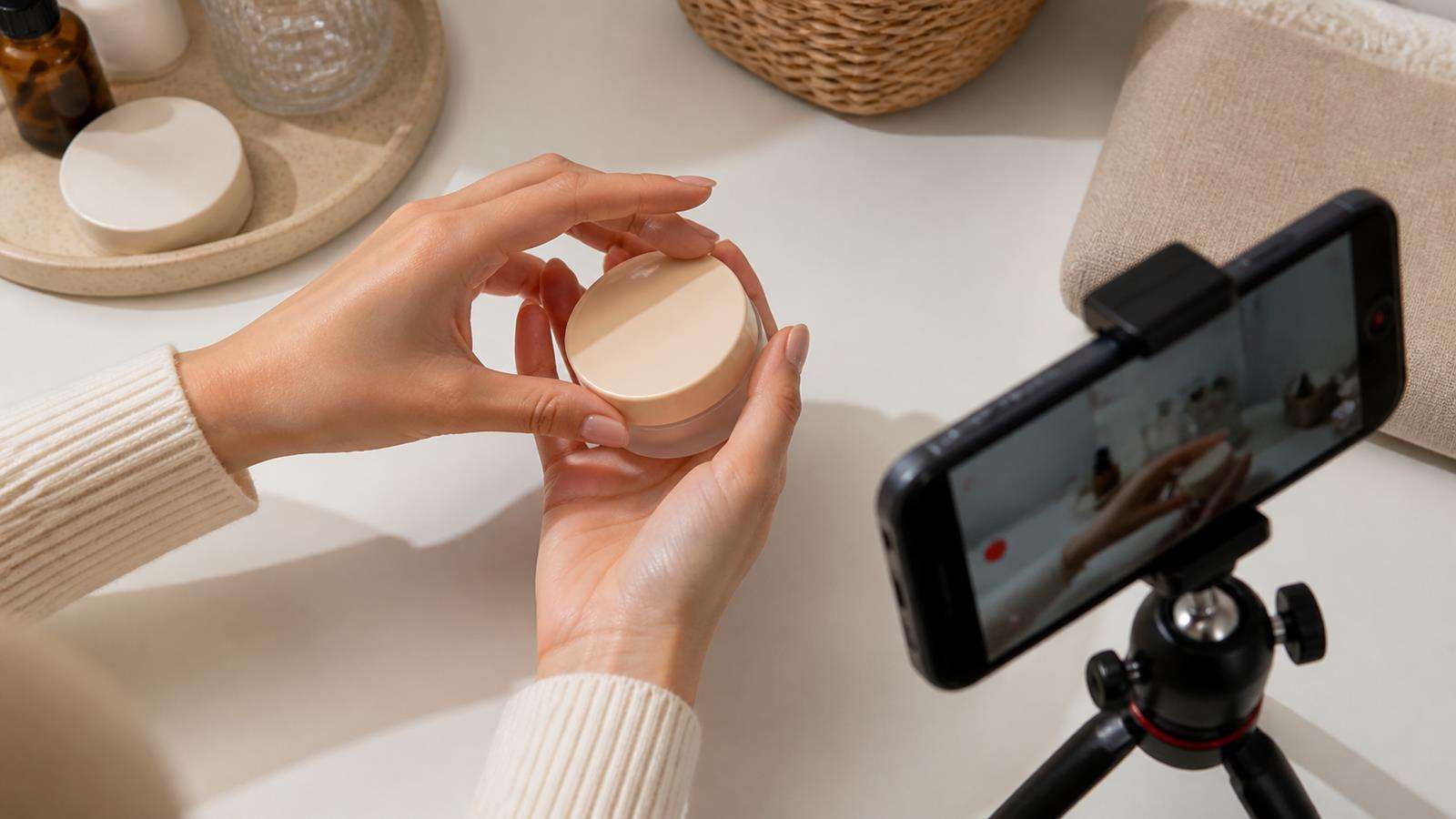
Showing a product and using it are different generation problems. A show shot needs readable packaging and a clean grip. A use shot needs convincing physics.
For a moisturizer, the show shot can hold the tube with the label facing camera. The use shot can cut closer to a small amount of cream applied to the back of the hand. For headphones, the show shot can display the case. The use shot can show one earbud being placed in the ear. For a blender, the hero shot can show the machine. The demonstration can focus on pressing one button and a short blending action.
This separation is useful in Media.io's Product Demo Video Maker, where a product story can be organized into distinct visual beats rather than one overloaded interaction.
Use Coverage to Hide the Hardest Moments
Editors have always used coverage to make actions look smoother. AI UGC benefits from the same approach.
If opening a package produces bad fingers at the moment the lid clears the box, cut to a product insert. If a hand pickup looks awkward, start the next shot after the product is already in the hand. If applying lipstick creates inconsistent fingers, use a tighter face shot where only the final part of the gesture is visible.
Coverage is not cheating. It is normal production design. The purpose is to communicate the product clearly, not to prove that one AI clip can solve every physical transition.
You can create creator-style variations through Media.io's Make UGC Ads with AI workflow and then choose the best-performing visual structure for the campaign.
Fix Warped Hands Without Losing the Good Product Shot
If the product is correct but the hand is wrong, decide whether the bad area can be isolated.
For a very short defect, an editing or generative repair workflow may work if the background and product are stable. For a longer interaction, regeneration is usually safer because hand anatomy and contact change over time.
When regenerating, change one risk factor at a time:
- Make the grip simpler.
- Reduce wrist rotation.
- Keep the product label facing one direction.
- Shorten the action.
- Move the camera less.
- Increase product and hand visibility.
- Start from a corrected product-in-hand still.

Use Media.io for a Controlled UGC Ad Workflow
Media.io AI Ad Generator and UGC workflows can use a product URL, uploaded visuals, or a written brief to build creator-style ads. Depending on the workflow, you can select UGC formats, creator options, voice and language settings, and review the script before the final render.
For hand-heavy concepts, use the product assets strategically. Upload clear images, choose a simple demonstration, and keep the creator's physical action specific. If one scene is weak, refine or regenerate that scene rather than accepting distorted hands because the script is good.
Hand and Product Interaction QA Checklist
Watch the result once at normal speed, then review the interaction frame by frame. Check:
- Finger count, length, and joint direction.
- Thumb position throughout the grip.
- Product size relative to the palm.
- Stable logo, label, cap, and package shape.
- Contact points between fingers and the object.
- Shadows that support physical contact.
- No sudden re-gripping between frames.
- No fingers passing through solid packaging.
- Consistent left and right hand identity.
- Clean beginning and ending states for each action.
Also check whether the interaction is necessary. If the product story is already clear without a risky gesture, the simplest shot may be the strongest ad.
FAQs About Fixing AI Hands in Video
-
Why do AI hands get worse when holding products?
The model has to preserve hand anatomy and product identity while also solving contact, occlusion, perspective, and motion. The interaction creates more constraints than a hand or product shown separately.
-
What is the easiest product grip for AI UGC video?
A simple relaxed grip with the product upright, one hand visible, limited wrist rotation, and the label facing camera is usually easier than a finger spin, handoff, or fast movement toward the lens.
-
Should I generate a product-in-hand image before video?
Yes. A correct still is a strong preflight asset. If anatomy, scale, contact, or packaging are already wrong in the source frame, animation is more likely to preserve or amplify the problem.
-
Can I fix bad hands in editing instead of regenerating?
Small defects in a short stable section may be repairable. Long interactions with changing anatomy or contact are usually better regenerated with a simpler action or cleaner source image.
-
How long should a product interaction shot be?
Long enough for one clear action to read. Many UGC ads work better with several short interaction and detail shots than one long continuous performance.
-
How do I keep the product logo visible while a creator holds it?
Plan the grip around the branded face, keep fingers away from important text, limit extreme rotation, and use a separate clean hero shot for full label readability.


