
Dzine AI is most useful when the job is larger than producing one attractive portrait. A practical character workflow must preserve the face while changing pose, environment, expression, framing, and sometimes style. The key question is therefore not “Can Dzine generate a character?” but “How much variation can the character survive before production control breaks?”
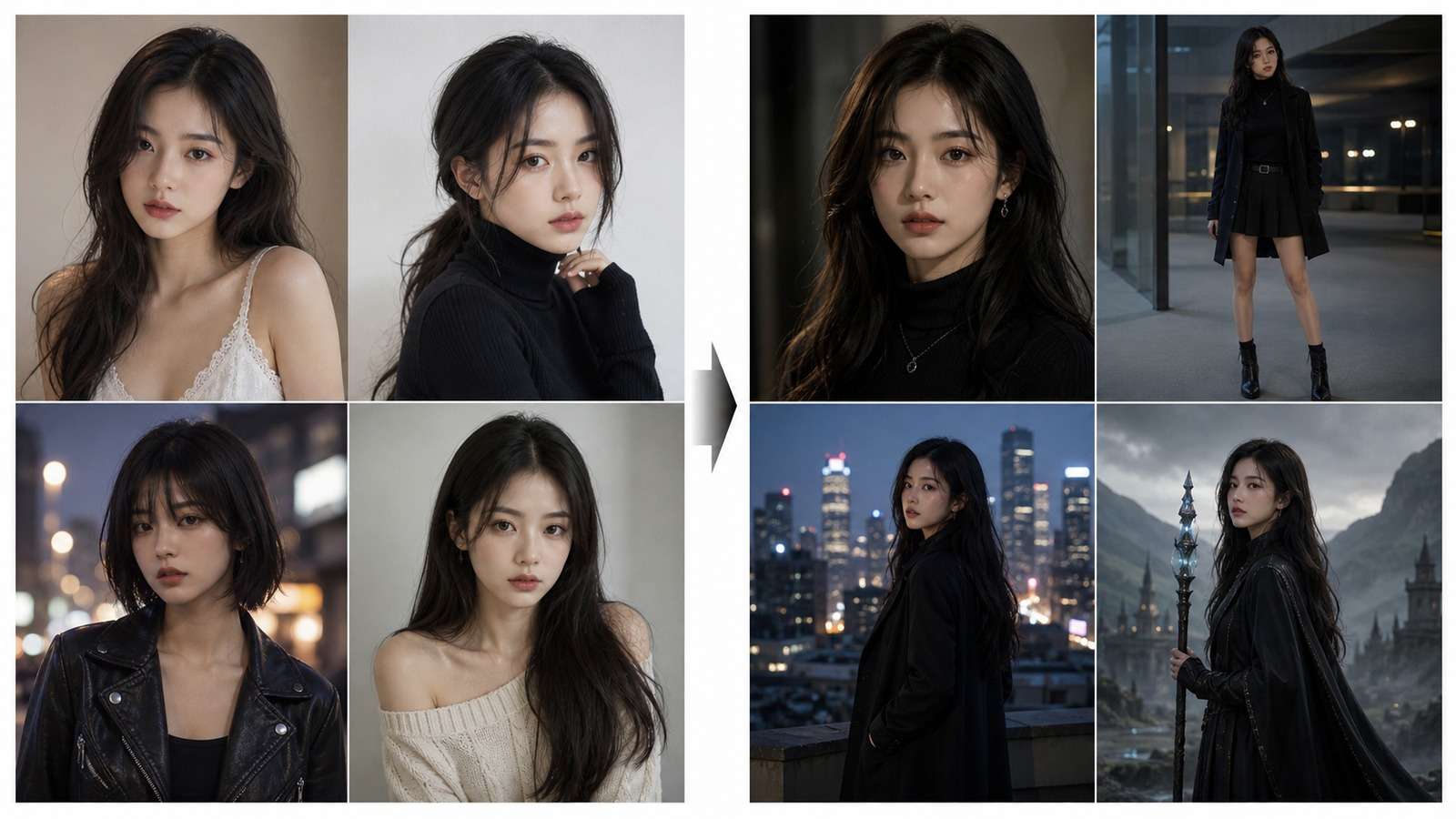
| Project goal | What to test first |
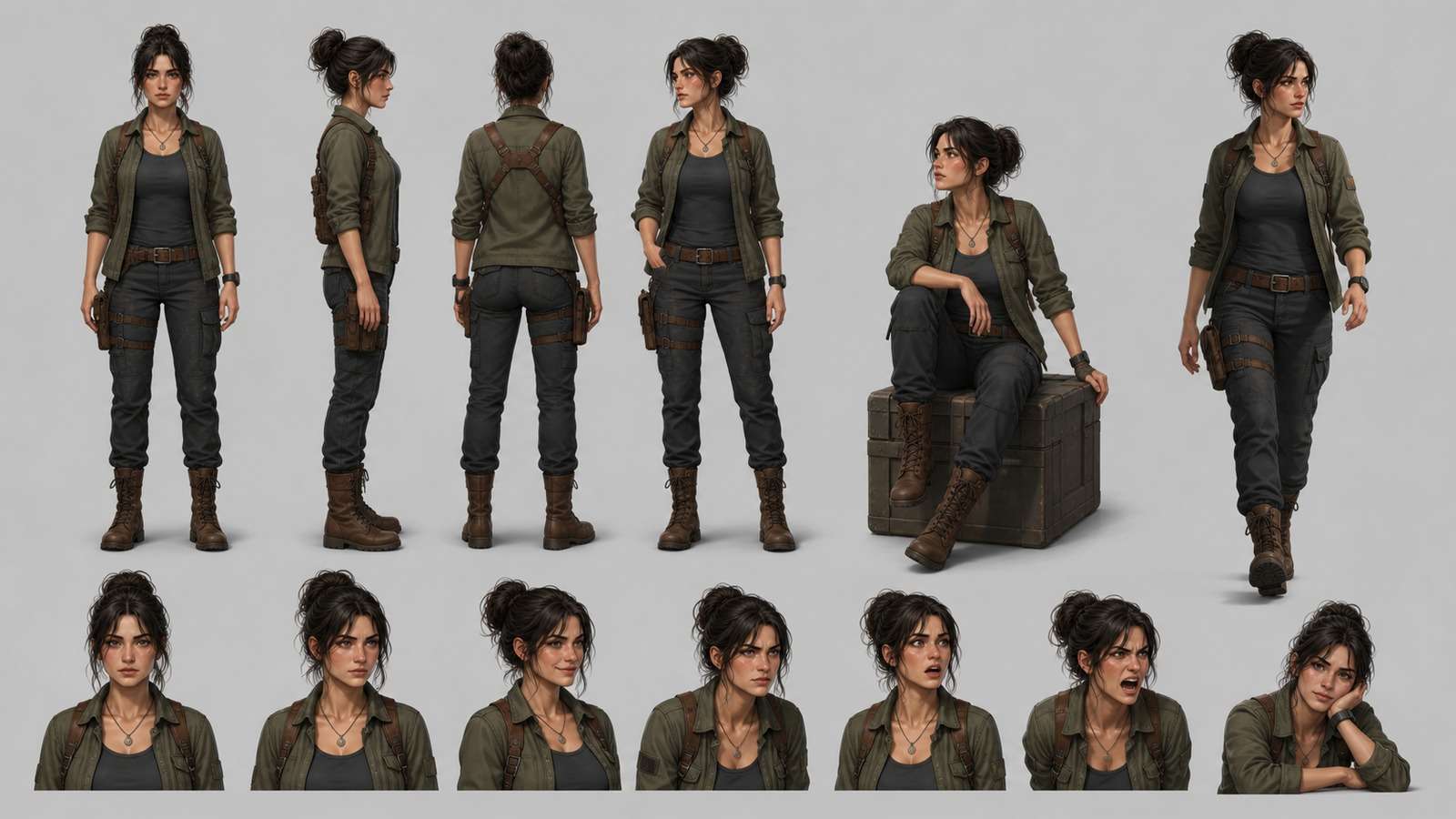
| Character sheet | Front, profile, full body, expressions, and stable wardrobe |
| Story scenes | Identity under new locations, lighting, action, and camera angles |
| Stylized series | Whether the face remains recognizable when the medium changes |
| Talking character | Face stability, mouth movement, voice timing, and longer delivery |
In this article
What Is Dzine AI Character Generator?
Dzine is a browser-based visual creation platform that combines AI character generation with style, reference, editing, and design workflows. Its value is the ability to move between character creation and image modification without building a local ComfyUI graph or transferring every result through unrelated applications.
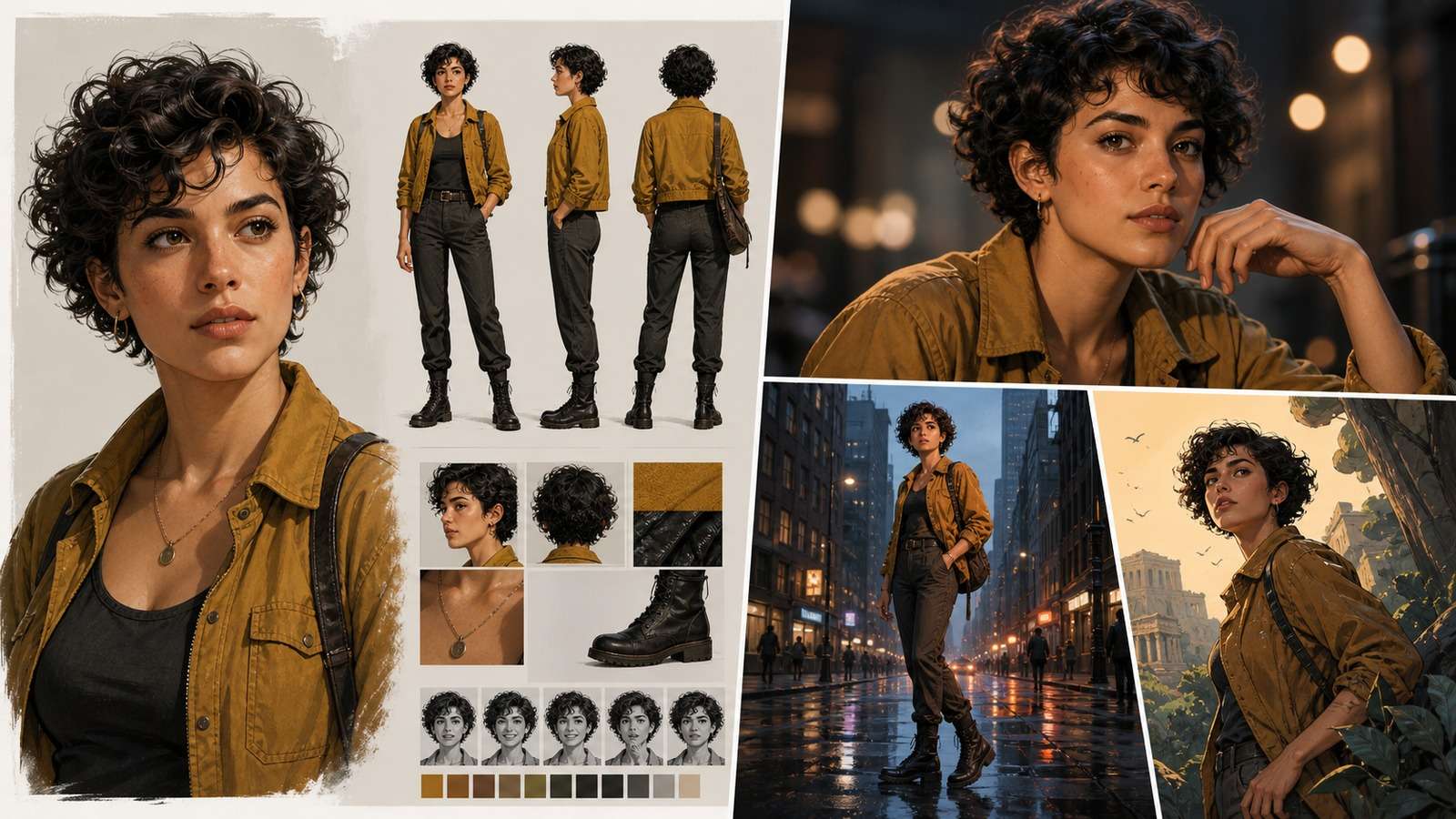
Across the four researched tutorial and test videos, the recurring user needs are consistent:
- Identity reuse: turn one approved face or design into more images without recasting the character.
- Pose and scene variety: move beyond repeated headshots into useful production coverage.
- Style control: explore realism, illustration, animation, and branded art directions.
- Downstream motion: animate or lip-sync the approved character instead of starting again in a video tool.
- Low setup friction: avoid model installation, nodes, adapters, and local hardware requirements.
These strengths also define the buying test. A feature-rich interface matters only if it produces recognizable, editable, and publishable assets under the current credit model.
How to Create a Consistent Character in Dzine
Begin with a character definition that is easy to recognize. A distinctive silhouette, hair shape, face, color palette, and one or two accessories provide stronger anchors than a generic attractive portrait.
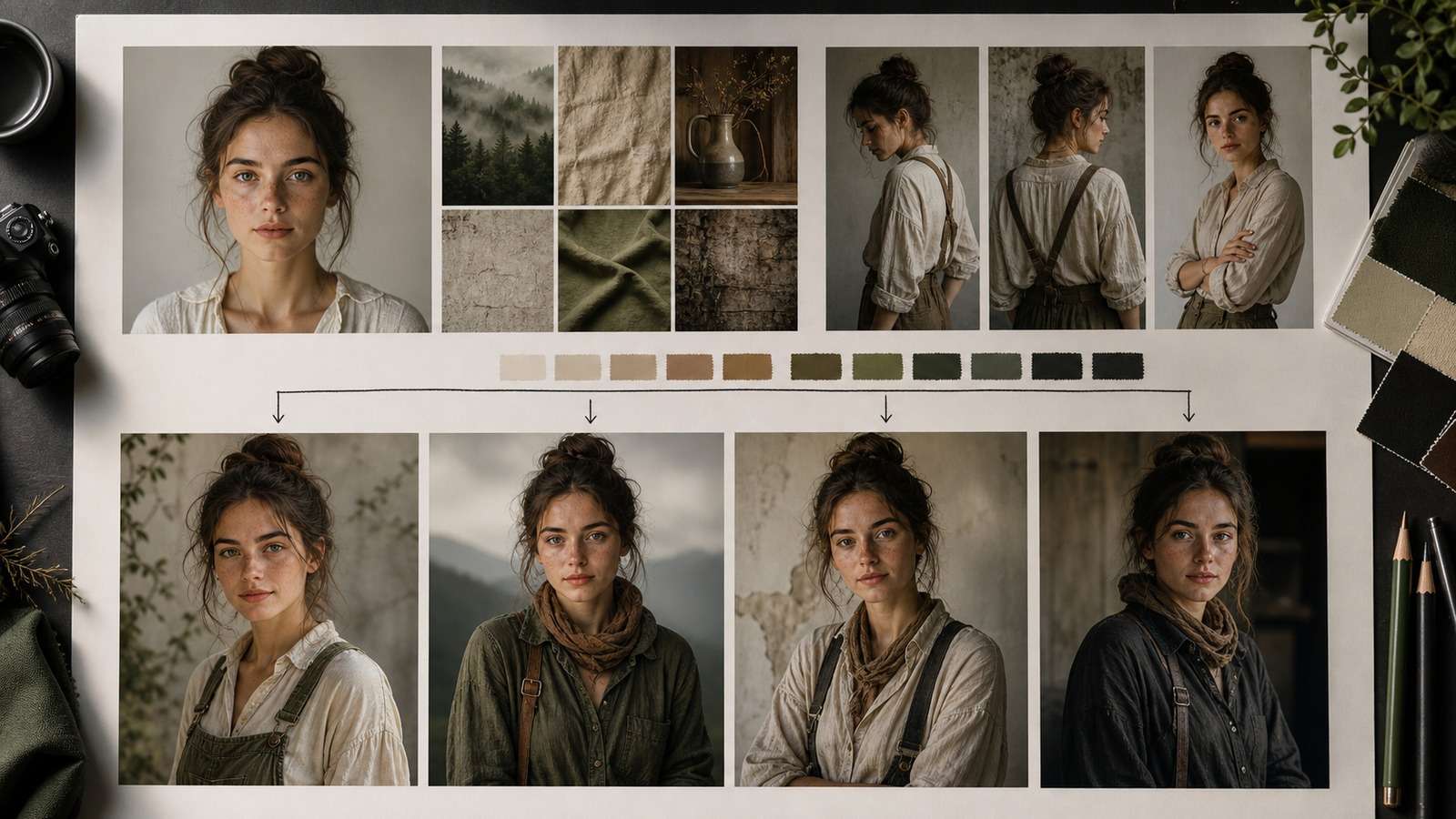
- Create or upload the master reference. Use a sharp, unobstructed face and include a full-body source if clothing and proportions matter.
- Choose the intended consistency or reference mode. Avoid combining several unfamiliar controls on the first test.
- Generate a neutral baseline. Keep the pose and setting simple so identity is easy to judge.
- Save the approved result. Reuse it as a production reference rather than returning to the original prompt every time.
- Change one major variable per test. Evaluate pose, expression, location, wardrobe, and style separately.
A character should pass a small benchmark before becoming a story asset: front portrait, profile, smiling expression, full-body standing pose, outdoor scene, low-light scene, and one action pose. This exposes identity drift earlier than producing ten similar portraits.
A Strongly Related Media.io Workflow for the Same Character Task
Dzine is a broad creative workspace. If the immediate search intent is narrower—create one character, preserve that identity across several images, then animate or lip-sync selected results— Media.io maps directly to the same production stages without requiring a local setup.
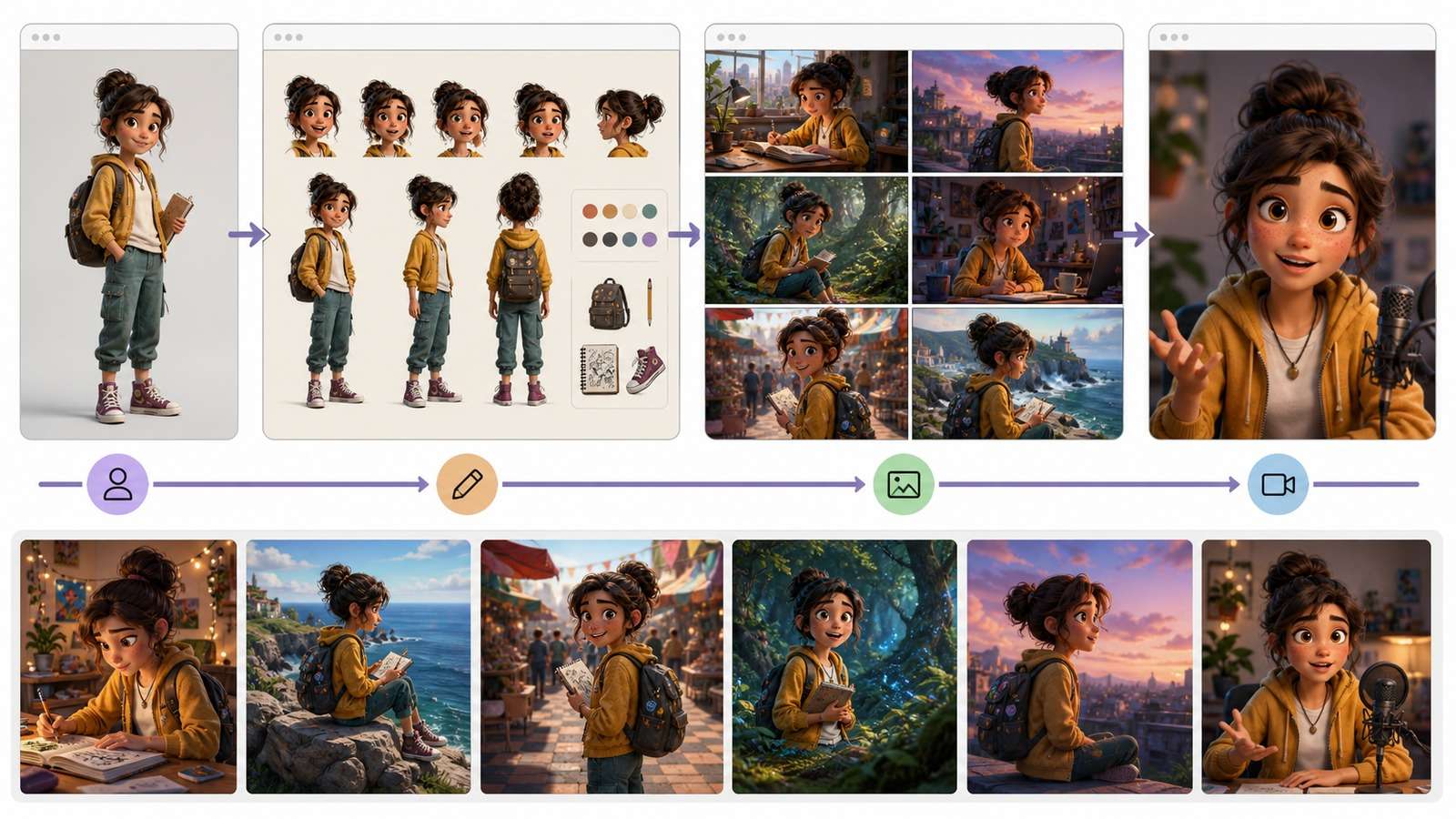
| Character task | Media.io feature | When it fits |
| Create the initial fictional character | AI Character | Early design exploration and character concepts |
| Reuse one identity in different scenes | Consistent Character Generator | Character sheets, recurring social images, and story preproduction |
| Change background, styling, or visual details | Image to Image | Controlled variations from an approved source |
| Turn the final portrait into a presenter | AI Talking Avatar | Explainers, education, marketing, and character-led narration |
This is a task-based alternative, not a claim that every Media.io feature replaces Dzine's full design environment. Choose Dzine when broad art direction and integrated image design are central. Choose the focused browser path when producing the reusable character asset is the main objective.
Create a reusable character from one reference →
Generate Scenes Without Losing the Character
Once the baseline is stable, design scenes around production coverage rather than random variety. A story needs establishing shots, medium actions, close-ups, reactions, and details.
- Repeat a short identity block, but let the reference carry most facial detail.
- Keep wardrobe descriptions concrete: material, color, silhouette, and accessories.
- Use the same recurring location reference when spatial continuity matters.
- Reduce identity pressure only when composition becomes too similar to the source.
- Approve scenes as a sequence; an attractive isolated result may contradict adjacent frames.
For recurring narratives, arrange approved scenes using an AI storyboard generator. This reveals missing transitions and repeated camera angles before the images are animated.
Test Dzine Styles and Image Editing Separately
Style consistency and identity consistency are related but different. A strong animation style may reshape eyes, jaw, age, or body proportions even when the color palette remains correct.
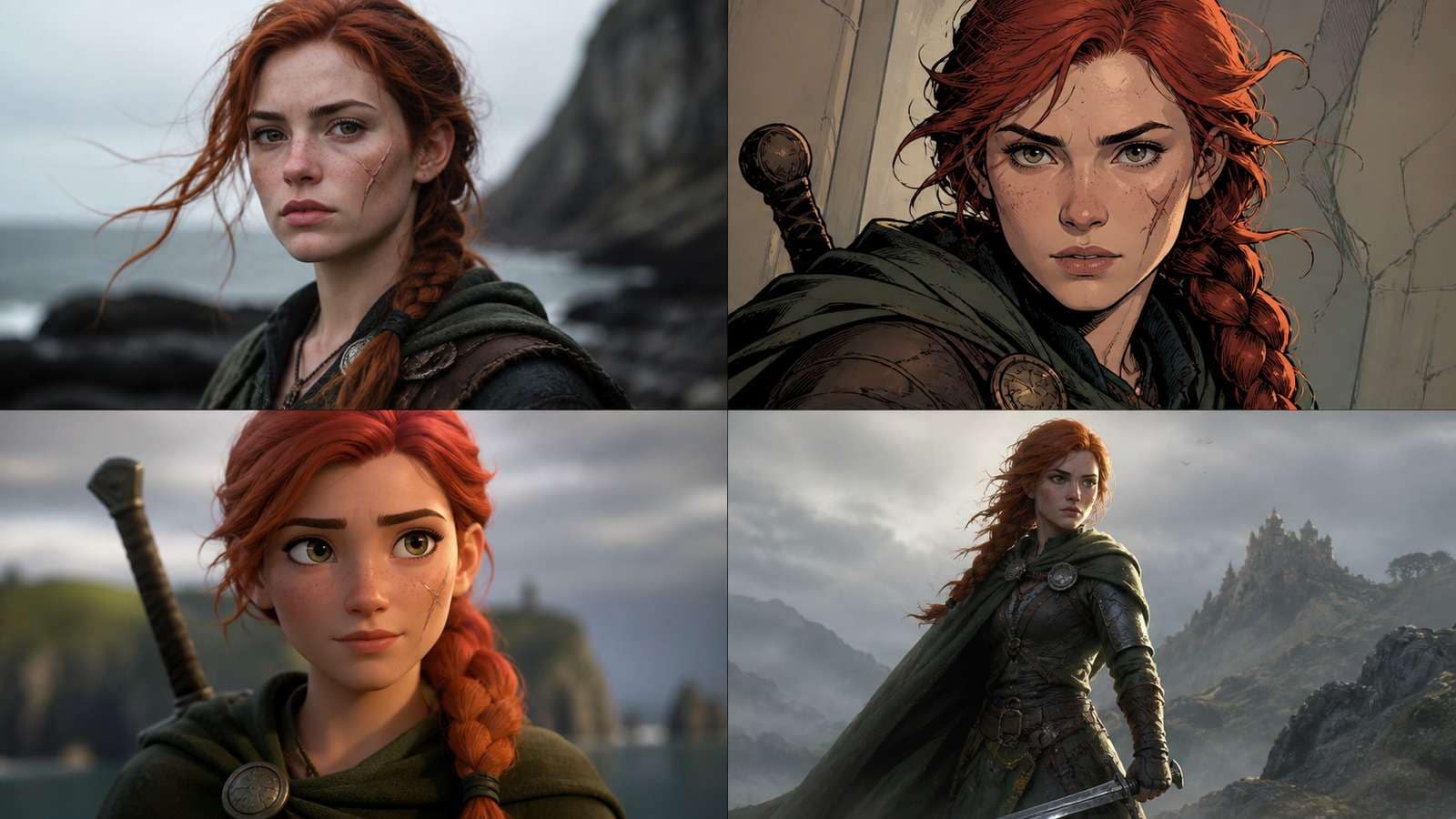
First confirm identity in a neutral visual treatment. Then introduce the target style and compare which traits change. If the result is attractive but no longer recognizable, reduce style pressure, create a reference closer to the target medium, or accept that the style defines a redesigned version of the character.
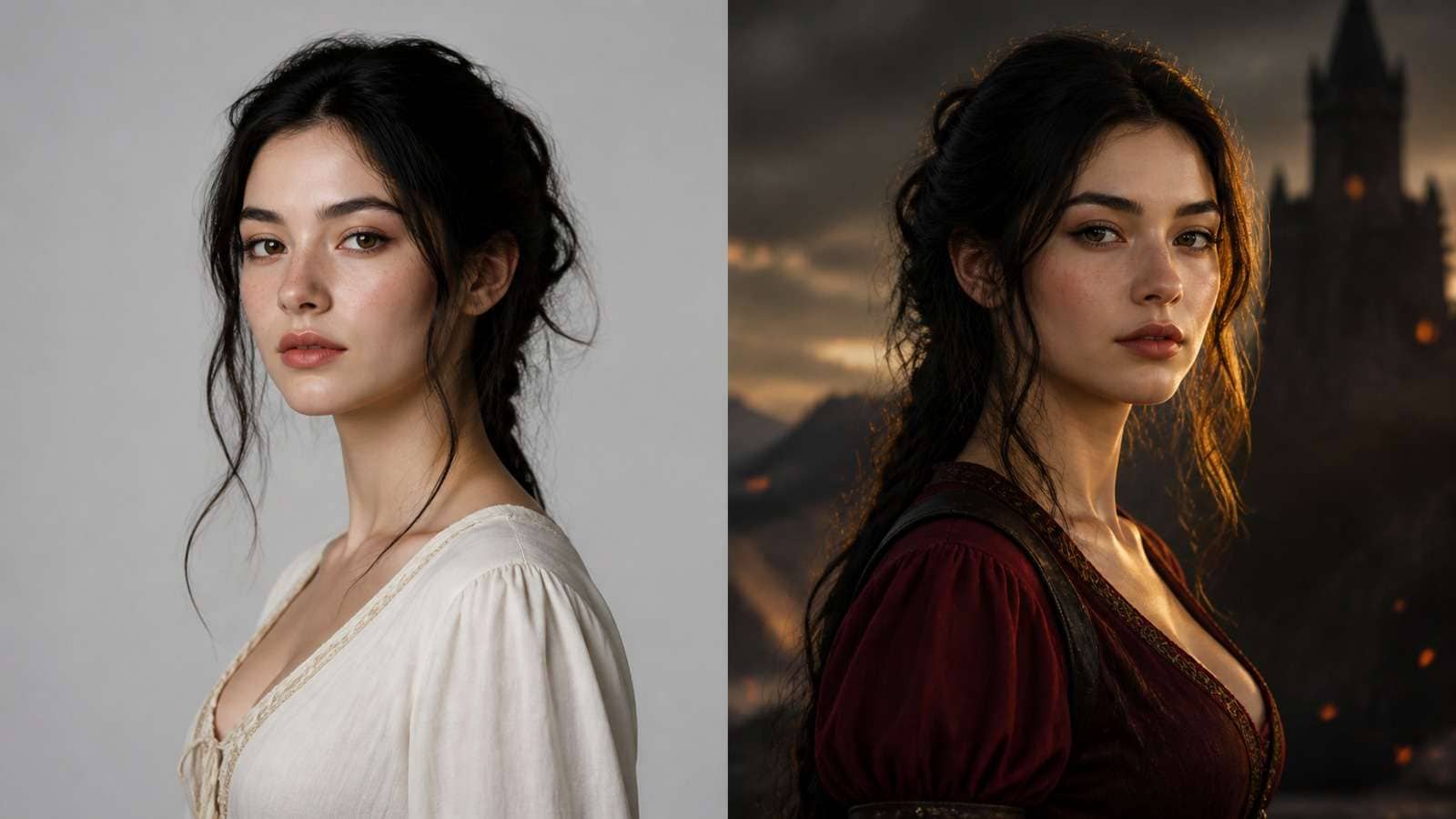
Image-to-image editing is preferable when most of the source is already correct. Do not regenerate the entire character to change one background or outfit color. For broader tool research, see the sitemap-listed guide to the best image-to-image generators.
Animate and Lip-Sync a Dzine Character
Character animation introduces a different quality test. The face may be consistent in still images but drift when the mouth opens, head turns, or delivery continues for several sentences.
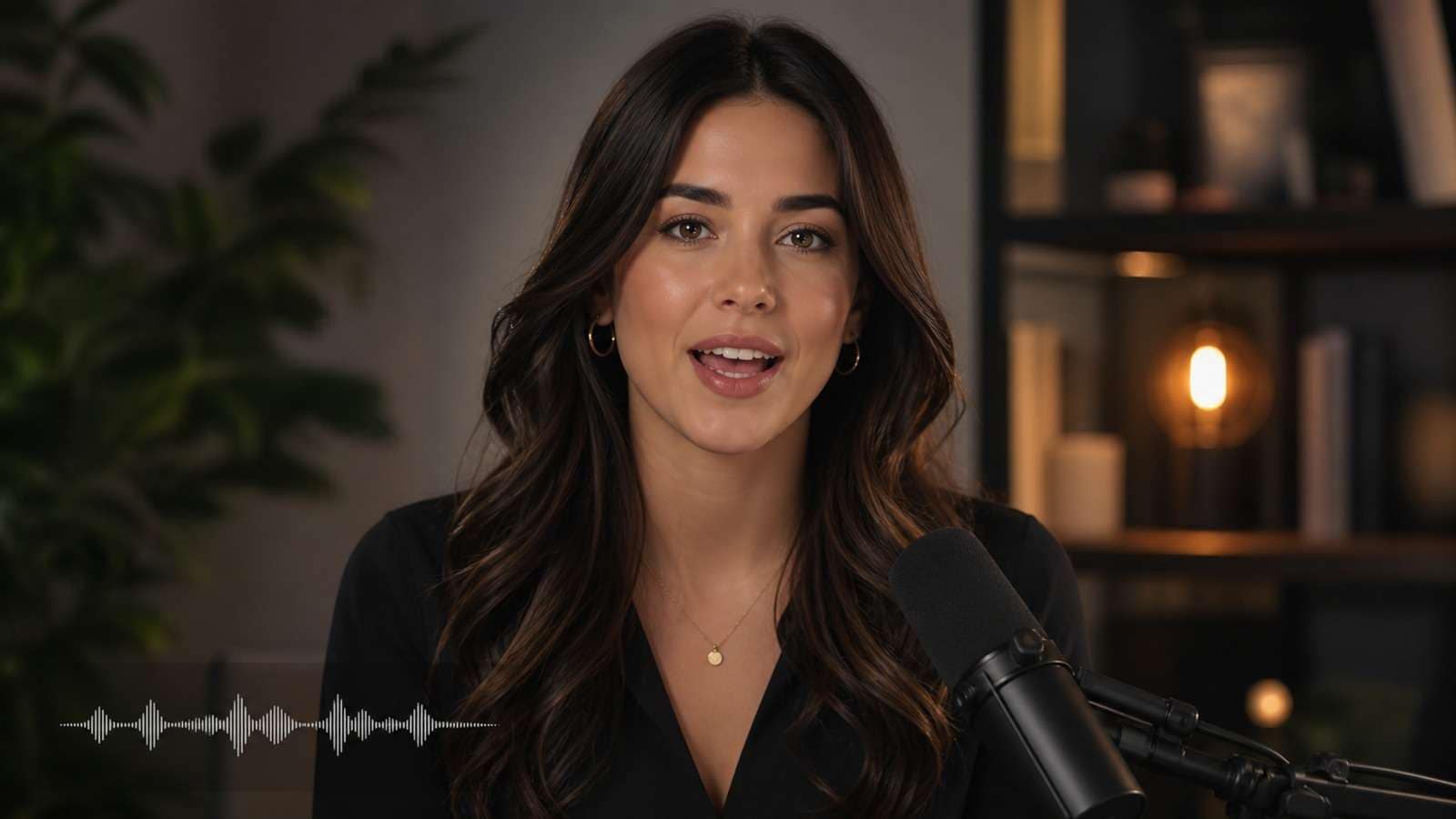
- Use a front or mild three-quarter portrait with a visible mouth and clean jawline.
- Start with a short sentence containing normal speech before testing emotion or singing.
- Inspect lips, teeth, jaw, blinking, head motion, and identity over the complete output.
- Use the exact voice and language intended for production; timing varies across languages.
- Check current resolution, watermark, credit, and commercial-use conditions.
If an existing clip only needs mouth synchronization, compare a dedicated AI Lip Sync workflow. If the approved still should become a moving scene rather than a presenter, use a compatible image-to-video generator.
Dzine Quality, Credits, and Practical Limitations
Do not evaluate price by the number of generated images alone. Character work includes rejected identities, pose retries, scene revisions, animation attempts, and final exports.
| Area | What to verify in the live product |
| Credits | Cost by model, generation type, resolution, animation, and failed or repeated attempts |
| Consistency | Face, hair, age, wardrobe, body proportions, props, and style across a benchmark set |
| Editing | Mask quality, controllability, undo/version history, and export resolution |
| Motion | Lip sync, identity during movement, duration, audio options, and watermark behavior |
| Rights | Commercial plan terms and permissions for uploaded faces, brands, references, and styles |
The main user risk is committing to a character before proving the difficult scenes. Test profile views, full body, low light, interaction, stylization, and talking output before building a large campaign around one identity.
Dzine AI Verdict and Best Alternatives by Use Case
Dzine is a practical choice for creators who want character generation, visual style control, and image editing within one browser workspace. It is less compelling when the project only needs one focused task or requires local, node-level control.
| Need | Best direction |
| Broad character design and art-direction workspace | Dzine AI |
| Fast reference-led character consistency | Media.io Consistent Character Generator |
| Technical local control and custom models | ComfyUI workflow |
| Anime-focused character design | Anime Character Generator |
| Character-led presenter or explainer | Talking Avatar plus dedicated lip sync |
Frequently Asked Questions
-
What is Dzine AI used for?
Dzine AI is a visual creation platform used for character generation, consistent character images, style transfer, image editing, design work, and related image or video workflows depending on current product availability. -
Can Dzine AI keep the same character across images?
Yes, its consistent-character workflow is intended to reuse identity across new poses, scenes, and styles. Results still depend on reference quality, selected mode, prompt conflicts, and the amount of variation requested. -
Is Dzine AI good for beginners?
It is more approachable than a local node workflow because character, style, and editing tools are organized in a visual interface. Beginners still need to learn which reference and consistency controls affect identity versus composition. -
Can Dzine animate or lip-sync a character?
Dzine has promoted character animation and lip-sync-related workflows, but feature names, models, credits, and availability can change. Check the live product before choosing it for a production pipeline. -
How do you make a consistent character in Dzine?
Create or upload a clean source character, establish the identity and style, generate a simple baseline, then vary pose, background, expression, and wardrobe one variable at a time. Save approved outputs as future references. -
What is the best Dzine AI alternative?
The best alternative depends on the task. Media.io is relevant for reference-led consistent characters, AI character creation, image-to-image changes, talking avatars, lip sync, and image-to-video workflows in a browser. -
Can Dzine AI images be used commercially?
Commercial use depends on the current Dzine plan and terms plus the rights attached to source images, faces, brands, styles, and other uploaded material. Verify current conditions before publishing client or paid work.


