

 ChatGPT
 Perplexity
 Gemini
 Claude
 Grok
Grok
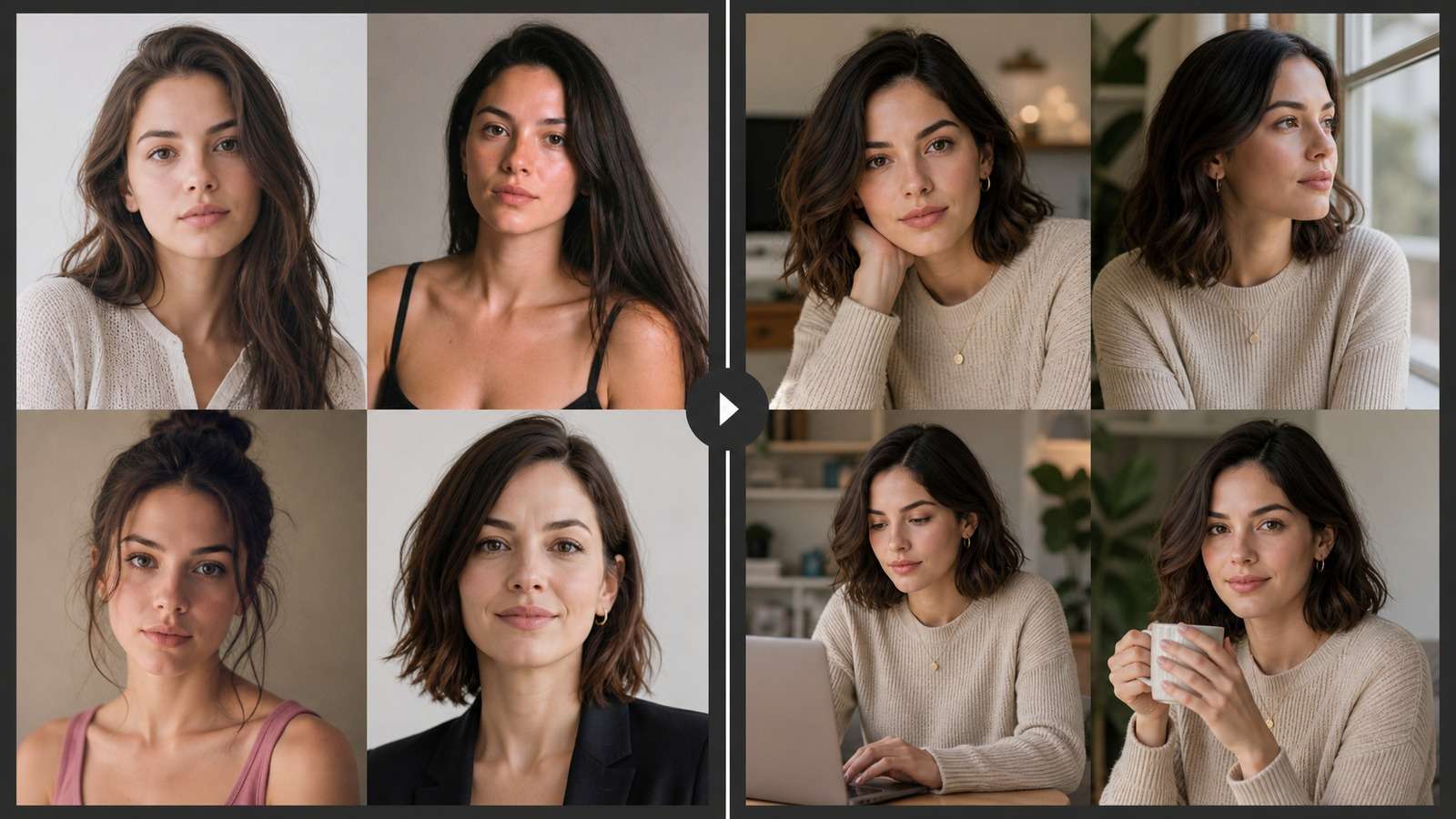
Why does a character look correct in one AI image, then become a different person as soon as the pose, camera angle, outfit, or location changes? In ComfyUI, the answer is usually not “write a longer prompt.” Reliable identity comes from separating the character reference, identity-conditioning method, pose control, style control, and scene prompt so each component has one clear job.
In this article
Choose the Right ComfyUI Character-Consistency Method
“Consistent character” can mean several different requirements. A single portrait varied into new backgrounds is easier than a reusable protagonist shown from every angle, in multiple outfits, across dozens of scenes. Choose the lightest method that can survive the planned variation.
| Method | Best for | Main limitation |
| IP-Adapter | Fast reference-image variations, face plus visual appearance, low setup friction | Identity can weaken under major pose, style, age, or camera changes |
| PuLID or identity-focused adapter | Preserving recognizable facial identity while changing lighting, expression, and scene | May prioritize face more than full wardrobe, body, or design language |
| Character LoRA | Recurring characters across large projects, prompts, scenes, and compatible styles | Requires a clean dataset, training, captions, testing, and version management |
| ControlNet | Pose, depth, edges, composition, and body placement | Controls structure, not identity by itself |
| Combined workflow | Production scenes that need identity, pose, clothing, composition, and style together | More nodes create more conflicts and troubleshooting variables |
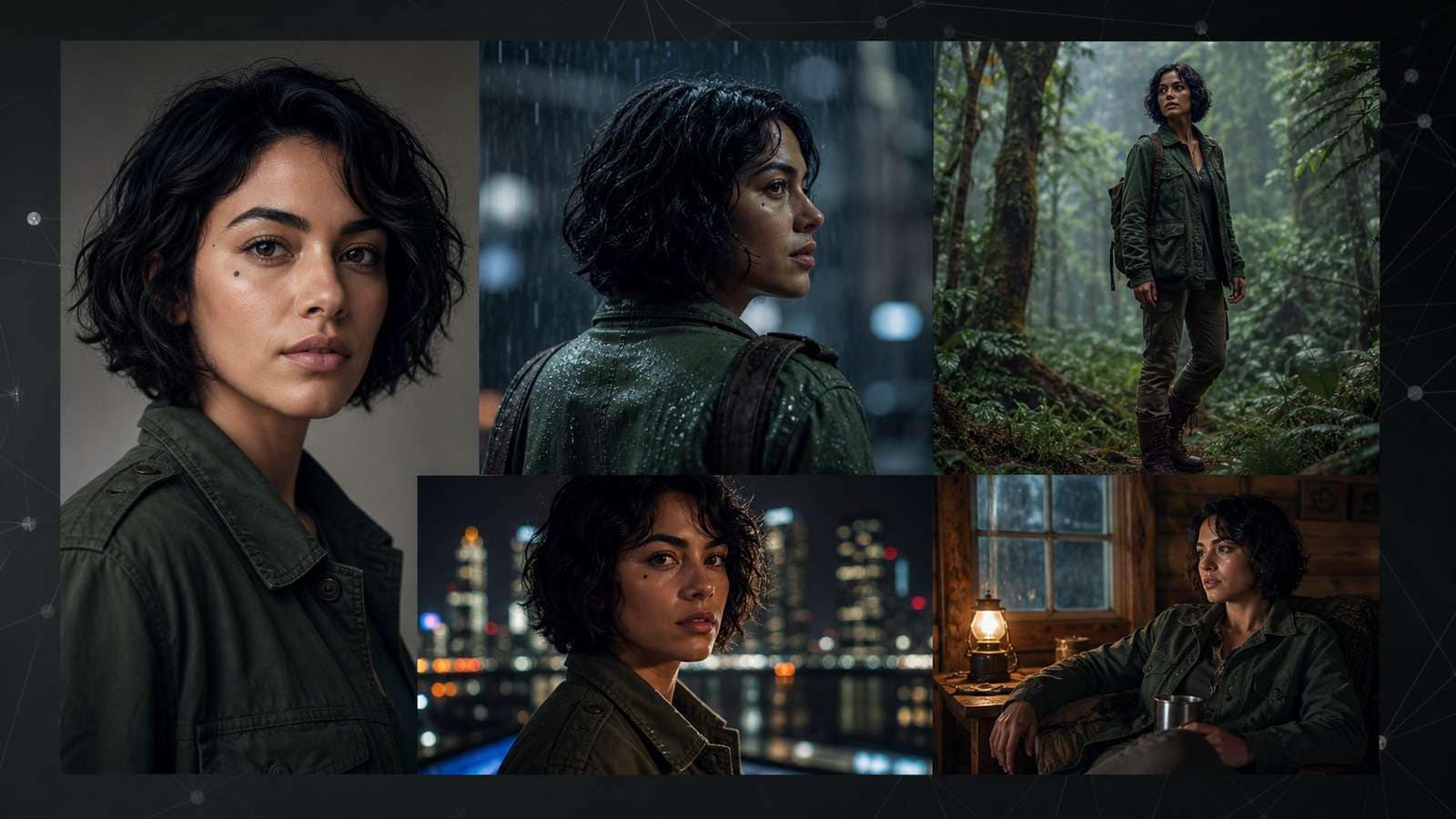
A useful rule is: reference adapter for speed, LoRA for scale, ControlNet for structure. Combine them only after each part works independently.
Step 1: Prepare a Reference That Can Survive Variation
A weak reference cannot be repaired by adding more nodes. Use a sharp image with readable facial structure, natural proportions, uncluttered lighting, and minimal occlusion. Avoid tiny faces, extreme expressions, heavy filters, deep shadows, hands covering the face, or several people in one frame.
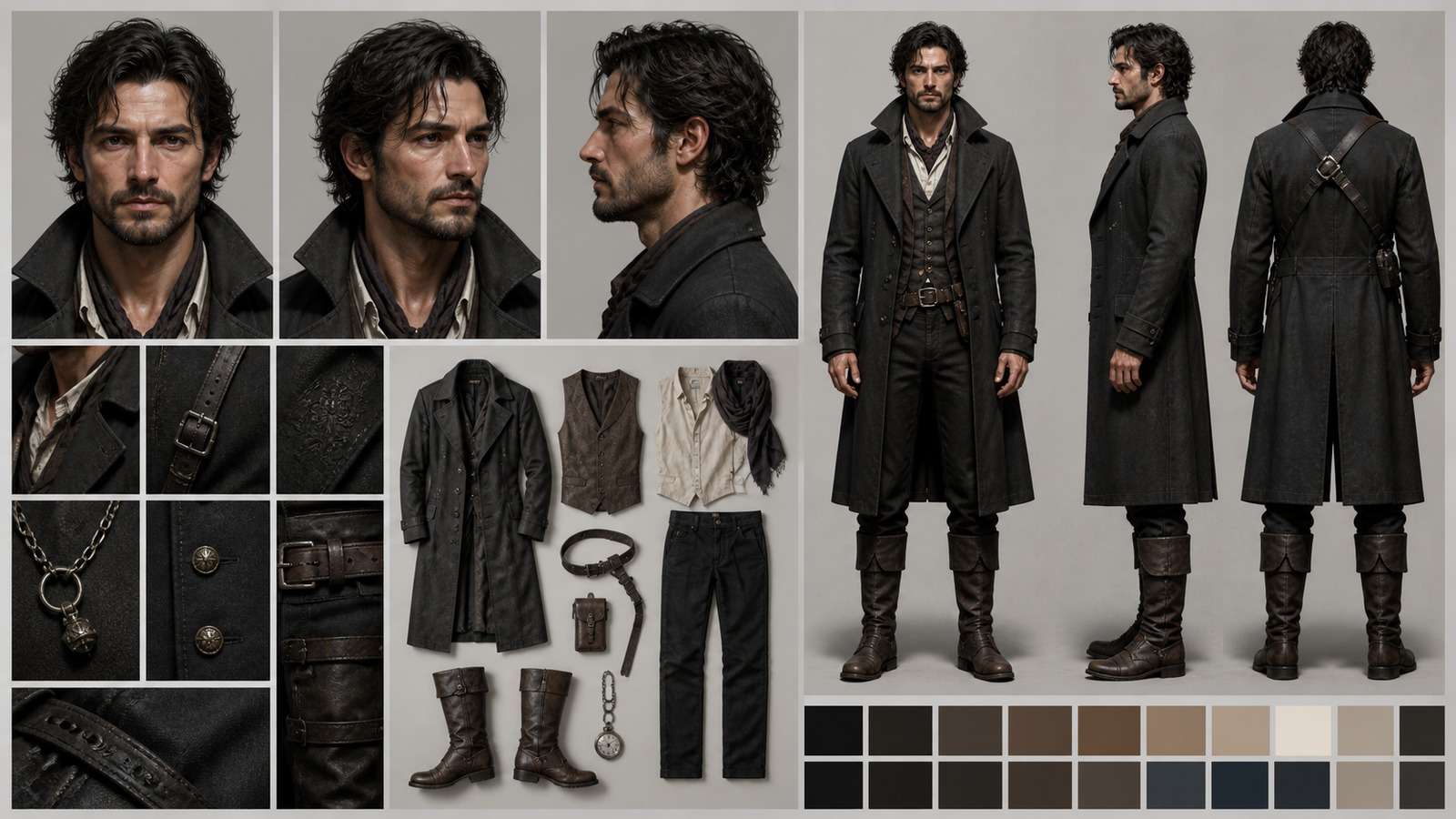
- Face reference: neutral or mild expression, clear eyes, visible jawline, and enough resolution for identity features.
- Full-body reference: accurate proportions, recognizable silhouette, and the default outfit.
- Profile and three-quarter views: useful when the project includes varied camera angles.
- Design details: hair shape, eye color, skin tone, age range, accessories, wardrobe colors, and distinctive features.
- Negative identity rules: list features that must not change, such as no beard, no glasses, no different hair length, or no age shift.
Create a compact identity block and reuse it without rewriting: “fictional adult woman, oval face, wide-set dark brown eyes, short wavy black bob, small mole below left eye, warm medium skin, dark green field jacket.” Scene prompts should add environment and action without contradicting this block. If the starting design does not yet exist, an AI character generator can help create the first visual reference before it is transferred into the local graph.
Step 2: Build an IP-Adapter Reference Workflow
IP-Adapter is often the fastest route from one approved image to useful variations. The basic graph loads the checkpoint and text encoders, loads and prepares the reference image, encodes it with a compatible vision encoder, applies adapter conditioning, samples the latent, and decodes the result.
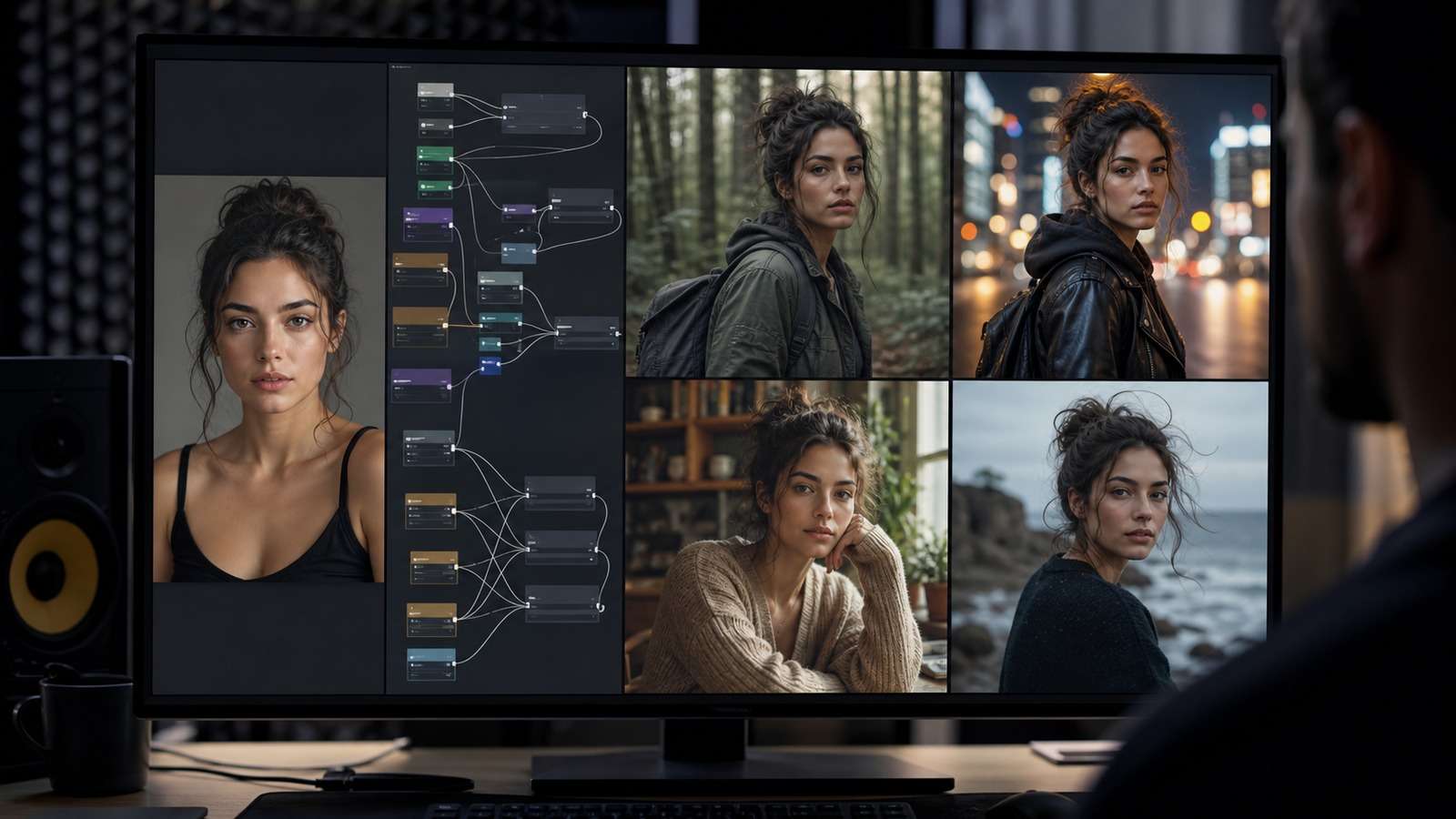
- Start from a known working workflow for the exact SDXL, FLUX, or other checkpoint family.
- Use one strong reference before testing multiple reference images.
- Set a moderate identity or image-conditioning weight; maximum strength can copy composition and expression too literally.
- Keep denoise and style pressure conservative during the first identity test.
- Generate a grid that changes only the environment while pose and framing remain similar.
- Then test pose, camera angle, expression, and wardrobe separately.
If the output resembles the source image too closely, reduce adapter strength or shorten its influence through the sampling range. If identity disappears, increase reference strength, simplify conflicting prompt details, reduce denoise, or use a more identity-focused method.
Step 3: Use PuLID When Facial Identity Matters Most
PuLID-style workflows focus on recognizable identity while allowing broader scene changes. They are useful for portraits, editorial characters, spokesperson concepts, and cinematic close-ups where viewers immediately notice facial drift.
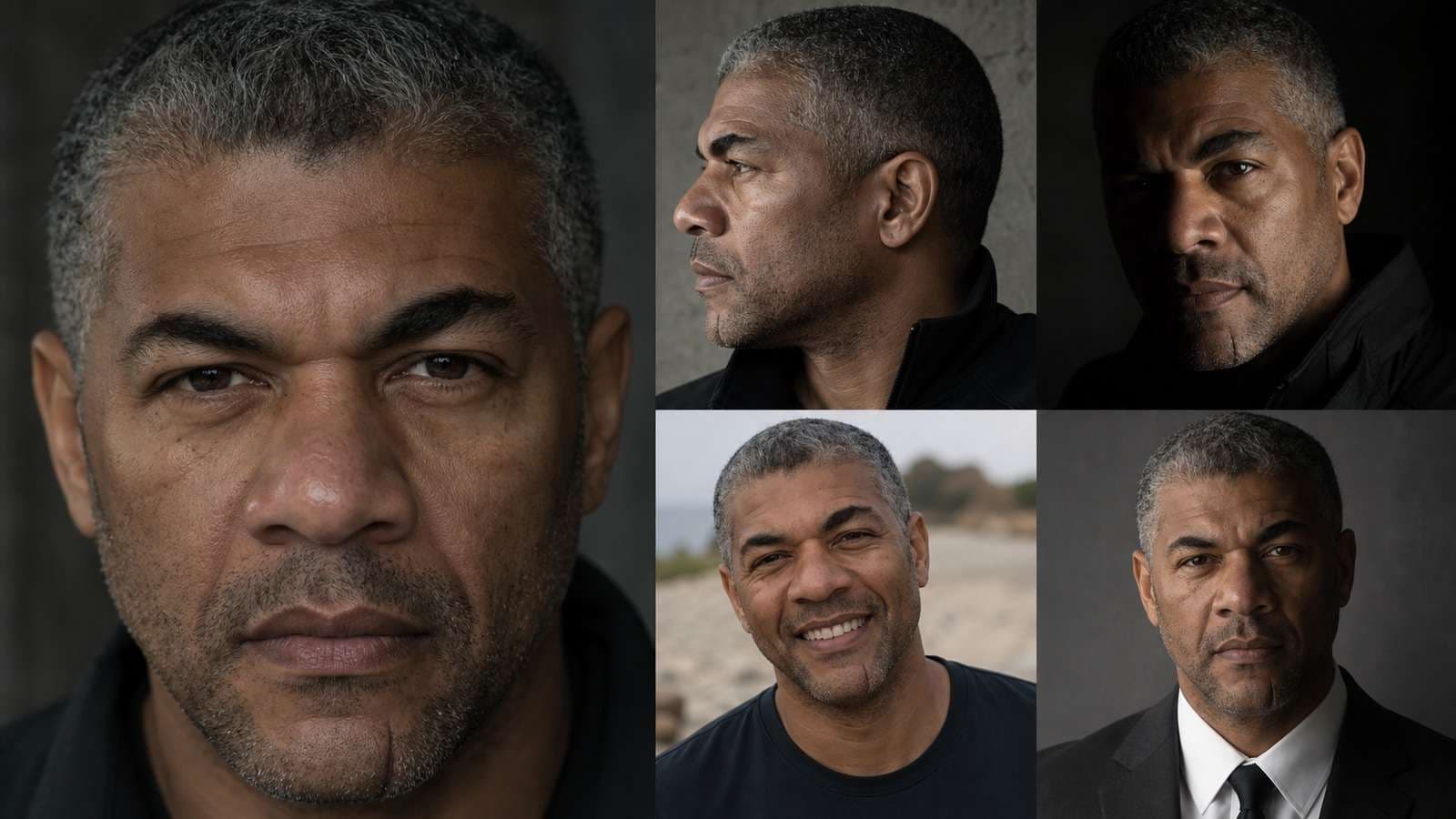
Test with a neutral face first, then increase difficulty in a controlled order: different lighting, expression, focal length, camera angle, hairstyle movement, and partial occlusion. Do not begin with all of those changes in one prompt.
Identity nodes do not automatically preserve the entire character. Lock clothing and body design through prompts, additional references, regional conditioning, or a LoRA. If two characters appear in one image, separate their conditioning spatially when the workflow supports it; otherwise identity features may bleed between subjects.
Step 4: Train a Character LoRA for a Reusable Production Asset
A LoRA is the stronger long-term option when the character must appear across many scenes, poses, framings, and styles. The decisive factor is dataset quality, not simply image count.

- Remove near-duplicates, blurry faces, anatomy failures, conflicting ages, and inconsistent design details.
- Include useful variation in angle, framing, expression, and lighting without changing the core identity.
- Caption identity separately from clothing, background, pose, and photographic style.
- Use a unique trigger token that is unlikely to collide with common concepts.
- Save samples during training and test the LoRA on prompts that were not represented directly in the dataset.
Overtraining can reproduce training compositions and reduce flexibility. Undertraining produces a vague resemblance. Evaluate several weights and seeds, and keep a small benchmark prompt set for every new training version.
Step 5: Add Pose, Composition, and Multi-Scene Control
Identity and pose are separate problems. Once the face remains stable, add OpenPose, depth, edge, or other structural conditioning so the character can perform planned actions without losing composition.
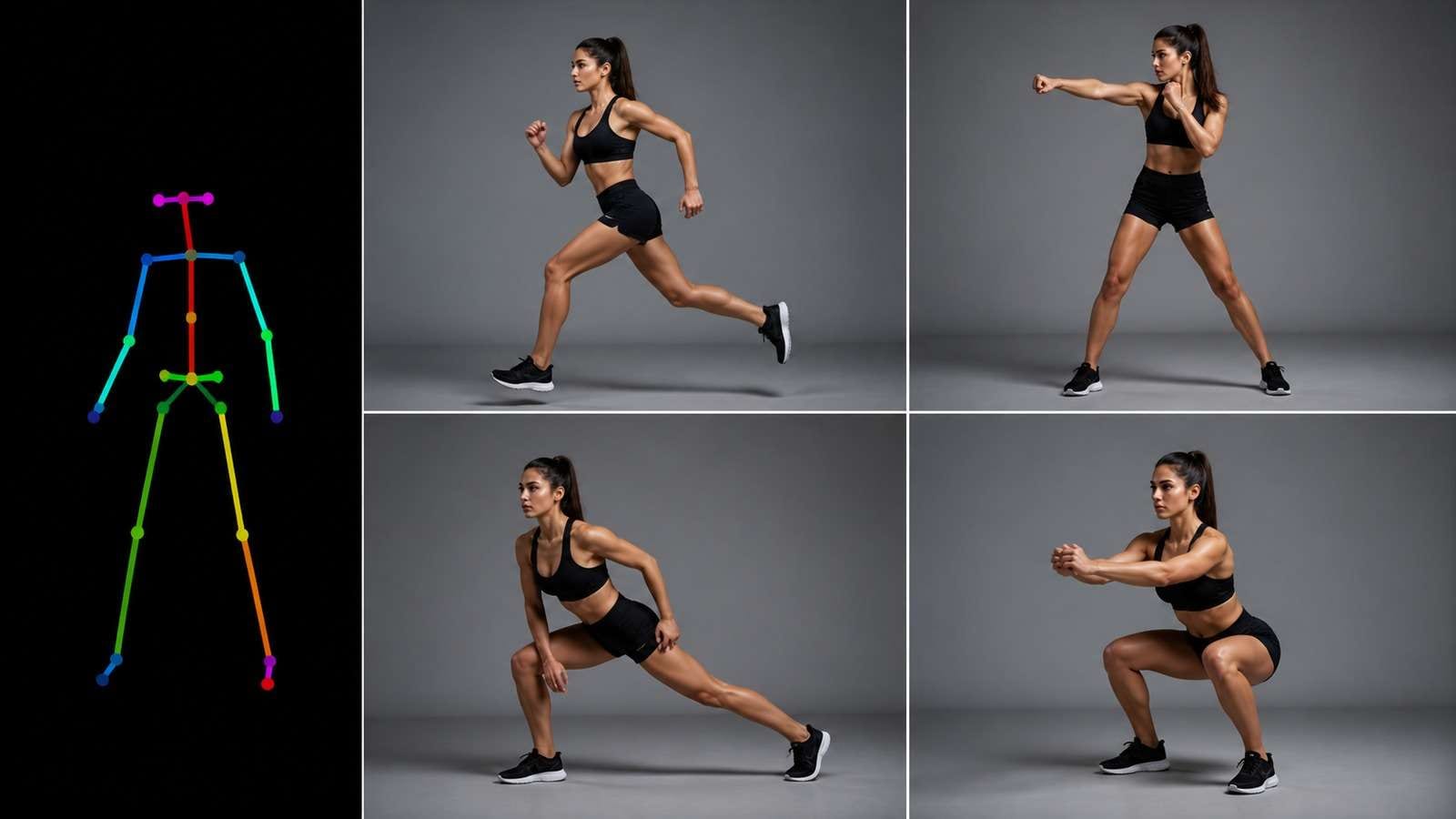
For a scene sequence, approve one keyframe at a time. Reuse the identity method and identity block, then change only the shot-specific action, environment, camera, and pose. Save seeds and workflow JSON files with the outputs so successful scenes remain reproducible. An AI storyboard generator can help arrange these locked character frames into a readable sequence before animation.
When turning the images into a story, organize them as wide shot, medium action, close-up, reaction, and detail rather than generating random compositions. A structured script-to-video workflow can help plan the later narrative sequence even when the character images themselves are produced locally.
Troubleshooting ComfyUI Character Drift
| Failure | Likely cause | First fix |
| Face changes with camera angle | Reference lacks profiles or identity conditioning is weak | Add profile references or use PuLID/LoRA; test angles separately |
| Character copies reference composition | Adapter weight is too strong | Reduce strength or its active sampling range |
| Identity disappears in a stylized scene | Style LoRA or prompt dominates identity | Lower style strength and restore identity conditioning gradually |
| Outfit changes every image | Face identity is controlled but wardrobe is not | Add clothing reference, fixed outfit block, regional control, or character LoRA |
| Two characters merge | Global identity conditioning affects both subjects | Use regional masks or composite separately before final refinement |
| Workflow breaks after update | Custom-node, model, or dependency mismatch | Restore the saved working environment and update one component at a time |
Keep a diagnostic grid. Rows can represent identity weight and columns can represent denoise or style strength. This reveals a stable operating range faster than random parameter changes. For simpler edits that only change a background, outfit, or scene while retaining the source image, compare a focused image-to-image workflow before adding more local nodes.
When a Browser-Based Consistent Character Tool Is More Practical
ComfyUI is valuable when you need local processing, reusable graphs, specialized checkpoints, custom nodes, LoRA training, or precise research control. It is less efficient when the real goal is simply to create the same fictional character across a small number of images without maintaining a local environment.
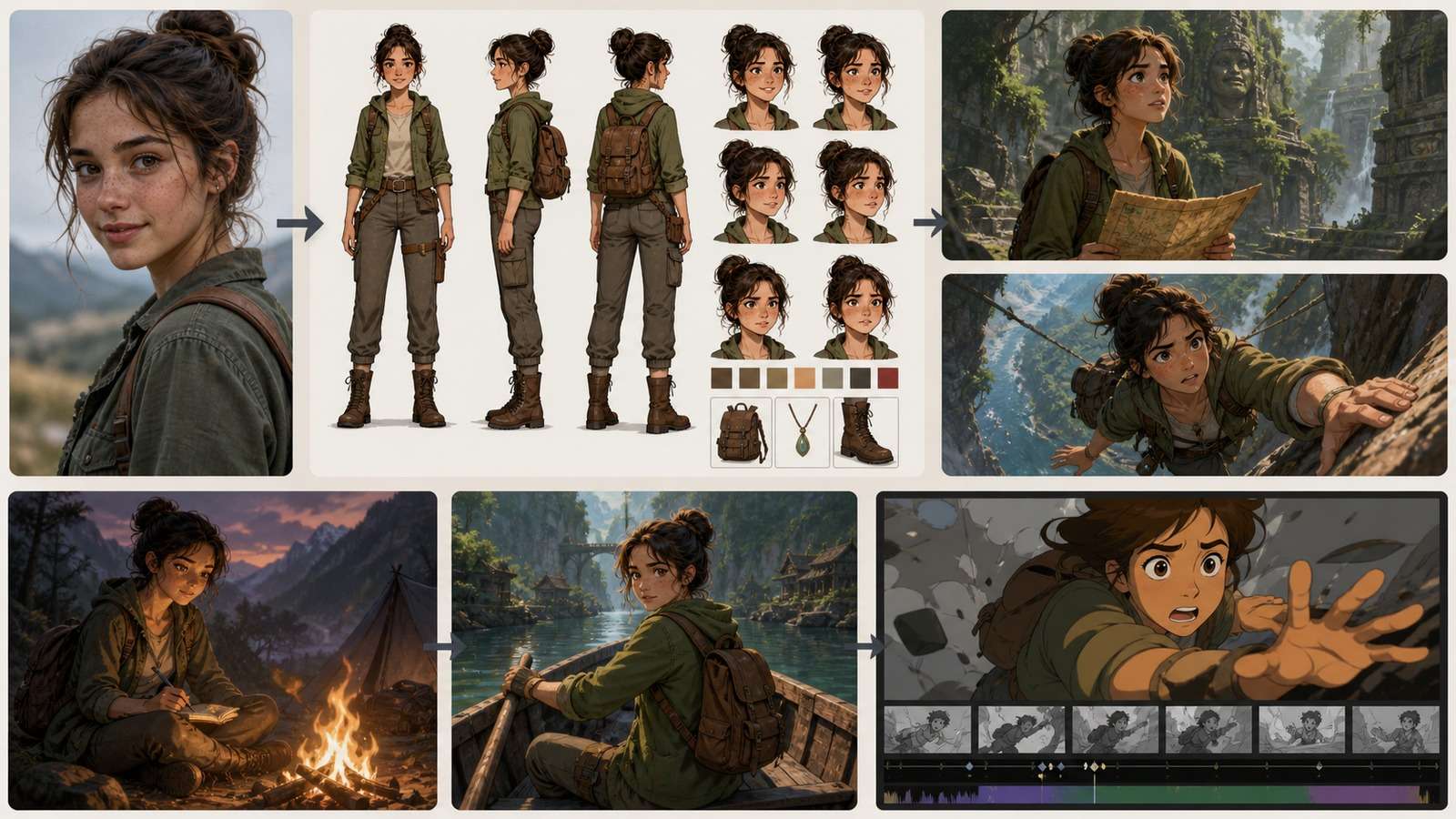
Create consistent character variations from one reference →
Frequently Asked Questions
-
What is the best ComfyUI workflow for consistent characters?
Use IP-Adapter or PuLID for fast reference-based identity control, a character LoRA for stronger reusable identity across many scenes, and ControlNet when pose or composition must also be directed. Many production workflows combine these methods. -
Can ComfyUI keep the same character from one image?
Yes. A clean reference image can guide identity through IP-Adapter, PuLID, InstantID-style methods, or other compatible identity nodes. Results improve when the reference has clear facial detail and the prompt does not contradict it. -
Is IP-Adapter or LoRA better for character consistency?
IP-Adapter is faster to set up and works well for reference-led variations. A trained LoRA usually provides stronger reusable identity across wider scenes and styles, but it takes a dataset, training time, and testing. -
How many images do I need to train a character LoRA?
There is no universal number. A small, clean, varied dataset often works better than a large inconsistent one. Include clear identity views, useful angles, and controlled variation while avoiding duplicates and conflicting features. -
Why does my character face change in ComfyUI?
Common causes include a weak or unsuitable reference, excessive denoise, conflicting prompt details, low identity weight, incompatible nodes or models, strong style pressure, and trying to change pose, age, lighting, and camera simultaneously. -
Can I use FLUX for consistent characters in ComfyUI?
Yes, through compatible FLUX reference, identity, LoRA, and control workflows. Confirm that the nodes, encoders, adapters, and LoRAs are designed for the exact FLUX checkpoint and ComfyUI version you use. -
Do consistent AI characters have commercial rights?
Rights depend on the model, LoRA, source images, likeness permissions, and intended use. Do not use a real person's likeness without appropriate authorization, and verify every relevant license before commercial publication.


