
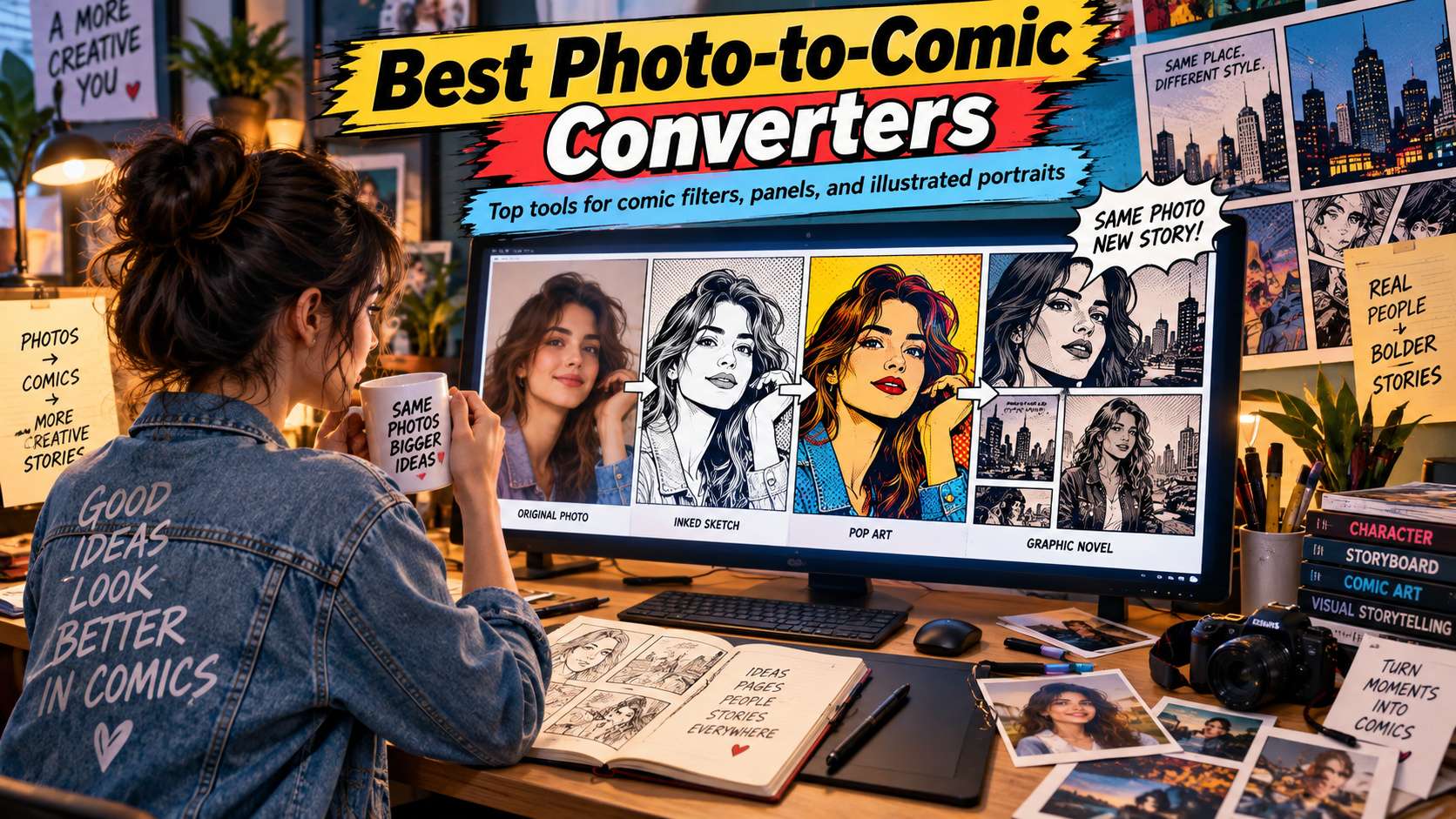
Comic conversion is more than putting a black outline around a selfie. A convincing result needs an illustration language: ink weight, simplified color, halftone or cel shading, expressive contrast, and enough identity that the person still looks like the source. The best photo to comic converters balance that stylization with control.
We compare quick comic filters with generative image-to-image tools and full editors. That matters because a profile picture can be solved with one effect, while a comic panel may need speech bubbles, background changes, consistent characters, and a second pass to control framing.
In this article
- Comic Readability Test: Does the Photo Become an Illustration or Just an Effect?
- Photo to Comic Converter Comparison for Filters, Panels, and Editing
- Comic Converter Reviews: From Portrait Effect to Panel-Ready Art
- A Comic Conversion Is More Than a Cartoon Filter
- Pick the Comic Tool by How Far the Image Needs to Go
- FAQ
Comic Readability Test: Does the Photo Become an Illustration or Just an Effect?
Ink structure: Edges should reinforce faces, clothing, and objects rather than outlining every background texture.
Color treatment: Cel shading, limited palettes, or halftones should support the style without flattening important facial cues.
Identity: The subject should remain recognizable after eyes, jawline, hair, and expression are simplified.
Panel readiness: A useful result should leave room for crop, speech bubbles, text, and composition if the image will become a comic panel rather than a profile filter.
Photo to Comic Converter Comparison for Filters, Panels, and Editing
| Tool | Best for | Free / access | Main trade-off |
|---|---|---|---|
| Media.io | Quick browser comic transformations and controlled image-to-image restyling | Free-access image transformation tools are available; generative model credits depend on the selected workflow. | Generative restyling can alter small identity details, so compare eyes, hair, logos, hands, and accessories against the source before building the final panel. |
| BeFunky | Graphic-novel and cartoon effects with adjustable controls | Many Cartoonizer/Graphic Novel effects are part of BeFunky Plus. | The main limitation is cost: the more useful effects sit in the Plus subscription. It is an excellent controlled filter, but not the best zero-budget option. |
| Fotor | Users who want comic, cartoon, sketch, and anime treatments in one editor | Basic effects/free access available; AI generation and premium styles may consume credits or require paid access. | The downside is inconsistency between effect types. A preset filter can be conservative while a generative style changes face proportions or props, so treat them as separate workflows rather than interchangeable buttons. |
| Picsart | Mobile comic edits with text, cutouts, stickers, and compositing | Freemium with premium AI/effect access by plan. | If the desired outcome is a faithful, print-style graphic novel illustration, the social-effects orientation may feel too playful. It is strongest for creator content, avatars, and promotional graphics. |
| Photoleap | Dramatic AI restyling and fantasy comic scenes on mobile | Freemium; generative features are plan/credit dependent. | That creative freedom also increases drift. If facial identity is critical, use conservative transformations and inspect the face before adding larger scene changes. |
| Canva | Comic layouts, speech bubbles, and finished social designs | Free plan with premium/AI limits. | Canva is not the most specialized converter itself. Its advantage is composition after the conversion. |
| ToonMe | Fast portrait-to-cartoon/comic profile effects on mobile | Freemium mobile app with subscription-based premium effects. | Because the process is preset driven, it gives less control over background, inking, panel composition, and recurring character consistency than the broader editors above. |
Comic Converter Reviews: From Portrait Effect to Panel-Ready Art
1. Media.io - Best for Quick browser comic transformations and controlled image-to-image restyling
Media.io works well because it gives you two levels of control. A quick anime/comic-style effect is enough for a profile image, while Image to Image can preserve the same pose and scene but follow a more specific art direction such as "bold black ink, limited red-and-blue palette, subtle halftone dots, keep the same face and jacket." That second path is more useful for comic art than a generic one-click cartoon filter.
Free-access image transformation tools are available; generative model credits depend on the selected workflow.
For fast conversion, use the photo-to-anime/style workflow. For stronger direction, open Image to Image, upload the photo, and describe both the comic style and the details that must remain unchanged.
Generative restyling can alter small identity details, so compare eyes, hair, logos, hands, and accessories against the source before building the final panel.
2. BeFunky - Best for Graphic-novel and cartoon effects with adjustable controls
BeFunky is one of the most relevant specialist editors for a classic comic look because its Cartoonizer and Graphic Novel effects are designed around stylization rather than generic AI generation. Current controls can adjust variation, fidelity, sketch detail, color behavior, and clutter, which is useful when a face looks right but the background becomes too busy.
Many Cartoonizer/Graphic Novel effects are part of BeFunky Plus.
Apply the Cartoonizer or Graphic Novel effect, reduce clutter, tune fidelity so the subject stays recognizable, then adjust color and sketch detail to match the intended comic language.
The main limitation is cost: the more useful effects sit in the Plus subscription. It is an excellent controlled filter, but not the best zero-budget option.
3. Fotor - Best for Users who want comic, cartoon, sketch, and anime treatments in one editor
Fotor is the versatile option for users who are not yet sure whether the photo should become American comic art, manga-like illustration, cartoon, or a softer drawing. The editor makes it easy to compare style families and continue with background, color, or layout adjustments afterward.
Basic effects/free access available; AI generation and premium styles may consume credits or require paid access.
Start with a one-click art effect to preserve composition; move to the generative image workflow only if you want a larger redesign of costume, scene, or rendering.
The downside is inconsistency between effect types. A preset filter can be conservative while a generative style changes face proportions or props, so treat them as separate workflows rather than interchangeable buttons.
4. Picsart - Best for Mobile comic edits with text, cutouts, stickers, and compositing
Picsart is practical when the photo-to-comic effect is only the starting point. You can turn a portrait into a stylized drawing, cut it from the background, add explosive shapes, stickers, text, speech balloons, or a custom backdrop, and build a social-friendly comic composition on the phone.
Freemium with premium AI/effect access by plan.
Apply a comic/cartoon effect, isolate the subject if needed, then use the mobile editor to create the actual panel-like design.
Trade-off: If the desired outcome is a faithful, print-style graphic novel illustration, the social-effects orientation may feel too playful. It is strongest for creator content, avatars, and promotional graphics.
5. Photoleap - Best for Dramatic AI restyling and fantasy comic scenes on mobile
Photoleap fits the creator who wants a bigger transformation-superhero costume, cyberpunk city, fantasy comic cover, or stylized poster-rather than a restrained filter. Its generative and compositing tools make it easy to change both subject and environment, which can produce more original comic-style artwork from a normal photo.
Freemium; generative features are plan/credit dependent.
Use the photo as a strong identity reference, describe the intended comic world, then rebuild the scene in layers rather than asking one prompt to solve every detail.
That creative freedom also increases drift. If facial identity is critical, use conservative transformations and inspect the face before adding larger scene changes.
6. Canva - Best for Comic layouts, speech bubbles, and finished social designs
Canva is the best "finish the panel" option in this list. Even if the photo conversion comes from another tool, Canva makes it easy to place the result in a panel grid, add speech bubbles, sound-effect typography, borders, backgrounds, and branded elements. That is useful for classroom comics, marketing posts, story recaps, and simple sequential layouts.
Free plan with premium/AI limits.
Convert the photo, import the result into a comic template, then build the panel, text, and layout around it.
Canva is not the most specialized converter itself. Its advantage is composition after the conversion.
7. ToonMe - Best for Fast portrait-to-cartoon/comic profile effects on mobile
ToonMe is the quick portrait-filter choice. It is built around turning faces into illustrated or cartoon-like versions with minimal setup, which makes it convenient for avatars, profile images, and casual "comic me" posts. The strongest use case is speed, not art-direction depth.
Freemium mobile app with subscription-based premium effects.
Choose a clear front-facing portrait, test a few styles, and keep the version that preserves hair, face shape, and expression best.
Because the process is preset driven, it gives less control over background, inking, panel composition, and recurring character consistency than the broader editors above.
A Comic Conversion Is More Than a Cartoon Filter
A strong comic portrait simplifies the photo while preserving the pose, expression, and key facial features. Look for deliberate ink-like edges, controlled color blocks, and enough contrast to read at a small size. If the effect only boosts saturation and outlines every edge equally, it may look like a filter rather than comic artwork. With a photo to comic art converter, the deciding factor is whether the workflow still gives you control after the first automatic result.
Graphic-novel styles need a different balance. Dramatic shadows, limited palettes, halftone texture, and directional lighting can make a normal photo feel illustrated, but those choices can also hide identity or product detail. Pick a converter that lets you control intensity or restyle the image rather than accepting one fixed effect. For a free photo to comic converter, the useful comparison is the number of corrections required before the file is ready to publish.
A full comic panel adds layout requirements that the converter itself may not solve. Speech bubbles, captions, panel borders, sound effects, and consistent character placement often belong in a second design stage. Canva and Picsart become valuable here because the transformed image can move directly into a composed page or social post. Across photo to comic art apps, judge the export and revision path, not only the preview shown on the generation screen.
Consistency matters when you convert more than one image. If every photo receives a different line weight, color palette, or facial treatment, a multi-panel story will feel disjointed. Test two related source images before committing to a style, especially when the same character needs to appear across several scenes. With an online photo to comic art converter, the strongest option is the one that matches the real input and the next production step.
Pick the Comic Tool by How Far the Image Needs to Go
Media.io and BeFunky are good starting points when the job is converting one photo into a readable comic-style image. Fotor offers a broader family of cartoon, anime, and sketch looks, while Picsart and Canva become more useful when text, layout, stickers, or multiple panels are part of the finished piece. Photoleap is better for more dramatic AI restyling than strict photo fidelity.
If you are building more than one image, test consistency before committing. Convert two related photos, place them side by side, and compare line weight, palette, face treatment, and background detail. A converter that produces one spectacular image but cannot repeat the look is a poor choice for an actual comic sequence.
FAQ
-
What makes a photo look like comic art instead of a cartoon filter?
Comic art usually has a clearer visual language: selective outlines, simplified color blocks, purposeful shadows, and sometimes halftone or ink texture. A basic cartoon filter may smooth colors and add edges without changing the scene structure. Compare the result at full size and ask whether the line work and lighting look intentional rather than mechanically applied to every detail. With a photo to comic book converter, check the real free limits and the correction workflow before you commit. -
Can I make a full comic page from converted photos?
Yes, but conversion is only the first stage. After stylizing the photos, move them into a layout tool where you can build panels, add speech bubbles, captions, borders, and sound effects. For multi-panel stories, use the same conversion style on all images and check character consistency before you spend time on the final page design. With an image to comic converter, test the hardest input you expect to publish rather than a clean demo sample. -
Which photos work best for comic conversion?
Images with clear subjects, readable expressions, and strong separation from the background work well. Flat or muddy lighting can produce weak ink structure, while cluttered backgrounds may create excessive outlines. Portraits, action poses, products, and street scenes can all work, but choose photos where the main subject is already visually obvious before applying the effect. With an ai comic filter from photo, make sure the result can move into your normal editing and export process without rebuilding it. -
How do I keep the same comic style across several images?
Use the same preset or prompt, similar source lighting, and comparable crop ratios. If the tool supports reference images or strength controls, keep those settings consistent. Generate a small test set before processing everything, because some AI restyling tools reinterpret each image independently and may change line weight, palette, or character features from one result to the next. With a photo to comic style ai, verify current plan limits, rights, and export behavior when the project moves from testing to production.


