

A good face swap website should do more than put one face on another image. The real test is whether it matches your media type, preserves believable lighting and expression, gives you the level of control you need, and lets you understand the free, watermark, and account rules before you spend time on a result. This guide compares practical options for users searching for the best face swap website, an online face swap website, or a face swap site with no signup.
The strongest choice changes with the job. A fast portrait edit, a group photo, a short video, and a reusable marketing asset all create different requirements. Rather than declaring one universal winner, the comparison below shows which website is a better fit for each workflow and what to verify before uploading real faces.
In this article
Quick Comparison of the Best Face Swap Websites
| Website | Best Fit | Photo | Video | Multiple Faces | Free or Signup Signal |
| Media.io Photo Face Swap | Connected photo, video, and follow-up AI editing | Yes | Yes | Yes | Free access is available; check the current account and credit prompt |
| Magic Hour | Quick browser testing and explicit no-signup guest routes | Yes | Yes | Yes | Guest photo and video/GIF allowances are published separately |
| Pixlr | Photo face swap inside a broader image editor | Yes | Dedicated face-swap page is photo-focused | Not the core face-swap route | Face Swap shows an AI credit cost per run |
| Vidnoz | Photo, video, and multi-face swaps in one AI suite | Yes | Yes | Yes | Free use is limited; HD and higher usage depend on current plan or credits |
| AKOOL | Campaign, creator, and API-oriented face workflows | Yes | Yes | Yes | Credit-based usage and plan-level licensing apply |
| FaceSwapper.ai | Focused no-signup photo, video, GIF, and multi-face swapping | Yes | Yes | Yes | Site advertises no-signup and free usage; verify live export terms |
For a user who wants a single place to move from face replacement into enhancement, background work, social creative, or another AI edit, Media.io FaceSwap AI is the most natural Media.io route. For a person whose only priority is trying a photo swap without creating an account, Magic Hour or FaceSwapper.ai may be the more direct first test. Pixlr makes sense when the face swap is only one step in a normal photo-editing session.
How to Judge a Face Swap Website Before Uploading
Search results often emphasize free access, speed, or realism, but those labels are too broad to make a good decision. Use the same five checks on every site so you compare the actual workflow instead of marketing copy.
- Input fit. Does the tool support a photo, video, GIF, or group photo in the format you have?
- Face mapping. Can you choose exactly which person changes when several faces are visible?
- Moving-frame stability. For video, does the replacement stay believable during turns, partial occlusion, expression changes, and motion blur?
- Export rules. Check resolution, watermark, duration, download availability, and whether free use requires an account.
- Privacy and rights. Review current retention, deletion, commercial-use, and consent requirements before using identifiable people.
A useful test image includes skin texture, hair edges, a slight head turn, and mixed lighting. A useful video test includes at least one side angle and one moment where the face is partially blocked. Easy front-facing material can hide weaknesses that appear immediately in real creator footage.
Media.io: Best for a Connected Photo, Video, and Group Workflow
Media.io is the strongest fit in this list when face swap is part of a broader creative job rather than an isolated novelty effect. Its FaceSwap AI workflow supports photo and short-video swapping, automatic face detection, and face selection. For group imagery, the separate multiple face swap workflow is designed around detecting several people and assigning replacement faces deliberately.
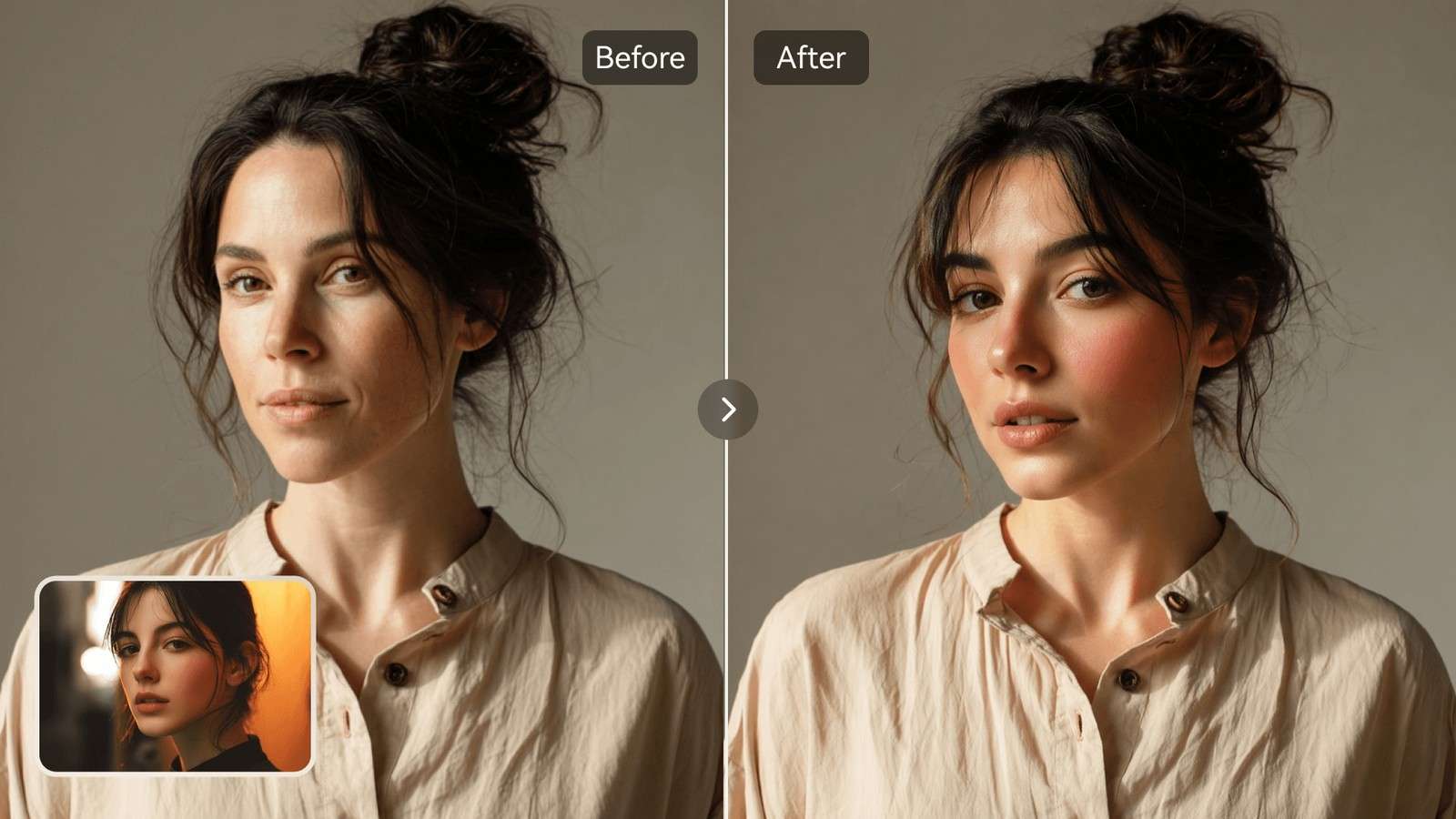
The practical advantage is the next step. After a swap is approved, the user can continue into other Media.io tools instead of exporting to a completely separate editor. That matters when the final goal is a social asset, campaign visual, profile image, meme, or short video that still needs enhancement or cleanup. Media.io also has a dedicated AI face swap video route when the task is moving footage rather than a still photo.
Magic Hour: Best for a Low-Friction No-Signup Trial
Magic Hour stands out for publishing clear guest routes. Its current free photo face-swap route allows a limited number of daily swaps without sign-in and exports photo results without a watermark. Separate free video and GIF routes also work without sign-in, but they have different daily allowances and watermark rules. Its multi-face workflow can detect several faces and map a different replacement to each person.
This makes Magic Hour useful when the first decision is simply, "Can I try my own media before creating an account?" The trade-off is that free photo, video, GIF, and signed-in editor workflows do not share identical rules. Read the live estimate and export conditions for the exact route you use rather than assuming the word free applies the same way everywhere.
Pixlr: Best for Photo Face Swap Inside a Photo Editor
Pixlr's dedicated AI Face Swap page is straightforward: upload a face photo, upload a target image or choose a template, then run the swap. The page is centered on still images, and the live interface shows an AI-credit cost for the operation. This makes Pixlr a sensible option when the face replacement is one photo task inside a larger image-editing workflow.
If your requirement expands to a video, a multi-person group workflow, or a dedicated swap pipeline across several media types, compare another tool rather than forcing a photo-first editor to solve every case. That difference is important for users searching for a photo face swap website versus a general face-swap platform.
Vidnoz: Best for Photo, Video, and Multi-Face Variety
Vidnoz places photo face swap, video face swap, and multiple face swap in one experience. Its public workflow supports common image formats and common video containers, and the pricing documentation distinguishes credit usage for photo swaps, larger multi-face photos, and face swaps in video or GIF files. HD output is presented as an upgrade-oriented option.
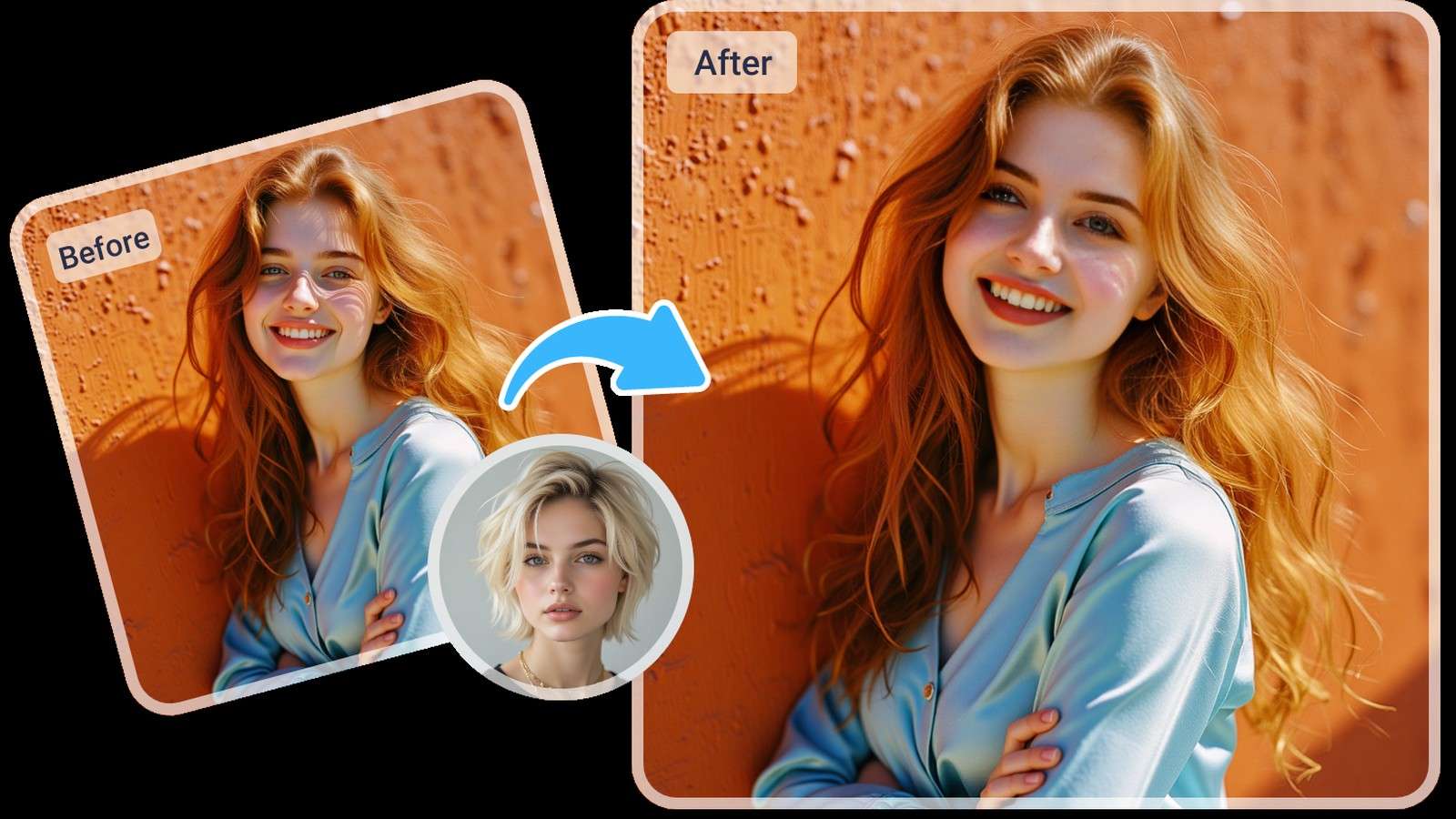
This breadth is helpful for users who expect to move between formats. The decision point is whether you prefer Vidnoz's broader AI suite and its credit system, or a face-swap route that connects more directly to the editing and generation tools you already use.
AKOOL: Best for Broader Campaign and Professional Workflows
AKOOL's current swap studio goes beyond a single face replacement. It lists face, character, motion, head, hair, and clothing swap modes, and accepts both image and video uploads. Its developer pricing also publishes face-swap credit usage for images and video, which makes it easier for teams to estimate API-style workloads.
That makes AKOOL more relevant when face replacement sits inside a professional content pipeline, campaign system, or integration project. For a casual user who only wants a quick portrait swap, the broader platform may be more than necessary. For a team that cares about APIs, high-volume use, or multiple identity-transformation modes, it belongs on the shortlist.
FaceSwapper.ai: Best for a Focused No-Signup Swap Experience
FaceSwapper.ai presents image, video, multiple-face, and GIF swapping in a focused interface and advertises no-signup access. It is a useful comparison point for users who do not want a large creative suite around the core swap task.
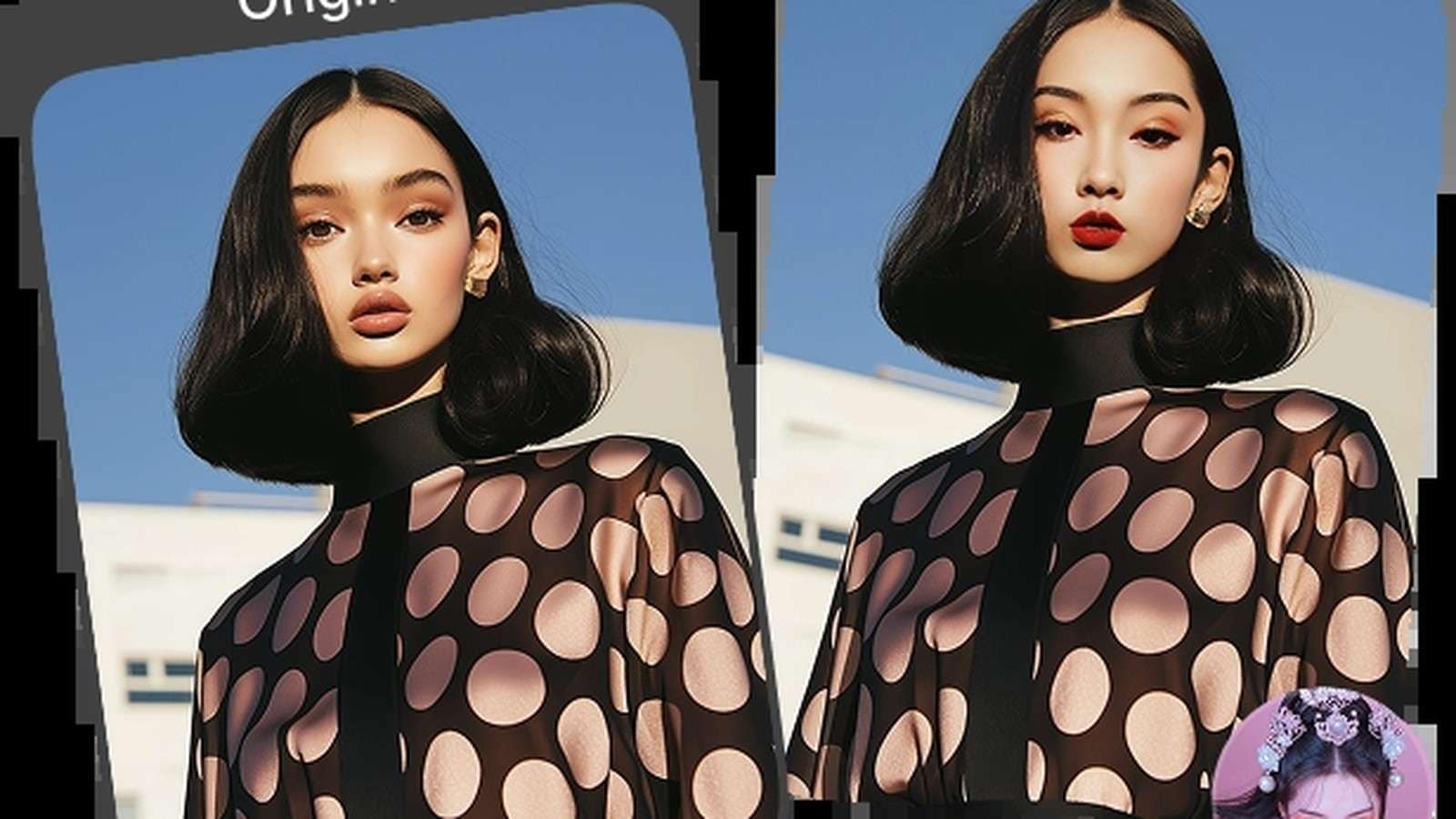
Because free claims can change and different modes may have different rules, verify the live upload and download conditions before choosing it for repeated production. A focused website can be ideal for one-off swaps, while an integrated creative platform can save time when the asset needs additional work after identity replacement.
Choose by Your Actual Face Swap Job
| If You Need... | Start With... | Why |
| One quick authorized photo swap | Magic Hour or FaceSwapper.ai | Both publish low-friction browser routes |
| Photo swap plus image editing | Pixlr or Media.io | Both connect the result to broader image work |
| Photo and video face swap in one ecosystem | Media.io, Vidnoz, or AKOOL | All support moving and still-media workflows |
| Several people in one group image | Media.io Multiple Face Swap, Magic Hour Multi, or Vidnoz Multi | Dedicated mapping is safer than applying one face blindly |
| Campaign or API-oriented production | AKOOL | Professional and developer workflows are a larger part of the product positioning |
| Face swap plus downstream AI creative work | Media.io | The swap can continue into additional Media.io image and video tools |
If your priority is a clean group result, use a purpose-built multi-face workflow instead of repeatedly swapping one face at a time. Media.io's group photo face swap route is designed around that intent and is easier to reason about when the original contains several people.
For still-image quality testing, compare the hardest output against Media.io's HD face swap scenario so the review focuses on edge detail and final-size output rather than a small preview.
Run a Five-Minute Quality Test Before You Commit
- Use the same authorized target image or ten-second clip in every shortlisted website.
- Use one clear replacement portrait with a neutral expression and balanced lighting.
- Inspect the nose, jawline, hairline, ears, glasses, and skin-tone transition rather than only the eyes.
- For video, scrub through side turns, fast movement, partial face blocking, and lighting changes.
- Export one result and verify the real resolution, watermark, file type, and whether the site saved or deleted the project as expected.
When a result looks wrong, change the source portrait before repeatedly rerunning the same weak input. A front-facing, higher-resolution replacement with similar lighting often improves the result more than adding extra prompts or applying another enhancement pass.
Privacy, Consent, and Responsible Face Swapping

For ordinary creative work, keep the original files and document who approved the edit. If the material contains children, client assets, employee identities, unreleased campaigns, or other sensitive data, use a workflow whose current privacy and retention policy you have actually reviewed. A website being convenient does not make every upload appropriate.
FAQs About Face Swap Websites
-
What is the best face swap website for photos?
For a simple photo workflow, prioritize clear two-image input roles, realistic blending, easy re-generation, and an export you can actually use. Media.io, Pixlr, Magic Hour, Vidnoz, AKOOL, and FaceSwapper.ai all approach the job differently, so the best pick depends on whether you also need video, multiple faces, editing, or a no-signup trial.
-
Is there a free face swap website with no sign up?
Yes, some sites advertise a no-signup photo route. Magic Hour currently offers limited daily guest photo swaps without sign-in, and FaceSwapper.ai advertises no-signup access. Always check the live generation page because free limits, watermarks, and account requirements can change.
-
Can a face swap website handle videos as well as photos?
Some can. Media.io, Magic Hour, Vidnoz, AKOOL, and FaceSwapper.ai all publish video face-swap workflows, while Pixlr's dedicated face-swap page is centered on photo-to-photo swapping. Test a short clip before committing to a longer render.
-
What makes an AI face swap look realistic?
A clear source face, similar lighting and head angle, enough face resolution, minimal occlusion, and a target frame with visible facial landmarks all help. For video, check side turns, fast motion, hair crossings, hands near the face, and sudden lighting changes rather than judging only one frame.
-
Should I use a multiple face swap website for group photos?
Yes. A multi-face workflow is better when several people need different replacement faces because it detects faces and lets you map replacements deliberately. Media.io, Magic Hour, Vidnoz, and other dedicated multi-face tools offer this type of workflow.
-
Is it safe to upload faces to an online face swap site?
Treat face images as sensitive personal media. Use only photos and videos you are authorized to edit, review the site's current privacy and deletion terms, avoid confidential or identity-sensitive material when you cannot verify handling, and never present a synthetic face swap as authentic evidence.


