

 ChatGPT
 Perplexity
 Gemini
 Claude
 Grok
Grok
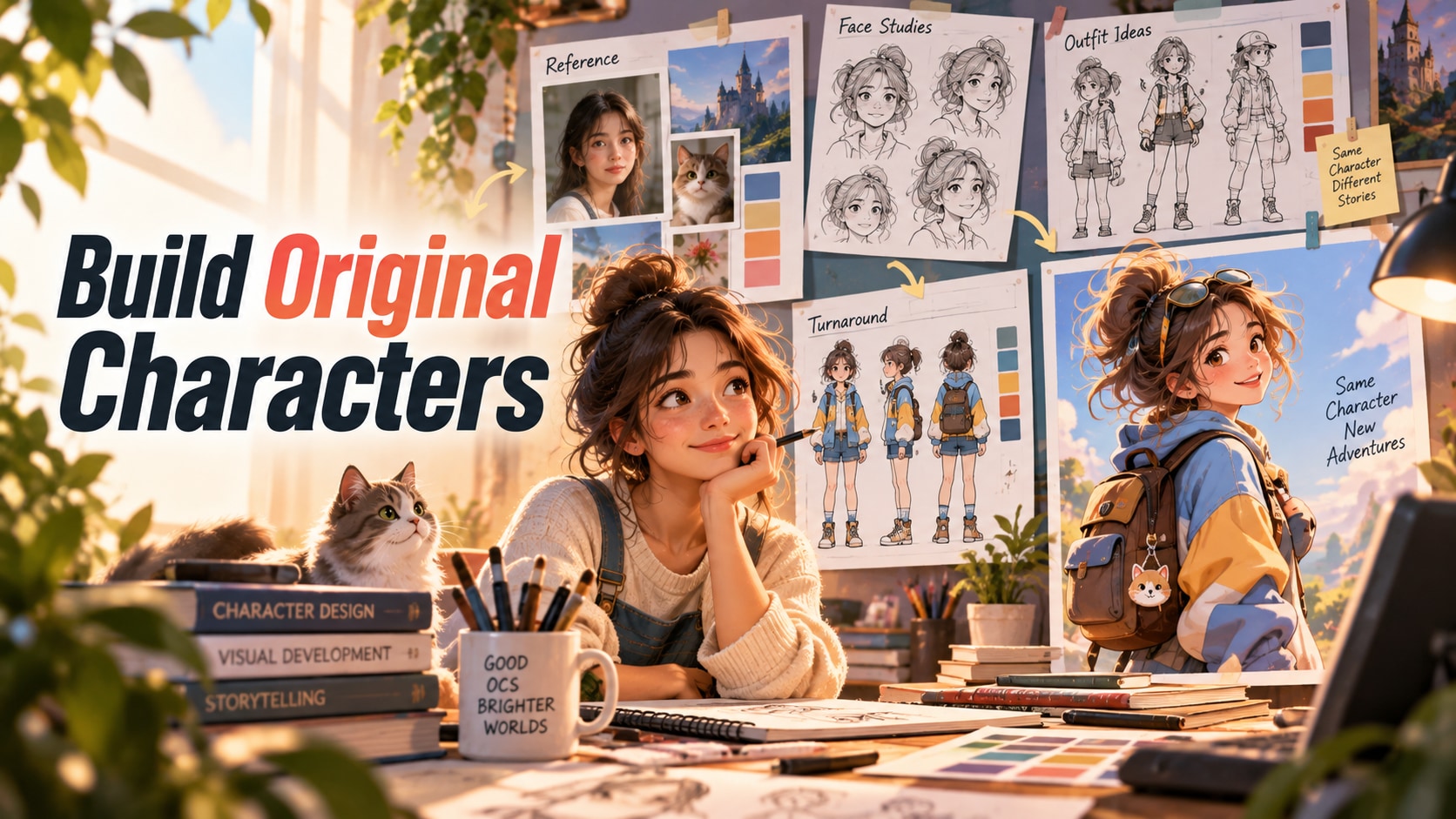
An original character should feel designed, not randomly discovered. The best AI OC generators help you explore personality, silhouette, clothing, color language, style, accessories, and alternate views until the character becomes reusable rather than just visually attractive.
That means a strong OC workflow needs room for iteration. You may want to push a concept from anime to semi-realistic, compare costumes, build expression sheets, test side views, or establish a version that can later become a game asset, comic lead, avatar, or social persona.
This ranking rewards tools that support that design process. A one-click portrait generator can be fun, but it falls behind if you cannot steer traits, revisit the same concept, or turn the result into a character system you can keep developing.
In this article
- Quick comparison for original-character ideation and reusable design
- What makes an AI OC reusable instead of random
- 8 OC generators worth testing
- Choose by concept, consistency, or design workflow
- Common original-character failure modes
- A six-view OC benchmark
- Final recommendations for original-character ideation and reusable design
- AI OC generator FAQ
Quick comparison
An OC generator should help invent a character system, not merely produce one good-looking face.
| Tool or model | Best for | Typical input | Standout strength | Main trade-off |
|---|---|---|---|---|
| Midjourney | high-style OC ideation | Text prompts and reference/omni-reference workflows | high-style concept art and distinctive visual exploration | production consistency can require more prompt discipline and reference management |
| Leonardo AI | production-ready character assets | Text, image references, and trained/custom asset workflows | reference-driven generation, model variety, and production-oriented character art | consistency improves with setup and disciplined reference management |
| Artbreeder | trait-driven portrait exploration | Character portraits and trait-mixing controls | iterative face and character exploration through controllable variations | less suited to full-scene narrative consistency and polished production pipelines |
| SeaArt | anime and community-model variety | Text, image, community models, and character-oriented workflows | large model ecosystem for anime and stylized character experimentation | quality and licensing context vary by model and community asset |
| Scenario | game/IP character systems | Reference sets, trained character/style models, and game asset briefs | custom-model workflows for repeatable game and IP assets | setup is heavier than one-click character generators |
| OpenArt | reusable characters across scenes | Text, images, saved characters, and model/LoRA workflows | reusable character workflows across varied image models | quality and consistency depend on the chosen model and setup |
| Fotor | easy first concepts | Text prompts and simple character templates | low-friction character ideation for non-specialists | deep consistency and production controls are lighter than specialist tools |
| Media.io | best browser path from concept to reusable asset | Text, image, audio, and browser project inputs | multi-model browser workflow and adjacent editing tools | the strongest choice depends on which underlying model or workflow you select |
OC design benefits from breadth early and control later. First explore several visual directions, then see whether the tool can lock the traits you want to carry into turnaround views, expressions, or future scenes.
What makes an AI OC reusable instead of random
An original character is a small design system. The generator should help establish identity, silhouette, wardrobe, palette, props, and style, then reproduce those decisions under controlled variation.
Concept strength comes before consistency
Do not lock a mediocre first design simply because it is easy to reproduce. Generate a broad concept board first and choose the character that has a clear silhouette, readable features, and a distinctive idea.
A canonical reference reduces prompt drift
Once the design is approved, keep one or more reference images and a concise character sheet. Repeatedly rewriting a long prompt is less reliable than reusing visual evidence.
Consistency means more than the face
Hair, body proportions, age, costume, accessories, palette, and recurring props can all drift while the face remains similar. Score them separately.
Editing is part of production quality
A generator that allows targeted fixes may be more useful than a higher-quality model that forces a full regeneration when only one accessory or background is wrong.
Media.io character workflows for moving from concept to reusable asset
Media.io's AI Character Generator is the core route for building a character online from a concept or reference.
After selecting the OC design, the consistent character generator workflow is more relevant when the next task is maintaining identity.
For production planning, a AI character turnaround sheet can help define the character from multiple views before story or animation work.
For controlled image edits around an existing scene, the AI character swap workflow is a useful related tool.
8 OC generators worth testing
The reviews below focus on the path from first concept to reusable character design. Tools rise when they support exploration without making it hard to lock the final traits later.
1. Midjourney - High-style OC ideation
Midjourney deserves attention because it offers high-style concept art and distinctive visual exploration. For creators focused on high-style OC ideation, that is a more meaningful advantage than simply adding another general-purpose generator to the list.
Judge it with text prompts and reference/omni-reference workflows and a real task such as original character ideation, mood, style, and concept development. Ask for multiple versions, not one. Check whether the result stays aligned with the brief across more than one attempt. The workflow should also remain understandable enough to correct mistakes.
Midjourney remains compelling for visual exploration and art direction, especially when the early problem is discovering what the character or world should look like. In that context, a preset avatar maker that offers little room to develop the design becomes the right benchmark rather than a random high-end competitor.
One caveat is worth testing early: production consistency can require more prompt discipline and reference management. When the tool produces polished portraits but not a character design that can be explored, revised, and reused, the extra iteration can erase the speed or quality advantage that made the tool attractive in the first place.
Good match: original character ideation, mood, style, and concept development. Poorer match: projects that would require too much rework to get around the main limitation.
2. Leonardo AI - Production-ready character assets
Projects that depend on production-ready character assets are where Leonardo AI makes the clearest case. The reason is reference-driven generation, model variety, and production-oriented character art, not simply brand recognition or breadth.
A practical evaluation uses text, image references, and trained/custom asset workflows and mirrors character sheets, game assets, illustration, and iterative design. Make at least one deliberate revision and run a controlled second pass. Compare outputs across concept originality, controllable traits, style exploration, turnaround views, and the path from idea to reusable character asset. That second pass often reveals more than the polished first result.
For production-ready character assets, Leonardo becomes more valuable when character or asset generation is part of a larger pipeline built around references, repeated iteration, and controlled variations. This helps separate Leonardo AI from a preset avatar maker that offers little room to develop the design, which may be stronger for a different production goal.
Where it gives ground is equally important: consistency improves with setup and disciplined reference management. If the tool produces polished portraits but not a character design that can be explored, revised, and reused, treat that as a workflow limitation rather than trying to explain it away as creative variation.
It is easiest to recommend Leonardo AI for character sheets, game assets, illustration, and iterative design. It is harder to justify when the project is especially sensitive to the stated trade-off.
3. Artbreeder - Trait-driven portrait exploration
Artbreeder stands out in a crowded field because it offers iterative face and character exploration through controllable variations. That gives it a credible role for trait-driven portrait exploration, even if another product may be stronger on a different axis.
The right test begins with character portraits and trait-mixing controls and a scenario close to OC portrait development and visual identity exploration. Keep the creative brief stable, ask for a second version, and compare the second pass with the first. What matters is whether the result stays aligned with the brief across more than one attempt.
Artbreeder is better for exploratory character evolution and trait mixing than for a tightly managed production pipeline. The point is to see whether that advantage survives normal production pressure, not just whether it appears in a curated example.
The trade-off is not hidden: less suited to full-scene narrative consistency and polished production pipelines. That weakness is manageable in some workflows, but it should be tested before you commit a larger batch of work.
For trait-driven portrait exploration, Artbreeder is worth shortlisting; deprioritize it if the main limitation would force too much manual repair.
4. SeaArt - Anime and community-model variety
SeaArt earns its place here because it offers large model ecosystem for anime and stylized character experimentation. That advantage matters most for anime and community-model variety, where a polished first result is not enough if the workflow becomes difficult to repeat or revise.
A sensible trial starts with text, image, community models, and character-oriented workflows. Use a brief that reflects anime, fantasy, game, and OC exploration, then request a second take or a targeted correction. A useful result should prove that the result stays aligned with the brief across more than one attempt.
SeaArt offers a broad creative playground, which is useful for OC exploration but requires more discipline once one design needs to become canonical. That makes the comparison with a broader general-purpose alternative more meaningful than a simple feature-count exercise.
Plan around this constraint before scaling the workflow: quality and licensing context vary by model and community asset. If the tool produces polished portraits but not a character design that can be explored, revised, and reused, do not treat the output as a near miss; that is evidence the workflow may be wrong for the task.
SeaArt is a strong fit for anime, fantasy, game, and OC exploration. It is less convincing when that trade-off affects a non-negotiable requirement.
5. Scenario - Game/IP character systems
For game/IP character systems, the appeal of Scenario is straightforward: custom-model workflows for repeatable game and IP assets. It is not necessarily the broadest option in the group, but it addresses a part of the job that can determine whether the output is actually usable.
Put it under pressure with reference sets, trained character/style models, and game asset briefs rather than a showcase prompt. A realistic test would mirror game studios and teams that need controlled character asset pipelines and include at least one revision. During revision, watch whether the result stays aligned with the brief across more than one attempt.
For game/IP character systems, Scenario makes the strongest case when the team needs a repeatable asset pipeline with controlled references rather than a one-off character image.
One boundary can change the recommendation: setup is heavier than one-click character generators. Watch for situations where the tool produces polished portraits but not a character design that can be explored, revised, and reused; if that happens repeatedly, the tool is no longer saving time, no matter how polished individual outputs look.
Pick Scenario for game studios and teams that need controlled character asset pipelines. Look elsewhere if that limitation conflicts with a hard requirement.
6. OpenArt - Reusable characters across scenes
Imagine a project built around recurring characters across scenes with flexible style choices. That is the kind of job where OpenArt becomes interesting, mainly because of reusable character workflows across varied image models.
The evaluation should begin with text, images, saved characters, and model/LoRA workflows and keep the source or brief fixed across several attempts. Instead of asking whether one output looks impressive, use the result as a production test. The higher rank is justified only if the result stays aligned with the brief across more than one attempt.
For reusable characters across scenes, OpenArt benefits creators who want flexible model choices and reusable character workflows, provided they are willing to keep the reference setup disciplined. In practice, that is a more useful distinction than comparing it with a preset avatar maker that offers little room to develop the design on an isolated demo.
There is a real limitation: quality and consistency depend on the chosen model and setup. When the tool produces polished portraits but not a character design that can be explored, revised, and reused, the extra iteration can erase the speed or quality advantage that made the tool attractive in the first place.
Best matched to recurring characters across scenes with flexible style choices; a weaker match for teams that would spend too much time working around the limitation.
7. Fotor - Easy first concepts
Fotor is not the safest default for every project. Its case becomes much stronger, however, when you need easy first concepts and value low-friction character ideation for non-specialists.
Test it with text prompts and simple character templates, using material close to quick avatars, portraits, and early character concepts. Then change one important variable and regenerate. Check whether the result stays aligned with the brief across more than one attempt. The point is not whether the first output happens to be the strongest sample.
Its strongest case is quick avatars, portraits, and early character concepts, where low-friction character ideation for non-specialists directly affects the result. That gives Fotor a different role from a preset avatar maker that offers little room to develop the design, even when both can produce attractive results.
Plan around this constraint before scaling the workflow: deep consistency and production controls are lighter than specialist tools. Watch for situations where the tool produces polished portraits but not a character design that can be explored, revised, and reused; if that happens repeatedly, the tool is no longer saving time, no matter how polished individual outputs look.
Use Fotor for quick avatars, portraits, and early character concepts. Skip it when working around the main limitation would erase the benefit of low-friction character ideation for non-specialists.
8. Media.io - Best browser path from concept to reusable asset
What makes Media.io useful here is not a generic "more features" argument. The deciding strength is multi-model browser workflow and adjacent editing tools, which lines up well with browser path from concept to reusable asset.
The workflow starts from text, image, audio, and browser project inputs. A fair test should resemble projects that need browser path from concept to reusable asset and include enough variation to expose weak spots. Compare outputs across concept originality, controllable traits, style exploration, turnaround views, and the path from idea to reusable character asset.
For browser path from concept to reusable asset, the practical advantage is fewer handoffs: generation and adjacent editing stay close together, so a correction does not automatically require another export-import cycle. That distinction matters because a preset avatar maker that offers little room to develop the design can solve a neighboring problem without being the better fit for this one.
One boundary can change the recommendation: the strongest choice depends on which underlying model or workflow you select. If the tool produces polished portraits but not a character design that can be explored, revised, and reused, either narrow the task, add a correction step, or choose a tool whose strengths line up more directly with that failure mode.
Media.io suits projects that need browser path from concept to reusable asset especially well; teams that cannot accept the stated limitation should test a different category first.
Choose by concept, consistency, or design workflow
Choose the tool based on whether you are discovering the character, stabilizing the character, or publishing the character.
For visual discovery
Midjourney is a strong concepting choice when style, costume, and atmosphere need rapid exploration before the design is locked.
For reference-driven production
Leonardo AI, OpenArt, Ideogram Character, and Media.io deserve direct tests once a canonical character already exists.
For beginners and free experimentation
Fotor and other accessible web tools can help create the first visual direction without a complex setup.
For brand and design teams
Adobe Firefly and Canva make sense when the OC will be used across layouts, campaigns, presentations, or a governed creative workflow.
For story or video later
Prioritize a generator with a clear consistency path because a beautiful one-off portrait becomes a bottleneck as soon as the character must recur.
Common original-character failure modes
Original-character errors often become visible only after the character is placed in a sequence or viewed from a new angle.
- The face changes subtly between close-up and full-body generations.
- The outfit is simplified, recolored, or redesigned every time the pose changes.
- A signature accessory disappears or switches sides.
- The body type or apparent age changes under different styles or camera distances.
- Two-character scenes cause identities or clothing to merge.
- A free tool creates a good first image but offers too little reference control to reproduce it reliably.
Keep the approved OC image, prompt, palette, and notes together. Character consistency is easier when the production team has one canonical source of truth.
A six-view OC benchmark
Test every OC generator with a fixed six-view sheet instead of deciding from the first portrait.
- Create a front portrait with the canonical expression and wardrobe.
- Generate a three-quarter view and a profile without changing age or facial structure.
- Generate a full-body standing pose and verify proportions, clothing, and signature props.
- Generate one strong emotion and check whether the face remains recognizable.
- Place the character in an action pose with partial occlusion.
- Create one scene with a second character and score whether identities stay separate.
Count how many of the six images would be accepted into the same story without manual repainting. That acceptance rate is more useful than subjective beauty.
Final recommendations for original-character ideation and reusable design
For the final decision, prioritize concept originality, controllable traits, style exploration, turnaround views, and the path from idea to reusable character asset, then compare how much correction each workflow still requires.
- Midjourney deserves a closer look if high-style OC ideation is your priority.
- Projects centered on production-ready character assets are where Leonardo AI makes the most sense.
- If your brief depends on trait-driven portrait exploration, test Artbreeder early.
- SeaArt makes its clearest case when the project calls for anime and community-model variety.
- Need game/IP character systems? Scenario is a natural candidate.
- Teams prioritizing reusable characters across scenes may prefer OpenArt to a broader generalist.
- Start with Fotor when easy first concepts matters more than broad feature coverage.
- Media.io is worth shortlisting for browser path from concept to reusable asset, especially when that need will repeat across many outputs.
AI OC generator FAQ
-
What is the best AI OC generator in 2026?
Media.io is a strong all-around online choice with related consistency workflows. Midjourney is strong for visual concepting, Leonardo AI and OpenArt for reference-driven work, and Ideogram Character for identity-guided variations with editing. -
What does OC mean in AI art?
OC means original character. In this context it is a character designed for your own story, game, comic, social persona, or creative project rather than a copy of an existing fictional character. -
Can AI generate the same OC in multiple poses?
Yes, but consistency varies. Use a canonical reference image, keep identity-defining details stable, and test profile, full-body, action, and emotional poses before planning a large project. -
What is the best free AI OC generator?
Free options can include Media.io, Fotor, Ideogram, Microsoft Designer, and limited free access on other platforms. Free-plan limits change, so verify credits, watermarks, resolution, and reference controls before production. -
Should I use text prompts or a reference image for an OC?
Use text prompts for discovery, then switch to a strong reference image once the design is approved. Visual references usually provide more stable identity information than repeatedly rewriting a long description. -
How do I make an AI OC consistent?
Create a canonical reference, define fixed face and wardrobe details, change one variable at a time, use dedicated character-reference controls, and keep an approval sheet for multiple angles and expressions. -
Can AI OC generators be used for games or books?
Yes, but production use requires consistency, export quality, rights review, and often additional editing. Test a complete character sheet before generating dozens of assets. -
What should an OC character sheet include?
Include front, three-quarter, profile, full body, expressions, key props, color palette, wardrobe notes, and any details that must remain unchanged across scenes.


