
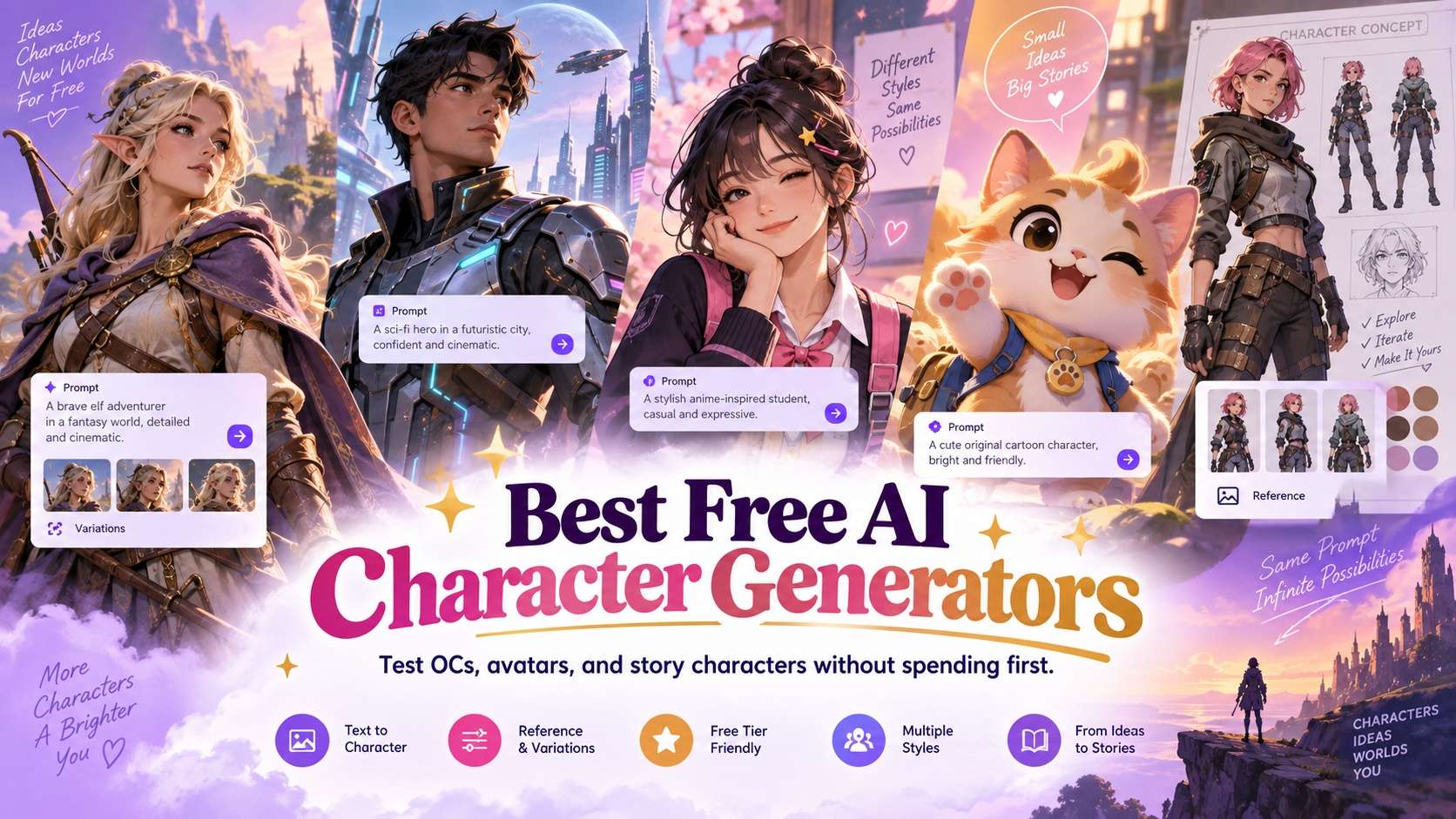
"Free" only matters if you can learn something useful before the limit appears. The best free AI character generators should give you enough room to test prompts, styles, references, variations, and exports so you can decide whether the workflow is worth keeping.
A free tier that produces one attractive avatar but blocks the controls needed for repeatability is less useful than a simpler tool that lets you explore several directions. For character work, the real value is whether you can compare concepts and understand how much control you will have once the project grows.
The list below focuses on meaningful free entry points rather than pretending every tool is unlimited. Credit rules change, so treat the ranking as a way to decide what to test first and re-check the current allowance before committing to a large project.
In this article
- Quick comparison for usable no-cost character experimentation
- What makes a free character plan genuinely useful
- 7 free character generators worth testing
- Choose a free tool by what you need to learn
- Free-plan traps that waste time
- A no-cost character test plan
- Final recommendations for usable no-cost character experimentation
- Free AI character generator FAQ
Quick comparison
This list favors tools whose free entry point can teach you something meaningful about character creation, not just show a demo.
| Tool or model | Best for | Typical input | Standout strength | Main trade-off |
|---|---|---|---|---|
| Microsoft Designer | best accessible free general image creation | Text prompts and design-oriented image creation | accessible general-purpose image generation inside a consumer design workflow | persistent character systems are not its core specialty |
| Ideogram Character | free reference-led character tests | Reference images plus text prompts | strong identity guidance and visually clean character variations | story-level scene management still happens outside the character feature itself |
| Leonardo AI | testing pro-grade character workflows | Text, image references, and trained/custom asset workflows | reference-driven generation, model variety, and production-oriented character art | consistency improves with setup and disciplined reference management |
| Canva | placing characters into finished designs | Templates, text, images, brand assets, and design projects | easy design assembly, brand kits, and social publishing workflow | specialist generation control is lighter than dedicated model platforms |
| Fotor | quick no-friction character concepts | Text prompts and simple character templates | low-friction character ideation for non-specialists | deep consistency and production controls are lighter than specialist tools |
| Perchance | zero-cost prompt experimentation | Text prompts in a lightweight browser interface | very low-friction free experimentation | limited professional control, asset management, and production workflow |
| Media.io | best browser starting point with adjacent editing | Text, image, audio, and browser project inputs | multi-model browser workflow and adjacent editing tools | the strongest choice depends on which underlying model or workflow you select |
Free limits are part of the product experience. Count how many useful iterations you can complete, not merely whether the first generation costs zero.
What makes a free character plan genuinely useful
A good free trial exposes the real workflow. Character creation requires enough generations to compare styles, choose a canonical design, and test at least one meaningful variation.
Generation allowance must support comparison
One generation cannot tell you whether a tool is reliable. You need enough attempts to compare prompt interpretation, style, and at least one repeatability test.
Reference features matter more than style count
A free tool with fewer styles but usable reference control can be more valuable for stories than a tool with hundreds of looks and no way to preserve identity.
Watermarks and resolution affect usability
A watermarked or low-resolution free export may still be useful for evaluation, but it should not be confused with a final production asset.
Upgrade pressure should appear after value
The best free entry lets the user understand the workflow before forcing a subscription. Record which important capability becomes paid so the upgrade decision is explicit.
Media.io character links for moving beyond the first free image
Media.io's AI Character Generator is the main free-entry character route to test before moving into more specialized workflows.
If the first character works, test repeatability through the consistent character generator workflow rather than judging only one portrait.
A AI character turnaround sheet is a useful next step when you need to see whether the character survives multiple views.
For a style-specific test, a focused character page such as this AI anime character generator shows how deep links can match a concrete use case.
7 free character generators worth testing
The key question is how much meaningful character work the free experience allows before you hit a limit. Each review therefore treats free access as part of the workflow, not a marketing badge.
1. Microsoft Designer - Best accessible free general image creation
Microsoft Designer stands out in a crowded field because it offers accessible general-purpose image generation inside a consumer design workflow. That gives it a credible role for accessible free general image creation, even if another product may be stronger on a different axis.
The right test begins with text prompts and design-oriented image creation and a scenario close to quick free character concepts and design experiments. Keep the creative brief stable, ask for a second version, and compare the second pass with the first. The higher rank is justified only if the free experience is sufficient to compare concepts, references, exports, and repeatability before paying.
Microsoft Designer is a low-friction starting point for casual character concepts, especially when the user also needs simple design composition afterward. The point is to see whether that advantage survives normal production pressure, not just whether it appears in a curated example.
The main limitation is clear: persistent character systems are not its core specialty. If the output reaches the point where the free tier runs out before a user can learn whether the character workflow is actually viable, another specialist may be the safer choice for this particular project.
For accessible free general image creation, Microsoft Designer is worth shortlisting; deprioritize it if the main limitation would force too much manual repair.
2. Ideogram Character - Free reference-led character tests
Ideogram Character earns its place here because it offers strong identity guidance and visually clean character variations. That advantage matters most for free reference-led character tests, where a polished first result is not enough if the workflow becomes difficult to repeat or revise.
A sensible trial starts with reference images plus text prompts. Use a brief that reflects creating many variations from an approved character reference, then request a second take or a targeted correction. Check whether the result stays aligned with the brief across more than one attempt.
Ideogram Character is attractive when you already have a strong reference and want clean, controlled variations without turning the task into a full training pipeline. That makes the comparison with a paid-first platform whose free tier ends before meaningful iteration more meaningful than a simple feature-count exercise.
One caveat is worth testing early: story-level scene management still happens outside the character feature itself. Watch for situations where the free tier runs out before a user can learn whether the character workflow is actually viable; if that happens repeatedly, the tool is no longer saving time, no matter how polished individual outputs look.
Ideogram Character is a strong fit for creating many variations from an approved character reference. It is less convincing when that trade-off affects a non-negotiable requirement.
3. Leonardo AI - Testing pro-grade character workflows
For testing pro-grade character workflows, the appeal of Leonardo AI is straightforward: reference-driven generation, model variety, and production-oriented character art. It is not necessarily the broadest option in the group, but it addresses a part of the job that can determine whether the output is actually usable.
Put it under pressure with text, image references, and trained/custom asset workflows rather than a showcase prompt. A realistic test would mirror character sheets, game assets, illustration, and iterative design and include at least one revision. The second pass should show whether the result stays aligned with the brief across more than one attempt.
For testing pro-grade character workflows, Leonardo becomes more valuable when character or asset generation is part of a larger pipeline built around references, repeated iteration, and controlled variations.
Where it gives ground is equally important: consistency improves with setup and disciplined reference management. That does not disqualify it, but it changes which projects will benefit most from the workflow.
Pick Leonardo AI for character sheets, game assets, illustration, and iterative design. Look elsewhere if that limitation conflicts with a hard requirement.
4. Canva - Placing characters into finished designs
Imagine a project built around marketing teams that need fast assembly, resizing, captions, and collaboration. That is the kind of job where Canva becomes interesting, mainly because of easy design assembly, brand kits, and social publishing workflow.
The evaluation should begin with templates, text, images, brand assets, and design projects and keep the source or brief fixed across several attempts. Instead of asking whether one output looks impressive, use the result as a production test. What matters is whether the result stays aligned with the brief across more than one attempt.
For placing characters into finished designs, Canva wins on assembly speed and publishing convenience more than on deep model control, which is exactly why it can outperform a specialist for lightweight production. In practice, that is a more useful distinction than comparing it with a paid-first platform whose free tier ends before meaningful iteration on an isolated demo.
There is a real limitation: specialist generation control is lighter than dedicated model platforms. When the free tier runs out before a user can learn whether the character workflow is actually viable, the extra iteration can erase the speed or quality advantage that made the tool attractive in the first place.
Best matched to marketing teams that need fast assembly, resizing, captions, and collaboration; a weaker match for teams that would spend too much time working around the limitation.
5. Fotor - Quick no-friction character concepts
Fotor is not the safest default for every project. Its case becomes much stronger, however, when you need quick no-friction character concepts and value low-friction character ideation for non-specialists.
Test it with text prompts and simple character templates, using material close to quick avatars, portraits, and early character concepts. Then change one important variable and regenerate. A useful result should prove that the result stays aligned with the brief across more than one attempt. The point is not whether the first output happens to be the strongest sample.
Its strongest case is quick avatars, portraits, and early character concepts, where low-friction character ideation for non-specialists directly affects the result. That gives Fotor a different role from a paid-first platform whose free tier ends before meaningful iteration, even when both can produce attractive results.
One caveat is worth testing early: deep consistency and production controls are lighter than specialist tools. Watch for situations where the free tier runs out before a user can learn whether the character workflow is actually viable; if that happens repeatedly, the tool is no longer saving time, no matter how polished individual outputs look.
Use Fotor for quick avatars, portraits, and early character concepts. Skip it when working around the main limitation would erase the benefit of low-friction character ideation for non-specialists.
6. Perchance - Zero-cost prompt experimentation
What makes Perchance useful here is not a generic "more features" argument. The deciding strength is very low-friction free experimentation, which lines up well with zero-cost prompt experimentation.
The workflow starts from text prompts in a lightweight browser interface. A fair test should resemble zero-cost ideation and prompt experimentation and include enough variation to expose weak spots. During revision, watch whether the result stays aligned with the brief across more than one attempt.
Perchance is useful for frictionless experimentation, but it should be evaluated as an ideation tool rather than a full character-production system. That distinction matters because a paid-first platform whose free tier ends before meaningful iteration can solve a neighboring problem without being the better fit for this one.
Where it gives ground is equally important: limited professional control, asset management, and production workflow. Watch for situations where the free tier runs out before a user can learn whether the character workflow is actually viable; if that happens repeatedly, the tool is no longer saving time, no matter how polished individual outputs look.
Perchance suits zero-cost ideation and prompt experimentation especially well; teams that cannot accept the stated limitation should test a different category first.
7. Media.io - Best browser starting point with adjacent editing
The strongest argument for Media.io appears in browser starting point with adjacent editing work. Its edge is multi-model browser workflow and adjacent editing tools, and that edge becomes more valuable once the job involves repeated generations instead of a single hero output.
Start with text, image, audio, and browser project inputs and build a test around projects that need browser starting point with adjacent editing. Keep the brief constant, introduce one controlled change, and run a controlled second pass. The higher rank is justified only if the result stays aligned with the brief across more than one attempt. That exposes workflow quality much faster than a broad prompt with no fixed constraints.
For browser starting point with adjacent editing, the practical advantage is fewer handoffs: generation and adjacent editing stay close together, so a correction does not automatically require another export-import cycle. It is therefore more useful to compare the correction burden with a paid-first platform whose free tier ends before meaningful iteration than to compare headline capability lists.
The trade-off is not hidden: the strongest choice depends on which underlying model or workflow you select. When the free tier runs out before a user can learn whether the character workflow is actually viable, the extra iteration can erase the speed or quality advantage that made the tool attractive in the first place.
Media.io works best for projects that need browser starting point with adjacent editing. Consider another option if the limitation matters more than maximizing multi-model browser workflow and adjacent editing tools.
Choose a free tool by what you need to learn
Choose the free tool based on the question you need to answer before paying.
To test a general character workflow
Media.io and Fotor are approachable starting points when you want to turn a description or image into a first character concept.
To test identity-guided variations
Ideogram Character, Leonardo AI, and OpenArt deserve attention when the free path exposes enough reference functionality to evaluate consistency.
To make a quick free character image
Microsoft Designer is useful when you need a first concept and do not yet require a persistent character system.
To place a character into finished designs
Canva makes sense when the generated character is only one asset inside social, presentation, or template-based content.
To decide whether to upgrade
Use the free tier to perform a fixed test, then pay only if the missing feature directly solves the failure you observed.
Free-plan traps that waste time
Free plans introduce both creative and operational failure modes that are easy to overlook while experimenting.
- The free tier allows generation but hides the reference feature needed for consistency.
- Exports are too small, watermarked, or restricted for the intended production use.
- Credits are consumed before the creator can compare enough variations to make a decision.
- The first character looks good, but later poses become a different person.
- A free plan permits experimentation but the commercial-use terms do not fit the project.
- The creator upgrades because credits ran out without first proving that the workflow can handle the real use case.
Treat free access as a structured product test. Decide in advance what must be proven before you spend credits or money.
A no-cost character test plan
Run the same small character test in every free tool and stop as soon as the free tier prevents a fair comparison.
- Generate one canonical portrait from the same character description.
- Create a full-body version and check body type, outfit, and props.
- Create one profile or three-quarter view and score face identity.
- Create one emotional expression without changing age or hairstyle.
- Attempt a new scene using the same character reference where the free workflow supports it.
- Record watermark, export size, remaining credits, reference controls, and which production feature requires an upgrade.
The best free tool is the one that gives enough evidence to make a rational paid decision, not necessarily the one with the largest headline credit number.
Final recommendations for usable no-cost character experimentation
The final choice comes down to one practical question: whether the free experience is sufficient to compare concepts, references, exports, and repeatability before paying.
- Teams prioritizing accessible free general image creation may prefer Microsoft Designer to a broader generalist.
- Start with Ideogram Character when free reference-led character tests matters more than broad feature coverage.
- Leonardo AI is worth shortlisting for testing pro-grade character workflows, especially when that need will repeat across many outputs.
- Canva is the strongest fit for placing characters into finished designs.
- For quick no-friction character concepts, put Fotor near the top of the shortlist.
- Perchance deserves a closer look if zero-cost prompt experimentation is your priority.
- Projects centered on browser starting point with adjacent editing are where Media.io makes the most sense.
Free AI character generator FAQ
-
What is the best free AI character generator in 2026?
Media.io, Ideogram Character, Fotor, Microsoft Designer, Leonardo AI, OpenArt, and Canva can all be useful depending on current free access. The best choice depends on whether you need a one-off character, references, consistency, or design integration. -
Are free AI character generators really free?
Some offer limited free generations, credits, or free features rather than unlimited production. Watermarks, resolution, reference controls, and commercial use can differ by plan and change over time. -
Can I make a consistent character for free?
You may be able to test consistency with free credits or free features, but robust recurring-character workflows often require more generations or controls than a limited tier provides. -
What should I test before paying for an AI character tool?
Test a portrait, full body, profile, strong expression, and new scene. Check face, body, outfit, props, export quality, reference controls, and how many retries were required. -
Which free AI character generator is easiest for beginners?
Fotor, Microsoft Designer, Canva, and Media.io are accessible starting points because they use familiar browser workflows and do not require a local AI setup. -
Can free AI characters be used commercially?
Commercial use depends on the provider's current terms and the source material. Check the specific plan and usage rights before using a generated character in paid products or advertising. -
Do free character generators add watermarks?
Some do and some do not, and the rule can vary by export type or plan. Verify the current free-plan export conditions before production. -
Is a free OC generator enough for a book or game?
It can be enough to test concepts, but long projects need repeatability, reference controls, high-quality exports, and predictable economics. Run a full character-sheet test before committing.


