

 ChatGPT
 Perplexity
 Gemini
 Claude
 Grok
Grok
If your bottleneck is turning concept art into something a 3D pipeline can actually use, Tripo is one of the more specialized AI tools to evaluate. This Tripo AI review looks past the novelty of a fast spin-around preview and focuses on mesh structure, topology, texturing, editability, export, and the cost of getting from a reference image to a usable asset. Tripo now covers text-to-3D, single-image and multi-view generation, high-detail models, Smart Mesh, segmentation, texturing, rigging, and DCC handoff, so it deserves to be judged as a production assistant rather than a toy model generator.
In this article
- Tripo AI Quick Decision: Who Should Use It?
- What Tripo Studio Actually Does in 2026
- Image-to-3D vs. Text-to-3D: Start With the Input That Gives You Control
- Geometry Test: High Detail Is Not the Same as Production-Ready Topology
- Textures, Segmentation, Rigging, and the Handoff Problem
- Tripo AI Pricing Review: Free, Pro, Max, and Team
- Tripo vs. Media.io: The Right Choice Depends on Whether You Need a Mesh
- Tripo AI Pros and Cons
- Final Verdict: Tripo Is a Fast 3D Starting Point, Not an Artist-Free Pipeline
- Tripo AI Review FAQ
Tripo AI Quick Decision: Who Should Use It?
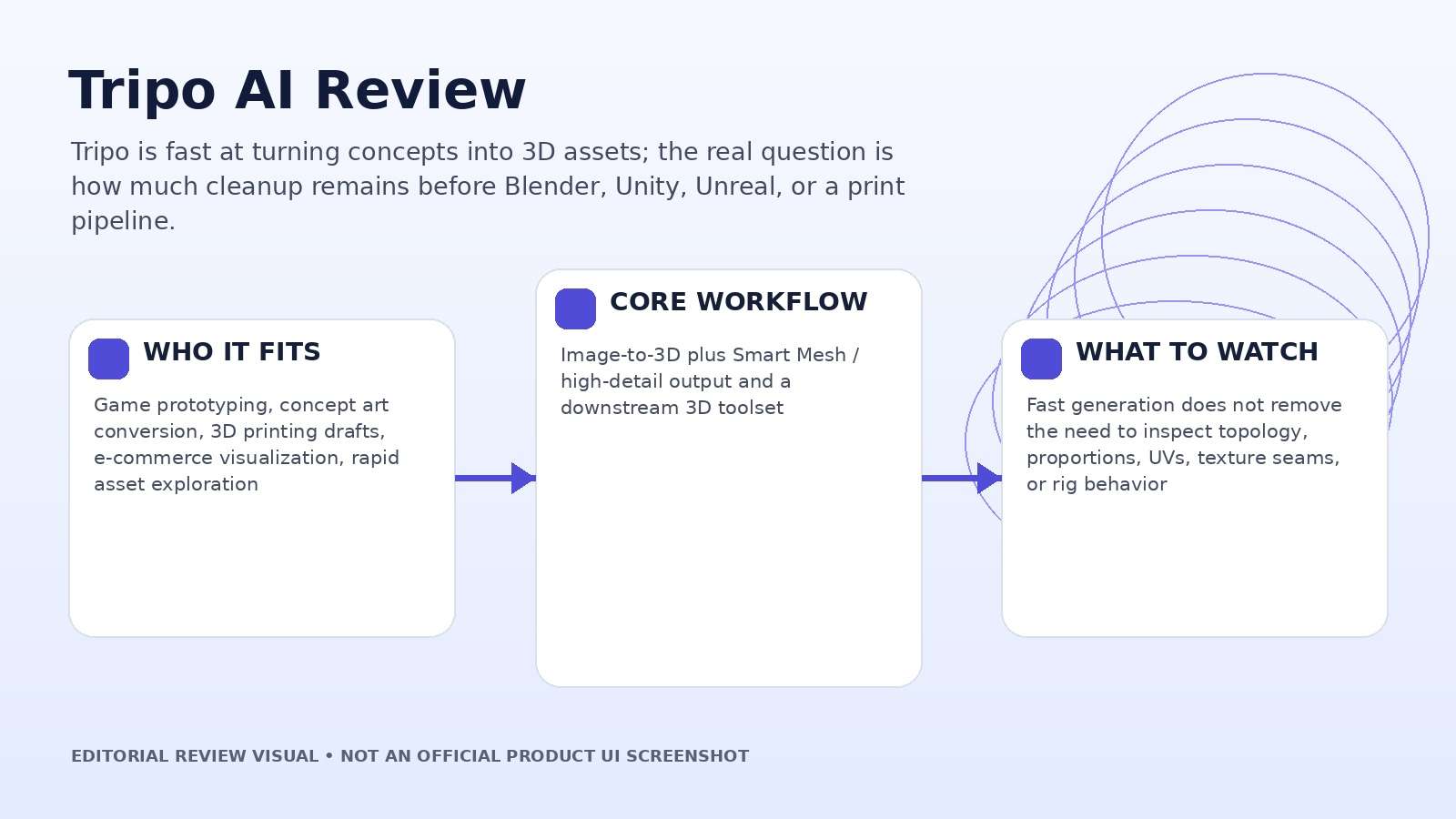
| Review factor | Assessment |
|---|---|
| Best for | Game prototyping, concept art conversion, 3D printing drafts, e-commerce visualization, rapid asset exploration |
| Core strength | Image-to-3D plus Smart Mesh / high-detail output and a downstream 3D toolset |
| Main trade-off | Fast generation does not remove the need to inspect topology, proportions, UVs, texture seams, or rig behavior |
| Pricing fit | Free plan for exploration; paid plans add private/commercial production, more credits, history, batch work, and advanced tools |
Product claims, pricing, model access, and usage limits were rechecked against the provider’s current official materials on September 11, 2026. The review focuses on usable output, revision cost, workflow fit, and documented constraints rather than treating a showcase result as a controlled benchmark.
What Tripo Studio Actually Does in 2026
Tripo has expanded well beyond a single image-to-3D button. Its current feature set includes Text-to-3D, Image-to-3D, and Multi-view-to-3D, plus two geometry directions: High Detail Model for fidelity-first work and Smart Mesh for cleaner, lower-complexity topology. The platform also includes image generation for concept references, AI texturing, part segmentation, rigging and animation, and bridges to common DCC and engine workflows.
That breadth changes how the product should be reviewed. A beautiful shaded preview can hide a mesh that is awkward to animate, impossible to edit cleanly, or unnecessarily dense. Conversely, a simpler quad-based result may look less spectacular in the browser but be more useful inside a game engine. The practical value is not “how 3D does it look?” but “how far can the generated asset travel without being rebuilt?”
Before committing to a plan, pick one representative asset from your real backlog: a stylized character, a hard-surface prop, a product shell, or an environment object. Generate it, export it, and send it through the next tool in your pipeline. The amount of cleanup revealed by that handoff is more meaningful than any gallery example.
Image-to-3D vs. Text-to-3D: Start With the Input That Gives You Control
Text-to-3D is useful when the shape is still negotiable. A prompt can generate a reference image and then convert it into a model, which is efficient for props, fantasy objects, rough characters, and early design exploration. The downside is compounded interpretation: first the system decides what the object should look like, then the 3D generator infers hidden geometry from that appearance.
Image-to-3D removes one layer of ambiguity. If you already have approved concept art, a product angle, or a clean sketch, the model has a stronger anchor for silhouette, proportion, color, and surface detail. Multi-view input is the better test when the back, side, or mechanical structure matters. Compare all three on the same subject and inspect not just the front render but the unseen surfaces the AI had to invent.
The input method also changes revision behavior. With text, a small prompt change can alter the whole object; with a reference image, the visual target is more stable. That makes image-to-3D better for iterative stakeholder review, while text-to-3D is better for divergent exploration.
Geometry Test: High Detail Is Not the Same as Production-Ready Topology
Tripo advertises high-detail output up to roughly two million polygons, which is useful for sculpt-like renders, VFX concepts, 3D printing, and assets that will be retopologized later. Smart Mesh targets a different need: cleaner topology with controllable polygon counts for games, animation, VR/AR, and web experiences. Those modes should not be ranked on the same metric.
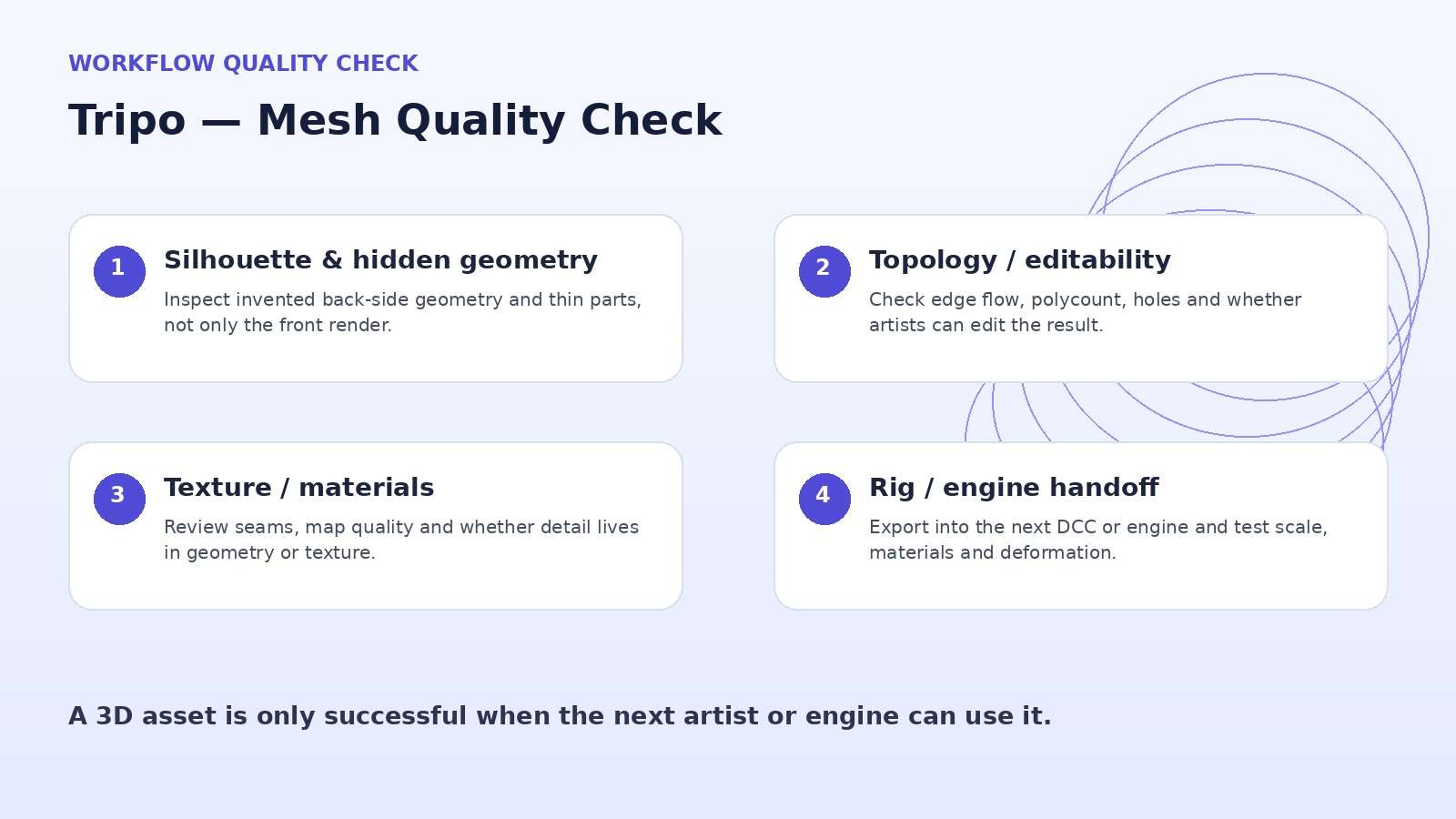
Use an object with hard edges, concave areas, thin parts, and repeating details. Inspect silhouette accuracy, holes, self-intersections, edge flow, symmetry, and whether small details are represented as geometry or only as texture. Then reduce the polycount and see which features survive. The best mode is the one that matches the destination pipeline, not the one with the largest number in the feature list.
For character work, deform the shoulders, elbows, hips, and knees after rigging. For props, test booleans, UV editing, and material separation. A mesh that renders nicely but falls apart as soon as an artist edits it should be scored as a concept mesh, not a production-ready asset.
Textures, Segmentation, Rigging, and the Handoff Problem
The downstream tools are where Tripo becomes more interesting. Its texturing stack supports generated and editable textures, higher-resolution maps, and PBR-style material outputs. Smart segmentation can separate logical parts, while auto rigging and animation can move suitable characters toward a usable skeleton instead of leaving every result as a static mesh.
Each automation creates a new inspection point. Check texture seams around the back and underside of objects; test whether segmented parts have clean boundaries; rotate joints to look for collapsing geometry; and confirm that the exported file preserves scale, material assignments, and orientation. An AI 3D workflow saves time only if downstream fixes stay cheaper than rebuilding the asset manually.
For teams, add a handoff checklist: source reference, generation settings, polycount, material map list, rig status, unit scale, axis orientation, and export format. That turns a fast AI generation into something another artist can actually continue.
Tripo AI Pricing Review: Free, Pro, Max, and Team
As checked on September 11, 2026, Tripo lists a Free plan with 200 monthly credits, a Pro plan shown at $20 per month when billed annually with 3,000 credits, a Max plan at $90 per month when billed annually with 25,000 credits, and a Team plan at $55 per month per seat on annual billing with a large shared credit pool. The plan page also sells top-up credits.
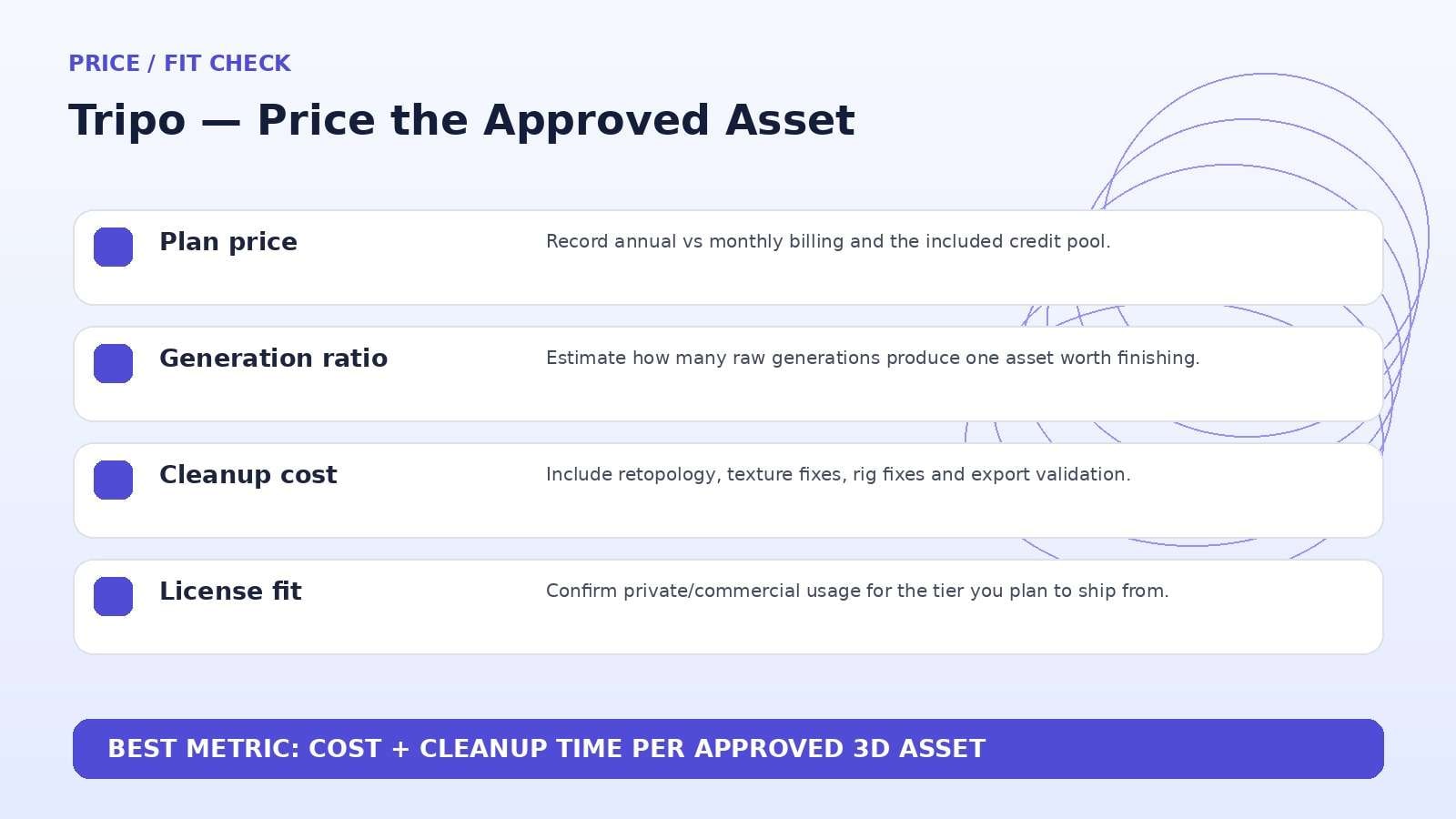
The most important distinction is not only volume. Free models are public and positioned for non-commercial use, while Pro and above add private models and commercial use. Higher tiers increase concurrency, history, storage, batch generation, export flexibility, texture access, and advanced production features. A serious studio should price the plan against approved assets per month, not raw generations.
Build the budget around the real acceptance rate. If ten concept generations produce one asset worth finishing, divide the monthly credit pool by that ten-to-one ratio before estimating capacity. Add texture, rigging, and regeneration costs separately so the subscription does not appear cheaper than the actual project.
Tripo vs. Media.io: The Right Choice Depends on Whether You Need a Mesh
Media.io is not a direct Tripo replacement because it does not provide the same 3D mesh-generation pipeline. The comparison only becomes relevant when your actual deliverable is a 2D product visual, concept image, animated ad, or image-to-video clip rather than a downloadable 3D asset. In that case, Media.io can skip the 3D stage entirely and move from image generation or reference imagery into video, enhancement, object/background editing, and final media export.
If the destination is Blender, Unity, Unreal, Maya, a 3D printer, or a true mesh-based product pipeline, keep Tripo in the shortlist. If the destination is TikTok, YouTube, an ad creative, a product reel, or an AI image/video campaign, compare the total number of steps instead of comparing product names.
Tripo AI Pros and Cons
Final Verdict: Tripo Is a Fast 3D Starting Point, Not an Artist-Free Pipeline
Features and pricing were rechecked on September 11, 2026. AI products change quickly, so verify the live provider pages immediately before publication or purchase.
Tripo AI Review FAQ
-
What is Tripo AI?
Tripo AI is an AI-powered 3D creation platform for generating models from text, a single image, or multiple reference views, with additional tools for texturing, topology, segmentation, rigging, animation, and export. -
Is Tripo AI free?
Yes. Tripo currently lists a Free plan with 200 monthly credits. Free usage has tighter history, storage, export, privacy, and commercial-use limits than paid tiers. -
How much does Tripo AI cost?
As checked on September 11, 2026, Tripo lists Pro at $20/month when billed annually, Max at $90/month when billed annually, and Team at $55/month per seat on annual billing. Check the live pricing page because promotions and credit economics can change. -
Can Tripo turn a photo into a 3D model?
Yes. Image-to-3D is one of Tripo’s core workflows, and multi-view input can provide more information about the object than a single front image. -
What is Smart Mesh in Tripo?
Smart Mesh is Tripo’s production-oriented mesh mode designed to generate cleaner, controllable topology for games, animation, VR/AR, and related pipelines. -
Can I use Tripo AI commercially?
Tripo’s current pricing page positions paid Pro, Max, and Team tiers with private models and commercial use, while the Free tier is shown as public and non-commercial. Verify the current license terms for your project. -
Does Tripo export to Blender or game engines?
Tripo supports common 3D export workflows and promotes DCC bridges for tools such as Blender, Maya, Unity, Unreal, 3ds Max and others. Always test scale, materials, topology and rig behavior after export. -
Is Tripo AI worth it in 2026?
It is most compelling for rapid 3D ideation, prototyping, asset blocking, and workflows where generated meshes can be cleaned up rather than modeled from scratch.


