

 ChatGPT
 Perplexity
 Gemini
 Claude
 Grok
Grok
DeepAI still feels unusually direct: type a prompt, generate, and only then decide whether you need a subscription. The platform combines image generation, photo editing, video generation, music, chat, and simple APIs without forcing creators into a complicated project system. In this DeepAI Image And Video Generator review, the useful questions are how the image quality tiers differ, what the video seconds actually cost, how edit/extend changes the workflow, and whether the platform is appropriate for private or production-sensitive media.
In this article
- DeepAI Quick Decision: Who Gets the Most Value?
- DeepAI Image Generator: Three Quality Tiers and a Large Style Menu
- DeepAI Video Generator: Text, Image, Reference, Edit, and Extend
- The Image-to-Video Bridge Is Where the Bundle Makes Sense
- DeepAI Pricing Review: $9.99 Pro Plus Usage-Based Overages
- API Access Is a Real Advantage for Simple Automation
- Privacy and Public Sharing Need More Attention Than the Price
- DeepAI vs. Media.io: Simple Generator/API or Broader Production Workflow?
- DeepAI Image and Video Generator Pros and Cons
- Final Verdict: DeepAI Wins on Simplicity More Than Maximum Control
- DeepAI Image and Video Generator Review FAQ
DeepAI Quick Decision: Who Gets the Most Value?
| Review factor | Assessment |
|---|---|
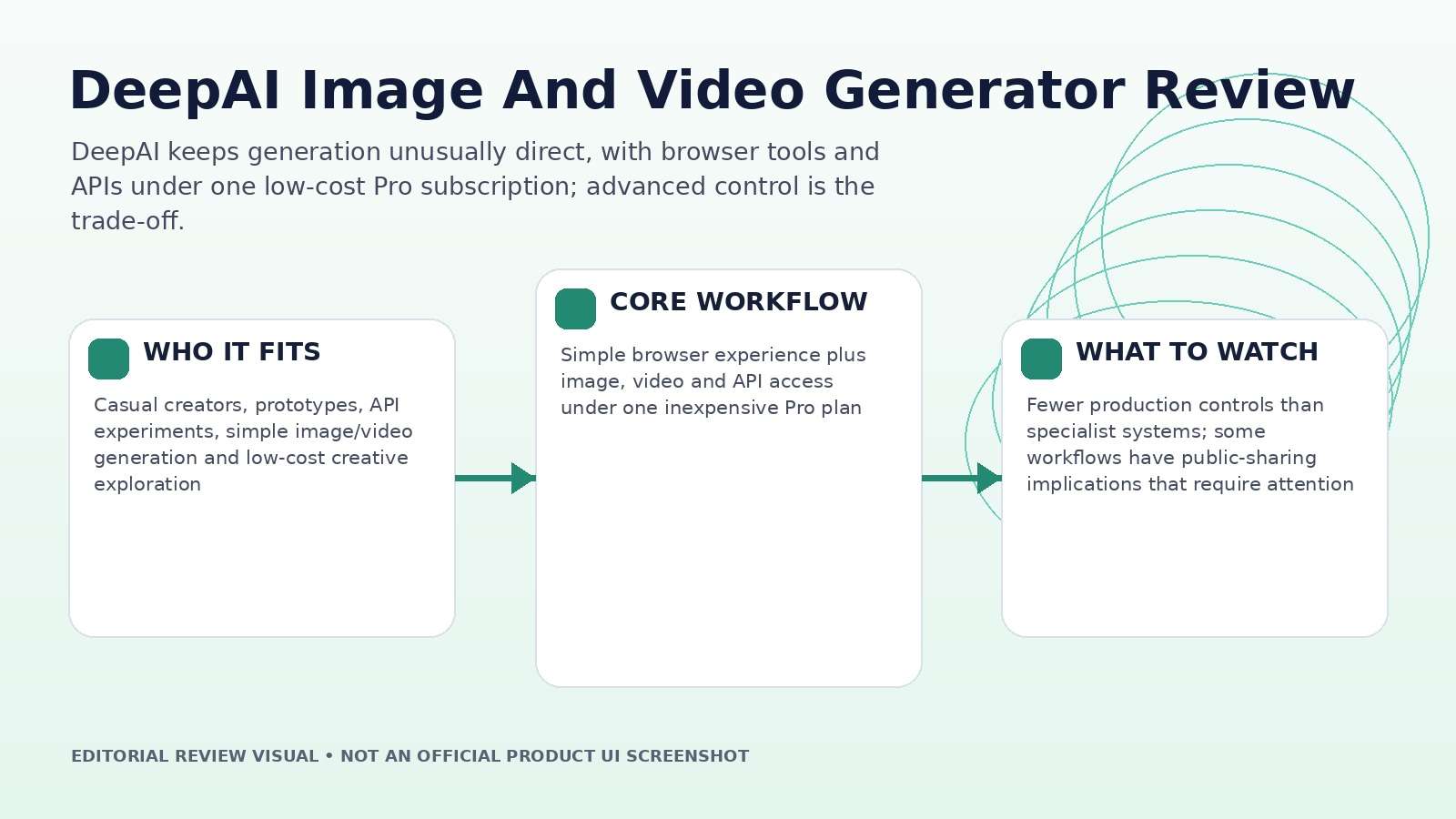
| Best for | Casual creators, prototypes, API experiments, simple image/video generation and low-cost creative exploration |
| Core strength | Simple browser experience plus image, video and API access under one inexpensive Pro plan |
| Main trade-off | Fewer production controls than specialist systems; some workflows have public-sharing implications that require attention |
| Pricing fit | $9.99/month or $89.99/year for Pro, with monthly allowances and pay-as-you-go overages |
Product claims, pricing, model access, and usage limits were rechecked against the provider's current official materials on September 11, 2026. The review focuses on usable output, revision cost, workflow fit, and documented constraints rather than treating a showcase result as a controlled benchmark.
DeepAI Image Generator: Three Quality Tiers and a Large Style Menu
DeepAI's image generator currently exposes HD, Genius, and Super Genius modes, along with more than 100 style/shape options and preferences such as photography, cinematic, anime, and graphic design. The official product page says Pro includes 500 standard images, 60 Genius images, and 10 Super Genius 2K images each month before additional usage is charged.
Compare the tiers with one matched brief containing a face or product, small text, a material texture, and a lighting direction. Inspect prompt adherence, hands/edges, typography, repeated details, and whether the higher tier actually reduces retries. A more expensive image is only cheaper if it is accepted sooner.
Keep the selected prompt and seed-like settings as stable as the interface allows. If the quality tier changes the composition completely, compare several runs before attributing the difference to resolution or model quality.
DeepAI Video Generator: Text, Image, Reference, Edit, and Extend
The current video tool supports text-to-video, image-to-video, reference-to-video, editing, and extension. DeepAI describes HD as the lower-cost standard mode and Hollywood as the higher-resolution cinematic tier. The current FAQ says generated clips run from a few seconds up to about fifteen seconds depending on mode, while Video Extend can continue an existing clip.
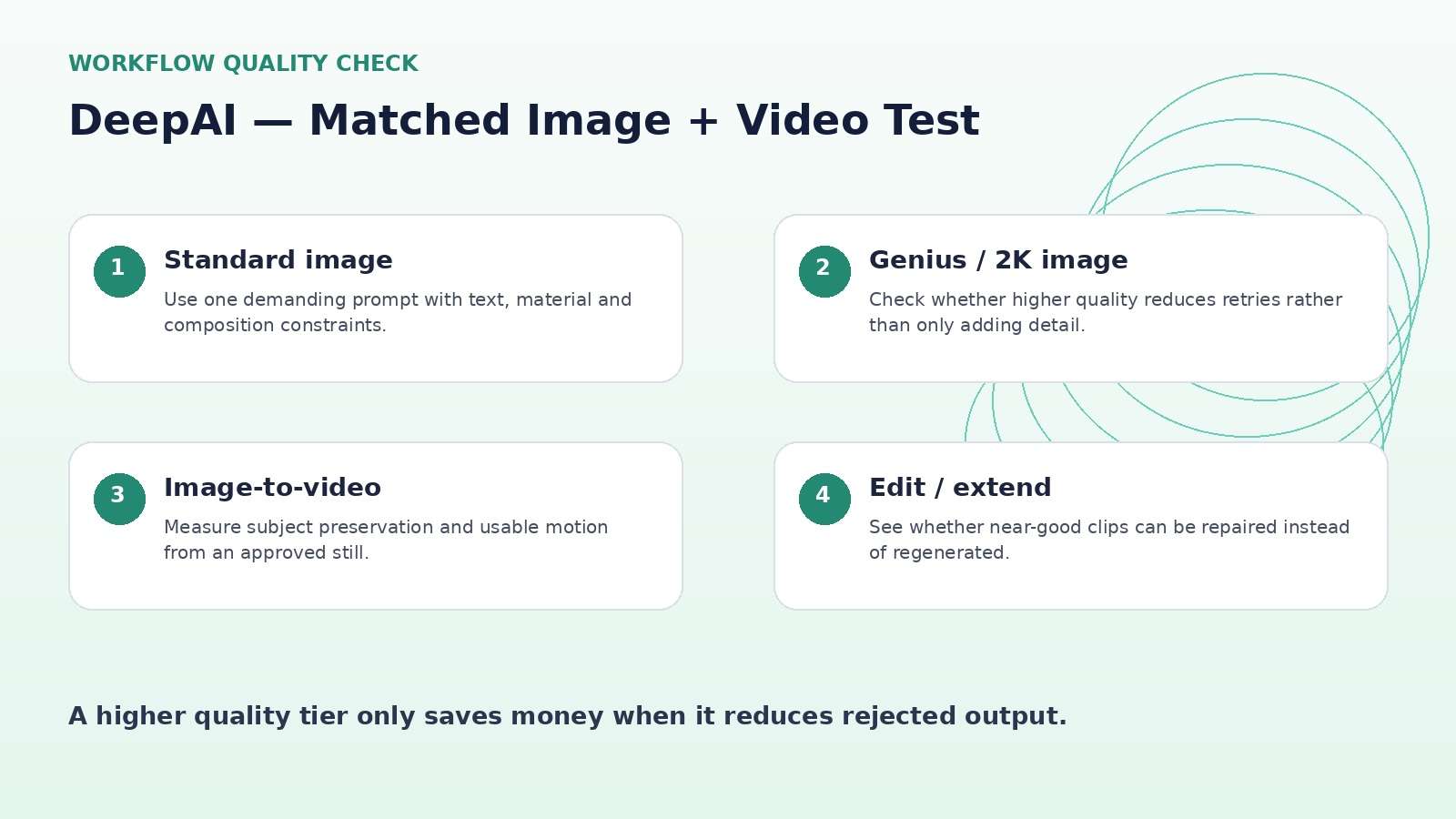
For creators, image-to-video may be more controllable than pure text-to-video because an approved image anchors composition and subject identity. Edit and Extend also change the economics: instead of throwing away a nearly-good clip, you can try to modify or continue it.
Count usable seconds after the edit, not the most dramatic moment in the demo. Check subject drift, background geometry, hands, text, and the final frame because those failures determine whether a clip can enter a real edit.
The Image-to-Video Bridge Is Where the Bundle Makes Sense
Because DeepAI offers both image and video generation, a creator can establish a look in a still image and then animate it. That is often more controllable than asking a video model to invent character, environment, lighting, camera, and motion simultaneously.
Use the image stage to lock what should not drift: face, costume, product shape, palette, and major composition. Then give the video stage one motion instruction and one camera instruction. If the source image contains fragile typography or a branded label, inspect it frame by frame because image-to-video systems can distort small details even when the opening frame is accurate.
This workflow also creates a natural fallback: if the video fails, the still image remains a usable campaign asset rather than a sunk generation.
DeepAI Pricing Review: $9.99 Pro Plus Usage-Based Overages
DeepAI's current documentation lists Pro at $9.99 per month or $89.99 per year. Monthly image allowances include 500 standard images, 60 Genius images, and 10 Super Genius 2K images. The video product currently includes the first 25 seconds of HD video and 8 seconds of Hollywood video each month.
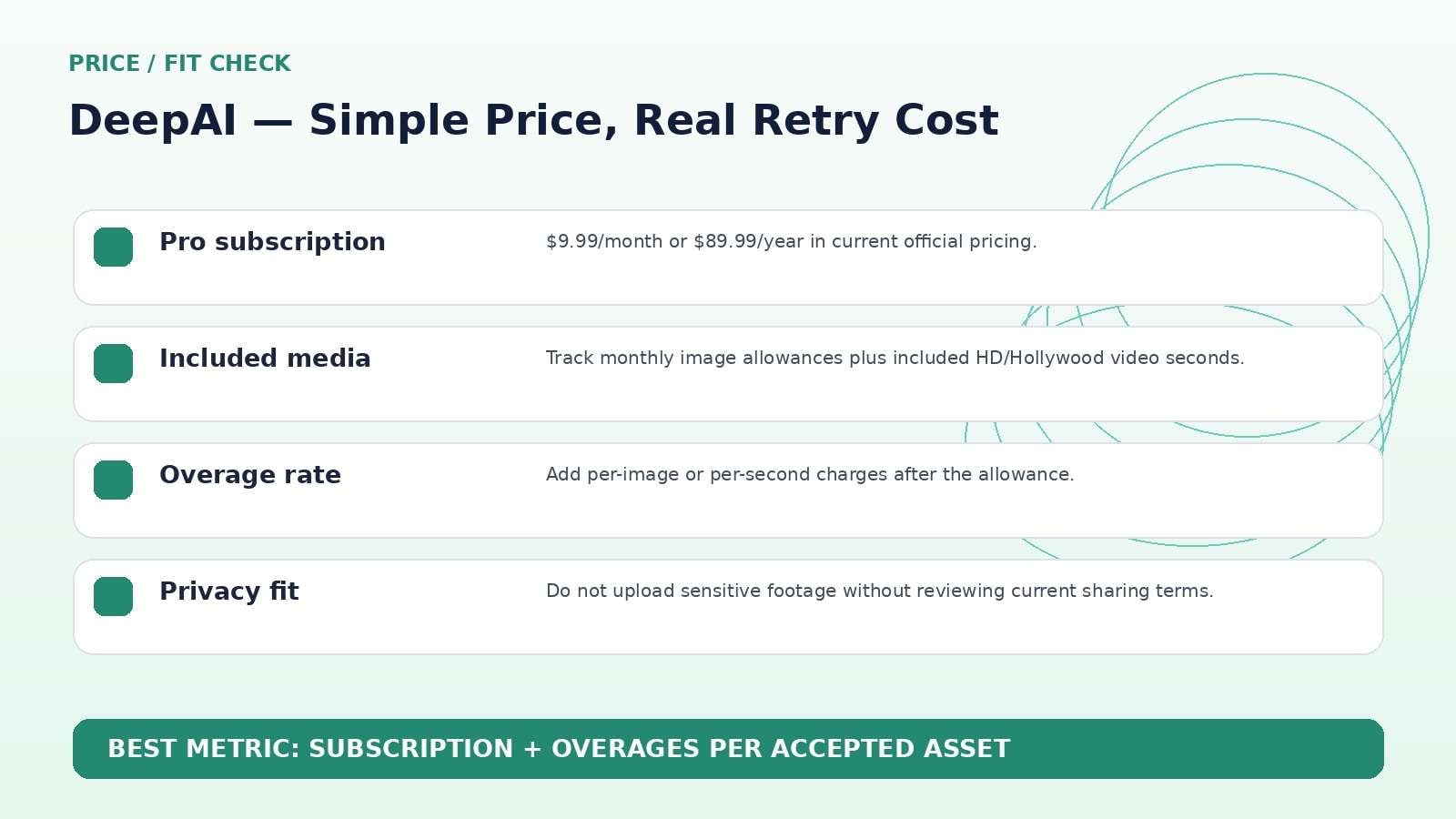
After the included allowance, DeepAI lists image overages at about 1¢ for standard, 8¢ for Genius, and 25¢ for Super Genius 2K. Video is priced at 20¢ per additional HD second and 30¢ per Hollywood second. Those numbers are easier to budget than an opaque token system, but retries can still multiply the cost.
A 10-second shot that needs four full rerenders is not a 10-second expense. Log rejected attempts and compare cost per accepted asset before concluding that the low subscription price makes the workflow cheap.
API Access Is a Real Advantage for Simple Automation
DeepAI's documentation keeps its APIs deliberately simple: authenticated POST requests with model-specific inputs. Image generation, photo editing, upscaling, colorization, background removal, and video generation are available through API endpoints for Pro users. This is useful for small tools, batch creative experiments, or internal utilities that do not need an enterprise orchestration layer.
The trade-off is that API simplicity does not provide project governance automatically. Developers still need to manage retries, file retention, usage budgets, moderation, logging, and rights around uploaded media. A successful prototype should include cost limits and error handling before it is allowed to generate at scale.
For production, record the model/mode, prompt, input asset, timestamp, and cost so results can be traced when a user reports a problem.
Privacy and Public Sharing Need More Attention Than the Price
DeepAI's video documentation includes an important warning: by uploading to the video generator, users give DeepAI the right to share the image and video publicly. That does not automatically make the service unsuitable, but it changes what should be uploaded.
Do not use unreleased products, confidential client footage, private family media, or sensitive identifiable material without reviewing the current terms and privacy controls. This is a case where a low subscription price should not dominate the decision.
Production teams should value confidentiality and asset governance alongside output quality. A generator can be technically useful and still be the wrong home for a particular source file.
DeepAI vs. Media.io: Simple Generator/API or Broader Production Workflow?
Media.io is the stronger alternative when you want a broader browser-based production workflow around generation: multi-model image-to-video, text-to-video, enhancement, object/background removal, conversion, audio, and other finishing tools. DeepAI remains compelling when you want a very direct generator plus simple API access at a low entry price.
For developers prototyping a simple generation endpoint, DeepAI may be faster to integrate. For creators who need to generate and then keep refining media in one visual workflow, Media.io can reduce the number of external tools.
DeepAI Image and Video Generator Pros and Cons
Final Verdict: DeepAI Wins on Simplicity More Than Maximum Control
Features and pricing were rechecked on September 11, 2026. AI products change quickly, so verify the live provider pages immediately before publication or purchase.
DeepAI Image and Video Generator Review FAQ
-
What is DeepAI's image and video generator?
DeepAI provides browser-based AI tools for creating images from text and videos from text, images or references, with additional photo editing, music, chat and API tools. -
How much is DeepAI Pro?
DeepAI currently lists Pro at $9.99 per month or $89.99 per year, with monthly allowances for images, chat, video and other tools. -
How many images are included with DeepAI Pro?
The current image generator page says Pro includes 500 standard images, 60 Genius images and 10 Super Genius 2K images per month before overage charges. -
How much does DeepAI video generation cost?
Pro currently includes 25 seconds of HD video and 8 seconds of Hollywood video per month. Additional HD video is listed at $0.20 per second and Hollywood at $0.30 per second. -
Can DeepAI turn an image into a video?
Yes. DeepAI supports image-to-video and lets a prompt guide the motion from the uploaded image. -
Can DeepAI edit or extend an existing video?
Yes. The current video tool includes Video Edit and Video Extend workflows. -
Does DeepAI have an API?
Yes. DeepAI documents HTTP APIs for image generation, image editing, upscaling, background removal, video generation and other tasks. API access requires Pro. -
Can DeepAI images be used commercially?
The image generator page says commercial use is permitted subject to current terms. Users remain responsible for third-party rights. -
Is DeepAI private?
Do not assume all generated media is private. DeepAI's video documentation warns that uploaded image/video content may be shared publicly, so review current terms before using sensitive assets. -
Is DeepAI worth it in 2026?
It is worth considering for low-cost, low-friction generation and API experimentation.


