
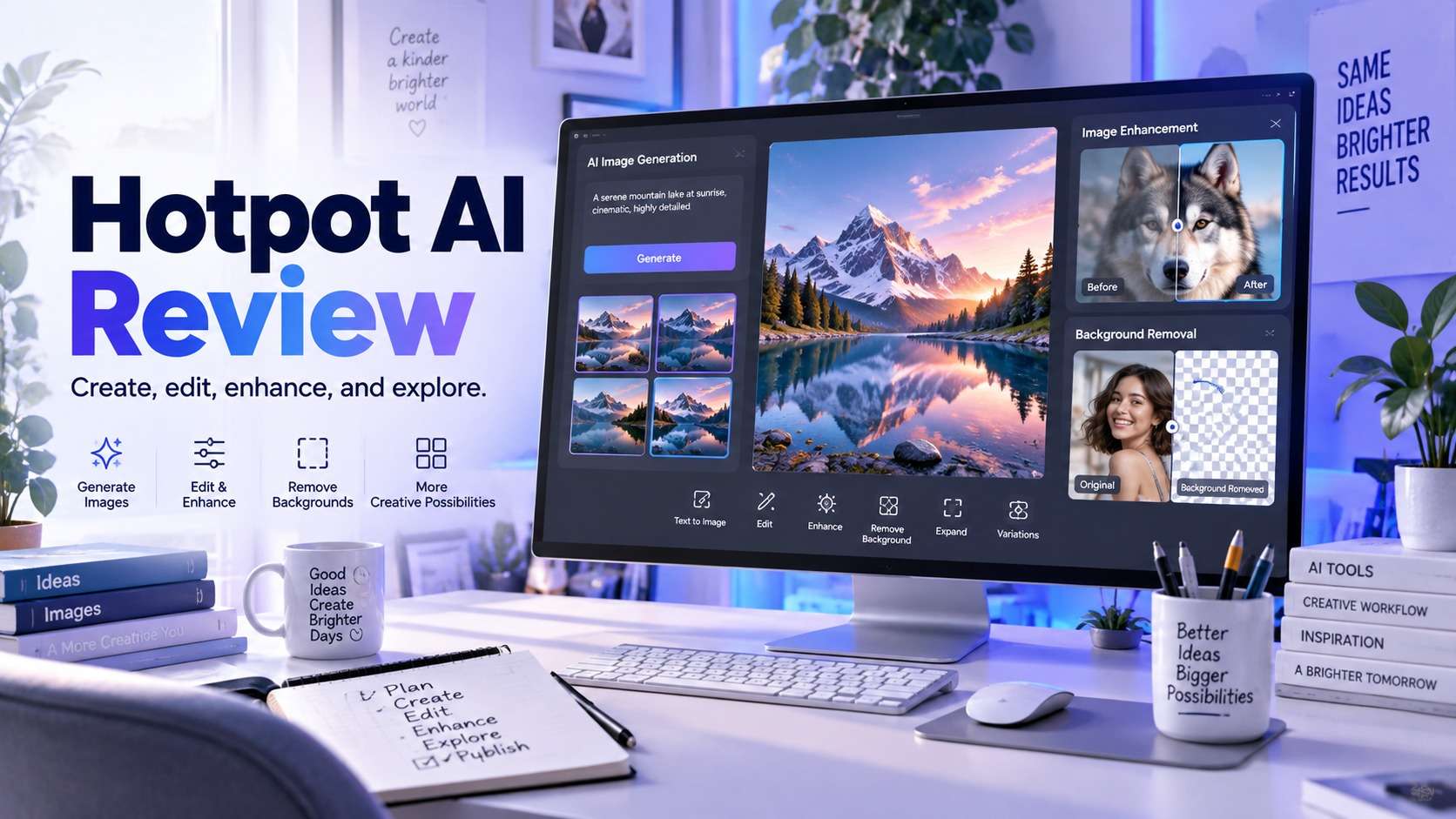
Hotpot AI is unusual because it is not built around one flagship workflow. It puts image generation, headshots, upscaling, object and background removal, face enhancement, restoration, design templates, writing tools, and APIs under the same brand. That breadth makes a hotpot ai review more useful when it answers two questions separately: which individual tools are genuinely convenient, and whether the collection is coherent enough to become your everyday image workspace.
The answer depends on the job. Hotpot is approachable for quick creative experiments and one-off image fixes, but its free-versus-paid rules are not identical across every tool. Pricing also varies by product and settings instead of behaving like one simple unlimited editor subscription. I therefore evaluated the platform by workflow, not by counting how many tool tiles appear on the homepage.
In this article
Is Hotpot AI Good? The Short Answer
What Does Hotpot AI Actually Include?
The easiest way to understand Hotpot is as a toolbox rather than a single editor. Its current tools directory groups generative image creation with practical photo utilities such as Photo Upscaler, Object Remover, Background Remover, Photo Colorizer, Picture Restorer, Face Enhancer, and Auto Crop. It also offers AI headshots, profile-picture tools, game-oriented generators, design templates, writing helpers, and API access.
That matters because the hotpot ai image generator is only one reason to visit. A user may generate concept art, then switch to a separate Hotpot tool to upscale it or remove a background. The experience is modular: each task has a focused interface, but you should not expect the same degree of timeline, layers, masking history, and nondestructive control you would get from a full desktop photo editor.
The modular approach works especially well when you already know the correction you need. "Remove this object," "enlarge this illustration," or "restore this old scan" is a clearer Hotpot job than "finish this entire campaign image from raw photo to final layout." For the latter, the repeated handoff between utilities can become more noticeable.
Hotpot AI Image Generator Review: Better for Exploration Than Precision Editing
Hotpot's generative side is designed for fast text-to-image creation and art exploration. The home page positions AI Image Generator and AI Art Generator alongside headshot and design tools, so the platform is clearly targeting people who want to move from an idea to a usable visual without configuring a local model. The main attraction is low setup friction: write a concept, generate, then move into another Hotpot tool if the result needs enhancement or cleanup.
The hotpot ai art generator makes the most sense for mood boards, social concepts, character ideas, simple illustrations, and visual brainstorming. It is less compelling when your project requires precise multi-step edits to the same scene because the broader Hotpot workflow is a collection of task-specific tools rather than one deeply stateful canvas. If exact product geometry, typography, or brand consistency is critical, plan for downstream review and manual correction.
For this hotpot ai image generator review, the practical limitation is not that Hotpot lacks adjacent tools; it has many. The limitation is continuity. A creator can generate an image, upscale it, remove an object, and clean a background, but each step should be judged independently. An attractive first generation does not tell you whether the final export will preserve small text, hands, jewelry, package labels, or repeated architecture after further AI edits.
Photo Editing, Cleanup, and Restoration: Where Hotpot Is Most Practical
Hotpot's utility tools are often more straightforward than its generative art workflow because the user supplies an image and asks for a narrow transformation. The Object Remover uses a brush-based flow: mark the unwanted area and let AI reconstruct the background. Hotpot itself notes that difficult removals may require multiple passes, which is realistic advice for objects crossing textured walls, patterned clothing, shadows, or other foreground elements.
Background removal follows a similarly focused pattern. Hotpot offers free access for experimentation, while higher-resolution or commercial usage can require paid credits. The Picture Restorer and Face Enhancer target older or soft images, and the main Hotpot site also promotes substantial upscaling. These are useful jobs when you want a quick result without learning masks, clone stamps, frequency separation, or restoration layers.
A hotpot ai review 2026 should also make the licensing nuance visible. Several current Hotpot image-editing pages state that free requests are for non-commercial use under CC BY-NC terms and may use invisible watermarks, while commercial use and advanced settings require credits. That is different from a visible logo across the picture, but it still matters if you are preparing client work, paid ads, marketplace assets, or other commercial material.
For cleanup alone, I would compare the brush behavior and export rules against a dedicated tool. For example, Media.io AI Object Remover supports JPG, PNG, JPEG, and WebP files up to 50 MB and 3840 x 2160, provides Object Remover and Text Remover modes, and documents watermark-free export. The comparison is useful because it isolates the removal job instead of treating the number of unrelated AI tools as a quality signal.
Headshots, Templates, and Design Tools: Useful Extras, Not One Unified Editor
Hotpot also reaches beyond basic image repair with AI headshots, profile-picture creation, game assets, social graphics, icons, and design templates. That breadth is convenient for founders, job seekers, indie developers, and social teams that need fast visual assets more than they need pixel-level editing control. The template side also lowers the barrier after generation because the image can be placed into a ready-made graphic instead of starting from an empty canvas.
In a typical hotpot.ai review, these extras can make the product look like a complete Canva replacement. I would frame it more narrowly. Hotpot gives you many starting points, but a mature design platform adds brand systems, collaboration, layout behavior, asset management, and high-volume export controls around the AI. If your workflow is primarily "generate or fix one image, then download it," Hotpot's modularity feels efficient. If the image is only one layer in a larger branded design, the gap becomes more obvious.
The same logic applies to headshots. AI headshots are convenient because they turn casual source photos into more formal portraits, but identity fidelity, hair edges, clothing, glasses, jewelry, and background realism all need visual checking. The presence of a dedicated headshot tool is valuable; it does not remove the need to validate the result against the real person before professional use.
Hotpot AI Free vs Paid: Pricing Is Tool-Specific
Hotpot's official pricing page says that prices vary according to product and settings and that most products provide free access for exploration. It also states that commercial usage and advanced settings require credits. This is more flexible than forcing every casual user into a subscription, but it makes cost comparison harder because "How much is Hotpot?" does not have one permanent answer across every workflow.
The phrase hotpot ai free therefore needs a qualifier. Free access is useful for learning an interface or checking whether a tool can handle your source image, but individual product pages can cap free requests, reduce resolution, apply non-commercial licensing, or reserve higher-volume/API use for paid credits. If you are building a repeatable production process, open the exact tool you will use and verify the live cost before estimating a monthly budget.
The same caution applies to hotpot ai pricing. A small design graphic may be priced differently from high-volume enhancement or API usage, and Hotpot asks teams, high-volume users, and self-hosted customers to contact the company. That structure suits irregular usage, but agencies may prefer a platform where seats, monthly credits, output limits, and commercial terms are easier to forecast.
| Question | Free exploration | Paid/credit use |
|---|---|---|
| Can I test tools? | Most products advertise some free access | Yes, with broader usage depending on tool |
| Commercial work | Do not assume free output is commercially licensed | Commercial usage generally requires credits where stated |
| Advanced settings | May be restricted | Credits unlock additional settings on supported tools |
| Bulk/API | Not the main free use case | Volume/API pricing is available and may require contact |
| Watermark/provenance | Some free editing pages mention invisible watermarks | Check the exact tool and export terms |
How to Use Hotpot AI Image Generator Without Burning Through Credits
- Define the deliverable before the prompt. Decide whether the image is for a square social post, landscape header, concept board, or later edit. This changes composition instructions and prevents paying for beautiful images that cannot fit the destination.
- Write the prompt in layers. Start with subject and action, then environment, composition, lighting, lens or visual style, and finally constraints such as empty space for a headline.
- Generate a small exploratory set. Do not over-refine the prompt before you see how the model interprets the subject. Use early outputs to identify what the model keeps missing.
- Choose the best base image before enhancement. Fixing a weak composition with upscaling rarely works. Select the image with the right anatomy, object count, perspective, and framing first.
- Use a dedicated cleanup tool only for the remaining defect. If the winning image has one unwanted object, move to Object Remover rather than regenerating the whole scene.
- Check licensing before final export. If the asset will be used commercially, verify the live credit and usage terms for the exact Hotpot tool involved.
A search for hotpot ai image generator free can make the workflow sound like unlimited experimentation. In practice, the smarter approach is to use free access to learn whether the model suits your prompt style, then treat retries and downstream edits as part of the production cost. This also reduces the temptation to keep generating when the underlying concept needs to be changed.
Hotpot AI Pros and Cons
Hotpot AI vs Media.io: Which Fits the Workflow Better?
Hotpot and Media.io overlap on several image jobs but are organized differently. Hotpot feels like a directory of focused AI utilities plus creative generators and templates. Media.io also offers multiple AI tools, but its current image workflows connect more directly with video and audio production, which can matter when the image is part of a broader content pipeline.
| Capability | Hotpot AI | Media.io |
|---|---|---|
| AI image generation | Dedicated image/art generation tools | AI image generation inside a broader media toolset |
| Image enhancement | Upscaling, face enhancement, restoration and related utilities | Five image-enhancement modes including Smart Enhancer, Portrait Enhancer, Restore Old Photos, Color Correction, and 2x/4x/8x upscaling |
| Object cleanup | Brush-based Object Remover; difficult areas may need multiple passes | Brush-based Object/Text Remover with JPG/PNG/JPEG/WebP support up to 50 MB and 3840 x 2160 |
| Free use | Varies by Hotpot tool; some free editing outputs are non-commercial | Complimentary credits on supported AI workflows; check live usage |
| Broader workflow | Image-first generators, design, headshots, game and writing tools | Image, video, and audio creation/editing under one platform |
| Best fit | Users who like a broad menu of focused AI utilities | Users who want image work to connect with video/audio production or prefer specific online media workflows |
If your main need is photo quality rather than broad generation, the Media.io AI Image Enhancer is a more direct comparison point than Media.io as a whole. It separates Smart Enhancer, portrait cleanup, old-photo restoration, color correction, and image upscaling so the user can choose a model based on the defect rather than applying one generic enhancement pass.
Final Verdict: Who Should Use Hotpot AI?
If you are asking is hotpot ai good, the useful answer is "for what?" Hotpot is good at reducing friction around many small image tasks. It is easy to understand why someone would bookmark it for generating a concept, cleaning a background, restoring an old picture, or producing a headshot without learning a professional editor. The number of focused utilities is a real strength when the task is clear.
I would be more cautious about making it the default production platform for a team. The fragmented pricing and licensing rules require attention, and the modular workflow is less efficient when an image needs many rounds of integrated editing, layout, versioning, and collaboration. In that situation, compare Hotpot against a broader editor or a media platform built around your main deliverable rather than choosing it because it offers the longest tool list.
Frequently Asked Questions About Hotpot AI
-
Is Hotpot AI free to use?
Hotpot states that most products provide free access for exploration, but limits differ by tool. Some current image-editing pages restrict free outputs to non-commercial use and reserve commercial use or advanced settings for paid credits. -
Does Hotpot AI have an image generator?
Yes. Hotpot offers text-to-image and AI art generation alongside headshots, image editing, enhancement, restoration, background removal, and other utilities. -
Can I use Hotpot AI images commercially?
Do not assume every free output has commercial rights. Hotpot says commercial usage and advanced settings generally require credits, and individual tools may publish additional licensing conditions. Check the exact tool before using an output in paid work. -
Does Hotpot AI add a watermark?
Some Hotpot editing pages state that free images may use invisible watermarks. Watermark and provenance behavior can differ by tool, so confirm the live export terms for the workflow you use. -
What is a good Hotpot AI alternative for photo enhancement?
If your main task is enhancement rather than broad image generation, Media.io provides dedicated Smart Enhancer, Portrait Enhancer, Restore Old Photos, Color Correction, and Image Upscaler modes in a browser workflow. -
Who is Hotpot AI best for?
It fits casual creators, small teams, and users who want fast access to many focused AI utilities. Users who need deep layer editing, catalog-scale automation, or highly predictable team pricing may prefer a more specialized production platform.


