
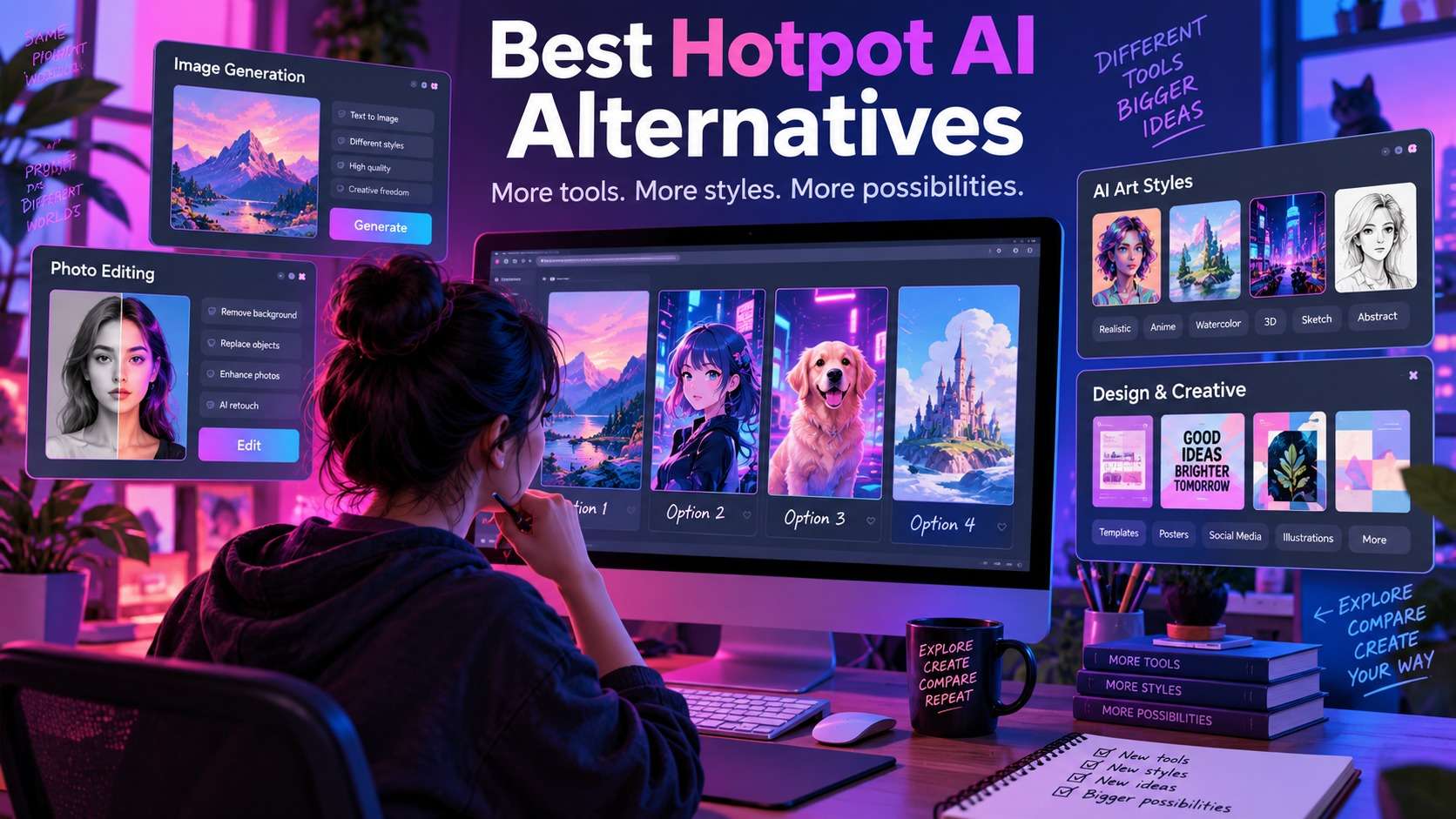
Replacing Hotpot AI is not as simple as finding another text-to-image generator. Hotpot combines generation, headshots, image enhancement, restoration, background and object removal, design templates, and other small utilities, so the right replacement depends on which of those jobs you actually use. These hotpot ai alternatives are organized around that decision: Media.io for browser-based media workflows, Canva and Picsart for design, Adobe Firefly for generative creation, Fotor for casual photo editing, Photoroom for product visuals, and Leonardo AI for generation-heavy creative work.
I would not move platforms just because another service has more AI buttons. The important questions are whether the replacement reduces handoffs, gives you the export rights you need, handles your most common image type, and makes recurring costs easier to predict.
In this article
Start by Deciding What You Want to Replace in Hotpot AI
Hotpot's breadth creates a common comparison mistake. Someone who uses it mainly for background removal needs a very different replacement from someone who uses AI art generation every day. Before testing another service, list your three most frequent Hotpot actions and rank them. A tool that is excellent at the first two is usually a better replacement than a giant suite that is merely adequate at all three.
The best hotpot ai alternatives also differ in how integrated they are. Canva and Picsart keep editing, layout, text, templates, and AI inside a design environment. Photoroom is much more opinionated around products and catalogs. Firefly emphasizes generative creation and Adobe workflows. Media.io connects image tools with video and audio production. That architecture affects everyday speed more than a feature checklist suggests.
Hotpot AI Alternative Comparison at a Glance
| Platform | Best for | Image generation | Photo cleanup | Design/layout | Free entry point |
|---|---|---|---|---|---|
| Media.io | Image + video + audio workflows | Yes | Strong enhancement/removal tools | Lightweight vs design suites | Complimentary credits on supported AI tools |
| Adobe Firefly | Generative creation and Adobe users | Strong multi-model generation | Generative Fill/Expand and edits | Works with Express/Photoshop | Limited daily generations |
| Canva | Social, presentations, branded layouts | Built into Magic Studio | Magic Edit/Eraser, background tools | Excellent | Free editor; AI access varies |
| Fotor | Beginner photo editing and AI effects | Yes | Enhance, remove, retouch, expand | Good for simple designs | Limited free use |
| Picsart | Creator editing across image/video | Many image models | Enhancer, object/background tools | Strong creator templates | Limited free generations |
| Photoroom | Product and marketplace imagery | Product-oriented generation | Background/retouch/product tools | Catalog and brand workflows | Free workspace with limits |
| Leonardo AI | Generation-heavy creative projects | Core strength | AI canvas/editing tools | Less layout-centric | Free usage subject to current token limits |
The table shows why a single "closest clone" is misleading. If Hotpot was mainly your cleanup toolbox, switching to a generation-first platform can add friction even if its images look more sophisticated. The detailed reviews below keep each alternative anchored to the Hotpot job it can realistically replace.
7 Alternatives to Hotpot AI, Matched to the Job
1. Media.io - best for practical image cleanup plus broader media production
The Media.io AI Image Enhancer is the strongest replacement when your Hotpot usage centers on enhancing existing assets rather than generating art all day. It separates Smart Enhancer, Portrait Enhancer, Restore Old Photos, Color Correction, and Image Upscaler modes, while the AI Object Remover handles people, text, logos, background clutter, and other selected regions. That gives common Hotpot repair jobs a direct destination instead of forcing them through one generic filter.
The bigger difference appears after the image is finished. Media.io also covers video and audio workflows, so a product photo can become a video creative, a noisy voice track can be cleaned, or a portrait can become a talking avatar without leaving the platform. That makes it a practical hotpot ai alternative for content teams whose "image task" often becomes a multi-format campaign.
For object cleanup, Media.io documents JPG, PNG, JPEG, and WebP input up to 50 MB and 3840 x 2160, with brush-based Object Remover and Text Remover modes. The image enhancer supports JPG, JPEG, PNG, WebP, and BMP and includes 2x, 4x, and 8x upscaling. Free access is credit-based, so high-volume teams should compare live consumption rather than assuming unlimited use.
2. Adobe Firefly - best for generative creation and Adobe workflows
Firefly is the better move when Hotpot's image generator and art tools are what you actually care about. Adobe now exposes multiple image models and generative editing features such as Generate Image, Generative Fill, and Generative Expand, while Photoshop and Express provide downstream editing and layout. This creates a stronger path from prompt to detailed refinement than a collection of isolated utility pages.
The free Firefly tier provides limited daily generations. Paid plans use generative credits, and Adobe's 2026 plan lineup includes promotional unlimited generations on selected models for qualifying plans. For commercial teams, Firefly also emphasizes models trained on licensed/public-domain data and C2PA Content Credentials on qualifying exports, which may matter more than raw generation count.
Among free hotpot ai alternatives, Firefly is best treated as a generous trial environment rather than an unlimited free replacement. Choose it when model choice, prompt-guided edits, and the Adobe ecosystem justify the learning curve and credit accounting.
3. Canva Magic Studio - best for turning AI images into finished designs
Canva is a better replacement when Hotpot is only the first step before you add copy, logos, charts, presentation layouts, social templates, or brand elements. Its AI Photo Editor can remove or replace objects, generate backgrounds, reposition detected subjects, upscale images, and move a still image into video, but the real advantage is that those edits live inside a mature layout system.
That makes Canva one of the most useful sites like hotpot ai for marketers rather than pure AI-art hobbyists. A generated or uploaded image can immediately become a deck slide, story, ad, poster, or campaign variation. Free users get the core editor, while specific Magic Studio features and higher limits depend on the current plan.
The trade-off is specialization. Canva's AI is designed to help complete designs, not to expose deep image-generation parameters. If your main goal is to compare frontier image models or run high-volume specialist restoration, another tool is a better fit.
4. Fotor - best for casual photo editing with many AI shortcuts
Fotor occupies a similar mental space to Hotpot because it offers many approachable AI photo tools without requiring professional editing knowledge. Enhancement, background and object edits, portrait retouching, image generation, and expansion sit alongside classic filters and design features. For a casual user, that breadth means fewer decisions about which specialist website to open.
Fotor is especially useful as one of the apps like hotpot ai when mobile access matters. A phone-first user can move between portrait touch-ups, AI effects, and routine photo editing more naturally than with a desktop-oriented professional editor. Its image extender also supports preset ratios and manual expansion, which fills another common Hotpot-adjacent job.
The weakness is that "free" varies by feature. Some AI tools offer a limited number of trials or generations before credits/subscription access becomes relevant. I would choose Fotor for convenience and familiarity, not because every AI function is unrestricted.
5. Picsart - best for social creators who edit images and videos together
Picsart has evolved into a broad creator platform rather than only a photo-filter app. Its current AI image generator advertises access to many models, while Pro includes photo/video editing, advanced background and object removal, image enhancement, templates, stock media, brand kits, bulk image editing, and cloud storage. That range overlaps with Hotpot but places more emphasis on finishing and publishing creative assets.
If you are comparing hotpot ai competitors for a social team, Picsart is attractive because generation, cleanup, visual effects, and design are all stages of the same creator workflow. It is less attractive if you only need one occasional AI utility and do not value the surrounding ecosystem.
Picsart offers limited free image generations, while its paid plans increase AI and editor access. The exact model mix and credit economics can change, so use the current pricing page when forecasting heavy generative use.
6. Photoroom - best for e-commerce and product images
Photoroom is not trying to replace every Hotpot category. It is a stronger choice when the image exists to sell a product. Background removal, product staging, instant resizing, AI shadows, recoloring, brand kits, batch editing, marketplace workflows, and API automation all point toward catalog production rather than general AI experimentation.
That specialization makes Photoroom a compelling hotpot ai alternative free to test if your current Hotpot routine is "remove background, clean product, resize, export." The free workspace has limited feature/export access, while Pro, Max, Ultra, and Enterprise tiers expand AI credits, exports, resolution, and business capabilities.
It is less logical for fantasy art, game concepts, or writing tools. But for sellers, a narrower platform can be faster precisely because irrelevant features disappear from the workflow.
7. Leonardo AI - best for generation-heavy visual ideation
Leonardo AI is the alternative to examine when your Hotpot habit begins with prompting rather than editing an existing photo. It is centered on generative images, model choice, creative controls, and iterative visual development, with canvas-style editing tools to refine generated assets. Artists and concept creators may prefer that focus over a utility directory.
The platform belongs among alternatives to hotpot ai because it replaces the "AI art" side more convincingly than it replaces background removal, restoration, or design templates. If you still need those practical utilities, expect either a second tool or a workflow that stays inside Leonardo's own editing environment.
Free access is token-limited and product capabilities evolve quickly, so check the live plan before committing to a high-volume pipeline. The key reason to choose Leonardo is not cheap cleanup; it is a generation-centric workspace with more room to iterate on visual concepts.
Which Alternative Fits Your Actual Workflow?
For most users, the clearest choice comes from tracing the asset from start to finish. If you begin with a real photo and usually need enhancement, object removal, resizing, then a social video, Media.io reduces the number of separate platforms. If you start from a prompt and finish in Photoshop, Firefly is more natural. If the deliverable is a branded post or presentation, Canva is the stronger endpoint.
People searching for apps like hotpot ai often focus on whether a mobile app exists, but mobile fit also depends on editing density. Fotor and Picsart are comfortable for quick creator edits; Canva is strong for templated layout; product sellers benefit more from Photoroom's focused workflow. A large desktop-first generative platform may be technically accessible on a phone yet still feel slow for touch-based refinement.
Are There Truly Free Replacements for Hotpot AI?
Yes, but "free replacement" should be matched to frequency. A local or open-source tool can be genuinely unlimited for one specialist task, while cloud AI usually meters expensive generation through credits, daily limits, resolution restrictions, or slower queues. None of that is inherently bad; it simply means the most useful free option changes with your workflow.
If you only need occasional cleanup, complimentary credits from Media.io or limited free use in Fotor, Picsart, Canva, and Photoroom may cover the job. If you need frequent generative experimentation, free daily generations in Firefly or current free tokens in Leonardo can help you evaluate quality, but sustained production will eventually make plan economics relevant. In other words, free hotpot ai alternatives are easiest to find when the task is narrow and occasional.
For commercial work, also check whether the free plan grants the rights you need. A zero-dollar export is not automatically cleared for every advertising, client, or marketplace use case. Review model-specific and plan-specific terms at the time you create the final asset.
How to Switch Platforms Without Rebuilding Your Whole Image Workflow
- Export a small benchmark folder. Pick five representative assets: portrait, product, old photo, cluttered scene, and one generated artwork.
- List the exact Hotpot actions you use. Do not write "AI editing." Write "background remove -> 4x upscale -> add text -> export square."
- Test the replacement on the same folder. Compare output quality, clicks, retries, export size, and whether you have to move the asset into another app.
- Check free and paid limits after the test. Quality is irrelevant if the plan cannot support your monthly volume.
- Verify licensing for the final use. Separate casual testing from client/commercial production.
- Keep Hotpot for one specialist job if it still wins. Replacing a platform does not have to be all-or-nothing. A two-tool workflow can be simpler than forcing every task into one suite.
This is the practical way to compare hotpot ai competitors: measure correction load rather than counting advertised AI features. The platform that produces the fewest extra fixes for your own assets is usually the better operational choice.
Final Choices: Pick the Replacement by Output, Not by Feature Count
If Hotpot is mainly your image cleanup hub, start with Media.io or Fotor. If it is your prompt-to-art playground, test Firefly and Leonardo. If you spend more time arranging the image than generating it, Canva or Picsart will probably remove more workflow friction. Product sellers should put Photoroom near the top because its specialized catalog tools can matter more than having unrelated AI utilities.
The point of evaluating a hotpot ai alternative is not to find another page with the same menu. It is to remove the part of your current workflow that costs the most time, retries, or money. Run the same assets through two finalists, then choose based on export quality and production steps rather than homepage claims.
Frequently Asked Questions About Replacing Hotpot AI
-
What is the closest alternative to Hotpot AI?
There is no single closest replacement because Hotpot spans generation, enhancement, removal, restoration, headshots, design, and other utilities. Media.io is a strong fit for practical media editing, Canva/Picsart for design, Firefly/Leonardo for generative work, and Photoroom for products. -
Which Hotpot AI alternative is best for image enhancement?
Media.io is a direct option because its AI Image Enhancer separates Smart Enhancer, Portrait Enhancer, Restore Old Photos, Color Correction, and 2x/4x/8x Image Upscaler modes. -
Which alternative is best for product photos?
Photoroom is built around e-commerce image production, including background removal, product staging, resizing, shadows, brand workflows, batch editing, and API options. -
Can I replace Hotpot AI with Canva?
Yes if your main need is to turn images into social posts, presentations, ads, and branded layouts. Canva is less focused on specialist AI utilities but much stronger as an integrated design workspace. -
Which Hotpot AI replacement is best for generative art?
Adobe Firefly and Leonardo AI are stronger generation-first options. Firefly is especially attractive for Adobe users and prompt-guided generative editing; Leonardo is more focused on iterative AI image creation. -
Are any Hotpot alternatives completely free?
Many cloud services offer limited free access rather than unlimited use. The useful question is whether the free allowance covers your monthly volume and whether the export rights fit your intended personal or commercial use.


