
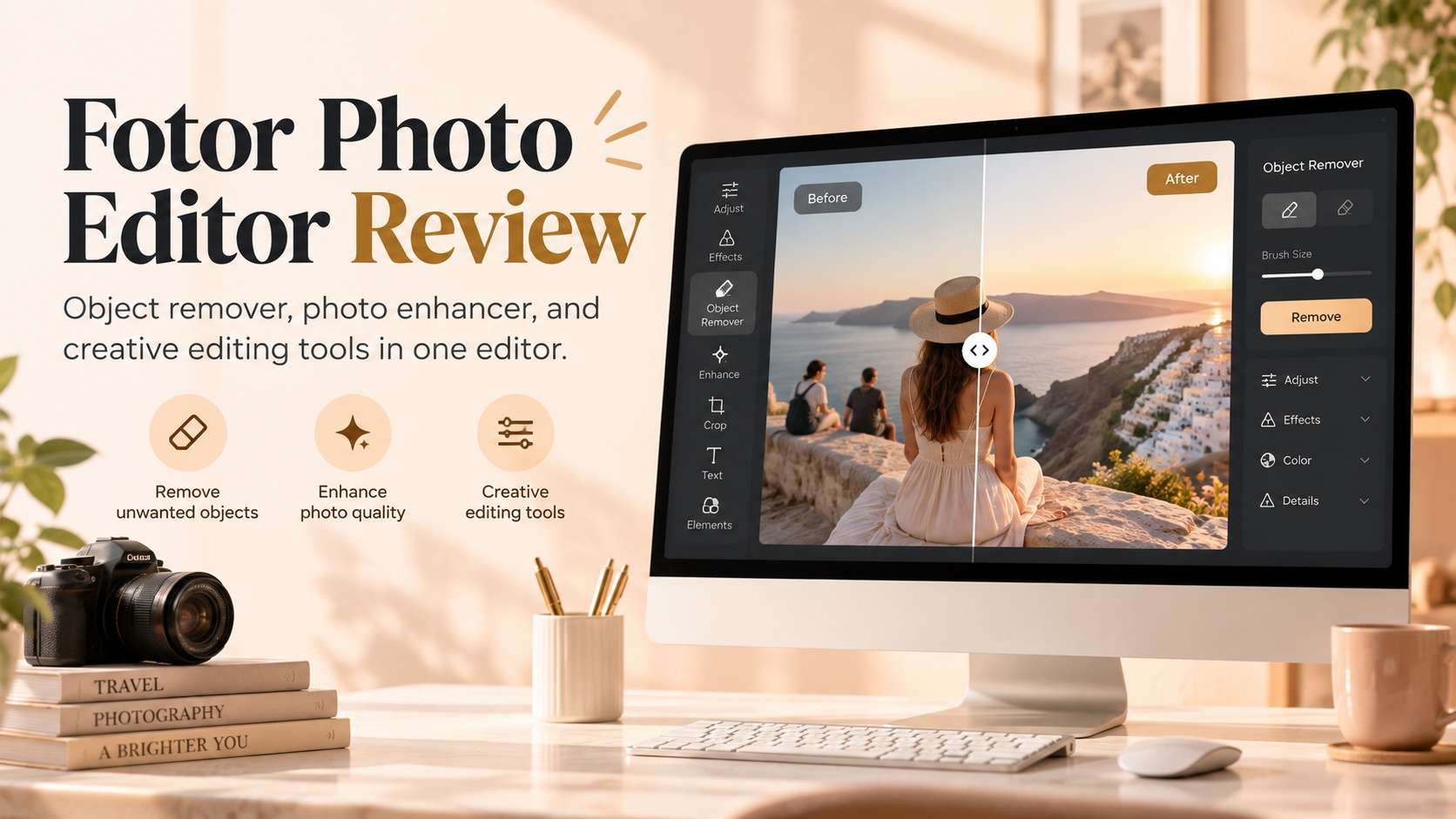
Fotor is no longer just a lightweight filter site. It now mixes classic photo adjustments, AI enhancement, object and background removal, portrait retouching, batch processing, design templates, generative tools, and an AI editing agent. This fotor photo editor review looks at whether that breadth actually saves time, or whether the free-plan watermark, credits, and upgrade boundaries make a narrower editor more practical for everyday work.
In this article
- Fotor verdict: broad and beginner-friendly, but the best features are spread across paid and AI workflows
- What is inside the Fotor Photo Editor?
- Where Fotor AI tools are genuinely useful
- Object removal: workflow, formats, and best scenes
- Photo enhancement: one-click improvement, upscaling, and batch use
- Free vs Pro: what changes at export
- Pricing and AI credits: what to watch before subscribing
- Who benefits most from a paid Fotor plan?
- What real users like and dislike about Fotor
- Fotor pros and cons
- When a task-specific alternative fits better
- Final verdict: is Fotor Photo Editor worth using?
- FAQs about Fotor Photo Editor
Fotor verdict: broad and beginner-friendly, but the best features are spread across paid and AI workflows
A fotor review is most useful when it separates the product into jobs instead of treating the entire platform as one feature. Fotor can be a fast one-click enhancer, a targeted object remover, a portrait editor, a bulk-processing tool, a design canvas, or a generative editor. Those modes solve different problems and have different reasons to upgrade.

What is inside the Fotor Photo Editor?
As a fotor photo editor, the platform covers the expected basics - crop, resize, adjustments, effects, text, frames, and collage - then layers AI functions on top. Current feature pages highlight AI Image Enhancer, unblur, image upscaling, old-photo restoration, portrait retouching, background removal, object removal, AI Replace, generative fill, batch photo editing, product visuals, and an AI Agent that accepts natural-language editing requests.
The breadth is useful when you do not know which technical tool you need. If a product image is dim, cluttered, too small, and missing a clean background, Fotor can address all four problems without leaving the ecosystem. The trade-off is that the interface and subscription model are inevitably more complicated than a one-task remover.
That breadth also changes how the product should be evaluated. A useful fotor ai review should separate deterministic edits from generative ones. Cropping, resizing, exposure changes, and conventional adjustments are predictable and easy to repeat. Object removal, generative fill, restoration, and AI enhancement ask a model to infer or create detail, so they deserve a closer visual check around faces, text, product edges, architecture, and repeating textures. The convenience of one editor does not remove the need to inspect the final pixels.
This distinction is especially important for business users. A social image can tolerate a small invented background detail that no one notices on a phone. A product listing, property photo, or client portrait may need consistent geometry, accurate labels, and clean high-resolution export. In those cases, the value of Fotor is not that every AI pass is automatically final, but that several correction paths are available without moving the asset through different applications.
Where Fotor AI tools are genuinely useful
The strongest reason to use Fotor as an fotor ai photo editor review subject is that AI is no longer isolated to one generator. It is integrated into editing jobs that used to require several manual steps: enhancing a dark photo, removing a background, replacing an object, cleaning up a person, restoring an old image, or describing an edit to the AI Agent.
That does not mean every image should go through a generative model. For simple exposure and crop changes, classic tools are more predictable. AI becomes most valuable when the edit requires reconstruction: missing background after object removal, recovered detail in a blurry photo, or a new region generated around an expanded canvas.
Object removal: workflow, formats, and best scenes
The fotor object remover is one of the platform's most straightforward AI tools. The current page describes a three-step flow: upload a photo, brush over the unwanted item, and download the result. It supports common formats including JPG, PNG, WebP, HEIC, and related formats. Fotor also connects object removal with generative replacement, so you can erase something or replace the selected region with a prompt.
That combination is useful in e-commerce and marketing. A distracting prop can be removed, while a product-scene element can be replaced without rebuilding the entire image. For travel photos, the same tool handles tourists, text, signs, stickers, and small clutter. Results still depend on how much of the background the unwanted object hides.
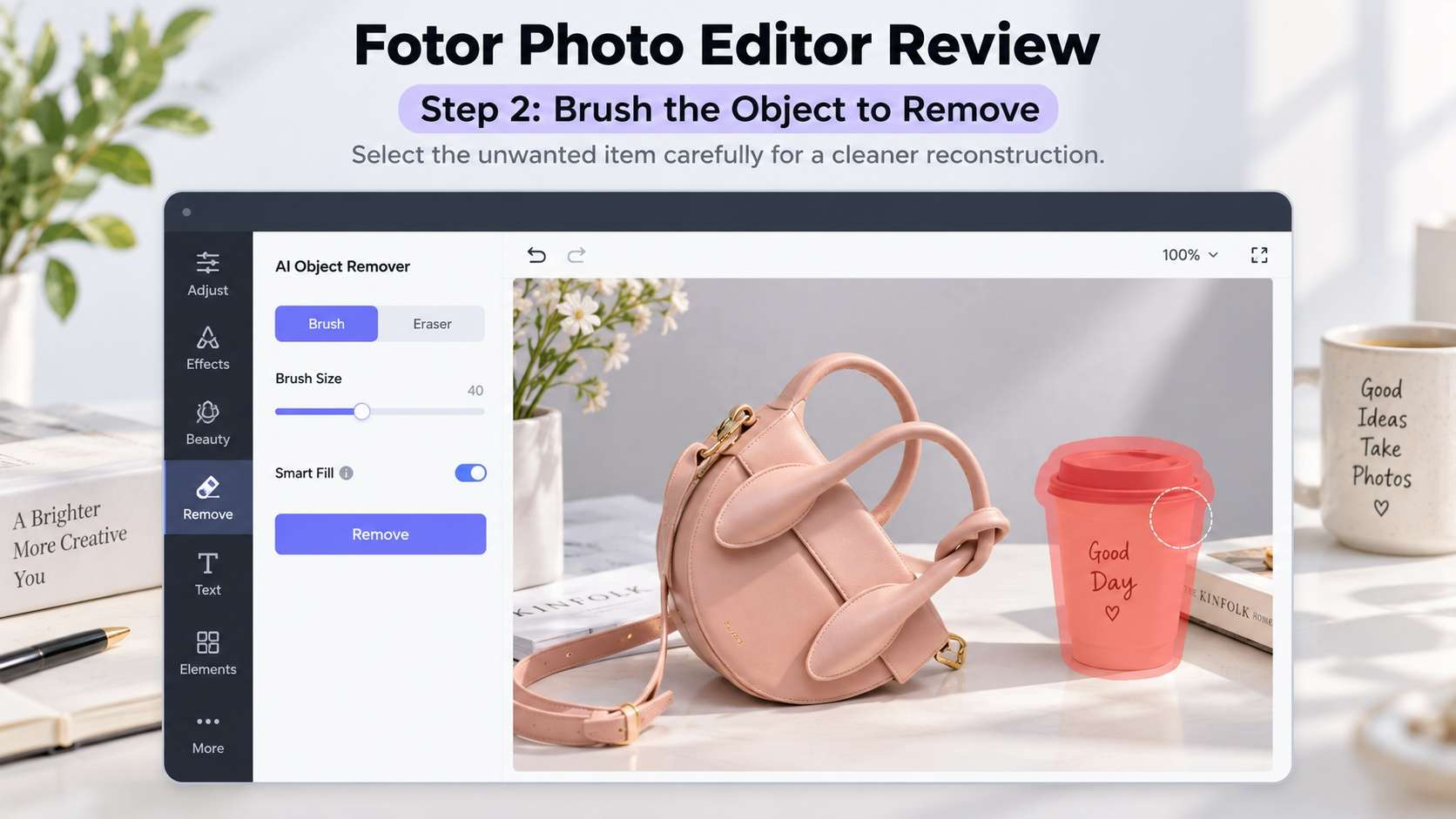
Photo enhancement: one-click improvement, upscaling, and batch use
The fotor photo enhancer is a separate reason to consider Fotor. Its current AI Image Enhancer supports JPG, JPEG, PNG, HEIF, HEIC, and WebP, and advertises automatic improvement of clarity, color, lighting, and detail with 2x or 4x enhancement. The wider batch editor can process up to 50 images in one upload and apply enhancement, upscaling, face unblur, skin retouching, old-photo restoration, background edits, resize, crop, format conversion, compression, and other tasks in bulk.
This is where Fotor has an advantage over narrow object removers. A seller can clean a product photo, enhance it, remove or replace the background, then standardize a set for a marketplace. A portrait photographer can apply batch skin retouch and enhancement to a series before choosing individual frames for more precise work.
Batch capability is most valuable when the source set is already reasonably consistent. If fifty photos have different lighting failures, subject sizes, and restoration needs, one bulk setting may save clicks while creating uneven results. A safer production flow is to group similar images first, apply the same enhancement to each group, then spot-check faces, text, edges, and noise before export. That keeps batch speed from turning into batch rework.
Free vs Pro: what changes at export
A practical fotor free vs pro comparison starts with output, not the number of features on a marketing page. The current Fotor Basic plan is free forever and includes limited free credits, basic editing tools, basic templates and collage, limited effects, 512 MB cloud storage, and watermarked JPG, PNG, and PDF exports. That watermark makes Basic fine for exploration but less attractive for client assets or finished marketing graphics.
Pro adds 100+ editing tools, premium portrait features, more templates and effects, broader AI access, 2 GB cloud storage, and HD/transparent PNG output without a watermark. Pro+ raises storage to 100 GB and adds exclusive batch features and higher AI allowances. The official pricing page renders plan prices dynamically, so the checkout page is the safer source of truth for your region and billing cycle than a hard-coded number in a review.
| Plan | What it includes | Best use |
|---|---|---|
| Basic | Limited credits, basic editing/design, 512 MB cloud storage, watermarked normal JPG/PNG/PDF exports. | Trying Fotor and low-stakes personal editing. |
| Pro | 100+ editing tools, more AI/portrait access, premium assets, 2 GB storage, HD and transparent PNG without watermark. | Regular creators who need clean exports. |
| Pro+ | Higher AI allowances, 100 GB storage, advanced batch features, brand-oriented additions. | Higher-volume content and business workflows. |
Pricing and AI credits: what to watch before subscribing
Current fotor pricing is split between subscription features and AI credits. Fotor's help center states that Pro receives 100 credits per month, Pro+ 300, and Max 1000, with unused subscription credits carrying forward for up to five months while the subscription remains active. Credit consumption varies by AI task, so heavy generative use can feel different from ordinary crop, resize, or adjustment work.
The other important detail is the trial. Fotor's help center says eligible new users can receive a seven-day Pro trial and recommends cancelling at least one day before the trial ends because charges may process early. That is practical subscription information worth reading before you test premium features.
Who benefits most from a paid Fotor plan?
A fotor pro review should ask whether you are paying to remove friction or simply to unlock a long feature list. Pro is easiest to justify when you repeatedly export finished assets and the Basic watermark is a blocker, or when premium templates, portrait tools, AI features, and higher-quality downloads replace other subscriptions in your workflow. It is harder to justify if you only crop, resize, and occasionally remove one object.
Pro+ becomes more logical for teams or high-volume creators who use batch processing, larger storage, brand assets, and heavier AI generation. The best plan is therefore driven by throughput and output requirements, not by how many menu items you can unlock.
What real users like and dislike about Fotor
Public reviews show a fairly consistent pattern. G2 currently lists Fotor Photo Editor at 4.2/5 across hundreds of reviews, while Capterra shows 4.5 with more than a thousand reviews. Positive comments often mention ease of use, one-click enhancement, filters, AI tools, and the ability to get results quickly in a browser. Negative comments frequently mention paywalls, subscription or billing frustration, performance slowdowns on larger jobs, and the limits of the free version.
This matches the product design: Fotor is easy to start, but the more serious your export, batch, and AI needs become, the more important it is to understand plan boundaries before building the editor into a daily workflow.
Fotor pros and cons
When a task-specific alternative fits better
A fotor alternative is most useful when you want a more task-specific AI flow instead of a large photo/design workspace. Media.io is a strong alternative for users who primarily need AI Image Enhancer and Object Remover, especially when those image tasks connect to AI video or audio workflows later. It is less design-template oriented than Fotor but more centered on media generation and processing.
For image cleanup specifically, Media.io's current object-remover pages document JPG, PNG, JPEG, and WebP inputs under 50 MB and up to 3840 x 2160. For enhancement, its five modes make the choice explicit: general clarity, portraits, old photos, color correction, or upscaling. You can move directly between the Media.io AI Object Remover and AI Image Enhancer when cleanup and enhancement are the main tasks. Fotor remains the better fit when batch editing, collage, templates, and design assets are part of the same job.
Final verdict: is Fotor Photo Editor worth using?
A broad fotor editor review ends with a simple split. Use Fotor when you value convenience across many everyday editing jobs and want AI enhancement, cleanup, portrait tools, design, and batch processing under one account. Use a narrower tool when you only need one task and want fewer upgrade prompts. The free plan is useful for learning the interface, but the watermark makes paid access more relevant once the output is meant for business, clients, or polished public publishing.
FAQs about Fotor Photo Editor
-
Is Fotor free to use?
Yes. Fotor Basic is free forever, but the current pricing page lists limited credits and watermarked JPG, PNG, and PDF exports. -
Does Fotor have an object remover?
Yes. Fotor Object Remover lets you brush over people, text, watermarks, stickers, and other distractions, then uses AI inpainting to rebuild the selected area. -
Can Fotor enhance blurry photos?
Yes. Fotor AI Image Enhancer is designed to improve clarity, color, lighting, and detail and can enhance resolution by 2x or 4x. -
How many photos can Fotor batch edit at once?
Fotor currently says its AI batch photo editor supports up to 50 images per upload. -
Does Fotor Pro remove the watermark?
Yes. The current pricing page lists HD JPG/PNG/PDF and transparent PNG exports without a watermark for paid tiers such as Pro and Pro+. -
Is Fotor better than Media.io?
They fit different workflows. Fotor is stronger as an all-in-one photo and design editor with batch tools, while Media.io is more focused on mode-based AI enhancement, object removal, and a wider AI media creation ecosystem.


