
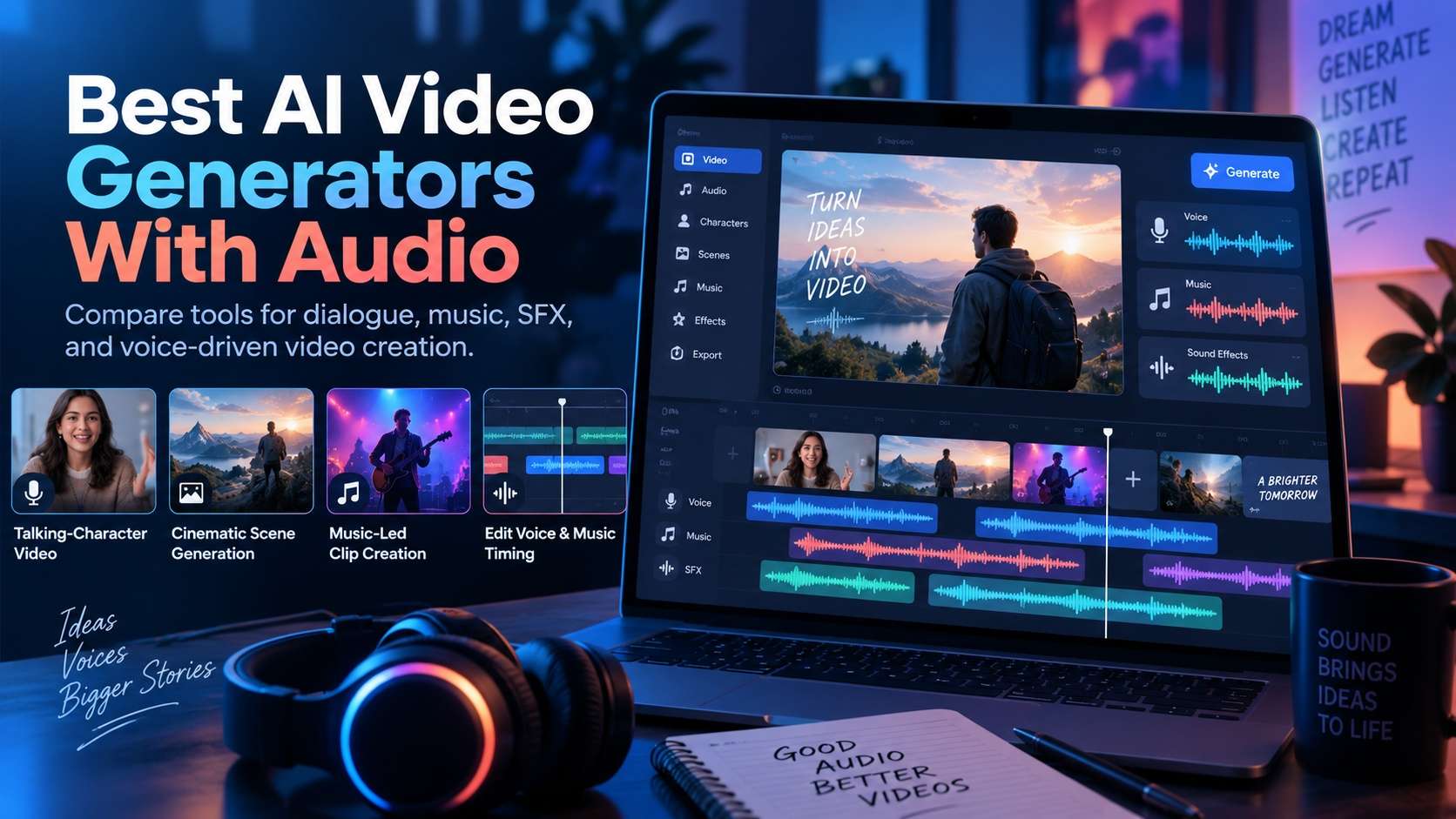
Adding a soundtrack after generation is not the same as generating video with sound in mind. The best AI video generators with audio make dialogue, ambience, effects, music, and timing part of the creative decision rather than an afterthought.
That creates several very different winners. A cinematic model may be best when environmental sound has to match the shot. An avatar platform can be better for speech and localization. A browser editor may win when the real bottleneck is revising voice, music, captions, and timing after the visuals are generated.
This comparison therefore looks beyond whether a tool can technically produce audio. It asks how much direction you have, how naturally sound follows the picture, and how painful it is to fix one element without rebuilding everything else.
In this article
- Quick comparison for audio-first video generation
- Four audio workflows that need different tools
- 8 tools for generating video and sound
- Choose by dialogue, effects, music, or editing
- Common audio-video failure modes
- A sound-first benchmark for AI video
- Final recommendations for audio-first video generation
- AI video with audio FAQ
Quick comparison
The shortlist mixes native audiovisual models with tools that are stronger at dialogue, editing, or music-led finishing.
| Tool or model | Best for | Typical input | Standout strength | Main trade-off |
|---|---|---|---|---|
| Media.io | best browser hub across workflows | Text, image, audio, and browser project inputs | multi-model browser workflow and adjacent editing tools | the strongest choice depends on which underlying model or workflow you select |
| Veo 3.1 | cinematic audiovisual shots | Text, image, and reference-led prompts | cinematic realism, prompt adherence, and integrated audiovisual generation | premium short-shot generation still needs sequencing for longer projects |
| Seedance 2.x | multimodal audio-video generation | Text plus multimodal references | multimodal control and longer-form shot construction | access, modes, and controls can vary by platform |
| Vidu Q3 | short-form dialogue and effects | Text, image, and audiovisual prompts | short-form audio-video generation with dialogue, effects, and music intent | longer productions still require external sequencing and continuity control |
| HeyGen | presenter-led speech video | Scripts, avatars, product media, and presentation assets | avatar-led business video and spokesperson workflows | it is a specialized presenter workflow rather than a general cinematic model |
| CapCut | social editing and sound finishing | Video, audio, text, templates, and AI-assisted assets | social-first editing, effects, captions, and fast finishing | specialist generation quality depends on the specific feature or integrated model |
| Runway Gen-4.5 | revision-heavy filmmaking | Text, image, references, and project assets | generation inside a broader filmmaking and editing ecosystem | its value is highest when the team uses the surrounding Runway workflow |
| Kling 3.0 | motion-heavy audiovisual clips | Text, image, and multimodal reference inputs | expressive motion, strong image animation, and creator-oriented control | aggressive movement can increase reference drift and retry cost |
Audio quality is only half the decision. The other half is control: whether you can change a voice, replace a sound, rebalance music, or fix timing without throwing away a good visual result.
Four audio workflows that need different tools
The phrase AI video with audio covers at least four jobs: native dialogue, environmental sound design, music-led creation, and post-generation audio assembly. Comparing them as one feature checklist produces bad recommendations.
Dialogue and performance
Spoken video requires voice quality, language, pronunciation, lip sync, facial expression, and shot length to work together. Native dialogue is most valuable when the character performance changes around the line.
Sound effects and physical action
Action sounds should correspond to visible contact, motion, and space. When an effect is generated with the shot, test whether it reinforces the physics rather than hiding visual errors.
Music and rhythm
Music can be generated with a clip or added in an editor. For social and music content, compare whether visual movement actually follows musical structure.
Post-production flexibility
Separate audio tracks, replacement, trimming, volume control, and captions can make a less automatic workflow more practical for teams that expect client revisions.
Related Media.io video and audio-generation routes
Media.io's AI Text to Video workflow is a useful starting point when the scene begins as a prompt rather than a source image.
For reference-led generation, the AI Image to Video workflow keeps the source image at the center of the process.
Creators specifically testing native audiovisual generation can use Media.io's Veo 3.1 page.
For audio-native image-led clips, the Media.io Vidu Q3 route is another relevant model-specific path.
8 tools for generating video and sound
The reviews below separate native audiovisual generation from presenter, editing, and creator workflows so you can see what kind of audio control you are actually buying.
1. Media.io - Best browser hub across workflows
What makes Media.io useful here is not a generic "more features" argument. The deciding strength is multi-model browser workflow and adjacent editing tools, which lines up well with browser hub across workflows.
The workflow starts from text, image, audio, and browser project inputs. A fair test should resemble projects that need browser hub across workflows and include enough variation to expose weak spots. During revision, watch whether the result stays aligned with the brief across more than one attempt.
For browser hub across workflows, the practical advantage is fewer handoffs: generation and adjacent editing stay close together, so a correction does not automatically require another export-import cycle. That distinction matters because a broader general-purpose alternative can solve a neighboring problem without being the better fit for this one.
Where it gives ground is equally important: the strongest choice depends on which underlying model or workflow you select. If the visual looks good but the audio cannot be directed, corrected, or synchronized well enough for publishing, do not treat the output as a near miss; that is evidence the workflow may be wrong for the task.
Media.io suits projects that need browser hub across workflows especially well; teams that cannot accept the stated limitation should test a different category first.
2. Veo 3.1 - Cinematic audiovisual shots
The strongest argument for Veo 3.1 appears in cinematic audiovisual shots work. Its edge is cinematic realism, prompt adherence, and integrated audiovisual generation, and that edge becomes more valuable once the job involves repeated generations instead of a single hero output.
Start with text, image, and reference-led prompts and build a test around high-fidelity cinematic shots where visual and sound direction are planned together. Keep the brief constant, introduce one controlled change, and run a controlled second pass. The higher rank is justified only if the result stays aligned with the brief across more than one attempt. That exposes workflow quality much faster than a broad prompt with no fixed constraints.
In cinematic audiovisual shots work, Veo is most persuasive when visual realism, camera language, and sound need to feel designed as one shot instead of separate production decisions. It is therefore more useful to compare the correction burden with a broader general-purpose alternative than to compare headline capability lists.
The trade-off is not hidden: premium short-shot generation still needs sequencing for longer projects. That may be acceptable for short experiments but more expensive once the same weakness repeats across many outputs.
Veo 3.1 works best for high-fidelity cinematic shots where visual and sound direction are planned together. Consider another option if the limitation matters more than maximizing cinematic realism, prompt adherence, and integrated audiovisual generation.
3. Seedance 2.x - Multimodal audio-video generation
Seedance 2.x deserves attention because it offers multimodal control and longer-form shot construction. For creators focused on multimodal audio-video generation, that is a more meaningful advantage than simply adding another general-purpose generator to the list.
Judge it with text plus multimodal references and a real task such as story beats that need several reference types rather than one still image. Ask for multiple versions, not one. Score the result on dialogue, effects, music, ambience, timing, and how easily audio can be revised with the video. The workflow should also remain understandable enough to correct mistakes.
Seedance belongs in broader model comparisons because multimodal references can matter as much as the text prompt when a shot has several constraints. In that context, a visual-first generator where sound is added only after the clip is finished becomes the right benchmark rather than a random high-end competitor.
One caveat is worth testing early: access, modes, and controls can vary by platform. If the visual looks good but the audio cannot be directed, corrected, or synchronized well enough for publishing, treat that as a workflow limitation rather than trying to explain it away as creative variation.
Good match: story beats that need several reference types rather than one still image. Poorer match: projects that would require too much rework to get around the main limitation.
4. Vidu Q3 - Short-form dialogue and effects
Projects that depend on short-form dialogue and effects are where Vidu Q3 makes the clearest case. The reason is short-form audio-video generation with dialogue, effects, and music intent, not simply brand recognition or breadth.
A practical evaluation uses text, image, and audiovisual prompts and mirrors social, narrative, and localized short-form clips with sound. Make at least one deliberate revision and run a controlled second pass. The second pass should show whether the result stays aligned with the brief across more than one attempt. That second pass often reveals more than the polished first result.
Its strongest case is social, narrative, and localized short-form clips with sound, where short-form audio-video generation with dialogue, effects, and music intent directly affect the result. This helps separate Vidu Q3 from a visual-first generator where sound is added only after the clip is finished, which may be stronger for a different production goal.
Where it gives ground is equally important: longer productions still require external sequencing and continuity control. If Vidu Q3 reduces the amount of correction work while keeping the result aligned with the brief, it earns its position even when another tool produces a flashier first pass.
It is easiest to recommend Vidu Q3 for social, narrative, and localized short-form clips with sound. It is harder to justify when the project is especially sensitive to the stated trade-off.
5. HeyGen - Presenter-led speech video
HeyGen stands out in a crowded field because it offers avatar-led business video and spokesperson workflows. That gives it a credible role for presenter-led speech video, even if another product may be stronger on a different axis.
The right test begins with scripts, avatars, product media, and presentation assets and a scenario close to product explainers, training, localization, and presenter-led marketing. Keep the creative brief stable, ask for a second version, and compare the second pass with the first. Use dialogue, effects, music, ambience, timing, and how easily audio can be revised with the video as the scorecard.
It should rise or fall based on that requirement rather than on cinematic scene generation. The point is to see whether that advantage survives normal production pressure, not just whether it appears in a curated example.
The trade-off is not hidden: it is a specialized presenter workflow rather than a general cinematic model. If the output reaches the point where the visual looks good but the audio cannot be directed, corrected, or synchronized well enough for publishing, another specialist may be the safer choice for this particular project.
For presenter-led speech video, HeyGen is worth shortlisting; deprioritize it if the main limitation would force too much manual repair.
6. CapCut - Social editing and sound finishing
CapCut earns its place here because it offers social-first editing, effects, captions, and fast finishing. That advantage matters most for social editing and sound finishing, where a polished first result is not enough if the workflow becomes difficult to repeat or revise.
A sensible trial starts with video, audio, text, templates, and AI-assisted assets. Use a brief that reflects short-form production where editing and publishing speed matter most, then request a second take or a targeted correction. A useful result should prove that the result stays aligned with the brief across more than one attempt.
For social editing and sound finishing, CapCut is most useful when generation is only one step in a fast social workflow that also needs timing, captions, music, effects, and export. That makes the comparison with a broader general-purpose alternative more meaningful than a simple feature-count exercise.
Plan around this constraint before scaling the workflow: specialist generation quality depends on the specific feature or integrated model. If that limitation affects a non-negotiable part of the project, a more specialized option may be safer.
CapCut is a strong fit for short-form production where editing and publishing speed matter most. It is less convincing when that trade-off affects a non-negotiable requirement.
7. Runway Gen-4.5 - Revision-heavy filmmaking
For revision-heavy filmmaking, the appeal of Runway Gen-4.5 is straightforward: generation inside a broader filmmaking and editing ecosystem. It is not necessarily the broadest option in the group, but it addresses a part of the job that can determine whether the output is actually usable.
Put it under pressure with text, image, references, and project assets rather than a showcase prompt. A realistic test would mirror iterative creative production where generation, revision, and finishing stay connected and include at least one revision. Put most of the weight on dialogue, effects, music, ambience, timing, and how easily audio can be revised with the video.
For revision-heavy filmmaking, Runway gains value from keeping generation, revision, references, and finishing inside a connected filmmaking workflow rather than treating each clip as a one-shot output.
One boundary can change the recommendation: its value is highest when the team uses the surrounding Runway workflow. If the visual looks good but the audio cannot be directed, corrected, or synchronized well enough for publishing, treat that as a workflow limitation rather than trying to explain it away as creative variation.
Pick Runway Gen-4.5 for iterative creative production where generation, revision, and finishing stay connected. Look elsewhere if that limitation conflicts with a hard requirement.
8. Kling 3.0 - Motion-heavy audiovisual clips
Imagine a project built around character, fashion, action, and image-led motion work. That is the kind of job where Kling 3.0 becomes interesting, mainly because of expressive motion, strong image animation, and creator-oriented control.
The evaluation should begin with text, image, and multimodal reference inputs and keep the source or brief fixed across several attempts. Instead of asking whether one output looks impressive, use the result as a production test. The higher rank is justified only if the result stays aligned with the brief across more than one attempt.
For motion-heavy audiovisual clips, Kling becomes especially useful when you push subject movement deliberately and then inspect how much identity, shape, and reference detail survives the motion. In practice, that is a more useful distinction than comparing it with a broader general-purpose alternative on an isolated demo.
There is a real limitation: aggressive movement can increase reference drift and retry cost. Plan around that constraint before scaling the workflow beyond a small test.
Best matched to character, fashion, action, and image-led motion work; a weaker match for teams that would spend too much time working around the limitation.
Choose by dialogue, effects, music, or editing
Choose the system based on the sound element that is most expensive to fix after generation.
For dialogue-led cinematic shots
Veo 3.1, Seedance 2.5, Wan 3.0, Kling 3.0, and Vidu Q3 should be compared with the same spoken scene.
For longer audio-video storytelling
Seedance 2.5 and Wan 3.0 are useful when the scene needs more time for dialogue, action, or emotional development.
For social clips and music-driven edits
PixVerse V6 and CapCut are practical when fast multi-shot pacing, music, captions, and effects matter.
For a browser hub across workflows
Media.io makes sense when the team wants to move among text, image, script, and other video creation routes without local installation.
For revision-heavy work
Prioritize whichever platform exposes enough control to replace a voice, music track, or effect without destroying the approved visual.
Common audio-video failure modes
Audio creates a second timeline of possible defects. A video can pass visual review and still fail as soon as headphones are used.
- Dialogue has correct words but unnatural stress, timing, or emotional delivery.
- The mouth moves but does not match the phonemes closely enough for a face-forward shot.
- Effects are realistic yet spatially wrong for the environment or camera perspective.
- Background music competes with speech and cannot be separated cleanly.
- The model changes visual pacing to accommodate audio, causing character or product drift.
- A revision to one spoken line forces a complete visual regeneration and breaks previously approved details.
A serious audio-video workflow should make it easy to identify whether a defect belongs to generation, synchronization, or the final mix. For clips with recorded dialogue or voiceovers, use Media.io AI Noise Reducer to reduce noise in recorded videos and improve speech clarity before final export.
A sound-first benchmark for AI video
Benchmark every tool using one dialogue scene, one action scene with a specific effect, and one music-led social clip.
- Keep the visual prompt and audio instruction identical across tools.
- For dialogue, score voice quality, pronunciation, mouth sync, performance, and face consistency separately.
- For action, score effect timing, physical plausibility, ambience, and whether the mix supports the event.
- For music, score rhythm alignment, edit pacing, and whether the track can be changed without rebuilding the scene.
- Test one revision that changes only the audio and record whether approved visual details survive.
- Measure generations, editing time, audio fixes, visual fixes, and total time to a publishable export.
The best audio-video generator is the one that minimizes cross-dependency: fixing the sound should not repeatedly destroy the picture, and fixing the picture should not repeatedly break the sound.
Final recommendations for audio-first video generation
For the final decision, prioritize dialogue, effects, music, ambience, timing, and how easily audio can be revised with the video, then compare how much correction each workflow still requires.
- Media.io is the strongest fit for browser hub across workflows.
- For cinematic audiovisual shots, put Veo 3.1 near the top of the shortlist.
- Seedance 2.x deserves a closer look if multimodal audio-video generation is your priority.
- Projects centered on short-form dialogue and effects are where Vidu Q3 makes the most sense.
- If your brief depends on presenter-led speech video, test HeyGen early.
- CapCut makes its clearest case when the project calls for social editing and sound finishing.
- Need revision-heavy filmmaking? Runway Gen-4.5 is a natural candidate.
- Teams prioritizing motion-heavy audiovisual clips may prefer Kling 3.0 to a broader generalist.
AI video with audio FAQ
-
What is the best AI video generator with audio in 2026?
For native audiovisual generation, Veo 3.1, Seedance 2.5, Wan 3.0, Kling 3.0, Vidu Q3, and PixVerse V6 are important options. Media.io is a strong browser-first platform for accessing multiple video workflows, while CapCut is useful when editing and social finishing are central. -
Can AI video generators create dialogue and sound effects?
Yes. Several current video models can generate spoken dialogue, ambience, sound effects, or music together with video in supported modes. -
Which is better: native AI audio or adding audio later?
Native audio is useful for synchronization and performance. Adding audio later gives more editorial control. The better method depends on whether timing or revision flexibility is the bigger production risk. -
Can AI video generators make music too?
Some audio-native models can generate music or musical elements, while many video editors provide music generation or soundtrack tools as a separate layer. -
How do I test AI lip sync?
Use the same short line across tools, inspect mouth movement frame by frame, listen for pronunciation and stress, and confirm that face identity survives the performance. -
What should I check in AI-generated sound effects?
Check timing, realism, acoustic space, stereo perspective, repetition, clipping, and whether the sound corresponds to the visible event. -
Can I generate video with sound online?
Yes. Several cloud platforms and model services offer browser-based video generation with native or integrated audio workflows. -
Should I choose an AI video tool based only on native audio?
No. Reference fidelity, motion, duration, editing, commercial terms, retry cost, and the ability to revise one element without rebuilding the whole shot are equally important.


