
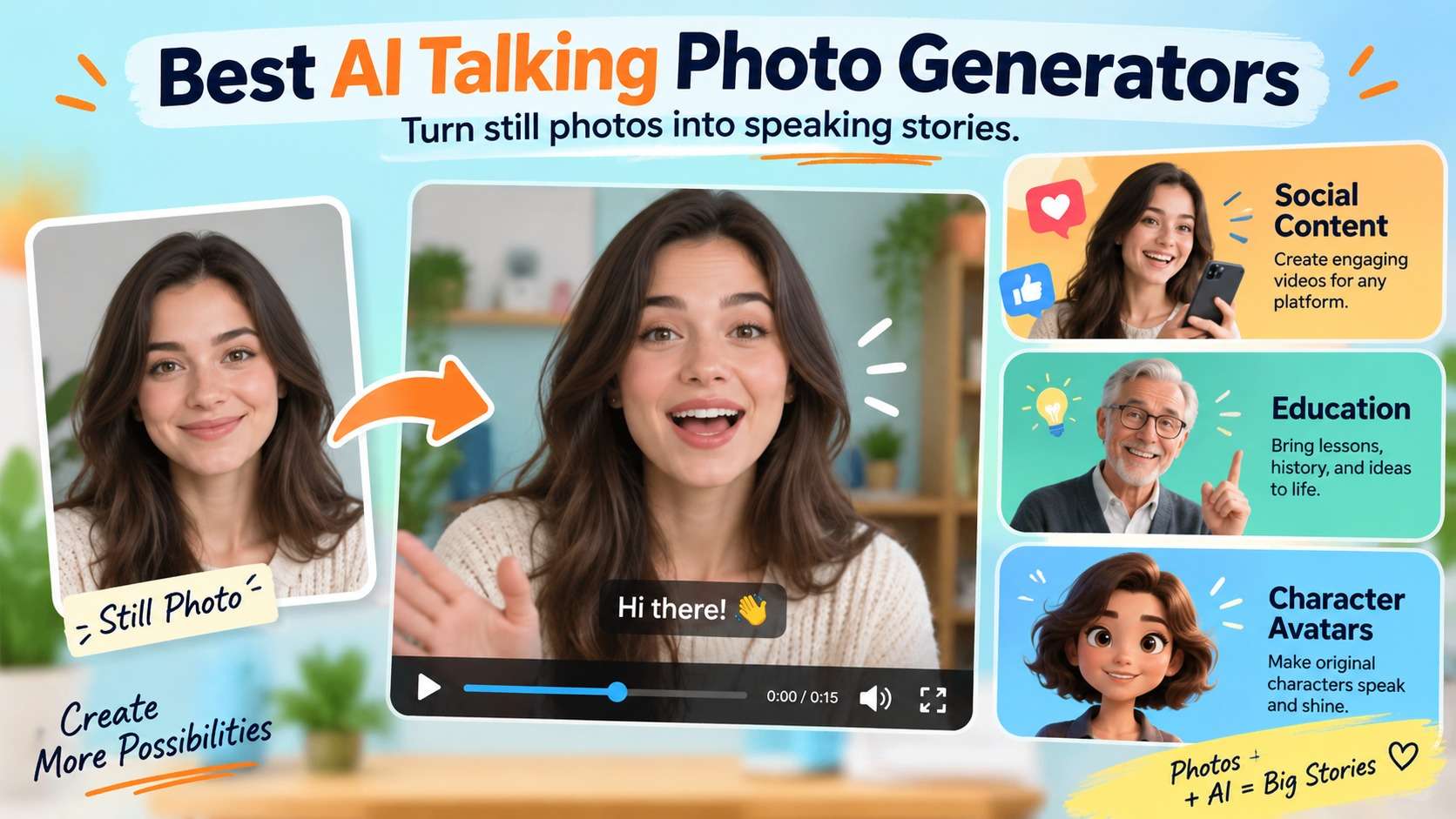
A talking-photo tool can make a still portrait speak in minutes, but the quality gap becomes obvious as soon as the script gets longer or the face turns away from camera. The best ai talking photo generators keep identity stable, match lip motion to difficult phonemes, add enough head and facial movement to avoid a "moving mouth sticker," and give you a practical way to supply voice through audio upload or text-to-speech. I compared these tools by the type of talking image they are built to create, not by how many generic avatar features they advertise.
The shortlist includes fast photo-to-speech tools, avatar platforms built for business presenters, and character-video systems that allow more motion. Free plans are useful for testing, but watermark, duration, export quality, and commercial-use rules can quickly become the real decision factors.
In this article
What Makes a Speaking Portrait Look Convincing?
Lip sync is only one layer. The model also has to preserve the face, teeth, hairline, glasses, facial proportions, and background while generating jaw movement, blinks, expression, and head motion over time. A still image with a frontal face and clean lighting is much easier than a profile, hand-over-face pose, cartoon with a tiny mouth, or low-resolution historical photo.
The best talking photo ai also gives you a useful audio path. Uploading a finished voiceover is important when timing and emotion are already approved; text-to-speech is faster for localization and prototypes. Business users may care about voice cloning, language count, brand controls, API access, and commercial licensing. Social creators may care more about one-click output and how much motion is created from a single photo.
AI Talking Photo Generator Comparison
| Tool | Best for | Voice input | Motion style | Free/trial note |
|---|---|---|---|---|
| Media.io Talking Avatar | Fast photo + audio/TTS social and business clips | MP3/WAV or TTS | Lip, expression, head motion | Free credits; usage can start from low credit cost |
| HeyGen Photo Avatar / Avatar IV | High-quality marketing and business avatars | Script/TTS and platform voice tools | Expressive face and gesture generation | Free plan/trial limits vary |
| D-ID Creative Reality Studio | Simple presenter videos from still images | Text or uploaded audio | Talking presenter focus | Trial/plan limits apply |
| Mango AI Talking Photo | Beginner talking photos with model/voice options | Text, upload, or record audio | Talking photo/avatar motion | Free credits include watermark |
| Vidnoz | Template-rich business/social avatar creation | TTS/voice options | Expressive avatars and photo avatars | Free plan; lower resolution/watermark rules differ |
| Hedra | Character-driven expressive video | Audio/script workflow inside studio | More generative character motion | Start free; paid plans from $15/mo |
| AKOOL Talking Avatar | Business localization and scalable avatars | TTS, voice clone, audio | High-fidelity avatar motion | Free entry; business rights depend on tier |
7 AI Photo Animation Tools for Different Workflows
1. Media.io AI Talking Avatar - best for fast online photo-to-speech with audio or TTS
Media.io's AI talking avatar provides a direct still-photo workflow: upload a clear face image, add an MP3/WAV voice track or use integrated text-to-speech, then generate a talking avatar with synchronized lips, facial expression, and head motion. The current page supports JPG, PNG, and JPEG images up to 50 MB and audio uploads up to 10 MB, which makes the limits easy to plan before you start.
The tool is particularly convenient when the portrait already exists and you do not need to train a digital twin. It can turn selfies, headshots, character art, and other visible-face images into presentation, training, social, or personalized-message clips. Media.io also links the workflow to AI Lip Sync when the source is already a video rather than a still image.
For users who want an ai talking photo generator without a full avatar-production suite, Media.io's three-step flow keeps the setup small. Free credits let new users test the behavior, while the current page says usage can start as low as two credits per use. The main quality variable is the source portrait: frontal, well-lit images with an unobstructed mouth are safer than profiles or cropped faces.
- Photo input: JPG/PNG/JPEG up to 50 MB
- Audio input: MP3/WAV up to 10 MB or integrated TTS
- Best use: Social clips, explainers, training, greetings, character speech
2. HeyGen Photo Avatar / Avatar IV - best for polished marketing and presenter avatars
HeyGen is a stronger fit when a talking photo is not a novelty but part of a repeatable business-video workflow. Its Photo Avatar and Avatar IV experiences can animate a single image with script-driven speech, expressive facial behavior, and gestures, and the broader platform adds voices, localization, avatar management, templates, and API options.
HeyGen's current materials position the system across more than 170 languages and dialects, which is useful for global marketing or training. The trade-off is platform weight: if you only want one birthday photo to speak, a business avatar suite adds decisions and pricing complexity you do not need. If you need recurring presenters across campaigns, that infrastructure becomes the reason to choose it.
I would rank HeyGen highly as a best talking photo generator for branded presenter content, especially when the script changes more often than the visual identity. Before scaling, test difficult names, numbers, and language switches, then verify the current plan's export, watermark, and commercial conditions.
Learn a detailed review of Heygen AI.
3. D-ID Creative Reality Studio - best for straightforward talking presenters from a still image
D-ID has long centered its workflow on turning still faces into speaking presenters. Creative Reality Studio accepts text or audio with a still image and produces an MP4 presenter video, making the product easy to understand for explainers, internal messages, education, and prototypes. Its documentation recommends a clear, front-facing face, neutral expression, consistent lighting, and a sufficiently large head region for more reliable animation.
Those source-photo guidelines are useful because they describe the limits of the task instead of implying every portrait works equally well. D-ID is a good ai talking photo maker when you want a classic talking head without spending time configuring a full generative video scene. It is less suited to cinematic character motion where the body and environment should change significantly.
For archived or historical photos, first enhance only if necessary and preserve the original. Facial restoration plus animation can compound invented detail, so treat the result as a creative interpretation rather than a documentary reconstruction. Learn more about D-ID AI review.
4. Mango AI Talking Photo - best for beginners who want easy voice and model choices
Mango AI's talking-photo flow supports JPG, JPEG, PNG, and WebP images and allows text input, uploaded audio, or recorded audio. Users can choose between talking-photo model versions, voices, pose options, and subtitles. That is a useful middle ground between a one-button novelty tool and a complex enterprise avatar platform.
Its pricing page is unusually useful for free-plan decisions: the free tier includes a credit allowance and applies a Mango AI watermark, while paid tiers remove the watermark and increase capacity. That makes it easy to test motion before paying, but the free export is less suitable for polished client work.
For someone comparing talking photo apps that can handle both scripted text and personal audio, Mango AI is approachable. I would use it for social experiments, greetings, simple explainers, and stylized characters, then move to a more enterprise-focused system if governance, team roles, or large localization runs become important.
Want to learn more? Check our full review of Mango AI.
5. Vidnoz AI - best for template-heavy business videos and budget experimentation
Known as an AI video generator, Vidnoz is broader than a talking-photo utility. Its platform combines a large avatar library, many templates and voices, text-to-video features, photo avatars, expressive avatars, translation, and team/business options. The current free plan offers 720p export and daily/plan-limited creation, while paid tiers increase resolution, speed, duration, voice access, and watermark removal.
That makes Vidnoz a strong talking photo ai option when the speaking portrait needs to become a complete training, marketing, or presentation video with scenes and templates. A casual user benefits from the free entry point; a team can grow into collaboration and localization features without rebuilding the workflow elsewhere.
The weakness is density. Users who already have an image and an audio clip may find dozens of templates and avatar options distracting. Compare the time from upload to acceptable lip sync, not the number of bundled assets.
6. Hedra - best for expressive character videos beyond a fixed presenter
Hedra is a better choice when the goal is a character performance rather than a conservative talking head. Its creative studio is built around generative character media and can turn character images into videos with speech and more expressive motion. That makes it attractive for storytellers, musicians, meme creators, and character-driven social video where a little movement is part of the appeal.
Current individual paid plans start at $15 per month for Basic with 1,500 credits, $30 for Creator with 5,400 credits, and $75 for Professional with 14,400 credits, with commercial use on the paid individual tiers. Hedra also offers free entry so users can test the studio before paying. The credit cost of a clip depends on the generation workflow/model, so plan around actual output rather than monthly credits alone.
Among the best ai photo animation tools, Hedra is less about keeping a head perfectly still and more about turning an image into a performed scene. That can look more engaging, but more motion also creates more opportunities for identity, hands, clothing, or background to drift.
7. AKOOL Talking Avatar - best for business localization and scalable avatar production
AKOOL positions Talking Avatar as a business-ready digital-human system with high-fidelity lip-to-speech alignment, custom avatars, voice options, localization, and scalable production. The current product page says users can choose or create an avatar, customize a voice, generate the result, and continue editing. It also advertises hundreds of voice characters and over 150 languages for avatar speech.
The pricing structure separates personal and business licensing at higher tiers, so teams should pay attention to rights rather than reading the $0 entry labels in isolation. AKOOL's help documentation also supports text-to-speech, voice cloning, and pre-recorded MP3/WAV audio for Talking Avatar workflows.
If you need a talking avatar generator from photo mainly for sales, training, localization, or executive communication, AKOOL is more relevant than a novelty app. If you only need a 10-second social meme, the enterprise-oriented depth is unnecessary.
Source Photo Quality Matters More Than Most Tool Lists Admit
A talking-photo model starts with whatever information the still image provides. A clear frontal face with visible eyes, mouth, chin, and hairline gives the model strong geometry. Profiles, exaggerated expressions, sunglasses, microphones in front of the mouth, hands on the face, and tiny head crops remove information the animation needs. Upscaling a poor source can make it larger, but it does not guarantee accurate identity.
If you need to animate photo to talk ai, crop enough background to keep the face prominent but leave room for natural head motion. Avoid placing the chin directly on the bottom edge. For a character illustration, keep the mouth shape readable and the facial design consistent; extremely stylized eyes or no visible lips can make photorealistic motion models behave unpredictably.
Audio matters too. Use a clean voice track without loud music or overlapping speakers. If the platform supports TTS, generate one short sentence first to evaluate the face motion independently of your recording quality. Then upload the real voiceover only after the visual behavior is acceptable.
The 15-Second Lip-Sync Fidelity Test: 5 Things to Watch
You do not need a long video to expose weak animation. Use a short script with B/P/M sounds, F/V sounds, a wide "ah," a smile, and a sentence ending in a pause. First check whether the lips close fully on B/P/M. Then watch the lower lip on F/V. Next, look for teeth that suddenly change shape, glasses that warp, earrings that flicker, or hair that moves independently from the head.
A make photo talk ai tool also needs believable idle behavior. During pauses, the face should not freeze unnaturally or keep mouthing nonexistent syllables. Blinks should not distort eye shape, and head motion should match the emotional tone rather than sway constantly. The stronger the tool's generative motion, the more carefully you should inspect identity stability frame to frame.
Finally, listen without watching and watch without sound. If the voice works but the animation feels uncanny, the problem is motion. If the face looks convincing but the sync feels late, try a cleaner voice file or a different TTS/voice setting before abandoning the platform.
Free Plans, Watermarks, and Commercial Use
Free access is best used as a motion test. Media.io provides free credits for trying its talking-avatar workflow. Mango AI's free tier includes credits but adds a watermark. Vidnoz offers a free plan with lower-resolution and plan-specific limits. Hedra allows users to start free and then moves into credit-based paid tiers. HeyGen, D-ID, and AKOOL also provide entry/trial paths whose live limits can change.
For talking photo apps used in business, do not stop at "no watermark." Confirm commercial licensing, voice rights, avatar/likeness permissions, and whether the person in the photo consented to this use. A technically clean export is not permission to impersonate someone. This is especially important for executive, celebrity-like, customer, or employee images.
Teams should also consider localization cost. If one approved portrait will speak in 20 languages, a platform with strong TTS, translation, and reusable avatar management can be cheaper than a low-cost one-off generator even if its monthly plan is higher.
From Portrait to Speech: A Better Creation Workflow
- Choose a source portrait for animation, not just beauty. Use a visible, front-facing face with good lighting and enough room around the head.
- Write a 10-15 second test script. Include varied mouth shapes and one natural pause.
- Test built-in TTS first if available. This isolates visual quality from a noisy personal recording.
- Inspect identity and lip sync at full size. Check teeth, jaw, glasses, hairline, earrings, and blink behavior.
- Upload or record the final voice only after the face passes. Clean background noise before generation if the service relies on uploaded audio timing.
- Generate the shortest useful clip. Long clips cost more and create more opportunities for drift; split sections if your platform supports a scene workflow.
- Add captions and final edits after the avatar is approved. This avoids redoing design work when the talking performance needs to be regenerated.
If all you need is a talking avatar generator from photo for a simple explainer, this sequence prevents you from spending time on templates before the core face animation is trustworthy.
Final Recommendations by Use Case
Frequently Asked Questions
-
What kind of photo works best for a talking photo generator?
Use a high-resolution, well-lit image with one clearly visible face, a mostly frontal angle, unobstructed eyes and mouth, and enough space around the head for movement. Extreme profiles, sunglasses, hands over the face, and tiny crops are harder. -
Can I make a photo talk using my own voice?
Yes. Several tools, including Media.io, support uploaded audio. Media.io currently accepts MP3 or WAV audio up to 10 MB in its talking-avatar workflow, while other platforms may also support recording or voice cloning. -
Which talking photo generator is best for business videos?
HeyGen, Vidnoz, D-ID, and AKOOL are strong business-oriented options because they add presenter workflows, voices, languages, templates, localization, or team features beyond a single talking photo. -
Which tool is best for animated characters rather than realistic presenters?
Hedra is particularly relevant when you want a character performance with more generative motion. Media.io and Mango AI can also animate character art, but source style and face visibility strongly affect results. -
Do free talking photo generators add watermarks?
Some do and some use credit/plan limits instead. Mango AI explicitly watermarks free output, while other platforms have their own current free-export rules. Check the live plan before producing client or published content. -
Can I use any person's photo to create a talking avatar?
You should only animate images you have the right and permission to use, especially for commercial, deceptive, or identity-sensitive contexts. Platform access does not replace consent, publicity rights, copyright, or voice/likeness permissions.


