

The right AKOOL face swap alternative depends on whether you are replacing a face for one creative asset or building face transformation into a larger production system. AKOOL positions its swap studio alongside character, motion, head, hair, and clothing transformations and publishes developer credit usage for image and video face swap. That makes it broader than a casual novelty tool.
Media.io is a better comparison for creators and marketers who want a browser-first face swap that connects naturally to additional image and video work. This page focuses on that practical difference rather than claiming every AKOOL user should switch.
In this article
AKOOL Alternative: Creator Tool or Production Platform?
Start by deciding what AKOOL is doing in your workflow. If it is simply replacing one face in a photo or short clip, you can compare it with many browser alternatives. If it is part of an API-driven campaign, team production process, live experience, or a larger identity-transformation system, the replacement must be evaluated at the platform level.
| Need | More Relevant Choice |
| Fast browser face swap plus creative follow-up | Media.io Photo Face Swap |
| No-signup casual trial | Magic Hour or another explicit guest tool |
| Photo, video, and multi-face inside a broad AI suite | Vidnoz |
| API, campaign, team, or advanced swap modes | AKOOL |
| Photo-only edit inside a traditional image editor | Pixlr |
What AKOOL Face Swap Is Built to Do
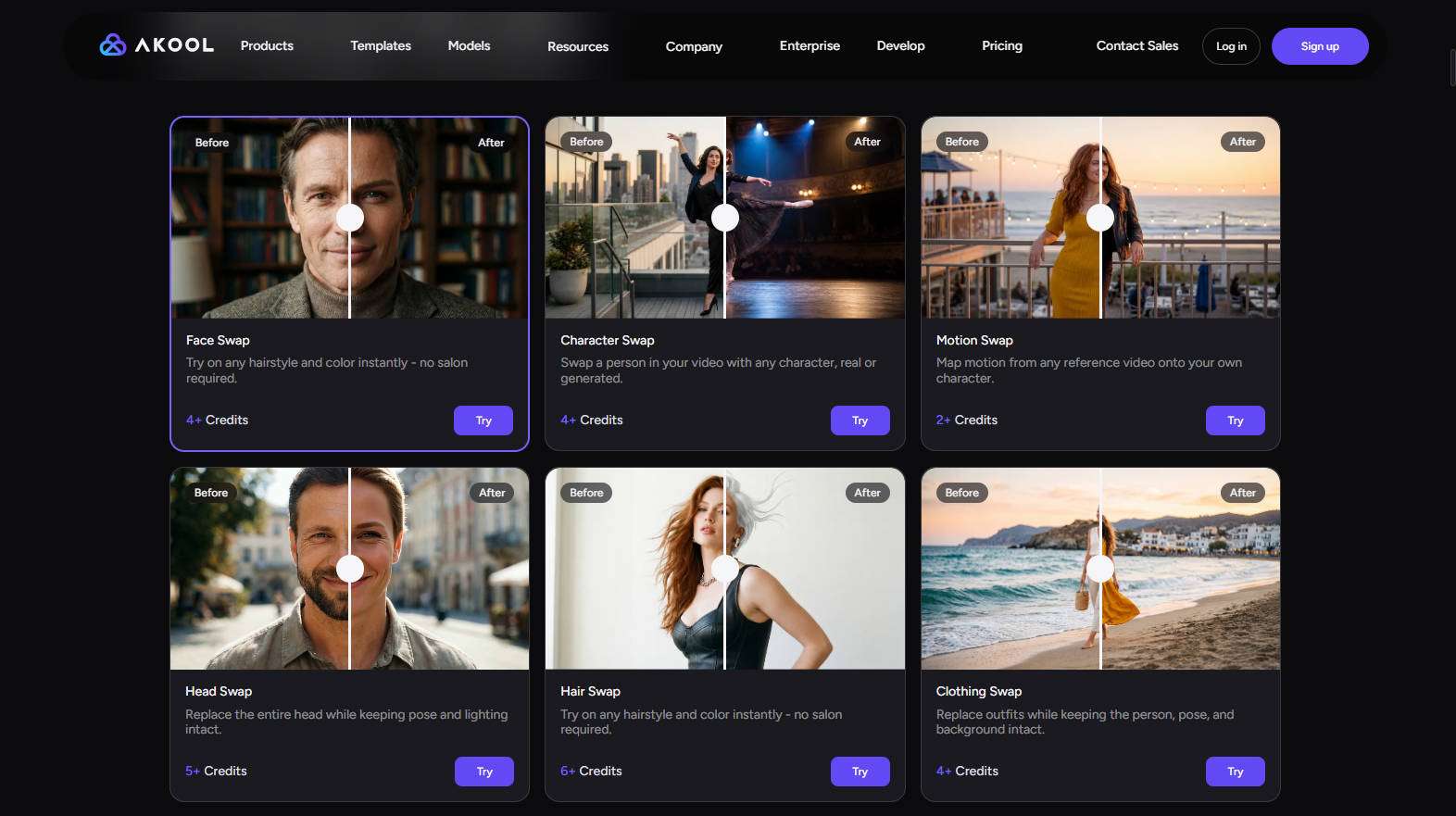
AKOOL's current AI Swap Studio accepts both image and video inputs and shows multiple transformation modes beyond a basic face replacement. Its developer pricing publishes separate face-swap usage for image and video, which is useful for teams estimating repeatable workloads. Plan pages also distinguish licensing and higher-level production capabilities.
That means a free AKOOL alternative should not be chosen by asking only whether it can swap a face once. If your team depends on an API, concurrency, or business licensing, those are core requirements, not optional extras.
AKOOL vs Media.io: Where the Workflows Diverge
| Decision Point | AKOOL | Media.io |
| Photo face swap | Yes | Yes |
| Video face swap | Yes | Yes |
| Multiple or broader identity modes | Multiple swap-related modes | Dedicated multiple-face photo workflow plus related face tools |
| Developer orientation | API and production pricing are prominent | Creator-first browser workflow |
| Connected creative work | Large AI content platform | Face swap connected directly to Media.io image and video tools |
| Best fit | Teams, campaigns, advanced transformations, API use | Creators who want fast browser swapping plus editing and generation |
Media.io's Photo Face Swap should be treated as a creator workflow rather than an AKOOL API clone. The advantage is that a user can swap an identity in a photo or short video, review the result, and then continue into other Media.io image or video work without designing an integration layer first.
Choose Media.io for Browser-First Creative Production
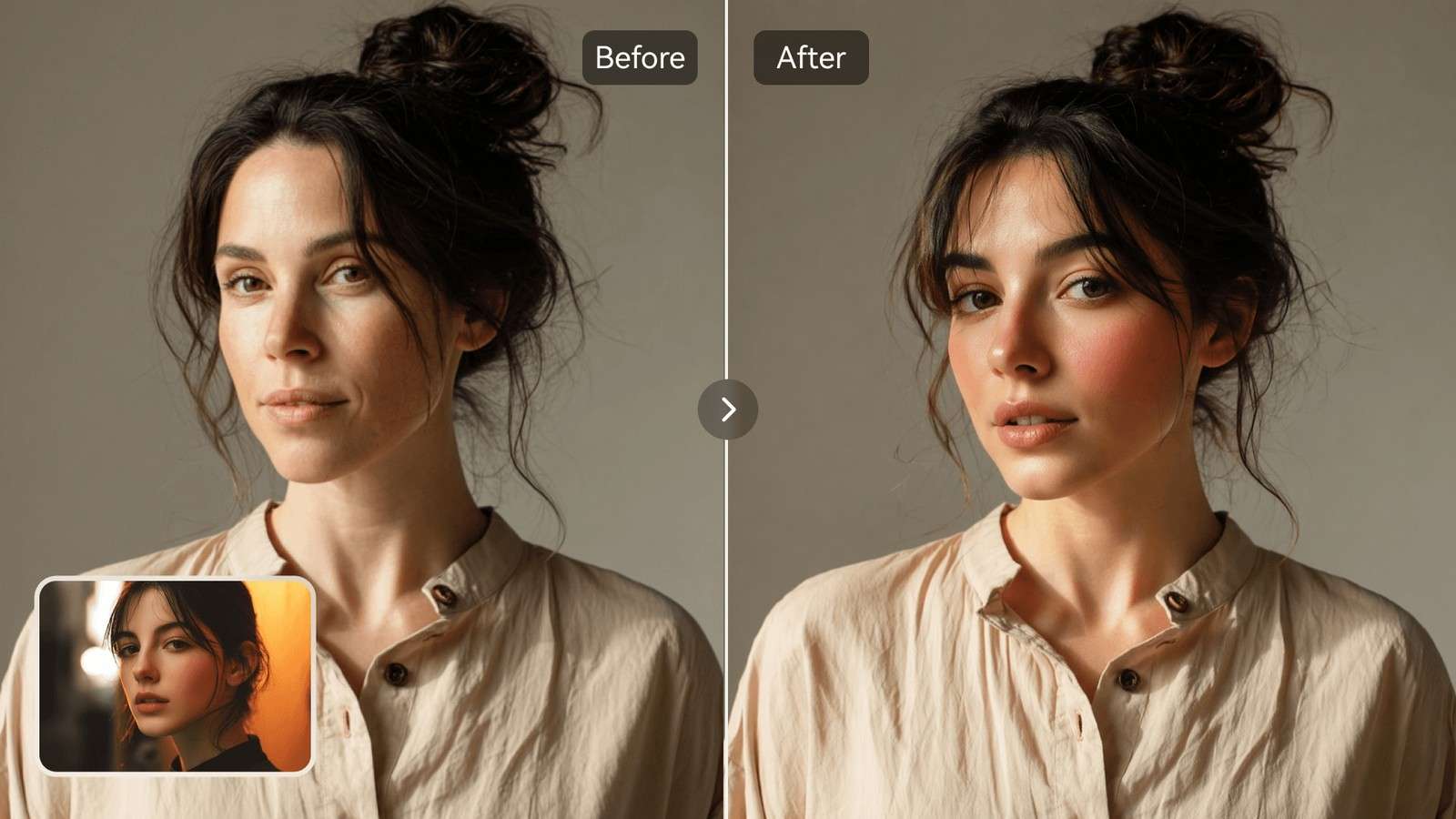
Media.io is a stronger AKOOL alternative when the person doing the work is a creator, social marketer, small team, or editor who wants the result rather than an API. A practical workflow is:
- Upload the authorized photo or short video and a clear replacement portrait.
- Confirm the detected person and generate the swap.
- Review the face at full size or scrub the entire short clip.
- For a group image, use Multiple Face Swap so each selected person is mapped deliberately.
- Continue into enhancement, background, social, or other Media.io work only after the identity replacement is approved.
Photo Face Swap: Keep the Scene, Change the Identity
For still images, the best result keeps everything except the intended identity stable. Run a test where the target has a clear background, visible clothing, and at least one difficult edge such as hair, glasses, earrings, or a hand near the face. Then confirm the tool changes the face without silently rebuilding the rest of the image.
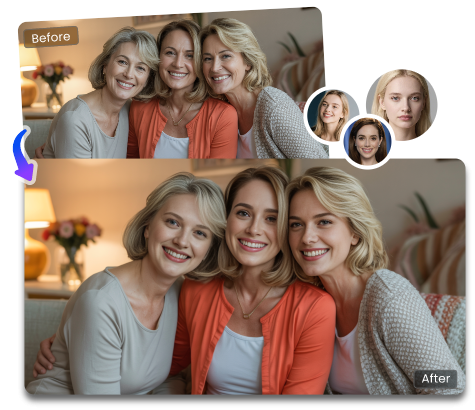
If the project is a professional headshot, product-model image, or profile photo, compare the swapped output with the original at 100 percent zoom. Media.io also has dedicated product model face swap scenarios when the identity edit is part of ecommerce or marketing imagery.
Video Face Swap: Measure Stability Across Motion
Video swaps are harder because the identity must stay coherent over time. Use the same ten-second test clip in AKOOL and Media.io AI Face Swap Video. Include a smile, side turn, brief occlusion, and movement toward or away from the camera.

- Tracking stability. The new face should not drift or flicker during motion.
- Expression transfer. Smiles, speech, and eye movement should still match the performance.
- Lighting continuity. Skin tone and highlights should respond to scene changes.
- Edge handling. Hair, glasses, hands, and profile turns should not expose a pasted boundary.
- Export integrity. Confirm final duration, resolution, watermark, and audio before approving.
Professional Features: API, Credits, Concurrency, and Licensing
AKOOL's developer material lists face-swap credit usage for images and video. Its broader plans also emphasize professional production capabilities and plan-dependent licensing. This is where many casual comparisons become misleading: a browser tool can be a better editing experience but still be the wrong replacement for an automated or high-volume system.
For a business evaluation, build a requirement sheet before you compare prices.
| Requirement | Question to Ask |
| API | Can the workflow be called programmatically with the controls you need? |
| Concurrency | How many image or video jobs can run at once? |
| Licensing | Does the plan allow the intended commercial use? |
| Credits | What does one final approved asset cost after retries? |
| Resolution and duration | Does the exact face-swap mode support the final output spec? |
| Privacy | What happens to uploaded faces and generated media after processing? |
Separate the Creator Tool Decision From the Infrastructure Decision
AKOOL and Media.io can overlap at the visible face-swap task while serving different operational needs. A creator comparing two browser interfaces is asking, "Which one gets this photo or clip finished with less friction?" A developer or production team may be asking, "Which platform fits our API, concurrency, licensing, and repeatable campaign pipeline?" Those are different purchasing decisions.
If the work is manual and occasional, evaluate upload clarity, face selection, generation quality, export, and the next editing step. If the work is automated or high-volume, add API reliability, job status, rate limits, credits at scale, storage behavior, team permissions, and commercial terms. A creator-friendly interface should not be presented as an API replacement unless the underlying requirements are actually met.
This distinction also keeps an AKOOL AI alternative comparison fair. Media.io can be the better face-swap alternative for browser-first creation without needing to duplicate every professional platform feature. Conversely, AKOOL can remain the stronger fit for an established production integration even if another tool feels faster for a single photo.
When AKOOL Is Still the Better Choice
Stay with AKOOL when your workflow depends on its developer stack, team-oriented production controls, broader identity transformation modes, or an existing campaign integration. Replacing a mature production system to save a small amount on one face swap is rarely efficient.
Also keep AKOOL on the shortlist when you need to evaluate several related transformations, such as character, motion, head, hair, or clothing swap, inside the same professional platform. Media.io is a better alternative when the primary need is creator-friendly face replacement followed by common image or video editing tasks.
When high-resolution still output matters more than API depth, add Media.io's HD face swap scenario to the same test set so the decision includes final-size detail, not only the breadth of the platform.
Other AKOOL Alternatives by Use Case

- Magic Hour: useful for a low-friction guest test, especially when you want to try your own media before creating an account.
- Vidnoz: useful when photo, video, and multi-face swap are all needed inside a broad AI suite with published task credits.
- Pixlr: useful when the task is photo-only and the swap should remain inside a conventional photo-editing workflow.
- Media.io: useful when the face swap should flow directly into other image or video creation and editing tasks.
How to Switch Without Rebuilding Your Entire Workflow
- Choose one representative authorized asset instead of migrating everything at once.
- Recreate the face swap in the alternative and document input roles, output settings, and the review checklist.
- Compare the final exported asset, not only preview quality.
- If the alternative passes, test the next step in the workflow: group mapping, enhancement, background work, or video delivery.
- Only after the complete path works should you move recurring production or update team documentation.
This staged approach separates face-swap quality from platform migration risk. If the new tool fails only on API or licensing requirements, you can keep AKOOL for production while using another browser tool for ad hoc creator work.
Pilot the Migration With a Representative Asset Matrix
Before replacing AKOOL in a real workflow, test a small matrix that represents your actual production instead of one easy demo. Include a clean portrait, a difficult portrait with hair or eyewear, a short video with motion, and a group image if multi-face work matters. For business use, add one asset that contains the kind of product, wardrobe, or branded environment you normally publish.
Score each result on identity fidelity, untouched-scene preservation, motion stability where relevant, export quality, processing time, retries, and downstream handoffs. For API-dependent work, run the same job through the intended integration path rather than assuming the browser result predicts production behavior.
Then classify the migration outcome. If the alternative passes the creative tests but fails automation requirements, use it for manual creator work and keep AKOOL for automated production. If it passes both, migrate one recurring workflow before moving the full library. This staged approach reduces operational risk and makes the reason for switching measurable.
Consent, Brand Safety, and Review

Business teams should also protect unreleased products, customer media, employee identities, and confidential footage. Use only cloud services whose current data handling fits your own policy, and delete project assets when they are no longer needed.
AKOOL Face Swap Alternative FAQs
-
What is the best AKOOL face swap alternative?
Media.io is a strong AKOOL face swap alternative for creators who want browser-based photo and video face swapping plus a connected set of AI editing tools. Vidnoz or Magic Hour may fit users prioritizing different free routes, while AKOOL remains strong for professional and API-oriented workflows.
-
Is there a free AKOOL alternative?
Yes. Media.io, Magic Hour, Vidnoz, and other tools provide free entry points or limited free generations, but they differ in signup, credits, watermarks, HD output, and commercial rights. Check the live route for the exact media type you need.
-
How does Media.io compare with AKOOL face swap?
AKOOL positions face swap inside a broader professional AI content platform with several swap modes and developer pricing. Media.io emphasizes an accessible browser workflow that connects face swap with image and video creation and editing.
-
Does AKOOL support both photo and video face swap?
Yes. AKOOL's current swap studio accepts image and video inputs and lists several swap modes. Its developer pricing also publishes separate face-swap credit usage for image and video workloads.
-
Can a Media.io alternative replace AKOOL for multiple face swaps?
For many creator workflows, yes. Media.io has a dedicated multiple-face photo route, while other services also provide multi-face mapping. Teams that need AKOOL-specific API, concurrency, or enterprise controls should compare those requirements separately.
-
What should businesses check before switching from AKOOL?
Compare licensing, API access, concurrency, credit cost, output resolution, privacy, team workflow, and how much post-processing the final asset still needs. A cheaper face swap is not automatically a cheaper production workflow.


