

Adobe Firefly has changed from a single image generator into a broader creative workspace. It now mixes Adobe's own image and video models with selected partner models, connects generation to editing, and extends into Boards, audio, mobile, and other Adobe surfaces. This adobe firefly review looks at that 2026 product as it exists now-not the early "text-to-image only" version many older reviews still describe.
The key question is no longer whether Firefly can make a good picture. It is whether the Adobe-centered workflow saves enough time for your actual job: generating campaign concepts, editing part of an existing image, producing short AI video shots, exploring mood boards, or moving assets into Photoshop and Express. We also separate Adobe-model claims from partner-model behavior, because that distinction matters for commercial teams.
In this article
- What Adobe Firefly Is in 2026-and Why Older Reviews Miss the Point
- Image Generation in Firefly: Image 5, Partner Models, and Editing
- Generative Fill Test: The Feature That Makes Firefly More Useful Than a Prompt Box
- How Firefly Handles AI Video: Strong Model Access, but Retries Still Cost
- Firefly Free vs Paid: What the Plans Actually Change
- What Worked Well in Firefly-and What Still Gets in the Way
- How to Use Adobe Firefly Image Generation and Generative Fill
- Adobe Firefly Alternative: When Media.io Is the Simpler Fit
- Final Verdict: Firefly Is Strongest as an Adobe Workflow, Not as a Standalone Model
- Adobe Firefly FAQ
What Adobe Firefly Is in 2026-and Why Older Reviews Miss the Point
Firefly is now a multi-surface creative platform rather than one model. The current web app combines Adobe Firefly Image 5 with selected partner image models such as Google and OpenAI options, and it also connects to video generation, Boards, audio features, mobile, Photoshop, Express, and other Adobe products. That breadth is the main advantage: you can explore several generation paths and then keep the asset inside a professional design workflow.
There is also an important commercial distinction. Adobe positions its own Firefly models around commercially safe training and production use; partner models are clearly identified and bring their own terms, provenance, and model behavior. Teams should record which model produced a final asset instead of treating "generated in Firefly" as one licensing category.
Image Generation in Firefly: Image 5, Partner Models, and Editing
The current image experience is strongest when generation and editing are combined. Firefly Image 5 can create a base image, while partner models give you alternative rendering behavior in the same workspace. The real productivity gain appears after the first result: reference images, local edits, background changes, Generative Fill, and Adobe handoff reduce the need to regenerate an entire composition because one prop or region is wrong.
| Area | What Firefly does well | What to watch |
|---|---|---|
| Image generation | Multiple Adobe/partner model choices and strong design workflow handoff | Model behavior, credit cost, and licensing context vary by engine |
| Typography/graphic concepts | Useful for campaign ideation, layouts, and concept art | Small text and exact brand marks still need careful review |
| Generative Fill | Local replacement/removal is far more efficient than full regeneration | Selection quality and prompt specificity affect edge consistency |
| Reference workflow | Helps preserve composition/style direction across iterations | Reference guidance does not guarantee perfect identity or geometry |
Generative Fill Test: The Feature That Makes Firefly More Useful Than a Prompt Box
Generative Fill is the Firefly capability we would prioritize for real production. The current web workflow lets you open an image, enter the editing experience, select or brush over the region, and generate replacement content from a prompt. For marketers and designers, this is more valuable than repeatedly asking for a new full image because it protects the parts of the layout that are already approved.
Our practical test is simple: remove a distracting object from a product/lifestyle image, replace a small background element, and extend the scene only after the first two edits preserve lighting and perspective. Watch boundaries around hands, hair, reflective products, and patterned backgrounds. Local generation is powerful, but complex overlaps can still produce soft edges or invented detail.
How Firefly Handles AI Video: Strong Model Access, but Retries Still Cost
Firefly's video area now matters because Adobe exposes its own generation plus selected partner video models. Current partner options include major third-party engines, letting creators compare motion styles without opening a completely separate production environment. That is useful for short ad shots, product motion, transitions, atmospheric B-roll, and previsualization.
The practical constraint is the same across modern video generation: short clips often require several attempts before motion, faces, hands, product geometry, and audio all work together. Credits should therefore be treated as an iteration budget, not a price per "finished video." For long-form editing, Firefly-generated shots still need to be assembled in a timeline such as Premiere or another video editor.
Firefly Free vs Paid: What the Plans Actually Change
| Plan | Best for | Current practical limit |
|---|---|---|
| Free | Testing image/video workflows before paying | Limited daily generations/credits; not a dependable high-volume production tier |
| Standard | Regular image creation and moderate premium generation | 2,000 monthly generative credits on the current US plan; premium/video usage consumes credits |
| Pro | Heavier Firefly use plus wider Adobe web/mobile creative access | 4,000 monthly generative credits; includes additional Adobe app benefits |
| Pro Plus | Higher-volume generative production | 10,000 monthly generative credits; best only when usage justifies the larger pool |
Firefly plan pricing is one of the most changeable parts of the product because Adobe runs regional pricing and promotions. On Adobe's current US AI art generator page, Standard is listed at $9.99/month, Pro at $19.99/month, and Pro Plus at a higher tier with promotional pricing sometimes shown. Re-check the checkout page before budgeting a production cycle.
What Worked Well in Firefly-and What Still Gets in the Way
How to Use Adobe Firefly Image Generation and Generative Fill
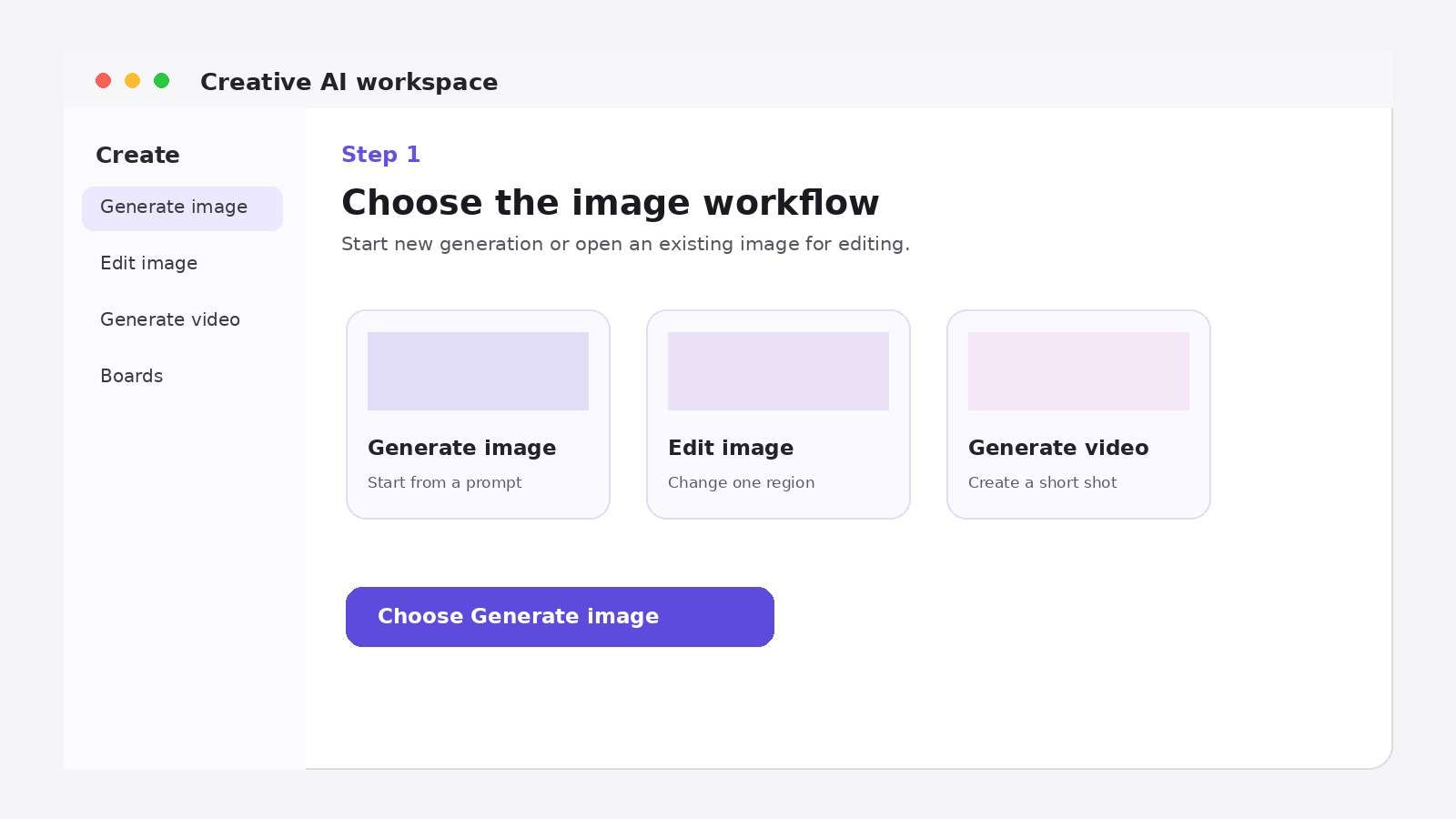
Step 1: Open Firefly and choose an image workflow
From the Firefly home workspace, open Image generation for a new asset or choose the image editing path when you already have a photo. Decide which model family you want before spending credits on variations.
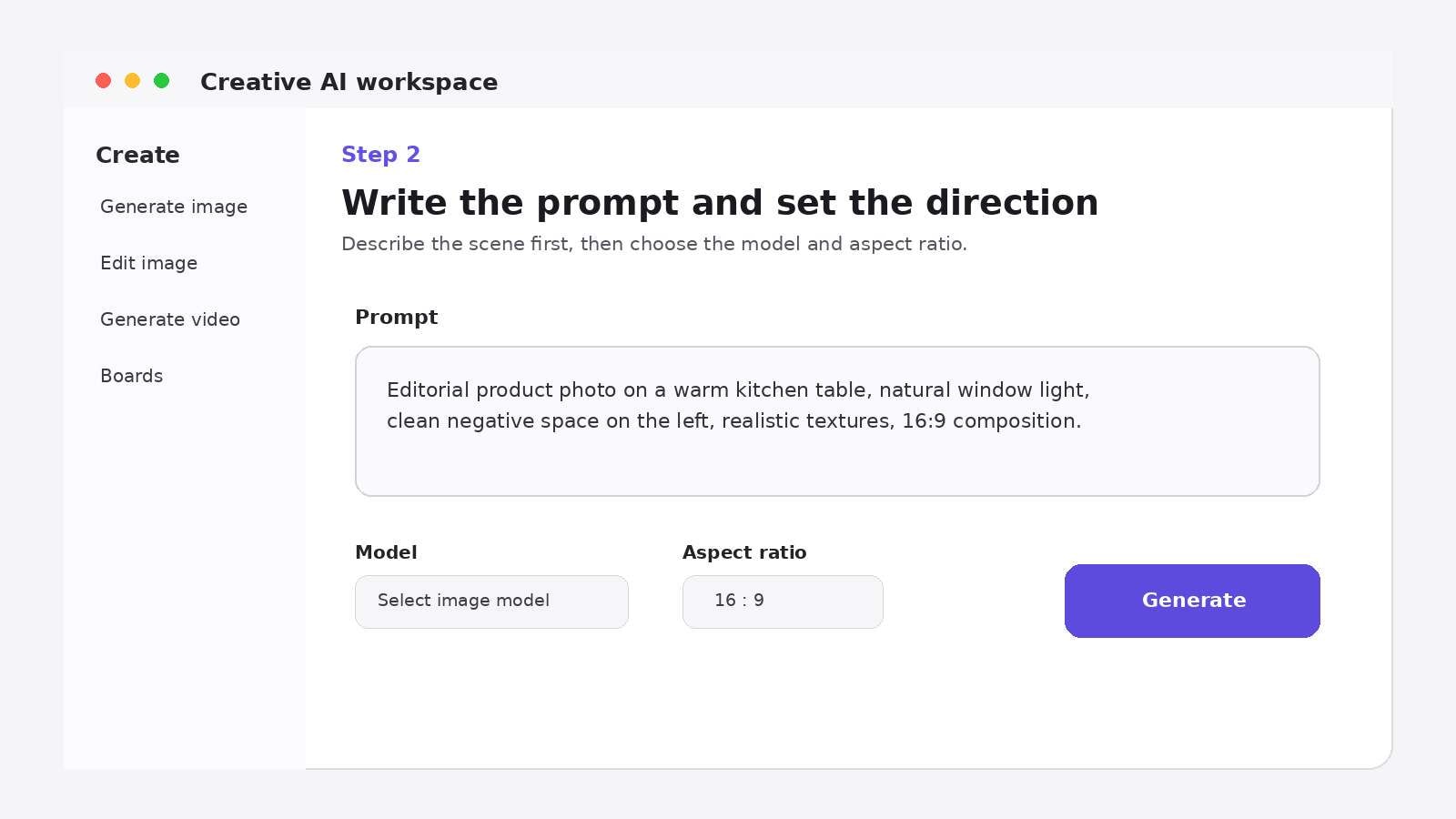
Step 2: Write the prompt and set the generation direction
Describe subject, scene, composition, camera/lighting, and style in that order. Add a reference only when it provides information the text cannot express reliably. Keep the first prompt compact enough that you can diagnose what the model missed.
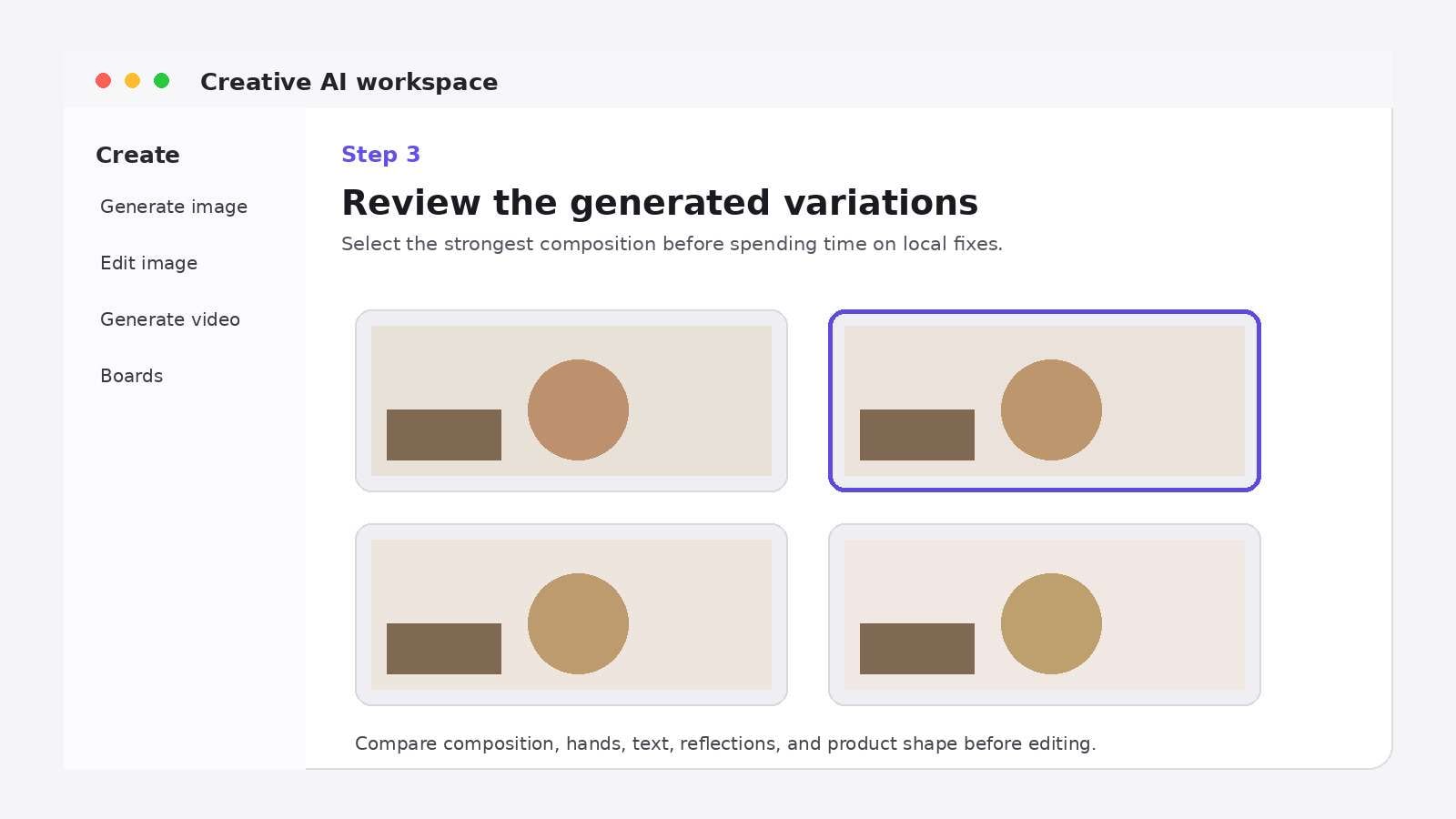
Step 3: Review variations and keep the strongest composition
Do not judge only surface detail. Check hands, product shape, text, reflections, background geometry, and whether the composition leaves room for the final layout. Select one image before doing local edits.
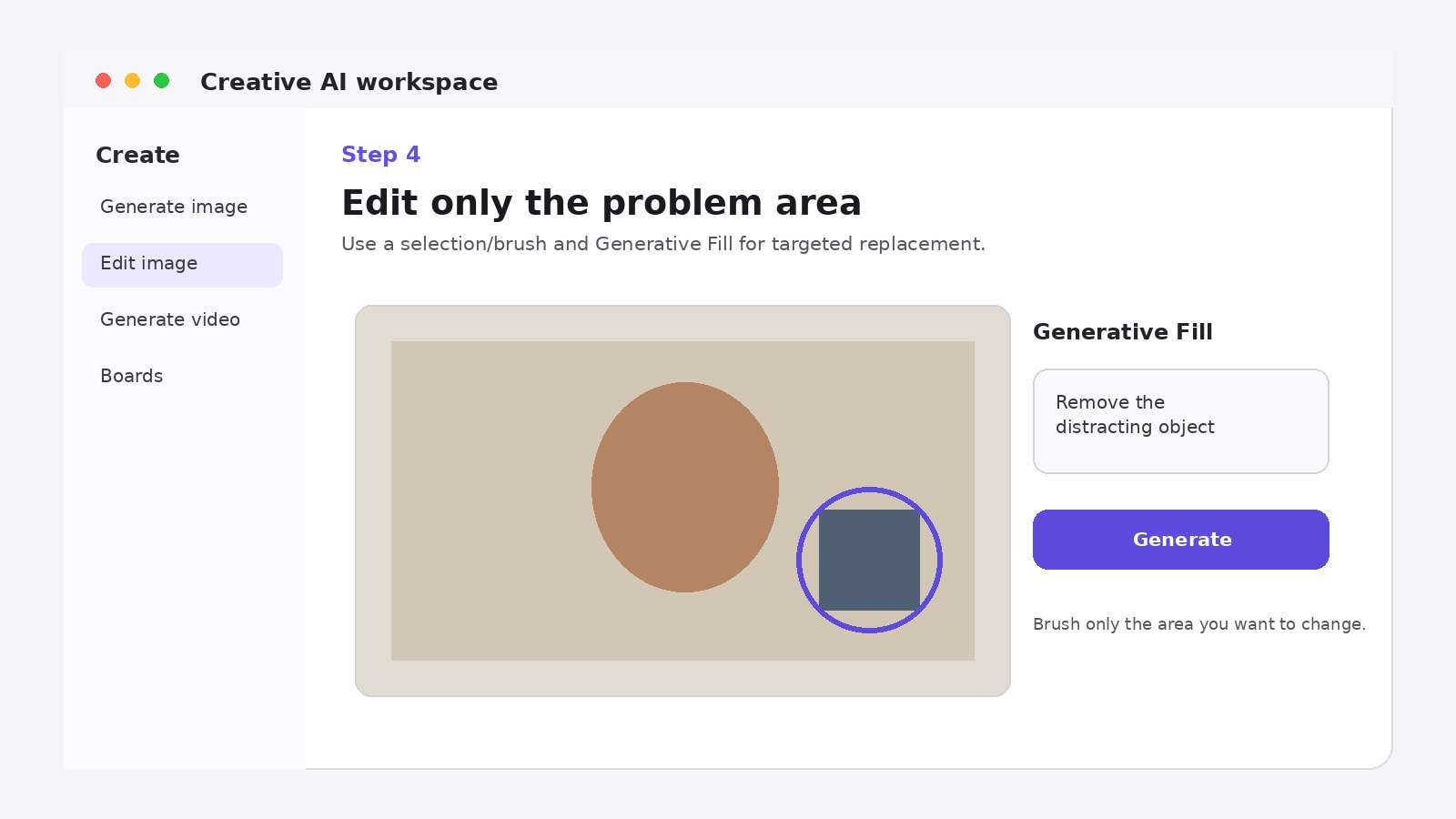
Step 4: Use Generative Fill for the problem area
Open the image editor, select or brush the specific region, describe the replacement, and generate a few local options. This is the stage to remove distractions or change one object without sacrificing the parts that already work.
Adobe Firefly Alternative: When Media.io Is the Simpler Fit
Media.io is not a clone of Firefly. It is a better alternative when you want a lighter browser workflow that can move between several AI models and practical media tools without making Adobe apps the center of the project. For images, Media.io Text to Image exposes multiple current models and connects directly to background removal, object cleanup, replacement, enhancement, and animation. For reference-driven changes, Image to Image gives a prompt-based restyling path.
| Capability | Adobe Firefly | Media.io |
|---|---|---|
| Best overall fit | Adobe-centered design and production teams | Browser-first creators who want multi-model generation plus practical media tools |
| Image models | Adobe Firefly models plus selected partners | Multiple current image models in one generation workspace |
| Local image editing | Strong Generative Fill and Adobe editing handoff | AI Replace, background/object removal, enhancement, and image-to-image workflows |
| Video models | Adobe Firefly plus selected partner video models | Multiple current video engines including Veo/Kling/Runway/Vidu/Hailuo/Seedance options depending on workspace |
| Desktop ecosystem | Deep Photoshop/Express/Illustrator/Premiere integration | Primarily online/browser media workflows |
| Best reason to choose | You already live in Adobe and want generation integrated with pro design tools | You want fast online switching between generation and everyday media editing |
Final Verdict: Firefly Is Strongest as an Adobe Workflow, Not as a Standalone Model
Firefly is easy to recommend to an Adobe-heavy creative team because generation, local edits, design handoff, and asset exploration now live in one connected ecosystem. Image 5 and partner-model access broaden the creative range, but Generative Fill is still the capability that most directly saves production time. For video, budget around retries rather than assuming one generation equals one usable shot.
Choose Media.io instead when you want a lighter online workflow, broader media-tool switching, or you do not need Photoshop/Express to be the center of the project. The decision is less about which platform has "more AI" and more about where you want to review, edit, and finish the asset.
Adobe Firefly FAQ
-
How should I judge a adobe firefly ai review?
Treat the label as a starting point, not a guarantee. For this category, compare the actual input you have, the quality of the first usable output, how easily you can correct a mistake, and what happens at export. A tool can be free and still cost time if every result needs rebuilding. Test one representative project before moving a full batch or channel workflow into the platform.
-
When is adobe firefly review 2026 a better choice than a full editor?
Use the more focused option when the task is narrow and repeatable: one conversion, one style, one short-form workflow, or one type of output. A full editor becomes more valuable once you need layered changes, branding, reusable templates, collaboration, or several export variants. The more useful tool is the one that removes the steps you actually perform, not the one with the longest feature list.
-
What should I test first in a firefly ai review?
Use a difficult but realistic sample rather than a perfect demo asset. Include the details you cannot afford to lose-faces, text, product edges, timing, captions, pronunciation, or reference identity depending on the task. Then make one revision. The second pass is revealing: strong tools let you repair a local problem, while weak workflows force you to regenerate or rebuild too much of the project.
-
Does adobe firefly image generator review mean the final export is completely free?
Not necessarily. "Free" can refer to opening the tool, receiving starter credits, generating at a lower resolution, using a limited number of minutes, or exporting with platform branding. Before production, check the current plan page for watermark behavior, commercial-use rights, resolution, credit renewal, and model-specific costs. Those details change more often than the core workflow, so verify them again when the project moves from testing to publishing.
-
How should I judge a adobe firefly video review?
Treat the label as a starting point, not a guarantee. For this category, compare the actual input you have, the quality of the first usable output, how easily you can correct a mistake, and what happens at export. A tool can be free and still cost time if every result needs rebuilding. Test one representative project before moving a full batch or channel workflow into the platform.
-
When is adobe firefly pricing a better choice than a full editor?
Use the more focused option when the task is narrow and repeatable: one conversion, one style, one short-form workflow, or one type of output. A full editor becomes more valuable once you need layered changes, branding, reusable templates, collaboration, or several export variants. The more useful tool is the one that removes the steps you actually perform, not the one with the longest feature list.
-
What should I test first in a adobe firefly free?
Use a difficult but realistic sample rather than a perfect demo asset. Include the details you cannot afford to lose-faces, text, product edges, timing, captions, pronunciation, or reference identity depending on the task. Then make one revision. The second pass is revealing: strong tools let you repair a local problem, while weak workflows force you to regenerate or rebuild too much of the project.
-
Does is adobe firefly worth it mean the final export is completely free?
Not necessarily. "Free" can refer to opening the tool, receiving starter credits, generating at a lower resolution, using a limited number of minutes, or exporting with platform branding. Before production, check the current plan page for watermark behavior, commercial-use rights, resolution, credit renewal, and model-specific costs. Those details change more often than the core workflow, so verify them again when the project moves from testing to publishing.
-
How should I judge a adobe firefly pros and cons?
Treat the label as a starting point, not a guarantee. For this category, compare the actual input you have, the quality of the first usable output, how easily you can correct a mistake, and what happens at export. A tool can be free and still cost time if every result needs rebuilding. Test one representative project before moving a full batch or channel workflow into the platform.


