

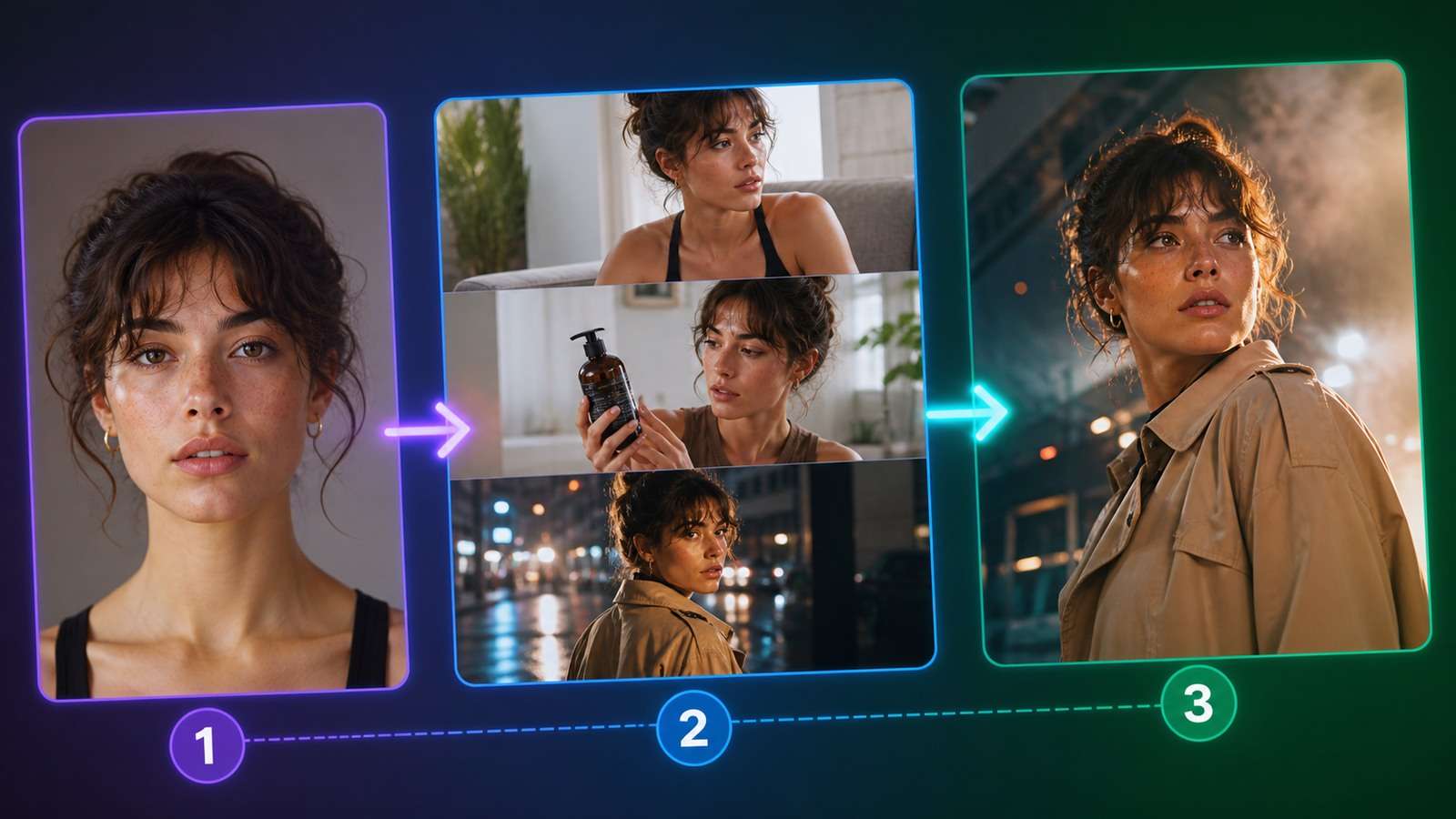
Soul ID character consistency addresses a problem that prompt wording alone rarely solves: keeping the same recognizable person across different outfits, locations, camera angles, images and videos. Higgsfield Soul ID creates a reusable identity from a set of reference photos, then applies that identity inside supported generation workflows.
Higgsfield's current guidance recommends roughly 20 or more varied, high-quality photos. That makes Soul ID closer to training a lightweight persistent identity than attaching one character reference to each prompt. The benefit is reuse; the risk is that weak or overly uniform training photos can encode the wrong face, age, makeup or photographic style.
In This Article
What Is Higgsfield Soul ID?
Soul ID is a persistent character-identity feature in Higgsfield. A user uploads a photo set, trains an identity and selects it during later image or video creation. Higgsfield describes the trained identity as reusable across projects and compatible models rather than something that must be rebuilt for every prompt.
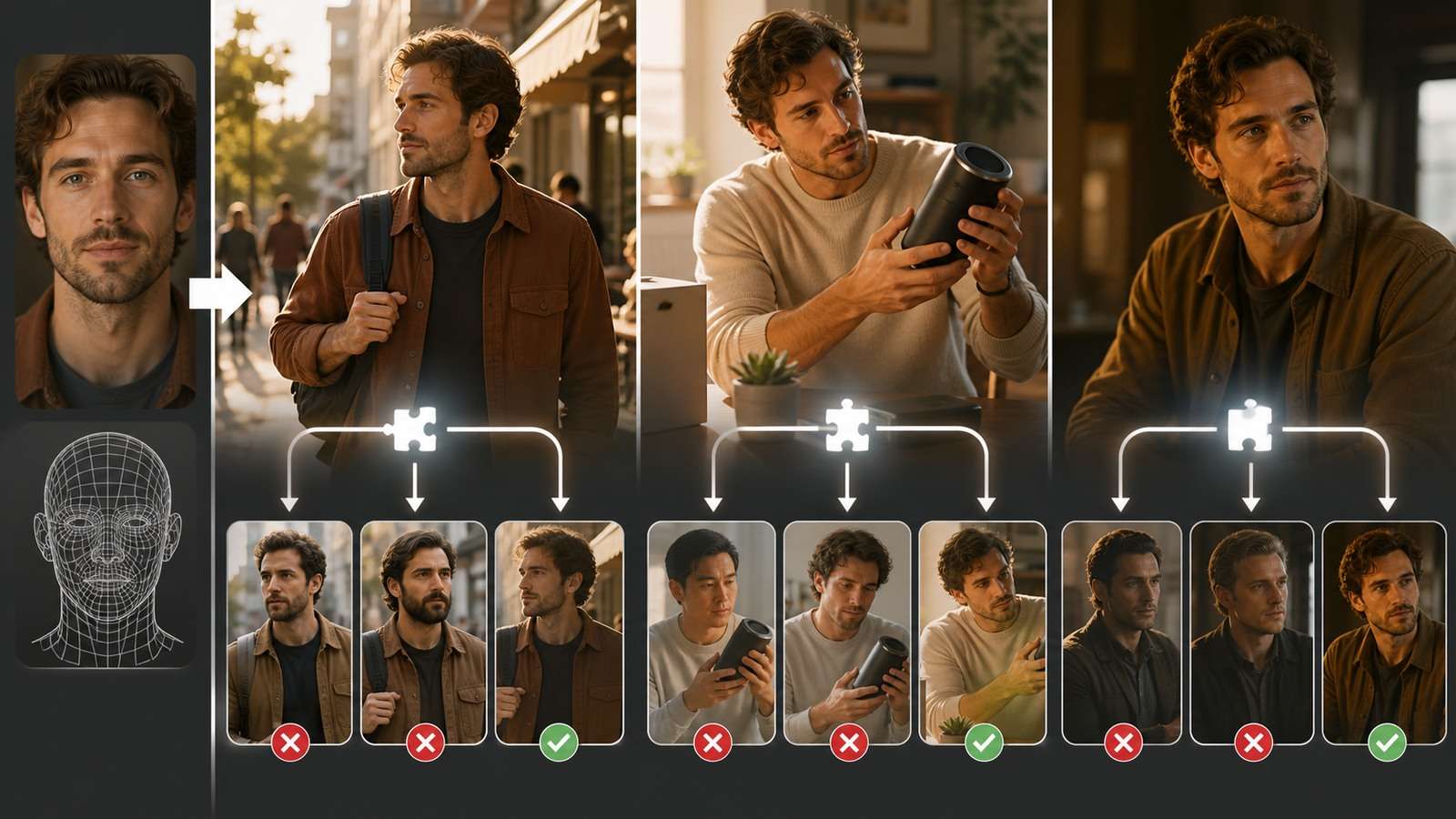
The feature primarily locks facial identity. Other details still need deliberate control:
- Body: height, build and proportions may change unless they are visible and described.
- Wardrobe: clothing is scene content, not automatically part of the face identity.
- Hair: major hairstyle changes can make the face appear less consistent.
- Age and skin: prompts and model styling can override natural texture.
- Environment: scene continuity needs its own references and shot plan.
This distinction explains why a Soul ID consistent face can still a
Soul ID Reference Photos: What to Upload
Build Coverage, Not Repetition
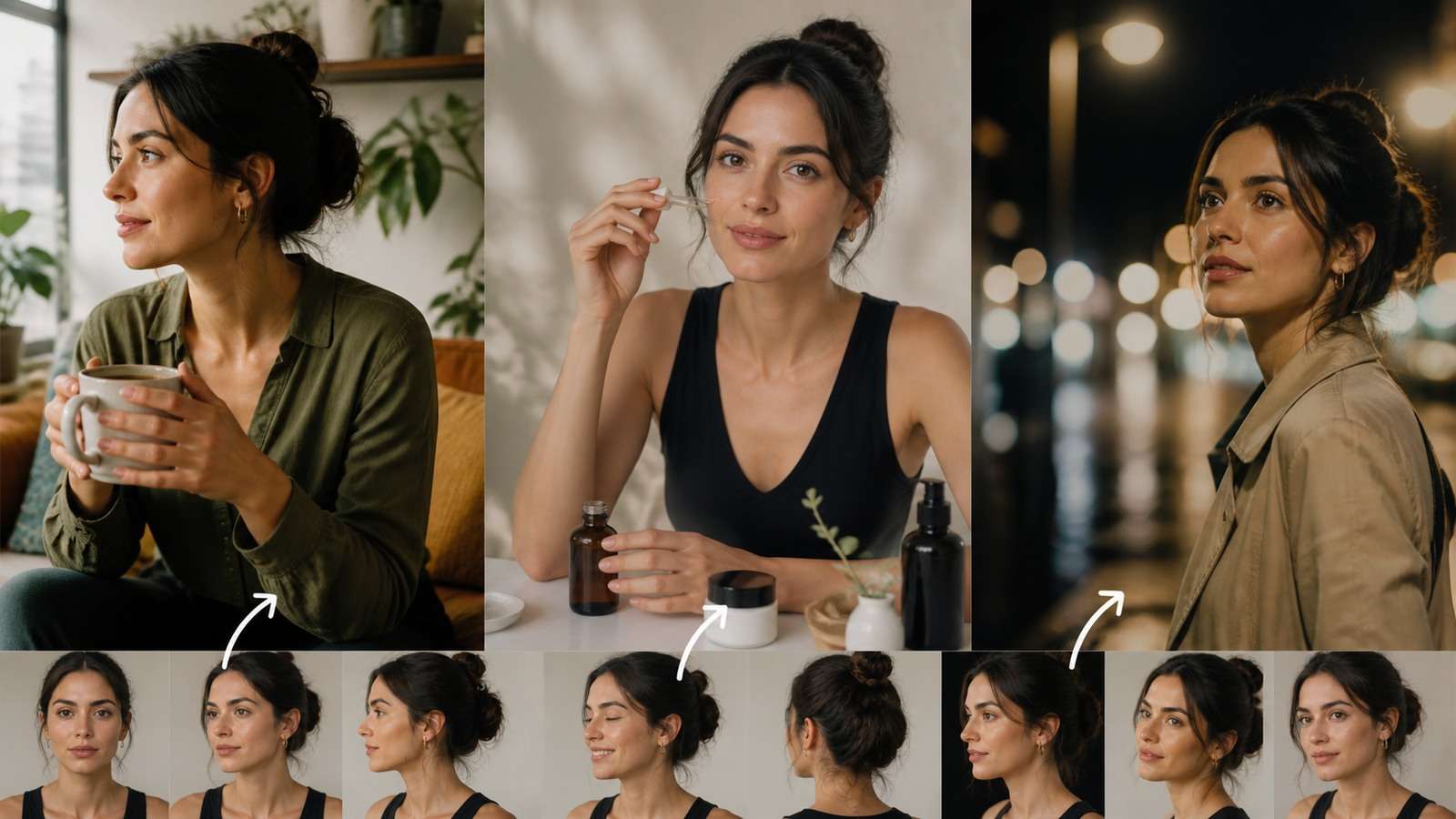
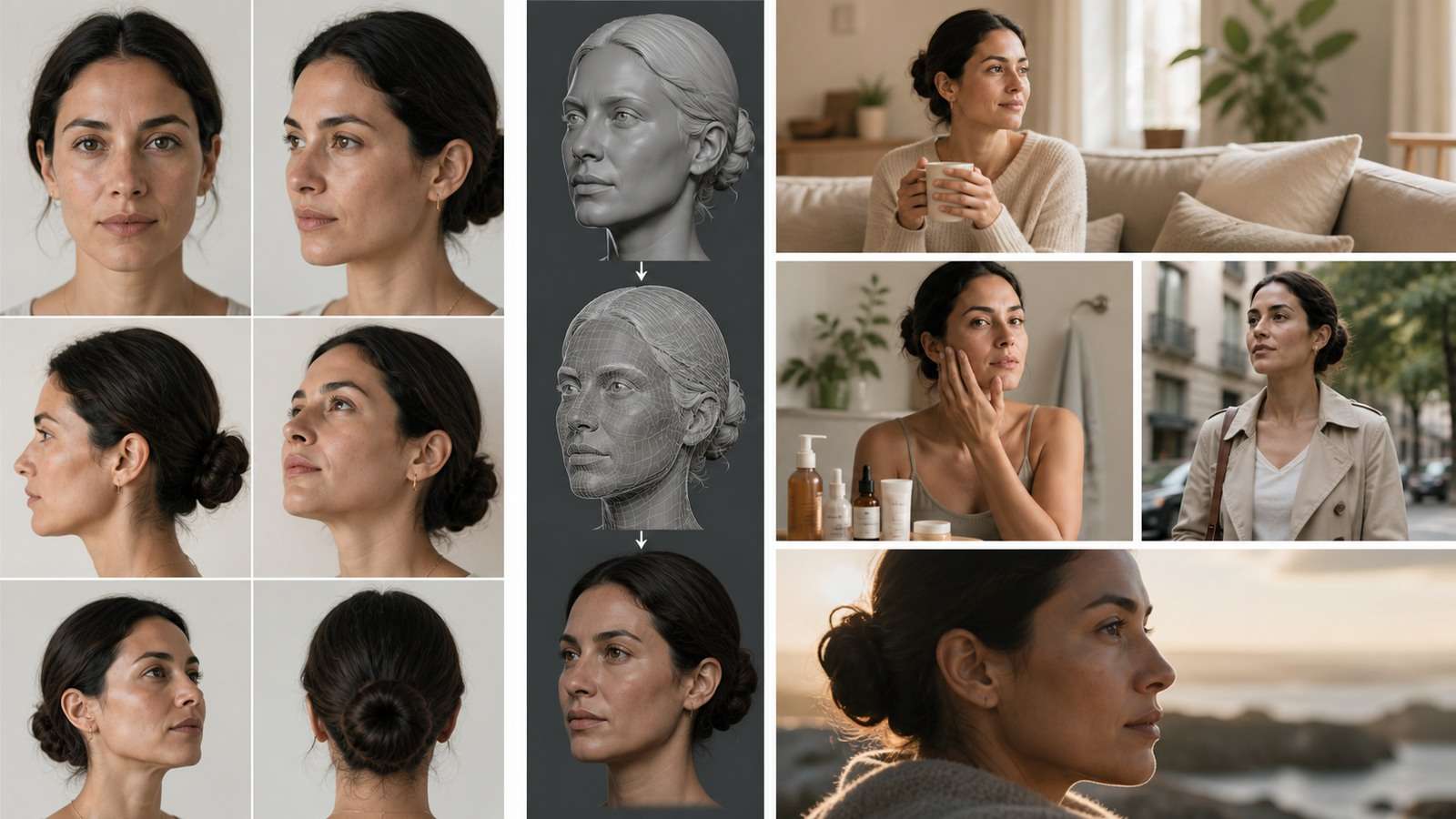
Twenty versions of the same front-facing selfie do not teach the hidden sides of a face. A useful reference set varies viewpoint, expression and lighting while preserving the person's true identity.
| Reference category | Recommended coverage | Avoid |
|---|---|---|
| Front view | Neutral and smiling, clear eye detail | Beauty filters and strong lens distortion |
| Three-quarter | Both left and right sides | All photos from one preferred angle |
| Profile | Clean left and right profiles | Hair hiding jaw, ear or nose shape |
| Expression | Relaxed, smile and mild emotion | Only exaggerated expressions |
| Lighting | Soft indoor and natural outdoor light | Colored club light in most images |
| Framing | Mostly face and shoulders, some wider context | Tiny faces inside group photos |
Remove Bad Training Signals
Exclude sunglasses, face-obscuring hands, heavy retouching, duplicate burst photos, extreme wide-angle selfies and images in which another person is equally prominent. If a beauty filter appears in most references, the trained identity may learn the filter as facial anatomy.
Use photos you own and have pe
How to Train Soul ID
- Define the character. Decide whether this is a real consenting person, fictional influencer, actor or brand spokesperson.
- Audit the reference set. Remove duplicates and photos with filters, other faces or inconsistent identity cues.
- Balance the views. Include front, both three-quarter angles and profiles rather than relying on one side.
- Train the identity. Upload the set in the Soul ID workflow and use a clear internal name.
- Run a neutral identity test. Generate a plain portrait without elaborate styling.
- Test difficult views. Try profile, looking downward, different focal lengths and natural expressions.
- Compare defining landmarks. Check eye spacing, nose bridge, lips, jaw, hairline and age cues.
- Approve or retrain. Do not scale campaigns around an identity that only works in one flattering close-up.
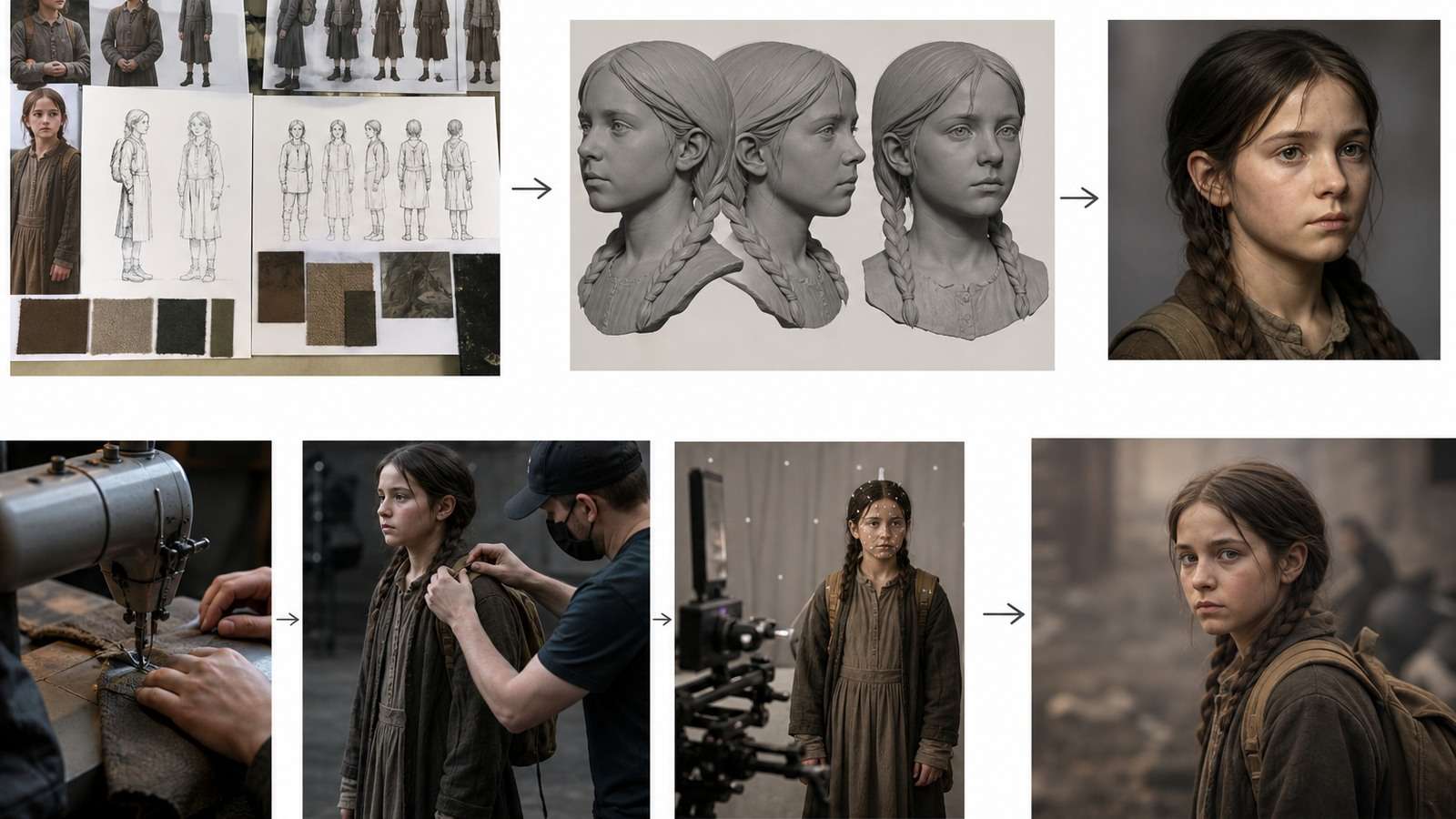
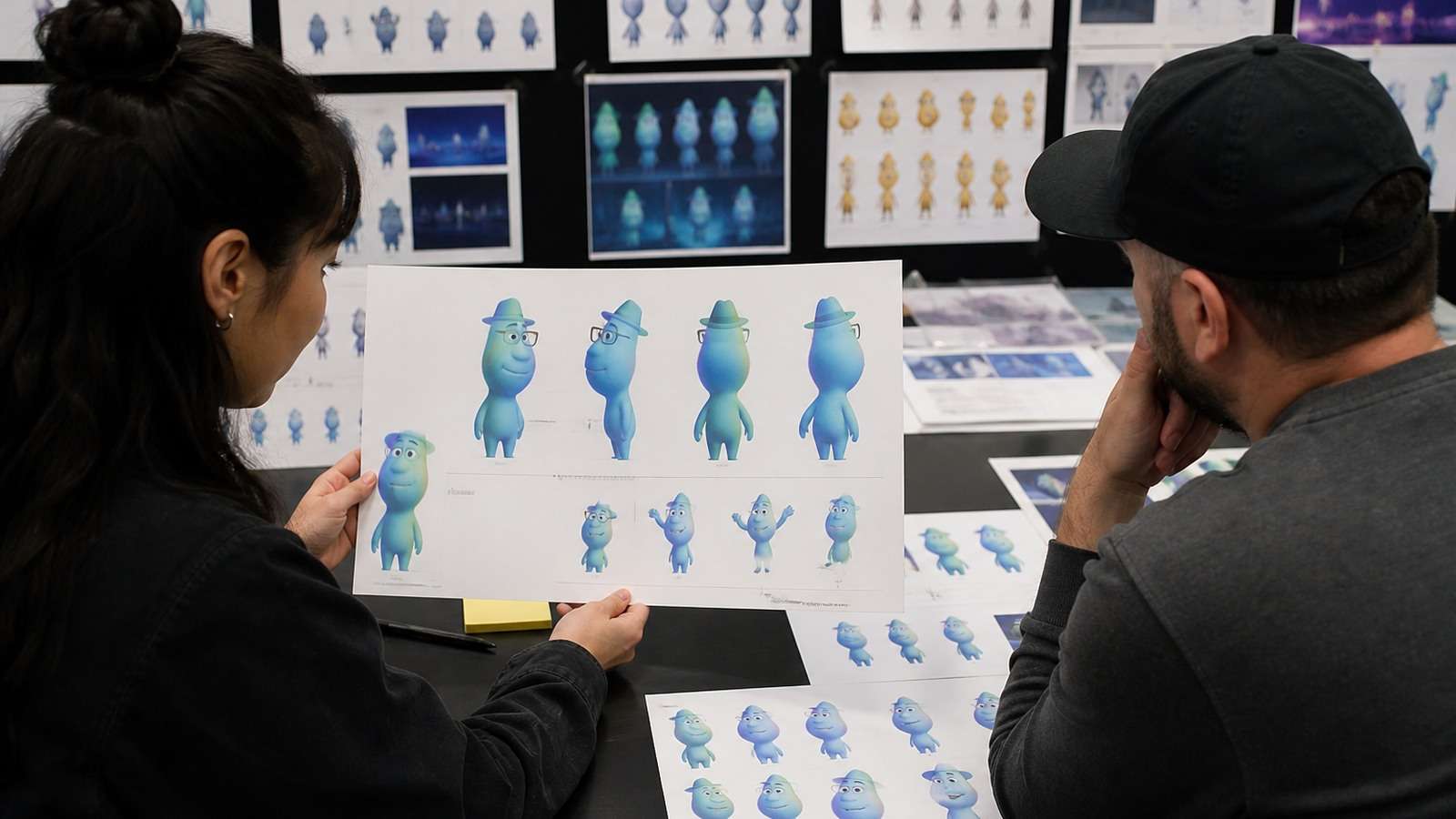
Before training, a structured AI character turnaround sheet can expose missing views and help define a fictional character's proportions. It is not the same as Soul ID training, but it improves the source-design discipline required for consistent production.
Soul ID Prompts for Consistent Characters Across Scenes
Do not repeatedly redescribe the face after selecting a trained identity. Use the prompt for scene variables and stable production details.

ppear inside an inconsistent character. Production consistency is a stack: identity, wardrobe, body, props, location, lighting, camera and motion.
AI Influencer Lifestyle Scene
Selected Soul ID wearing the same cream linen shirt and thin gold necklace, seated at a window table in a modern Copenhagen cafe, candid mid-conversation expression, waist-up 50mm editorial photograph, soft overcast daylight, natural skin texture, preserve facial age and hairstyle.
Product Campaign Scene
Selected Soul ID holding the approved green skincare bottle beside the right cheek, same white blazer and small silver earrings as the reference campaign, clean pale-gray studio, chest-up framing, soft key light from camera left, exact product shape and label, realistic hand contact.
rmission to process. A persistent identity can enable impersonation, so consent should cover synthetic image and video creation, intended channels and commercial use.
Cinematic Story Frame
Selected Soul ID as the same detective character in a charcoal coat, walking through a rain-lit alley at night, serious restrained expression, medium profile shot, 85mm cinematic lens, blue practical light and warm storefront rim light, preserve face, coat and hairstyle from the previous scene.
Keep a character bible containing wardrobe names, colors, props, age, hair, makeup and forbidden changes. For alternative reference-led editing, compare the approach with Nano Banana chara . A single reference may be faster for one-off work, while a trained identity is more suitable for repeated projects.
From Soul ID Images to Consistent Character Video
Soul ID video consistency is not produced by identity alone. Animation introduces profile views, motion blur, expression changes, occlusion and frame-to-frame drift. Use a shot-led process:

- Write the sequence and identify every recurring character.
- Generate a consistent wardrobe and location board.
- Create approved start frames for each shot.
- Test the hardest profile or hand interaction first.
- Animate one controlled shot at a time.
- Compare the final frame with the next shot's starting identity.
- Replace individual failed shots instead of rerendering the sequence.
When the keyframe is approved, Media.io Image to Video can animate a character for shots that do not require a Higgsfield-specific identity pipeline. For story-driven sequences, Script to Video helps divide the narrative into manageable scenes before character generation begins.
AI Influencer and Spokesperson Workflows
A consistent face can build recognition across a content series, but audiences also notice repeated gestures, identical framing and generic scripts. Vary the format while preserving the identity: direct-to-camera explanation, environmental B-roll, product demonstration, interview framing and narrative scenes.
For a speaking-character deliverable, an AI spokesperson workflow may be more efficient than generating full cinematic video. For social formats, Viral Studio is relevant when the goal is testing hooks and publishable variations rather than merely producing another portrait.
Why Soul ID Character Consistency Fails
| Problem | Likely cause | Fix |
|---|---|---|
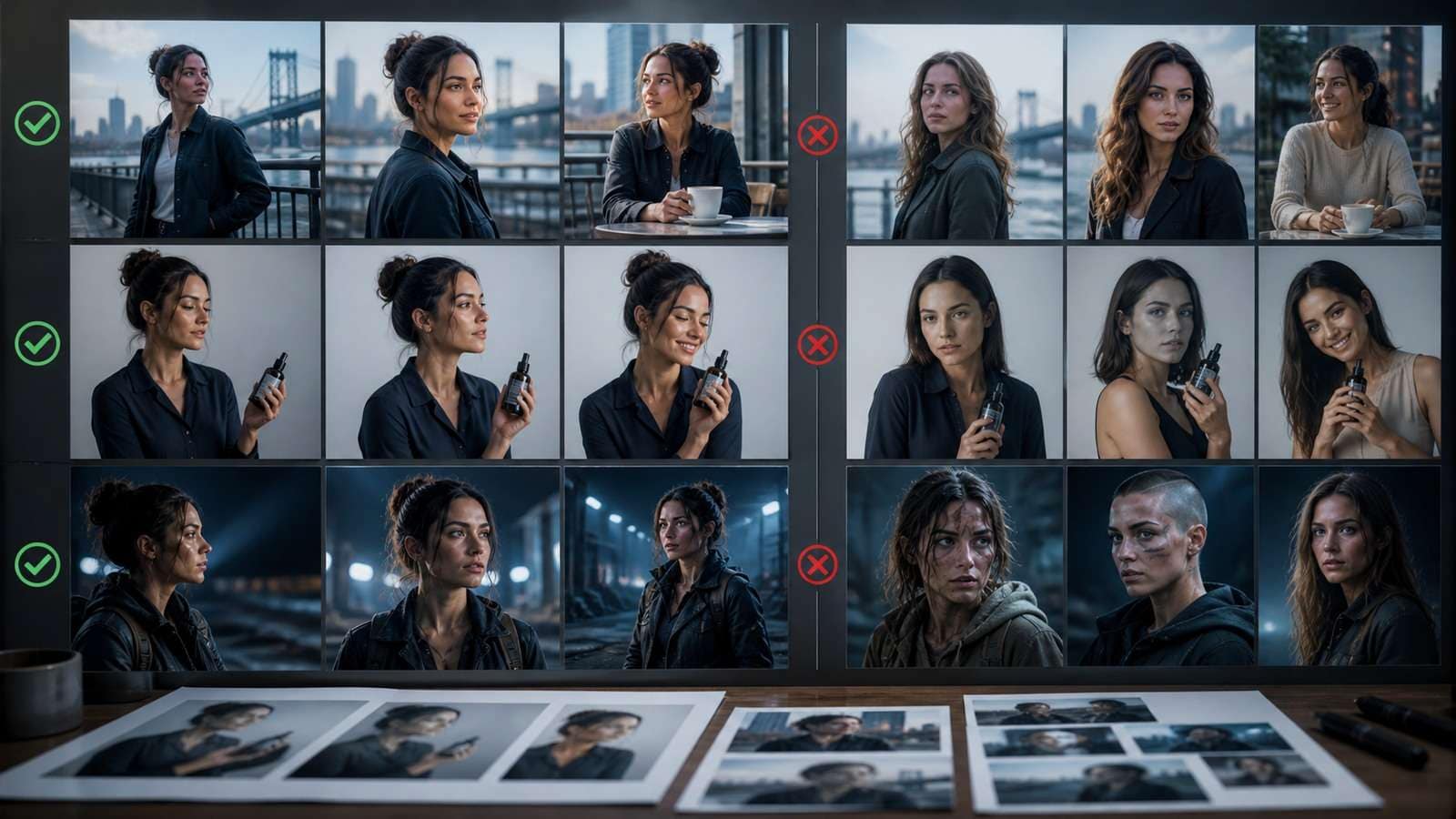
| Generic “AI face” | Training set is heavily filtered or too uniform | Use natural skin, varied light and true facial angles |
| Profile does not match | Few side references | Add clean left and right profiles |
| Character becomes younger | Prompts overemphasize beauty and smooth skin | Preserve age cues and natural texture |
| Hair changes | Training set contains multiple styles | Define a production hairstyle separately |
| Body varies | Soul ID primarily locks facial identity | Use full-body references and explicit proportions |
| Video face drifts | Extreme motion, profile or low-resolution start frame | Use shorter shots and approved keyframes |
| Product changes | Identity control does not lock the product | Composite an approved product or use a dedicated reference |
| Every image looks the same | Prompt and training style are entangled | Diversify scene, lens and lighting while testing identity |
Reddit users frequently describe Soul ID outputs becoming less realistic or more standardized than untrained generations. That symptom often indicates a dataset problem rather than proof that persistent identity is useless. Compare the neutral test against the
Soul ID vs LoRA, Character Reference and Omni Reference
| Method | Setup | Control and portability | Best use |
|---|---|---|---|
| Soul ID | Upload roughly 20+ photos and train inside Higgsfield | Persistent within supported Higgsfield workflows | Recurring realistic personas |
| LoRA | Curated dataset, captions and training configuration | High control in compatible open-model ecosystems | Technical users and custom pipelines |
| Single character reference | One or a few images per generation | Fast but view-dependent | Short projects and rapid experiments |
| Midjourney Omni Reference | Attach a reference and tune influence | Convenient within Midjourney | Style-led image exploration |
| Turnaround sheet | Create explicit multi-angle design views | Model-independent visual specification | Animation planning and handoff |
source set; if the trained face already looks wrong before elaborate prompting, retrain instead of adding more style instructions.
There is no universal best AI character consistency tool. Soul ID reduces repeated setup within Higgsfield; LoRA provides more technical control and potential portability; a single reference is faster; a turnaround sheet communicates design even when models change.
Creators producing campaigns can combine identity control with the AI Ad Generator, while fictional character concepts can begin in the consistent character generator. For completely new identities, Text to Image supports early visual exploration before a final reference set is approved.
Character Consistency QA Checklist
- Face is recognizable in front, three-quarter and profile views.
- Age, skin texture and defining landmarks remain stable.
- Hair and wardrobe changes are intentional.
- Body proportions fit the character bible.
- Products and props remain separately controlled.
- Identity holds under different lighting and lenses.
- Video motion does not introduce face or limb drift.
- Consent, disclosure and commercial rights are documented.
Enhancement should o
Frequently Asked Questions
-
What is Higgsfield Soul ID?
Soul ID is a persistent identity feature trained from a set of reference photos so the same face can be reused across supported Higgsfield image and video workflows. -
How many photos does Soul ID need?
Higgsfield's current guidance commonly recommends 20 or more high-quality, varied photos rather than many duplicates from one angle. -
Why does my Soul ID character look generic?
Overfiltered, repetitive or narrow-angle training photos can encode a beautified template instead of the person's true landmarks. Improve the dataset and retrain. -
Does Soul ID keep clothing consistent?
Not automatically. Soul ID primarily handles identity; wardrobe, body, props, location and lighting require separate references and prompt constraints. -
Is Soul ID better than a LoRA?
Soul ID is easier inside Higgsfield, while LoRA training can offer greater technical control and compatibility with open-model workflows. -
Can Soul ID keep a character consistent in video?
It supports recurring identity, but video also requires approved keyframes, compatible motion, short controlled shots and frame-by-frame continuity checks.
ccur only after structural approval. Resolution or sharpening can improve a stable final render, but it cannot restore a drifting identity or incorrect anatomy.


