
AI video ad localization works best as a stack: source audit, transcript and glossary, market-aware translation, voice strategy, lip sync where needed, captions and baked-in text, commercial details, landing-page continuity, and native-market QA. The workflow below follows that stack from the master ad to final variants.
| Layer | What must stay aligned |
|---|---|
| Language | Meaning, timing, product terminology, claims |
| Performance | Voice identity, tone, pacing, lip movement |
| Creative | Captions, on-screen text, layout, visual references |
| Commerce | Price, currency, units, offer, CTA, landing page |
In this article
- Audit the Source Ad Before You Translate Anything
- Create a Clean Transcript and Brand Glossary
- Translate the Ad for Timing and Intent, Not Word for Word
- Choose Voice Strategy Before Lip Sync
- Lip-Sync Only the Shots That Need It
- Localize Captions and Baked-In Text Separately
- Adapt Prices, Units, Dates, Claims, and Offers
- Keep the Landing Page and Ad in the Same Language Promise
- Use a Master Plus Variants Workflow
- QA Each Market as a Native Viewer Would
- AI Video Ad Localization Checklist
- Localize Visual Culture Without Stereotyping the Market
- FAQs About AI Video Ad Localization
Audit the Source Ad Before You Translate Anything
Localization is easier when the source master is built for change. Watch the ad and inventory every element that carries language or market meaning.
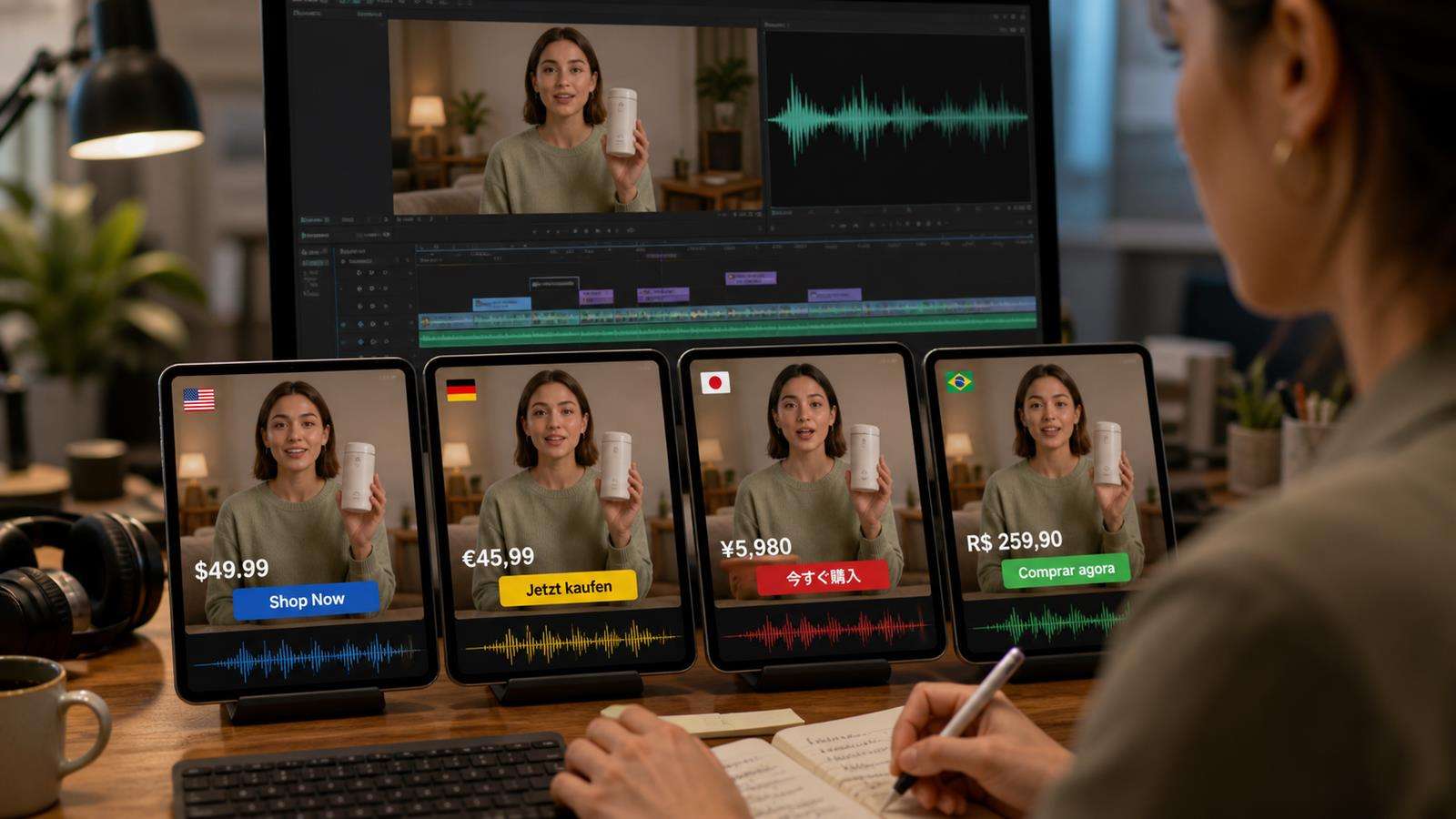
Create a simple list with:
- Spoken dialogue and voice-over.
- Captions and subtitles.
- Headlines, supers, lower thirds, and button text.
- Product labels or packaging that include language.
- Prices, currencies, discounts, and shipping offers.
- Dates, units, phone numbers, and URLs.
- Claims, testimonials, comparisons, and disclaimers.
- Cultural references, jokes, gestures, and platform-specific phrases.
This audit prevents a common failure where the voice is localized but the video still shows "$29.99" while the landing page uses euros, or the speaker says a translated benefit while a hard-coded English headline remains on screen.
If the original is creator-led, identify which shots require lip sync and which are voice-over or product-only. You do not need expensive visual re-synchronization for a packshot that contains no speaking face.
Create a Clean Transcript and Brand Glossary
Do not translate directly from imperfect automatic captions if the ad is important. First review the source transcript. Correct product names, technical terms, brand phrases, numbers, and punctuation that affect meaning.
Then build a glossary for terms that should remain stable across markets. Include brand names, product names, feature names, approved translations, words that must stay in English, prohibited translations, and pronunciation guidance.
Glossaries matter because a normal translation engine may produce several valid versions of the same phrase. That variation can become confusing across the voice-over, captions, product page, and paid ad copy.
HeyGen's current translation workflow includes a Brand Glossary option for consistent brand and product terms. Synthesia also supports a glossary for pronunciation and translation consistency. The exact tool is less important than the principle: decide terminology once and reuse it.
Translate the Ad for Timing and Intent, Not Word for Word
Ad copy is compressed. A six-word English hook may become a much longer sentence in another language. Literal translation can break timing, visual rhythm, and persuasive tone.
Translate the intent first. Ask what the line is doing:
- Stopping the scroll.
- Naming a problem.
- Demonstrating a benefit.
- Providing proof.
- Creating urgency.
- Delivering the CTA.
Then write the target-language line to perform the same job within the available time. This is transcreation rather than direct substitution.
For short-form ads, read the localized script aloud against the shot timing. If a line does not fit, shorten it before dubbing. Do not rely on extreme speech-speed changes to force a long translation into a short shot.
Choose Voice Strategy Before Lip Sync
There are three common voice choices:
- Preserve the original speaker's voice identity through AI dubbing or voice cloning.
- Use a target-market stock voice with the right accent and delivery.
- Use a consistent brand voice across all localized versions.
The best choice depends on the ad. A founder or creator testimonial may benefit from preserving the original identity. A product explainer can use a native regional voice if natural local delivery matters more. A global campaign may use one approved synthetic voice family for consistency.
Media.io's AI Voice Cloning and Text to Speech workflows can support voice creation, while AI Lip Sync is better when you already have a video and need its mouth movement aligned to replacement audio.
Lip-Sync Only the Shots That Need It
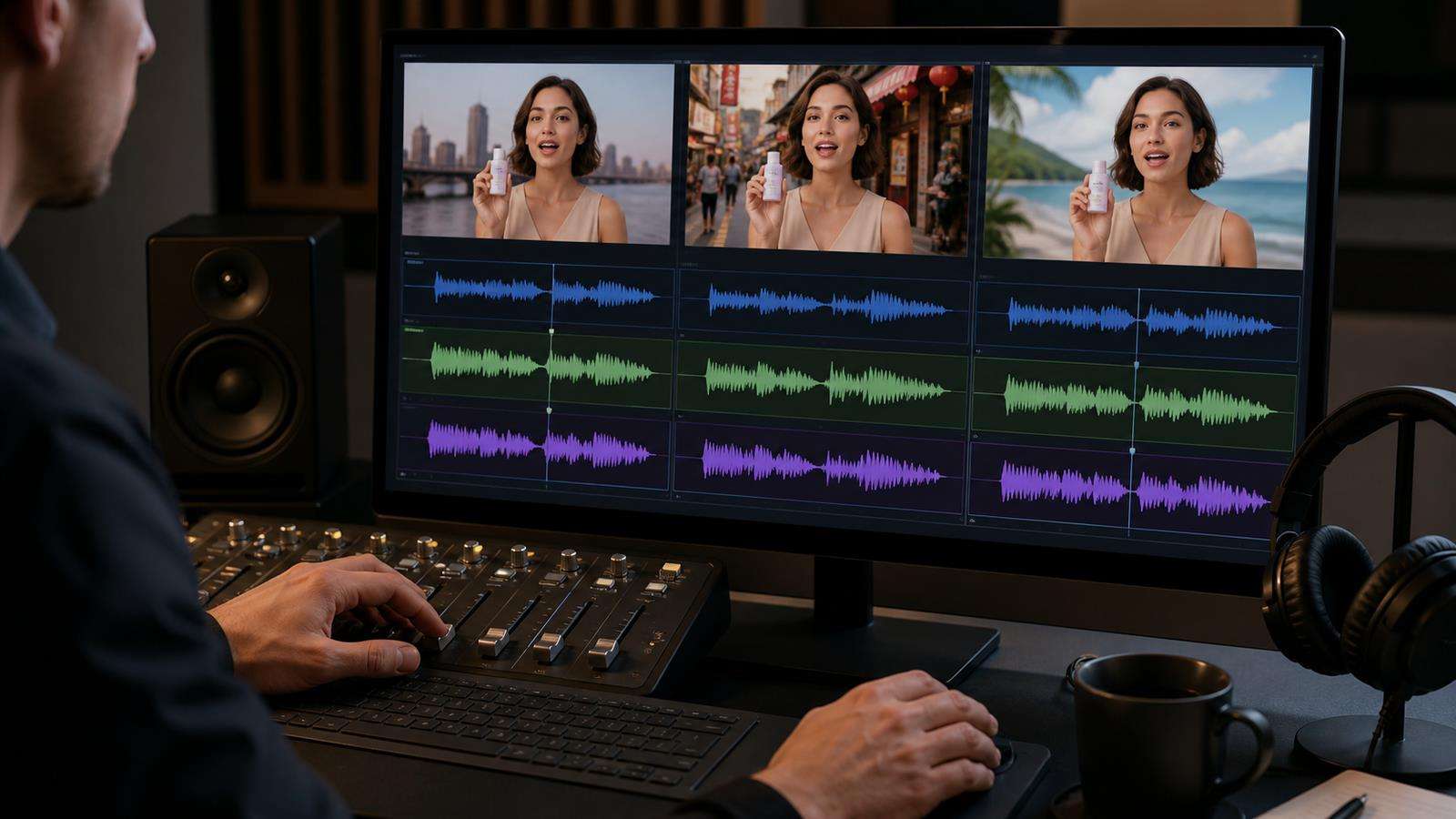
Lip sync is most valuable when a speaking face is prominent. It matters less when the speaker is off-camera, tiny in frame, turned away, or covered by product B-roll.
For best results, use footage where the face is clear. HeyGen recommends front-facing or relatively modest angles and notes that more complex shots with side profiles, facial occlusion, speaker changes, or heavy cutting require higher-quality processing. Media.io also recommends clear visible faces for its AI Lip Sync workflow.
Break the video into risk levels:
- High priority: close-up speaking face, direct-to-camera creator.
- Medium priority: medium shot with clear mouth movement.
- Low priority: off-screen voice, product insert, wide shot, screen recording.
This lets you spend review time where the audience will notice synchronization most.

Localize Captions and Baked-In Text Separately
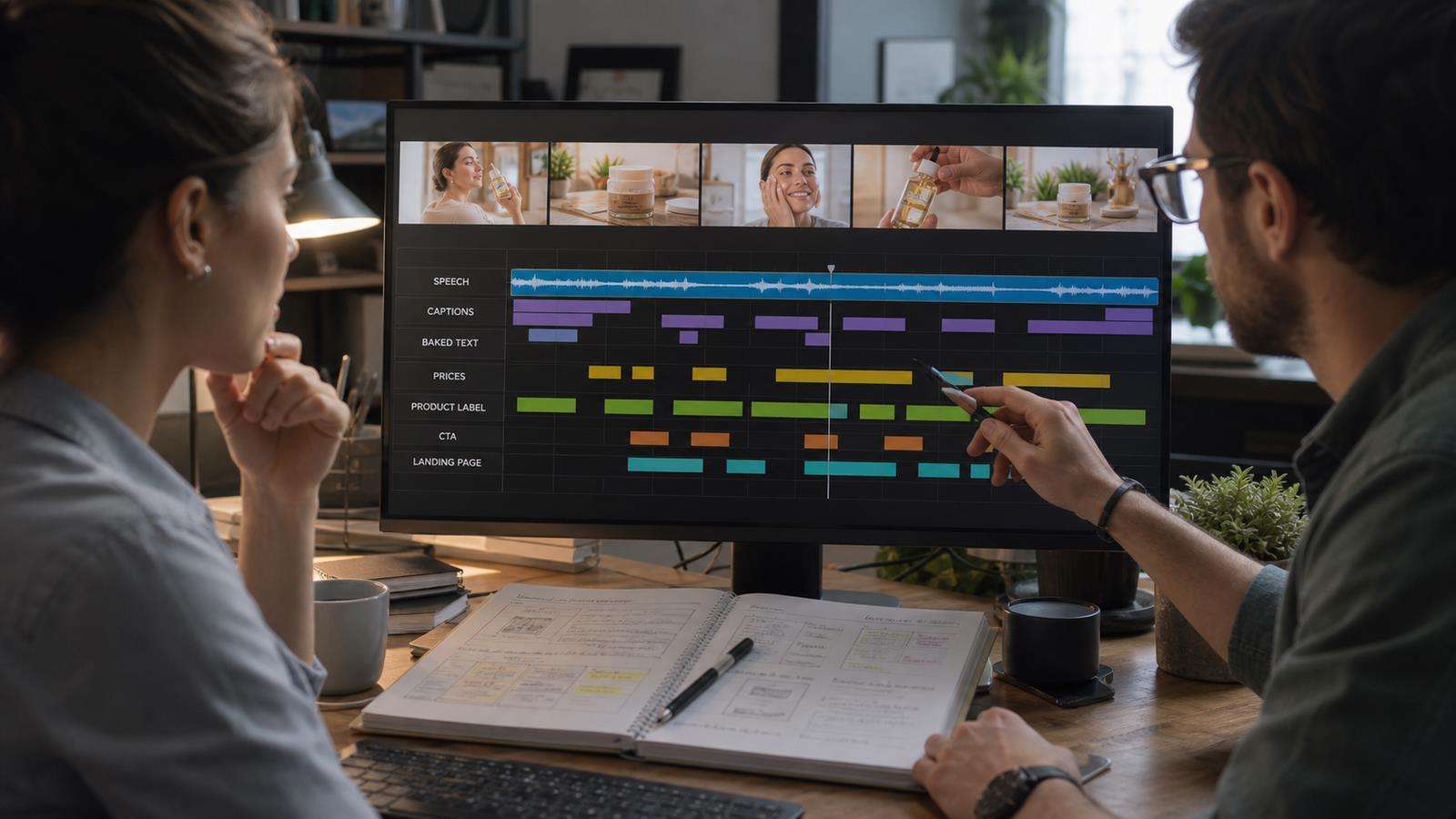
Do not assume a dubbing pass updates everything visible in the frame. On-screen titles, graphics, hard-coded captions, screenshots, and product UI often need a separate editing step.
For editable overlays, translate the text and redesign the layout for the new language. German may need more horizontal space than English. Japanese may use fewer characters but require different line breaks. Arabic adds right-to-left layout considerations. Avoid shrinking the font until the translation fits; adjust the design instead.
For text baked into source footage, decide whether to replace it, mask it, recreate the graphic, or cut to an alternate shot. If the source file was created in a template system, keep editable text layers whenever possible. That is a localization asset, not just an editing convenience.
Captions should match the final localized script, not the original transcript. Check punctuation, line length, reading speed, and whether captions cover important product details.
Adapt Prices, Units, Dates, Claims, and Offers
A localized ad can be linguistically correct and commercially wrong.
Review:
- Currency symbol and price format.
- Decimal and thousands separators.
- Metric vs imperial units.
- Date format.
- Tax wording.
- Shipping promises.
- Discount structure.
- Local product availability.
- Regulated claims.
- Required disclaimers.
- CTA wording.
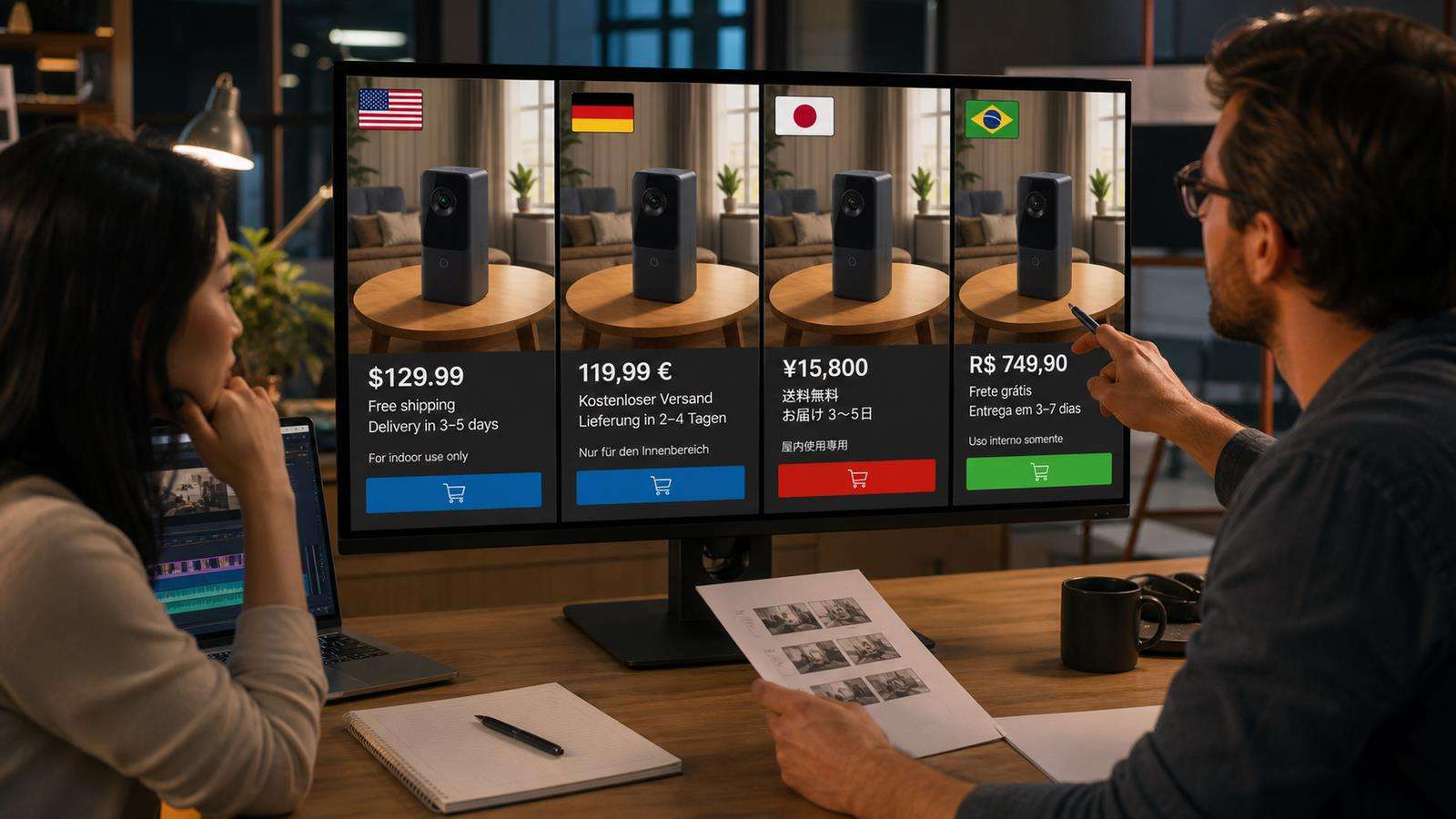
Do not automatically convert a price using an exchange rate unless the business actually sells at that converted amount. Pull approved market pricing from the product or ecommerce team.

Keep the Landing Page and Ad in the Same Language Promise
The conversion path continues after the video. If a German ad leads to an English product page, or the ad promotes a localized offer that the landing page does not show, the campaign breaks at the most important moment.
Check that the destination matches:
- Language and regional variant.
- Product name and visuals.
- Price and offer.
- Shipping or availability.
- CTA wording.
- Claims and disclaimers.
- Currency and units.
This is especially important when one master ad becomes many regional variants. Store the localized video, script, captions, and landing-page URL together in the campaign sheet so versions do not get mixed.
Use a Master Plus Variants Workflow
Do not create every market from scratch. Create one approved source master with clean editable layers, then create controlled variants.
A practical folder structure is:
- Master source video.
- Approved source transcript.
- Global brand glossary.
- Market translation script.
- Localized audio.
- Lip-synced video.
- Localized graphics and captions.
- Final market export.
- QA checklist and approver.
Name versions consistently. Include market code and revision number. A file named final_v2_reallyfinal.mp4 is dangerous when several paid campaigns are live.
Media.io's AI Talking Avatar can also be useful when the campaign starts from a still presenter or avatar rather than an existing speaking video. If the footage already exists, Lip Sync is the more direct workflow.
QA Each Market as a Native Viewer Would
Do not review localization only with a translation spreadsheet. Watch the finished ad in real time.
Check four layers:
Language
Does the line sound natural, concise, and appropriate for the audience? Are brand terms consistent?
Audio and performance
Does the voice match the intended speaker and emotional tone? Are pacing, pauses, and pronunciation natural?
Visual sync and design
Do lips match speech? Do translated graphics fit? Are captions readable? Does any English source text remain accidentally?
Commercial accuracy
Are prices, claims, offers, units, links, and disclaimers correct for the target market?
For important campaigns, have a native reviewer approve the finished video, not only the script.
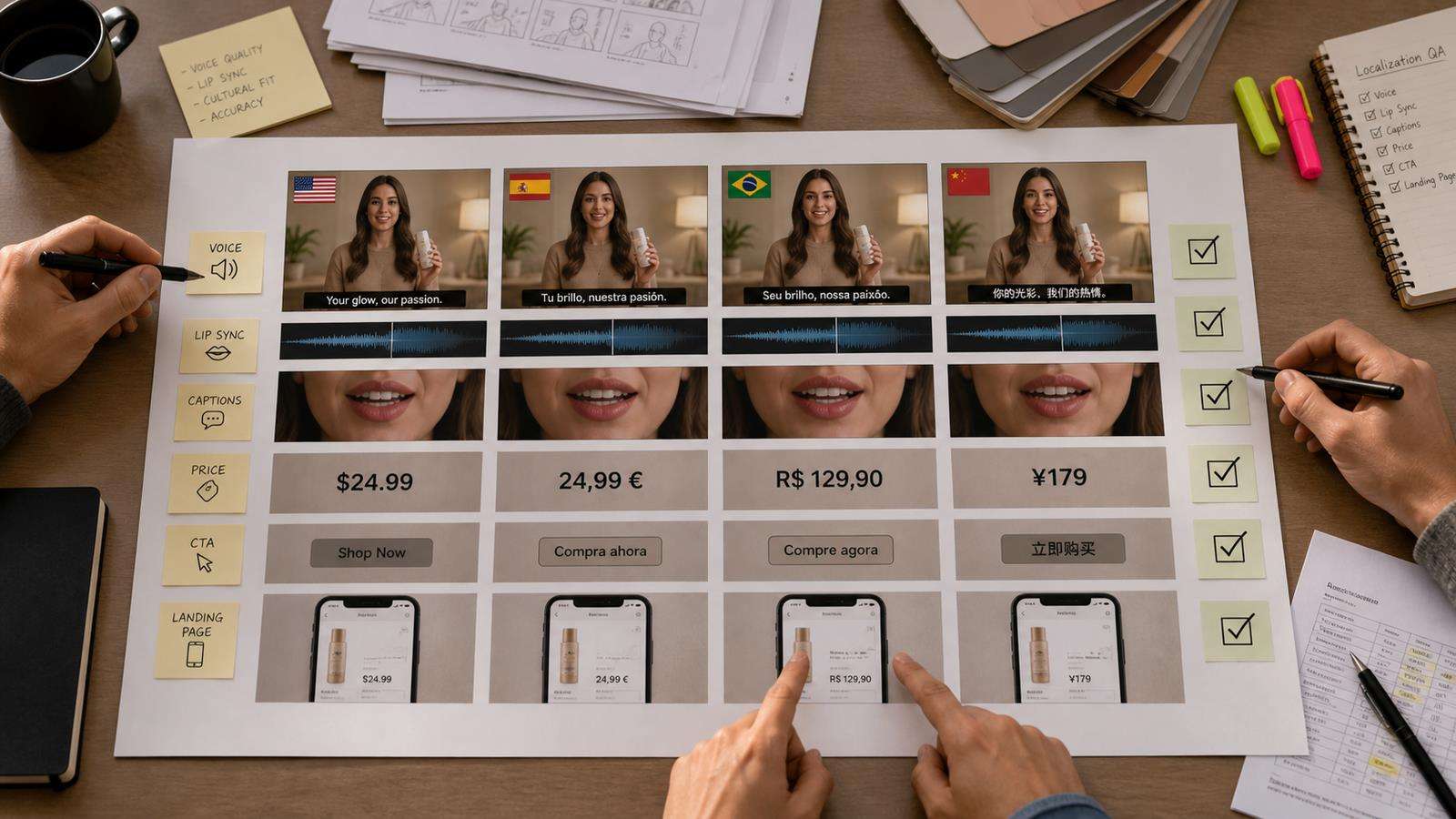
AI Video Ad Localization Checklist
Before launch, confirm:
- The source transcript is correct.
- Brand terminology is approved in a glossary.
- Translation preserves ad intent and fits timing.
- Voice strategy is appropriate for the market.
- Speaking faces are lip-synced where needed.
- Captions match the final spoken version.
- Baked-in text and graphics are localized separately.
- Currency, units, dates, offers, and claims are accurate.
- The landing page matches the ad language and offer.
- A native reviewer has watched the finished export.
Localization works best when it is planned into the source ad. Keep text editable, isolate dialogue from background music when possible, and avoid placing critical claims in graphics that are difficult to replace.
Localize Visual Culture Without Stereotyping the Market
Localization can include imagery, but visual adaptation should be based on real campaign strategy rather than generic cultural symbols. A target market may need a different creator, platform format, product use case, seasonal context, or retail cue. That does not mean every Japanese version needs neon Tokyo streets or every French version needs a cafe.
Start with the audience and channel. Ask where the ad will run, what product benefit matters locally, what creator style feels credible, and which visual proof supports the buying decision. Keep the brand world recognizable across markets while changing only the elements that improve relevance.
This is especially useful for UGC. A local creator voice, natural local phrasing, familiar ecommerce behavior, and the correct offer often matter more than replacing the entire background. Test the minimum level of adaptation that makes the ad feel native, then measure performance before creating more expensive visual variants.
FAQs About AI Video Ad Localization
-
What is AI video ad localization?
It is the process of adapting a video ad for another market using translation, dubbing or new voice generation, lip sync, captions, on-screen text replacement, and commercial changes such as currency, units, offers, and CTA wording.
-
Is video dubbing the same as localization?
No. Dubbing primarily replaces spoken audio. Full localization also checks visible text, graphics, captions, pricing, claims, cultural context, and the landing page experience.
-
Can AI translate text that is already baked into a video?
Some editing systems can help replace visible text, but standard dubbing does not automatically translate every graphic. Treat burned-in captions, titles, and product UI as a separate visual localization task.
-
Do I always need AI lip sync for a localized ad?
No. Use it when a speaking face is prominent and the mismatch would be noticeable. Product B-roll, off-screen narration, wide shots, and screen recordings may only need localized audio and captions.
-
How do I keep brand names consistent across languages?
Use a glossary with approved spellings, translations, terms that must not be translated, and pronunciation guidance. Apply the same glossary to scripts, voice, captions, and landing pages.
-
What should I review before publishing a localized video ad?
Review language, voice, lip sync, captions, on-screen graphics, product facts, prices, offers, units, claims, disclaimers, CTA, and destination page. The final export should be approved in context by someone familiar with the target market.


