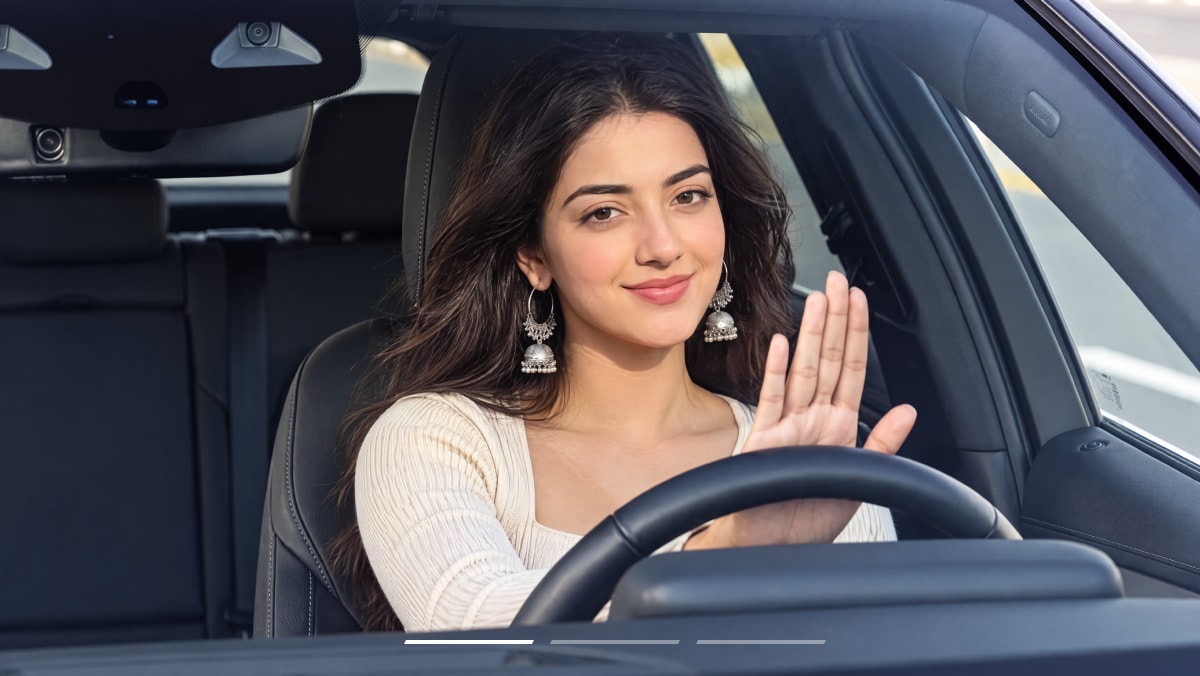
OpenArt is an AI creative platform for image generation, editing, character creation, story-style visual workflows, and light video experimentation. This OpenArt review examines how those tools fit creators who need more than isolated images, especially when the same character, visual direction, or story scene must survive across several variations. It also covers free trial credits, paid plans, subscription versus add-on credits, safety, commercial-use considerations, and where additional finishing tools may still be useful.
OpenArt is especially relevant when the creative goal extends beyond one prompt and one image. Character concepts, story frames, related scenes, revised images, and short motion experiments all benefit from a workflow that can keep multiple assets connected. The main buying question is whether character consistency, model choice, editing control, and the credit cost per accepted asset are strong enough for the amount of iteration the project requires.
In this article
Part 1: Quick Verdict
How this review was prepared: This review is based on official OpenArt product, pricing, help, and terms information available at the time checked, together with editorial evaluation. It does not claim private hands-on generation testing.
Part 2: What Is OpenArt?
OpenArt is an AI creative platform that combines image generation with editing, character workflows, story-oriented creation, premium model access, and video experiments. It sits between a simple text-to-image generator and a broader visual workspace for projects that require several related assets.
That distinction matters because many creative projects depend on continuity. A character may need to appear in multiple poses, a story may require several scenes, or a strong first image may need editing instead of complete regeneration. OpenArt is most useful when those connected steps matter more than producing one isolated image.
- Best-fit reader
Illustrators, storytellers, concept artists, character creators, social creators, and other users building image sets, recurring characters, story frames, or mixed image-and-video concepts.
- Decision point
OpenArt makes the most sense when its credits, model choices, character workflows, and editing tools reduce the number of complete restarts needed to reach a usable visual direction.
- What to compare
Compare image quality, character repeatability, scene continuity, model choice, editing control, video needs, subscription-credit rules, add-on credit rollover, and the amount of finishing required outside OpenArt.
Part 3: How OpenArt Works
OpenArt works best as a generate-connect-refine workflow rather than a one-click image generator. Start with a real visual brief, character, reference, or story scene, choose the relevant image, character, story, video, or premium-model workflow, create several related directions, and refine the strongest result before checking export and rights conditions.
| Step | What the user does | What to verify |
| 1. Start with the project | Define the image set, recurring character, visual style, reference, story scene, or other creative direction that needs more than one variation. | Include the details that must survive across outputs, such as face, clothing, colors, composition, character traits, or scene relationships. |
| 2. Choose the workflow | Select the image, character, story, editing, video, or premium-model path that fits the next asset. | Check whether the feature is available in the current account, how many credits it consumes, and whether a paid plan is required. |
| 3. Generate and refine | Create several related outputs, keep the strongest one, and use editing or revision tools when a result is close but needs correction. | Track character consistency, scene continuity, prompt adherence, model behavior, and how many credits are used before one asset is accepted. |
| 4. Export or finish elsewhere | Download, publish, enhance, resize, animate, caption, or continue editing the selected image or clip when another production step remains. | Confirm watermark behavior, resolution, format, OpenArt credits, privacy, current terms, and commercial-use conditions. |
This workflow is more representative of OpenArt than judging a single generation. The platform becomes more valuable when a strong character or visual direction can be extended into additional scenes and variations without restarting the project every time.
Part 4: OpenArt Features
OpenArt's most relevant features are the tools that connect image creation with continuity and refinement. AI image generation creates the first visual direction, editing helps repair near-misses, character workflows support recurring subjects, story tools extend those subjects into related scenes, and video experiments add a motion option when the project moves beyond still images.
| Feature | Best use case | Clear limitation to check |
| AI Image Generator | Creating concept art, illustrations, visual drafts, characters, scene ideas, or source images for a larger creative project. | Check prompt adherence, text, faces, hands, products, composition, model choice, credit use, and how many attempts are required before one image is usable. |
| Image editing | Repairing or revising a promising image when the main composition already works and only selected areas need changes. | Check whether edits preserve correct parts of the image instead of altering character identity, background details, clothing, or composition that should remain unchanged. |
| Character workflow | Building a recurring character that needs to appear in multiple images, poses, scenes, or story moments. | Check face, hair, clothing, body proportions, accessories, style, and whether identity remains recognizable across several outputs. |
| Story creation | Developing multiple related scenes, visual sequences, or narrative concepts around the same character or creative direction. | Review continuity across characters, locations, visual style, props, chronology, and other details that need to stay connected from scene to scene. |
| AI video experiments | Extending a still image, character, or visual concept into short motion when video is the next step in the creative process. | Check motion stability, character preservation, clip length, export quality, credit consumption, and how much additional editing is required afterward. |
For a meaningful OpenArt test, do not stop at one attractive image. Create one recurring character, place that character into several related scenes, make a controlled edit to one result, and test whether the workflow remains consistent as the project becomes more complex.
Part 5: OpenArt Output Quality and Practical Limitations
OpenArt output quality should be judged by continuity and editability as well as individual image quality. A strong image is useful, but character-based or story-driven projects also need recurring subjects, related scenes, and controlled revisions to remain visually connected.
| Evaluation area | Expected fit | What to inspect | Practical takeaway |
| Image style range | Test first | Compare several styles or available models against the same brief and inspect subject accuracy, composition, detail, and whether the visual direction can be reproduced. | A broad style range creates more value when the chosen direction remains repeatable across several related assets. |
| Character consistency | Test first | Generate the same character across multiple scenes, expressions, poses, or compositions and compare identity, clothing, proportions, accessories, and overall style. | Character workflows become useful when repeated outputs look like the same subject rather than separate interpretations. |
| Editing control | Test first | Make one controlled revision to a near-finished image and check whether the corrected area changes without damaging the elements that already worked. | Editing adds real value when a near-miss can be repaired instead of regenerated from scratch. |
| Credit cost per accepted asset | Test first | Record image generations, character attempts, story variations, edits, video experiments, and premium-model actions required before one asset or scene is approved. | The useful cost metric is credits per accepted image, character scene, or finished sequence rather than credits per individual generation. |
Practical limitations to check
- Subscription credits and add-on credits behave differently: Reviewed information states that monthly subscription credits reset and do not roll over, while eligible add-on credits can roll over. This matters when workload varies significantly between months.
- Character and story workflows still require continuity checks: Faces, clothing, props, environments, style, and scene relationships can drift between generations, so repeated assets should be reviewed as a set rather than individually.
- Premium models and video experimentation can increase credit usage: A plan that feels generous for basic image generation may become more constrained when the project relies on repeated character attempts, story scenes, advanced models, or motion.

Part 6: OpenArt Pricing, Free Access, and Credits
Pricing was checked on 2026-08-05. Use the table below as a dated snapshot, then confirm the live OpenArt checkout because discounts, credit allowances, plan benefits, renewal terms, and refund rules can change.
| Plan | Displayed price | Highlighted allowance | Best for |
| Free trial credits | Free entry point | New users receive free credits to evaluate generation tools and premium features for a limited period. | Testing image generation, editing, character, and story workflows before subscribing. |
| Essential | $14/month or discounted monthly pricing when promoted annually | Reviewed public pricing lists 4,000 credits per month with access to image, video, character, story, and premium-model workflows. | Creators using OpenArt regularly but with moderate monthly generation needs. |
| Advanced | $34/month or discounted monthly pricing when promoted annually | Reviewed public pricing lists 12,000 credits per month and higher creation capacity. | Creators who need more generations, character attempts, story scenes, or other recurring creative work. |
| Add-on credits | Check live pricing page | Reviewed OpenArt help information says eligible add-on credits above monthly subscription credits can roll over, while subscription credits do not. | Users whose monthly workload changes significantly and who occasionally need extra capacity. |
Credits and usage limits
OpenArt uses credits across image, video, character, story, and premium-model workflows. The important distinction is not only how many credits a plan includes, but how quickly the specific workflow consumes them and whether unused credits remain available after the billing period.
- OpenArt uses credits across image, video, character, story, and premium-model workflows.
- Subscription credits reset monthly and do not roll over.
- Reviewed help material says eligible add-on credits above the monthly subscription allowance can roll over.
- Model choice, video generation, character tools, story scenes, and retries can all change the effective credit cost per accepted asset.
Part 7: OpenArt Pros and Cons
OpenArt's main advantage is workflow breadth around connected visual creation: images, editing, characters, stories, and video experiments can remain in the same account. Its main trade-offs are credit planning, continuity challenges, and the need to check current cancellation, refund, and commercial-use rules before larger commitments.
Part 8: Is OpenArt Safe? Privacy, Consent, and Commercial Use
OpenArt is a public AI creative platform, but safe and commercially appropriate use depends on current terms, privacy rules, selected models, uploaded references, and the rights attached to people, brands, characters, products, and other source material. Character and story workflows deserve additional review because repeated outputs may closely resemble identifiable references or protected creative material.
| Question | What to check before use |
| Privacy and uploads | Avoid uploading confidential images, private documents, unreleased client assets, brand material, or another person's likeness unless current OpenArt policies and your own permissions support that use. |
| Consent | For real people, likenesses, brand marks, products, copyrighted characters, reference images, music, or other protected material, confirm that you have the required permission before uploading, generating, editing, or publishing. |
| Commercial use | OpenArt commercial use should be checked against current terms, selected models, uploaded references, character similarity, and any third-party rights connected to the source material. Downloading or generating an asset does not automatically clear those rights. |
| Paid plans and refunds | Reviewed OpenArt help material describes a strict cancellation policy and generally no refunds, with limited exceptional processing cases. Confirm the current checkout, renewal, cancellation, and refund rules before subscribing. |
Personal experiments may require relatively simple checks. Client work, advertising, merchandise, story publishing, character-based campaigns, and other commercial projects should use authorized references and keep a dated record of the relevant OpenArt terms and model conditions.
Part 9: OpenArt vs Media.io: Which Workflow Fits the Job?
OpenArt and Media.io fit different stages of a creative workflow. OpenArt is strongest when the main task is building images, characters, story frames, related variations, or early motion experiments. Media.io becomes more relevant after a visual direction is selected and the asset needs animation, music-led motion, enhancement, or another publishing-focused step.
| Workflow question | OpenArt | When to compare Media.io |
| First creative result | Evaluate OpenArt on image quality, character consistency, story continuity, editing control, model choice, and credit cost per accepted asset. | Compare Media.io once the visual direction or character asset is approved and a specific finishing step remains. |
| Before publishing | Check character or scene consistency, credits, watermark rules, output rights, resolution, and whether additional motion or cleanup is required. | Use follow-up tools for animation, music-led motion, enhancement, resizing, captions, or export preparation. |
| Music-led visual | OpenArt can create character art, story frames, and visual concepts that become source material for a music-driven project. | Story to MV can turn character art, lyrics, or a story idea into MV-style visuals. |
| Still image to motion | OpenArt can generate the still image, character, or scene that becomes the starting asset. | AI Image to Video can animate an approved source image into a short social or story clip. |
Part 10: Final Verdict: Is OpenArt Worth It?
Part 11: OpenArt Review FAQs
-
Is OpenArt worth it in 2026?
OpenArt is worth trying in 2026 if you need more than one-off AI images and want character creation, story scenes, editing, premium models, and light video experimentation in the same workflow. It is less suitable when exact product, text, or brand details must be correct immediately. -
Is OpenArt free?
OpenArt gives new users free credits to try generation tools and premium features for a limited period. Treat those credits as an evaluation allowance rather than assuming a permanent unlimited free plan. -
How much does OpenArt cost?
As of 2026-08-05, reviewed OpenArt pricing lists Essential at $14 per month with 4,000 monthly credits and Advanced at $34 per month with 12,000 monthly credits, alongside free trial credits and optional add-on credits. Confirm live discounts and allowances before paying. -
How do OpenArt credits work?
OpenArt uses credits across image, video, character, story, and premium-model workflows. Subscription credits reset monthly and do not roll over, while reviewed help material states that eligible add-on credits above the monthly allowance can roll over. -
Do OpenArt credits roll over?
Reviewed OpenArt information distinguishes subscription credits from add-on credits. Monthly subscription credits do not roll over, while eligible add-on credits above the monthly plan allowance can roll over. -
Can OpenArt create consistent characters?
Character workflows are one of OpenArt's key use cases. Test the same character across several poses, expressions, scenes, and compositions, then review face, clothing, proportions, accessories, and style before relying on the workflow for a complete story or campaign. -
What is OpenArt best for?
OpenArt is best for creators who want AI image generation plus recurring characters, story visuals, image editing, premium-model access, and light video experimentation in one account. -
What are the main limitations of OpenArt?
OpenArt's main limitations are credit planning, character consistency, story continuity, model-dependent results, and cancellation or refund conditions that should be reviewed before subscribing. -
Is OpenArt safe and legit?
OpenArt is a public AI creative platform with official product, pricing, and terms pages. Safe use still depends on current privacy rules, account terms, selected models, and whether you have permission to use uploaded people, references, characters, brands, products, and other source material. -
Can OpenArt be used commercially?
OpenArt commercial use should be checked against current terms, selected models, uploaded references, character similarity, and third-party rights connected to the project. Generating or downloading an asset does not automatically clear those rights. -
Does OpenArt add a watermark?
The reviewed public information does not establish one universal watermark rule for every OpenArt workflow. If watermark-free output matters, confirm the current plan, model, resolution, file format, credit cost, and live export conditions. -
What is the best alternative to OpenArt?
The best OpenArt alternative depends on whether you need another character-and-story AI platform or a more focused finishing workflow. Media.io is worth comparing when an approved OpenArt image or character mainly needs animation, music-led motion, enhancement, or publishing preparation.
Part 12: Sources
- Official source: OpenArt image, character, story, editing, and creative workflow overview (official, checked 2026-08-05)
- Official source: OpenArt pricing, plans, and monthly credit allowances (official, checked 2026-08-05)
- Official source: OpenArt terms, usage, billing, and policy information (official, checked 2026-08-05)