
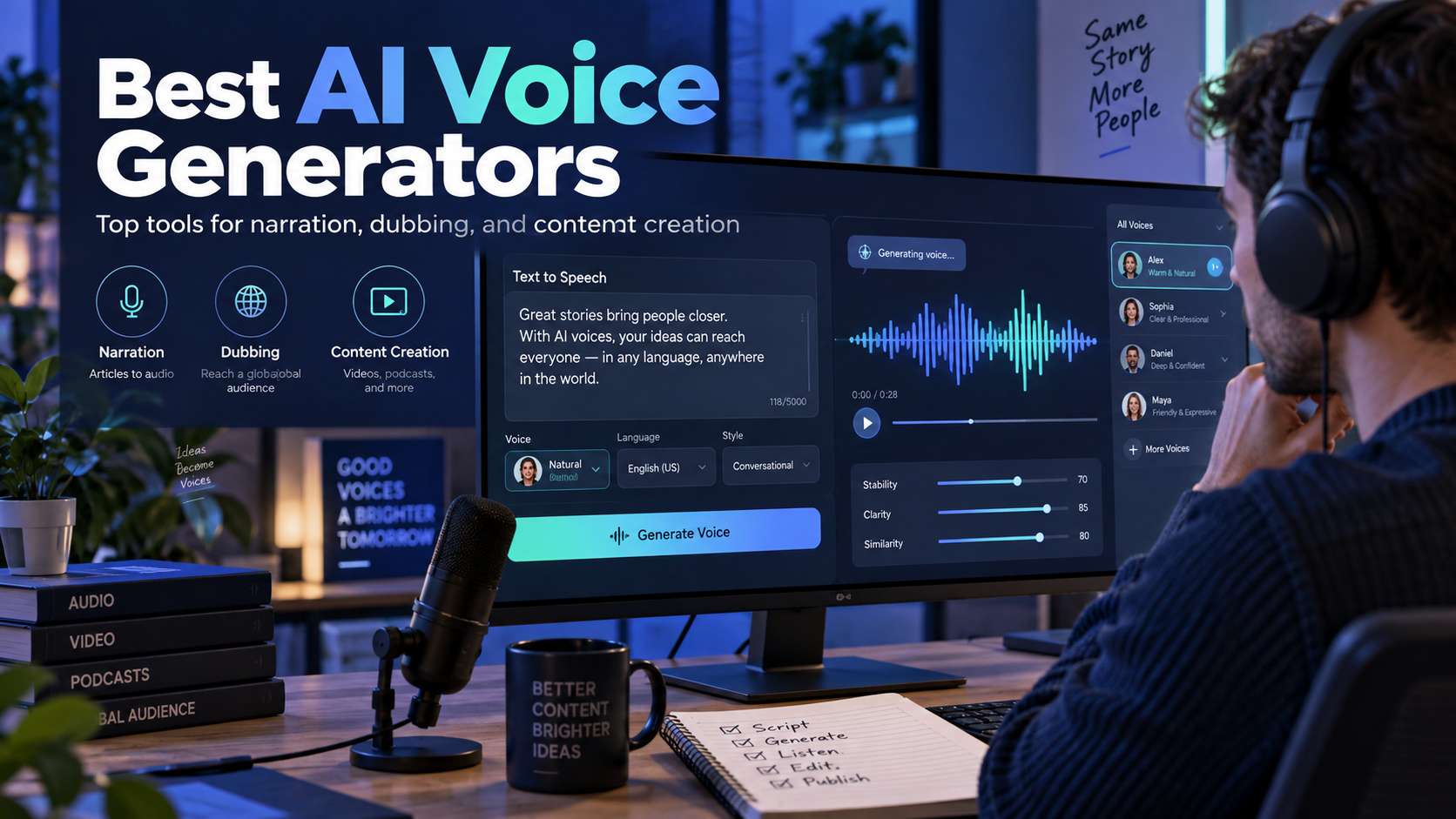
An AI voice can sound impressive in a ten-second demo and become tiring over a ten-minute video. The best ai voice generators need more than a realistic timbre: they need stable pacing, usable pronunciation control, clear licensing, enough language coverage, and a workflow that makes retakes cheap.
We compare simple text-to-speech, professional voiceover tools, and voice-cloning platforms separately. The right tool changes if you are narrating a YouTube video, localizing training, creating a talking avatar, prototyping game dialogue, or building a repeatable brand voice.
In this article
AI Voice Generator Comparison for TTS, Cloning, and Narration
| Tool | Best for | Free / access | Main trade-off |
|---|---|---|---|
| Media.io | Simple browser voiceovers that will be used in videos or talking avatars | The current Text to Speech page advertises free use and supports up to 1,500 words per conversion in its standard workflow. | The tool is less specialized in professional voice cloning and fine-grained emotional direction than ElevenLabs or a studio-oriented platform. Choose it when speed and video integration matter more than building a persistent synthetic voice identity. |
| ElevenLabs | High-end TTS, multilingual speech, and voice cloning | Free plan currently includes 10,000 credits/month; Starter begins at $6/month and adds a commercial license plus instant voice cloning. | The main cost issue is regeneration. Long-form creators should fix the script first because every pronunciation or pacing revision consumes additional credits. |
| Murf | Business voiceovers, training, presentations, and team projects | Free plan: 10 projects and 10 minutes of voice generation with no downloads/commercial rights; Creator starts around $19/month billed annually with commercial use and downloads. | The free plan is primarily for evaluation because it does not include downloadable/commercial output. Teams should compare paid annual minute allowances against their real publishing volume. |
| Speechify Studio | Voiceover plus dubbing/voice tools in a creator-oriented studio | Free Studio plan currently includes 600 credits and a large voice catalog but excludes voice cloning and commercial rights; paid plans unlock more. | The distinction between the consumer reading product and Studio matters. For publishing, verify that the specific plan grants the commercial rights and tools you need. |
| Fliki | Narrated videos where voice choice and visual assembly happen together | Free tier currently offers 3 credits/month, 300 voices, 80+ languages, 720p video, and a watermark. | The free tier is good for testing but not sustained publishing because credits are limited and exports carry a watermark. Voice quality also varies across the catalog, so shortlist voices using a representative paragraph. |
| Canva | Voiceovers embedded directly in presentations and social designs | Free plan with plan-dependent text-to-speech/app allowances. | For custom voice cloning, detailed pronunciation control, or long-form audiobook work, a dedicated speech platform is a better fit. |
| CapCut Text to Speech | Short-form creators who want narration directly on the editing timeline | Free editing access; voice and AI availability varies by region and plan. | It is less suited to building a reusable branded voice model or long-form narration library. The voice feature is valuable because it is part of the editor. |
Voice Quality Test: Listen Past the First Sentence
Long-form consistency: We listen for robotic rhythm, repeated intonation, breathless punctuation, and fatigue over several paragraphs-not only one demo line.
Pronunciation control: Names, acronyms, numbers, product terms, and multilingual phrases need a correction path without re-recording the whole script.
Cloning and consent: A strong clone feature must be evaluated alongside identity verification, consent, commercial rights, and team access.
Production cost: Free character/credit limits, export rights, audio quality, and regeneration cost matter more than a low headline subscription if every revision consumes quota.
AI Voice Reviews: Naturalness, Rights, Control, and Production Fit
1. Media.io - Best for Simple browser voiceovers that will be used in videos or talking avatars
Media.io is the easiest first pick for straightforward narration rather than custom voice cloning. The browser Text to Speech tool lets you paste text, choose a voice, adjust speed and pitch, and export MP3. A 1,500-word input allowance per conversion is enough for many explainers, Shorts batches, or section-by-section long videos, and the output can move directly into Media.io video, subtitle, or talking-avatar workflows.
The current Text to Speech page advertises free use and supports up to 1,500 words per conversion in its standard workflow.
Paste a script section, choose the voice, test difficult names before generating the full passage, adjust pace/pitch, then download or add the audio to the video. For presenter content, the same narration can be paired with AI Talking Avatar.
The tool is less specialized in professional voice cloning and fine-grained emotional direction than ElevenLabs or a studio-oriented platform. Choose it when speed and video integration matter more than building a persistent synthetic voice identity.
2. ElevenLabs - Best for High-end TTS, multilingual speech, and voice cloning
ElevenLabs is the strongest specialist when voice quality and identity are central to the project. Its current ecosystem covers text-to-speech, multilingual voices, dubbing, and both instant and professional cloning on eligible plans. That makes it suitable for narration, games, localization, audiobook-style work, and branded voices that need to remain consistent across many assets.
Free plan currently includes 10,000 credits/month; Starter begins at $6/month and adds a commercial license plus instant voice cloning.
Create the voice or choose one from the library, test a representative paragraph with names and emotional changes, then tune delivery before generating the full script. For cloning, use authorized source audio and document consent.
The main cost issue is regeneration. Long-form creators should fix the script first because every pronunciation or pacing revision consumes additional credits.
3. Murf - Best for Business voiceovers, training, presentations, and team projects
Murf is a better fit for structured business voiceover than for experimental character voices. Its studio organizes voice projects and provides a large voice/language library, while paid tiers add commercial rights and downloads. That suits training, product demos, presentations, internal comms, and marketing scripts where teams need repeatable narration rather than a public voice marketplace.
Free plan: 10 projects and 10 minutes of voice generation with no downloads/commercial rights; Creator starts around $19/month billed annually with commercial use and downloads.
Build the script in segments, choose the voice, correct emphasis and pacing, and keep sections modular so one sentence can be regenerated without rerendering the whole project.
The free plan is primarily for evaluation because it does not include downloadable/commercial output. Teams should compare paid annual minute allowances against their real publishing volume.
4. Speechify Studio - Best for Voiceover plus dubbing/voice tools in a creator-oriented studio
Speechify Studio is useful for users who want voice generation beside dubbing and other speech tools. The free studio tier is enough to test the interface and voice range, while paid plans add commercial use and cloning-related capabilities. It can suit social narration, education, podcasts, and localization workflows where speech is one production layer among several.
Free Studio plan currently includes 600 credits and a large voice catalog but excludes voice cloning and commercial rights; paid plans unlock more.
Test a short script, compare two or three voices at normal playback speed, and check how each handles punctuation and names before committing credits to the full piece.
Trade-off: The distinction between the consumer reading product and Studio matters. For publishing, verify that the specific plan grants the commercial rights and tools you need.
5. Fliki - Best for Narrated videos where voice choice and visual assembly happen together
Fliki is the best hybrid for creators who do not want to generate audio as a separate asset. The platform combines a large multilingual voice selection with script-to-video, stock media, captions, and other visual tools. That is useful for faceless explainers, social videos, and localized content where the voice should immediately drive scene timing.
Free tier currently offers 3 credits/month, 300 voices, 80+ languages, 720p video, and a watermark.
Write or import the script, choose the language and voice, generate the draft, then replace weak visuals and correct pronunciation before export.
The free tier is good for testing but not sustained publishing because credits are limited and exports carry a watermark. Voice quality also varies across the catalog, so shortlist voices using a representative paragraph.
6. Canva - Best for Voiceovers embedded directly in presentations and social designs
Canva is the convenient option when narration belongs inside a design project rather than a standalone audio pipeline. Presentation videos, social explainers, classroom content, and simple ads can combine voice, text, stock, and layout in one canvas. The advantage is workflow integration, not the deepest speech controls.
Free plan with plan-dependent text-to-speech/app allowances.
Build the design first, add narration to the relevant scenes, then adjust page timing so the visuals follow the spoken structure.
For custom voice cloning, detailed pronunciation control, or long-form audiobook work, a dedicated speech platform is a better fit.
7. CapCut Text to Speech - Best for Short-form creators who want narration directly on the editing timeline
CapCut's text-to-speech makes sense when the final destination is already a TikTok, Reel, or Short. Instead of generating an MP3 in one service and importing it into another, the creator can create narration on the editing timeline, sync captions, adjust scenes, and combine the voice with music and effects.
Free editing access; voice and AI availability varies by region and plan.
Write the narration in short sections, choose the voice, generate it against the corresponding scene, then correct captions and pacing in the same project.
It is less suited to building a reusable branded voice model or long-form narration library. The voice feature is valuable because it is part of the editor.
How to Choose an AI Voice Generator for Real Production
Short demos hide long-form problems. Test a paragraph with names, numbers, abbreviations, questions, and changes in sentence length. Listen for repeated cadence, unnatural pauses, and emphasis that drifts over time. A voice that sounds impressive for ten seconds may become tiring in an eight-minute explainer or training module. When comparing the best ai voice generator, the deciding factor is whether the workflow still gives you control after the first automatic result.
Pronunciation control is a production feature, not a nice extra. Proper nouns, product names, acronyms, and multilingual content all expose weak systems quickly. Look for pronunciation dictionaries, phonetic controls, or an easy way to regenerate only the problem sentence instead of re-rendering an entire voiceover. When comparing the best free ai voice generator, the useful comparison is the number of corrections required before the file is ready to publish.
Voice cloning adds a rights and consent layer. Use cloning only with permission, understand how the platform stores and reuses the sample, and check whether the intended commercial use is allowed. For many projects, a licensed stock voice is operationally simpler than recreating a real person, even if cloning sounds more distinctive. For a free ai voice generator, judge the export and revision path, not only the preview shown on the generation screen.
The best voice workflow also depends on the destination. Video creators benefit from tools that connect narration with subtitles and editing; training teams may care more about team libraries and consistency; app builders may need API access and latency. Do not rank a voice model without considering where the audio has to go next. With an ai voice generator online, the strongest option is the one that matches the real input and the next production step.
Pick the Voice by the Longest Script You Expect to Publish
ElevenLabs belongs near the top when voice realism, multilingual speech, and cloning depth are the priority. Murf is a strong business choice for presentations and training, while Fliki is useful when narration and video assembly happen together. Media.io is a practical browser option when the voiceover immediately feeds into video, subtitles, or talking-avatar work, and CapCut fits creators who want speech directly on a short-form timeline. For long-form explainers, an ai narration generator should also keep pacing consistent across paragraphs rather than sounding natural only in isolated sentences.
Do not decide from a voice gallery. Paste a real paragraph from your project, fix one pronunciation, regenerate one sentence, and listen again after several minutes of audio. The system that remains natural through that correction cycle is the one worth standardizing.
FAQ
-
How can I tell whether an AI voice sounds natural?
Listen beyond the first sentence. Use a test paragraph with names, dates, numbers, parenthetical phrases, and emotional changes. Natural voices maintain believable pacing and emphasis without falling into a repeated rhythm. Also test a correction: if one word is wrong, you should be able to fix that line without making the rest of the narration sound noticeably different. With a realistic ai voice generator, check the real free limits and the correction workflow before you commit. -
What should I check before cloning a voice?
Confirm consent, the source of the recording, the platform terms, and the allowed publishing context. Then test whether the clone handles pronunciation and emotion consistently rather than only matching tone. For business use, document who approved the likeness and where the synthetic voice can appear. Technical quality does not replace permission or disclosure requirements that may apply to the project. When comparing the best text to speech ai, test the hardest input you expect to publish rather than a clean demo sample. -
Are free AI voices good enough for YouTube?
They can be, especially for short explainers and early channel tests. The bigger questions are monthly limits, watermark or attribution rules if any, commercial rights, and whether the voice remains pleasant over several minutes. A free tier is useful for testing scripts and pacing, but a growing channel usually needs predictable generation capacity and consistent access to the same voice. With an ai voiceover generator, make sure the result can move into your normal editing and export process without rebuilding it. -
Which matters more: voice quality or editing control?
For one short clip, raw voice quality may dominate. For recurring production, editing control becomes equally important. Pronunciation fixes, pause control, sentence regeneration, speed changes, and reliable exports can save more time than a small difference in realism. Choose the system that gives you a strong voice and a manageable correction loop for the type of content you publish. When comparing the best ai voice cloning tools, verify current plan limits, rights, and export behavior when the project moves from testing to production.


