

 ChatGPT
 Perplexity
 Gemini
 Claude
 Grok
Grok
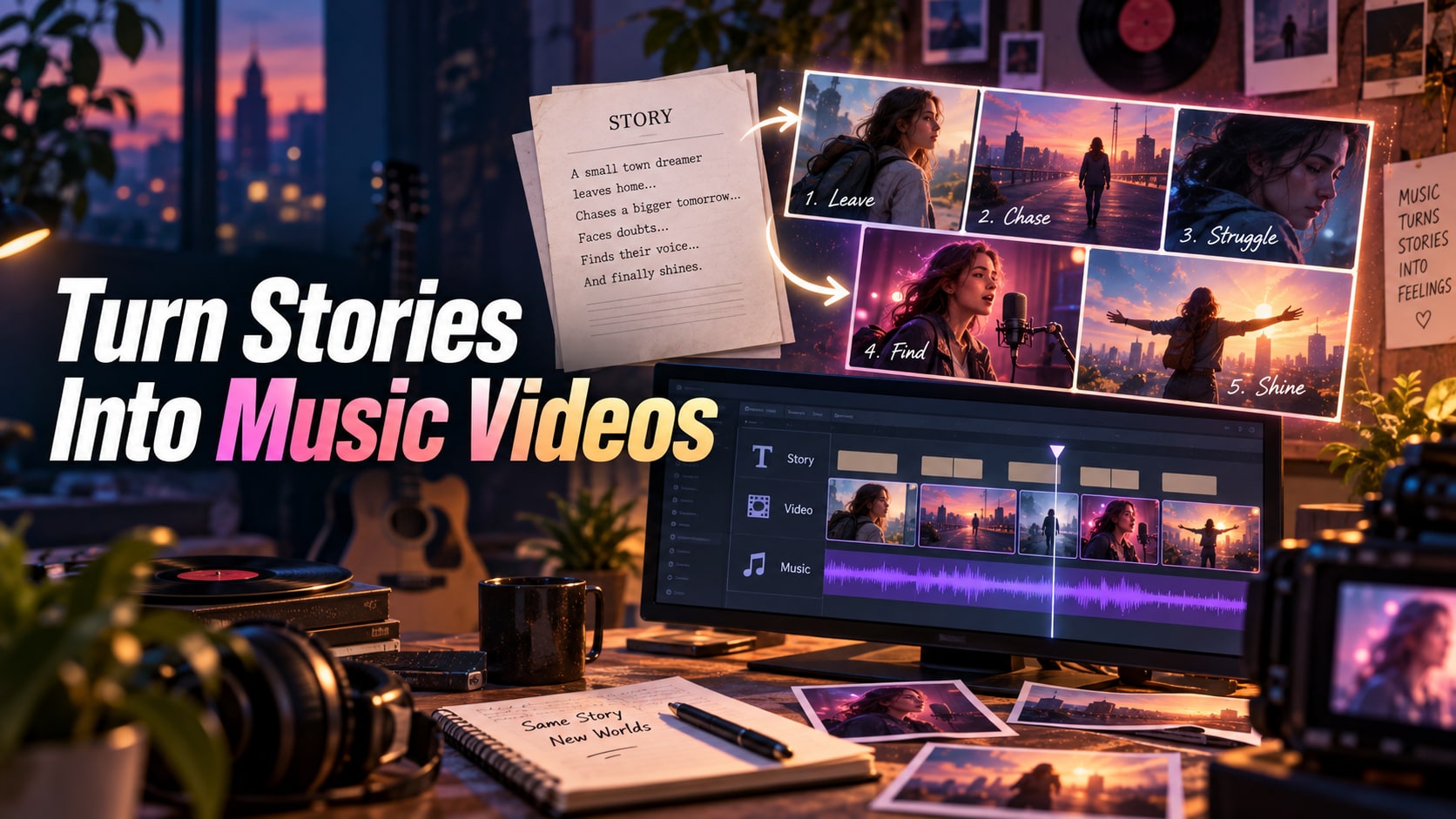
A music video can follow the beat and still have no story. The best AI story to music video generators need to translate a narrative arc into shots that also respect the song: who the characters are, what changes from verse to chorus, where the tension rises, and what the viewer should understand by the end.
That demands more than an audio-reactive visualizer. The workflow has to support some combination of script or storyboard planning, recurring characters, shot sequencing, visual continuity, music timing, and editing. Otherwise the result becomes a montage of attractive clips with no cause and effect.
The tools below are ranked for narrative construction first. Some help plan the story, some generate or animate the scenes, and others are strongest at turning those assets into a paced music-video timeline.
In this article
- Quick comparison for narrative music-video construction
- What makes a visual narrative coherent
- 7 tools for turning story into music video
- Choose by directing control and song structure
- Continuity failures that break the story
- A three-act benchmark
- Final recommendations by directing workflow
- Story-to-music-video FAQ
Quick comparison
This shortlist favors tools that can support story logic and shot planning, not only beat-reactive visuals.
| Tool or model | Best for | Typical input | Standout strength | Main trade-off |
|---|---|---|---|---|
| Media.io | best dedicated story-to-MV browser path | Text, image, audio, and browser project inputs | multi-model browser workflow and adjacent editing tools | the strongest choice depends on which underlying model or workflow you select |
| LTX Studio | narrative planning and shot structure | Story ideas, scripts, characters, and storyboard planning | story-first planning, recurring characters, scenes, and shot structure | it is a narrative production environment rather than only a character image generator |
| Runway Gen-4.5 | cinematic shot generation | Text, image, references, and project assets | generation inside a broader filmmaking and editing ecosystem | its value is highest when the team uses the surrounding Runway workflow |
| Neural Frames | song-reactive visuals | Songs, audio analysis, prompts, and visual references | audio-reactive visuals and full-song generative music-video workflows | visual consistency may require active art direction across long tracks |
| Kaiber | stylized narrative sequences | Audio, images, prompts, and style-driven visual sequences | music-reactive stylization and artist-oriented visual transformation | character and story continuity require more manual art direction |
| Revid AI | fast story/music first cuts | Songs, prompts, lyrics, and social-video briefs | fast music-to-video assembly, lyrics, and social-ready formats | automation is quickest when the visual concept can tolerate templated structure |
| CapCut | finishing and social recuts | Video, audio, text, templates, and AI-assisted assets | social-first editing, effects, captions, and fast finishing | specialist generation quality depends on the specific feature or integrated model |
Start with a one-paragraph story beat sheet and a simple song map. The strongest workflow is the one that can keep both structures visible as you move from planning to generated shots and final pacing.
What makes a visual narrative coherent
The first production step should be a short story treatment, not image generation. Define the lead character, desire, obstacle, visual world, turning point, and ending in language clear enough that a human director would understand it.
Story beats need musical anchors
Map setup, escalation, turning point, and resolution to verse, chorus, bridge, drop, or outro. The music should help explain why the visual story changes when it does.
Characters need canonical references
If the same person appears across many shots, establish a reference before generation. Character drift is far more distracting in a narrative than in an abstract montage.
Locations create story geography
Recurring environments should have recognizable color, architecture, time of day, or props. If every shot invents a new world, the viewer cannot follow cause and effect.
Shot replacement must be possible
AI will produce weak scenes. A useful story-MV workflow lets the creator replace one shot while preserving timing and continuity around it.
Media.io narrative music-video routes by story style
Media.io's dedicated Story to MV workflow directly matches a narrative-first music-video brief.
For romance narratives, the AI love song music video generator page is a specialized option.
For live-action-style storytelling, the AI realistic music video maker workflow is more specific than another generic product link.
For stylized narrative worlds, the anime music video workflow shows another story-compatible visual direction.
7 tools for turning story into music video
The tools below occupy different parts of the pipeline, from story planning to scene generation and music-led finishing. Each review explains where the tool contributes most to narrative continuity.
1. Media.io - Best dedicated story-to-MV browser path
The strongest argument for Media.io appears in dedicated story-to-MV browser path work. Its edge is multi-model browser workflow and adjacent editing tools, and that edge becomes more valuable once the job involves repeated generations instead of a single hero output.
Start with text, image, audio, and browser project inputs and build a test around projects that need dedicated story-to-MV browser path. Keep the brief constant, introduce one controlled change, and run a controlled second pass. Use turning a story arc into shots that align with musical beats while preserving characters, locations, and narrative cause-and-effect as the scorecard. That exposes workflow quality much faster than a broad prompt with no fixed constraints.
For dedicated story-to-MV browser path, the practical advantage is fewer handoffs: generation and adjacent editing stay close together, so a correction does not automatically require another export-import cycle. It is therefore more useful to compare the correction burden with a beat visualizer that reacts to music without preserving narrative logic than to compare headline capability lists.
The main limitation is clear: the strongest choice depends on which underlying model or workflow you select. If the visuals react to the song but do not build a coherent beginning, escalation, and payoff, treat that as a workflow limitation rather than trying to explain it away as creative variation.
Media.io works best for projects that need dedicated story-to-MV browser path. Consider another option if the limitation matters more than maximizing multi-model browser workflow and adjacent editing tools.
2. LTX Studio - Narrative planning and shot structure
LTX Studio deserves attention because it offers story-first planning, recurring characters, scenes, and shot structure. For creators focused on narrative planning and shot structure, that is a more meaningful advantage than simply adding another general-purpose generator to the list.
Judge it with story ideas, scripts, characters, and storyboard planning and a real task such as writers and filmmakers moving from story concept to visual sequence. Ask for multiple versions, not one. A useful result should prove that the result stays aligned with the brief across more than one attempt. The workflow should also remain understandable enough to correct mistakes.
LTX Studio is strongest when character creation belongs inside story planning; the value comes from connecting cast, scenes, and shots rather than treating each image separately. In that context, a broader general-purpose alternative becomes the right benchmark rather than a random high-end competitor.
Plan around this constraint before scaling the workflow: it is a narrative production environment rather than only a character image generator. Treat that as a decision boundary rather than a footnote, especially for work that will be repeated at scale.
Good match: writers and filmmakers moving from story concept to visual sequence. Poorer match: projects that would require too much rework to get around the main limitation.
3. Runway Gen-4.5 - Cinematic shot generation
Projects that depend on cinematic shot generation are where Runway Gen-4.5 makes the clearest case. The reason is generation inside a broader filmmaking and editing ecosystem, not simply brand recognition or breadth.
A practical evaluation uses text, image, references, and project assets and mirrors iterative creative production where generation, revision, and finishing stay connected. Make at least one deliberate revision and run a controlled second pass. Put most of the weight on turning a story arc into shots that align with musical beats while preserving characters, locations, and narrative cause-and-effect. That second pass often reveals more than the polished first result.
For cinematic shot generation, Runway gains value from keeping generation, revision, references, and finishing inside a connected filmmaking workflow rather than treating each clip as a one-shot output. This helps separate Runway Gen-4.5 from a beat visualizer that reacts to music without preserving narrative logic, which may be stronger for a different production goal.
One boundary can change the recommendation: its value is highest when the team uses the surrounding Runway workflow. If the visuals react to the song but do not build a coherent beginning, escalation, and payoff, treat that as a workflow limitation rather than trying to explain it away as creative variation.
It is easiest to recommend Runway Gen-4.5 for iterative creative production where generation, revision, and finishing stay connected. It is harder to justify when the project is especially sensitive to the stated trade-off.
4. Neural Frames - Song-reactive visuals
Neural Frames stands out in a crowded field because it offers audio-reactive visuals and full-song generative music-video workflows. That gives it a credible role for song-reactive visuals, even if another product may be stronger on a different axis.
The right test begins with songs, audio analysis, prompts, and visual references and a scenario close to musicians who want visuals driven by the structure and energy of a song. Keep the creative brief stable, ask for a second version, and compare the second pass with the first. Judge the second pass by turning a story arc into shots that align with musical beats while preserving characters, locations, and narrative cause-and-effect.
Neural Frames is built around music-led visual generation, making it a stronger fit when audio analysis and visual response are central to the project. The point is to see whether that advantage survives normal production pressure, not just whether it appears in a curated example.
The main limitation is clear: visual consistency may require active art direction across long tracks. If the output reaches the point where the visuals react to the song but do not build a coherent beginning, escalation, and payoff, another specialist may be the safer choice for this particular project.
For song-reactive visuals, Neural Frames is worth shortlisting; deprioritize it if the main limitation would force too much manual repair.
5. Kaiber - Stylized narrative sequences
Kaiber earns its place here because it offers music-reactive stylization and artist-oriented visual transformation. That advantage matters most for stylized narrative sequences, where a polished first result is not enough if the workflow becomes difficult to repeat or revise.
A sensible trial starts with audio, images, prompts, and style-driven visual sequences. Use a brief that reflects stylized music videos, visualizers, and artist-led aesthetic experiments, then request a second take or a targeted correction. Check whether the result stays aligned with the brief across more than one attempt.
Kaiber is strongest when stylization and music-reactive visual treatment matter more than photorealistic continuity. That makes the comparison with a broader general-purpose alternative more meaningful than a simple feature-count exercise.
One caveat is worth testing early: character and story continuity require more manual art direction. If the visuals react to the song but do not build a coherent beginning, escalation, and payoff, do not treat the output as a near miss; that is evidence the workflow may be wrong for the task.
Kaiber is a strong fit for stylized music videos, visualizers, and artist-led aesthetic experiments. It is less convincing when that trade-off affects a non-negotiable requirement.
6. Revid AI - Fast story/music first cuts
For fast story/music first cuts, the appeal of Revid AI is straightforward: fast music-to-video assembly, lyrics, and social-ready formats. It is not necessarily the broadest option in the group, but it addresses a part of the job that can determine whether the output is actually usable.
Put it under pressure with songs, prompts, lyrics, and social-video briefs rather than a showcase prompt. A realistic test would mirror fast first cuts, lyric videos, and short-form music promotion and include at least one revision. The second pass should show whether the result stays aligned with the brief across more than one attempt.
Revid AI is practical for short-form, social-first production where the finished video needs to move quickly from concept to publishable cut.
Where it gives ground is equally important: automation is quickest when the visual concept can tolerate templated structure. That does not disqualify it, but it changes which projects will benefit most from the workflow.
Pick Revid AI for fast first cuts, lyric videos, and short-form music promotion. Look elsewhere if that limitation conflicts with a hard requirement.
7. CapCut - Finishing and social recuts
Imagine a project built around short-form production where editing and publishing speed matter most. That is the kind of job where CapCut becomes interesting, mainly because of social-first editing, effects, captions, and fast finishing.
The evaluation should begin with video, audio, text, templates, and AI-assisted assets and keep the source or brief fixed across several attempts. Instead of asking whether one output looks impressive, use the result as a production test. Use turning a story arc into shots that align with musical beats while preserving characters, locations, and narrative cause-and-effect as the scorecard.
For finishing and social recuts, CapCut is most useful when generation is only one step in a fast social workflow that also needs timing, captions, music, effects, and export. In practice, that is a more useful distinction than comparing it with a beat visualizer that reacts to music without preserving narrative logic on an isolated demo.
There is a real limitation: specialist generation quality depends on the specific feature or integrated model. If the visuals react to the song but do not build a coherent beginning, escalation, and payoff, treat that as a workflow limitation rather than trying to explain it away as creative variation.
Best matched to short-form production where editing and publishing speed matter most; a weaker match for teams that would spend too much time working around the limitation.
Choose by directing control and song structure
Choose the tool according to how much of the directing process you want the AI to automate.
For a dedicated story-first workflow
Media.io Story to MV is the most direct fit when a written narrative should become the organizing principle of the music video.
For explicit scene and shot planning
LTX Studio is useful when the director wants to break a story into scenes and shots before generation.
For music-responsive visuals
Neural Frames is valuable when the story should still react strongly to beat, stems, and musical energy.
For fast first drafts
Revid AI can assemble a quick sequence that helps test whether the story concept works before deeper production.
For cinematic shot generation
Runway can supply art-directed shots once the story, character, and scene plan are already defined.
For finishing and social versions
CapCut and VEED are practical for timing, captions, transitions, vertical derivatives, and final assembly after the core narrative shots exist.
Continuity failures that break the story
Narrative music-video failures are structural. Beautiful shots do not rescue a story that loses its character, geography, or cause and effect.
- The lead character changes appearance between verse and chorus.
- Scenes are individually attractive but no event connects one shot to the next.
- The turning point occurs at a musically weak moment and feels emotionally flat.
- Locations change so radically that the viewer cannot tell where the story is happening.
- The video illustrates lyrics literally but never builds a larger visual idea.
- Replacing one weak shot causes timing or character style to change across the surrounding sequence.
A narrative MV should still make basic sense with the audio muted. The song should deepen the story, not be the only thing holding unrelated shots together.
A three-act benchmark
Use a 60-second three-act excerpt with setup, escalation, and payoff. It is long enough to expose story continuity without requiring a full-track generation for every test.
- Write a five-sentence story treatment and define the lead character and visual world.
- Map the setup, turning point, and payoff to exact musical moments in the 60-second excerpt.
- Generate or assemble at least six shots while reusing the same character reference.
- Watch the sequence muted and verify that a viewer can infer what changes from beginning to end.
- Watch again with audio and score whether the visual turns land at meaningful musical moments. If your music video includes noisy voiceovers or recorded dialogue, use Media.io AI Noise Reducer to improve audio clarity before final export.
- Replace the weakest shot and record whether character, style, and timing remain stable.
A tool passes the benchmark when the story remains understandable, the song improves the pacing, and a weak scene can be repaired without rebuilding everything.
Final recommendations by directing workflow
For the final decision, prioritize turning a story arc into shots that align with musical beats while preserving characters, locations, and narrative cause-and-effect, then compare how much correction each workflow still requires.
- Need dedicated story-to-MV browser path? Media.io is a natural candidate.
- Teams prioritizing narrative planning and shot structure may prefer LTX Studio to a broader generalist.
- Start with Runway Gen-4.5 when cinematic shot generation matters more than broad feature coverage.
- Neural Frames is worth shortlisting for song-reactive visuals, especially when that need will repeat across many outputs.
- Kaiber is the strongest fit for stylized narrative sequences.
- For fast story/music first cuts, put Revid AI near the top of the shortlist.
- CapCut deserves a closer look if finishing and social recuts is your priority.
Story-to-music-video FAQ
-
What is an AI story-to-music-video generator?
It is a workflow that uses a narrative premise, characters, scenes, and song structure to build a music video with a plot rather than only a visualizer or beat-synced montage. -
What is the best AI tool for a narrative music video?
Media.io Story to MV is a direct story-first option. LTX Studio is strong for scene and shot planning, Neural Frames for audio-reactive visuals, and Runway for art-directed cinematic shot generation. -
How do I keep characters consistent in an AI music video?
Create a canonical reference before production, reuse it in every applicable scene, lock wardrobe and identity details, and test several poses before generating the full sequence. -
Should I write a script before generating a music video?
For a narrative video, at least write a short treatment with setup, conflict or change, turning point, and ending. This gives the AI and the human editor a stable story structure. -
How should a music-video story match the song?
Map story beats to verse, chorus, bridge, drop, or outro so visual change occurs at musically meaningful moments rather than random timestamps. -
Can AI create a full cinematic music video from a story?
It can create a strong first draft or many of the required scenes, but long-form character continuity, shot selection, and final editing still benefit from human direction. -
What is the difference between story-to-MV and an audio visualizer?
Story-to-MV uses characters, locations, events, and narrative progression. A visualizer primarily represents the audio through graphics, motion, or reactive imagery. -
Can I turn a story music video into TikTok or Reels clips?
Yes. After the master sequence is approved, create vertical derivatives around the strongest hook, chorus, or story turn and reframe shots for the target platform.


