
 Media.io

 ChatGPT
 Perplexity
 Gemini
 Claude
 Grok
Grok
When it comes to TikTok and social media in general, profile pictures play a significant role. That's because some people only follow good TikTok profile pictures without caring much about the content. Also, the profile picture can immediately tell netizens what the account is all about. So, how do you find or create the best TikTok profile pictures? If that's your predicament, then this article has up to fifteen excellent suggestions to mull about.
Part 1: 15 Best TikTok profile pictures [Different styles]
1. Funny TikTok profile picture
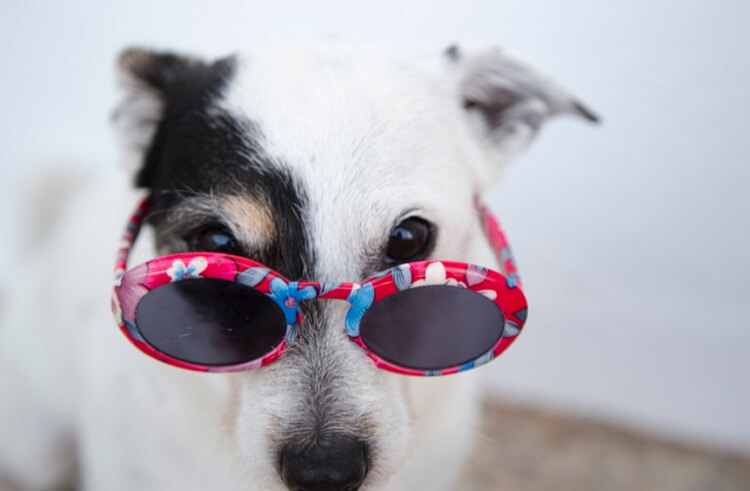
TikTok is a platform to cool heads and get some entertainment. As such, some TikTokers choose to share comic content with their followers. If you're one of them, a funny TikTok profile picture will do. Basically, a funny profile pic will bring smiles and laughter to the viewers immediately they see it. Also, use one of these if you don't want to display your accurate profile picture or you simply want to bring out your funny side.
Below are some examples:
Smiling monkey

Cheeky cat

Top dog
Red nose clown

Big nose camel

2. Cute TikTok profile picture
If you're not the funny type, then a cute TikTok profile picture is best. That being said, cute girls DP on Facebook, WhatsApp, and Instagram have become commonplace these days. While you can still use your own photos, it's best to use a celebrity pic or a cute-looking baby. Of course, you can also get an anime girl, a beautiful Asiana girl, or anything else that will melt your heart. Just remember that cute profile pictures are not all about smiling or giving a beautiful pose to the camera. In this case, the best TikTok profile must have an excellent background and proper framing.
Check out these examples:
Cute girl

Cute puppy

Cute hamster

Baby relaxing

Love images

3. Cool TikTok profile picture
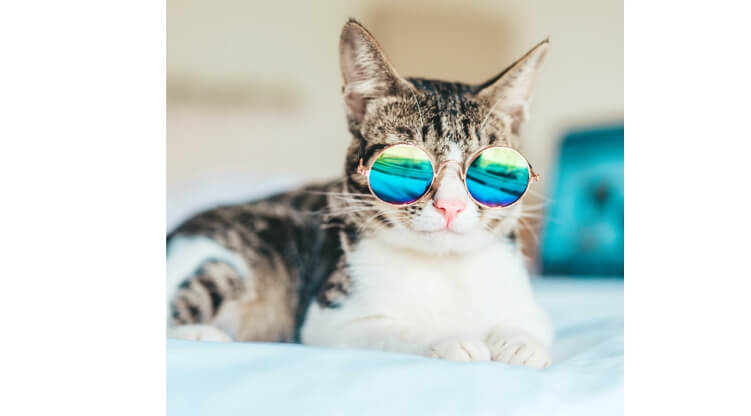
They say that you're the only one who can define your personality. And one way to personalize your TikTok profile is by using cool TikTok profile pictures. For example, if you feel overly confident about your abilities, you can use a Superman profile picture. You can also use a discord character such as a snoopy or a cat with glasses. Either way, a cool profile picture will stand out from the crowd.
Here are our five picks:
Flying like superman

Spiderman reading a book

A cat with cool shades
Cool profile picture

Posing ice bear

Part 2: FAQs about TikTok profile pics & video
Now it's time to replace your old and stale TikTok profile picture with something more captivating. As you may already know, TikTok lets you customize your profile with a short clip or a picture. So, let's learn how to change both ways with the steps below:
How to change profile picture on TikTok?
Before we dive into the steps, it's vital to note that you can upload any profile picture. That is, there are no limitations or restrictions. On the other side, the video you intend to use must not exceed 6 seconds. You can shoot a clip of yourself dancing, performing comedy, lip-syncing, and more. Whichever the case, follow the steps below to get it done in a matter of seconds:
Step 1. Assuming you're already an active TikTok user on Android or iPhone, fire up the app and then tap Profile. This button is at the lower-left corner of the home window.

Step 2. Now click the Edit profile button and tap Change photo. From there, proceed to take a photo using your camera or upload one from your local storage.
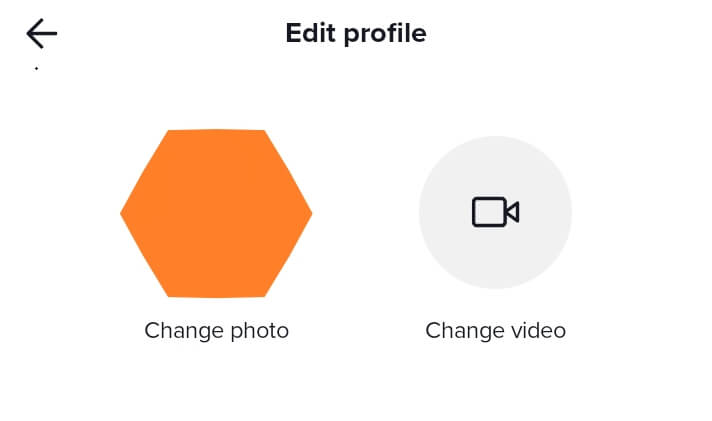
But if you want to add a short video, click Edit profile and then hit the Change video button. Now select the video that you intend to use. Interestingly, TikTok lets you trim and crop the video to fit the eligible 6-second playback duration.
Step 3. After selecting your video or photo, proceed to click the Save button at the top-right corner. You now have a new TikTok profile picture.
Conclusion
From cool TikTok profile pics to those funny ones, this guidepost should help you make what you need. Remember, the best TikTok profile pictures don't need to be your own photos. You can even use a photo of your pet, provided it's nothing scary. And, of course, use UniConverter to create that attractive TikTok profile picture.


