











Popular Howler-Monkey Sound Effects Library

Pick a ready-to-use call for your scene, or copy the prompt to generate new takes with different distance, echo, and jungle noise floor.

How to Generate Your Own
Howler-Monkey Sound Effects

Cannot find the perfect howler-monkey sound effect you need? Generate custom AI howler-monkey audio effortlessly. Describe the style, such as short clean cue, cinematic hit, subtle background layer, branded UI alert, and Media.io AI builds tailored howler-monkey sound effects instantly. No audio editing experience needed. Turn your concept into a royalty-free, high-quality downloadable WAV howler-monkey clip in under 60 seconds.

1

Write your call prompt

Type or paste a prompt describing the howler monkey sound you need, such as close roar, distant valley call, or a small troop response with light jungle ambience.

2

Choose length and takes

Set duration to 5s, 10s, or 20s, then pick how many variations you want so you can quickly audition different intensity and distance options.

3

Generate and preview

Click Generate, listen to each result, and keep the version with the best attack, tail length, and background room tone for your scene.

4

Download WAV and place

Download your chosen WAV file and drop it into videos, audio drama, apps, games, or commercial projects, then trim or fade as needed.

What Can You Use These Howler-Monkey Sound Effects For?

Creators in every field are using our royalty-free audio to set the perfect mood.

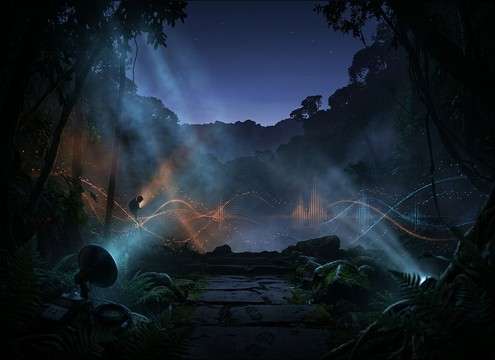
Wide rainforest shot with distant howler monkey calls

Rainforest establishing shots

Add distant calls with long decay tails to sell scale before visuals reveal the canopy.

Documentary timeline using howler monkey call for a transition

Wildlife documentary transitions

Use clean, midrange-forward roars for cutaways between locations without overpowering narration.

Game jungle area with proximity-based howler monkey audio cues

Survival game jungle

Trigger near warnings when the player enters a territory, then swap to distant layers as they move away.

Trailer edit point emphasized by a close howler monkey roar

Adventure trailer beats

Punch in a close roar with a tight tail for a dramatic hit that still feels natural, not synthetic.

Audio drama session with rainforest ambience and howler monkey calls

Audio drama scene

Place stereo-wide valley calls under footsteps to establish geography and time of day.

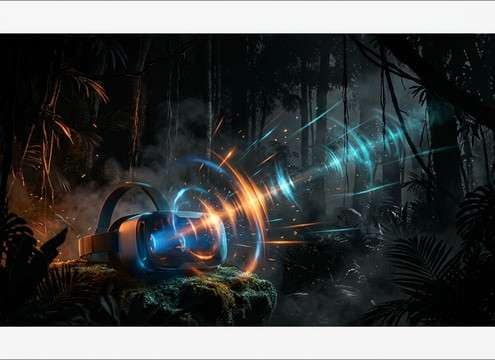
VR rainforest experience with spatial howler monkey calls

VR rainforest immersion

Match perspective shifts by regenerating calls with different distance and reflection density.

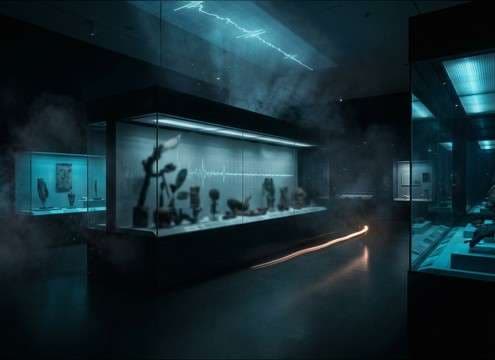
Museum rainforest exhibit using loopable howler monkey ambience

Museum or exhibit

Create loopable beds with a stable noise floor for long playback without obvious repeats.

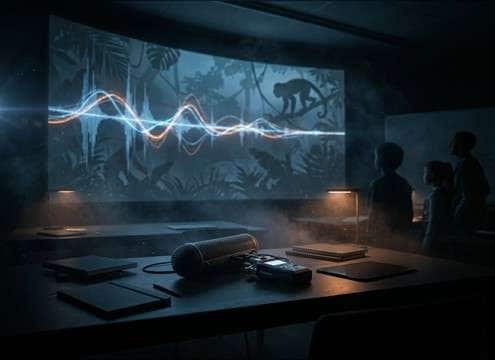
Classroom speaker playing isolated howler monkey call audio

Classroom biodiversity clips

Use short, isolated calls with minimal room tone so students can clearly hear texture and pitch.

Why Choose Media.io for Howler-Monkey Sound Generator?

See exactly why creators, developers and studios choose our AI audio generator over all others.

Prompt settings showing close vs distant howler monkey calls

Prompt control for distance

Ask for close, mid, or far perspectives so the call matches the camera placement and scene scale.

Download panel for howler monkey WAV sound effects

Scene-ready royalty-free downloads

Preview first, then export a WAV you can drop into your timeline without hunting for a perfect take.

Multiple generated howler monkey call variations in a list

Regenerate natural variations

Create multiple takes with slightly different phrasing, intensity, and tail length to avoid repetition.

Controls for ambience level behind a howler monkey call

Background control and clarity

Dial jungle noise floor up or down so the call either sits in ambience or cuts through dialogue.

Preview player scrubbing a 5s howler monkey sound

Fast audition for edit points

Generate short 5s options for quick cutaways, or longer 10s to 20s sequences for transitions.

Saved prompt used to keep consistent howler monkey sound character

Consistent tone across scenes

Reuse and tweak prompts to keep the same species character while changing space and intensity.

How to Prompt Realistic Howler Monkey Calls

Howler calls can read fake if the distance, tail, and jungle bed do not match the picture. Use prompts that specify perspective, environment reflections, and how clean the start should be. When you need repeated cues, generate several variations with similar tone so you can rotate takes without obvious cloning.

Pick a perspective: close, mid, or far

The same call feels completely different depending on how much transient detail and room tone you hear. Close calls should have a clearer throat texture and less wash. Distant calls should soften the attack and extend the decay, with canopy reflections that imply space.

  • Use words like close-up, near, mid-distance, or across a valley
  • Describe the tail: short natural decay vs long echoing tail
  • Mention stereo width: centered close call vs wide distant spread

Match the jungle bed to your scene

A dry roar can sound pasted-on if your shot has insects, wind, or birds. Conversely, too much noise can mask the call and reduce intelligibility. Prompt for a stable noise floor and the type of background you want so it sits naturally under narration or dialogue.

  • Ask for minimal ambience for isolated clips and teaching moments
  • Request light rainforest room tone for cutaways and transitions
  • For ambience beds, specify steady noise floor and no sudden spikes

Control phrasing to avoid repeats

Howlers often feel more real when calls have slight timing differences and imperfect spacing. For loops and long scenes, generate multiple takes with similar character but varied cadence, then alternate them. Avoid making every call identical in rhythm and intensity.

  • Specify single call, two-beat pattern, or a short sequence of calls
  • Generate 3 to 6 variations and rotate the best two or three
  • Keep intensity consistent for continuity, then change distance for camera moves

Common prompt mistakes to avoid

Overly dramatic, monster-like roars can break realism. Calls that are too bright or too clean can also feel detached from nature footage. Aim for believable texture and a decay that matches the space, not a huge cinematic reverb that reads as a studio effect.

  • Avoid phrases that imply mythical creature or horror monster vocals
  • Do not overdo reverb when the scene is dense canopy and close camera
  • Skip extreme pitch shifts unless you want a stylized creature variant

Frequently Asked Questions About
Howler-Monkey Sound Effects

Everything you need to know before downloading or generating your first sound.

Are these howler-monkey sound effects royalty-free for commercial use?

They are provided as royalty-free sound assets you can use in commercial projects after you download them. If you have a specific licensing requirement for a client or platform, review the license terms shown in your Media.io download flow before publishing.

Can I download the sounds as WAV files?

Yes. After you preview a result, you can download the selected clip as a WAV file so it is ready for editing and syncing in most NLEs and DAWs.

How do I choose between close and distant howler calls?

Use close calls when the animal is on screen or you need a strong foreground cue with a tight tail. Choose distant calls when you need scale and atmosphere, with a softer attack and longer decay that blends into the rainforest bed.

How can I make a 20-second loop feel seamless?

Generate a 20-second ambience bed with a stable jungle noise floor and only a few distant calls. In your editor, add short crossfades at the loop point and avoid placing a loud transient right at the start or end.

Are these howler-monkey sound effects free to download?

Yes. You can preview and download the AI-generated howler-monkey sound effects as WAV files and use them in personal or commercial projects.

Can I copy the prompt used for each sound?

Yes. Open any sound row to view the prompt, copy it, adjust the wording and generate a custom variation that better matches your scene.

Related Free Sound
Effect Categories

Explore other AI-generated sound libraries from Media.io

sound

Rain Sound Effects

10+ free sounds
sound

Thunder Sound Effects

10+ free sounds
sound

Farts Sound Effects

10+ free sounds
sound

Car Crash Sounds

10+ free sounds
sound

Explosion Sound Effects

10+ free sounds
sound

Gunshot Sound Effects

10+ free sounds
sound

Pistol Sound Effects

10+ free sounds
sound

AI Horror Sound Effects

10+ free sounds
sound

AI Forest Sound Effects

10+ free sounds
sound

AI Dog Whistle Sound

10+ free sounds
sound

AI Ding Sound

10+ free sounds
sound

Phone Ring Sound

10+ free sounds
media.io

AI Video Generator star

Easily generate videos from text or images

Generate
