











Popular Lighter Sound Effects Library

Pick a ready-to-use lighter clip for your cut, or copy the prompt to generate a new take with different click sharpness, hiss level, and flame decay. Each sound is built to be easy to place on action, from a single flick to multiple relight attempts.

How to Generate Your Own
Lighter Sound Effects

Cannot find the perfect lighter sound effect you need? Generate custom AI lighter audio effortlessly. Describe the style, such as short clean cue, cinematic hit, subtle background layer, branded UI alert, and Media.io AI builds tailored lighter sound effects instantly. No audio editing experience needed. Turn your concept into a royalty-free, high-quality downloadable WAV lighter clip in under 60 seconds.

1

Describe the lighter sound

Type a prompt for the exact action you need, like a single flick ignition, a failed spark, a windy relight, or a close ASMR click.

2

Choose length and variations

Set 5s, 10s, or 20s, then pick how many results to generate so you can audition different click sharpness and flame tails.

3

Generate and preview

Click Generate, listen to each take, and keep the version that syncs best to your on-screen thumb movement or ignition moment.

4

Download WAV and use

Download the WAV file and drop it into your timeline for videos, games, apps, podcasts, or commercial projects.

What Can You Use These Lighter Sound Effects For?

Creators in every field are using our royalty-free audio to set the perfect mood.

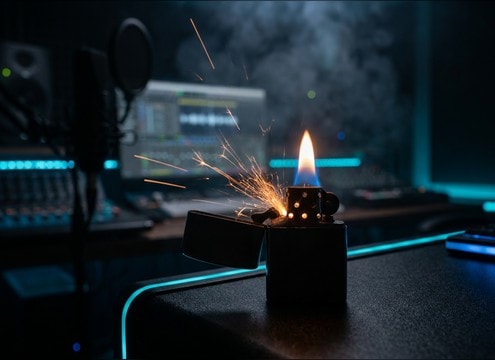
Lighter ignition sound synced to a film close-up

On-camera cigarette light

Sync a crisp wheel flick to the hand action, then choose a short flame tail that does not mask dialogue in tight close-ups.

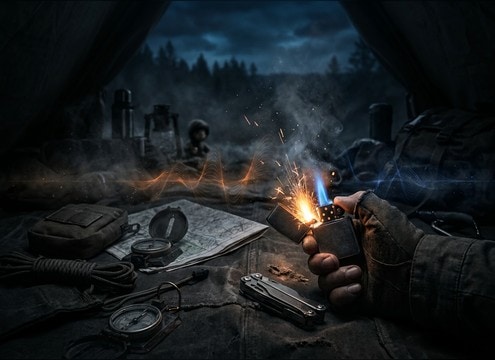
Lighter flick starting a campfire scene

Campfire start moment

Use a softer click with a slightly airy hiss to sell the first flame before the fire bed begins, especially in quiet outdoor scenes.

Lighter sound for a survival game item use

Survival game inventory

Trigger a compact ignition SFX with minimal tail so it reads clearly under ambience loops like wind, insects, and distant wildlife.

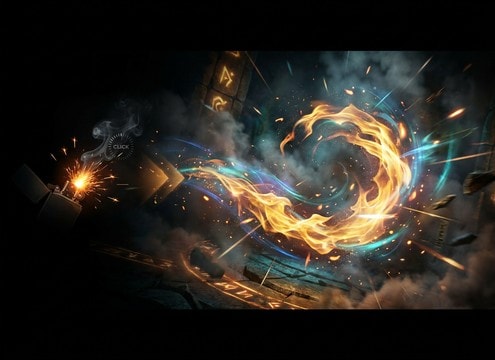
Lighter spark leading into a magic fire effect

Magic spell ignition

Start with a realistic flick transient, then regenerate versions with a brighter spark texture to transition into a fire spell whoosh.

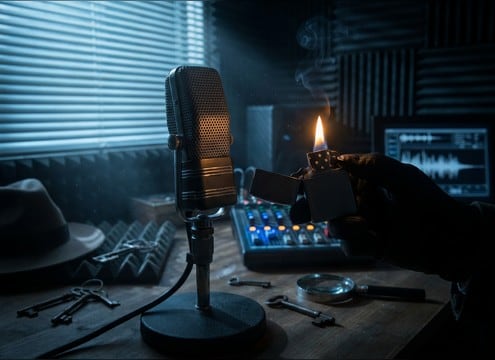
Flip-top lighter click for noir film foley

Detective noir prop

Pick a metal cap snap with a tiny ring to match a flip-top lighter prop, then add roomier versions for hallway shots.

ASMR lighter flick and cap click audio

ASMR fidget content

Choose ultra-close clicks with audible thumb friction and low room tone to keep the transient satisfying without harsh sibilance.

Lighter product demonstration with clean ignition audio

Product demo for

Use a clean ignition with controlled hiss level so the sound feels premium and consistent across cuts and multiple angles.

Audio drama cue using a lighter ignition in a room

Stage cue in

Use a slightly distant ignition with reflections to place the character in a car interior, hallway, or small room without extra reverb plugins.

Why Choose Media.io for Lighter Sound Generator?

See exactly why creators, developers and studios choose our AI audio generator over all others.

Prompt controls for lighter click transient and gas hiss

Prompt control for click and hiss

Media.io for Lighter Sound Generator lets you specify wheel click sharpness, gas hiss level, and flame sustain so the action reads clearly on screen.

Regenerating lighter sound variations for different scenes

Regenerate scene-matching takes

Media.io for Lighter Sound Generator makes it easy to regenerate variations when you need a drier close-up, a more distant perspective, or a windier texture.

Previewing lighter ignition audio before downloading

Fast preview before download

Media.io for Lighter Sound Generator provides quick auditioning so you can pick the best transient timing and tail length without guessing.

Choosing 5s 10s 20s durations for lighter sounds

Duration fits the cut

Media.io for Lighter Sound Generator supports 5s, 10s, and 20s outputs so you can grab a single flick, a short relight sequence, or a light-and-hold take.

WAV export of lighter sound effect for editing

Mix-friendly, clean exports

Media.io for Lighter Sound Generator outputs WAV files that drop into timelines cleanly, with controlled noise and a tail that is easy to trim.

Lighter sound library with custom AI generation

Library plus custom generation

Media.io for Lighter Sound Generator combines ready-to-use lighter clips with promptable generation, so you can start from a preset and refine it quickly.

How to Prompt Lighter SFX That Sync and Sound Real

Lighter sounds are small, fast, and easy to overdo. The best prompts describe the mechanical click, whether ignition succeeds, and how long the flame should stay present. Use the guide below to choose the right take from the library or to write prompts for an AI lighter sound effect generator that match your shot timing and space.

Pick the action: click, spark, or ignition

Start by naming the exact moment your audience should notice. A cap snap reads as mechanical foley, while ignition needs a tiny spark and a controlled flame tail. If the story beat is frustration, ask for a misfire sequence instead of a clean light.

  • Use words like flick, wheel click, cap snap, spark, misfire, ignite
  • Call out success or failure: no flame, brief flame, steady flame
  • Mention handling detail if needed: thumb friction, hand movement

Control the transient and the tail

Editors usually need a crisp attack that syncs to the thumb motion, plus a tail that does not fight dialogue or ambience. Ask for a sharp click transient when the lighter is prominent, or a softer transient when the shot is wider. Keep flame decay short unless the flame must remain audible.

  • Transient: crisp click, softened click, muted attack
  • Tail: tight decay, short flame sustain, longer burn with gentle hiss
  • Noise: low noise floor, minimal room tone, no harsh high fizz

Match the space: dry close-up vs roomier distance

A close shot often needs dry, intimate detail, while a hallway or car interior benefits from subtle reflections. Instead of adding heavy reverb later, prompt the perspective so the click and flame sit naturally with the scene and mic distance.

  • Close-mic: dry, detailed, minimal reflections
  • Distant: muffled highs, light room reflections, reduced transient bite
  • Environment cues: indoors, car interior, outdoor wind, quiet room

Avoid common tells that break realism

Lighter SFX feel fake when the click is too loud, the flame sounds like a torch when it should be small, or the hiss masks everything. If your first generation is too aggressive, reduce the hiss, shorten the sustain, and request cleaner transients with less grit.

  • Avoid oversized fire: keep flame small unless you want a torch lighter
  • Avoid long constant hiss that masks dialogue and ambience beds
  • Avoid excessive debris or crackle that belongs to matches or campfires

Frequently Asked Questions About
Lighter Sound Effects

Everything you need to know before downloading or generating your first sound.

What types of lighter sounds are included here?

You can preview common lighter actions like a flip-top cap click, wheel flick ignition, gas hiss before light, failed spark attempts, distant ignitions with room reflections, and light-then-extinguish takes.

Can I download these lighter sound effects for commercial use?

Media.io provides downloadable, royalty-free audio options for projects like films, apps, ads, and client work. Check the license note shown at download for your specific file before publishing.

Do downloads come as WAV files, and can I trim them?

Yes. Download the clip as a WAV file, then trim the head for tighter sync or shorten the tail to fit the cut. A short fade-out usually keeps the flame decay natural.

How do I choose between a dry click and a roomier ignition?

Use dry clicks for close-ups and Foley-forward moments. Choose roomier or distant versions when the lighter is off-camera or the scene has clear space cues like a hallway or car interior.

Are these lighter sound effects free to download?

Yes. You can preview and download the AI-generated lighter sound effects as WAV files and use them in personal or commercial projects.

Can I copy the prompt used for each sound?

Yes. Open any sound row to view the prompt, copy it, adjust the wording and generate a custom variation that better matches your scene.

Related Free Sound
Effect Categories

Explore other AI-generated sound libraries from Media.io

sound

Rain Sound Effects

10+ free sounds
sound

Thunder Sound Effects

10+ free sounds
sound

Farts Sound Effects

10+ free sounds
sound

Car Crash Sounds

10+ free sounds
sound

Explosion Sound Effects

10+ free sounds
sound

Gunshot Sound Effects

10+ free sounds
sound

Pistol Sound Effects

10+ free sounds
sound

AI Horror Sound Effects

10+ free sounds
sound

AI Forest Sound Effects

10+ free sounds
sound

AI Dog Whistle Sound

10+ free sounds
sound

AI Ding Sound

10+ free sounds
sound

Phone Ring Sound

10+ free sounds
media.io

AI Video Generator star

Easily generate videos from text or images

Generate
