











Popular Bang Sound Effects Library

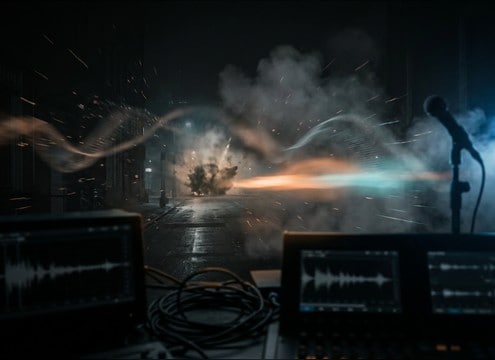
Pick a ready-to-use bang for your edit, or copy the prompt to generate the same idea with different intensity, room size, and decay. Each item is shaped for quick placement: clear attack, controlled tail, and enough texture to cut through dialogue and music when needed.

How to Generate Your Own
Bang Sound Effects

Cannot find the perfect bang sound effect you need? Generate custom AI bang audio effortlessly. Describe the style, such as short clean cue, cinematic hit, subtle background layer, branded UI alert, and Media.io AI builds tailored bang sound effects instantly. No audio editing experience needed. Turn your concept into a royalty-free, high-quality downloadable WAV bang clip in under 60 seconds.

1

Describe the bang

Type a prompt for the exact hit you need, like metal slam, wooden thud, close impact, or distant report, and mention attack and tail behavior.

2

Pick length and variants

Choose a duration of 5s, 10s, or 20s and set how many variations you want to generate for different intensities or rooms.

3

Generate and preview

Click Generate, then audition each result to find the best transient, decay, and stereo width for your cut.

4

Download WAV and place

Download the WAV file and drop it into videos, games, apps, podcasts, or commercial projects, then trim or fade to match the timing.

What Can You Use These Bang Sound Effects For?

Creators in every field are using our royalty-free audio to set the perfect mood.

Editor placing a door slam bang on a timeline

Door slam punctuation

Swap weak production audio with a tight bang that sells a hard close, with just enough room reflection to match the hallway or apartment.

Comedy scene using a short bang accent on a visual gag

Comedy reveal hit

Use a fast, dry cartoon bang for sight gags and punchlines where the transient must land exactly on a frame without a long tail.

Trailer title card with a cinematic bang hit

Trailer impact marker

Drop a heavier bang accent under a title card or cut-to-black, with controlled sub so it reads big without muddying dialogue.

Action fight edit using a bang impact for a hit

Fight scene body

Choose a punchy bang with a dense midrange crack to emphasize a shove or collision, especially when footsteps and cloth foley are already busy.

Off-screen bang sound implying distant action outside

Gun-free on-screen bang

For a generic off-screen bang, pick a distant report with softened transient and longer air tail to imply something happening down the street.

Theater prop drop timed with a gritty bang and debris

Stage prop drop

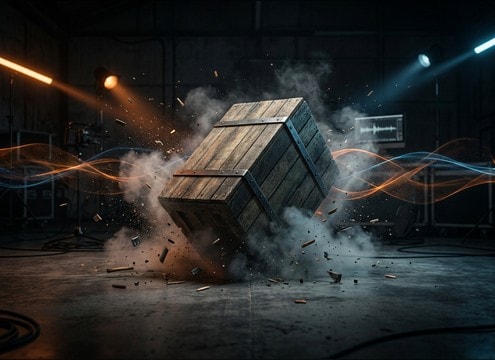
Sell a falling object or set-piece knockover with a textured bang plus small debris ticks, ideal for practical prop moments.

Horror edit using a bang stinger for a jump beat

Horror jump beat

Use a sharp bang with sudden attack and short decay to spike tension without masking the next line, then regenerate to fit the room size.

Animated impact frame with a stylized bang cue

Animation impact cue

Match exaggerated motion arcs with a bright snap bang, keeping the tail short so rapid actions do not smear together.

Why Choose Media.io for Bang Sound Generator?

See exactly why creators, developers and studios choose our AI audio generator over all others.

Prompt sliders and text describing bang intensity and transient

Prompt control for intensity

Dial in how hard the bang hits by describing transient sharpness, low-end thump, and overall loudness feel, then regenerate quick alternatives.

Waveforms showing dry vs echoed bang variations

Room and distance options

Create close, dry bangs or distant, reflective ones by prompting hallway echoes, outdoor air, or large hall tails to match the shot.

Audio preview list of bang sound variations

Fast preview workflow

Audition multiple bang versions back-to-back to pick the one with the right decay and masking strength for your cut point.

WAV download button next to a bang sound card

Downloadable WAV for editing

Export WAV and trim, fade, or layer immediately in your editor without fighting odd formats or inconsistent levels.

Multiple generated bang takes from one prompt

Variations in one prompt

Generate several takes from the same description to get different textures like metal ring, wood body, debris grit, or clean punch.

Consistent bang sound palette across a project timeline

Bang Sound Generator consistency

Use the Bang Sound Generator to keep a coherent sound palette across scenes by reusing prompts and adjusting only timing or room size.

How to Pick or Prompt the Right Bang Sound

A good bang is less about being loud and more about fitting the shot: the transient must land on the frame, the tail must match the space, and the texture should suggest what hit what. Use the tips below to choose a download-ready clip or write a prompt that generates the exact slam, impact, or accent you need.

Match the transient to the cut

For frame-accurate impacts, prioritize a clean, sharp attack. If the scene already has cymbals, glass, or bright dialogue, a softer transient can read clearer and avoid harshness.

  • Use words like sharp crack, snappy, or softened attack in prompts
  • For comedic beats, keep the transient bright but the tail very short
  • If the bang feels late, choose a tighter attack and less pre-echo

Choose a tail that fits the space

The same slam can feel wrong if the decay does not match the environment. Dry bangs work for close interior actions, while reflective tails sell halls, stairwells, or big rooms.

  • Specify dry, small room reflections, hallway echo, or large hall reverb
  • For dialogue scenes, keep decay short so words stay intelligible
  • For off-screen bangs, add air and longer fade to imply distance

Hint the material and texture

Material cues help the listener believe the moment. Metal tends to ring, wood is rounder in the mids, and debris adds gritty detail that reads as damage or mess.

  • Add metal slam with ring, wooden thud, or gritty debris ticks
  • If the bang masks music too much, reduce low-end thump in the prompt
  • Avoid overly noisy tails when you need repeatable, clean accents

Keep it mix-ready

A bang should sit in your mix without constant fixes. Aim for controlled low-end, predictable stereo width, and tails that do not wash over the next action.

  • Ask for centered mono or moderate stereo width depending on your scene
  • For fast action, choose shorter decay to prevent smearing between hits
  • If it sounds thin, prompt for a stronger body thump without extra reverb

Frequently Asked Questions About
Bang Sound Effects

Everything you need to know before downloading or generating your first sound.

What types of bang sounds are included here?

You can preview and generate multiple bang flavors like close impacts, door-slam style hits, metal ring slams, woody thuds, distant reports, and big hall booms. Pick based on transient sharpness, texture, and tail length so it matches the shot.

Can I download bang sound effects as WAV and use them commercially?

Yes. Media.io lets you preview and download bang sounds as WAV files, and the downloads are designed to be royalty-free for commercial-safe use in client work, apps, videos, and other projects.

How do I make a bang feel distant instead of close?

Choose or prompt a softened transient, reduced high-end bite, and more air in the tail. Adding light outdoor echo or longer decay also helps, while keeping the low-end slightly reduced prevents a close-mic feel.

Which duration should I choose: 5s, 10s, or 20s?

Use 5s for tight slams and quick accents, 10s for bigger hits with a fuller decay you can trim, and 20s when you need a long room tail or a large-space boom that naturally fades out.

Are these bang sound effects free to download?

Yes. You can preview and download the AI-generated bang sound effects as WAV files and use them in personal or commercial projects.

Can I copy the prompt used for each sound?

Yes. Open any sound row to view the prompt, copy it, adjust the wording and generate a custom variation that better matches your scene.

Related Free Sound
Effect Categories

Explore other AI-generated sound libraries from Media.io

sound

Rain Sound Effects

10+ free sounds
sound

Thunder Sound Effects

10+ free sounds
sound

Farts Sound Effects

10+ free sounds
sound

Car Crash Sounds

10+ free sounds
sound

Explosion Sound Effects

10+ free sounds
sound

Gunshot Sound Effects

10+ free sounds
sound

Pistol Sound Effects

10+ free sounds
sound

AI Horror Sound Effects

10+ free sounds
sound

AI Forest Sound Effects

10+ free sounds
sound

AI Dog Whistle Sound

10+ free sounds
sound

AI Ding Sound

10+ free sounds
sound

Phone Ring Sound

10+ free sounds
media.io

AI Video Generator star

Easily generate videos from text or images

Generate
