











Popular Blood-Splatter Sound Effects Library

Choose a ready-made splat, drip, or smear, then copy the prompt to generate cleaner, wetter, closer, or more distant versions that fit your scene timing.

How to Generate Your Own
Blood-Splatter Sound Effects

Cannot find the perfect blood-splatter sound effect you need? Generate custom AI blood-splatter audio effortlessly. Describe the style, such as short clean cue, cinematic hit, subtle background layer, branded UI alert, and Media.io AI builds tailored blood-splatter sound effects instantly. No audio editing experience needed. Turn your concept into a royalty-free, high-quality downloadable WAV blood-splatter clip in under 60 seconds.

1

Describe the splatter

Type or paste a prompt describing the blood sound you need, like a thick close-mic splat, a fine spray hit, or a drip sequence with a short tail.

2

Pick duration and variants

Choose 5s, 10s, or 20s and set how many variations you want to generate so you can match different cuts or intensities.

3

Generate and preview

Click Generate, then audition each result. Keep the version with the right transient, decay length, and room tone for your scene.

4

Download WAV and use

Download your chosen clip as a WAV file and drop it into your timeline for videos, games, apps, podcasts, or commercial projects.

What Can You Use These Blood-Splatter Sound Effects For?

Creators in every field are using our royalty-free audio to set the perfect mood.

Blood splatter SFX synced to a horror close-up edit

Horror close-ups

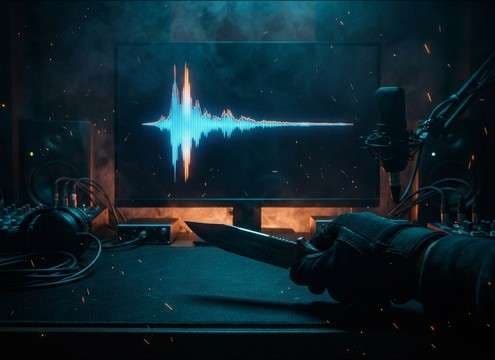
Sync a sharp splat transient to a knife reveal, then swap to a longer smear tail for the lingering shot.

Reenactment scene using restrained blood splatter sound effects

Crime scene reenactments

Use a controlled, midrange-forward splatter that reads clearly under narration without overpowering dialogue.

Creature attack sequence with multi-hit splatter audio cues

Creature attack beats

Trigger burst splats in fast succession to punctuate claw hits and add sticky drips as the camera holds.

Medical simulation using subtle splat and drip sound cues

Medical training sims

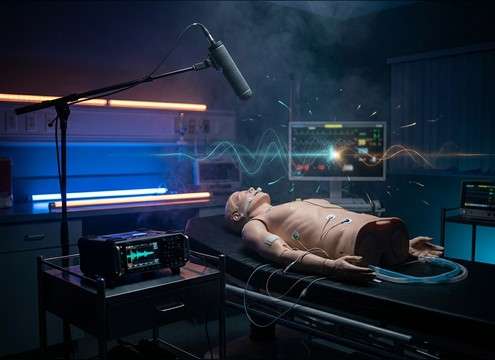
Pick softer, less exaggerated impacts and minimal room reflections for clinical, close-mic realism.

Trailer stinger built around a single heavy splat sound

Slasher trailer stingers

Layer a single heavy splat with a tight tail to land a cut-to-black moment with maximum punch.

Comedic splat sound effect timed to a visual gag

Comic splat comedy

Choose brighter attacks and shorter decays to keep the gag snappy and readable in quick edits.

Haunted room audio with looping drips and triggered splats

Escape room and

Loop short drip sequences as a room bed, then fire an impact splat when a prop is triggered.

VR forensics scene with distance-matched splatter audio

Forensics VR interactions

Use distance-matched splats and drips so head turns feel consistent with stereo width and room tone.

Why Choose Media.io for Blood-Splatter Sound Generator?

See exactly why creators, developers and studios choose our AI audio generator over all others.

Prompt controls for a blood-splatter sound generator

Blood-Splatter Sound Generator prompts

Get predictable results by specifying thickness, spray vs blob, and whether you want a drip, smear, or impact.

Regenerate splatter variations to match timing and intensity

Scene-fit regeneration

Regenerate until the transient, wet texture, and tail length match your exact cut without hunting multiple libraries.

Distance and room tone options for splatter sound effects

Distance and room tone control

Ask for close-mic detail or distant splash with reflections so the splat sits in the same space as your picture.

Preview and prompt workflow for blood splatter SFX

Preview-first library workflow

Audition ready clips instantly, then copy a prompt to make a safer, heavier, or shorter alternative.

WAV export for splatter sound effects

Clean WAV downloads

Export WAV files that are easy to trim, fade, and place under dialogue or impacts in your DAW or editor.

Duration options for generating splatter audio

Fast duration matching

Generate at 5s, 10s, or 20s so you can hit a single frame, a short beat, or a longer drip moment.

How to Prompt Blood Splatter That Matches the Shot

Blood splatter reads as a mix of impact transient, wet viscosity texture, and a tail that can be a smear, droplets, or runoff. When you generate or pick a clip, describe the thickness, the surface it hits, and how close the mic feels. That keeps the splat from sounding like generic water and helps it cut through music without turning into muddy low-end.

Choose viscosity and intensity

Start by deciding whether the moment is a thick blob impact, a fine spray, or a drip sequence. Thickness changes the attack: thick hits are blunt and heavy, while spray is lighter with more high detail. Intensity also determines how much masking the sound will create under dialogue or score.

  • Use words like thick, sticky, heavy, or gelatinous for a blunt transient and short tacky decay
  • Use fine mist, spray, or spatter for a lighter attack and airy texture
  • Ask for controlled low-end if you need it to sit under narration

Call out the surface and debris

The surface tells the generator where the energy goes. A wall hit often has a slap then smear, while tile or metal produces a brighter tick and shorter tail. Adding small details like droplets or smear noise makes the clip feel less like a single splash.

  • Specify wall, tile, concrete, fabric, or metal to shape brightness and decay
  • Add droplets, smear, or runoff to extend the tail naturally
  • Request minimal debris if you want clean splat focus without extra crunch

Match perspective, space, and timing

A close-up needs strong wet detail and little room, while a wide shot needs softer transients and more reflections. Timing matters too: use 5 seconds for a single beat, 10 seconds for impact plus runoff, and 20 seconds for a longer drip or aftermath moment.

  • Use close-mic, intimate, or dry room for tight detail and short tails
  • Use distant, roomy, or hallway reflections for a softer attack and longer decay
  • Pick 5s for accents, 10s for action plus tail, 20s for lingering drips

Avoid common

If it sounds like generic water, the prompt is usually missing viscosity and surface. If it feels cartoonish, reduce spray exaggeration and shorten the tail. If it muddies the mix, ask for less low-end and a tighter decay so the transient still reads without rumble.

  • Avoid only saying splash; include blood, thick, sticky, or tacky to steer texture
  • Avoid overly long tails when the cut is fast; request short decay or tight tail
  • Avoid boomy buildup; ask for reduced low-end and clearer midrange detail

Frequently Asked Questions About
Blood-Splatter Sound Effects

Everything you need to know before downloading or generating your first sound.

Are these blood-splatter sound effects free to download and okay for commercial use?

On this page you can preview and download ready clips, and you can also generate new variations. Check the license terms shown in your Media.io workspace for your account and region to confirm commercial usage for your project.

Can I download blood splatter sounds as WAV files?

Yes. After you preview a clip or generate a result you like, download the file as WAV so you can trim, fade, and place it precisely in your editor or DAW.

How do I make a splat sound thicker or more sticky in AI prompts?

Add viscosity and texture words such as thick, sticky, tacky, gelatinous, and wet smear, then specify a short sticky tail. If it turns too watery, remove words like splash and add surface details like wall smear or fabric hit.

Which duration should I choose for drips vs impacts?

Use 5s for a single impact accent or quick spray, 10s for an impact plus runoff tail, and 20s when you need an aftermath moment with multiple droplets or continuing drips.

Are these blood-splatter sound effects free to download?

Yes. You can preview and download the AI-generated blood-splatter sound effects as WAV files and use them in personal or commercial projects.

Can I copy the prompt used for each sound?

Yes. Open any sound row to view the prompt, copy it, adjust the wording and generate a custom variation that better matches your scene.

Related Free Sound
Effect Categories

Explore other AI-generated sound libraries from Media.io

sound

Rain Sound Effects

10+ free sounds
sound

Thunder Sound Effects

10+ free sounds
sound

Farts Sound Effects

10+ free sounds
sound

Car Crash Sounds

10+ free sounds
sound

Explosion Sound Effects

10+ free sounds
sound

Gunshot Sound Effects

10+ free sounds
sound

Pistol Sound Effects

10+ free sounds
sound

AI Horror Sound Effects

10+ free sounds
sound

AI Forest Sound Effects

10+ free sounds
sound

AI Dog Whistle Sound

10+ free sounds
sound

AI Ding Sound

10+ free sounds
sound

Phone Ring Sound

10+ free sounds
media.io

AI Video Generator star

Easily generate videos from text or images

Generate
