











Popular Donkey Sound Effects Library

Pick a ready-made bray or hee-haw, then copy the prompt to create a cleaner transient, a longer decay, or a different distance that better fits your scene timing.

How to Generate Your Own
Donkey Sound Effects

Cannot find the perfect donkey sound effect you need? Generate custom AI donkey audio effortlessly. Describe the style, such as short clean cue, cinematic hit, subtle background layer, branded UI alert, and Media.io AI builds tailored donkey sound effects instantly. No audio editing experience needed. Turn your concept into a royalty-free, high-quality downloadable WAV donkey clip in under 60 seconds.

1

Describe the donkey sound

Type or paste a prompt for the bray or hee-haw you need, including distance (close or far), mood (calm or agitated), and environment (barn or open field).

2

Choose duration and takes

Set a 5s, 10s, or 20s duration and select how many variations you want so you can quickly compare different calls.

3

Generate and preview

Click Generate, listen to each result, and keep the version with the best attack, tail length, and clarity for your scene.

4

Download WAV and use

Export the selected clip as a WAV file, then drop it into videos, games, apps, podcasts, or commercial projects as needed.

What Can You Use These Donkey Sound Effects For?

Creators in every field are using our royalty-free audio to set the perfect mood.

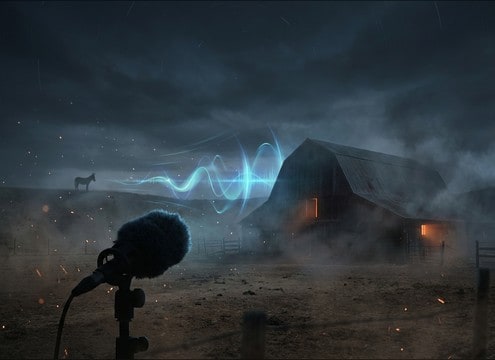
Distant donkey bray for a farm establishing shot

Farm establishing shots

Add a distant bray with outdoor room tone to sell a ranch or smallholding location without crowding dialogue.

Comedic donkey hee-haw for a cartoon reaction

Cartoon reaction beats

Use a clean, punchy hee-haw with a short tail for quick punchlines and character reactions.

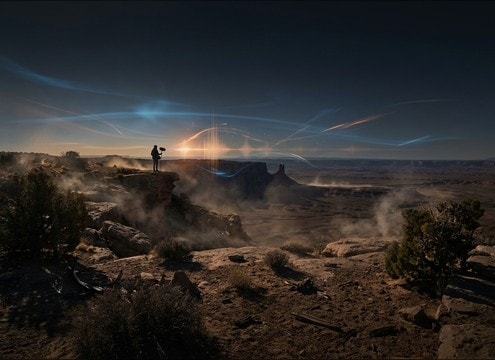
Distant donkey call in an open desert scene

Western desert scenes

Pair a far call with a long decay to suggest open space and isolation in wide landscape cuts.

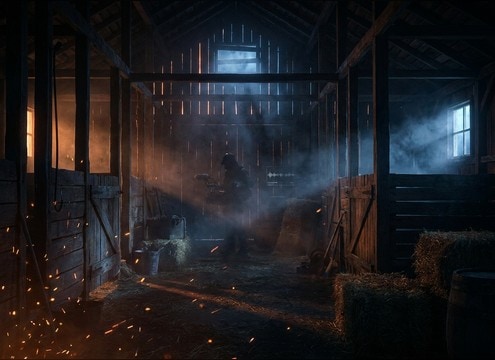
Donkey bray with barn reflections for interior scenes

Barn interior realism

Choose an indoor bray with early reflections so it matches stable visuals and wooden surfaces.

Soft donkey bray for kids story narration

Kids storybook narration

Drop in gentle, non-harsh brays under narration to punctuate animal characters without masking words.

Short donkey sound for an animal cue button

Animal cue buttons

Use short, consistent brays for interactive soundboards or classroom animal ID cues.

Exaggerated donkey hee-haw for a meme edit

Comedy skits and

Generate exaggerated pitch movement and a longer tail to match on-screen facial expressions and timing.

Donkey bray playback for theater sound cues

Theater and live

Prepare multiple volume and distance versions so the bray reads from speakers without feedback-prone low-end.

Why Choose Media.io for Donkey Sound Generator?

See exactly why creators, developers and studios choose our AI audio generator over all others.

Prompt control for donkey bray intensity and tone

Prompt control for brays

Dial in close-up punch, gentle calls, or agitated hee-haws by describing intensity, texture, and pacing in plain language.

Multiple AI variations for donkey sound generator results

Donkey Sound Generator variations

Regenerate multiple takes to find the right pitch curve and tail length without hunting across stock libraries.

Close vs distant donkey calls matched to camera distance

Distance and space matching

Create versions that feel near, mid, or far with appropriate room tone and decay so the sound fits the camera shot.

Preview donkey sound effects before downloading

Preview before download

Audition each clip quickly and pick the one with the cleanest transient and least masking for your mix.

WAV export of donkey sound effect for editing timeline

WAV export for editing

Download WAV files that are easy to trim, fade, and place precisely on a frame-accurate timeline.

Prompt library for farm and cartoon donkey sound scenes

Scene-ready prompt library

Start from proven prompts for barn interiors, pasture ambience, or comedic hee-haws, then tweak wording for custom results.

How to Pick or Prompt Donkey Sounds That Fit the Shot

Donkey vocals can read as cute, comedic, or harsh depending on the attack, pitch movement, and tail. Use the library when you need something fast, or generate a custom version by describing distance, environment, and performance style (single bray, hee-haw, or a short sequence). The tips below help you choose the right clip and write prompts that match timing and space.

Choose the vocal type: bray vs hee-haw

A bray often feels more natural and grounded, while a hee-haw is commonly used for comedic emphasis. Decide whether you need a single call, a double call, or a longer sequence for a scene bed.

  • For realism, prompt a single bray with a clean transient and modest decay
  • For comedy, ask for exaggerated pitch movement and a slightly longer tail
  • For continuity, request two calls with a natural pause and matched loudness

Match distance with the camera

Distance changes more than volume. Far calls lose high-end detail, have softer attacks, and often carry more ambience. Close calls feel drier and more present, with clearer throat texture.

  • Close-up: specify dry, upfront, minimal room tone, and short decay
  • Wide shot: specify distant, softened transients, and longer outdoor tail
  • Cut changes: generate near and far versions so you can swap per shot

Place it in a believable space

Barn interiors add early reflections and a boxy resonance, while open fields feel airy with fewer reflections. If the scene already has ambience, choose a drier clip to avoid muddy buildup.

  • Barn: mention early reflections, wood-like resonance, medium decay
  • Pasture: mention light wind room tone and subtle stereo width
  • Busy scenes: keep the noise floor clean and reduce long tails

Avoid common edit killers

Donkey calls can quickly sound fake if the tail is too long, the pitch is too cartoonish for the visuals, or the clip masks dialogue. Use short fades and pick versions with controllable decay.

  • If dialogue is present, pick a tighter tail and lower masking strength
  • Avoid overly wet reverb unless the camera clearly shows an interior
  • If looping ambience, do not loop a single bray; use a longer sequence bed

Frequently Asked Questions About
Donkey Sound Effects

Everything you need to know before downloading or generating your first sound.

Can I download donkey sound effects for free and use them commercially?

On this page you can preview clips, download WAV files, and generate new variations. License and commercial-use eligibility depend on the terms shown in your Media.io download flow for the specific asset and plan. If you need commercial-safe usage, verify it at export time before publishing.

Which is better for my edit: a bray or a hee-haw?

Use a bray when you want a natural animal call that sits behind the picture. Use a hee-haw when you want a clear, comedic read with more obvious pitch movement. If the moment is a quick reaction, choose a 5-second clip with a tight tail; for a gag build-up, pick a longer call (10s) or a sequence (20s).

How do I make the donkey sound feel distant instead of close?

Generate or choose a version with softer transients, less high-end detail, and more outdoor room tone. In prompts, include words like distant, across a field, airy, and longer decay. If your scene already has wind or birds, keep the ambience subtle so it does not sound like two different locations.

Are the downloads available as WAV files?

Yes. After you generate or select a clip, you can download it as a WAV file so it is easy to trim, fade, and place precisely on a timeline.

Are these donkey sound effects free to download?

Yes. You can preview and download the AI-generated donkey sound effects as WAV files and use them in personal or commercial projects.

Can I copy the prompt used for each sound?

Yes. Open any sound row to view the prompt, copy it, adjust the wording and generate a custom variation that better matches your scene.

Related Free Sound
Effect Categories

Explore other AI-generated sound libraries from Media.io

sound

Rain Sound Effects

10+ free sounds
sound

Thunder Sound Effects

10+ free sounds
sound

Farts Sound Effects

10+ free sounds
sound

Car Crash Sounds

10+ free sounds
sound

Explosion Sound Effects

10+ free sounds
sound

Gunshot Sound Effects

10+ free sounds
sound

Pistol Sound Effects

10+ free sounds
sound

AI Horror Sound Effects

10+ free sounds
sound

AI Forest Sound Effects

10+ free sounds
sound

AI Dog Whistle Sound

10+ free sounds
sound

AI Ding Sound

10+ free sounds
sound

Phone Ring Sound

10+ free sounds
media.io

AI Video Generator star

Easily generate videos from text or images

Generate
