











Popular Clock Sound Effects Library

These clock SFX are built around real-world details—tick speed, mechanical texture, and tail behavior—so you can grab a ready-to-use clip or copy a prompt to generate a closer match.

How to Generate Your Own
Clock Sound Effects

Can't find what you're looking for? Easily create custom AI sounds. Simply describe your needs, and our AI will craft the perfect sound effect for you — no audio production skills required. Go from a blank idea to a downloadable WAV in under a minute.

1

Describe your clock

Type a prompt for the exact tick, chime, or alarm you need (mechanical vs quartz, close vs distant, dry vs roomy).

2

Pick length and versions

Choose 5s, 10s, or 20s, then set how many variations you want to generate in one run.

3

Generate and preview

Click Generate, listen to each result, and keep the version with the right transient, decay, and texture for your cut.

4

Download WAV to use

Download the WAV file and drop it into video timelines, apps, games, podcasts, or commercial projects without extra conversion.

What Can You Use These Clock Sound Effects For?

Creators in every field are using our royalty-free audio to set the perfect mood.

Clock ticking sound effect used to build suspense in a thriller scene

Suspense "time running

Place a prominent tick under dialogue to build tension; pick a sharper transient if it must cut through music.

Clock chime sound effect for an escape-room puzzle clue

Escape-room puzzle moments

Use chimes or strikes as progress cues (correct code, door unlock) while keeping the clock theme consistent.

Digital clock tick-beep sound effect for a countdown UI

UI countdown timers

Choose a clean, dry tick or digital beep that doesn't add room coloration to interface sounds.

Short clock tick sound effects used between time-lapse montage shots

Time-lapse montage audio

Cut short tick bursts between shots to imply passing hours without needing a full ambience bed.

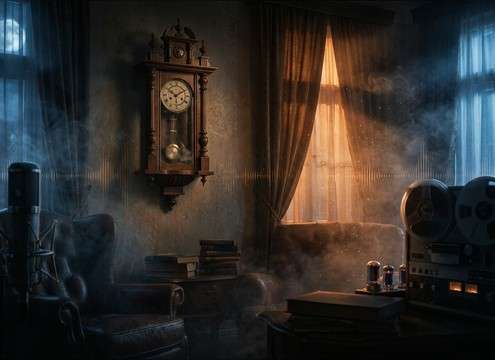
Wall clock ticking with room tone for a vintage interior scene

Vintage interior scene

Add mid-distance wall-clock ticking with room tone to sell a quiet house, office, or hallway.

Hour strike clock sound effect used as an audio drama transition

Audio drama scene

Use an hour strike or cuckoo chime as a chapter marker that feels diegetic rather than a jingle.

Soft ticking clock ambience for a study timer or ASMR track

Study/ASMR timer tracks

Pick soft, consistent ticks with low hiss so the loop stays calming and doesn't fatigue listeners.

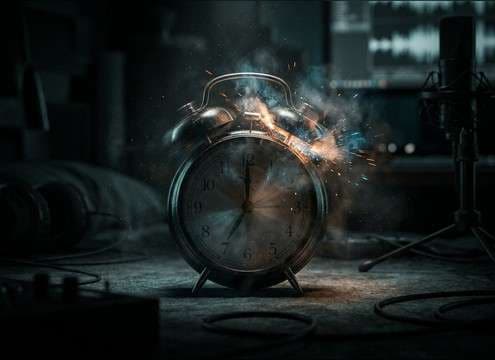
Alarm clock ringing sound effect for a morning wake-up scene

Morning wake-up moments

A classic twin-bell alarm instantly signals "wake up" without narration; choose a less roomy take for tight edits.

Why Choose Media.io for Clock Generator?

See exactly why creators, developers and studios choose our AI audio generator over all others.

Text prompt controlling clock ticking sound generation

Prompt-led clock control

Specify tick style (quartz, mechanical, wristwatch), pacing, and tonal brightness so the result matches your scene.

Duration options for generating clock sound effects

5s / 10s / 20s durations

Grab quick cutaways, longer alarm rings, or loopable ticking beds without trimming every time.

Multiple clock SFX variations generated from one prompt

Batch variations per prompt

Generate multiple takes at once and pick the best transient, tail length, and room tone for your mix.

Previewing clock sound effects before download

Fast preview workflow

Audition results quickly before downloading, so you can commit to a tick that fits the edit's rhythm.

WAV download for clock ticking and chime sound effects

Downloadable WAV output

Export a clean WAV for editors and DAWs, avoiding extra transcode steps when you're on deadline.

Regenerating clock sound effects to match a new scene

Regenerate to match scenes

If the cut changes, regenerate with a new prompt (closer mic, darker tone, longer decay) to stay consistent.

How to Choose the Right Clock Tick, Chime, or Alarm

Clock sounds are all about repetition and tone: a tick that's too sharp can distract, and a chime with the wrong decay can feel fake. Use the library items when you need something immediate, or prompt the generator with mechanism, distance, and tail length to get a version that sits naturally in your scene.

Start with the mechanism and tick character

Different clocks "speak" differently. Quartz ticks tend to be brighter and more clinical, while mechanical and grandfather clocks add body resonances and subtle irregularities.

  • Ask for "quartz, sharp transient" when you need precise, UI-like ticks
  • Ask for "mechanical clack, low-mid weight" for older interiors and props
  • If the tick feels harsh, prompt for "softer attack" or "less high-end"

Decide how close the listener is

Distance is what makes a clock believable in-context. A close mic tick is great for tension, but for room realism you need reflections and consistent ambience.

  • Use "close-miked, dry" for foreground ticking over dialogue
  • Use "mid-distance, small room reflections" for a lived-in space
  • Avoid overly wide stereo ticks unless the clock is meant to dominate the frame

Match chimes and strikes to the edit

Chimes and strikes work best as story punctuation. Their pitch and decay should match the environment—bright in a tiled hall, warmer in a wood room.

  • For quick cues, prompt "single chime, short tail" so it cuts cleanly
  • For time jumps, use "hour strike, longer ringing decay" for emphasis
  • If it feels too "music-like," request "less tonal, more mechanical"

Make ticking loops feel steady

Looping reveals problems fast: tempo drift, random clicks, or changing noise floors. Build or generate a bed that stays consistent so it can run under a scene.

  • Prompt "loop-friendly, consistent tempo, controlled noise" for beds
  • Keep tails short and consistent to avoid rhythmic flams at the loop point
  • If you hear pops or odd glitches, regenerate with "clean noise floor, no artifacts"

Frequently Asked Questions About
Clock Sound Effects

Everything you need to know before downloading or generating your first sound.

Can I download these clock sounds for free and use them commercially?

You can preview and download clock clips from this page and also generate new variations. For commercial fit (ads, apps, client work), check the license details shown in the downloader/generator flow for your account and region.

What's the best clock ticking style for suspense scenes?

Choose a close, dry tick with a crisp transient so it reads clearly at low volume. If it's distracting, switch to a softer attack or add a slightly more distant version with room tone.

How do I get a seamless ticking loop?

Pick a bed-style ticking clip with consistent tempo and stable noise, then loop on a tick boundary. If generating, include "loop-friendly, consistent tempo, controlled noise floor" in your prompt.

Do you provide clock sound effects as WAV?

Yes. After generating or choosing a clip, you can download a WAV file so it's ready for video editors and DAWs without extra conversion.

Are these clock sound effects free to download?

Yes. You can preview and download the AI-generated clock sound effects as WAV files and use them in personal or commercial projects.

Can I copy the prompt used for each sound?

Yes. Open any sound row to view the prompt, copy it, adjust the wording and generate a custom variation that better matches your scene.

Related Free Sound
Effect Categories

Explore other AI-generated sound libraries from Media.io

sound

Rain Sound Effects

10+ free sounds
sound

Thunder Sound Effects

10+ free sounds
sound

Farts Sound Effects

10+ free sounds
sound

Car Crash Sounds

10+ free sounds
sound

Explosion Sound Effects

10+ free sounds
sound

Gunshot Sound Effects

10+ free sounds
sound

Pistol Sound Effects

10+ free sounds
sound

AI Horror Sound Effects

10+ free sounds
sound

AI Forest Sound Effects

10+ free sounds
sound

AI Dog Whistle Sound

10+ free sounds
sound

AI Ding Sound

10+ free sounds
sound

Phone Ring Sound

10+ free sounds
media.io

AI Video Generator star

Easily generate videos from text or images

Generate
