











Popular Tick Sound Effects Library

Pick a ready-to-use tick, then copy the prompt to make it closer, drier, darker, or more room-y. Each card focuses on timing and texture so you can match a clock insert, a countdown, or a steady pacing bed.

How to Generate Your Own
Tick Sound Effects

Cannot find the perfect tick sound effect you need? Generate custom AI tick audio effortlessly. Describe the style, such as short clean cue, cinematic hit, subtle background layer, branded UI alert, and Media.io AI builds tailored tick sound effects instantly. No audio editing experience needed. Turn your concept into a royalty-free, high-quality downloadable WAV tick clip in under 60 seconds.

1

Describe your tick

Type a prompt for the exact ticking you need, such as pocket watch, metronome click, antique clock, or distant room tick.

2

Choose length and takes

Set 5s, 10s, or 20s and select how many variations to generate so you can audition different textures quickly.

3

Generate and preview

Click Generate, listen to each result, and keep the version with the right transient, spacing, and room tone for your cut.

4

Download WAV and use

Download the WAV file and drop it into videos, audio drama, apps, games, or commercial projects as needed.

What Can You Use These Tick Sound Effects For?

Creators in every field are using our royalty-free audio to set the perfect mood.

Ticking clock sound used in a suspense countdown scene

Countdown tension scenes

Underscore a deadline with a steady tick that stays consistent under dialogue and builds pressure without harsh peaks.

Close-up clock shot supported by a crisp ticking sound effect

Clock insert shots

Match close-up visuals of second hands with crisp transients and minimal tail to keep sync believable.

Distant clock tick ambience behind spoken narration

Audio drama time

Place a distant tick with room tone behind narration to suggest a quiet apartment, hallway, or office at night.

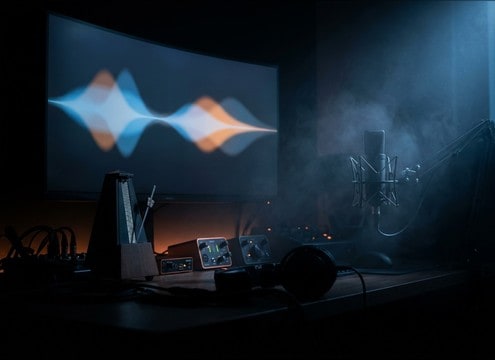
Metronome-like tick sound for a practice track

Metronome practice tracks

Create evenly spaced ticks with a clean attack that cut through instruments without sounding like a beep.

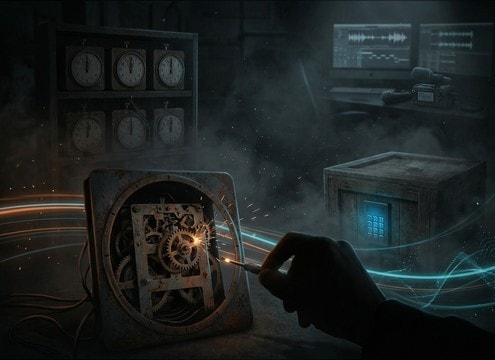
Mechanical ticking used in an escape room puzzle moment

Escape room puzzles

Use mechanical ticking as a clue layer, then switch to heavier ticks to signal progress or urgency.

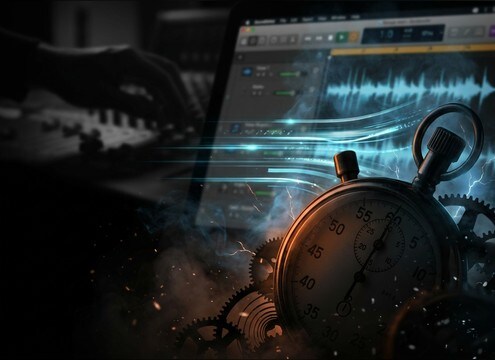
Timer tick sound effect for a stopwatch interface

Stopwatch and timer

Add subtle timer ticks that are compact, low-noise, and mix-friendly for app demos and product videos.

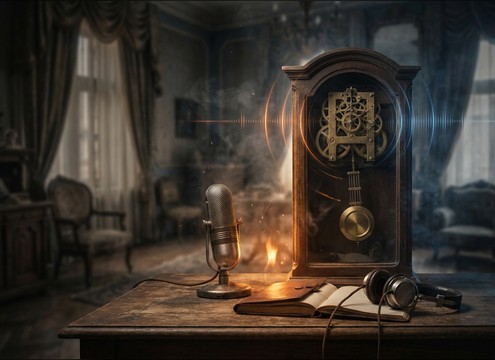
Antique clock ticking in a period interior scene

Period film interiors

Support vintage rooms with warmer wooden-case ticks and gentle reflections that sit naturally in the space.

Loopable ticking clock ambience for an ASMR track

ASMR mechanical loops

Build calming, loopable ticking beds with stable levels and soft tails to avoid listener fatigue.

Why Choose Media.io for Tick Sound Generator?

See exactly why creators, developers and studios choose our AI audio generator over all others.

Prompt controls for generating tick variations

Tick Sound Generator prompt control

Dial in clock type, click texture, and pacing with plain-language prompts, then iterate until the rhythm fits your edit.

Audio preview player for tick sound effects

Preview-first library workflow

Audition ready-made ticks fast, then reuse the matching prompt to create a cleaner transient or a more room-y version.

Duration selection for ticking audio generation

Timing that matches the cut

Generate short ticks for insert shots or longer beds for sustained tension, with options for 5s, 10s, and 20s lengths.

Regenerate multiple tick variants with different room tone

Regenerate consistent variations

Keep the same idea while changing distance, brightness, or decay so multiple scenes share a believable ticking signature.

Tick sound with controlled decay and low background noise

Mix-friendly tails and noise

Choose drier ticks that avoid masking dialogue, or add subtle room tone when the scene needs natural space.

Downloaded WAV tick sound file ready for editing

Download-ready WAV export

Export WAV and place it directly in your timeline, soundboard, or app prototype without extra conversion steps.

How to Choose and Prompt Tick Sounds That Feel Real

Ticking is all about micro-details: attack shape, spacing, and how much room you hear around each click. Use the library to find the closest starting point, then prompt for changes like close vs distant, wooden vs metal texture, or a tighter decay so the tick does not smear into dialogue. Below are practical ways to request ticks that match specific scenes and props.

Pick the source: watch, clock, timer, or metronome

Start by naming the object, because the mechanism implies a different click texture. Watches tend to be smaller and brighter, while wall clocks can feel chunkier with a hint of body resonance.

  • Use object words: pocket watch, wall clock, kitchen timer, metronome
  • Ask for texture: metallic click, wooden knock, plastic tick
  • Call out steadiness: consistent spacing, slightly uneven vintage rhythm

Control distance and room tone

A close tick reads like a prop right beside camera; a distant tick needs softened transients and reflections so it feels placed in a room. This choice also decides how much the sound will compete with dialogue.

  • Close mic for insert shots: dry, minimal ambience, tight stereo
  • Room placement for interiors: light reflections, subtle room tone
  • Avoid over-reverb: too long a tail makes ticks blur together

Tune the transient and decay for the mix

Ticks can be sharp and fatiguing if the transient is too spiky, or they can disappear if the attack is too soft. Request a clear click with a controlled decay so the pattern stays readable at low volume.

  • Sharper attack for urgency: crisp transient, short decay
  • Softer attack for background: rounded transient, quieter highs
  • Request low noise: no hiss, no hum, clean pauses

Make it loopable for long scenes

If you need a bed under a scene, ask for stable levels and consistent spacing so it can loop without obvious jumps. For suspense, you can also request a subtle intensity change while keeping the rhythm intact.

  • Ask for continuity: stable volume, consistent timing, no random clicks
  • Keep tails short enough to prevent smearing across beats
  • If building tension, request a slight increase in brightness, not speed

Frequently Asked Questions About
Tick Sound Effects

Everything you need to know before downloading or generating your first sound.

How do I get a tick that matches a clock close-up versus a room ambience?

For a close-up, choose or prompt for a dry tick with a sharp transient, minimal tail, and little to no room tone. For ambience, prompt for distant ticking with softened attack, audible reflections, and a quieter high end so it feels placed in the space.

Can I download tick sound effects as WAV and use them commercially?

Yes. You can preview results, then download WAV files that are designed for royalty-free use in commercial projects like videos, apps, and audio dramas. Always review your projects requirements before publishing.

What prompt wording helps create a more mechanical, gear-like tick?

Mention the mechanism and texture: "antique clock tick with subtle gear texture" or "mechanical escapement tick." Add details like "slight metallic click" and "controlled decay" to keep it crisp without sounding like a snap.

How do I stop ticking from masking dialogue or narration?

Pick a drier tick with a shorter tail and lower ambience. If it still fights speech, choose a softer transient and ask for reduced brightness, then keep the tick level steady instead of peaking on each hit.

Are these tick sound effects free to download?

Yes. You can preview and download the AI-generated tick sound effects as WAV files and use them in personal or commercial projects.

Can I copy the prompt used for each sound?

Yes. Open any sound row to view the prompt, copy it, adjust the wording and generate a custom variation that better matches your scene.

Related Free Sound
Effect Categories

Explore other AI-generated sound libraries from Media.io

sound

Rain Sound Effects

10+ free sounds
sound

Thunder Sound Effects

10+ free sounds
sound

Farts Sound Effects

10+ free sounds
sound

Car Crash Sounds

10+ free sounds
sound

Explosion Sound Effects

10+ free sounds
sound

Gunshot Sound Effects

10+ free sounds
sound

Pistol Sound Effects

10+ free sounds
sound

AI Horror Sound Effects

10+ free sounds
sound

AI Forest Sound Effects

10+ free sounds
sound

AI Dog Whistle Sound

10+ free sounds
sound

AI Ding Sound

10+ free sounds
sound

Phone Ring Sound

10+ free sounds
media.io

AI Video Generator star

Easily generate videos from text or images

Generate
