












Popular Boom Sound Effects Library

Choose explosion sounds by scale, impact weight, debris detail and decay tail. The list is built for quick preview and download, with prompt wording included for custom blast variations.

How to Generate Your Own
Boom Sound Effects

Can't find what you're looking for? Easily create custom AI sounds. Simply describe your needs, and our AI will craft the perfect sound effect for you — no audio production skills required. Go from a blank idea to a downloadable WAV in under a minute.

1

Describe your boom

Type a prompt for the exact boom you need—cinematic hit, distant rumble, indoor reflections, or a sub drop—then add any notes like "tight transient" or "long tail."

2

Pick length and takes

Choose 5s, 10s, or 20s and select how many variations to generate so you can compare intensity and decay without rewriting your prompt.

3

Generate and preview

Click Generate, audition each result, and keep the take with the best attack, low-end weight, and tail length for your cut.

4

Download WAV and use

Download the WAV file and drop it into your timeline for trailers, short-form reveals, game ability hits, apps, podcasts, or commercial projects.

What Can You Use These Boom Sound Effects For?

Creators in every field are using our royalty-free audio to set the perfect mood.

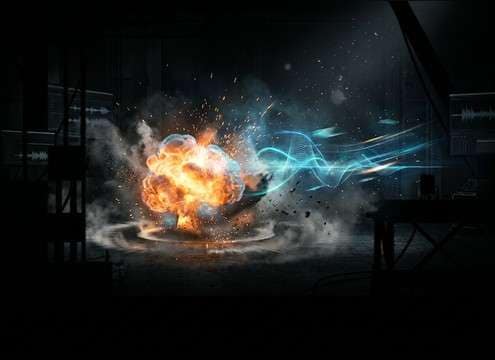
Explosion trailer sound effects

Action Trailers

Use heavy blasts, fireballs and shockwave hits to punctuate cuts, reveals and title moments.

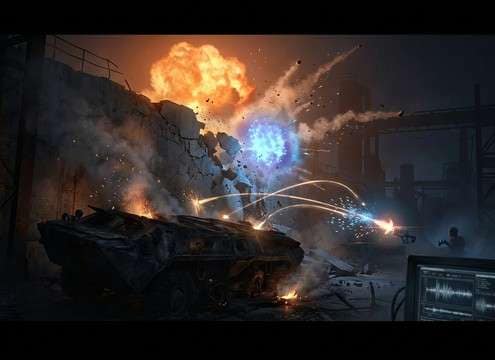
Game explosion SFX

Game Destruction

Match impacts to grenades, vehicles, collapsing walls, sci-fi weapons and environmental damage.

Film explosion audio

Film Post-Production

Layer debris, low-end rumble, smoke tails and shockwaves to enhance production sound.

Explosion transition sounds

Motion Graphics

Add short blast accents to logo reveals, transitions, sports edits and high-energy promos.

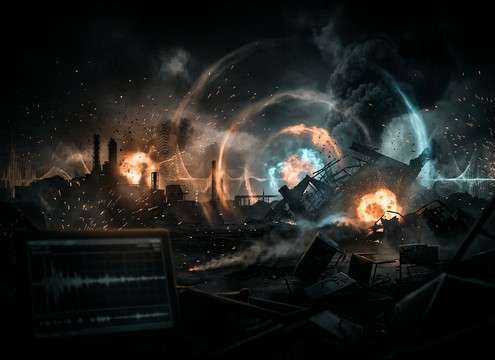
Disaster scene explosion sounds

Disaster Scenes

Create distant booms, demolition rumbles and collapsing debris beds for large-scale sequences.

YouTube explosion sound effects

YouTube Storytelling

Drop in clean impacts for explainers, reactions, action recaps and gaming videos.

Sci-fi explosion sound effects

Sci-Fi Weapons

Shape futuristic blasts with low-end pressure, sparks, energy bursts and digital tails.

Layered explosion sound design

Sound Layering

Combine ignition, impact, debris, smoke and rumble layers for bigger cinematic results.

Why Choose Media.io for Boom Generator?

See exactly why creators, developers and studios choose our AI audio generator over all others.

Previewing multiple boom takes before downloading

Preview-first picking

Audition different attacks and tails quickly so the boom lands exactly on the frame, not a beat late.

Typing a prompt to control boom scale and intensity

Prompt control for scale

Ask for "small thump," "massive trailer boom," or "distant stadium boom" to steer intensity and perceived size.

Choosing close versus distant boom perspective

Distance and space options

Generate close, distant, indoor, or outdoor perspectives to match room tone and reflections in your scene.

Regenerating boom variations to compare transients

Fast variation regeneration

Regenerate multiple takes to find the right transient shape, low-end weight, and decay length without manual synthesis.

Downloading a boom sound as a WAV file

WAV download workflow

Export a WAV file you can cut, fade, and layer immediately in your editor or DAW.

Boom waveform showing a clean decay tail for easy trimming

Edit-friendly tails

Pick booms with clean fade-outs and minimal artifacts so they won't clash with music or dialogue.

How to Choose Explosion SFX by Scale and Tail

Explosions need a source, a scale and a tail. A grenade hit, trailer impact and demolition rumble should differ in transient, low-end weight, debris and decay.

Name the source and size

The source tells the listener how large the event should feel.

  • Small: grenade, firecracker or pressure pop
  • Medium: car blast, fuel tank or RPG hit
  • Large: demolition, airstrike or building collapse

Control low-end and impact

Bigger blasts usually need a clean crack plus low-end pressure.

  • Ask for sub-bass only when the mix needs weight
  • Keep short hits dry for transitions
  • Use longer rumbles for disaster or demolition scenes

Add debris and environment

Debris sells the aftermath and the room or landscape sells the scale.

  • Metal scatter for vehicles
  • Concrete grit for buildings
  • Outdoor air decay for distant booms

Avoid noisy clutter

A clean blast is easier to edit than a busy sound full of extra drama.

  • No music or voices
  • Avoid clipping and harsh distortion
  • Specify controlled tail length

Frequently Asked Questions About
Boom Sound Effects

Everything you need to know before downloading or generating your first sound.

Should I use a short explosion hit or a long rumble?

Use short hits for transitions, trailer cuts and game impacts. Use long rumbles for demolition, distant blasts, disaster scenes and moments where the environment needs to keep shaking.

How do I make explosion SFX feel bigger?

Prompt for blast scale, low-end pressure, debris fall, air movement, distance and environment reflections. Bigger explosions usually need impact plus decay.

What should I avoid in explosion prompts?

Avoid asking for maximum chaos every time. Add constraints such as no music, no voices, controlled peaks, clean transient and a tail length that matches the edit.

How do I pick a boom that feels big without overwhelming the mix?

Choose a boom with a clear transient (the "hit") and a controlled tail. If it feels huge but muddy, regenerate with "tight attack" and "shorter decay," or pick an indoor/outdoor version that matches your scene so the tail doesn't smear across the next beat.

Are these boom sound effects free to download?

Yes. You can preview and download the AI-generated boom sound effects as WAV files and use them in personal or commercial projects.

Can I copy the prompt used for each sound?

Yes. Open any sound row to view the prompt, copy it, adjust the wording and generate a custom variation that better matches your scene.

Related Free Sound
Effect Categories

Explore other AI-generated sound libraries from Media.io

sound

Rain Sound Effects

10+ free sounds
sound

Thunder Sound Effects

10+ free sounds
sound

Farts Sound Effects

10+ free sounds
sound

Car Crash Sounds

10+ free sounds
sound

Explosion Sound Effects

10+ free sounds
sound

Gunshot Sound Effects

10+ free sounds
sound

Pistol Sound Effects

10+ free sounds
sound

AI Horror Sound Effects

10+ free sounds
sound

AI Forest Sound Effects

10+ free sounds
sound

AI Dog Whistle Sound

10+ free sounds
sound

AI Ding Sound

10+ free sounds
sound

Phone Ring Sound

10+ free sounds
media.io

AI Video Generator star

Easily generate videos from text or images

Generate
