











Popular Hand Sound Effects Library

Pick a ready-to-use clip when you just need the moment to hit the frame, or copy the prompt and regenerate versions with different snap brightness, clap width, or room tone.

How to Generate Your Own
Hand Sound Effects

Cannot find the perfect hand sound effect you need? Generate custom AI hand audio effortlessly. Describe the style, such as short clean cue, cinematic hit, subtle background layer, branded UI alert, and Media.io AI builds tailored hand sound effects instantly. No audio editing experience needed. Turn your concept into a royalty-free, high-quality downloadable WAV hand clip in under 60 seconds.

1

Write a hand prompt

Type what you need: clap, snap, rub, knuckle crack, or palm slap, plus details like close or distant, dry or roomy, and intensity.

2

Choose length and takes

Set 5s, 10s, or 20s and select how many variations to generate so you can pick the best timing and texture.

3

Generate and audition

Click Generate, then preview each result. Keep the version with the right transient, decay, and noise floor for your scene.

4

Download WAV and use

Export a WAV file and drop it into videos, games, apps, podcasts, or commercial projects, then trim and place it on the exact frame.

What Can You Use These Hand Sound Effects For?

Creators in every field are using our royalty-free audio to set the perfect mood.

Editor syncing a clap sound to a film cut

On-screen claps and

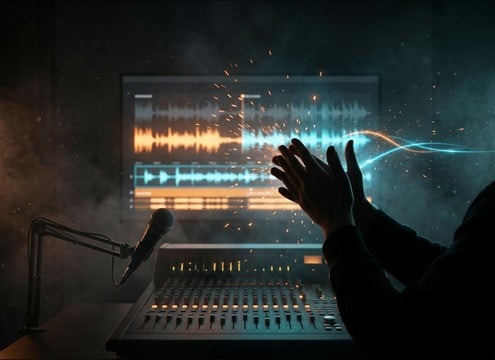
Sync a single clap, double clap, or small-room applause to match the shot, with the right tail so it does not smear dialogue.

Finger snap used as a magic trigger sound

Magic gestures and

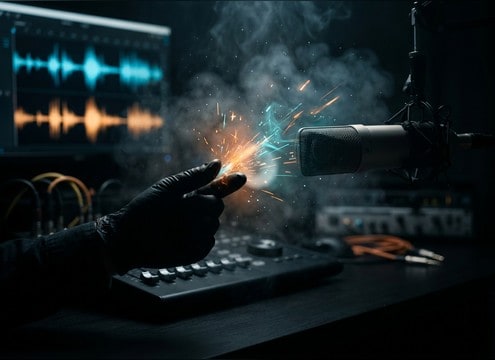
Use a bright finger snap as a trigger for visual effects, then regenerate versions with more bite or a drier transient for tight cuts.

Close-up foley of hands rubbing for tension

Nervous fidget and

Add hand rubbing or fingertip tapping under a close-up to communicate anxiety without adding heavy low-end that masks speech.

Comedic palm slap sound accent on a timeline

Comedy beats and

Place a palm slap or quick clap as a comedic punctuation, choosing a punchy attack or softer impact depending on the gag.

Mobile app UI feedback using a short snap sound

UI confirmation and

Turn a short snap or tap into a tactile UI confirm sound by selecting clean transients and keeping the decay very short.

ASMR style close mic hand rubbing texture

ASMR and close-mic

Use gentle hand rub textures as a controlled noise bed, then pick the least hissy take to avoid fatiguing high frequencies.

Audio drama scene with character hand foley cues

Character business in

Knuckle cracks, soft claps, and taps help stage presence in dialogue scenes, especially when you need a believable room tone match.

Bathroom sink scene with hand washing sound

Hygiene and bathroom

Hand washing and rubbing adds realism to sink scenes, with continuous texture that can be trimmed or looped around lines.

Why Choose Media.io for Hand Sound Generator?

See exactly why creators, developers and studios choose our AI audio generator over all others.

Prompt controls for transient sharpness in hand sounds

Prompt precision for transients

Media.io Hand Sound Generator lets you ask for sharper attacks, softer claps, or a brighter snap so the hit lands exactly on the frame.

Controls for room tone and distance in foley generation

Room tone and distance control

Dial in dry close-mic foley or a small-room reflection tail to match what your camera sees and what your dialogue track can handle.

Multiple generated hand sound variations previewed

Fast variations for timing

Generate multiple takes at once to choose the best spacing, rhythm, and decay without hunting through stock folders.

Duration selector showing 5s 10s and 20s

5s, 10s, and 20s lengths

Pick a short one-shot for claps and snaps or longer durations for continuous rubbing and washing, then trim in your editor.

Audio preview player for hand sound effects

Preview before you export

Audition each result to check noise floor, stereo width, and tail length, then keep only the cleanest version for your mix.

WAV download icon for sound effects

WAV downloads for editing

Download WAV so you can fade, time-stretch lightly, or EQ the hand texture without introducing obvious artifacts.

Prompting Hand Foley: Claps, Snaps, Rubs, and Cracks

Hand sounds are all about transient shape and the space around it. When you prompt, specify the action (single clap, double clap, finger snap, knuckle crack, hand rub), the perspective (close, arm length, across the room), and how much room reflection you want. Small wording changes like tight, dry, sharp, soft, or airy can dramatically change attack and decay, which is what makes the foley feel synced and believable.

Choose the action and intensity

Start with the exact gesture so the generator targets the right texture. A clap is broadband and percussive, a snap is bright and tiny, a rub is continuous noise, and a knuckle crack is a quick impulse with micro-clicks. Add intensity words to control perceived loudness and low-mid weight.

  • Use verbs: single clap, slow applause, finger snap, knuckle crack, palms rubbing
  • Add strength: gentle, firm, hard, aggressive, restrained
  • Ask for cleanliness: low noise floor, no handling noise, no extra breaths

Match the room and distance

Hand foley feels wrong when the tail does not match the scene. A tight close-up often needs dry sound with minimal reflections, while a hallway or classroom wants a longer decay. Specify distance and space so the tail length and room tone sit naturally under dialogue.

  • Distance cues: close-miked, arm length, several meters away
  • Space cues: small bedroom, tiled bathroom, large hall, open outdoor
  • Tail cues: short decay, medium room tail, noticeable reflections

Control timing, rhythm, and loopability

For edits, you often need predictable spacing. Tell the model if you want a single hit, two hits, a steady tapping pattern, or a continuous rub that can loop. This helps you avoid awkward pauses and makes it easier to cut on beat.

  • Timing words: one clap, double clap with even spacing, three quick snaps
  • Pattern words: steady taps, irregular fidgeting, accelerating applause
  • Loop guidance: continuous texture, consistent level, loop-friendly ending

Avoid common hand-SFX mistakes

Hand sounds can get harsh fast, especially snaps and claps. If the top end is brittle or the tail is too long, it will fight dialogue and music. Use prompts to limit reverb, reduce harshness, and keep the hit readable without sounding synthetic.

  • If it is too sharp: ask for softer transient, less high-end, warmer tone
  • If it is too roomy: request dry close-mic, minimal reflections, short tail
  • If it feels fake: request natural dynamics, subtle skin texture, no digital artifacts

Frequently Asked Questions About
Hand Sound Effects

Everything you need to know before downloading or generating your first sound.

Can I download these hand sound effects as WAV and use them commercially?

You can preview and download the generated clips as WAV for use in projects, including commercial work, depending on the license presented in Media.io at download time. Check the on-page licensing notes in your account before publishing.

How do I make a clap sound closer or farther away?

In your prompt, specify the perspective (close-miked, arm length, across the room) and the space (small room, hall, outdoor). Closer claps should have a sharper transient and less room tone, while distant claps should have more reflections and a softer attack.

What is the best duration for snaps, claps, and rubbing?

Use 5 seconds for single hits or short patterns, 10 seconds for brief applause or repeated gestures, and 20 seconds for continuous actions like hand rubbing or hand washing so you have enough usable material to trim and loop.

My finger snap sounds too harsh. What should I change?

Ask for a softer snap with reduced high frequencies, a slightly warmer tone, and a very short decay. You can also regenerate a few variations and pick the one with the cleanest transient and least brittle top end.

Are these hand sound effects free to download?

Yes. You can preview and download the AI-generated hand sound effects as WAV files and use them in personal or commercial projects.

Can I copy the prompt used for each sound?

Yes. Open any sound row to view the prompt, copy it, adjust the wording and generate a custom variation that better matches your scene.

Related Free Sound
Effect Categories

Explore other AI-generated sound libraries from Media.io

sound

Rain Sound Effects

10+ free sounds
sound

Thunder Sound Effects

10+ free sounds
sound

Farts Sound Effects

10+ free sounds
sound

Car Crash Sounds

10+ free sounds
sound

Explosion Sound Effects

10+ free sounds
sound

Gunshot Sound Effects

10+ free sounds
sound

Pistol Sound Effects

10+ free sounds
sound

AI Horror Sound Effects

10+ free sounds
sound

AI Forest Sound Effects

10+ free sounds
sound

AI Dog Whistle Sound

10+ free sounds
sound

AI Ding Sound

10+ free sounds
sound

Phone Ring Sound

10+ free sounds
media.io

AI Video Generator star

Easily generate videos from text or images

Generate
