












Popular Cough Sound Effects Library

Pick a cough that matches the character and camera position: dry vs wet texture, close-mic clarity vs distant reflections, or a short burst vs a full coughing fit. Copy a prompt to generate variations when you need a cleaner transient, less room tone, or different pacing.

How to Generate Your Own
Cough Sound Effects

Cannot find the perfect cough sound effect you need? Generate custom AI cough audio effortlessly. Describe the style, such as short clean cue, cinematic hit, subtle background layer, branded UI alert, and Media.io AI builds tailored cough sound effects instantly. No audio editing experience needed. Turn your concept into a royalty-free, high-quality downloadable WAV cough clip in under 60 seconds.

1

Describe the cough

Type a prompt for the take you need, like dry single cough, wet chest cough, muffled sleeve cough, or distant hallway cough.

2

Pick length and variants

Choose 5s, 10s, or 20s, then set how many variations to generate so you can audition different intensities and pacing.

3

Generate and preview

Click Generate, listen to each result, and keep the version with the right transient, tail, and room tone for your scene.

4

Download WAV and place

Download the WAV file and drop it into videos, audio drama, apps, games, or commercial edits, then trim as needed to sync to the cut.

What Can You Use These Cough Sound Effects For?

Creators in every field are using our royalty-free audio to set the perfect mood.

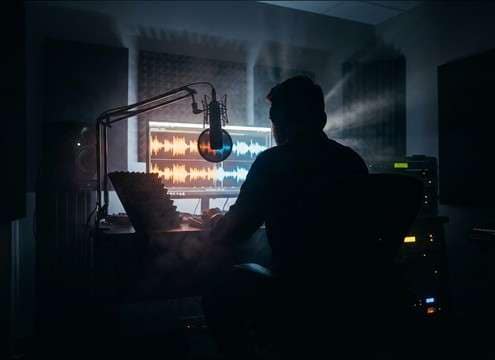
Editor placing a cough sound effect between dialogue lines

ADR patch for

Replace a missing cough that was cut out by noise reduction, matching the mic distance and leaving enough pre-roll breath for realism.

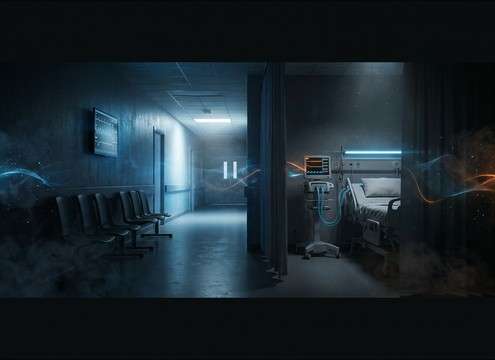
Hospital corridor scene needing distant cough ambience

Clinic and hospital

Sell waiting-room discomfort with quiet, distant coughs, or punctuate a bedside moment with a wet, chesty cough and soft room reflections.

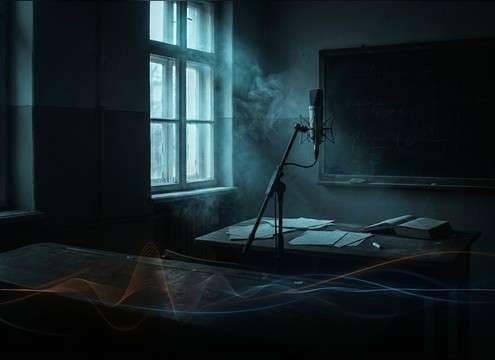
Classroom scene with a student coughing off camera

Classroom interruption beat

Drop a short cough burst during a pause, keeping the transient controlled so it does not overpower chalk, paper, or teacher VO.

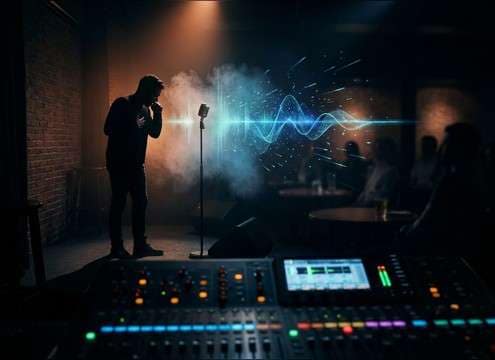
Comedy skit timeline with a muffled cough cue

Comedy timing cue

Use an awkward cough into a sleeve as a social cue after a bad joke, with a tight tail so the next line lands clean.

Silent audience moment punctuated by a single cough

Courtroom or theater

A single restrained cough in a quiet room can emphasize tension; pick a low-volume take with long, subtle room decay.

Mobile health app using a short cough audio cue

Health app micro-interaction

Add a gentle cough cue for symptom tracking feedback, keeping it clean, short, and low masking so UI clicks stay audible.

Game character voice set with cough variations

NPC illness performance

Give a character an evolving condition by swapping dry coughs for wetter fits across scenes while keeping perspective consistent.

Audio drama session with cough and breathing tracks

Radio drama tension

Layer a restrained cough under quiet breathing to signal stress, choosing a take with minimal hiss and controlled sibilant peaks.

Why Choose Media.io for Cough Sound Generator?

See exactly why creators, developers and studios choose our AI audio generator over all others.

Prompt field controlling cough texture and intensity

Prompt control for realism

Steer the cough sound generator with details like dry vs wet texture, intensity, breath noise, and whether the take is restrained or harsh.

Distance controls for close and distant cough sounds

Distance and room tone options

Generate close, mid, or distant perspectives and dial in room character so your cough sits in a hallway, bedroom, or quiet audience space.

Multiple generated cough takes ready to preview

Fast variations to audition

Create multiple takes at once so you can choose the best transient and tail without repeating manual recording sessions.

Preview player and regenerate button for cough SFX

Preview then regenerate

Listen before downloading, then regenerate if you need a softer attack, shorter decay, or different timing between coughs.

WAV download option for cough sound effects

Download-ready WAV export

Export a WAV file you can drop straight into your NLE or DAW for trimming, fades, and scene sync.

Library browsing plus AI generation workflow for cough sounds

Royalty-free resource workflow

Use the library first for speed, then generate a custom take when your scene needs a very specific pacing or perspective match.

How to choose and prompt believable cough SFX

Cough sounds are easy to overdo and hard to hide in a mix. The fastest way to get a natural result is to decide what type of cough it is (dry, wet, restrained, strained), how close the listener is, and how much room tone you want behind it. Use the library for instant picks, then prompt the AI for small changes like softer attacks, longer decay, or different spacing between coughs.

Pick the cough type first

Most searches fail because the cough texture does not match the story beat. A dry cough reads like irritation or awkwardness, while wet chest coughs suggest illness. Strained coughs can feel older or exhausted, and a covered cough implies politeness or secrecy.

  • Dry: sharp transient, short tail, less low-end
  • Wet: more rasp and gurgle texture, longer decay
  • Restrained: lower level, softened highs, less aggression

Match camera distance and space

A close cough with no reflections will feel pasted into a wide shot. Conversely, a distant cough with a long room tail can swamp a tight dialogue moment. Decide whether the cough is on-camera, off-camera, or in the next room, then choose the perspective that matches.

  • Close-mic: clear attack, minimal room tone, narrow stereo
  • Mid distance: some reflections, slightly reduced highs
  • Distant: quieter transient, audible room tail and decay

Control timing and pacing

Editors usually need the cough to land on a pause, not fight the next line. Single coughs are best for quick interruptions, double coughs work for comedic beats, and coughing fits need natural gaps for breaths so they do not sound looped.

  • Single cough: easy to place between words or breaths
  • Burst coughs: tight spacing for emphasis without long tails
  • Fit: varied spacing plus breaths so it feels human

Avoid common giveaway artifacts

Overly harsh sibilance, clipped transients, or mismatched background noise are the main reasons cough SFX feel fake. When prompting, ask for clean start and end, consistent room tone, and a controlled high end so it sits under dialogue and ambience.

  • Avoid: loud mouth clicks or exaggerated throatiness
  • Avoid: sudden room tone changes between takes
  • Ask with softer attack, shorter tail, or less breath hiss

Frequently Asked Questions About
Cough Sound Effects

Everything you need to know before downloading or generating your first sound.

Can I use these cough sound effects in commercial projects, and are they free to download?

You can preview and download cough sounds from this page and also generate new takes with prompts. Licensing and allowed usage are shown in the download flow inside Media.io, so check that screen for commercial fit before publishing.

Do you offer dry cough, wet cough, and muffled cough variations?

Yes. Use the library items to pick a ready-made style, or prompt the generator with details like dry single cough, wet chest cough, or muffled cough into sleeve, plus distance and room tone.

What format are the downloads, and can I get WAV?

Downloads are provided as WAV so you can edit without extra compression artifacts. After downloading, you can trim, fade, or time-stretch slightly in your editor to match the cut.

How do I choose between a single cough and a coughing fit?

Use a single or double cough to punctuate a pause or reaction shot. Choose a 10s or 20s coughing fit when you need natural pacing, breaths, and escalation that carries a longer moment without sounding looped.

Are these cough sound effects free to download?

Yes. You can preview and download the AI-generated cough sound effects as WAV files and use them in personal or commercial projects.

Can I copy the prompt used for each sound?

Yes. Open any sound row to view the prompt, copy it, adjust the wording and generate a custom variation that better matches your scene.

Related Free Sound
Effect Categories

Explore other AI-generated sound libraries from Media.io

sound

Rain Sound Effects

10+ free sounds
sound

Thunder Sound Effects

10+ free sounds
sound

Farts Sound Effects

10+ free sounds
sound

Car Crash Sounds

10+ free sounds
sound

Explosion Sound Effects

10+ free sounds
sound

Gunshot Sound Effects

10+ free sounds
sound

Pistol Sound Effects

10+ free sounds
sound

AI Horror Sound Effects

10+ free sounds
sound

AI Forest Sound Effects

10+ free sounds
sound

AI Dog Whistle Sound

10+ free sounds
sound

AI Ding Sound

10+ free sounds
sound

Phone Ring Sound

10+ free sounds
media.io

AI Video Generator star

Easily generate videos from text or images

Generate
