











Popular Pain Sound Effects Library

Pick a ready-made hurt reaction, or copy the prompt to generate a new take that matches your character, mic distance, and pacing. Each clip is tuned for clean starts, natural breath texture, and usable tails that cut well on impact frames.

How to Generate Your Own
Pain Sound Effects

Cannot find the perfect pain sound effect you need? Generate custom AI pain audio effortlessly. Describe the style, such as short clean cue, cinematic hit, subtle background layer, branded UI alert, and Media.io AI builds tailored pain sound effects instantly. No audio editing experience needed. Turn your concept into a royalty-free, high-quality downloadable WAV pain clip in under 60 seconds.

1

Describe the hurt

Type a prompt for the exact reaction you need, such as a tight yelp, breathy groan, or distant cry, plus intensity and space.

2

Pick length and takes

Choose 5s, 10s, or 20s, then set how many variations you want so you can audition different performances.

3

Generate and preview

Click Generate, listen to each result, and keep the take with the right transient, tail, and realism for your cut.

4

Download WAV and use

Export the selected clip as a WAV file and drop it into videos, games, apps, podcasts, or commercial projects.

What Can You Use These Pain Sound Effects For?

Creators in every field are using our royalty-free audio to set the perfect mood.

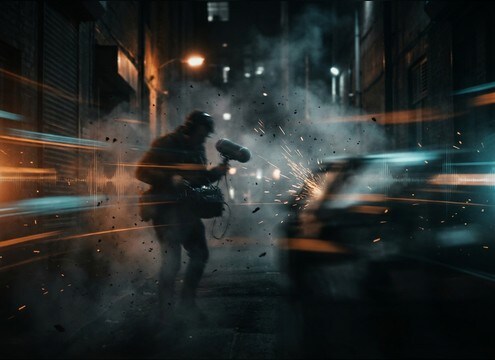
Pain grunt synced to a punch impact in an action edit

Fight scene hit

Place tight yelps or grunts exactly on impact frames, then swap to longer breath tails for recovery beats between punches.

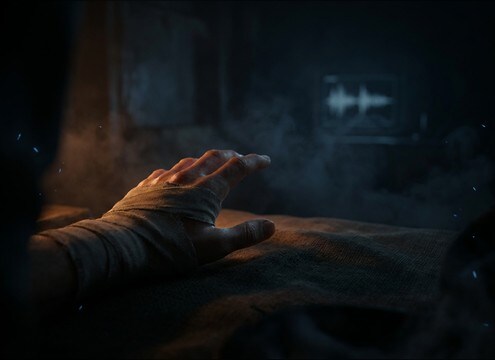
Quiet pain whimper under an injury close-up scene

Injury reveal close-up

Use low-volume whimpers with intimate mic distance and minimal room tone to sell a trembling hand or wound reveal.

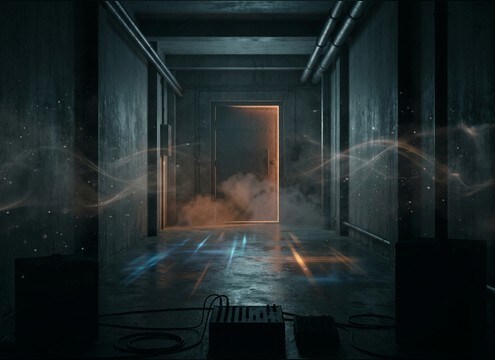
Distant pain cry with hallway reverb for an off-screen struggle

Off-screen struggle

Choose distant cries with softened highs and hallway reflections so the sound feels behind a door or around a corner.

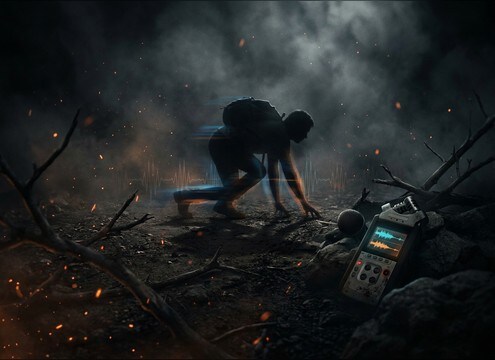
Loopable pain moan bed used during a limping sequence

Character stamina loop

Build loopable hurt beds for crawling, limping, or holding a wound, keeping consistent room tone to avoid edit seams.

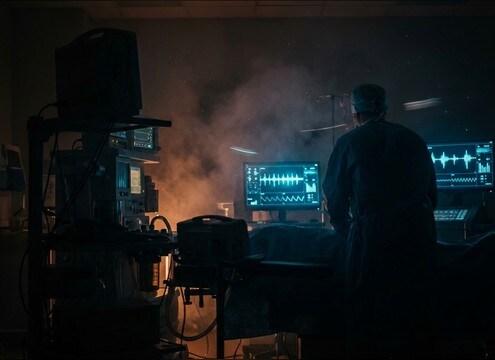
Subtle pain groans layered in a hospital room scene

Medical scene realism

Dial down intensity and add controlled breaths so reactions sit naturally under dialogue, beeps, and hospital ambience.

Creature pain vocal used for a monster damage reaction

Fantasy monster damage

Generate non-human strain by specifying harsher texture, lower pitch, and thicker throatiness while keeping clean transients for hits.

Impact grunt used under a sports tackle highlight

Sports collision moments

Use short, realistic grunts that cut through crowd noise without sounding like a scream, with quick decay for tight edits.

Short pain yelp used as player damage feedback in a mobile game

Mobile game feedback

Pick short, non-disturbing yelps or grunts with consistent loudness so repeated damage sounds do not fatigue the player.

Why Choose Media.io for Pain Sound Generator?

See exactly why creators, developers and studios choose our AI audio generator over all others.

Preview list of pain sound effects with waveforms

Preview-first sound library

Audition pain reactions quickly and pick a take by attack, tail length, and brightness before you download.

Text prompt adjusting intensity and breathiness

Prompt control for intensity

Specify light, medium, or extreme pain, plus breathiness, strain, and pitch so the performance matches your character.

Distance settings for close and distant pain vocals

Distance and space options

Generate close-mic, mid-distance, or far perspectives with room tone and reflections that match halls, bedrooms, or outdoors.

WAV download button for a generated pain clip

Clean WAV export workflow

Download a WAV file ready for timelines and soundboards, then trim, fade, or compress in your editor as needed.

Regenerate button creating alternate pain takes

Fast regeneration for alternates

If a take feels too dramatic or too flat, regenerate with small prompt tweaks to get a new reading that fits the cut.

Audio level view showing controlled peaks for pain SFX

Consistent loudness choices

Create softer or harder hits that sit under music and Foley without harsh peaks, helping your mix stay controlled.

How to Choose and Prompt Pain Sound Effects That Fit the Shot

Pain vocals are easy to overdo. The right clip depends on what the camera shows, how fast the action lands, and whether the character keeps speaking. Use these tips to select a download-ready take or write an AI prompt that matches intensity, breathing, and space without turning every moment into a scream.

Match intensity to what is visible

If the injury is implied, a restrained grunt or breathy groan often reads more believable than a full scream. Save extreme reactions for clear, high-stakes moments so your scene has dynamic range.

  • For minor hits, prompt: light pain grunt, short decay, controlled breathing
  • For serious injury, prompt: strained groan with longer exhale tail, no comedic tone
  • Avoid constant maximum intensity, it quickly feels fake and masks dialogue

Decide on close vs distant perspective

Perspective is the difference between a sound that feels inside the room and one that feels like it is down the hall. Choose a dry close-mic take for intimate shots, and add room tone or reflections for off-screen action.

  • Close shot: dry, detailed breaths, minimal room reflections
  • Off-screen: softened highs, audible room tone, longer tail
  • Avoid heavy reverb that makes the voice float away from the picture

Use breath shape to sell realism

Breathing carries the story: a sharp inhale before the pain, a broken exhale after, or short pulses during movement. Pick clips with clean breath texture and natural fades to reduce harsh edits.

  • Impact beat: fast transient yelp, quick cutoff
  • Recovery beat: staggered inhale then groan, medium tail
  • Loop scenes: consistent room tone and loop-friendly endings

Keep it mix-ready in your edit

Pain vocals often sit under music, Foley, and ambience. Choose takes with controlled peaks and a clean noise floor, then use short fades to prevent clicks and keep consonants from sounding too sharp.

  • Trim to the transient and add a 10-30 ms fade-in if needed
  • Use gentle compression to tame spikes without flattening the breath
  • Avoid aggressive distortion unless the scene calls for it

Frequently Asked Questions About
Pain Sound Effects

Everything you need to know before downloading or generating your first sound.

Can I download pain sound effects as WAV files for my editor?

Yes. After you preview or generate a take, download it as a WAV file and import it into your NLE, DAW, or soundboard. For tight sync, trim to the transient and add a tiny fade-in to prevent clicks.

How do I choose between a yelp, grunt, groan, or scream?

Use yelps for sudden impacts with a fast attack, grunts for restrained hits that should not steal focus, groans for sustained pain with a longer breath tail, and screams for clear, high-intensity moments where the character is not speaking.

What should I include in an AI prompt to get a believable pain reaction?

State the performer type (adult, teen, elderly, creature), the intensity (light to extreme), the perspective (close-mic or distant), and the space (dry room, hallway reflections, outdoor). Add details like breathy, strained, short decay, or longer exhale tail to control the feel.

Which duration should I generate for a pain clip: 5s, 10s, or 20s?

Use 5s for single hit reactions and quick cutaways, 10s for sustained injury moments or dialogue-adjacent groans, and 20s for loopable suffering beds during crawling, limping, or long tension shots.

Are these pain sound effects free to download?

Yes. You can preview and download the AI-generated pain sound effects as WAV files and use them in personal or commercial projects.

Can I copy the prompt used for each sound?

Yes. Open any sound row to view the prompt, copy it, adjust the wording and generate a custom variation that better matches your scene.

Related Free Sound
Effect Categories

Explore other AI-generated sound libraries from Media.io

sound

Rain Sound Effects

10+ free sounds
sound

Thunder Sound Effects

10+ free sounds
sound

Farts Sound Effects

10+ free sounds
sound

Car Crash Sounds

10+ free sounds
sound

Explosion Sound Effects

10+ free sounds
sound

Gunshot Sound Effects

10+ free sounds
sound

Pistol Sound Effects

10+ free sounds
sound

AI Horror Sound Effects

10+ free sounds
sound

AI Forest Sound Effects

10+ free sounds
sound

AI Dog Whistle Sound

10+ free sounds
sound

AI Ding Sound

10+ free sounds
sound

Phone Ring Sound

10+ free sounds
media.io

AI Video Generator star

Easily generate videos from text or images

Generate
