











Popular Vomit Sound Effects Library

Pick a ready-made clip when you need fast timing, or copy a prompt to generate a safer, cleaner variation with the right wetness, distance, and tail for your scene.

How to Generate Your Own
Vomit Sound Effects

Cannot find the perfect vomit sound effect you need? Generate custom AI vomit audio effortlessly. Describe the style, such as short clean cue, cinematic hit, subtle background layer, branded UI alert, and Media.io AI builds tailored vomit sound effects instantly. No audio editing experience needed. Turn your concept into a royalty-free, high-quality downloadable WAV vomit clip in under 60 seconds.

1

Describe the heave

Type or paste a prompt for the exact action you need, like dry gagging, wet splatter, muffled into a bag, or distant bathroom retching.

2

Pick length and takes

Choose a duration (5s, 10s, or 20s) and set how many variations you want so you can match timing and intensity options.

3

Generate and preview

Click Generate, then listen to each result. Keep the one with the best transient, decay, and overall realism for your cut.

4

Download WAV and use

Download the WAV file and drop it into your video timeline, game scene, app, audio drama, or commercial project.

What Can You Use These Vomit Sound Effects For?

Creators in every field are using our royalty-free audio to set the perfect mood.

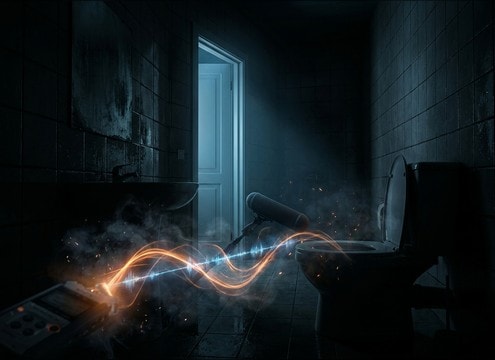
Vomit SFX for a tiled bathroom scene with distant reflections

Bathroom illness scene

Sell a late-night sickness moment with tiled reflections, door-muffled distance, and a short drip tail that fits the edit.

Comedic vomiting sound effect timed to a punchline

Comedy gag timing

Land the punchline with a cleaner, exaggerated heave that leaves room for dialogue and a quick cut to reaction.

Horror scene vomit sound with close transient and short decay

Horror body reaction

Add discomfort without overpowering the mix by choosing tighter decay, controlled low-end, and a close transient that shocks briefly.

Audio drama retching sequence with breaths and pauses

Audio drama nausea

Build a believable performance using a retch-to-release sequence with breaths and pauses that can sit under narration.

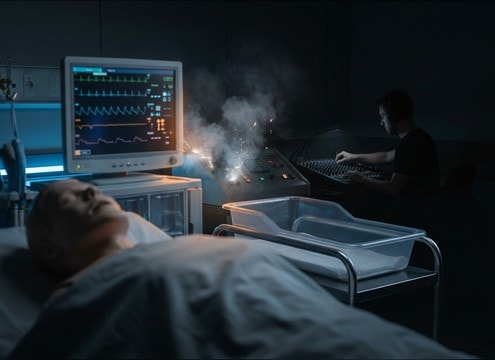
Medical simulation vomiting audio with consistent room tone

Medical training simulation

Support a patient scenario with realistic gagging intensity and consistent room tone that does not distract from instructions.

Creature infection vomit sound with rough texture and sharp transient

Creature infection moment

Create a non-human, unsettling variant by shifting pitch, adding rough texture, and keeping the splatter transient sharp.

Muffled vomiting cue for VR motion sickness event

VR motion sickness

Trigger a quick in-world reaction cue using a short muffled version with reduced highs and minimal reflections for comfort.

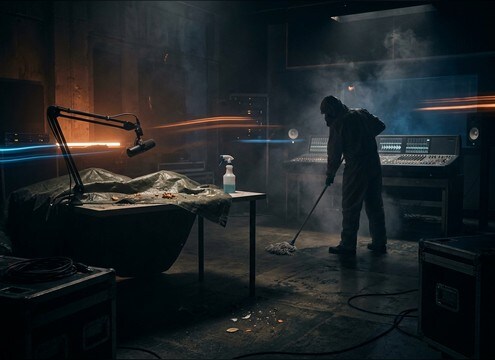
Aftermath splatter and drip tail sound effect for a cleanup shot

Cleanup and aftermath

Pair splatter hits with a longer drip tail for the aftermath shot, keeping stereo width narrow so it stays scene-local.

Why Choose Media.io for Vomit Sound Generator?

See exactly why creators, developers and studios choose our AI audio generator over all others.

Prompt control for vomit sound generator variations

Vomit Sound Generator prompt control

Specify dry vs wet, single burst vs multi-heave, and whether the take is muffled, distant, or close for better scene matching.

Multiple vomit sound variations generated from one prompt

Vomit Sound Generator variations

Generate multiple options per prompt so you can pick the best transient and decay without manually editing several sources.

Duration selection for vomit sound generator outputs

Vomit Sound Generator duration fits

Choose 5s, 10s, or 20s to match quick reaction cuts, longer retch sequences, or sustained sickness moments.

Previewing generated vomit audio before download

Vomit Sound Generator preview workflow

Audition results fast and keep only the take that sits in your mix, whether you need tighter tails or more room tone.

Exporting vomit sound effects as WAV files

Vomit Sound Generator WAV export

Download clean WAV files that are easy to trim, fade, and place on a timeline without extra conversions.

Generating milder vomit sounds with safer texture choices

Vomit Sound Generator scene safety

Create less graphic alternatives by prompting for milder texture, lower wetness, or more muffling while keeping the reaction believable.

How to Prompt Vomit SFX That Match the Scene

Vomit audio is usually about timing and believability, not volume. When you generate or pick a clip, decide if the moment is a quick gag, a realistic heave, or an extended sickness beat. Then control three things in your prompt: intensity, perspective (close vs distant), and texture (dry retch vs wet splatter). Use regeneration to dial in a cleaner transient or a shorter tail so it cuts without sounding looped.

Choose intensity and rhythm first

A single heave reads very differently than a multi-wave bout. Your prompt should state how many heaves happen and whether there are pauses and breaths so the clip fits the actor performance and edit pacing.

  • Use count language: one heave, two heaves, or a sequence with pauses
  • Call out breaths or cough-like resets to avoid a constant wall of sound
  • If you need a cut-friendly clip, ask for a tight ending with clean decay

Set distance and environment cues

Perspective is the fastest way to make the sound feel placed. A close-mic take emphasizes throat transients and wet detail, while a bathroom take needs reflections and room tone. Decide where the listener is in the scene.

  • Close: sharper transient, less room, more texture detail
  • Distant: softer attack, narrower stereo, more reflections
  • Bathroom: ask for tiled echo and a short reflective tail

Dial texture: dry gag vs wet splatter

Texture drives how graphic the result feels. If the scene should be less explicit, favor gagging, muffling, and reduced splash highs. If it must sell realism, add wetness and a small drip tail, but keep it controlled for the mix.

  • For milder takes: dry retch, muffled, filtered high end
  • For explicit realism: wet heave plus brief splatter detail
  • Avoid extremes: too much low-end mud or harsh, clicky artifacts

Make it edit-ready for dialogue

Vomit SFX often sits under dialogue or quick reaction shots. Choose versions with stable noise floor and predictable tails so you can fade quickly without pumping or obvious loops.

  • Pick clips with a clean start so you can align to a cut or mouth movement
  • Prefer controlled tail length over long ringing decay in small scenes
  • If layering, keep one primary take and use lighter splatter accents sparingly

Frequently Asked Questions About
Vomit Sound Effects

Everything you need to know before downloading or generating your first sound.

Can I download these vomit sound effects for commercial use?

Media.io lets you preview and download sound effects and also generate new variations. Check the licensing shown in the download or export step for your account, then you can use the WAV in monetized videos, apps, client edits, and other commercial projects if it is marked as permitted.

What is the best type of vomit SFX for a bathroom scene?

Look for a slightly distant take with audible tiled reflections and a controlled room tail. If it feels too close or too dry, regenerate with prompts like "distant in small tiled bathroom" or "more room tone, softer transient" to match the space.

How do I make a vomit sound less graphic but still believable?

Choose dry gagging or muffled versions and reduce splash detail. In prompts, ask for "dry retch", "muffled into bag", "minimal splatter", and "short decay" so the reaction reads without heavy wet texture.

Do the downloads come as WAV files, and can I trim them easily?

Yes, you can download WAV. For clean edits, trim just before the transient, add a short fade-out on the tail, and keep the noise floor consistent so it does not jump between cuts.

Are these vomit sound effects free to download?

Yes. You can preview and download the AI-generated vomit sound effects as WAV files and use them in personal or commercial projects.

Can I copy the prompt used for each sound?

Yes. Open any sound row to view the prompt, copy it, adjust the wording and generate a custom variation that better matches your scene.

Related Free Sound
Effect Categories

Explore other AI-generated sound libraries from Media.io

sound

Rain Sound Effects

10+ free sounds
sound

Thunder Sound Effects

10+ free sounds
sound

Farts Sound Effects

10+ free sounds
sound

Car Crash Sounds

10+ free sounds
sound

Explosion Sound Effects

10+ free sounds
sound

Gunshot Sound Effects

10+ free sounds
sound

Pistol Sound Effects

10+ free sounds
sound

AI Horror Sound Effects

10+ free sounds
sound

AI Forest Sound Effects

10+ free sounds
sound

AI Dog Whistle Sound

10+ free sounds
sound

AI Ding Sound

10+ free sounds
sound

Phone Ring Sound

10+ free sounds
media.io

AI Video Generator star

Easily generate videos from text or images

Generate
