











Popular Excited Sound Effects Library

These ready-to-use reactions cover quick wins, contained squeals, and bigger crowd energy. Preview the tone and tail first, then copy the prompt to regenerate cleaner, louder, closer, or more distant versions for your scene timing.

How to Generate Your Own
Excited Sound Effects

Cannot find the perfect excited sound effect you need? Generate custom AI excited audio effortlessly. Describe the style, such as short clean cue, cinematic hit, subtle background layer, branded UI alert, and Media.io AI builds tailored excited sound effects instantly. No audio editing experience needed. Turn your concept into a royalty-free, high-quality downloadable WAV excited clip in under 60 seconds.

1

Describe the reaction

Type a prompt for the exact excitement you need, such as a quick yes shout, a breathy gasp, or a crowd swell, and mention distance or room feel.

2

Pick length and takes

Choose 5s, 10s, or 20s, then set how many variations you want so you can audition different intensities and deliveries.

3

Generate and preview

Click Generate, listen to each result, and keep the version with the best attack, tail, and background noise level for your cut.

4

Download WAV and use

Export the selected clip as a WAV file and drop it into videos, games, apps, podcasts, or commercial projects.

What Can You Use These Excited Sound Effects For?

Creators in every field are using our royalty-free audio to set the perfect mood.

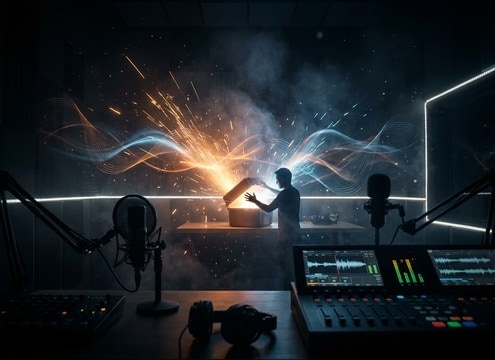
Excited gasp sound effect for an unboxing reveal cut

Unboxing and reveal

Hit the moment the box opens with a tight gasp or quick cheer that does not smear over dialogue.

Excited reaction SFX for a game victory screen

Game win screens

Add a short victory shout or small-crowd pop that matches a level-up animation without masking UI clicks.

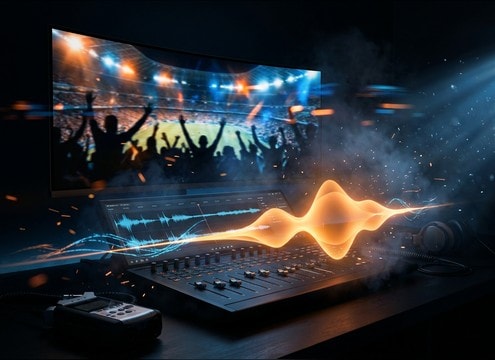
Crowd cheering excited sound effect for sports highlight video

Sports highlight edits

Swap thin production audio for a clean crowd swell with controllable tail and stereo width.

Short excited cheer sound effect for a comedy punchline

Comedy punchlines

Use contained squeals or quick woo bursts to underline a joke without turning into a full laugh track.

Playful excited sound effect for kids animation reaction

Kids animation reactions

Choose brighter, playful voices with fast attacks to match exaggerated character movement and timing.

Excited cheer stinger sound effect for live stream alerts

Live stream stingers

Trigger a 5-second hype cue for new subs or donations, keeping peaks controlled for stream loudness.

Excited crowd pop sound effect for a trailer button moment

Trailer button moments

Place a short crowd pop right after the final line, then let the tail drop cleanly into the next hit.

Subtle excited reaction sound effect for app achievement

Product onboarding celebrations

Confirm achievements with a subtle yes or small cheer that feels friendly and not sarcastic in-app.

Why Choose Media.io for Excited Sound Generator?

See exactly why creators, developers and studios choose our AI audio generator over all others.

Text prompt controlling excitement intensity in a sound generator

Prompt control for intensity

Dial in subtle excitement, big hype, or an all-out cheer by describing loudness, delivery, and emotional energy in plain English.

Audio preview player for excited reaction sound effects

Preview before you download

Audition attack and tail quickly, then choose the cleanest take for your edit without committing to a download first.

Multiple generated takes of an excited cheer sound effect

Generate alternate takes fast

Create fresh versions of the same idea so you can match timing, voice tone, and room feel across multiple scenes.

WAV download option for excited sound effects

Royalty-free, project-ready WAV

Download export-ready WAV files that are easy to trim, fade, and place under dialogue or UI without artifacts.

Controls for distance and room tone on excited SFX

Distance and space options

Go close and dry for punch-ins, or add room reflections and wider stereo for crowd moments that need scale.

Waveform showing a short tail on an excited shout clip

Clean edits with tight tails

Get reaction clips with controlled decay so they cut cleanly on beat, avoiding lingering noise that muddies the next line.

How to Choose and Prompt Excited Sound Effects That Cut Through

Excitement can read as a quick breath, a single word, or a full crowd swell. To get a clip that lands on your edit, decide whether you need a sharp transient for a punchline, a longer decay for a celebration moment, or a distant perspective that sits behind dialogue. Use prompts that specify intensity, headcount, and space so the generator returns the right energy without unwanted noise.

Pick the reaction type (voice, group, or crowd)

Start by naming what the listener should recognize instantly. A solo yes shout is surgical and easy to place, while a group cheer adds width and motion. Crowds work best when you want scale and a longer tail, but they can mask speech if you do not keep them controlled.

  • Solo: gasp, yes, woo, short laugh, contained squeal
  • Group: 5 to 10 people with light chatter and a unified hit
  • Crowd: stadium roar or swell with layered texture and low-end energy

Specify timing with attack and tail words

Editors usually need excitement to hit a frame. Ask for a fast attack when the reaction must land on a reveal, and ask for a short decay when you need space for the next line. If the moment needs to feel bigger, request a longer tail with natural fade rather than abrupt cutoff.

  • Use: fast attack, sharp transient, tight tail, clean cutoff
  • For bigger moments: swelling, sustained, natural decay, lingering ambience
  • Avoid: long reverb wash if dialogue or UI follows immediately

Control distance, room tone, and stereo width

Perspective sells the scene. Close and dry reactions feel like a mic is right on the subject. Distant cheers feel like they are in the environment, especially with room reflections. Stereo width matters: narrow keeps focus, wide sells crowd size.

  • Close: dry, low room tone, centered mono or narrow stereo
  • Indoor: light reflections, subtle room tone, controlled tail
  • Outdoor: airy ambience, softer transient, wider stereo for crowd beds

Keep it usable: reduce distractions in the prompt

Excitement clips can become messy if the generator adds extra elements. If you need a clean asset, explicitly exclude music, chanting words, or excessive clapping. This helps you get a mix-ready reaction you can trim and fade without fighting noise and peaks.

  • Add exclusions: no music, no chant words, no whistles, no distortion
  • Ask for controlled peaks to prevent clipping and harshness
  • Request consistent tone if you need multiple takes across a sequence

Frequently Asked Questions About
Excited Sound Effects

Everything you need to know before downloading or generating your first sound.

Are these excited sound effects free to download and OK for commercial use?

The page is built for royalty-free downloads and practical project use. Always review the license terms shown on the download screen for your specific file, especially for commercial distribution and paid client work.

Can I download excited reactions as WAV files?

Yes. After you preview or generate a clip, you can download a WAV so it stays clean when you trim, fade, or place it under dialogue and music.

How do I make the excitement sound close-mic vs distant crowd?

In your prompt, state the perspective and space. Use phrases like close mic, dry, minimal room tone for intimate reactions, or distant, outdoor, room reflections, wide stereo for crowd-style excitement.

What is the best duration to choose: 5s, 10s, or 20s?

Use 5 seconds for a punchy hit (gasp, yes, woo), 10 seconds for a swell that rises and resolves, and 20 seconds for a full crowd roar with a natural build and tail.

Are these excited sound effects free to download?

Yes. You can preview and download the AI-generated excited sound effects as WAV files and use them in personal or commercial projects.

Can I copy the prompt used for each sound?

Yes. Open any sound row to view the prompt, copy it, adjust the wording and generate a custom variation that better matches your scene.

Related Free Sound
Effect Categories

Explore other AI-generated sound libraries from Media.io

sound

Rain Sound Effects

10+ free sounds
sound

Thunder Sound Effects

10+ free sounds
sound

Farts Sound Effects

10+ free sounds
sound

Car Crash Sounds

10+ free sounds
sound

Explosion Sound Effects

10+ free sounds
sound

Gunshot Sound Effects

10+ free sounds
sound

Pistol Sound Effects

10+ free sounds
sound

AI Horror Sound Effects

10+ free sounds
sound

AI Forest Sound Effects

10+ free sounds
sound

AI Dog Whistle Sound

10+ free sounds
sound

AI Ding Sound

10+ free sounds
sound

Phone Ring Sound

10+ free sounds
media.io

AI Video Generator star

Easily generate videos from text or images

Generate
