













Popular Wolf Howling Sound Effects Library

These picks cover common edit needs: a clean close howl for reveals, distant ridge calls for establishing shots, and layered pack responses for tension. Preview each one, then copy the prompt to regenerate with different distance, pitch, ambience, or tail length.

How to Generate Your Own
Wolf Howling Sound Effects

Can't find what you're looking for? Easily create custom AI sounds. Simply describe your needs, and our AI will craft the perfect sound effect for you — no audio production skills required. Go from a blank idea to a downloadable WAV in under a minute.

1

Describe the howl

Type or paste a prompt for the wolf howl you need—lone vs pack, close vs distant, and whether you want wind, forest tone, or echo.

2

Pick duration & variations

Choose 5s, 10s, or 20s, then set how many results you want back so you can compare different takes quickly.

3

Generate and preview

Click Generate, audition each version, and keep the one with the best timing, pitch, and tail for your scene.

4

Download WAV and use

Export the selected clip as a WAV file and drop it into videos, games, apps, podcasts, or commercial projects as needed.

What Can You Use These Wolf Howling Sound Effects For?

Creators in every field are using our royalty-free audio to set the perfect mood.

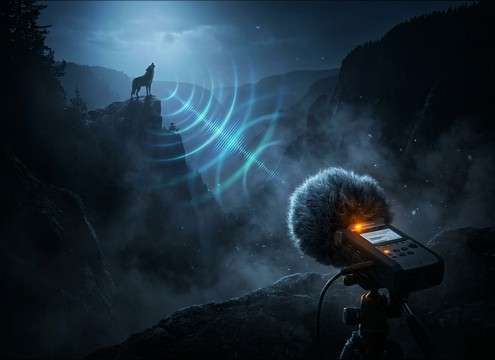
Distant wolf howl for a nighttime wilderness establishing shot

Wilderness establishing shot

Set the location instantly with a distant ridge howl that sits behind wind and night ambience without overpowering dialogue.

Close wolf howl used as a dramatic reveal cue

Werewolf reveal cue

Use a close, clean howl with a readable attack to punctuate a transformation or silhouette reveal on the cut.

Pack howls as an audio threat signal in a survival game at night

Survival game night

Trigger pack-response howls to telegraph threat direction; choose wider stereo for open fields or narrower for tight woods.

Wolf howl sound effects used in a haunted outdoor trail attraction

Haunted trail attraction

Loop-friendly distant howls can run between scenes; swap in occasional sharp howl-barks as jump points for groups walking by.

Subtle distant wolf howls layered into a camping night soundscape

Camping sleep soundscape

Add a low-intensity distant howl every few minutes to a forest bed; keep tails natural so transitions don't click.

Wolf howl used as a tension beat in an audio drama scene

Audio drama tension

Place a single high whine or low moan howl before a character decision to foreshadow danger without adding music.

Wolf howling effects matched to camera distance for documentary reenactment

Nature doc reenactment

Match perspective to camera distance: close-mic for POV shots, valley distance for aerials, and cave echo for den scenes.

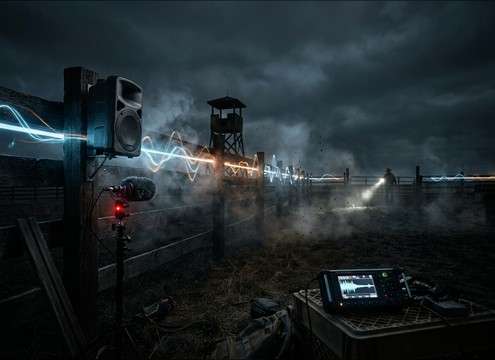
Short wolf howl-bark used as an alert in a ranch safety demo

Ranch perimeter alert

Use short, sharp calls as alerts in training or demo videos about livestock protection and nighttime perimeter checks.

Why Choose Media.io for Wolf Howling Generator?

See exactly why creators, developers and studios choose our AI audio generator over all others.

Controls for generating close and distant wolf howls by prompt

Promptable distance control

Ask for close, mid, or distant howls and tune how much air roll-off and tail you want so it matches the camera perspective.

Selecting multiple wolf howl variations from one prompt

Multiple takes per idea

Generate several variations at once to pick the best pitch curve, transient clarity, and decay length without starting over.

Duration options for wolf howl sound effects: 5s, 10s, 20s

Duration presets that cut well

Choose 5s for quick cues, 10s for short sequences, or 20s for longer pack moments and sustained tension.

Wolf howl generated with wind or forest ambience texture

Easy ambience matching

Prompt in wind, forest night tone, or echoey spaces so the howl comes with the right texture instead of feeling pasted on.

Previewing wolf howl audio results before downloading

Preview-first workflow

Audition results immediately and keep only the version that sits best against your dialogue, footsteps, or background bed.

Downloading a wolf howl sound effect as a WAV file

WAV export for editing

Download a clean WAV file that's ready for trimming, fades, timing to picture, and layering with night ambience.

How to Choose or Prompt the Right Wolf Howl

A wolf howl reads "real" when its perspective, pitch character, and tail match the scene. Use this guide to pick the best downloadable clip fast, or write prompts that reliably produce the distance, texture, and pacing you need.

Pick a perspective: close vs distant

Start with where the wolf is relative to the viewer. Close howls need a defined onset and less air loss, while distant howls should feel softer with more space and less high-end detail.

  • For close shots, prompt "clear attack, minimal ambience, natural tail."
  • For far-off calls, prompt "rolled-off highs, quiet night bed, softer transient."
  • If it feels too near, ask for "more distance, lower level, longer outdoor decay."

Decide: lone howl or pack response

A single wolf works as a clean story beat; a pack adds movement and threat. Layered responses should have staggered entrances so it doesn't sound like a chorus hit.

  • Lone: "single voice, stable pitch curve, no overlapping howls."
  • Pack: "3–5 wolves, staggered timing, different pitches, overlapping tails."
  • For realism, avoid perfectly synced starts and identical pitch shapes.

Match the space and tail

The tail tells the listener where the howl happens. Outdoor tails fade naturally; reflective spaces add obvious early reflections and a longer reverb bloom.

  • Forest/outdoor: "natural decay, subtle ambience, no strong reflections."
  • Cave/canyon: "pronounced reflections, longer echo tail, wider stereo."
  • If it smears the scene, ask for "shorter tail, reduced reverb, cleaner end."

Keep it mix-friendly (what to avoid)

The biggest problems are noise that can't be separated and howls that fight dialogue. Aim for clean starts, controlled masking, and endings that can be faded without artifacts.

  • Avoid prompts that imply music, drums, or cinematic risers.
  • If dialogue is present, request "less harshness, softer highs, lower intensity."
  • For looping beds, choose versions with steady noise floor and a fadeable end.

Frequently Asked Questions About
Wolf Howling Sound Effects

Everything you need to know before downloading or generating your first sound.

Can I download wolf howl clips as WAV for editing?

Yes—after previewing your result, download the clip as a WAV file so you can trim, fade, time-stretch slightly, or layer it with wind/forest beds in your editor.

How do I make a wolf howl sound farther away?

Choose a "distant" clip or prompt for "far-off across a valley, rolled-off highs, softer transient, subtle night ambience, longer outdoor decay." Lowering level and adding a gentle fade also helps it sit behind the scene.

What's the best duration to pick: 5s, 10s, or 20s?

Use 5s for a single cue on a cut, 10s for a short two-part call or response, and 20s for pack choruses or sustained tension where you need evolving layers and longer tails.

How can I generate a pack howl instead of a single wolf?

In your prompt, specify the number of wolves and timing: "pack response, 3–5 wolves, staggered entrances, different pitch ranges, overlapping tails, outdoor space." Then generate multiple variations and pick the most natural blend.

Are these wolf howling sound effects free to download?

Yes. You can preview and download the AI-generated wolf howling sound effects as WAV files and use them in personal or commercial projects.

Can I copy the prompt used for each sound?

Yes. Open any sound row to view the prompt, copy it, adjust the wording and generate a custom variation that better matches your scene.

Related Free Sound
Effect Categories

Explore other AI-generated sound libraries from Media.io

sound

Rain Sound Effects

10+ free sounds
sound

Thunder Sound Effects

10+ free sounds
sound

Farts Sound Effects

10+ free sounds
sound

Car Crash Sounds

10+ free sounds
sound

Explosion Sound Effects

10+ free sounds
sound

Gunshot Sound Effects

10+ free sounds
sound

Pistol Sound Effects

10+ free sounds
sound

AI Horror Sound Effects

10+ free sounds
sound

AI Forest Sound Effects

10+ free sounds
sound

AI Dog Whistle Sound

10+ free sounds
sound

AI Ding Sound

10+ free sounds
sound

Phone Ring Sound

10+ free sounds
media.io

AI Video Generator star

Easily generate videos from text or images

Generate
