











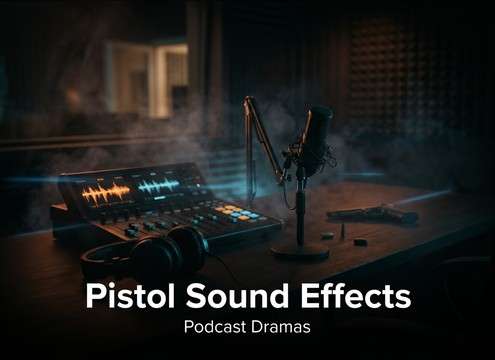
Popular Pistol Sound Effects for Free Download

Compare close shots, suppressed snaps, reload foley, double taps, and indoor pistol tails. Open any row to copy the prompt and adjust distance, room tone, firing style, or mechanical detail.

How to Generate Your Own
Pistol Sound Effects

Can't find what you're looking for? Easily create custom AI sounds. Simply describe your needs, and our AI will craft the perfect sound effect for you — no audio production skills required. Go from a blank idea to a downloadable WAV in under a minute.

1

Describe the pistol moment

Type or paste a prompt that states what you need (shot, suppressed shot, reload, slide rack), plus environment and distance.

2

Choose length & variations

Select 5s, 10s, or 20s and set how many options to generate so you can audition different intensities and tails.

3

Generate and preview

Click Generate, then listen to each result and keep the take that matches your cut and pacing.

4

Download WAV and place

Export the chosen version as a WAV file and drop it into videos, games, apps, podcasts, or commercial projects.

What Can You Use These Pistol Sound Effects For?

Creators in every field are using our royalty-free audio to set the perfect mood.

Pistol sound effects for action film edits

Action Film Edits

Layer crisp single shots, double taps, and close tails into standoffs, chases, and fight sequences.

Pistol SFX for game weapons

Game Weapon Audio

Use close, suppressed, indoor, and reload variations to create responsive pistol feedback for gameplay.

Pistol trailer sound accents

Trailer Accents

Drop tight pistol hits on cuts, reveals, and rhythm points where a short sharp transient is needed.

Pistol foley replacement

Foley Replacement

Replace weak production audio with cleaner slide movement, magazine handling, and reload details.

Pistol sounds for podcast drama

Podcast Dramas

Add controlled firearm cues for audio fiction, reenactments, and narrative sound design.

Pistol sounds for short videos

Short-Form Videos

Use clean, royalty-free pistol SFX for action edits, gaming clips, and social storytelling.

Pistol sounds for simulation

Simulation Scenes

Create repeatable close, distant, and suppressed variations for non-live-fire training scenes.

Layered pistol sound design

Sound Layering

Combine muzzle crack, mechanical click, room tail, and reload foley to build more believable weapon audio.

Why Choose Media.io for Pistol Generator?

See exactly why creators, developers and studios choose our AI audio generator over all others.

Text prompt describing pistol shot and slide action

Prompt for shots

Generate muzzle blasts, suppressed variants, slide racks, reloads, and dry-fire clicks from one text box—no separate packs needed.

Duration selector showing 5s 10s and 20s options

Quick 5s/10s/20s lengths

Pick short one-shots for edits or longer sequences for drills and scenes, without trimming silence first.

Multiple generated pistol sound variations ready to preview

Multiple takes per

Request several variations to find the right transient bite, tail length, and intensity for your cut.

Audio preview player for pistol shot and reload sounds

Preview before exporting

Audition each result in-browser so you can choose the cleanest version with the least unwanted ambience.

WAV download for pistol sound effect clip

WAV files for

Download export-ready WAV audio that drops into NLEs, DAWs, and game engines without format headaches.

Consistent pistol sound set across multiple scenes

Repeatable scene consistency

Keep a consistent sonic identity across a project by reusing prompts and only changing distance, room, or suppression.

How to Prompt Pistol SFX That Match the Scene

Pistols are small but loud, and the wrong tail or missing mechanics instantly breaks believability. Use prompts that specify the shot type, the space it's in, and whether you also need the handling sounds (slide, mag, trigger). The tips below help you request the right transient, decay, and perspective so the result sits in the edit with minimal fixing.

Start with the shot character

Define caliber feel and intensity in plain language so the generator knows whether you want a snappy crack, a heavier body, or a softer report. For pistol scenes, clarity in the initial transient matters more than long sustain.

  • Use words like "sharp attack," "tight crack," "controlled low-end," or "no booming bass."
  • Call out firing pattern: "single shot," "double tap," or "short string."
  • If you want clean editing, ask for "minimal pre-noise" and "no extra handling."

Lock the perspective and space

Most pistol SFX problems come from the wrong environment: an outdoor shot with an indoor tail, or a close shot that sounds distant. Tell the model how far the listener is and what surfaces exist to reflect the sound.

  • Distance: "close-mic," "3 meters," or "distant across a street."
  • Space: "concrete hallway reflections," "small bedroom," or "open field with little echo."
  • Tail control: "short decay," "medium tail," or "long ringing reflections."

Add the mechanical foley on purpose

Pistols are sold by the small actions: slide travel, mag click, and trigger reset. Generate these as separate clips when you need clean control, or request a short scene combo when timing is fixed.

  • For close-ups, request "slide rack with metallic clack and spring return."
  • For reloads, include "mag insert click" and "chambering the round."
  • For empty moments, ask for "dry fire click" or "trigger press with no shot."

What to avoid (common prompt mistakes)

Overly broad prompts often produce messy results: extra shots, unrealistic reverb, or clipped peaks. A few constraints in your wording help keep the output clean and usable.

  • Avoid vague terms like "epic gun sound"; specify "pistol" and the environment.
  • Don't combine too many events unless you need a single continuous take.
  • If it sounds distorted, prompt "no clipping, clean transient, controlled loudness."

Frequently Asked Questions About
Pistol Sound Effects

Everything you need to know before downloading or generating your first sound.

What should a realistic pistol shot include?

A believable pistol sound usually needs a sharp muzzle crack, a controlled short tail, and sometimes a small mechanical layer such as slide movement or trigger detail.

Can I generate pistol reload and slide sounds?

Yes. Write prompts that describe magazine release, slide rack, metal handling, grip movement, or casing drops, then choose a short duration like 5 or 10 seconds.

How do I choose between close, suppressed, and indoor pistol sounds?

Use close pistol shots for impact, suppressed shots for stealth scenes, and indoor pistol sounds when the visual space needs reflections or concrete-room echo.

What's the difference between pistol sound effects and generic gunshot sounds?

Pistol SFX often emphasize a tighter crack and faster decay than many rifle or shotgun sounds, and the mechanical actions (slide, magazine, trigger) are more noticeable in close shots.

How do I get a suppressed pistol sound that doesn't feel fake?

In your prompt, ask for a "muted pop with reduced high-end crack," keep the tail short, and avoid large-room reflections unless the scene is indoors.

Are these pistol sound effects free to download?

Yes. You can preview and download the AI-generated pistol sound effects and use them in personal or commercial projects.

Related Free Sound
Effect Categories

Explore other AI-generated sound libraries from Media.io

sound

Rain Sound Effects

10+ free sounds
sound

Thunder Sound Effects

10+ free sounds
sound

Farts Sound Effects

10+ free sounds
sound

Car Crash Sounds

10+ free sounds
sound

Explosion Sound Effects

10+ free sounds
sound

Gunshot Sound Effects

10+ free sounds
media.io

AI Video Generator star

Easily generate videos from text or images

Generate
