Click or drag to upload, or choose from My History
No ideas? Generate an image first >
Support upload format: jpg, png, jpeg.
0/8000
4s
720P
9:16
Generate Audio
Creations
Ideas Hub
How It Works
Popular features
View All
Halloween Creative Challenge
View All
AI Fruit Story
View All
AI Story Video
View All
AI Product Videos
View All
AI Character
View All
Dance Trends
View All
AI Celebrity Match
View All
Couple Pose Prompts
View All
Aesthetic Girl Pose Prompts
View All
Stylish Boy Pose Prompts
View All
Generate List
Creations are stored for only 7 days. Assets created after upgrading to a Membership plan will be stored permanently.
Unlock your creative potential and experience the magic of Media AI right away!
Google Veo 3.1 Lite: Create Cinematic AI Videos at Up to 8x Lower Cost
Powered by Google’s ultra-efficient Veo 3.1 Lite model, Media.io transforms text prompts and images into cinematic AI videos with native audio, smooth realistic motion, and faster generation times. Generate more content while spending fewer credits—up to 3× cheaper than Veo 3.1 Fast and 8× cheaper than Veo 3.1.
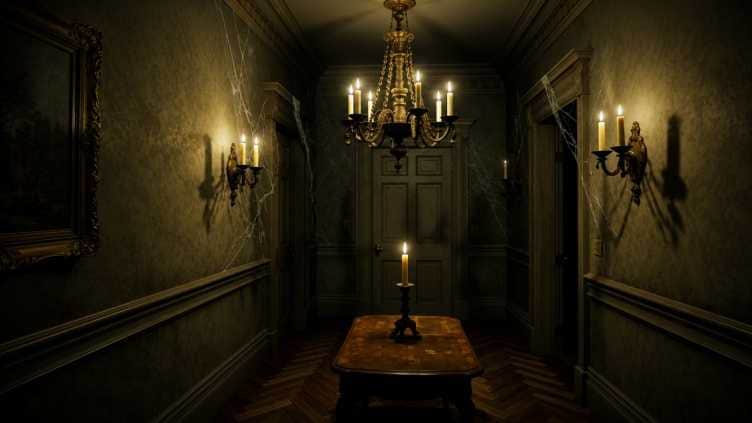
Maintain the original composition of the image. An abandoned Victorian mansion hallway illuminated only by candles. Cobwebs cover the walls and chandeliers. The candle flames flicker subtly, causing moving shadows to dance across the walls, floor, and ceiling. Locked camera, cinematic horror film style. At first, the hallway is completely empty. The distant central door slowly opens by itself. A mysterious figure gradually emerges from the darkness inside the room. The figure walks slowly toward the camera with unnatural movements, slightly leaning forward, stiff and unsettling, as if controlled by an unseen force. The pace is extremely slow and deliberate. As the figure approaches, the candlelight flickers more intensely. Shadows stretch and distort along the hallway walls. The face becomes gradually visible, revealing an eerie smile, hollow eyes, and an unsettling expression. The figure constantly stares directly into the camera. Atmospheric psychological horror. No sudden movements, no jump scares. The tension continuously builds through lighting, pacing, and presence. The figure eventually reaches the foreground, dominating the frame and creating overwhelming pressure and dread. Ultra-realistic cinematic horror, volumetric lighting, dynamic shadows, realistic skin texture, high facial detail, shallow depth of field, film-grade lighting, suspenseful atmosphere. cinematic horror movie shot.
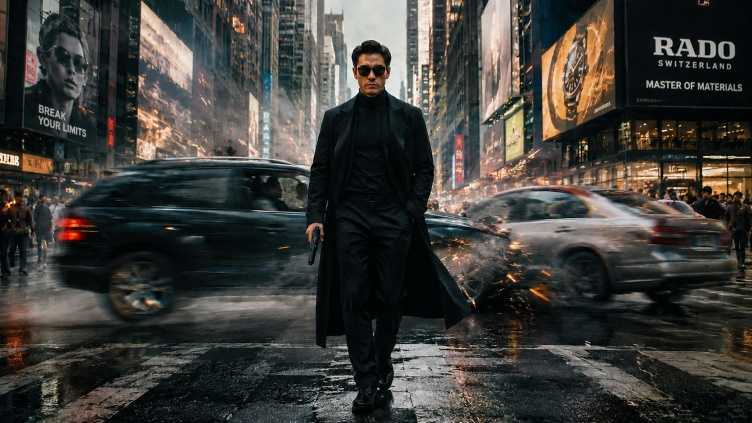
A lone elite operative walks calmly through the middle of a large metropolitan avenue. Dressed in a tailored black suit and long black trench coat, he carries a pistol at his side while keeping one hand in his pocket. His expression is cold, focused, and fearless. The coat moves naturally in the wind as he advances with absolute confidence. The camera remains low and cinematic, slowly tracking backward in front of him, emphasizing his dominance, authority, and larger-than-life presence. Every step feels deliberate and powerful, like the climax of a high-budget action film. Behind him, two high-speed vehicles collide violently at the exact moment they intersect. The impact creates an enormous explosion, sending a massive fireball, shockwave, twisted metal, shattered glass, sparks, and debris across the scene. Flames erupt instantly and engulf both vehicles while dense smoke rises into the air. The explosion grows larger with each second, filling the background with cinematic destruction and raw energy. Burning fragments fly past the protagonist, but he never reacts or looks back. The environment is filled with tension and scale. Dust, smoke, embers, and debris move naturally through the air. The ground reflects the firelight and destruction, adding depth and realism. Background figures scatter in panic as the disaster unfolds. The contrast between the protagonist's calm, controlled movement and the massive explosion behind him creates a powerful cinematic narrative. Hollywood blockbuster action film, cinematic realism, epic storytelling, dramatic atmosphere, realistic vehicle collision, massive fireball explosion, physics-based destruction, volumetric smoke, flying debris, dynamic camera movement, slow-motion action, high tension, powerful hero shot, ultra realistic lighting, cinematic depth of field, film-grade color grading, premium visual effects, large-scale action sequence, movie trailer quality, masterpiece, ultra detailed, 8K, IMAX, action-thriller aesthetic, seamless motion, strong sense of story and character.
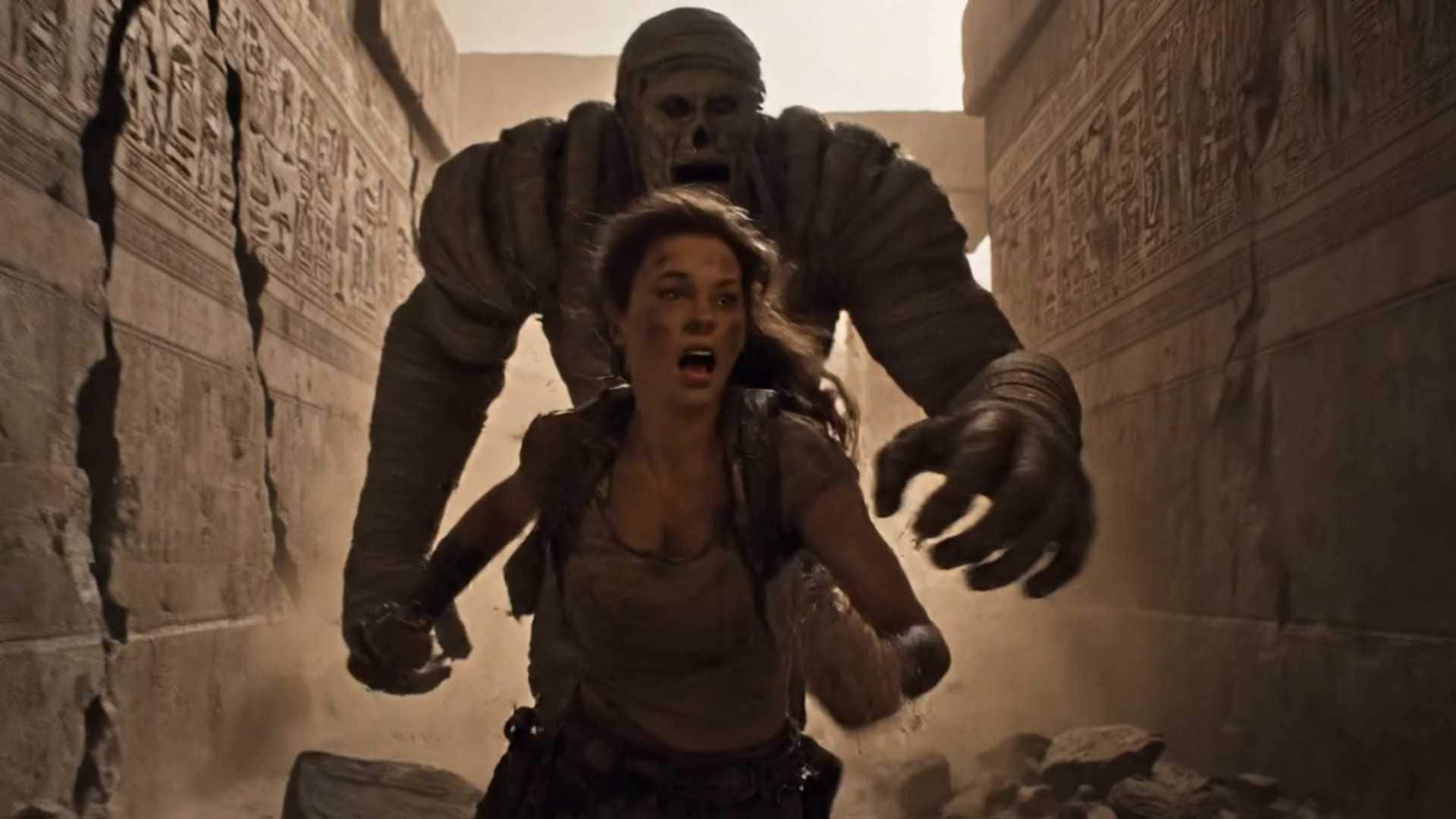
A cinematic and chaotic tracking shot with handheld camera motion and camera shake shows an explorer holding an ancient scarab artifact. They are running away from a giant pursuing mummy. Debris and dust clouds can be seen. The mummy is causing sections of the ancient wall to crumble. The explorer runs away frantically , you can hear her heavy breathing. She continues running, but it hits a pillar causing it to fall on itself.
Why burn through your monthly budget? Get the exact same 720p base video output for a fraction of the cost. At just 10 credits per clip, Veo 3.1 Lite is 3x cheaper than Fast mode and 8x cheaper than the Pro model—giving you maximum creative freedom for minimum spend.
· Create more videos for less with Veo 3.1 Lite’s 10-credit generation cost.
· Get the same 720p base output while spending far fewer credits per clip.
· Iterate freely on prompts, visuals, and ideas without exhausting your budget too quickly.
Say goodbye to flat, silent AI video generations. Veo 3.1 Lite reads audio cues directly from your text prompts. Type in dialogue inside quotation marks, describe sound effects, or set an atmospheric mood to auto-bake crisp, synchronized audio right into the video track.
· Add dialogue naturally by placing speech inside quotation marks in your prompt.
· Generate sound effects by describing actions like rain, footsteps, cheering, engines, or glass breaking.
· Set the atmosphere with background audio cues such as soft jazz, city traffic, wind, or café ambience.
Budget-friendly doesn't mean low quality. Built on Google's optimized architecture, this model delivers fluid, high-fidelity human and camera motion rendered at a professional 24fps film standard. Experience hyper-realistic textures and physics with minimal rendering wait times.
· Render smooth 24fps video with natural motion, camera movement, and cinematic pacing.
· Create lifelike scenes with realistic textures, lighting, physics, and subject movement.
· Move from idea to preview faster with an efficient Lite model designed for quick creative iteration.
Stop burning premium credits just to see if a prompt works. At just 10 credits per clip, Veo 3.1 Lite gives you a budget-friendly sandbox for testing camera moves, lighting styles, image animations, audio cues, and social video ideas before scaling up.
Make Social-Ready Clips Faster
Need quick content for TikTok, Instagram Reels, or YouTube Shorts? Switch between 16:9 landscape and 9:16 portrait, generate smooth 24fps clips, and create more short-form video variations for ads, posts, stories, and creative testing.
Generate Videos with Native Audio
Skip the extra audio-editing workflow. Add dialogue in quotation marks, describe sound effects, or set the atmosphere in your prompt, and Veo 3.1 Lite can generate synchronized audio with your visuals in one step.
Control the Scene Transition
Know exactly where your video should start and end? Upload a first frame and a final frame, then let Veo 3.1 Lite create the in-between motion. It is ideal for product reveals, before-and-after concepts, character moments, and storyboard-style transitions.
How to Create AI Videos with Veo 3.1 Lite
01
Enter a Prompt or Upload an Image
Start from a text prompt or upload an image you want to animate. Describe the subject, motion, camera movement, lighting, mood, and any audio cues such as dialogue, ambience, or sound effects.
02
Generate with Veo 3.1 Lite
Choose Google Veo 3.1 Lite, set your duration, resolution, and aspect ratio, then enable sound for native audio generation. Click generate and let Media.io create your AI video.
03
Preview, Refine, and Share
Preview the motion, audio, and overall style. Refine your prompt or create more low-cost variations, then download the final video in HD for social media, ads, websites, or creative projects.
1. What is Veo 3.1 Lite and how does it differ from Fast or Pro?
Veo 3.1 Lite is Google’s highly optimized, ultra-efficient video framework built as a low-cost creative sandbox. It lets you test text prompts, check camera angles, and animate images for just 10 credits per clip, making it 3x cheaper than Fast and 8x cheaper than Pro before committing to heavier premium rendering models.
2. Does the Lite model generate video with audio?
Yes. Lower cost does not mean fewer core features. Veo 3.1 Lite includes always-on native audio generation. It can read audio cues, dialogue written in quotation marks, and background sound descriptions directly from your prompt, then bake a synchronized soundtrack into your video clip.
3. What aspect ratios and video lengths are supported?
Veo 3.1 Lite is optimized for modern digital and social media formats. You can switch between 16:9 landscape and 9:16 portrait. It supports quick concept animations at 4 or 6 seconds, as well as fuller 8-second sequences.
4. Can I upload an image to guide the generation?
Absolutely. Veo 3.1 Lite supports standard Image-to-Video animation, where your image is used as the starting frame. It also supports First/Last Frame Interpolation, allowing you to upload a start image and an end image to guide a smooth transition scene. Multi-image character asset locking is a premium feature reserved for higher-tier Veo models.
5. What resolutions can I generate with Veo 3.1 Lite?
Veo 3.1 Lite defaults to fast-rendering 720p, which is ideal for quick testing and iteration. If you need a crisper concept draft, you can toggle output up to 1080p, which automatically configures the generation to an 8-second clip length. Premium 4K output is exclusive to the full Pro model.