











Popular White Noise Sound Effects Library

Pick a ready-to-use noise bed, then tweak the prompt for brighter hiss, warmer lows, mono vs wide stereo, or cleaner loop fades to fit your exact cut.

How to Generate Your Own
White Noise Sound Effects

Cannot find the perfect white noise sound effect you need? Generate custom AI white noise audio effortlessly. Describe the style, such as short clean cue, cinematic hit, subtle background layer, branded UI alert, and Media.io AI builds tailored white noise sound effects instantly. No audio editing experience needed. Turn your concept into a royalty-free, high-quality downloadable WAV white noise clip in under 60 seconds.

1

Describe your noise bed

Type a prompt for the exact feel you need, like bright hiss, warm low-mids, mono clean, or extra-wide stereo, plus whether it should be perfectly steady or slightly textured.

2

Pick duration and variations

Choose 5s, 10s, or 20s, then set how many versions to generate so you can quickly compare different brightness, intensity, and loop fade behavior.

3

Generate and preview

Click Generate, listen to each result, and keep the one with the right tone, smoothness, and tail for your scene or app background.

4

Download WAV and use

Export the selected clip as a WAV file and drop it into videos, apps, games, podcasts, or commercial projects as a masking layer or ambience bed.

What Can You Use These White Noise Sound Effects For?

Creators in every field are using our royalty-free audio to set the perfect mood.

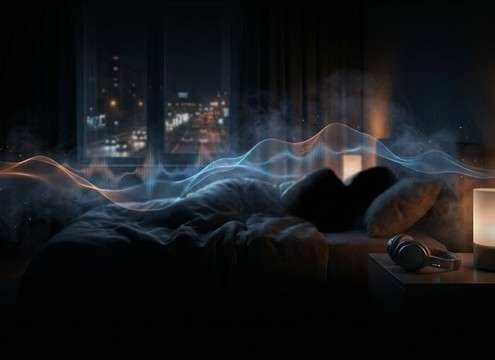
White noise bed for sleep masking with gentle fade

Sleep masking tracks

Build consistent noise beds that cover traffic, neighbors, or HVAC without distracting tonal peaks, using smoother fades and softer highs.

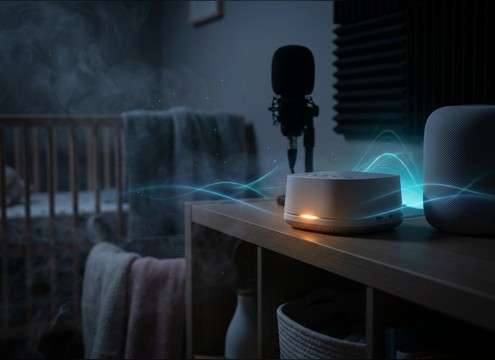
Soft white noise for nursery calming playback

Nursery and baby

Create steady, non-pulsing noise with low harshness and stable loudness so it sits comfortably in a nursery speaker or smart device.

Mid-focused white noise for study and concentration

Study and focus

Pick brighter, mid-forward noise that reduces speech intelligibility in shared spaces while keeping the bed light and non-boomy.

Warm white noise with softened highs for personal listening

Tinnitus-friendly ambience

Generate warmer, less sharp versions with controlled top end and avoid whistling artifacts, useful for personal sound routines (not medical advice).

White noise layer used to fill voiceover room tone gaps

Voiceover room tone

Patch gaps between takes by matching brightness and stereo width, then crossfade to avoid audible seams under dialogue.

Loopable white noise for office sound masking

Sound masking

Create loop-ready beds with consistent level and low distraction to reduce conversational spill in open-plan or meeting areas.

White noise loop for a sleep or focus app background

App background audio

Design short loops with clean starts and ends for timers, sleep apps, and focus tools, then regenerate variations for different intensity levels.

Subtle white noise ambience bed for an interior scene

Scene bed

Add subtle noise to indoor scenes to unify cuts, tame digital silence, and keep the ambience consistent across different microphones.

Why Choose Media.io for White Noise Sound Generator?

See exactly why creators, developers and studios choose our AI audio generator over all others.

Prompt controls for white noise tone and intensity

Prompt control for tone

Shape brightness, intensity, and texture movement so your noise sits behind speech instead of fighting it.

Preset styles for a White Noise Sound Generator

White Noise Sound Generator presets

Start from loop-ready examples, then regenerate warm, bright, mono, or wide variants in seconds.

Loop-friendly fade edges on white noise audio

Clean loop-friendly edges

Generate clips with smoother attack and tail so loops and crossfades do not click or pump.

Preview multiple white noise variations quickly

Fast preview and swap

Audition multiple versions quickly and pick the one that matches your room tone, app mix, or masking goal.

WAV export for white noise sound effects

Download-ready WAV output

Export a WAV file you can drop into an edit timeline, DAW session, or mobile app build without extra conversion steps.

Consistent white noise bed for long-form content

Consistent beds for long content

Keep ambience stable across cuts by generating steady noise with predictable level and minimal artifacts.

How to Pick and Prompt White Noise That Actually Loops

White noise is useful because it is broadband and easy to loop, but small choices like brightness, stereo width, and fade shape decide whether it feels calming, clinical, or fatiguing. Use the prompts on this page as starting points, then specify your target spectrum (bright vs warm), whether you need mono or wide stereo, and how smooth the attack and tail should be for looping or crossfades.

Choose the right spectrum for the job

Not all white noise should be equally bright. For sleep or long listening, a softened top end often feels smoother. For masking speech, a little more mid and high energy can be effective, but harsh hiss can become distracting.

  • For sleep: ask for warm tone, reduced harsh highs, gentle high-cut
  • For speech masking: ask for brighter presence, but avoid whistling tones
  • For room tone fill: match the brightness to your recorded ambience

Decide on mono vs stereo width

Stereo width changes how the bed feels in headphones and how it sits under dialogue. Wide stereo can feel spacious but may cause phasey movement when summed to mono. Mono is predictable and easier to layer under VO.

  • For VO and podcasts: request clean mono, centered image, stable level
  • For headphone sleep audio: request wide stereo with minimal phase wobble
  • For video ambience: request moderate width so it blends across cuts

Make loops invisible with fades

Clicks usually come from hard edges or fast level changes at loop points. Prompts that request smooth attack and tail help, and a slightly longer bed can make looping less obvious.

  • Ask for smooth fade in and fade out, no clicks, no sudden level jumps
  • If looping, request steady noise with minimal modulation or pumping
  • Use 10s or 20s when you want less noticeable repetition

Avoid common white noise pitfalls

Bad noise beds often have tonal whistles, fluttery modulation, or overly sharp highs that fatigue listeners. Keep the prompt specific about what to exclude, especially when the audio is meant to run for minutes or hours.

  • Avoid: tonal ringing, whines, chirps, or oscillating filter movement
  • Avoid: excessive high-end fizz that becomes harsh at normal volume
  • Avoid: audible texture jumps that reveal the loop point

Frequently Asked Questions About
White Noise Sound Effects

Everything you need to know before downloading or generating your first sound.

Can I use these white noise sound effects in commercial projects?

Yes. The sounds on this page are provided as royalty-free downloads, so you can use them in client videos, apps, and monetized content without needing to credit in the audio itself.

What is the difference between white noise and pink or brown noise?

White noise is brighter because it carries more high-frequency energy. Pink noise feels more balanced and less sharp, while brown noise is deeper and heavier in the lows. If your goal is relaxing playback, many people prefer warmer options or a high-cut white noise prompt.

How do I generate a loopable white noise clip without clicks?

Choose a 10s or 20s duration and include loop language in your prompt, such as smooth attack and tail, clean fade in and fade out, and no sudden level changes. After generating, pick the version that sounds steady and does not have tonal artifacts at the ends.

Can I download white noise as a WAV file?

Yes. After you preview a result, you can download it as a WAV so it is easy to drop into a DAW, NLE timeline, or app build.

Are these white noise sound effects free to download?

Yes. You can preview and download the AI-generated white noise sound effects as WAV files and use them in personal or commercial projects.

Can I copy the prompt used for each sound?

Yes. Open any sound row to view the prompt, copy it, adjust the wording and generate a custom variation that better matches your scene.

Related Free Sound
Effect Categories

Explore other AI-generated sound libraries from Media.io

sound

Rain Sound Effects

10+ free sounds
sound

Thunder Sound Effects

10+ free sounds
sound

Farts Sound Effects

10+ free sounds
sound

Car Crash Sounds

10+ free sounds
sound

Explosion Sound Effects

10+ free sounds
sound

Gunshot Sound Effects

10+ free sounds
sound

Pistol Sound Effects

10+ free sounds
sound

AI Horror Sound Effects

10+ free sounds
sound

AI Forest Sound Effects

10+ free sounds
sound

AI Dog Whistle Sound

10+ free sounds
sound

AI Ding Sound

10+ free sounds
sound

Phone Ring Sound

10+ free sounds
media.io

AI Video Generator star

Easily generate videos from text or images

Generate
